What are the Basic PostgreSQL (psql) Commands for Managing an Odoo Database?
If you’re working with Odoo, an open-source business application platform, you’ll likely need to manage the underlying database, which PostgreSQL (psql) Commands powers. PostgreSQL is a powerful, open-source relational database management system that stores and organises your Odoo data.
Managing databases might sound complicated for users new to PostgreSQL or Odoo, but it doesn’t have to be. This blog covers some basic PostgreSQL (psql) Commands that can help you efficiently perform essential tasks such as creating users, backing up your data, installing or uninstalling modules, and troubleshooting database issues. Whether you’re a beginner or have some experience with Odoo, these commands will make managing your Odoo database more straightforward and more efficient.
Let’s start!
1. Connect to PostgreSQL (psql) Commands
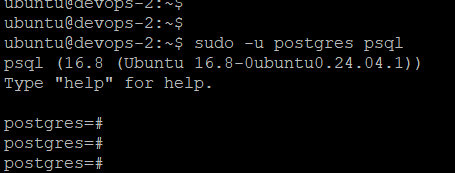
To begin working with your Odoo database, connect to PostgreSQL (psql) Commands. Use the following command to access the PostgreSQL command-line interface:
sudo -u postgres psql
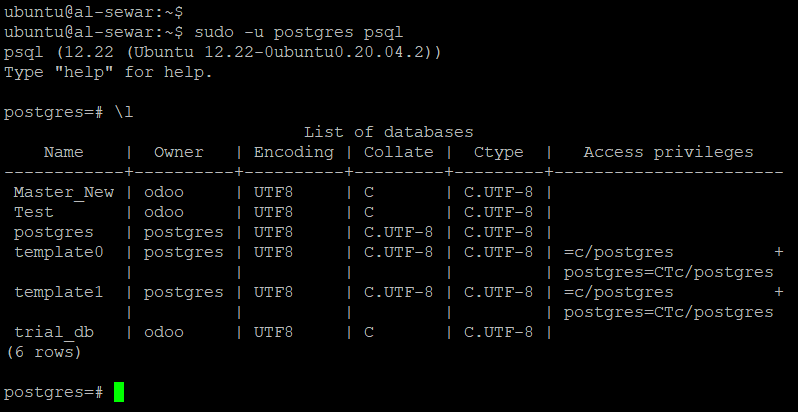
2. List Databases
\l
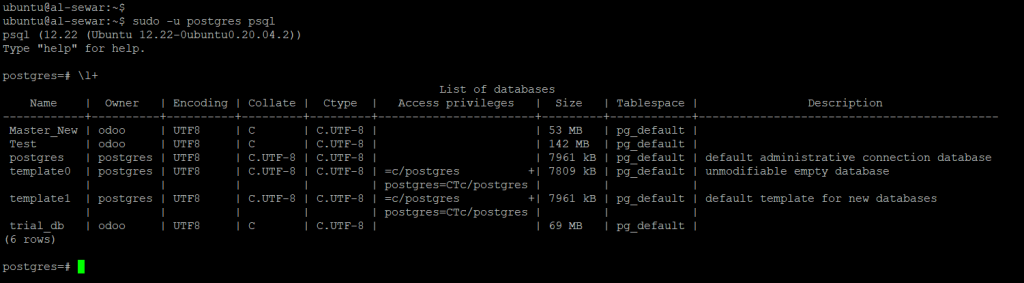
3. List Databases with additional details
To get a more detailed view of your databases, including their sizes and owners, use:
\l+
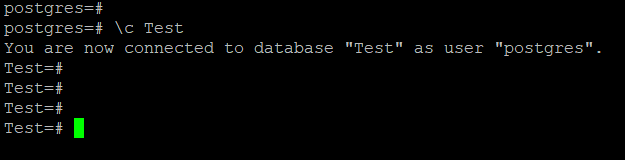
4. Switch to an Odoo Database
If you want to work with a specific Odoo database, switch to it using the following PostgreSQL (psql) Commands:
\c database_name
For example:
Eg:- \c Test
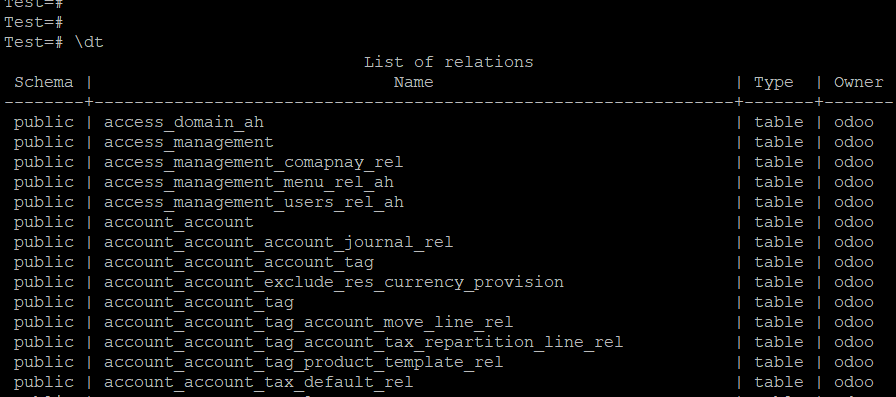
5. List Tables in Odoo Database
To list all tables in your current Odoo database, use:
\dt;
6. Create a PostgreSQL User
If you need to create a new user for your PostgreSQL database, you can do so with this command:
CREATE USER odoo WITH PASSWORD 'yourpassword';
Grant all privileges on an Odoo database:
ALTER USER odoo CREATEDB;
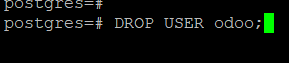
7. Delete a PostgreSQL User
To delete an existing PostgreSQL user, use the following command:
DROP USER odoo;
8. List all PostgreSQL User’s
To view a list of all PostgreSQL users, run:
\du
9. Backup Odoo Database
Backing up your Odoo database is essential for ensuring data safety. To create a backup, use the following command:
					pg_dump -U odoo_user -h localhost -d database_name > /opt/backup/odoo_test_backup.sql
Enter the odoo_user db password
10. Restoring Odoo Database
Creating the database for restoration
Before restoring a backup, create an empty database with:
					      createdb -h localhost -U odoo_user db_name
       Enter the odoo_user db password
Restoring database
					psql -h localhost -U odoo_user -d db_name -f /tmp/backup/test_backup.sql
Enter the odoo_user db password
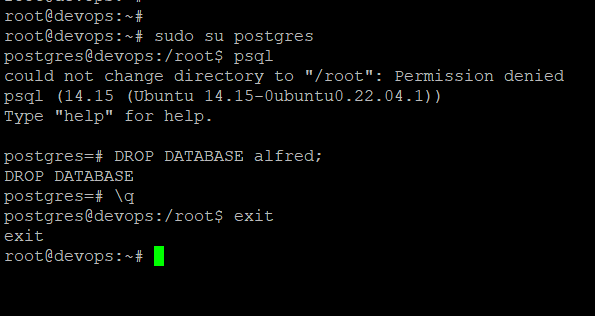
11. Drop an Odoo Database
To delete an Odoo database entirely, use the following command:
DROP DATABASE test;
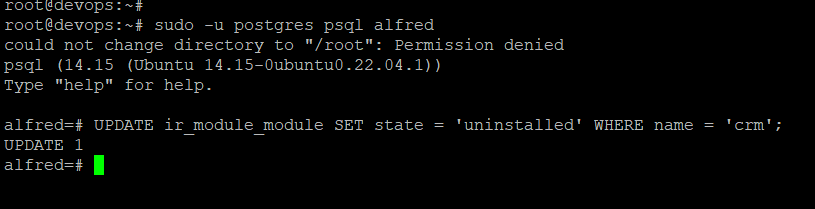
12. Uninstalling a module via Terminal
To uninstall a module from your Odoo database, follow these steps:
					sudo -u postgres psql your_db_name
UPDATE ir_module_module SET state = 'uninstalled' WHERE name = 'module_name';
           sudo systemctl restart odoo.service
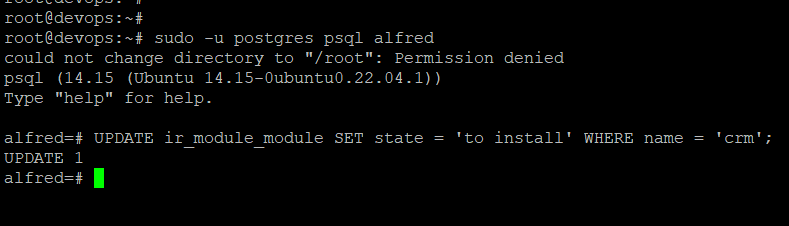
13. Installing a module via Terminal
If you need to install a new module, use the following steps:
					sudo -u postgres psql your_db_name
UPDATE ir_module_module SET state = 'to install' WHERE name = 'module_name';
           sudo systemctl restart odoo.service
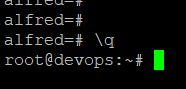
14. Exit Postgresql
When you’re done, you can exit the PostgreSQL command-line interface with:
\q
Take Charge of Your Odoo Database with These Simple Commands
Managing an Odoo database doesn’t have to be daunting, even if you’re new to the system. With a clear understanding of basic PostgreSQL (psql) commands, you can efficiently handle crucial database management tasks such as user creation, database backups, module installations, and more. These commands provide the foundation for maintaining a well-organized, stable, secure Odoo system.
Whether you’re just starting with Odoo or are an experienced user looking to refine your skills, these essential PostgreSQL commands will empower you to take charge of your database management processes. With the right tools and knowledge, tasks that once seemed complex become straightforward and manageable.
By using these commands, you’ll improve your database management capabilities and enhance the overall performance and security of your Odoo system. A smooth-running database means fewer disruptions, more efficient workflows, and better business outcomes.
Don’t let the thought of database management overwhelm you. With these simple yet powerful commands at your fingertips, you’ll gain the confidence to control your Odoo environment, ensuring everything runs smoothly and efficiently.
I’m Alfred Joshi, a Linux System Administrator passionate about system optimization, security, and automation. Here, I share insights and tips on Linux and open-source technologies.
We use cookies to ensure that we give you the best experience on our website. If you continue to use this site we will assume that you are happy with it.