Finding the right meeting room, managing bookings, and keeping track of availability can be a headache, especially in larger companies. But guess what? Odoo 18 has made that much easier with its Meeting Room Module. Whether you’re an office manager, business owner, or someone who needs to schedule meetings regularly, this tool will become your best friend.
The Meeting Room Module in Odoo 18 is designed to help businesses like yours update their meeting space management. From meeting room scheduling to reservation management, this tool makes everything run smoothly without a hitch.
If you’re wondering how to use it effectively and get the most out of it, this guide is for you.
In this guide, we’ll learn
What is the Meeting Room Module in Odoo 18?
Setting Up Your Meeting Rooms in Odoo 18: A Simple Guide
How to Schedule Meetings in Odoo 18: A Complete Walkthrough
Key Features of the Odoo 18 Meeting Room Booking System
Managing Reservations: How to Handle Meeting Room Bookings with Ease
Advanced Tips for Efficient Meeting Room Management
Wrapping It Up: Why Odoo’s Meeting Room Module is a Must-Have
By the end of this article, you’ll know exactly how to schedule meetings in Odoo 18, manage your meeting rooms, and even optimize room usage – everything you need to get your office running like a well-oiled machine.
1. What is the Meeting Room Module in Odoo 18?
You’ve probably heard of Odoo’s fantastic suite of business apps, but let’s focus on the Meeting Room Module in Odoo 18 for now. This module is an absolute innovation for our office’s meeting spaces. This module makes scheduling, booking, and managing meeting rooms a breeze.
Why does this matter?
Well, consider how much time and energy goes into manually organizing and booking meeting rooms. You must check availability, ensure no double booking, and track usage. The Odoo 18 meeting room module eliminates all that frustration.
It’s integrated with Odoo’s calendar and works smoothly with other business apps, so your team can effortlessly manage their schedules. Whether you’re booking a room for an internal meeting or a client presentation, this tool makes it easy.
2. Odoo 18 Meeting Room Module Tutorial: A Simple Guide
The first step to using the Meeting Room Module in Odoo 18 is setting it up. If you’re new, don’t worry; the process is straightforward. Here’s how to do it step by step:
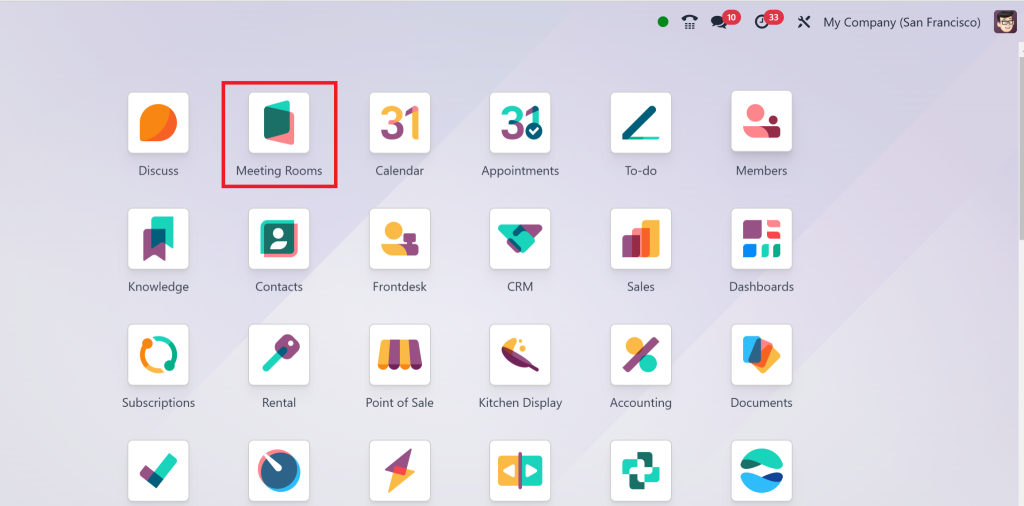
Step 1: Direct to the Meetings App
Locate and open the Meetings app from your Odoo dashboard. The app provides access to all meeting-related functionalities, including meeting room management.
Step 2: Access the Settings
In the Meetings app, you’ll find the “Settings” option. Click on that to access the meeting room configuration.
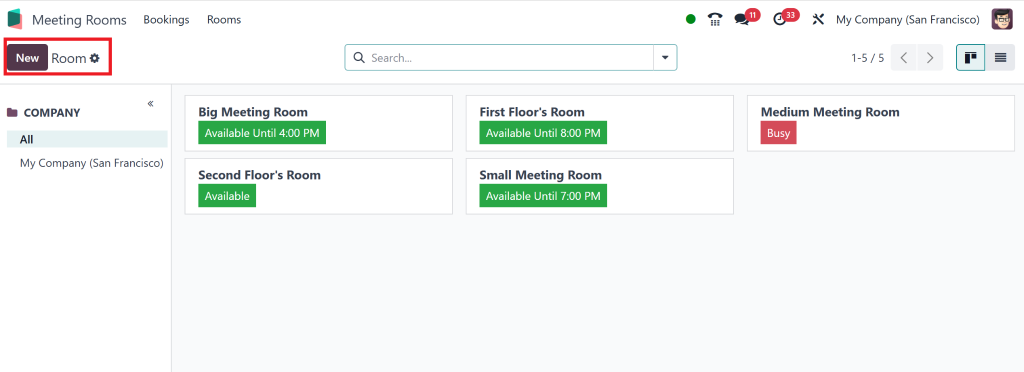
Step 3: Create a New Meeting Room
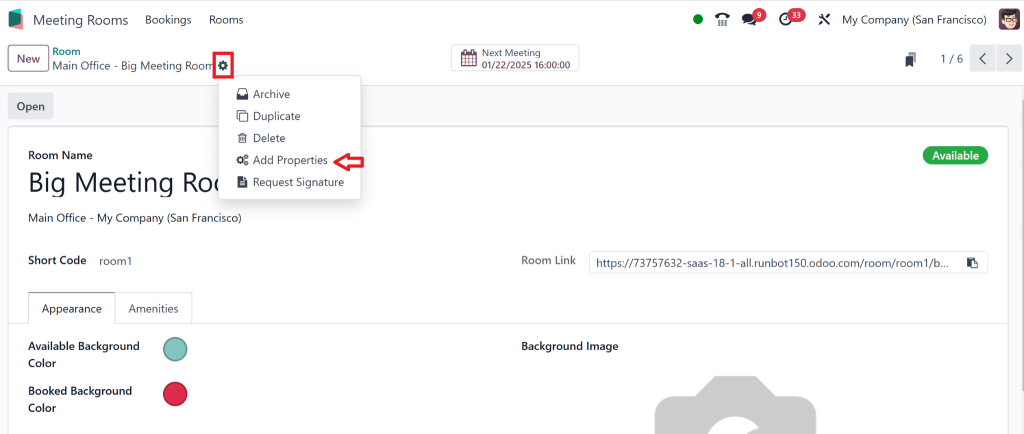
Once you’re in the settings, you can create a new meeting room by clicking ” New.”
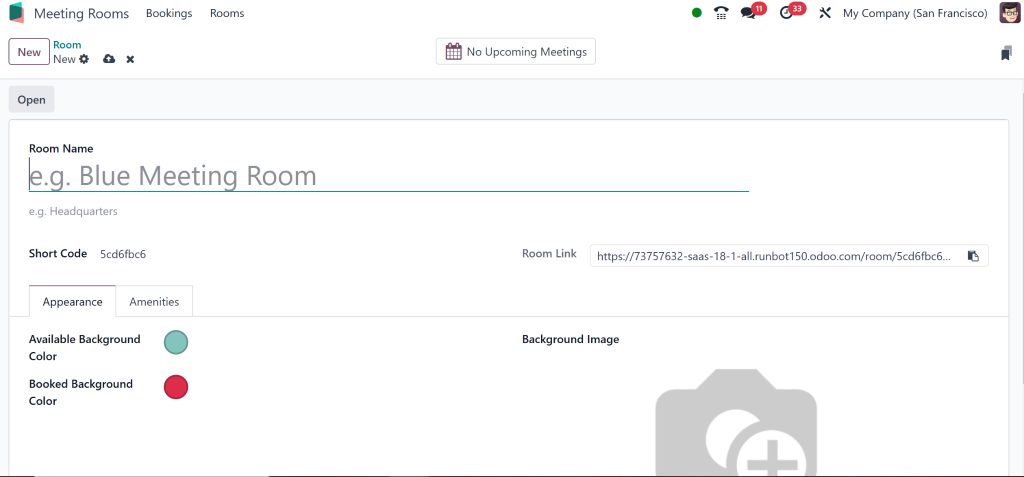
Step 4: Add Room Details
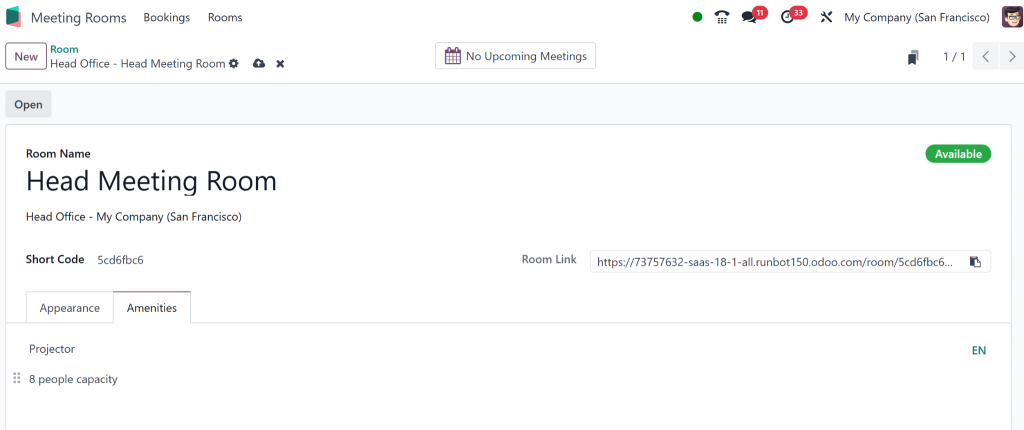
Here’s where the magic happens! You can add essential details about each room.
Consider the capacity (how many people it can hold), whether it’s equipped with a projector, a conference phone, or video conferencing tools. You can also set up recurring bookings or add any other unique features the room might offer.
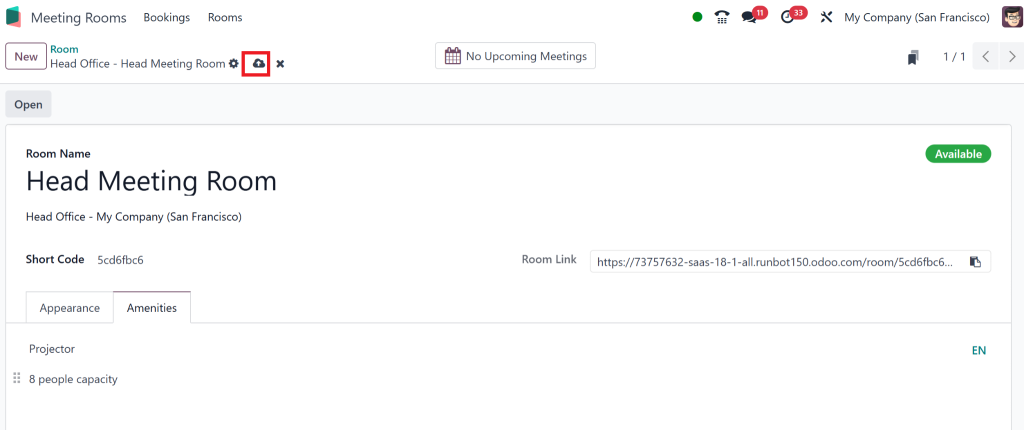
Step 5: Save the Room
After entering all the details, click “Save.” Now your meeting room is ready for bookings!
3. How to Use Meeting Room Scheduling in Odoo: A Complete Walkthrough
Now comes the fun part – scheduling meetings in Odoo 18! Once your rooms are set up, scheduling is as simple as a few clicks. Let’s break it down:
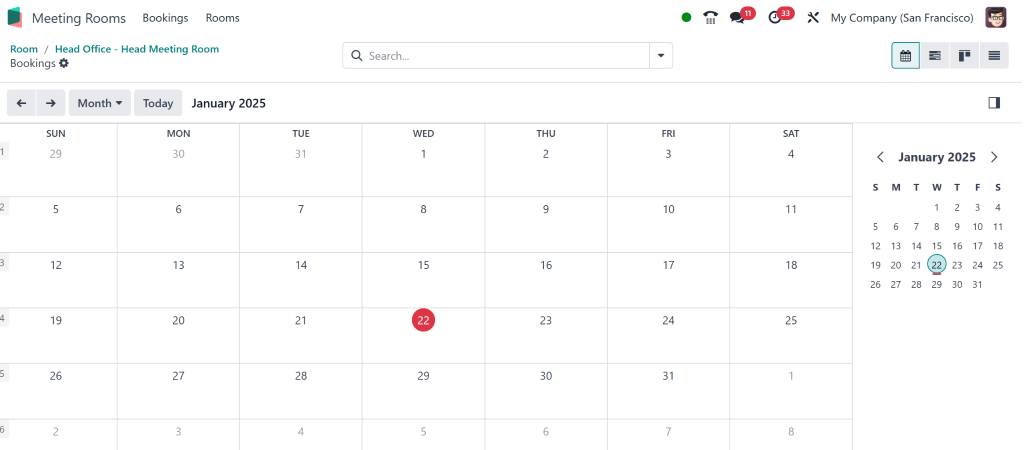
Step 1: Open the Calendar
Go to the Odoo Calendar on your screen.
You organize all your meetings and events in this area, which integrates directly with your meeting room module.
Step 2: Choose the Time Slot
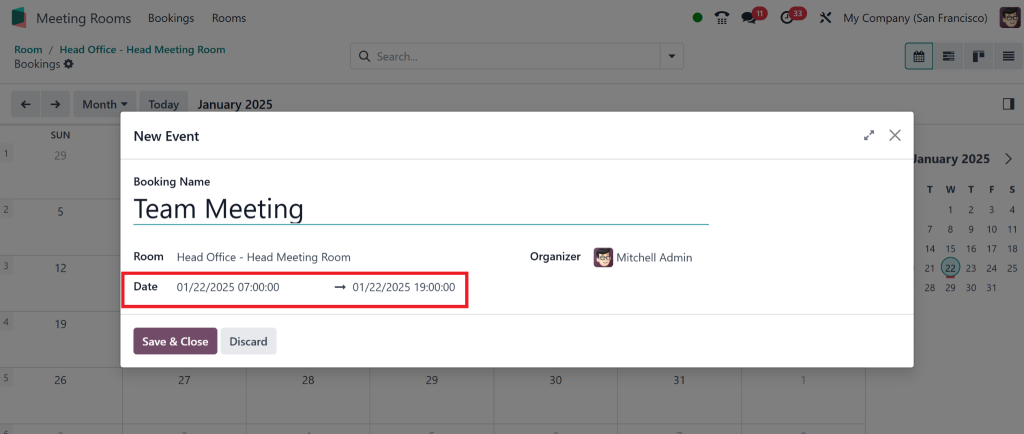
Select the date and time that works best for your meeting. You can adjust the time slot based on room availability.
Step 3: Select the Meeting Room
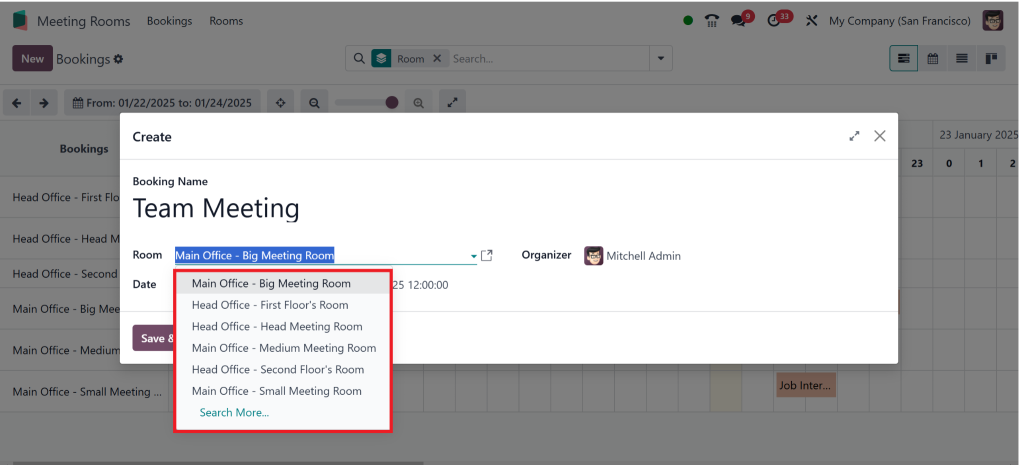
You’ll see a “Meeting Room” menu in the meeting creation window. Select the room that suits your needs.
The system will show the available rooms during the chosen time.
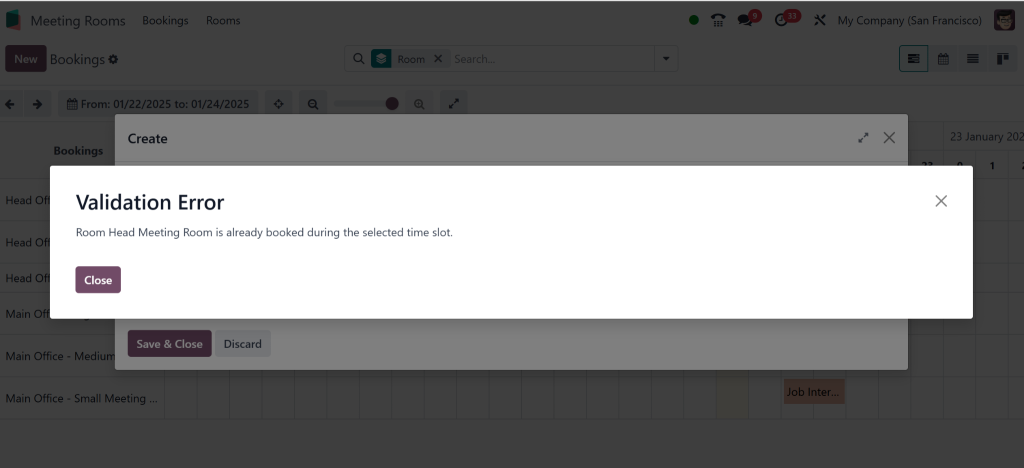
So there’s no chance of double-booking.
Step 4: Enter Meeting Details
Please fill in the meeting title, participants, and agenda. If necessary, you can attach documents or files related to the meeting. This will ensure that all information is in one place.
Step 5: Schedule Meetings in Odoo 18
Confirm and Save the Booking
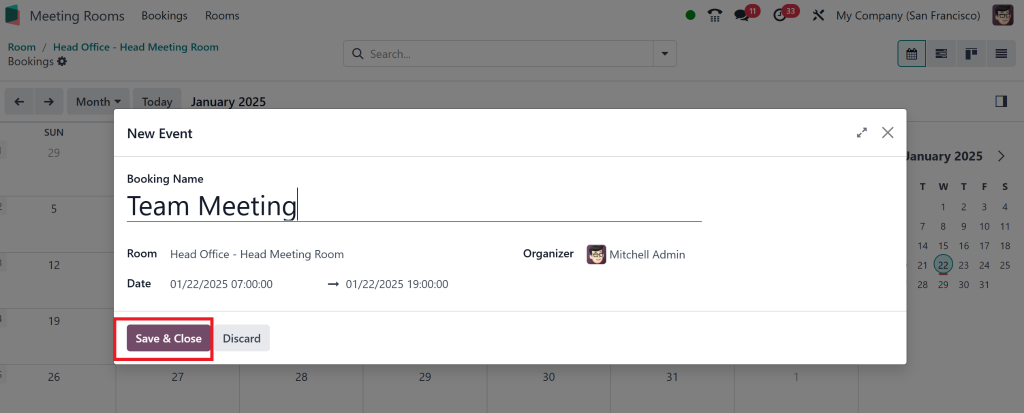
Once everything looks good, hit “Save.” The meeting room is now booked; all participants will receive an automated invite. The room reservation is synced with the calendar and ready for use.
4. Odoo Meeting Room Booking Feature
Let’s examine the features that make the Odoo meeting room booking feature stand out. These functionalities are not only convenient but also essential for smooth business operations.
1. Real-Time Availability
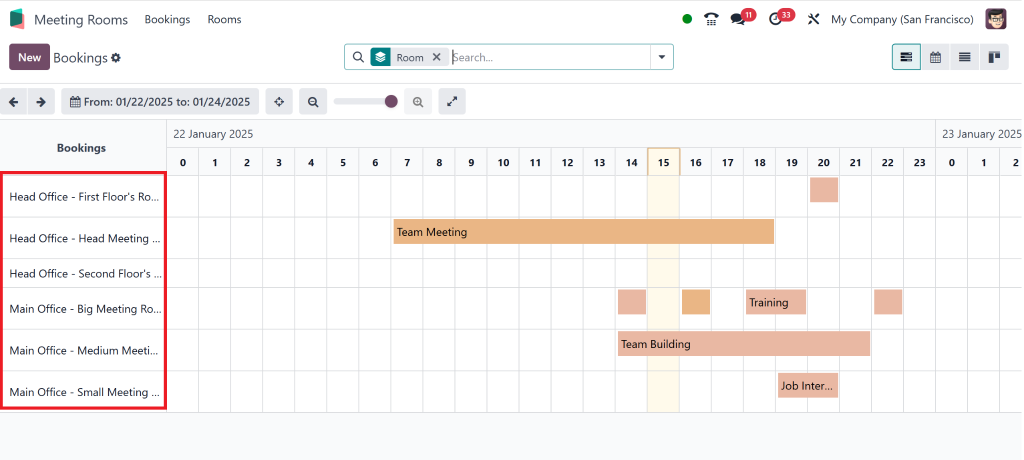
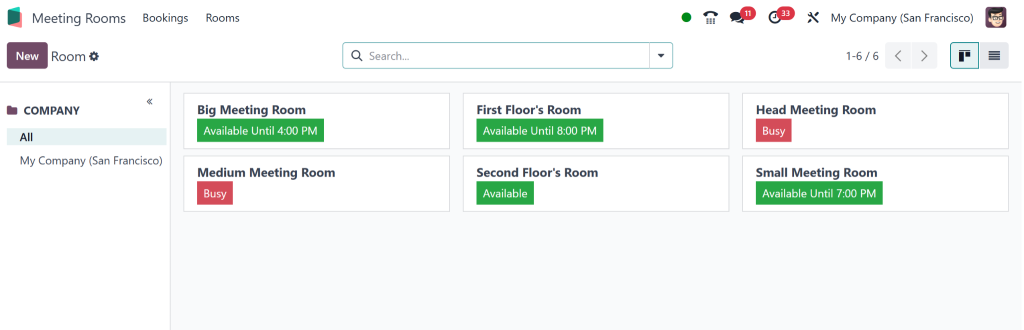
One of this module’s most powerful features is its real-time availability check. You can instantly see if a room is free or booked, eliminating the hassle of manually checking availability.
2. Easy Room Customization
You can customize each room with specific details, such as capacity, equipment (such as projectors or whiteboards), and even booking restrictions (e.g., the room is only available for a maximum of two hours). This ensures that rooms are tailored to your company’s needs.
3. Integration with Odoo Apps
The beauty of Odoo is how smoothly all its apps work together. The Meeting Room Module in Odoo 18 integrates perfectly with the calendar, CRM, Sales, and Project Management apps, making it easy to link meeting room bookings to projects or client meetings.
4. Automated Notifications
Never miss a meeting again! Odoo automatically sends out reminders to the room’s booker and all participants. This feature make sure that everyone is on the same side.
Managing meeting room reservations doesn’t have to be complicated. With Odoo, it’s simple and efficient.
1. Monitor Room Usage
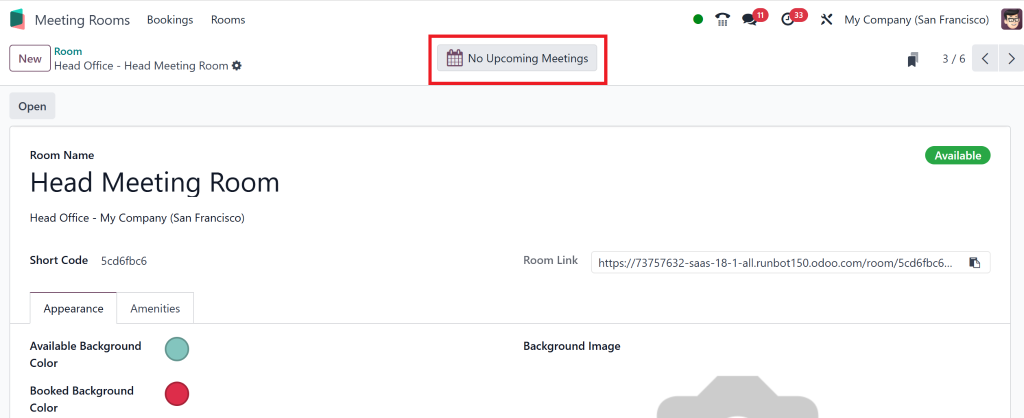
From the Odoo dashboard, you can easily monitor the status of your meeting rooms. Is a room occupied or free? You can check the room schedule in real time without digging through countless emails or spreadsheets.
2. Reschedule or Cancel Bookings
If something arises and you need to reschedule a meeting, Odoo allows you to modify the reservation easily. You can cancel bookings and free up rooms for other meetings in just a few clicks.
3. Reports and Analytics
Want to know how often a meeting room is being used? Odoo generates detailed reports on room usage, which helps you optimize meeting space allocation and plan better. For example, consider expanding or reconfiguring one room if one is always booked.
6. Advanced Tips for Efficient Meeting Room Reservation in Odoo 18
Once you have the basics, it’s time to level up! Here are some advanced tips to get even more out of the Meeting Room Module in Odoo 18:
1. Create Booking Rules
You can create rules to update room bookings. For example, limit the maximum number of hours a room can be booked or restrict certain rooms to specific teams or departments.
2. Automated Approval Process
If you manage multiple departments, you can set up an approval workflow for room bookings. This ensures that rooms are reserved only for essential meetings.
3. Use Notifications and Alerts
Set up notifications to alert you when a room becomes available. This can be particularly helpful for teams that need to book rooms at the last minute.
4. Utilize Room Labels
If your company has various meeting rooms (e.g., large conference rooms and small team rooms), label them for easy categorization. This will help employees choose the room that best suits their needs.
Why Odoo’s Meeting Room Module is a Must-Have
The Meeting Room Module in Odoo 18 is a must-have for any organization looking to upgrade its operations. From scheduling meetings in Odoo 18 to managing room bookings and optimizing space usage, Odoo makes it easier to stay on top of your room management. It’s fast, reliable, and integrates with the rest of your Odoo ecosystem.
With real-time availability, easy-to-use features, and powerful reporting tools, you’ll never have to worry about double bookings, room conflicts, or missed meetings again. So, whether you’re managing a small office or a large enterprise, the Odoo 18 meeting room module will save you time, increase efficiency, and make your workplace more organized.
Ready to get started? Set up your meeting rooms in Odoo 18 today and take the first step toward more intelligent, more efficient meeting management.
Hi, I'm Nabia, an Odoo ERP functional & technical content writer. I specialize in blogs, social media content, ad copy, landing pages, service pages, and email campaigns.
We use cookies to ensure that we give you the best experience on our website. If you continue to use this site we will assume that you are happy with it.