How to Subscribe Newsletters from the Odoo 18 Website?
Why Everyone's Talking About the Odoo 18 Newsletter Subscription
Have you ever clicked “subscribe” on a website and looked forward to the emails? That’s the power of a fabulous newsletter, and with the new tools available in Odoo 18, creating that experience is easier than ever. Whether you’re a small business owner, digital marketer, or just exploring the latest features in Odoo, this is the guide you’ve been waiting for.
From the sleek subscribe newsletters setup from Odoo to the intuitive Odoo 18 newsletter popup, Odoo has made it incredibly simple to turn your visitors into loyal subscribers. You’ll learn how to subscribe to newsletters in just a few clicks and get the most out of Odoo 18 email marketing.
This article doesn’t just walk you through the steps; it gives you fundamental strategies, real examples, and insider tips on using the Odoo newsletter block and the Odoo website subscribe form and completing your Odoo email marketing configuration like a pro.
We’re not exaggerating when we say this: once you understand how to use the Odoo 18 newsletter subscription effectively, you’ll crack a whole new level of audience engagement.
Let’s explore the details and discover how to maximize your Odoo 18 website newsletter tools!
Why You Should Subscribe Newsletters from the Odoo 18 Website
Odoo 18 Newsletter Subscription is Built for Growth
In the digital age, newsletters are golden. But not all systems make it easy. Odoo 18 ERP newsletter subscription changes that. With integrated design, automation, and marketing, Odoo offers a complete solution for subscribing to newsletters and managing campaigns in one place.
The Secret Sauce – Odoo Email Marketing Configuration
No newsletter strategy is complete without a robust email marketing configuration. Odoo 18 ERP email marketing gives you tracking tools, segmentation options, and campaign automation, helping you turn every subscriber into a customer.
Why the Odoo Newsletter Block is a Turning Point
Gone are the days of clunky code. The Odoo ERP newsletter block allows you to create stylish, on-brand subscription sections that attract attention and drive sign-ups.
How to Subscribe Newsletters from the Odoo 18 Website: Step-by-Step Guide
Start with the Basics – Installing Modules for Odoo 18 ERP Newsletter Subscription
Before setting up the Odoo ERP website newsletter setup, install the essential apps:
Website Builder
Email Marketing
CRM or Forms (for data collection)
Once you’ve installed these, you’re ready to create a beautiful and functional Odoo website subscribe form.
Add the Odoo Newsletter Block to Your Page
How to Access and Customize It
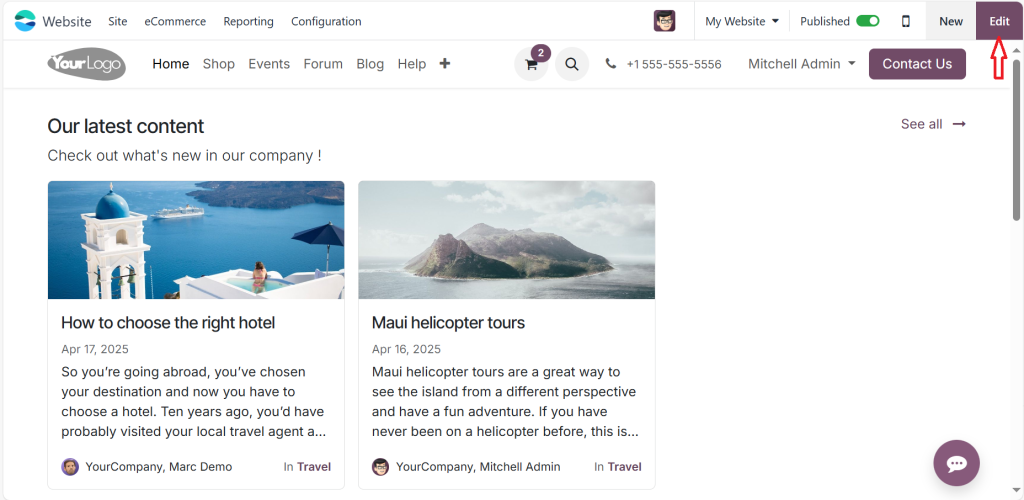
Go to Website > Edit Page.
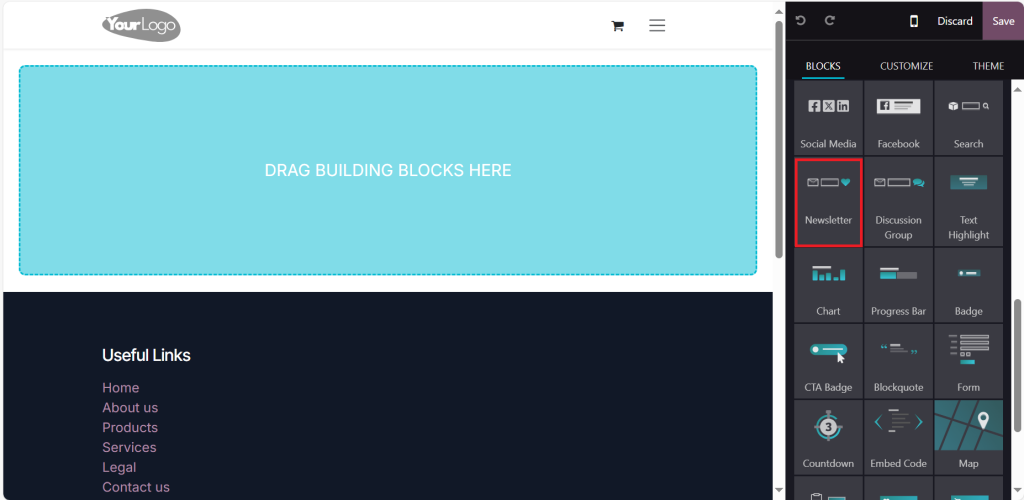
Drag and drop the Odoo ERP newsletter block from the design panel.
Please place it in your footer, homepage banner, or anywhere it grabs attention.
The block is designed to integrate flawlessly with the Odoo 18 ERP email marketing system. You need to connect it to the right list.
Design the Odoo Website Subscribe Form for Maximum Conversions
Your Odoo website subscribe form isn’t just a field; it’s the gateway to ongoing engagement. Here’s how to make it pop:
Add a friendly call-to-action like “Get Our Latest Tips!”
Use inline validation to help users enter their email correctly.
Connect it directly to a mailing list via the form action.
With a few tweaks, your Odoo 18 ERP newsletter subscription form can start collecting emails instantly.
Set Up the Backend Odoo Email Marketing Configuration
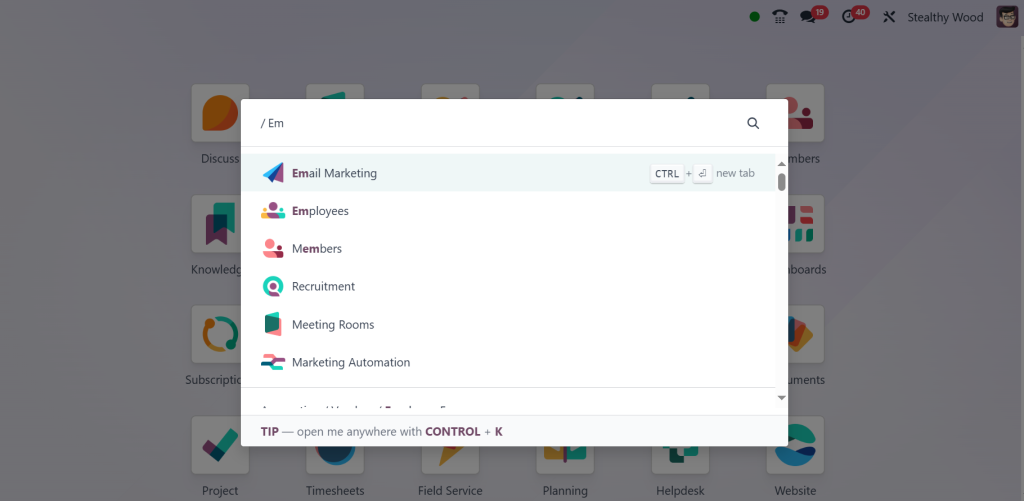
Direct to the Email Marketing app.
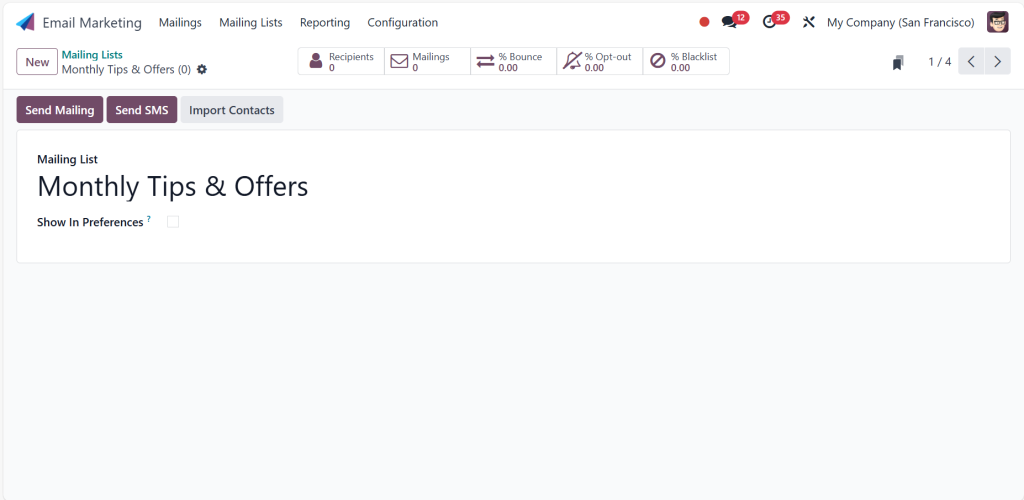
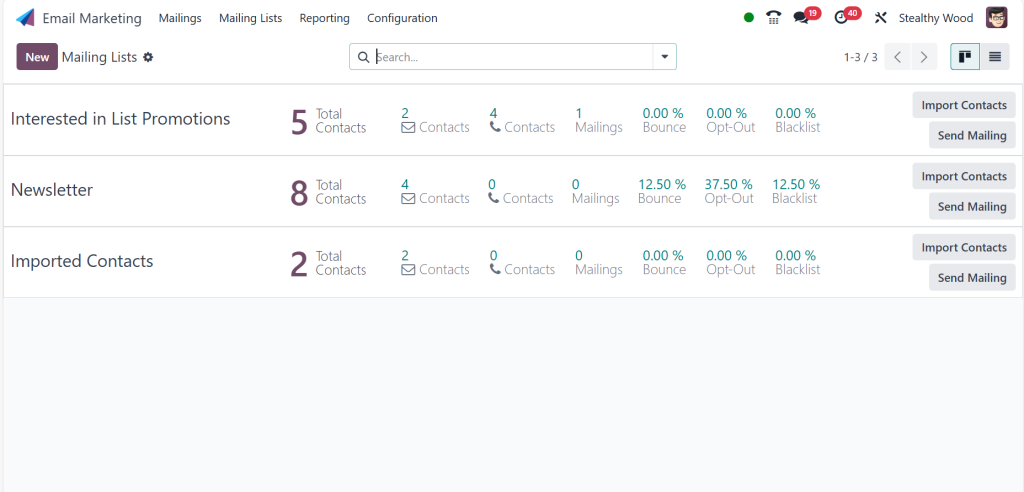
Create a new mailing list like “Monthly Tips & Offers”.
Under settings, configure your outgoing email servers.
This Odoo ERP email marketing configuration step ensures your newsletters land in inboxes, not spam folders.
Create Stunning Campaigns with Odoo 18 ERP Email Marketing
Use built-in templates or design your own.
Personalize content based on subscriber data.
Schedule or automate emails using triggers.
Now, your Odoo 18 ERP newsletter subscription setup is ready to deliver content your subscribers care about.
How to Use Odoo 18 Newsletter Popup to Grow Subscribers Overnight
Popups get a bad rap, but when used right, they work wonders. An Odoo 18 ERP newsletter popup shows up when your visitors are most engaged, prompting them to subscribe to newsletters before they leave your site.
How to Set It Up
Search for “Popup” or “Call to Action” in Edit Page mode.
Embed the Odoo ERP website subscribe form inside the popup or link it to a section with the form.
Set trigger rules, such as showing after 10 seconds or on exit intent.
The result? A compelling Odoo 18 ERP newsletter popup that drives conversions without annoying your visitors.
Boost Engagement Using Odoo Website Newsletter Setup Best Practices
Combine Odoo ERP Newsletter Block with Smart CTAs
Instead of “Subscribe,” try lines like:
“Never miss an update!”
“Get free tips monthly!”
Use the Odoo ERP newsletter block to tell a story, not just collect an email.
Personalize the Odoo Website Subscribe Form Experience
With Odoo 18, you can add custom fields like interests or product preferences to personalize future emails through Odoo 18 ERP email marketing.
A/B Test Everything
Run tests on:
Popup timing
Form placements
Email subject lines
The more you test, the better your Odoo 18 ERP newsletter subscription rates.
Real Use Case – How Businesses Are Winning with Odoo 18 ERP Newsletter Subscription
A digital store selling eco-friendly products increased its subscriptions by 240% after implementing the following:
A clean Odoo ERP website subscribe form on their homepage
A timed Odoo 18 ERP newsletter popup with a coupon incentive
Segmented Odoo ERP email marketing configuration to personalize emails
The results? Higher open rates, more engagement, and increased repeat sales are all thanks to the subscribe newsletter strategy powered by Odoo 18.
Troubleshooting Odoo Website Subscribe Form & Newsletter Popup Issues
Form Not Submitting?
Make sure the Odoo ERP website subscribe form is connected to the correct action.
Check mailing list permissions.
Popup Not Appearing?
Confirm that your Odoo 18 ERP newsletter popup is published.
Ensure JavaScript is not disabled on your site.
Emails Not Sending?
Revisit your Odoo ERP email marketing configuration.
Confirm outgoing email server credentials.
Top Benefits of Using Odoo 18 Email Marketing and Newsletter Features
One Platform, Infinite Possibilities
Manage your website, email campaigns, and contacts from Odoo 18 with no switching tools or juggling data.
Scalable Newsletter Subscription for All Business Sizes
Whether you’re a startup or an enterprise, the Odoo 18 ERP newsletter subscription tools scale with you.
Automation That Saves Time
From auto-welcome emails to re-engagement campaigns, Odoo 18 ERP email marketing lets you set it and forget it.
Learn the Art of Odoo 18 ERP Newsletter Subscription Today
If you’ve ever wondered how to subscribe to newsletters from your website correctly, Odoo 18 made it easier. With powerful tools like the Odoo ERP newsletter block, Odoo 18 ERP newsletter popup, Odoo ERP website subscribe form, and robust Odoo ERP email marketing configuration, your digital communication just levelled up.
This isn’t just another blog; it’s your roadmap to creating a high-converting Odoo ERP website newsletter setup that your audience will look forward to.
Now it’s your turn. Open your Odoo dashboard and subscribe to newsletters to your heart’s content. Your future subscribers are waiting.
Hi, I'm Ilsa Shabbir, an Odoo ERP content writer specializing in functional blogs on Odoo modules. I simplify complex Odoo features, creating clear and engaging content to help businesses understand and optimize their ERP solutions.
We use cookies to ensure that we give you the best experience on our website. If you continue to use this site we will assume that you are happy with it.