How to Create & Manage Packages in Odoo 18 Inventory?
What if managing your warehouse packages was simpler, smarter, and fully under your control?
With Odoo 18 package management, businesses get exactly what they need: greater visibility, streamlined inventory handling, and optimized logistics. For companies that move goods daily, precise package management isn’t just helpful; it’s essential for maintaining smooth and efficient operations.
This detailed guide to Manage Packages in Odoo 18 Inventory provides step-by-step instructions for setting up packaging and tracking warehouse packages. The mastery of Odoo 18 inventory packages by warehouse managers, logistics officers, and ERP administrators will lead to significant improvements in business performance.
The following sections explain how to perform the following tasks:
Create packages in Odoo 18
The system allows users to configure and manage various Odoo 18 package types.
The Odoo inventory packaging setup provides an efficient system for managing packages.
Odoo 18 package tracking enables users to track packages with high accuracy.
Odoo 18 package management enables businesses to manage the organization, shipping, and tracking of goods grouped into packaging units, such as boxes, pallets, or containers. It simplifies warehouse operations by allowing products to be handled in bulk rather than individually.
Each package can carry a unique barcode or tracking number, allowing users to:
Track items throughout their journey
Reduce manual errors in logistics
Optimize picking, packing, and delivery processes
Update inventory movements between locations
With the right setup, your company can dramatically reduce bottlenecks and improve warehouse efficiency.
How to Manage Packages in Odoo 18 Inventory
Step 1: Manage Packages Odoo Inventory
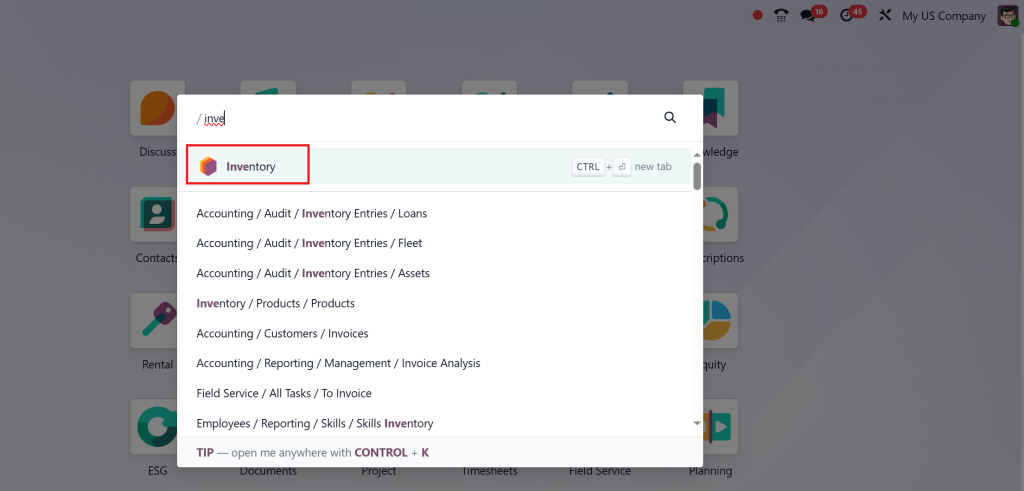
Open the Inventory app.
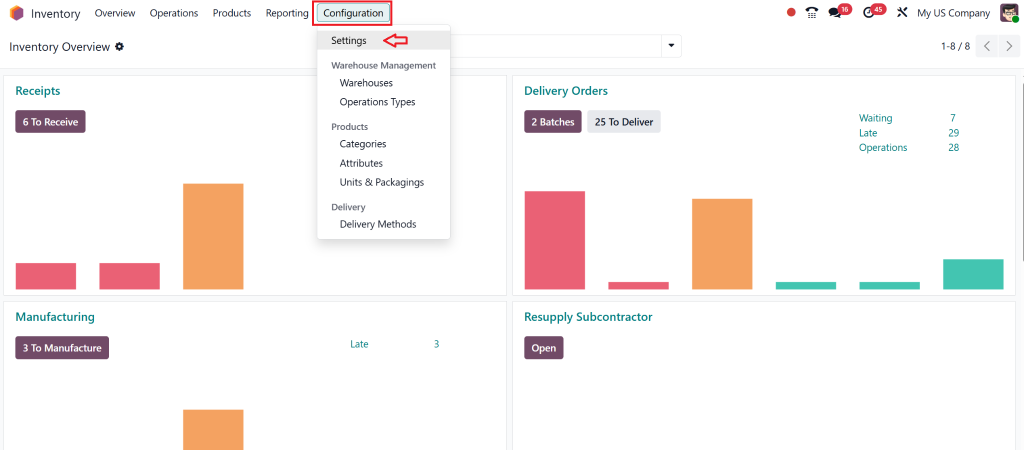
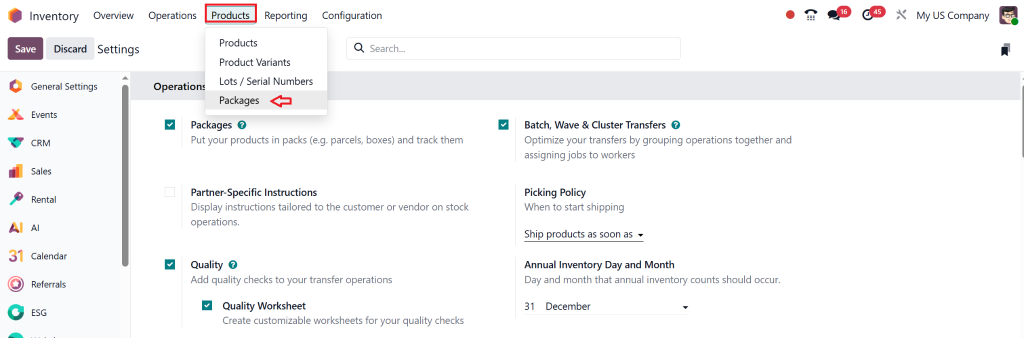
Go to Configuration > Settings.
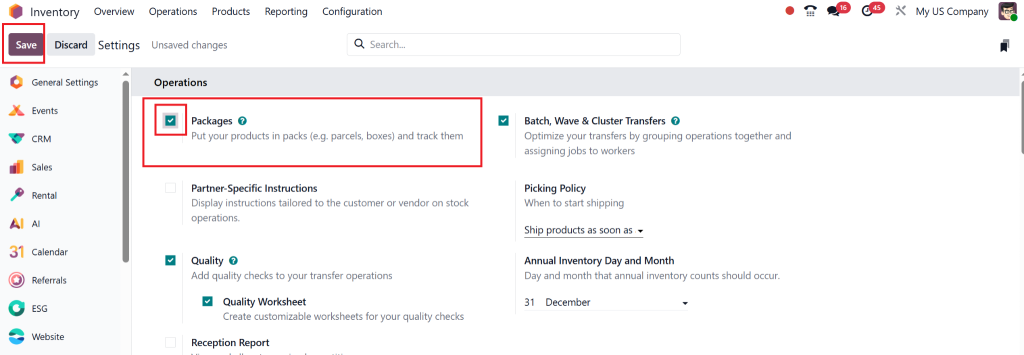
Find the Packages option.
Check the box to enable it.
Click Save.
Step 2: View or Create Packages
Go to Products > Packages (now visible after enabling).
Here you can:
View all packages.
See which products they contain.
Create a new package.
Step 3: Create or Edit a Package
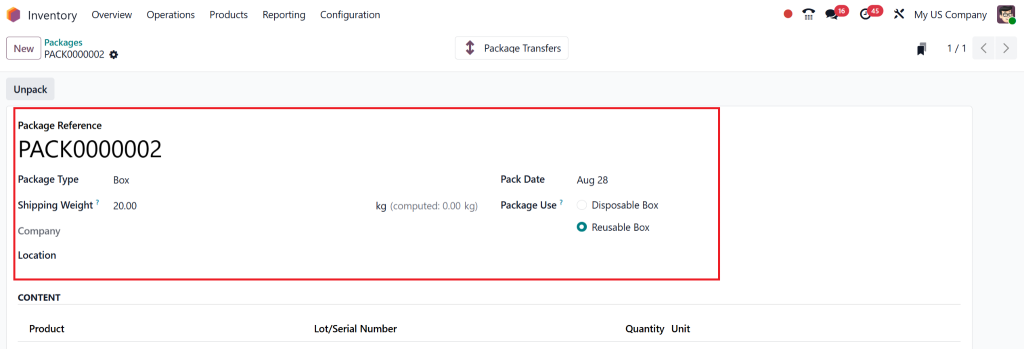
Click New to add a new package.
Fill in details:
Package Reference
Package Type
Current Location
Creation Date
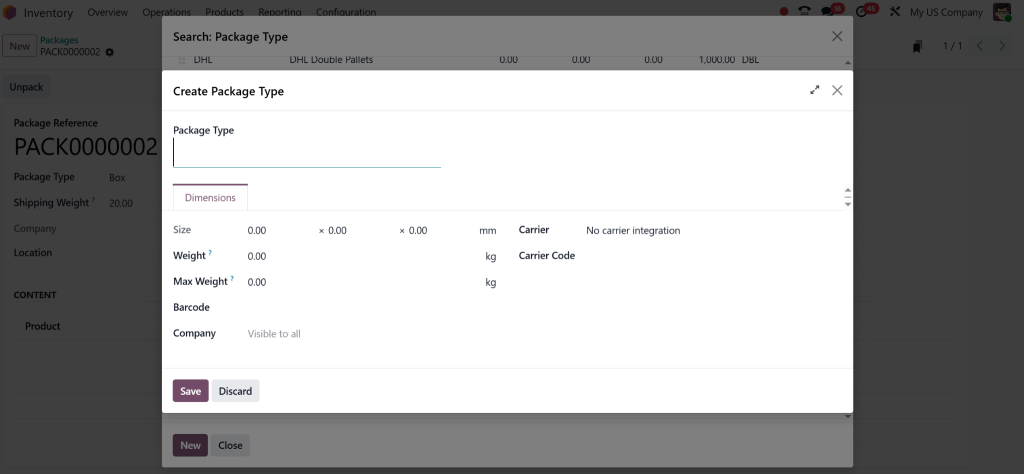
To create a custom package type, define:
Name
Size (dimensions)
Empty weight
Maximum weight
You can:
Assign barcodes for scanning.
Set storage category capacity.
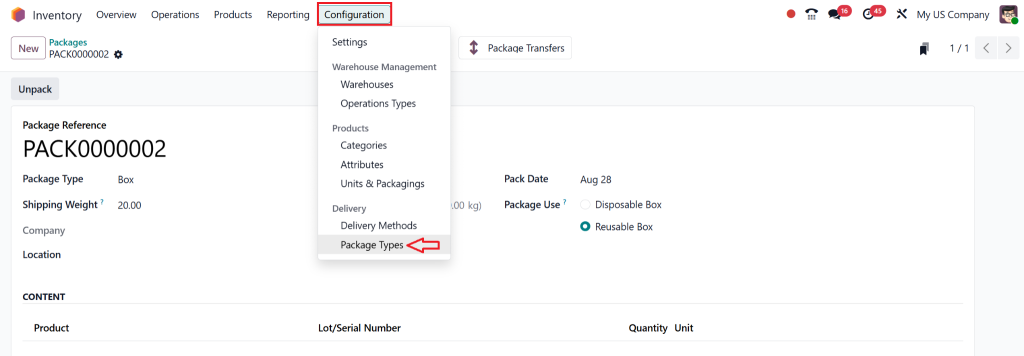
Step 4: Create Package Types (Alternative Way)
Navigate to Configuration > Package Types.
Add package types from there as well.
Step 5: Add Products to Packages via Transfers
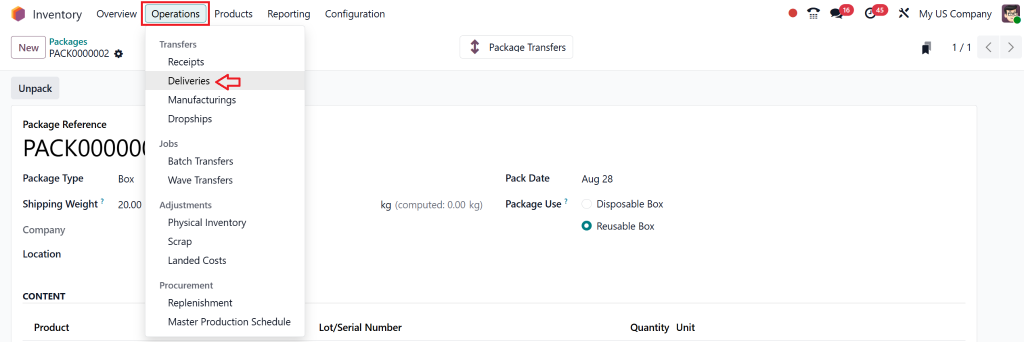
Go to Operations > Deliveries.
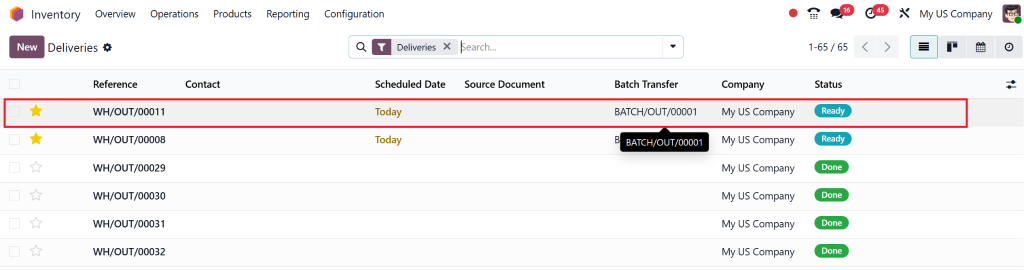
Open a delivery in “Ready” State.
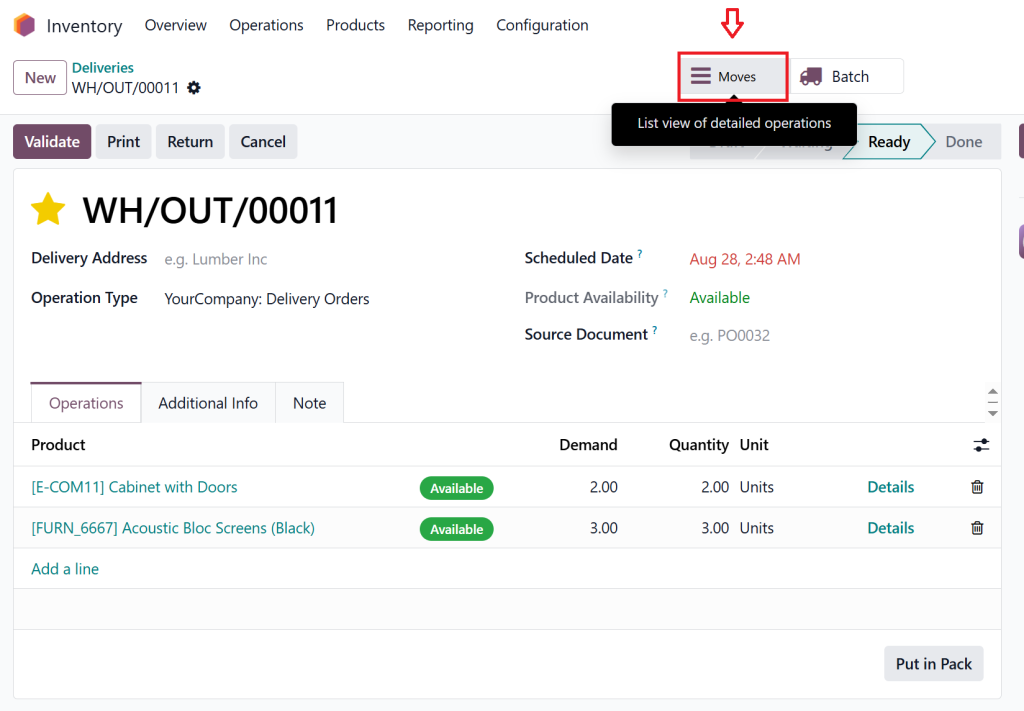
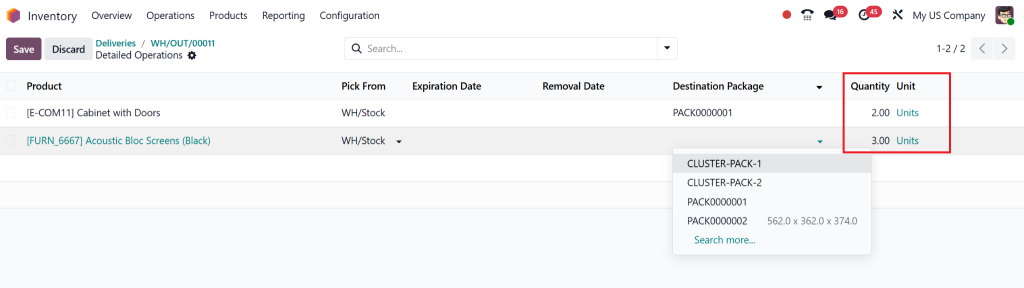
Click the menu icon on a product line or use the “Move” smart button.
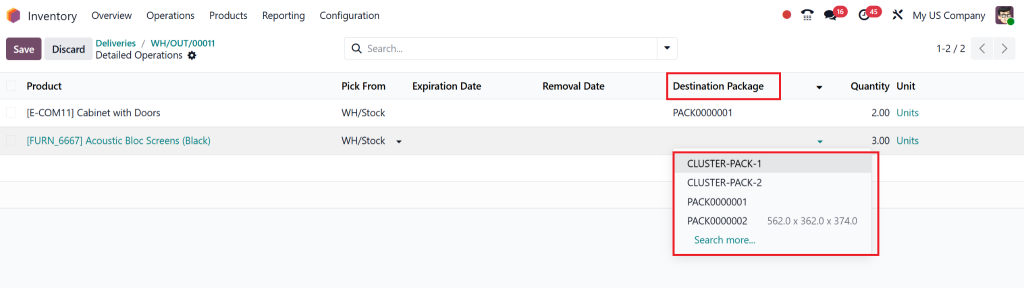
Under Destination Package:
Select an existing package or create a new one by typing a name.
Enter the number of units to include in the package.
To split quantities:
Click Add a line, select the product, assign another destination package, and enter the remaining quantity.
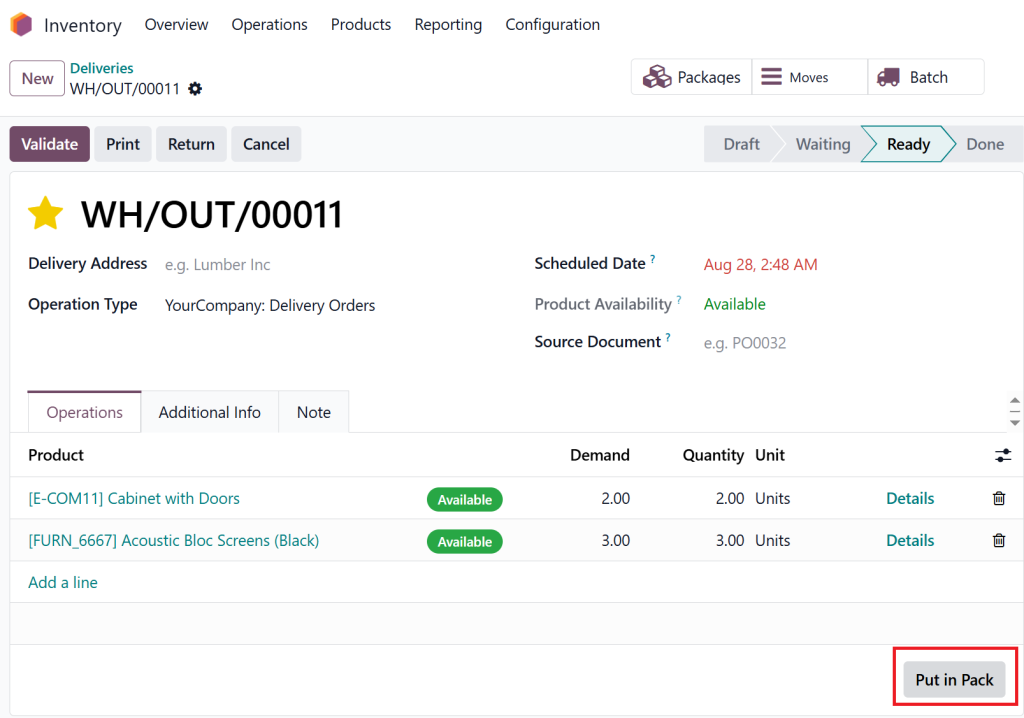
Step 6: Use “Put in Pack” Option (Optional)
This button groups all products in the transfer into one single package.
To split quantities:
Click Add a line, select the product, assign another destination package, and enter the remaining quantity.
Step 6: Use “Put in Pack” Option (Optional)
This button groups all products in the transfer into one single package.
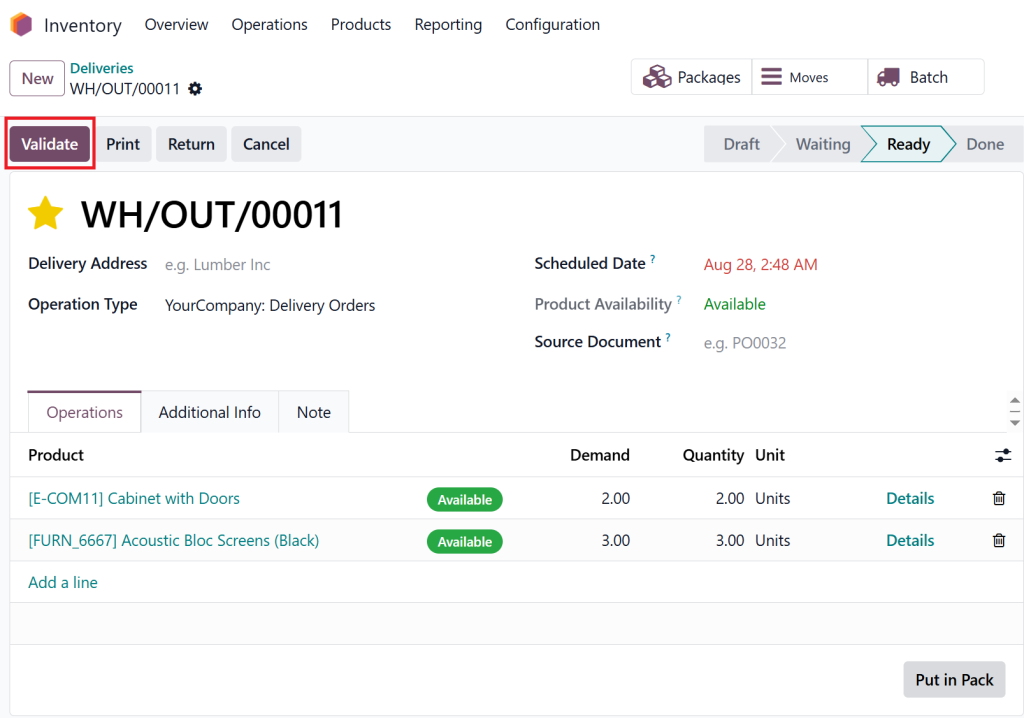
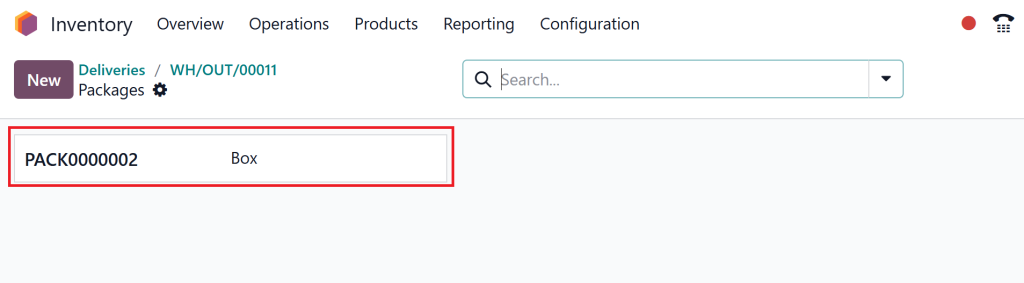
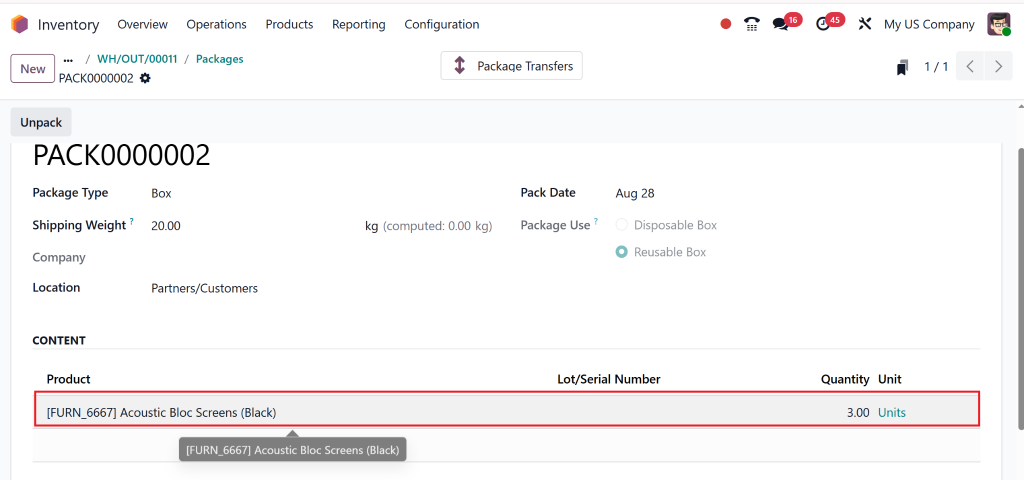
Step 8: View Package Contents
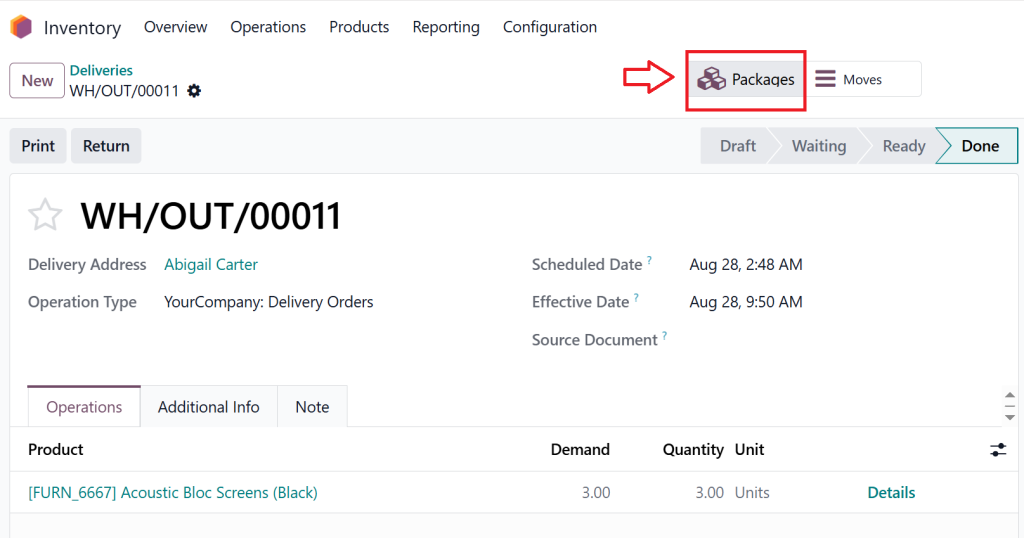
Click the Packages smart button at the top.
Select the package.
Under the Content section, you will see:
List of products.
Their quantities.
Improve Your Warehouse with Odoo Inventory Packaging Setup
An efficient Odoo inventory packaging setup helps you:
Define default package types for specific products
Automate package creation during delivery processes
Ensure package-related validations during stock movement
You can even integrate packaging with barcode scanning to speed up operations. For example, when a package is scanned, Odoo automatically fills in package details during pickings, eliminating the need for manual input.
A complete Odoo inventory packaging setup transforms your warehouse into a smarter, faster, and error-free operation.
Track Packages Easily with Odoo 18 Package Tracking
Odoo 18 package management offers a robust package tracking system as one of its key benefits. The system tracks every package throughout its entire lifecycle, from creation to delivery at its final destination.
Key Features of Odoo 18 Package Tracking
Real-time package history and location tracking
Integration with delivery orders and shipment batches
Compatibility with barcode scanners
Visibility into internal and external transfers
Odoo 18 package tracking provides complete visibility for both local warehouse transfers and cross-border shipments, which is essential for maintaining logistics accuracy and delivering customer satisfaction.
Benefits of Using Odoo 18 for Package Management
Odoo 18 package management implementation delivers quantifiable benefits to organizations:
The warehouse operates more efficiently due to bulk product handling, which decreases manual work requirements.
The system provides better accuracy, which decreases the chances of shipment errors.
The system supports large-scale logistics operations by enabling the management of multiple warehouses and companies across various locations.
The system provides better customer satisfaction through clear tracking and expedited order processing.
The system integrates with barcode systems and shipping connectors, and IoT devices.
Make Smart Packaging a Business Advantage
Modern businesses must adopt intelligent logistics solutions to maintain their competitive edge in today’s rapidly evolving market. Odoo 18 package management offers the ability to handle packaging operations with precision and flexibility, along with full traceability.
Your business will achieve efficiency and growth through proper Odoo 18 package creation procedures and Odoo 18 package type configuration, and Odoo inventory packaging setup maintenance. Odoo 18 package tracking provides real-time visibility into all package movements, ensuring complete accountability.
Odoo 18 offers advanced package management tools that enable you to start optimizing your inventory operations immediately.
Hi, I'm Nabia, an Odoo ERP functional & technical content writer. I specialize in blogs, social media content, ad copy, landing pages, service pages, and email campaigns.
We use cookies to ensure that we give you the best experience on our website. If you continue to use this site we will assume that you are happy with it.