People who work with data, numbers, and reports understand that Create a spreadsheet in Odoo 18 are crucial in daily operations. Business operations rely on spreadsheets to handle sales forecasting, inventory tracking, and budget planning tasks. Traditional tools often create a clumsy and disconnected experience that can sometimes be overwhelming.
The Odoo 18 platform transforms spreadsheets into essential components of its unified system. The Documents module of Odoo 18 allows users to create spreadsheets that transform their data management approach. The system provides clean and streamlined functionality without requiring them to handle messy imports or disconnected workflows.
I will demonstrate the use of this powerful feature while explaining its benefits for simplifying your work.
Why Odoo 18 Makes Spreadsheet Creation Easy and Efficient
Before we get into the steps, let’s appreciate what Odoo 18 brings to the table. Unlike standalone spreadsheet tools, Odoo 18 enables you to integrate data across your business. Whether pulling sales numbers from the CRM, tracking stock levels from the Inventory module, or analysing financials from the Accounting module, Odoo does it all effortlessly.
But that’s not all. Here are a few standout features that Create a spreadsheet in Odoo 18 in a unique way :
Built-in Templates:
No need to start from scratch. Choose from a range of Odoo 18 spreadsheet templates customised to your needs.
Real-Time Collaboration:
Forget emailing spreadsheets back and forth. With Odoo 18, your team works on the same sheet, in real time.
Dynamic Linking:
Spreadsheets can automatically sync with data from other Odoo modules.
Step 1: Getting Started with the Documents Module
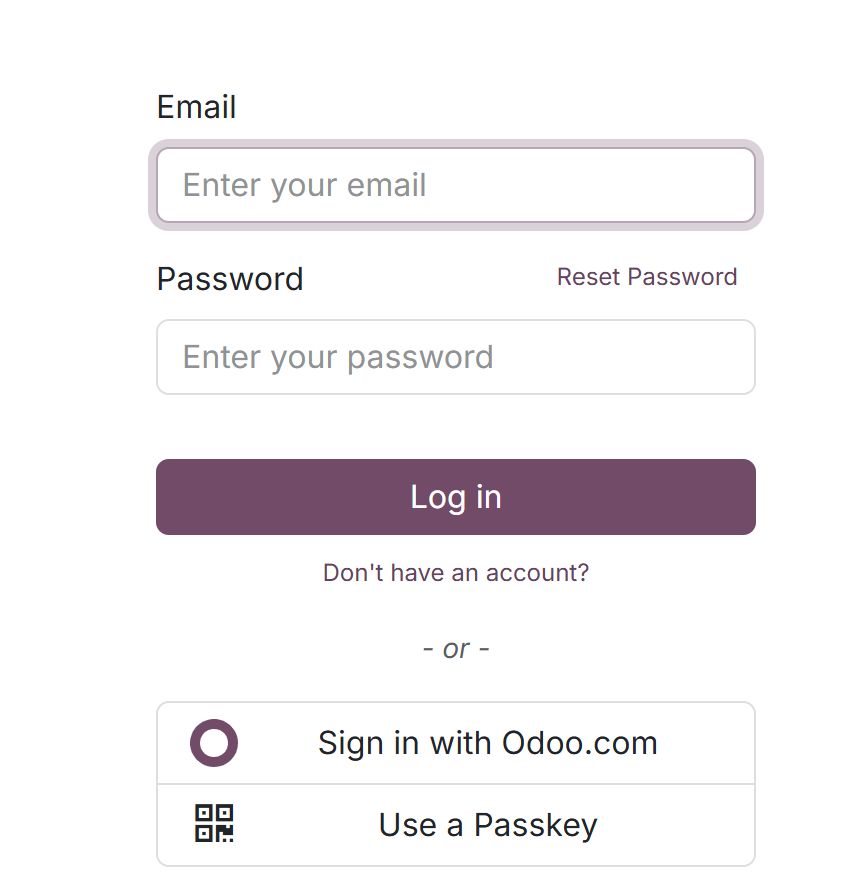
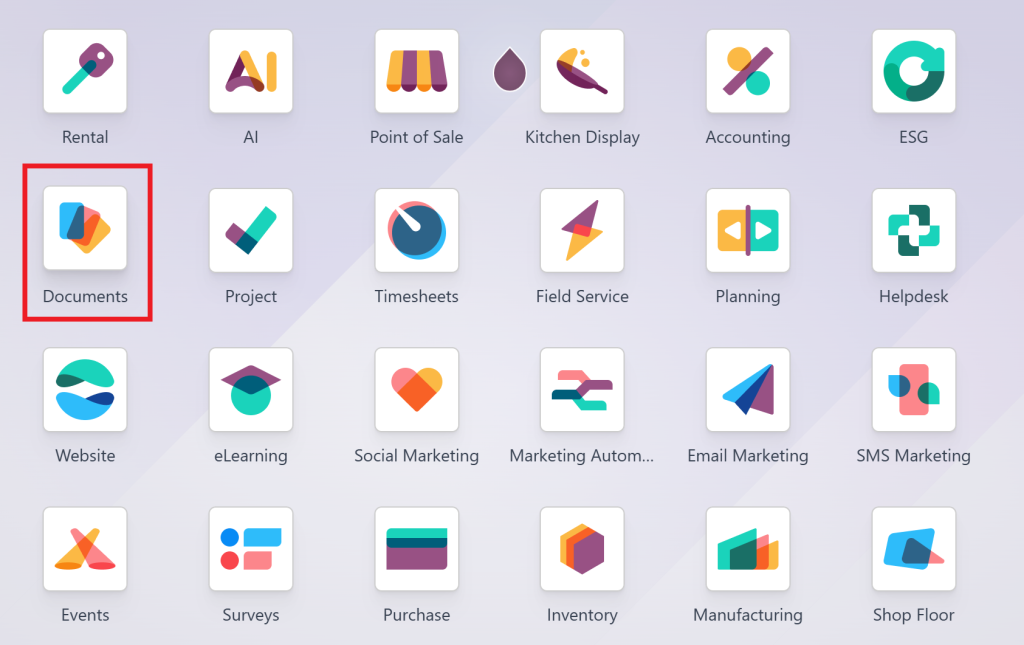
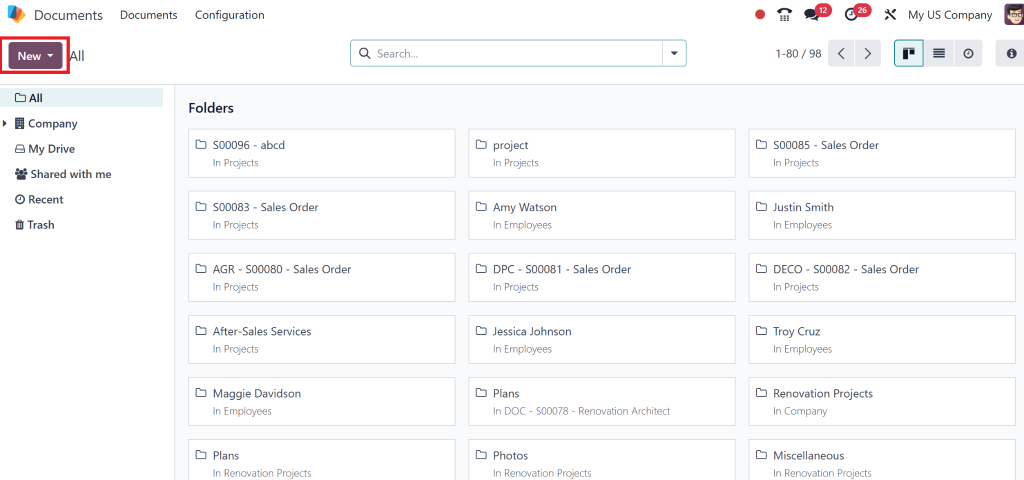
The first step is logging into your Odoo 18 dashboard
And navigating to the Documents module.
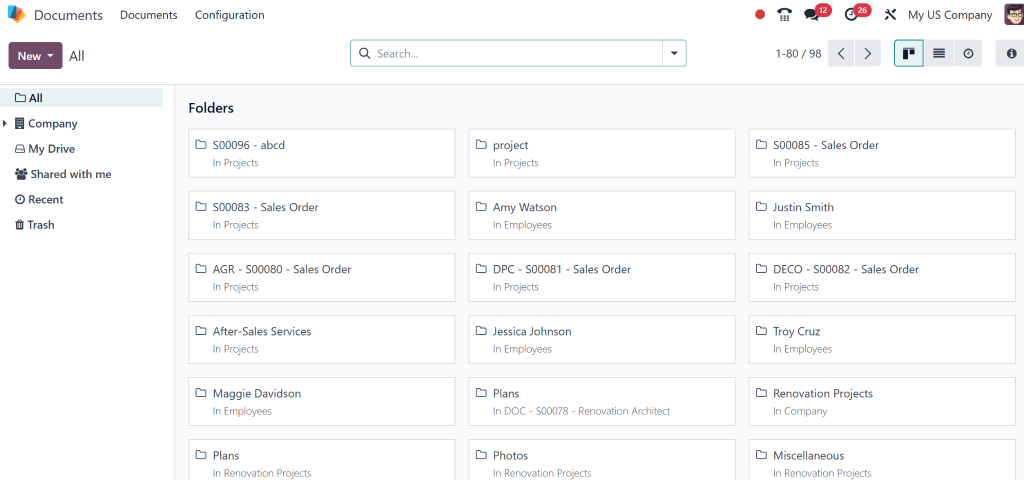
This section houses the entire document management process.
The interface inside this section is clean and easy to navigate. The New button stands out as the most essential element on this page.
Step 2: Starting a New Spreadsheet
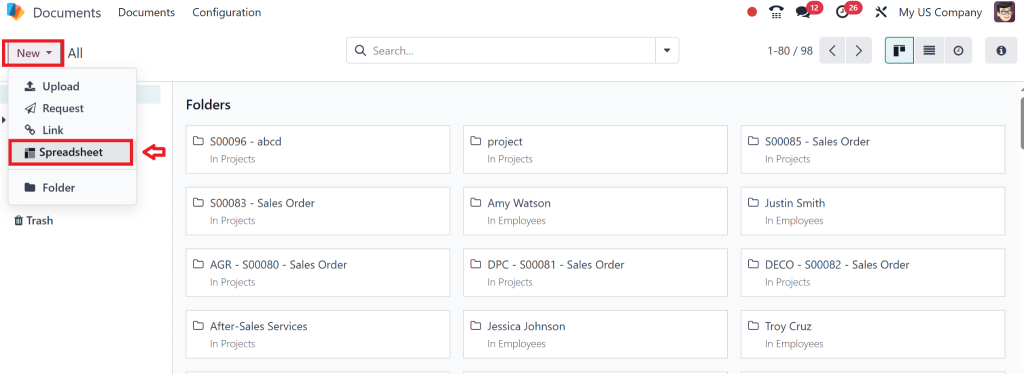
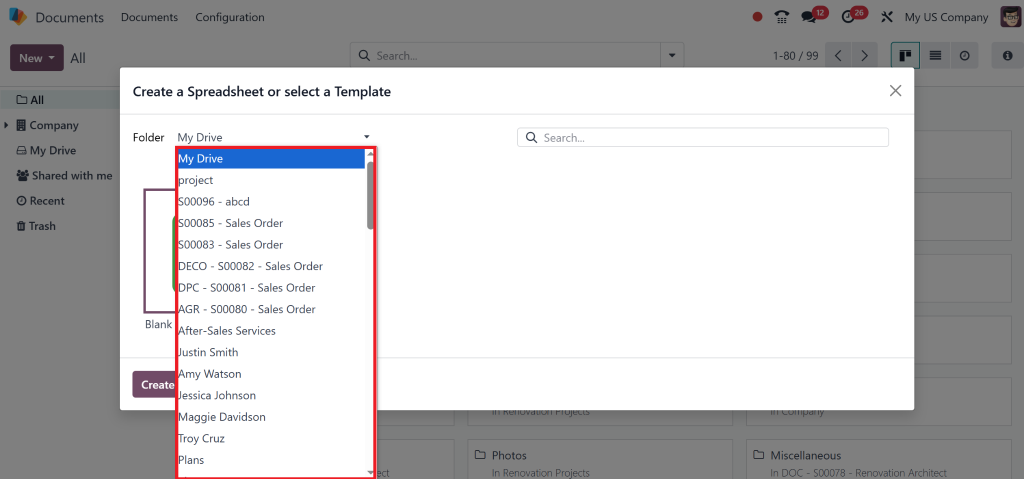
The exciting part starts now. Select the New button followed by Spreadsheet from the dropdown menu.
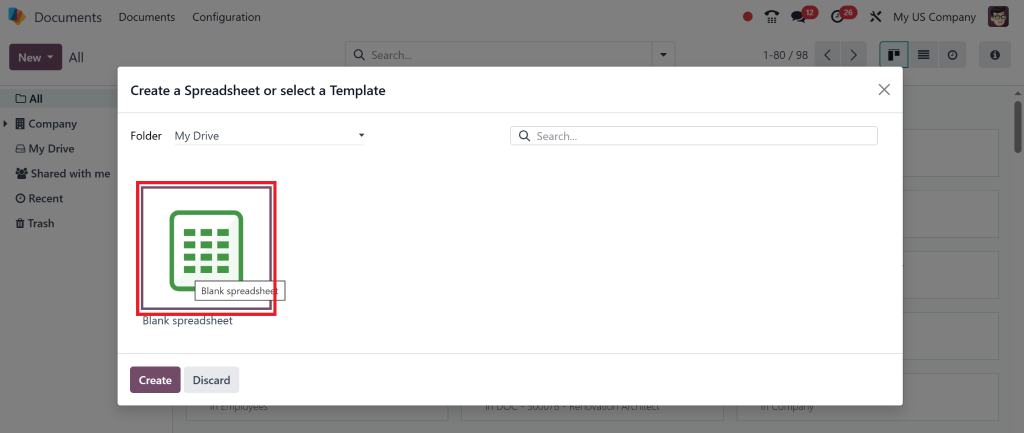
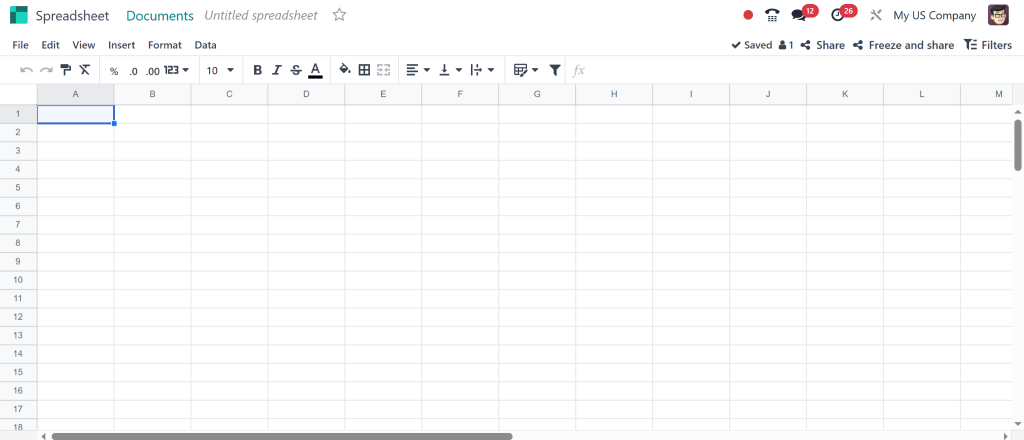
After this action, a blank spreadsheet becomes available for your work. The experience resembles starting a new notebook that awaits your creative input.
By clicking “Create a new blank spreadsheet, ” a new blank spreadsheet will open.
Pro tip: If you know what you need, like a sales tracker or an inventory report, consider using a template (more on next).
Step 3: Utilising Odoo 18 Spreadsheet Templates
Utilising and Create a spreadsheet in Odoo 18 stands out as the best option in this case. You can use one of the pre-designed templates instead of building your Spreadsheet from scratch. The templates are designed for everyday business needs such as:
Sales performance tracking
Inventory stock levels
Financial budgeting
Using a built-in template saves time and ensures you don’t miss critical elements.
To access templates, click on the Templates button in the toolbar. You’ll find a list of professionally designed spreadsheets. Select the one that fits your needs, and voilà, you’re ready to go.
Step 4: Customising Your Spreadsheet
Odoo 18 provides more than just a spreadsheet. It gives you the tools to make it your own.
Here’s what you can do:
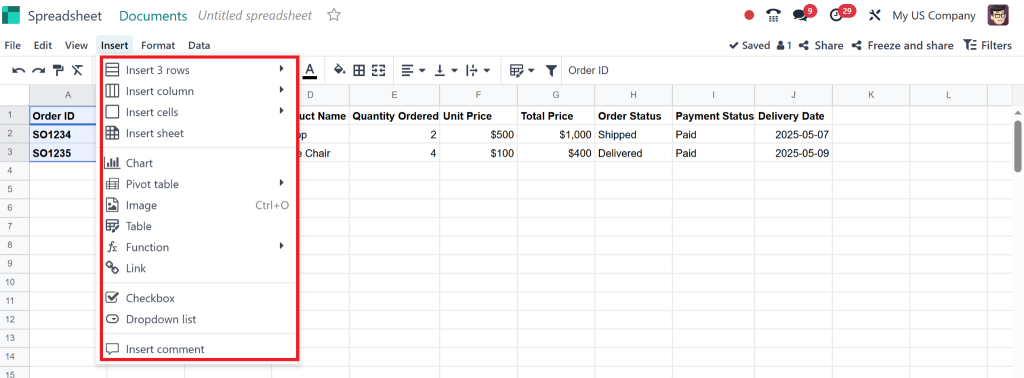
Add Columns and Rows:
Click and drag to expand your sheet to fit your data.
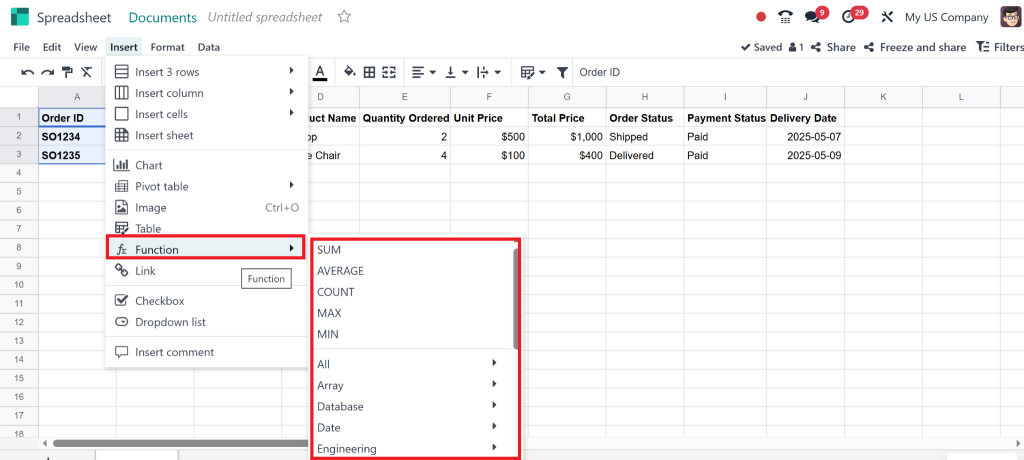
Use Formulas:
Odoo 18 supports formulas like SUM, AVERAGE, and more like any spreadsheet software.
Apply Conditional Formatting:
Highlight data that meets specific conditions, like low stock levels or high sales numbers.
And here’s a cool trick: You can link your Spreadsheet directly to data in other modules. For example, you can pull live data from the CRM module into your Spreadsheet if you’re tracking sales.
Step 5: Making the Most of Odoo 18 Spreadsheet Features
Odoo 18’s spreadsheet feature isn’t just functional—it’s powerful. Let’s look at some advanced capabilities:
Data Import and Sync
Say goodbye to manual data entry. You can import data from your computer or sync it directly from other Odoo modules, ensuring your Spreadsheet always has the latest information.
Collaborative Editing
Need input from your team? Share your Spreadsheet with colleagues, and they can edit it in real-time. No more back-and-forth emails or version control headaches.
Automation
Imagine having your Spreadsheet update itself. With Odoo 18, you can set up automations that pull fresh data from linked modules.
Practical Use Cases for Odoo 18 Spreadsheets
So, how can you use this in the real world? Let’s explore a few scenarios:
1. Inventory Management
You can keep track of stock numbers and levels, monitor reordering points, and identify slow-moving items in one Spreadsheet. With live data from the inventory module, you’ll always have an up-to-date view of your stock.
2. Sales Analysis
Use the CRM module to pull sales data into a spreadsheet, analyse trends, track team performance, and forecast future sales.
3. Financial Planning
Budgeting just got easier. With a spreadsheet linked to the accounting module, you can create a financial plan, track expenses, and monitor cash flow.
Why You Should Start Using Spreadsheets in Odoo 18 Today
By now, you can see that the ability to create a spreadsheet in Odoo 18 isn’t just a convenience; it’s a powerful way to manage your business more effectively.
Here’s the bottom line: Odoo 18 is designed to make your life easier. Its spreadsheet functionality isn’t just about managing data; it’s about connecting every part of your business into one seamless system.
If you’re tired of faking multiple tools or looking for a more innovative way to manage your data, Odoo 18 is the solution you’ve been waiting for.
Why Netilligence Is the Right Partner for Odoo Implementation
As an Odoo Partner, Netilligence knows Odoo inside and out. We’re here to help you:
Set up Odoo 18 to your business.
Train your team to get the most out of Odoo 18 Documents.
Provide ongoing support to ensure your success.
When you choose us, you choose expertise, dedication, and a partner who genuinely cares about your growth.
Start creating smarter spreadsheets with Odoo 18 today!
Learning how to create a spreadsheet in Odoo 18 is more than just acquiring a new skill; it’s transforming how you manage your business. With its user-friendly interface, dynamic features, and seamless integration, Odoo 18 makes spreadsheet creation a breeze.
Do you want to upgrade your business’s level? Let Netilligence guide you through every step of your Odoo journey. Contact us today to get started!
Hi, I'm Nabia, an Odoo ERP functional & technical content writer. I specialize in blogs, social media content, ad copy, landing pages, service pages, and email campaigns.
We use cookies to ensure that we give you the best experience on our website. If you continue to use this site we will assume that you are happy with it.