How to Create & Manage the Deferred Expense in Odoo 18 Accounting Module?
Understanding the Odoo 18 Deferred Expenses
Managing finances efficiently is paramount for any business, and when handling expenses that span multiple accounting periods, manage the deferred expense becomes essential. In Odoo 18 Accounting, companies can simplify the process of managing costs deferred, ensuring accuracy and compliance with accounting standards.
Deferred or prepaid expenses are costs that a business pays in advance for goods or services to be received in the future. Properly managing these expenses in Odoo 18 ensures that financial statements accurately reflect the company’s financial health.
In this guide, we’ll dive deep into how to create and manage the deferred expense in the Odoo 18 Accounting Module. We’ll cover everything from setting up deferred expenses to configuring accounts, recording journal entries, and generating insightful reports. Whether you’re a business owner, accountant, or Odoo user, this comprehensive tutorial will help you master the art of managing deferred expenses in Odoo 18. Let’s get started on this accounting journey with Odoo 18!
What are Deferred Expenses?
Deferred expenses are costs that a business incurs upfront but are recognized as expenses over time as the benefits of those costs are realized. This accounting practice helps match expenses with the revenue they generate, providing a clearer picture of financial performance.
For example, a company paying $14,000 for a one-year insurance policy wouldn’t immediately record the entire amount as an expense. Instead, it would allocate $2,000 as an expense each month, deferring the rest until future periods.
Key Characteristics of Deferred Expenses
Paid in advance for future benefits
Recognized gradually over time
Common in rent, insurance, subscriptions, etc.
Understanding how to handle these expenses correctly in Odoo 18 ensures compliance with accounting principles like the matching concept and accrual basis accounting.
Why Use Deferred Expenses in Odoo 18 Accounting?
Managing deferred expenses effectively in Odoo 18 Accounting offers several benefits:
Accurate Financial Reporting: Ensures expenses are matched with corresponding revenue.
Regulatory Compliance: Aligns with accounting standards and regulations.
Automation Efficiency: Odoo 18 simplifies the process with automated calculations and schedules.
By leveraging Odoo 18’s robust accounting features, businesses can automate deferred expense recognition, reduce manual errors and save time.
The Importance of Configuration in Odoo 18 Deferred Expenses
Setting up deferred expenses correctly is the foundation of effective expense management. The Odoo 18 deferred expense configuration process is intuitive, allowing users to define rules that govern how expenses are deferred. This configuration ensures that the deferral process aligns with the company’s accounting policies.
The proper configuration also impacts the accuracy of Odoo 18 deferred expense journal entries. When the system is set up correctly, journal entries are generated automatically, reflecting the correct accounting periods. This decreases the risk of errors and ensures compliance with accounting standards.
Practical Benefits of Using Odoo 18 for Deferred Expenses
The practical benefits of managing deferred expenses in Odoo 18 Accounting are numerous. First, automation reduces the administrative burden, freeing resources for more strategic tasks. Second, the accuracy of Odoo 18 deferred expense journal entries ensures that financial statements are reliable. Journal entries are automatically created to move amounts from the deferred expense account to the expense account as per the schedule.
Additionally, Odoo 18’s flexible deferred expense configuration allows businesses to modify the system to their specific needs. This Odoo customization ensures that deferred expenses are managed in a way that aligns with business objectives and regulatory requirements.
Insights from Odoo 18 Deferred Expense Reporting
Reporting is critical to managing deferred expenses. Odoo 18 deferred expense reporting allows businesses to analyze expense data comprehensively. These reports can be customized to show specific periods, expense categories, or other relevant metrics.
With Odoo 18 Accounting, businesses can generate real-time reports, offering immediate insights into deferred expenses. This capability is vital for financial forecasting and budgeting, as it provides a clear picture of future costs and their impact on economic performance.
How Does Odoo 18 Manage the Deferred Expense in Accounting
While recording deferred expenses is crucial, managing them effectively over time is equally important. Odoo 18 provides robust tools to help businesses manage costs deferred flawlessly.
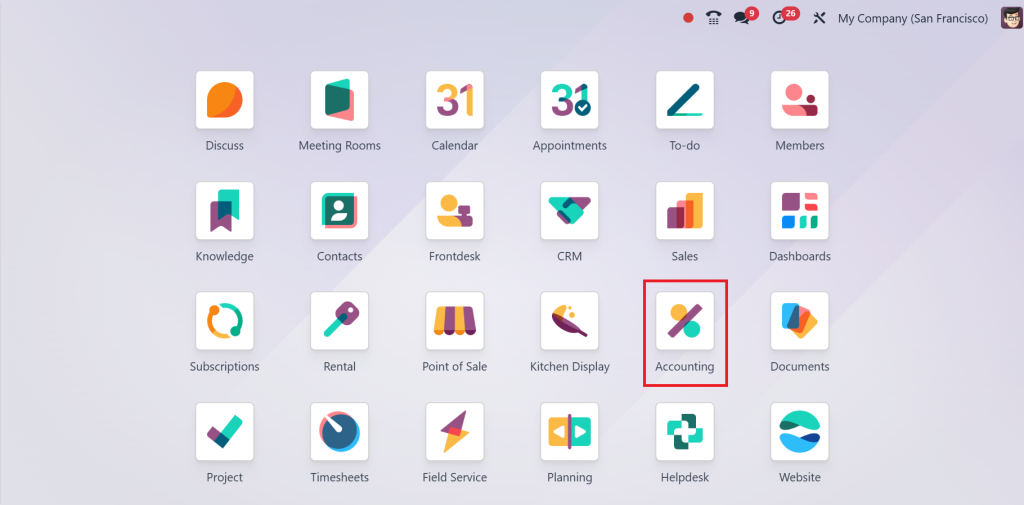
To manage deferred expenses in Odoo 18, go directly to the Accounting Module in your Odoo dashboard.
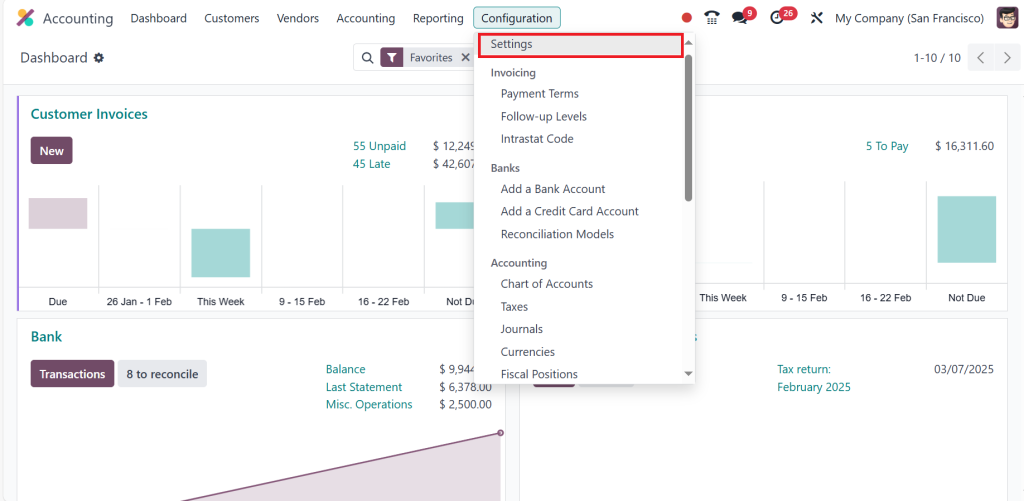
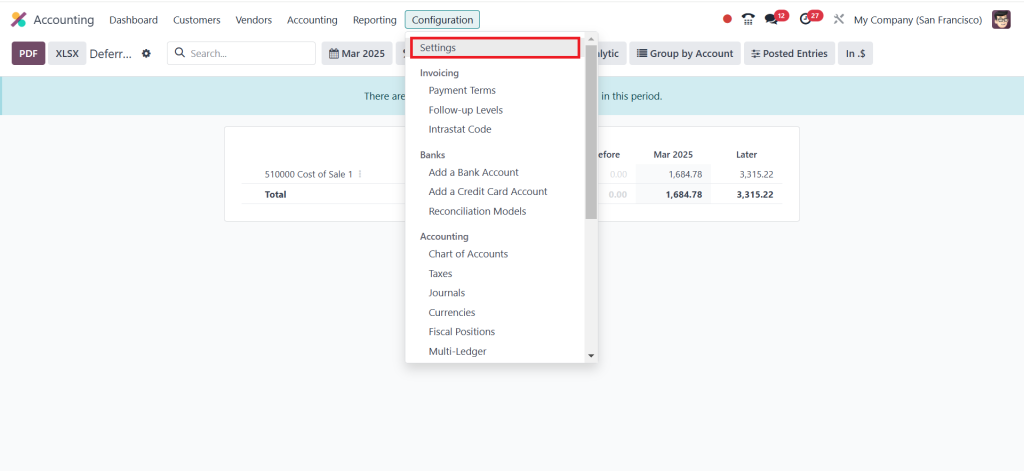
Go to Configuration > Settings.
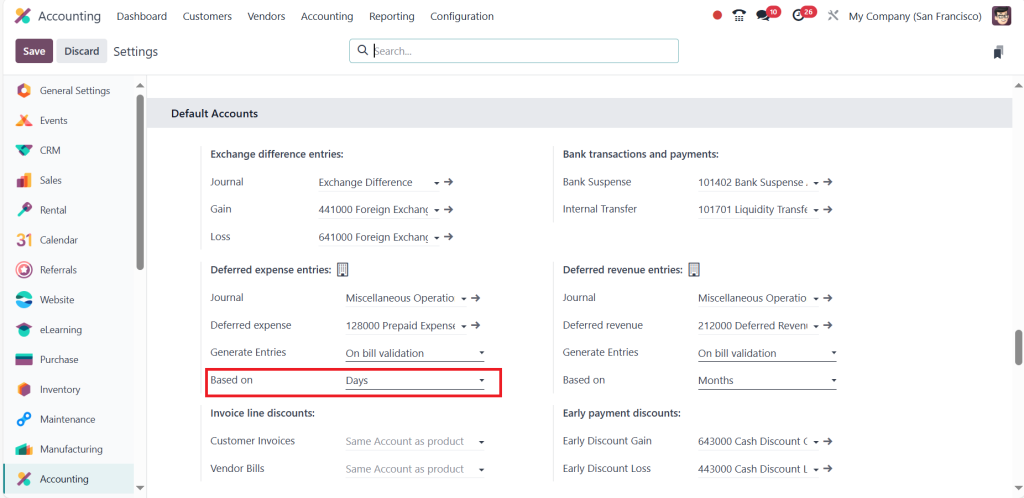
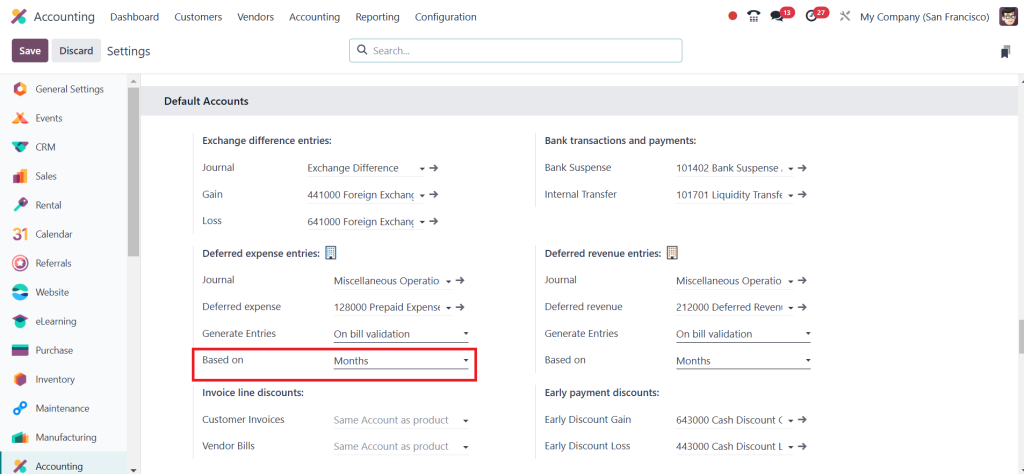
Simply scroll down. Under the Default Accounts section, the amount computed is based on three categories: days, months, and all months. So, I can set it based on ‘‘Days’’ and then click Save.
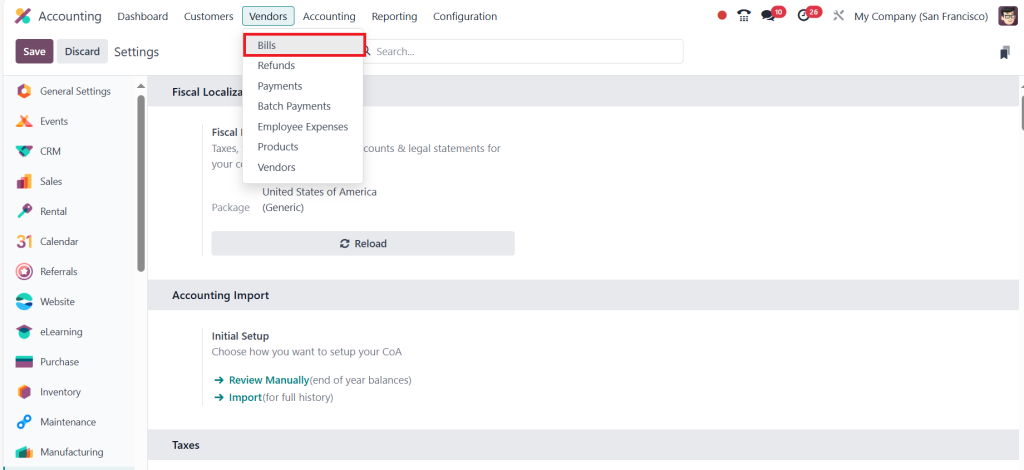
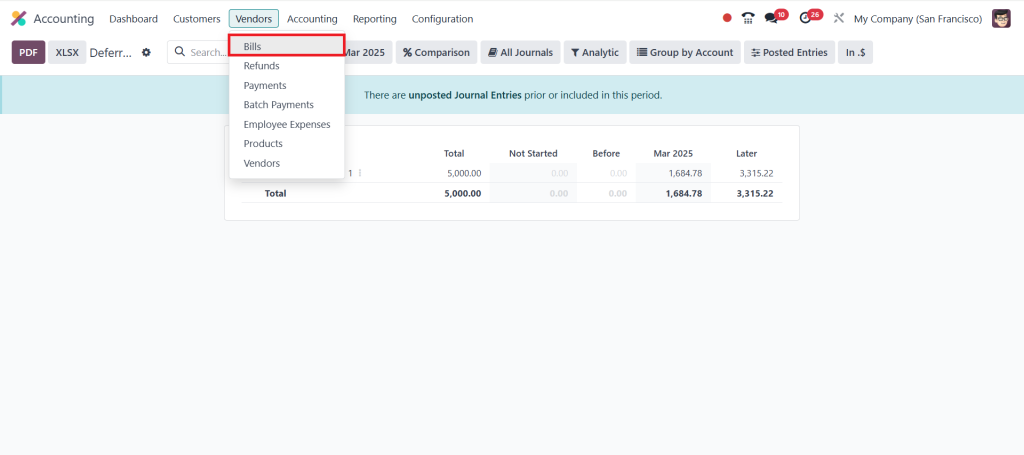
After that, go to the Vendors menu and click on Bill.
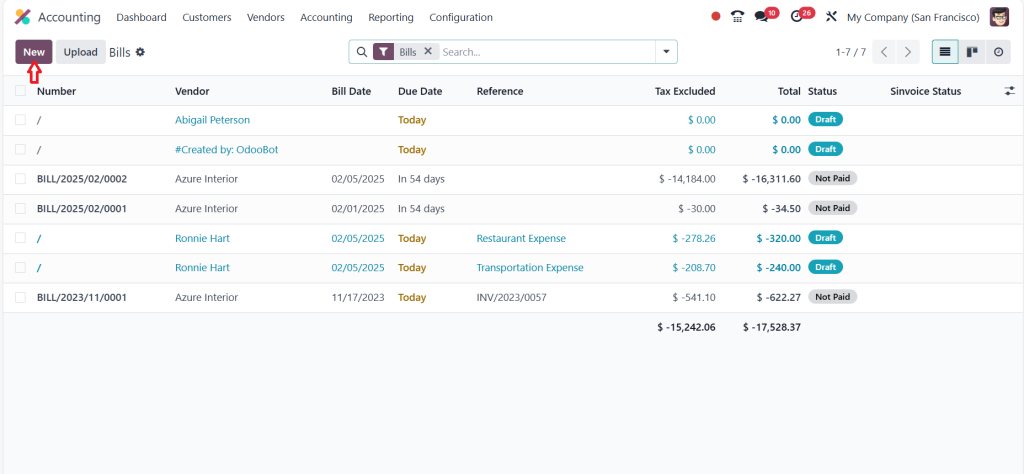
Click on ‘‘New’’.
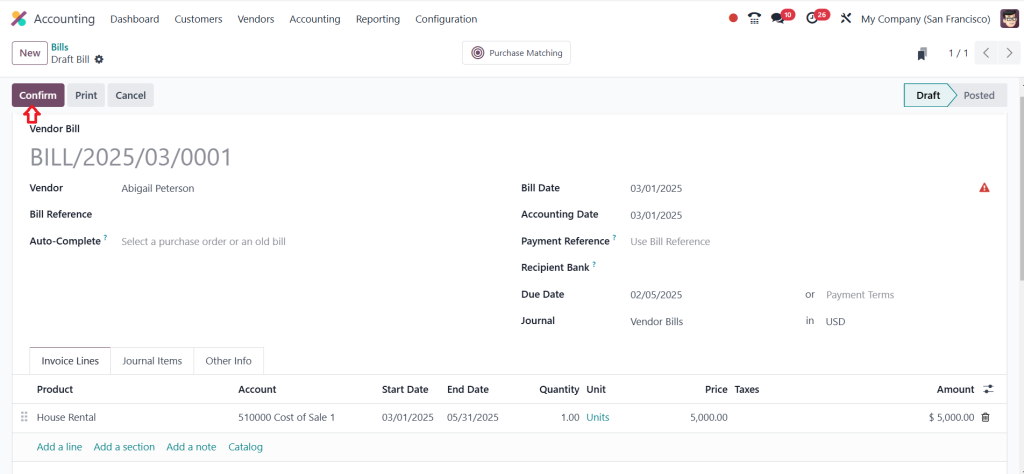
Provide the bill details such as vendor name, bill date, accounting date, and product, then click ‘‘Confirm’’.
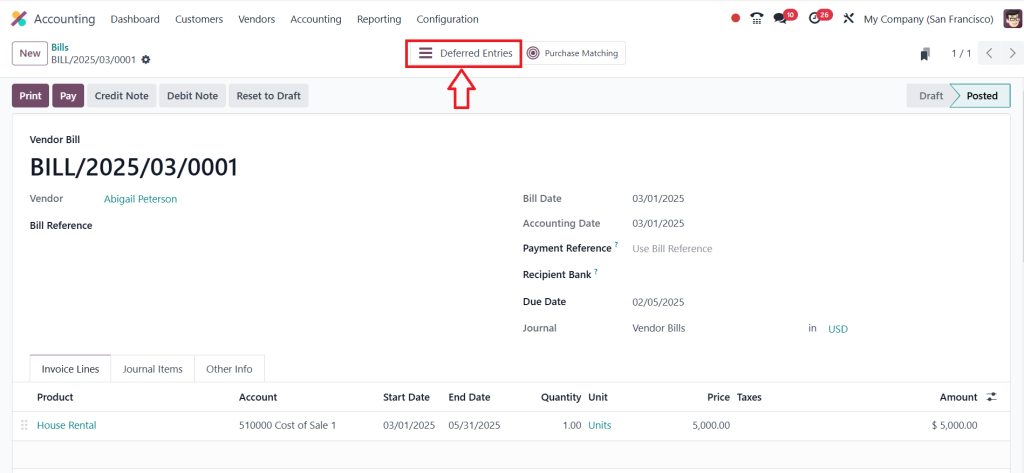
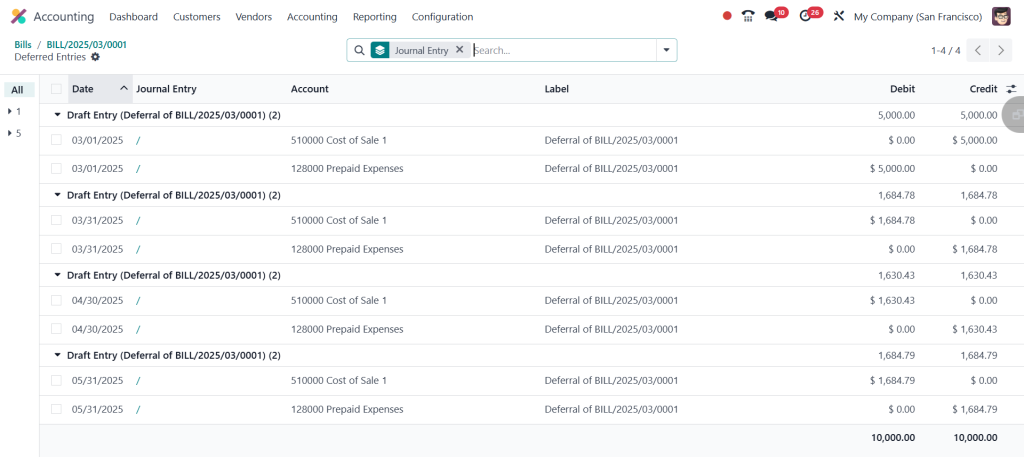
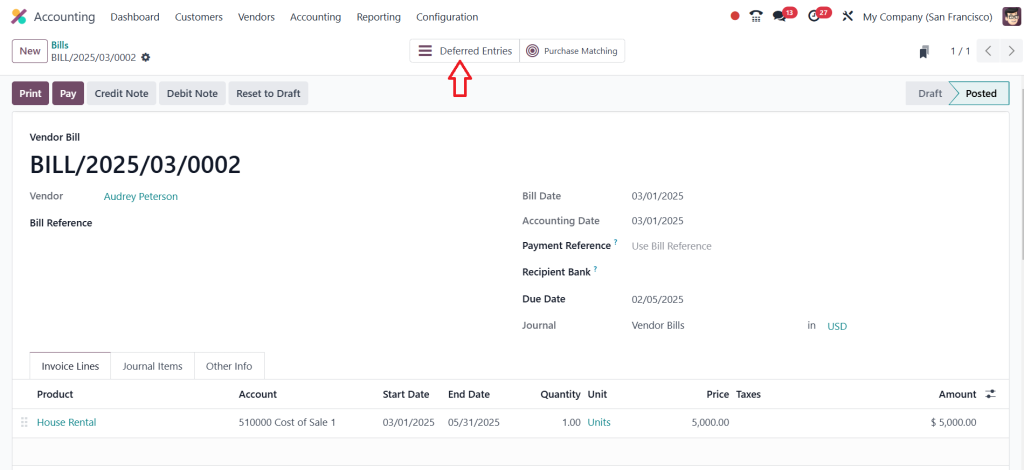
After confirming the bill, you can see in the screenshot below that the “Deferred Entries” button appears above; just click on that button.
Now, you can see the deferred entries generated. We have set the computation based on the number of days, and the amount is split based on days.
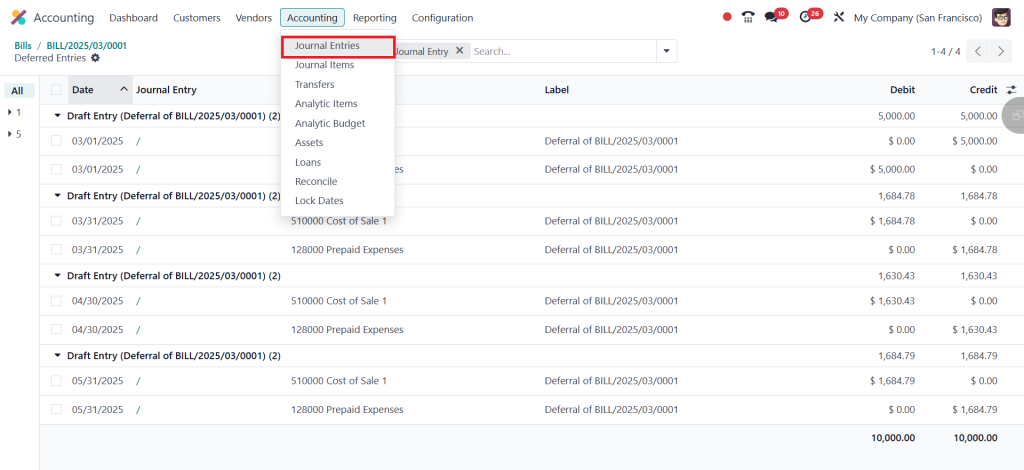
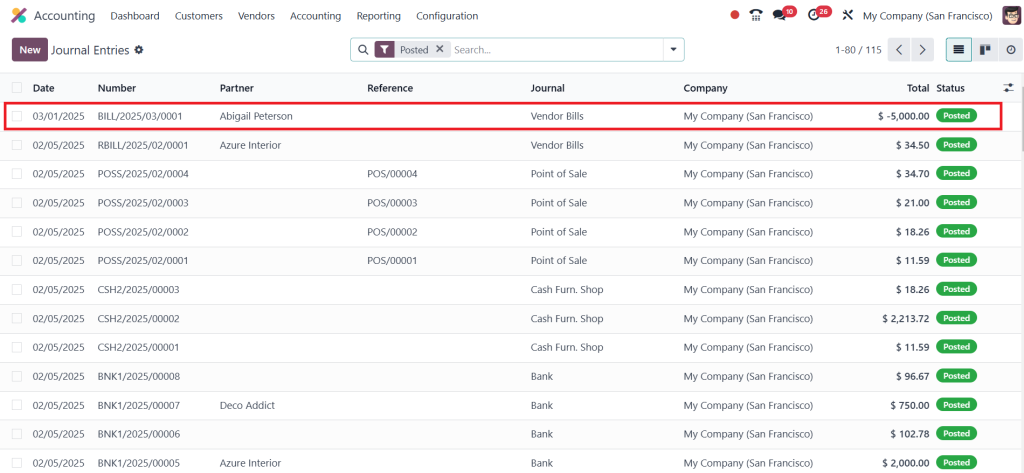
You can also find it under the journal entries just click on Accounting > Journal Entries.
The entries you created are shown here.
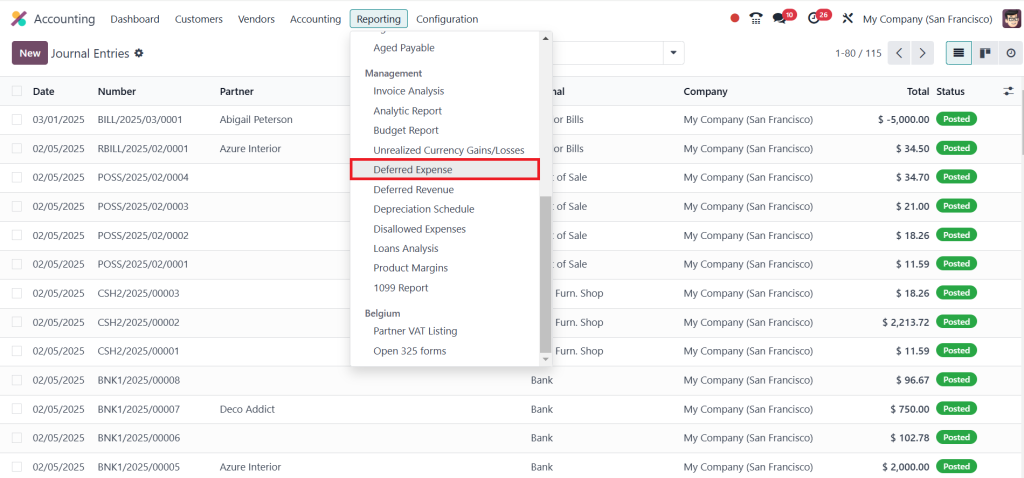
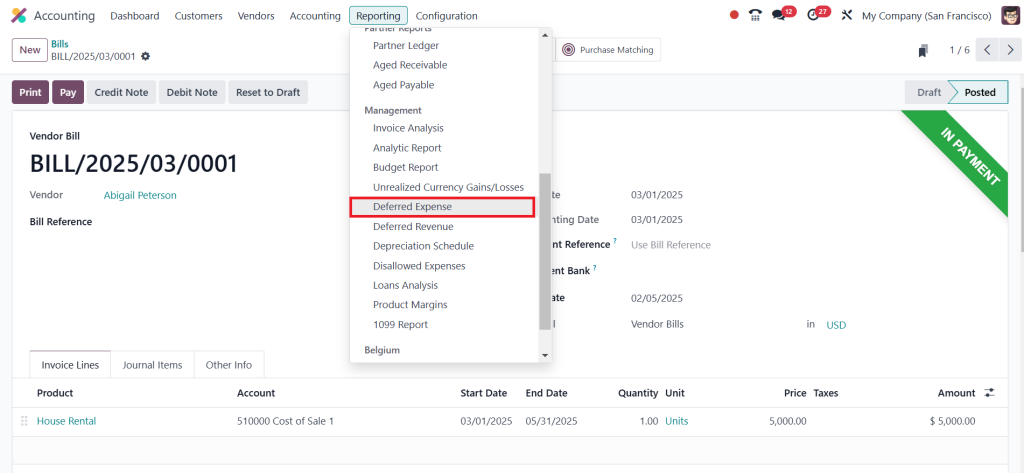
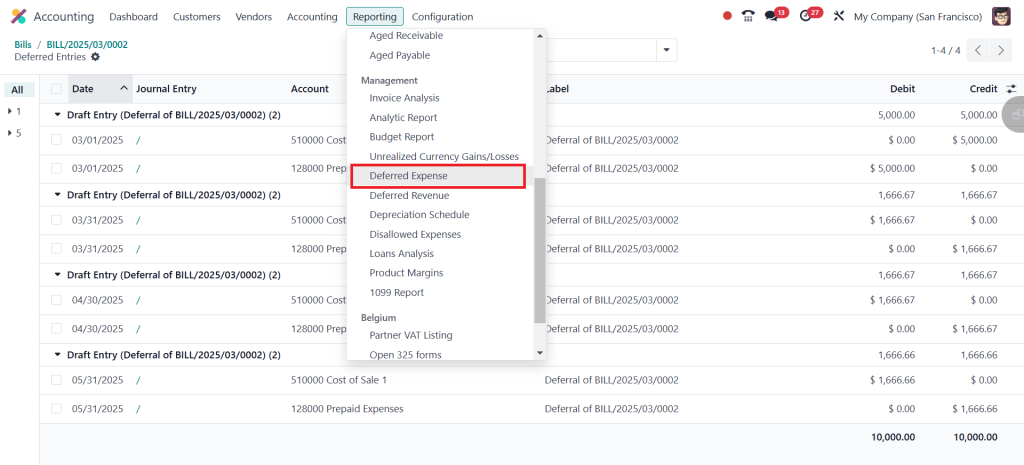
If you want to see the deferred expenses, click on Reporting > Deferred Expense.
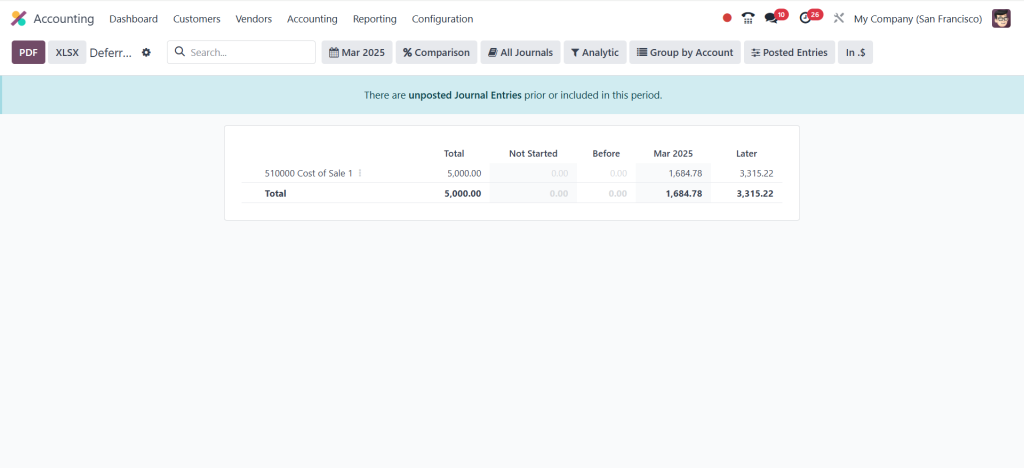
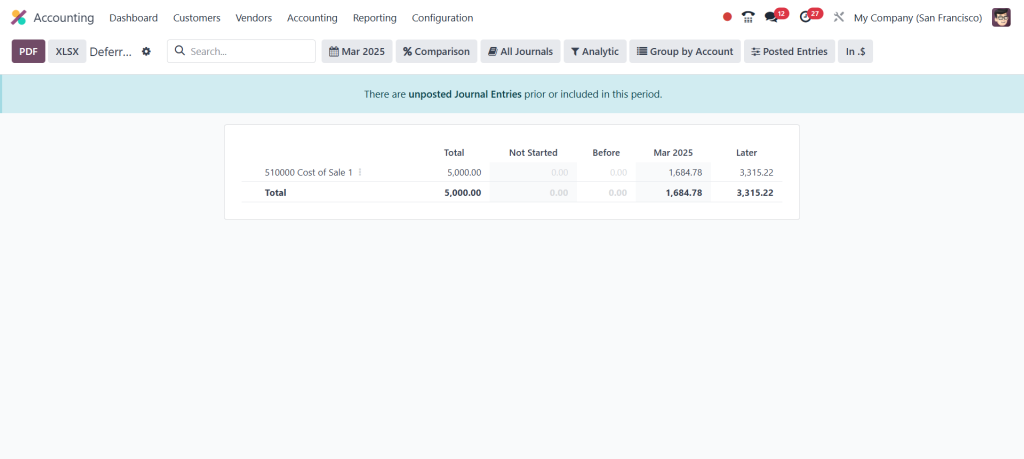
Then, you can see the total deferred expenses, which are $5000 and $1684.78 for March. This is because the customer is going to pay $5000 for three months. We know that March has 31 days, April has 30 days, and May has 31 days. If we sum up all three months’ days, then we have 92 days in total.
So, we just need to know the rent amount that needs to be paid in one day. Divide $5000 by 92, and you will get $54.34782609. Now, we need to calculate the rent for 31 days. For that, multiply the rent of one day, $54.34782609, by 31 days, resulting in $1684.782609. This is the amount you can see in the screenshot below.
We know the rent amount for one day. And in April, we have 30 days. So, you can multiply it by 30 days, and you will get the result of $1630.434783. Again, it has 31 days in May, and you will get the same result as in March, which is $1684.782609. And if you add the amount each month, you will get the result of $5000.
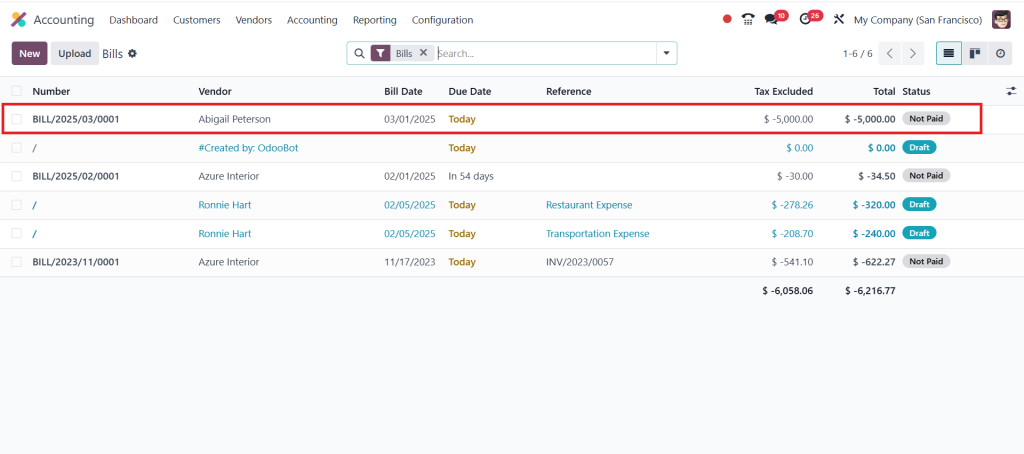
Let’s go to the Vendors > Bills.
Open the Bill you created.
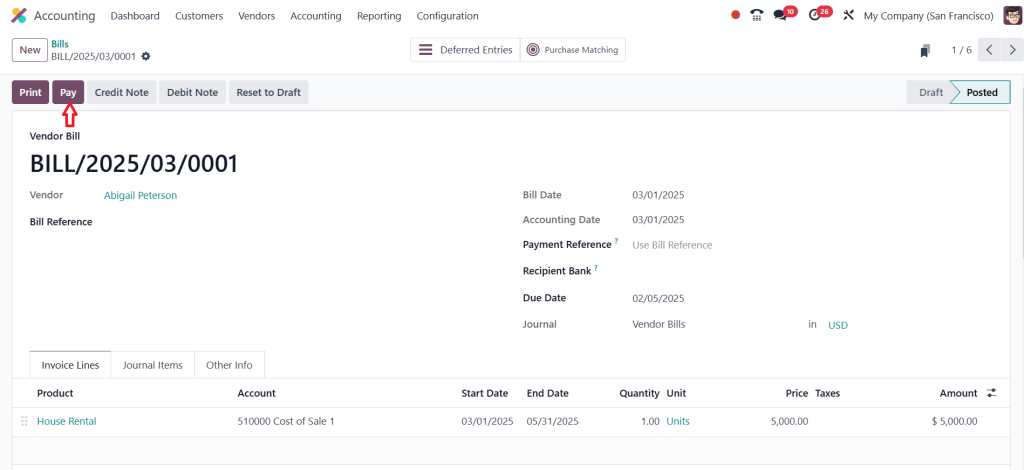
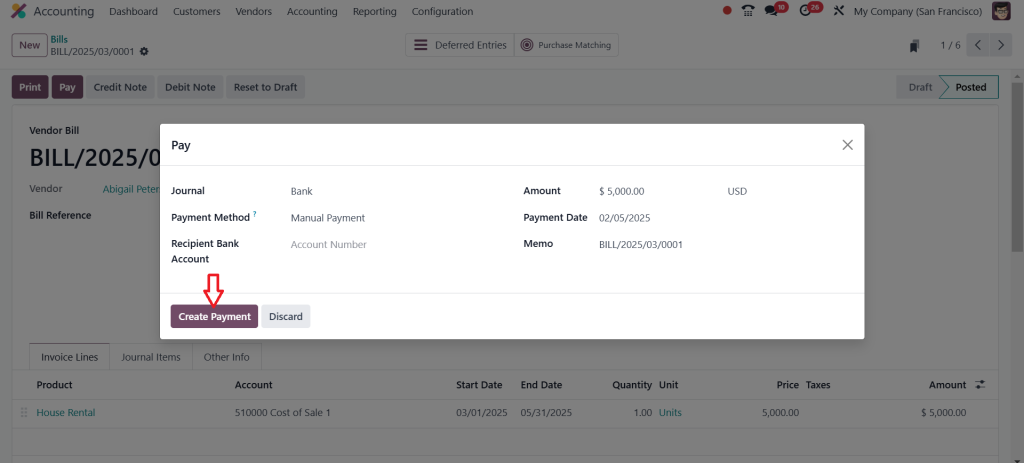
Click on ‘‘Pay’’.
Click on ‘‘Create Payment’’ after the reconciliation, the payment will be sent to the bank.
Then go to the Reporting > Deferred Expense.
So, there are no changes here, as shown in the screenshot below.
Now again, go to the Configuration > Settings.
This time, we set the computation based on ‘‘Months’’ and click on Save.
Then, go to Vendors > Bills and create a new bill. After adding the bill details, click on confirm. As I mentioned before, a new button called Deferred Entries will appear above; just click on that button.
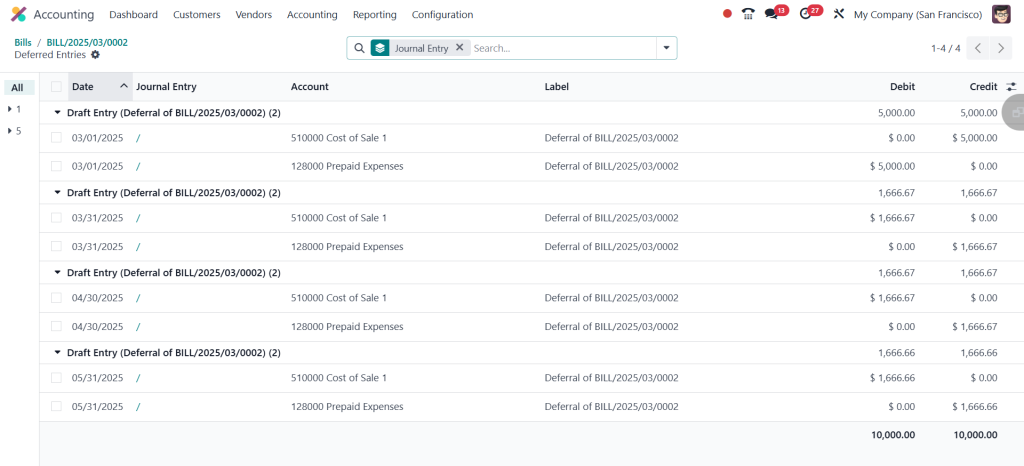
Now, you can see the amount is equally split for each month in the screenshot below.
Just go to Reporting > Deferred Expense.
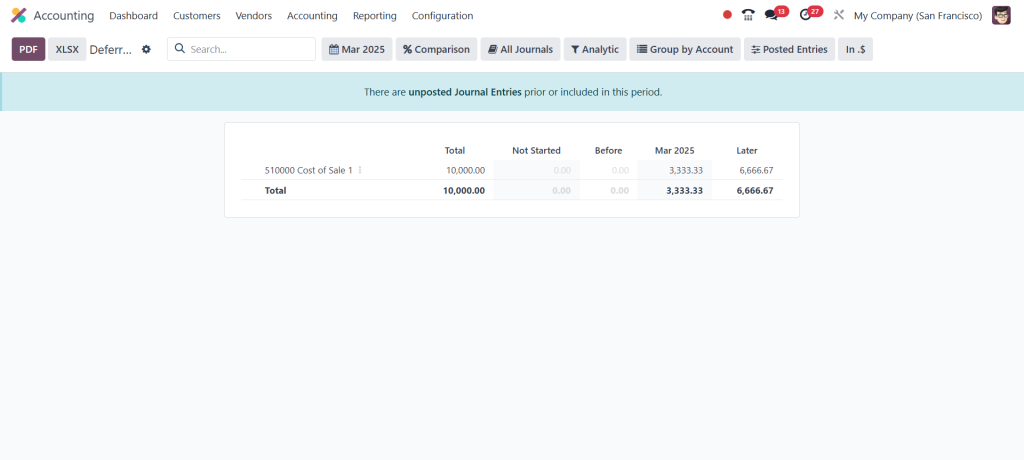
You can now see that the money has just been chased altogether. The $10,000 is shown in the screenshot below because we already created the deferred entries; that’s why it shows the total number of deferred entries made for the same month here. So, the amount is changed according to the settings.
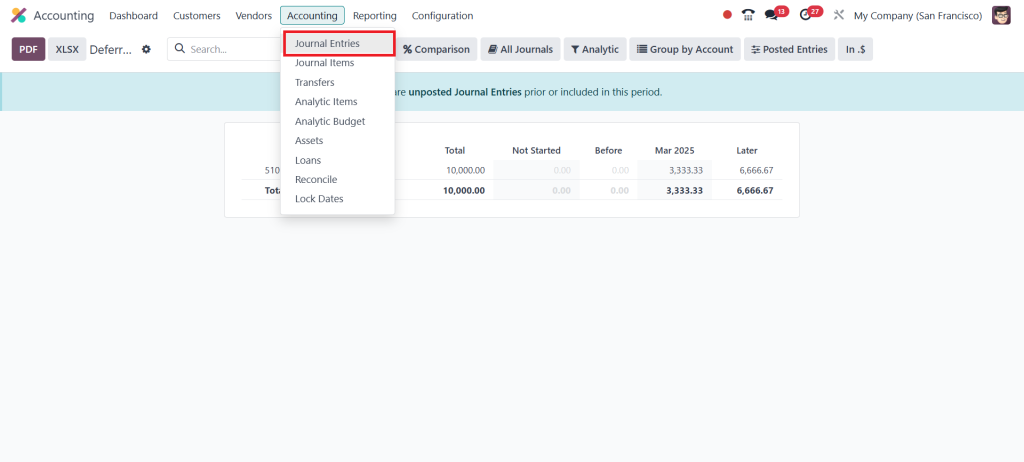
To avoid confusion, just move to the Accounting > Journal Entries.
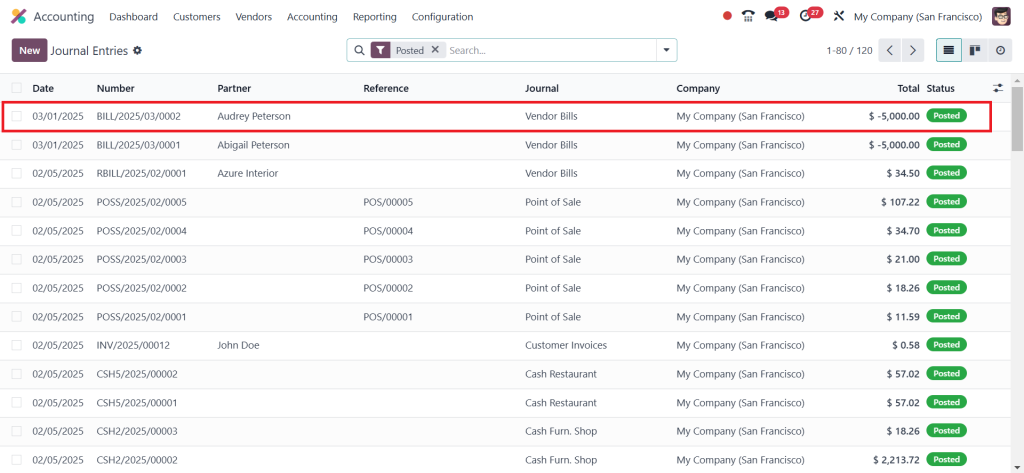
Choose the second bill you created based on months.
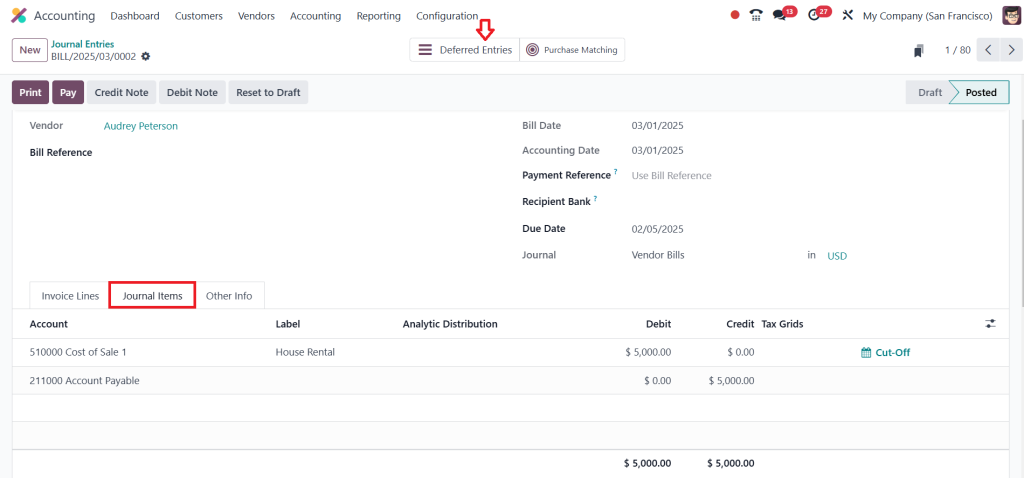
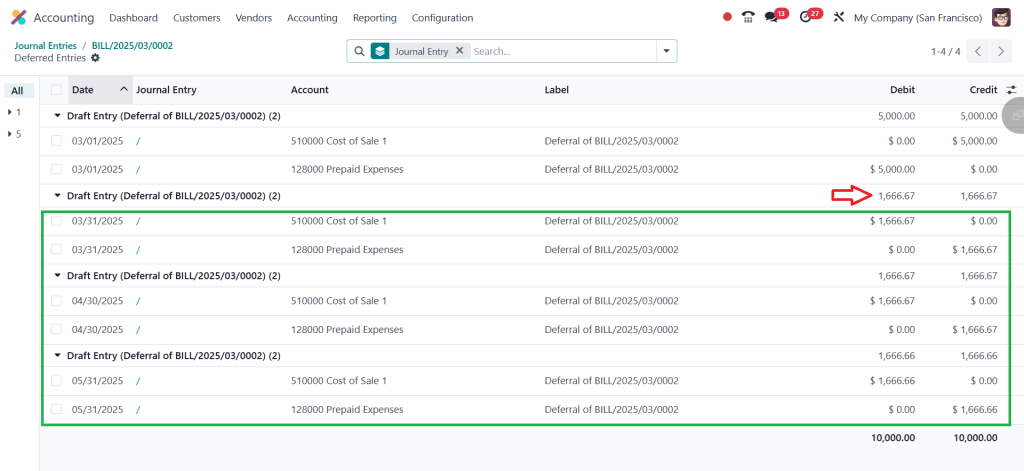
Then, click the Journal Items tab to see the total amount here. Now, click on Deferred Entries.
So, we know the total amount for renting for 3 months will be $5000. If you just divide $5000 by 3, you will get a result of $1666.66667, which is shown in the screenshot below. The amount will be split equally among each month.
So, that’s how you can manage Deferred Expenses in Odoo 18 Accounting App.
Learning with Odoo 18 Deferred Expense Tutorial
For those new to Odoo 18, accessing the Odoo 18 deferred expense tutorial can be incredibly beneficial. These tutorials provide step-by-step direction on setting up, managing, and reporting deferred expenses. They are designed to help users understand the full capabilities of Odoo 18 Accounting.
The tutorials cover various aspects, from Odoo 18 accounting deferred expense setup to advanced reporting techniques. By following these tutorials, businesses can maximize the benefits of Odoo 18’s deferred expense features, ensuring efficient and accurate financial management.
Best Practices for Managing Deferred Expenses in Odoo 18
Regular Review: Periodically review deferred expense schedules to ensure accuracy.
Reconcile Accounts: Reconcile deferred expense accounts with actual expenses regularly.
Audit Trails: Maintain clear documentation for audits and compliance.
Automation Rules: Leverage automation rules to minimize manual errors.
Training: Train accounting staff on Odoo 18 deferred expense configuration and management.
Understanding Deferred Expenses in Odoo 18
Managing deferred expenses in Odoo 18 is straightforward when you understand the tools and features available. From setting up deferred expense accounts to generating detailed reports, Odoo 18 simplifies every process step.
By following this Odoo 18 deferred expense tutorial, you can ensure accurate financial reporting, compliance with accounting standards, and better control over your business’s finances. Whether handling Odoo 18 deferred expense journal entries or configuring advanced settings, Odoo 18 provides the flexibility and functionality you need.
Start leveraging Odoo 18’s accounting module today to simplify deferred expense management and improve your financial processes.
Hi, I'm Ilsa Shabbir, an Odoo ERP content writer specializing in functional blogs on Odoo modules. I simplify complex Odoo features, creating clear and engaging content to help businesses understand and optimize their ERP solutions.
We use cookies to ensure that we give you the best experience on our website. If you continue to use this site we will assume that you are happy with it.