How to Manage Deferred Revenue in Odoo 18 Accounting?
Understanding the Odoo 18 Deferred Revenue Management
Have you ever worked to recognize revenue at the right time in your business? Or perhaps you’ve received payments in advance for a service or product you’ll deliver over time, but you’re unsure how to manage and report that revenue properly?
If you’re using Odoo 18, efficient deferred revenue management tools and processes can solve these challenges.
But what exactly is deferred revenue? How do you manage deferred revenue in Odoo 18 accounting, and why is it crucial? How can you simplify the process of managing Odoo 18 accounting deferred revenue in a way that ensures accuracy, compliance, and smooth financial reporting? These are just some of the questions we’ll answer in this post.
Suppose you’ve been looking for a way to simplify Odoo 18 deferred income setup, better handle unearned revenue, or learn how to implement Odoo 18 revenue recognition. In that case, you’re in the right place.
Let’s dive into the steps and strategies to manage your deferred revenue in Odoo 18 accounting effectively.
What Is Deferred Revenue and Why Does It Matter in Odoo 18?
At its core, deferred revenue is money a corporation acquires or receives in advance for goods or services that will be supplied at a future date. It is an obligation until the service is rendered, and it appears as a liability on the balance sheet.
In Odoo 18 accounting module, deferred revenue refers to payments you’ve collected but haven’t yet earned according to accounting principles. As such, it must be tracked carefully to ensure accurate financial statements, especially for businesses involved in subscriptions, annual contracts, or prepayments.
Why is This Important?
Proper Odoo 18 deferred revenue management is essential for the following:
Accurate Financial Statements: Misreporting deferred revenue can lead to incorrect financial results. It may overstate or understate your actual earnings.
Cash Flow Tracking: Managing unearned income allows businesses to anticipate future revenue, ensuring healthy cash flow.
Revenue Recognition Compliance: Odoo 18 revenue recognition rules guarantee that your business complies with accounting standards, such as GAAP or IFRS, which require you to recognize revenue only when earned.
Without a solid strategy for Odoo 18 deferred income setup, businesses risk making mistakes in their financial management. Let’s explore how to maximize Odoo 18 unearned revenue handling.
How to Manage Deferred Revenue in Odoo 18 Accounting: Step-by-Step Guide
Managing deferred revenue in Odoo 18 accounting begins with proper setup. As discussed above, in Odoo 18, deferred revenue refers to the payment received from the customer for goods or services that have not yet been delivered or completed. This type of revenue is created or recorded as a liability on the company’s balance sheet because it represents an obligation to provide the product or services in the future. As the company fulfills these obligations over time, the deferred revenue is gradually recognized as income on the profit and loss account.
For example, suppose a company sells a one-year software license for $1200 and invoices the customer immediately. In that case, it can recognize the entire amount as revenue up-front since the service will be provided over the next 12 months. Instead, the company records $1200 as deferred revenue and recognizes $100 as revenue each month for the next 12 months.
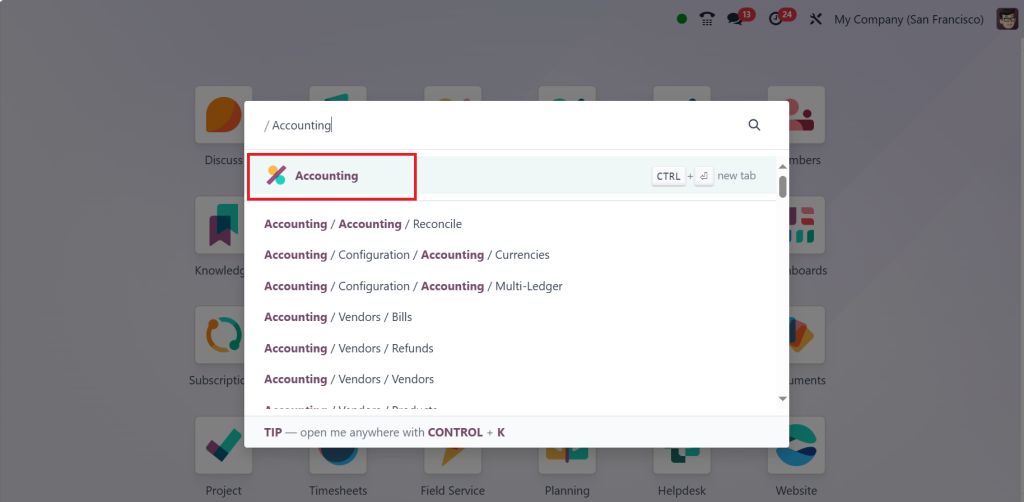
Let’s walk through the fundamental steps to ensure your system is ready for smooth deferred income handling. Let’s move on to the accounting module to manage the deferred revenue.
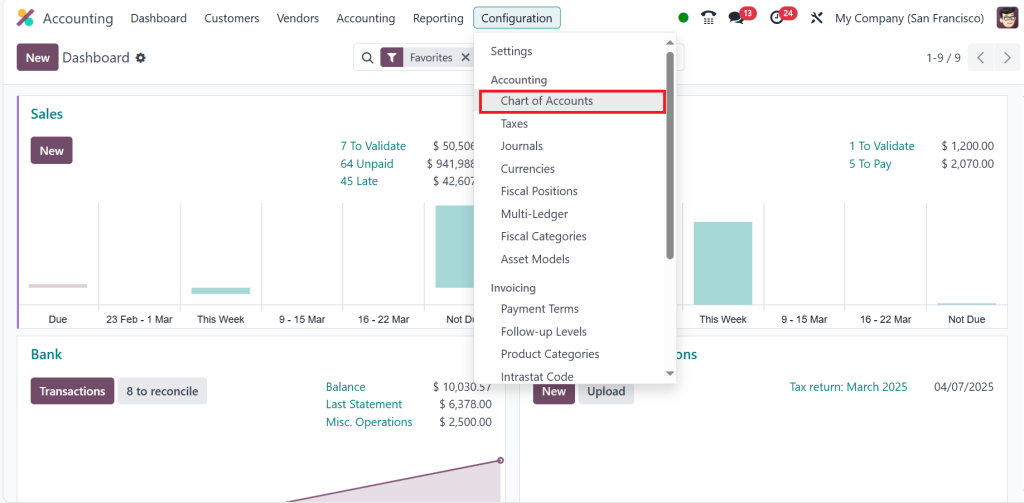
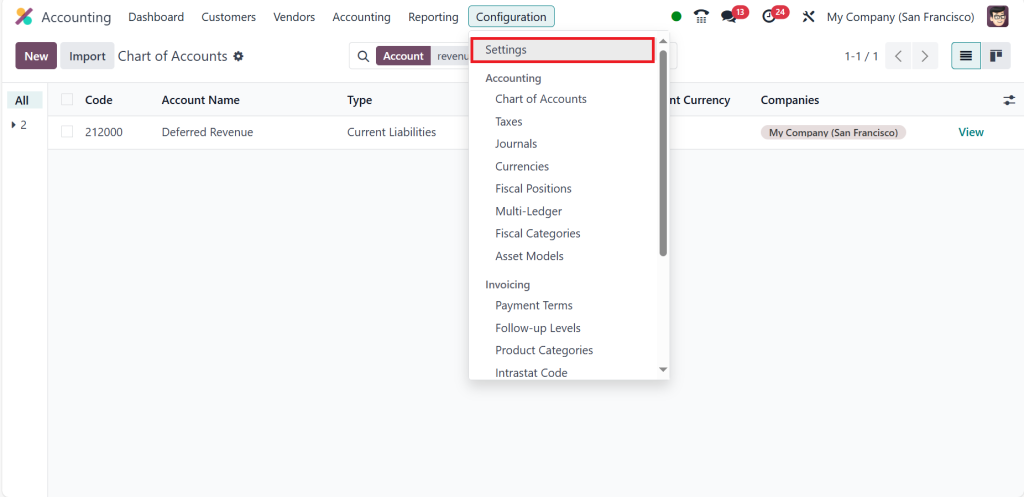
Go to the Configuration > Chart of Accounts.
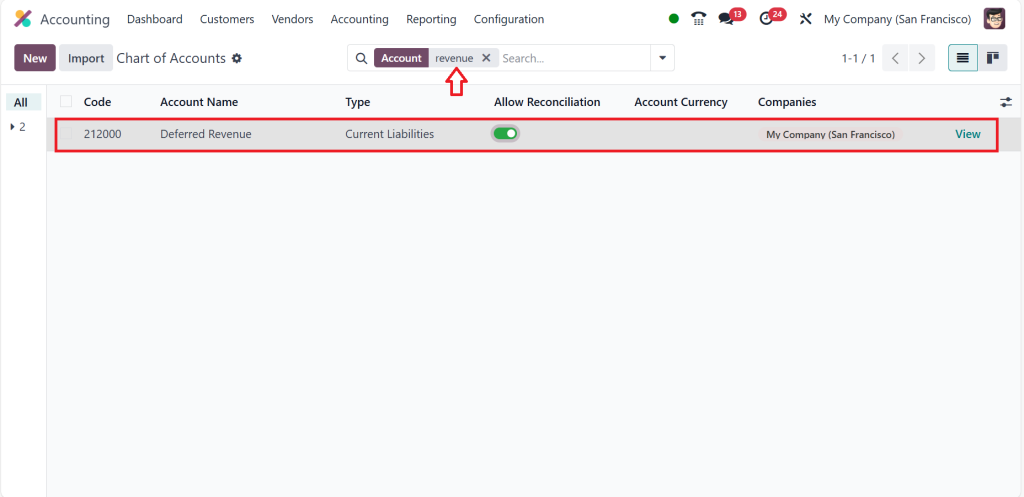
Type ‘‘revenue’’ in the search bar and enable ‘‘Allow Reconciliation’’ for the Deferred Revenue account.
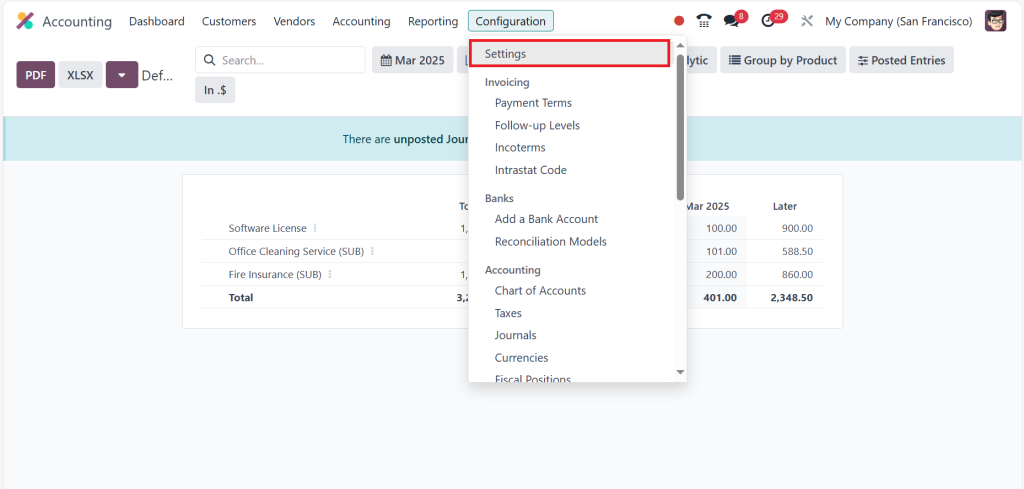
Then direct to the Configuration > Settings.
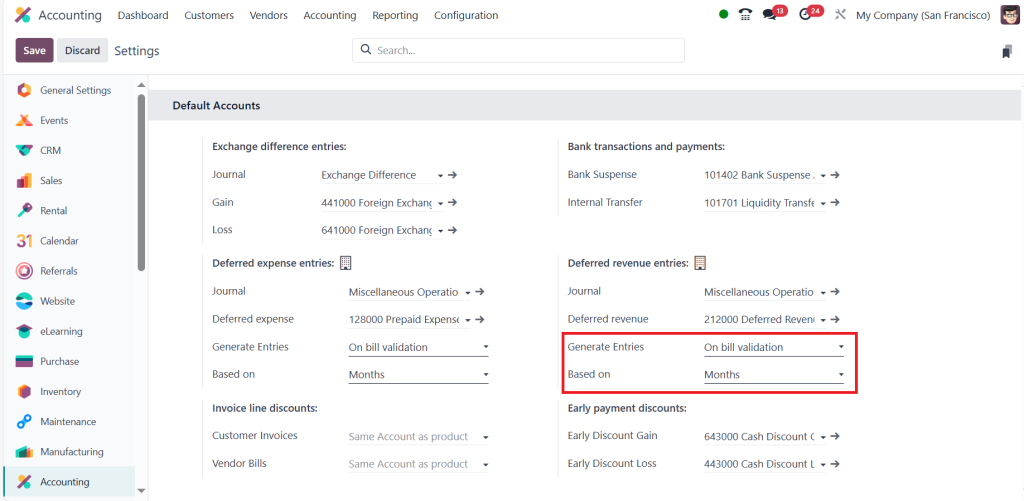
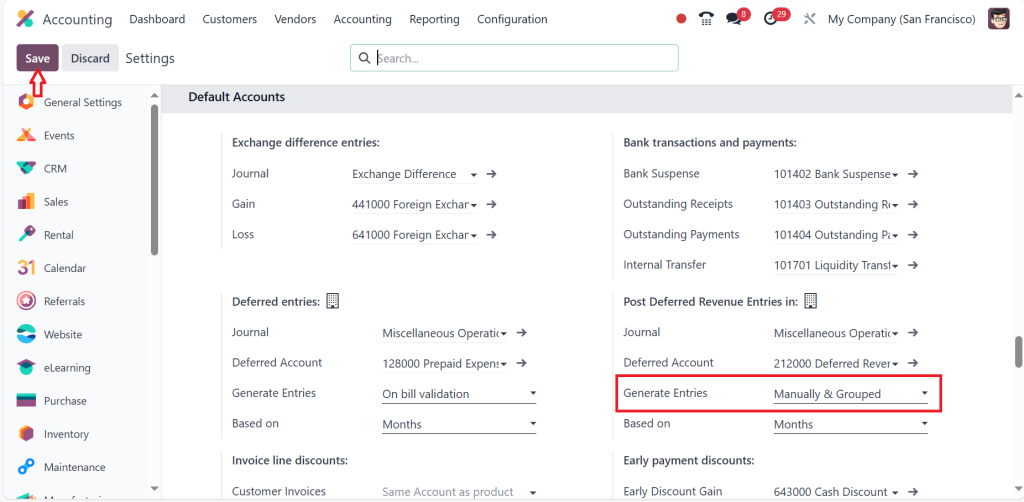
Scroll down, and under the Default Accounts section, we can generate entries on bill validation or manually and grouped. So, let’s first select ‘‘On bill validation.’’ We can also choose deferred entries based on months, days, or full months, but for the time being, I’m choosing based on months. Then click on Save.
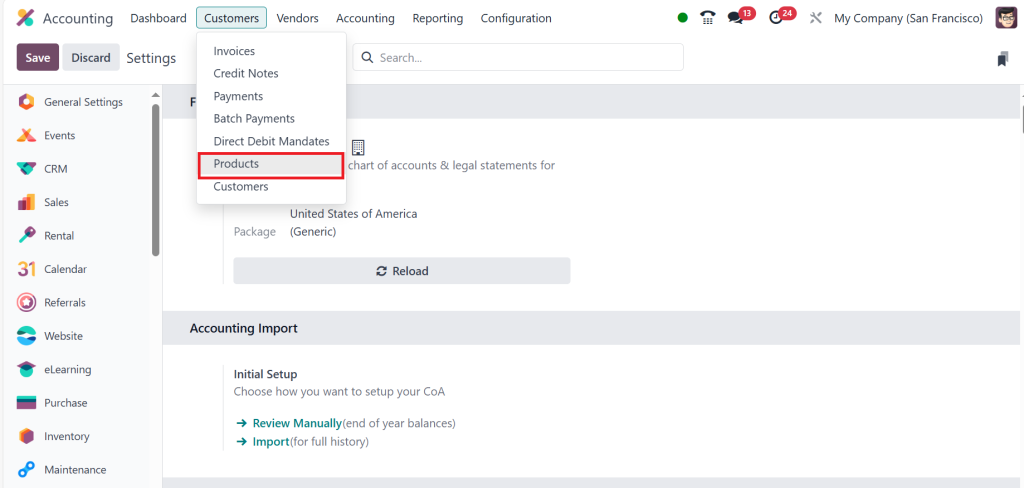
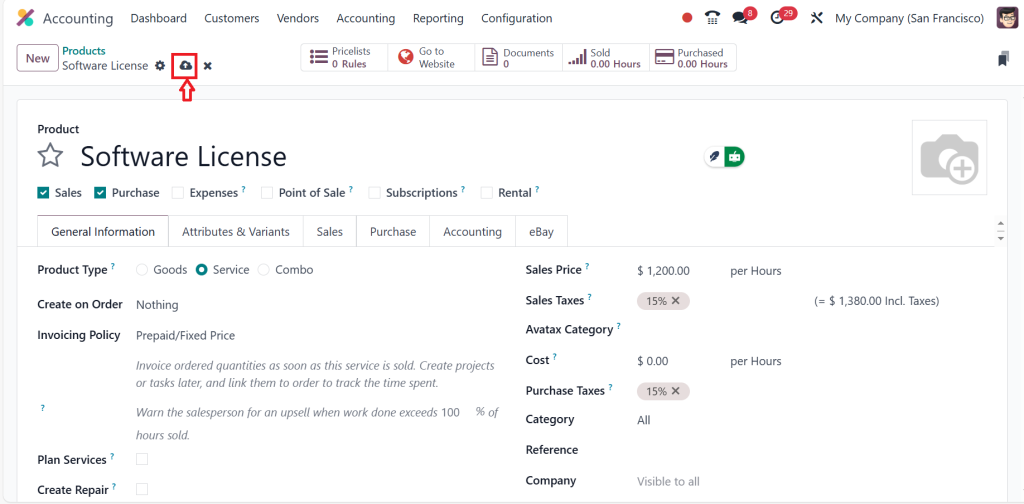
After that go to the Customers > Products.
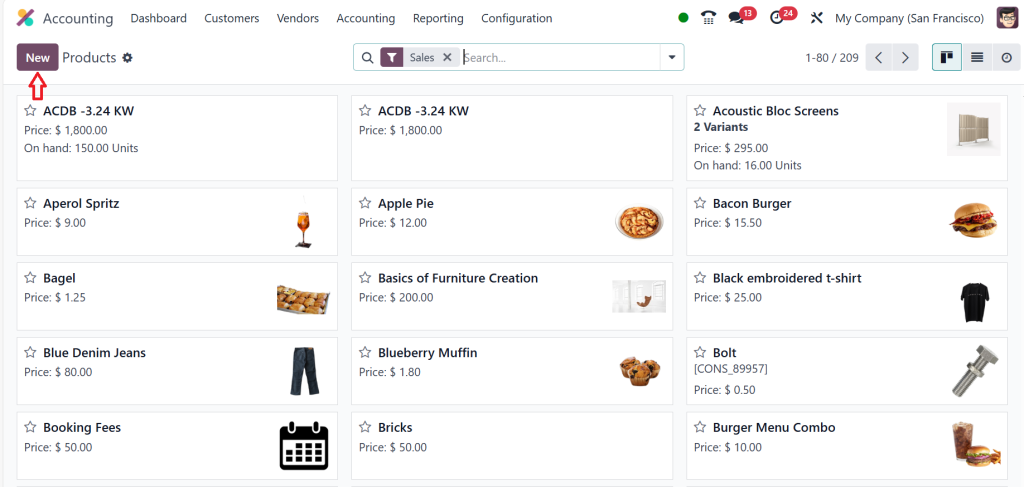
Then, Click on New.
Add the details such as product name, type, and price, and click on save.
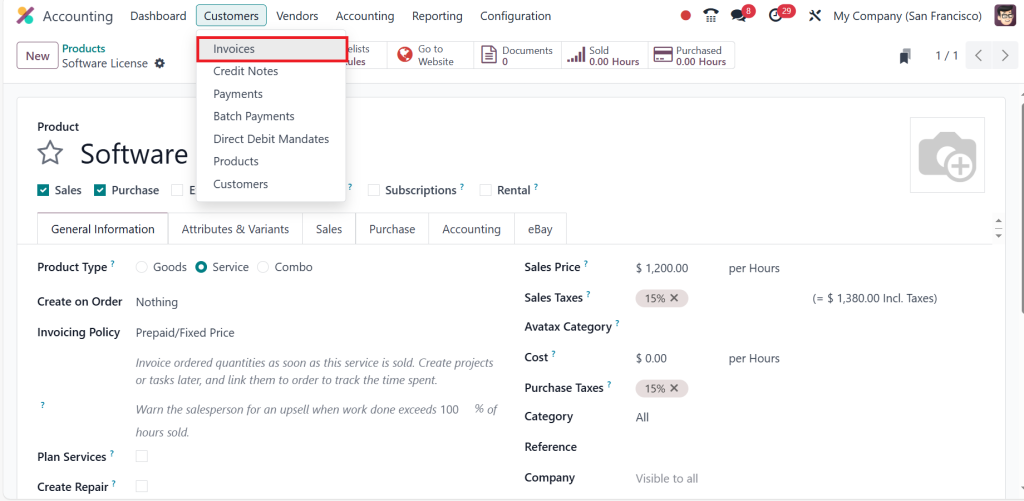
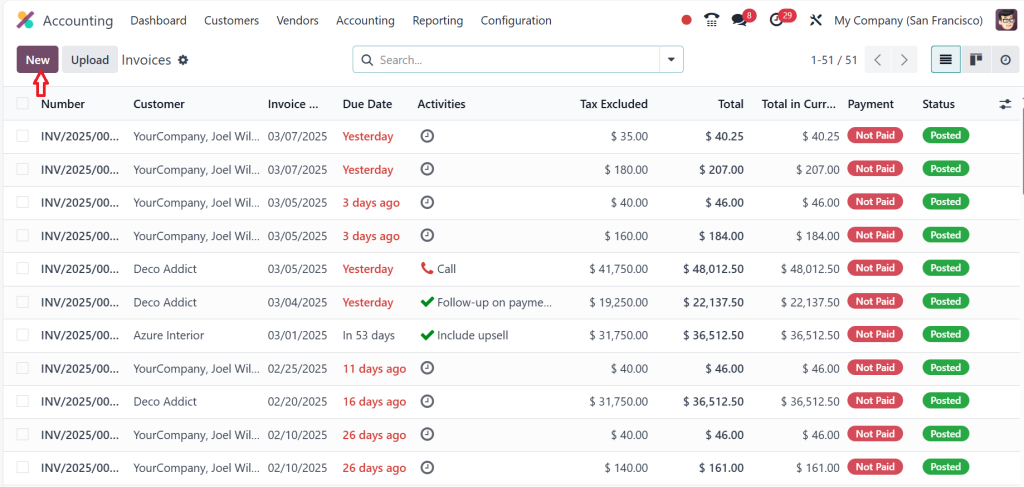
Then, to create a new invoice, go to the Customers > Invoices.
Click on New.
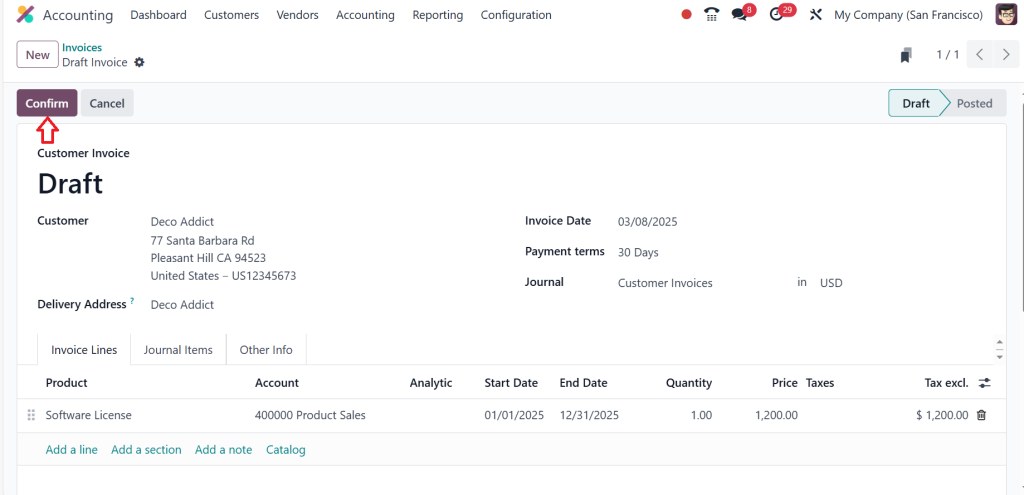
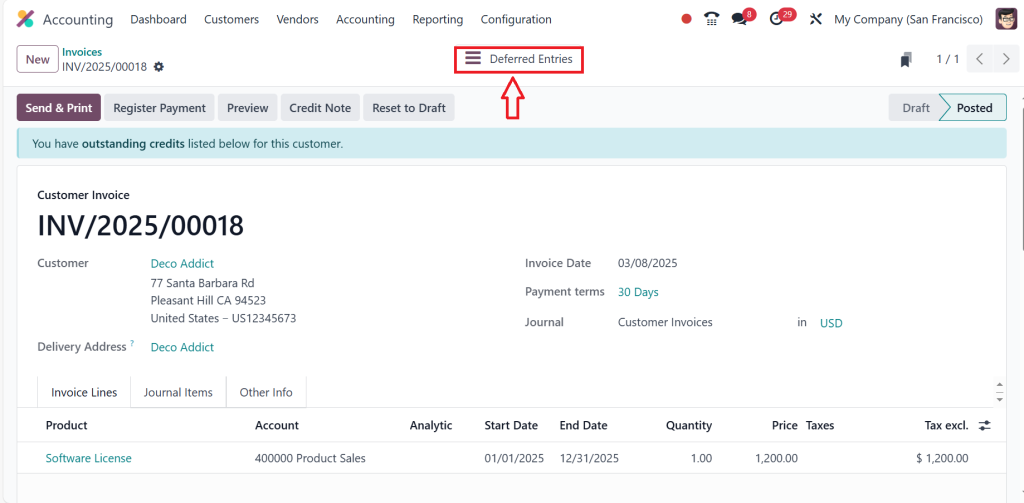
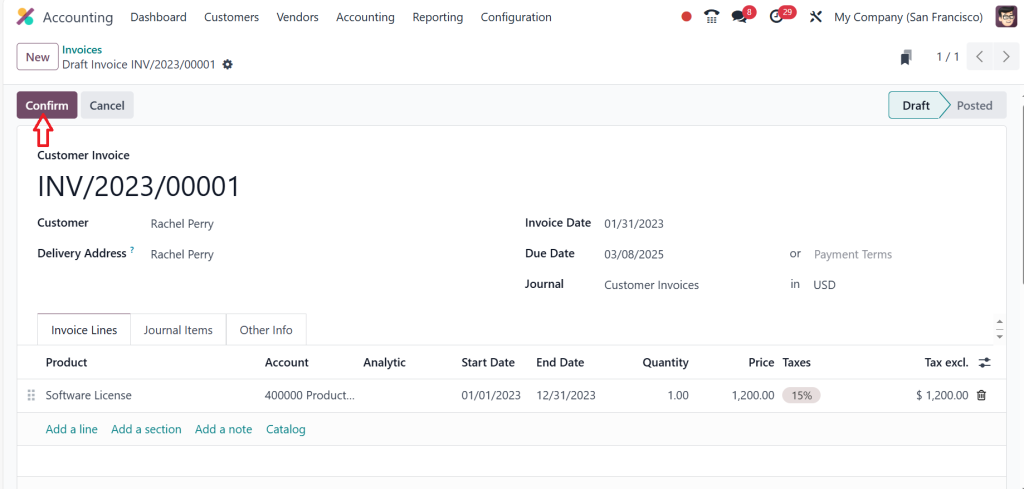
Fill out the customer’s details and invoice date, choose the product, add a start date and end date, then click Confirm.
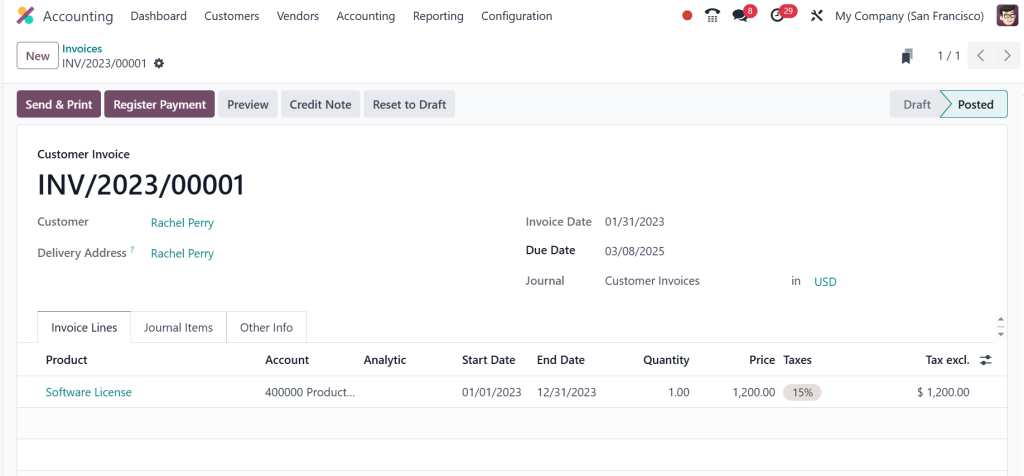
The screenshot below shows that the deferred entries will be generated above. Click on the Deferred Entries button.
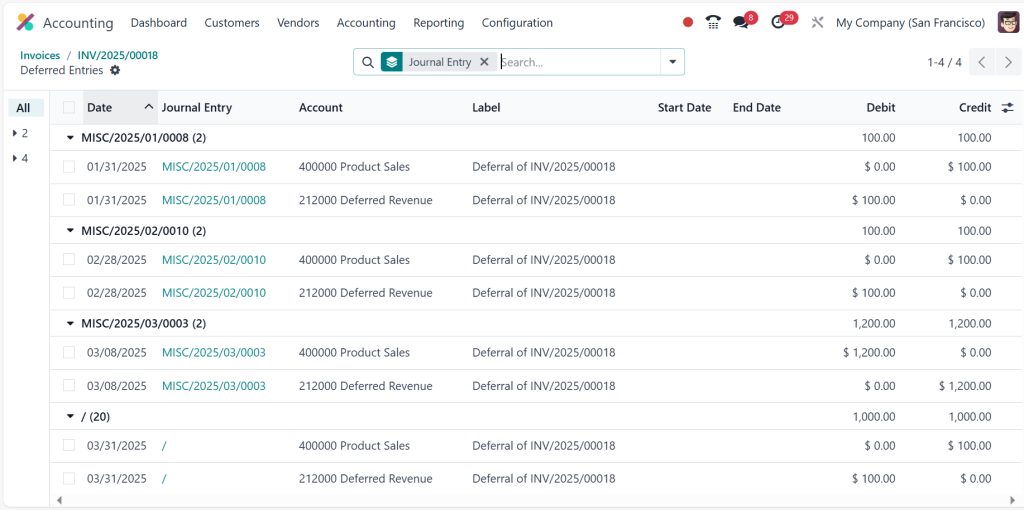
Under the deferred entries, you can find how the amount will be directed for each month. So, each month will take $100, and you can see how that will be calculated in the screenshot below.
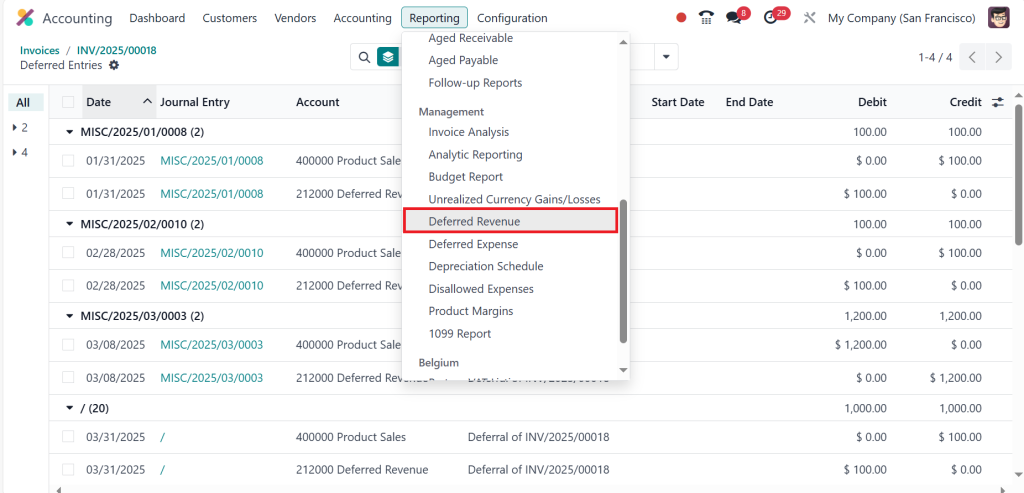
Now, click on Reporting > Deferred Revenue.
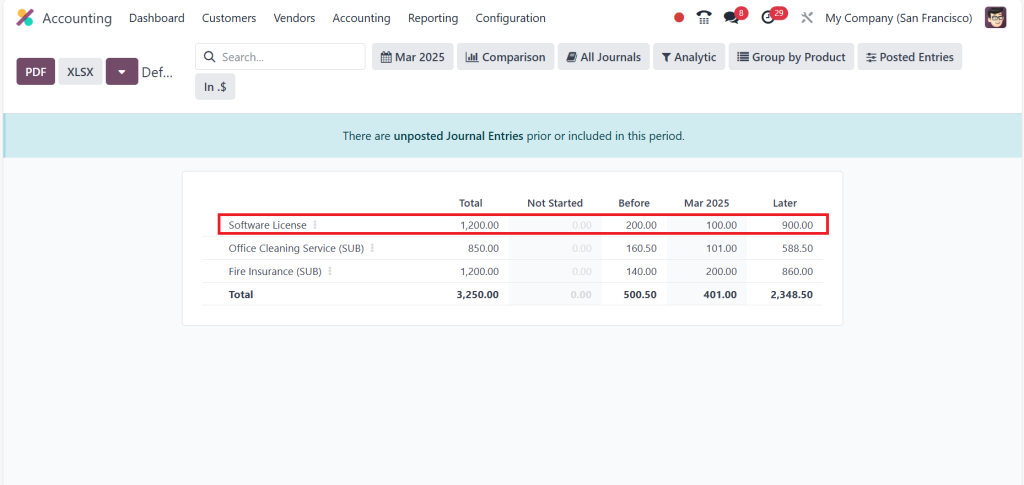
The screenshot below shows that the total amount is $1200 for one year, and we will get a profit of $100 each month.
Likewise, we can also manage the deferred revenue with other options, such as manually and grouped. So, go to Configuration > Settings.
Then change the journal entries from ‘‘On bill validation’’ to ‘‘Manually & Grouped’’ and click Save.
Again, go to Customers > Invoices and create a new invoice. After adding all the details, click on Confirm.
You can see in the screenshot below the deferred entries have been generated.
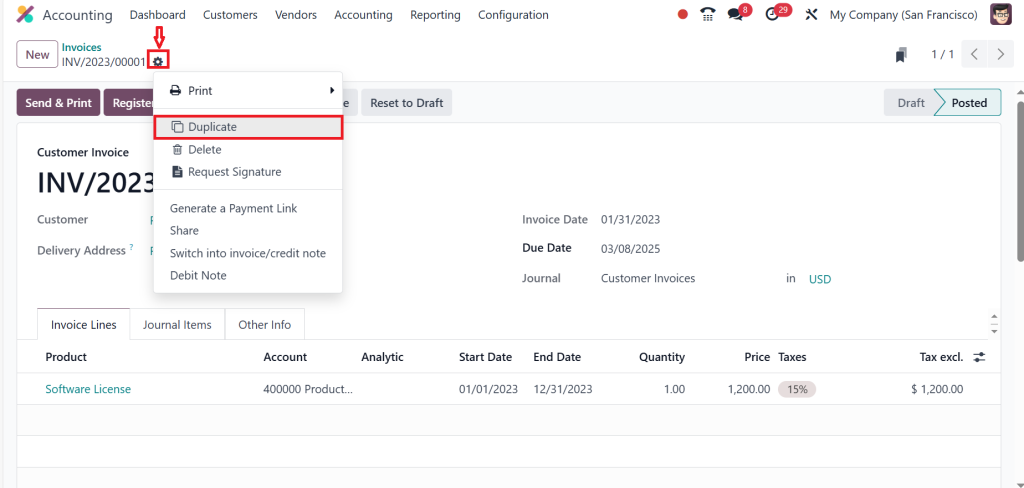
Again, we must create another entry here, so let’s duplicate this. To do that, go to the Settings button and click on the Duplicate option.
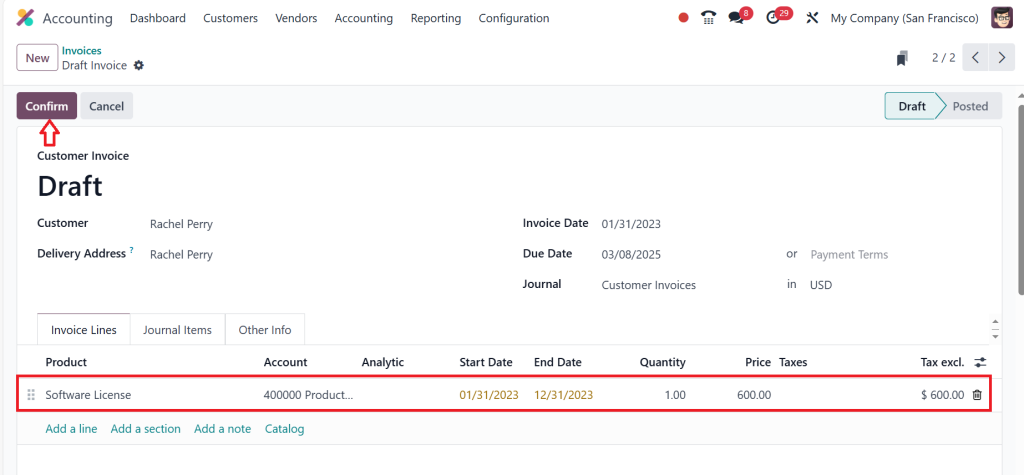
Change the amount, choose the date, and select the start and end dates, then click on Confirm.
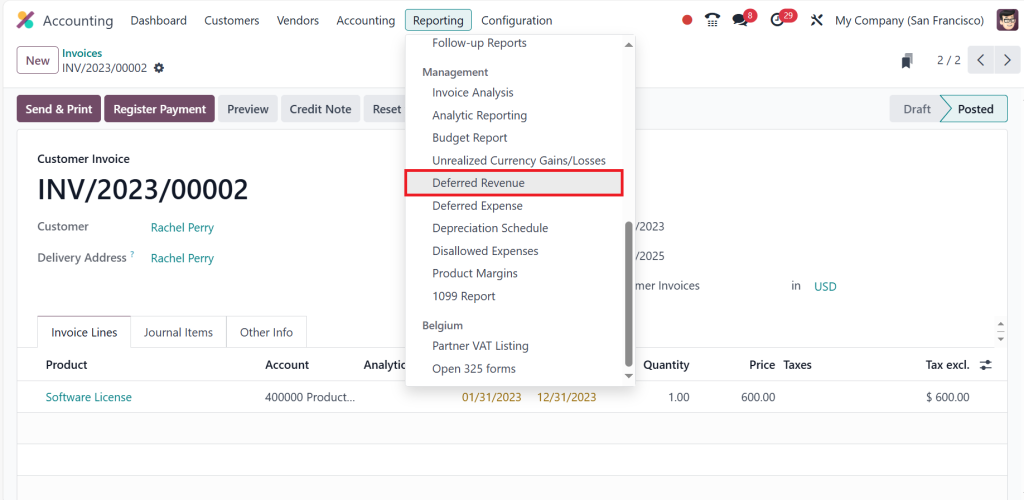
Now, go to the Reporting > Deferred Revenue.
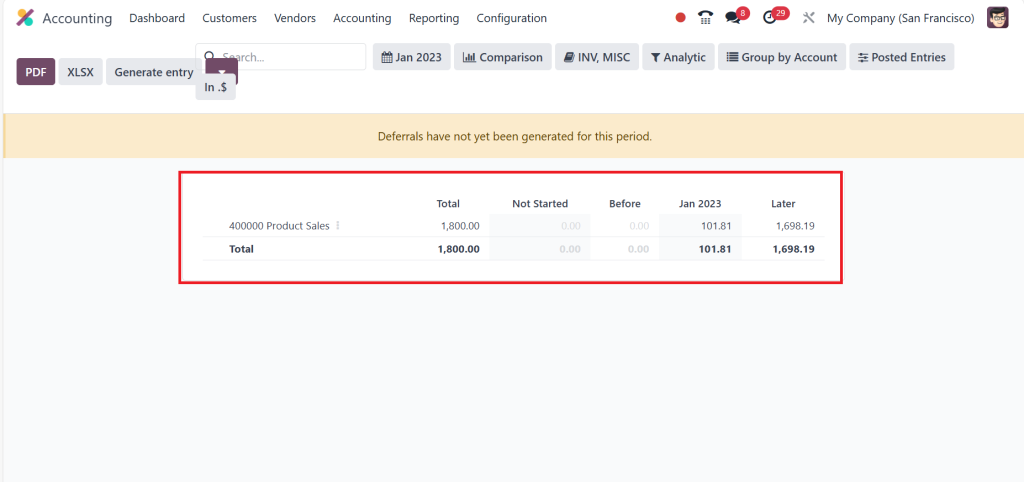
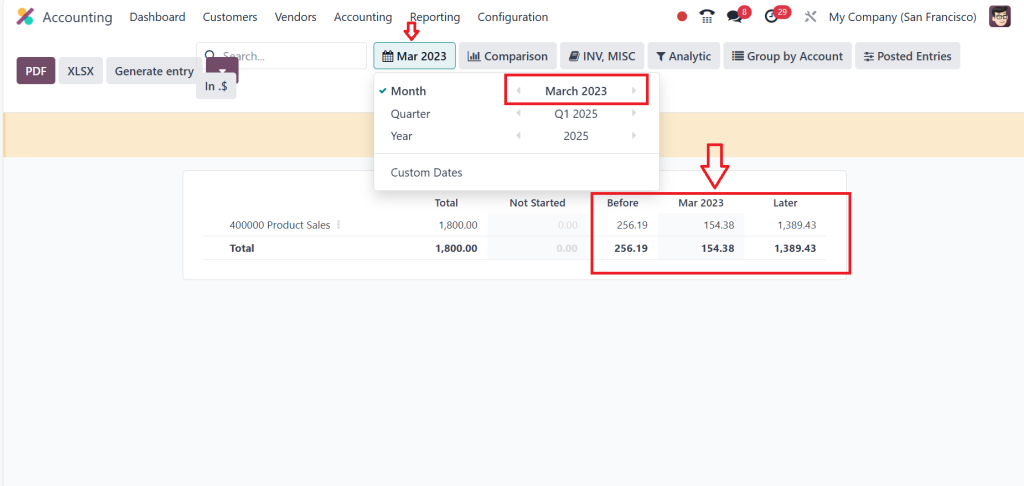
The screenshot below shows that the total amount is set to be $1800 because we have provided the amount as $1200 in one invoice and $600 in the other invoice. So, it will be $1800, and we are getting a profit of $101.81 each month.
So, by changing the month by clicking on the above you can see the change in amount as well.
This is how we can easily manage deferred revenue in the Odoo 18 accounting module.
Managing Odoo 18 Accounting Deferred Revenue
With Odoo 18 deferred revenue management set up, you can leverage automation to ensure that the recognition process is smooth and timely. This reduces the chances of human error and helps you stay compliant with accounting standards.
1. Automate Journal Entries for Deferred Revenue
Odoo 18’s automation capabilities allow you to create journal entries when payments are received in advance. This ensures the deferred income is tracked accurately. The system will:
Move the payment from cash accounts to the deferred revenue account.
Split the payment according to your predefined revenue recognition rules.
Once revenue is earned, Odoo automatically transfers it to the revenue recognition account, providing real-time updates to your financial records.
2. Automate Billing Schedules
For businesses with recurring payments (like subscriptions), Odoo 18 accounting deferred revenue helps by creating automated billing schedules. For instance, if you’ve set a recurring billing cycle for a client, Odoo can automatically recognize deferred revenue monthly.
3. Track and Monitor Unearned Revenue
Regularly tracking your unearned revenue is crucial for understanding how much of your income is deferred. Odoo provides a detailed report showing the following:
Total deferred revenue.
The portion that will be recognized over time.
The timing for revenue recognition in future periods.
With this real-time data, you can forecast cash flows and adjust business strategies if necessary.
How to Use Odoo 18 Financial Reporting for Deferred Revenue
Once your Odoo 18 deferred revenue has been effectively set up and managed, it is time to view its effects through financial reporting.
1. Income Statement and Balance Sheet
Income Statement and Balance Sheet reports allow you to assess the recognized portion of deferred revenue, while unearned revenue appears as liabilities on these reports. They allow you to monitor the financial health of your business by showing whether the recognized revenue matches service delivery.
You can filter reports by consumer, product, and period to evaluate the effectiveness of deferred revenue management easily.
2. Deferred Revenue Report
In addition to the standard financial reports, Odoo offers a specialized Deferred Revenue Report. This report shows:
The remaining balance of deferred income hasn’t been recognized yet.
The revenue recognition schedule for each item helps you track when revenue will be recognized.
Having this report available at your fingertips helps you remain on top of your revenue recognition process, ensuring accuracy in your financial statements.
Odoo 18 Accounting Tutorial
Suppose you’re new to Odoo or looking to understand how to better manage Odoo 18 accounting deferred revenue. In that case, several tutorials are available that walk through each step of accounting setup and provide insights into advanced features like customizing revenue recognition rules or creating personalized reports.
Whether you’re handling deferred income setup for a few products or need to scale it across your entire business, Odoo’s tutorials and community support can help you master the system.
Perfecting Your Odoo 18 Deferred Revenue Management
Odoo 18 accounting makes managing deferred revenue easy with the proper setup, automation, and reporting tools to help your business handle unearned revenue and revenue recognition accurately. From setting up deferred income accounts to using Odoo’s advanced financial reporting features – this comprehensive guide equips you with everything needed for accurate, compliant accounting.
Odoo 18 deferred revenue management isn’t just about tracking payments; it ensures your financial statements are accurate, revenue is recognized appropriately, and your business can confidently anticipate future earnings.
Stay tuned for helpful insight in our Odoo 18 accounting tutorials, and don’t hesitate to ask any questions or share experiences with us at Netilligence.
Hi, I'm Ilsa Shabbir, an Odoo ERP content writer specializing in functional blogs on Odoo modules. I simplify complex Odoo features, creating clear and engaging content to help businesses understand and optimize their ERP solutions.
We use cookies to ensure that we give you the best experience on our website. If you continue to use this site we will assume that you are happy with it.