Discounting is one of the most effective ways to engage customers and close sales, but it must be done strategically. One feature that makes Odoo 18 POS stand out is its line discount capability. This feature enables you to offer personalised discounts on individual items within a transaction rather than applying the discount to the entire order. In this guide, we’ll show you how to use line discounts in Odoo 18 POS, explore its advantages, and help you set up Odoo 18 POS discounts for more efficient sales management.
If you’re managing a retail store and looking for ways to offer better deals to your customers, understanding line discount Odoo POS will transform the way you do business. Offering Odoo POS discount per line helps streamline your discount strategy, making it easier to customize deals for different customer groups. By mastering Odoo 18 POS pricing adjustments, you’ll be equipped to handle all types of discounts, from special promotions to regular customer discounts. Ready to read?
What are Line Discounts in Odoo 18 POS?
Line discounts in Odoo 18 POS refer to the ability to apply discounts to specific products within a transaction rather than to the entire bill. This feature is handy in scenarios where you may want to offer a promotion for a specific item rather than all items in the sale. For example, suppose you’re running a special discount on a particular product or category, applying a line discount. In that case, Odoo POS allows you to selectively reduce the price of a product without affecting the prices of the other items in the transaction.
Benefits of Using Line Discounts in Odoo 18 POS
Using Odoo 18 POS line discounts offers several advantages:
Precision: Apply discounts only to the selected items.
Flexibility: Adjust pricing for different types of products (e.g., bulk discounts on specific categories).
Customer Satisfaction: Offer personalized discounts to customers, which enhances their shopping experience.
Easy to Manage: Integrating line discounts within Odoo POS ensures easy tracking of discounts and helps maintain a clear sales record.
How to Set Up Line Discounts in Odoo 18 POS
Setting up line discounts in Odoo 18 POS is simple and intuitive. Below are the steps to guide you through the Odoo 18 POS discounts setup process.
Step 1: Access POS Settings in Odoo 18
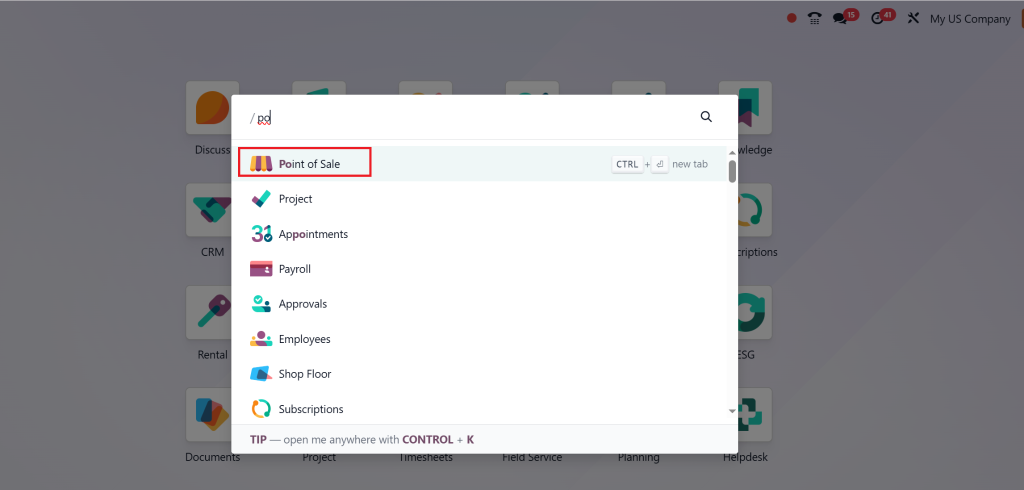
Log in to your Odoo system and go to the Point of Sale module.
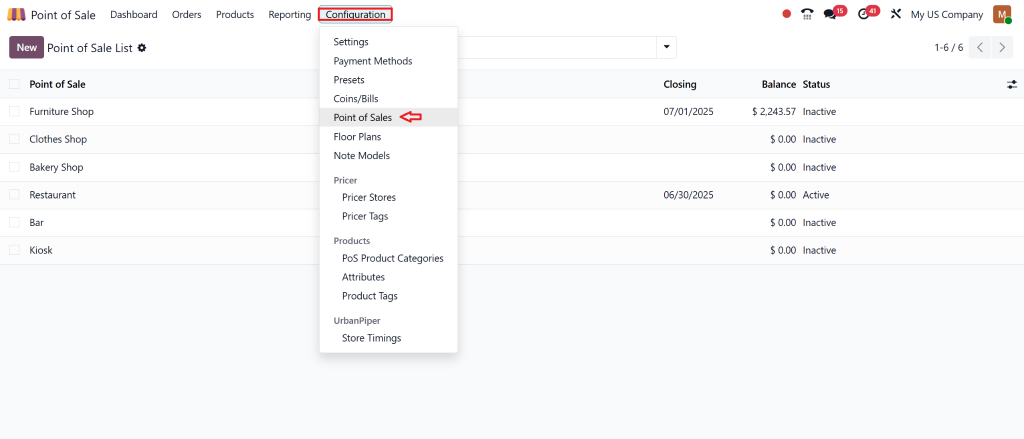
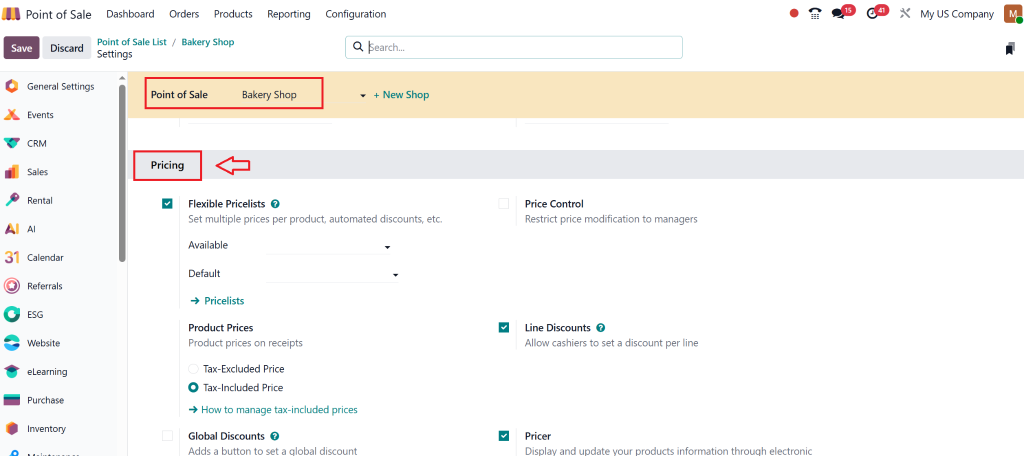
Go to the Configuration tab and click on Point of Sale.
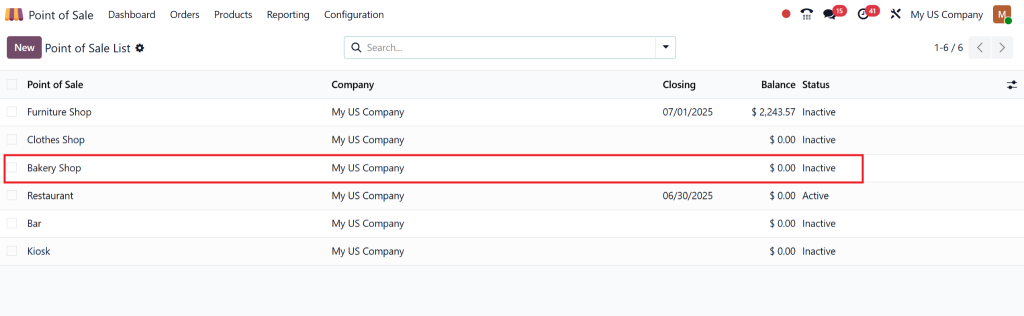
Select the POS session for which you want to configure line discounts.
Step 2: Enable Discount Features
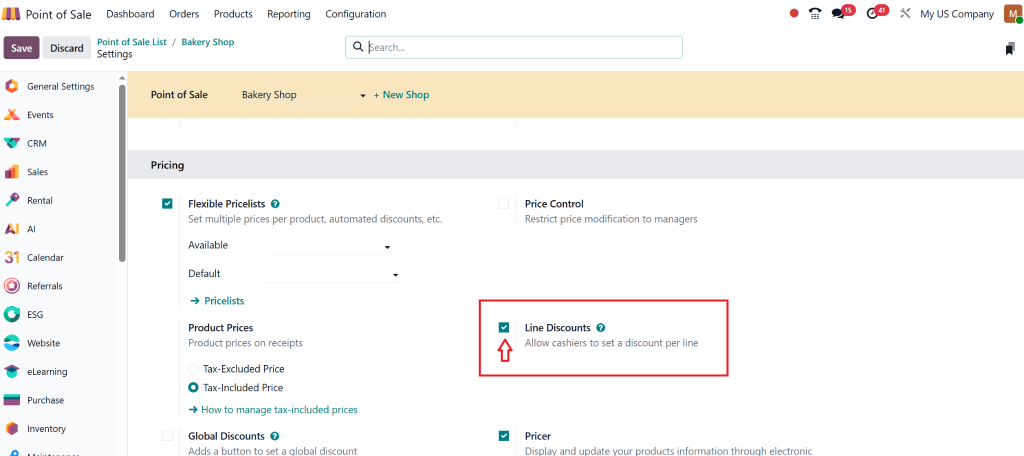
In the POS settings, locate the Pricing section.
Ensure the Line Discount feature is activated.
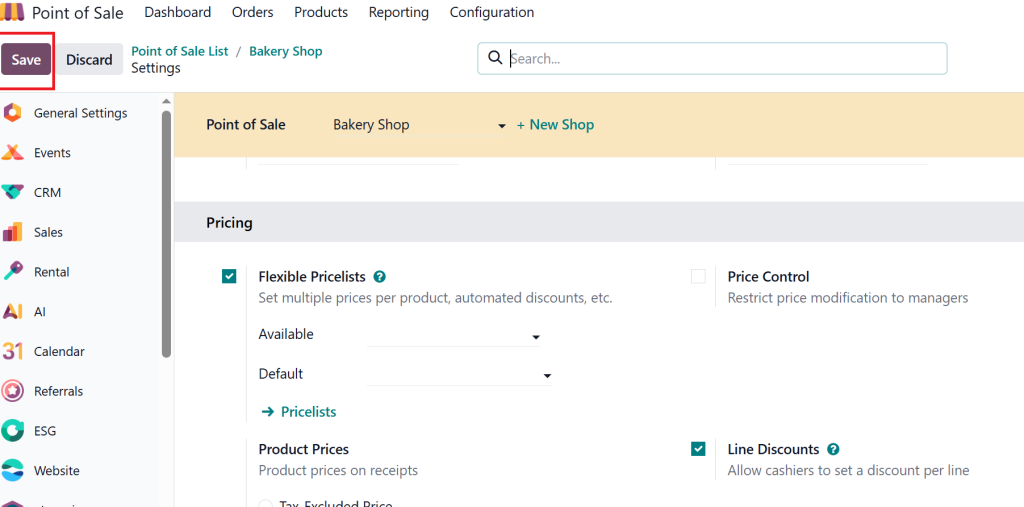
Save the settings to enable the discount functionality in your POS.
Step 3: Configure Discount Policies
You can now configure how discounts are applied to individual items. Odoo allows you to choose between several discount policies:
Fixed Amount Discount: A fixed monetary discount applied to the line item.
Percentage Discount: A percentage reduction applied to the price of the item.
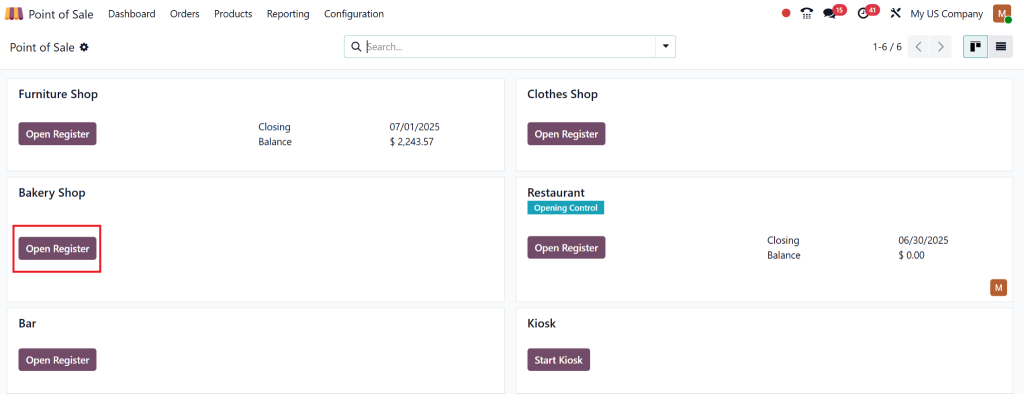
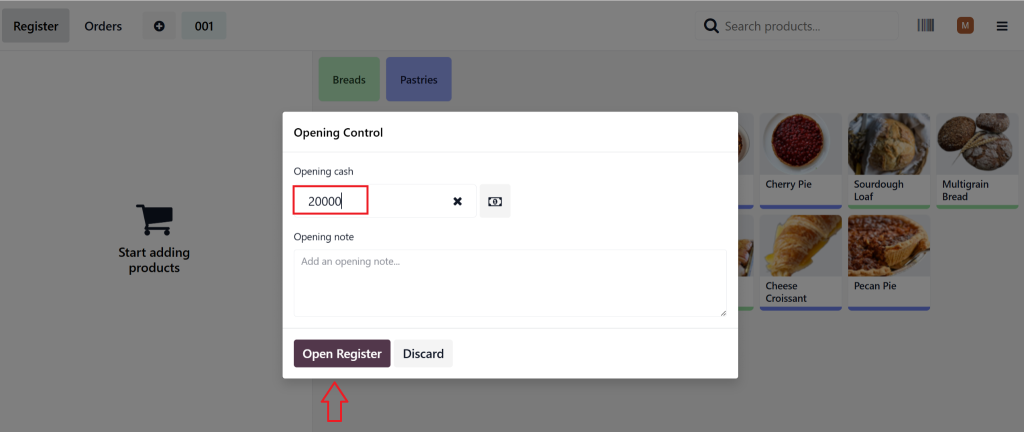
Open the Register
Set the opening cash and open the Register.
Step 4: Apply Line Discount Odoo 18
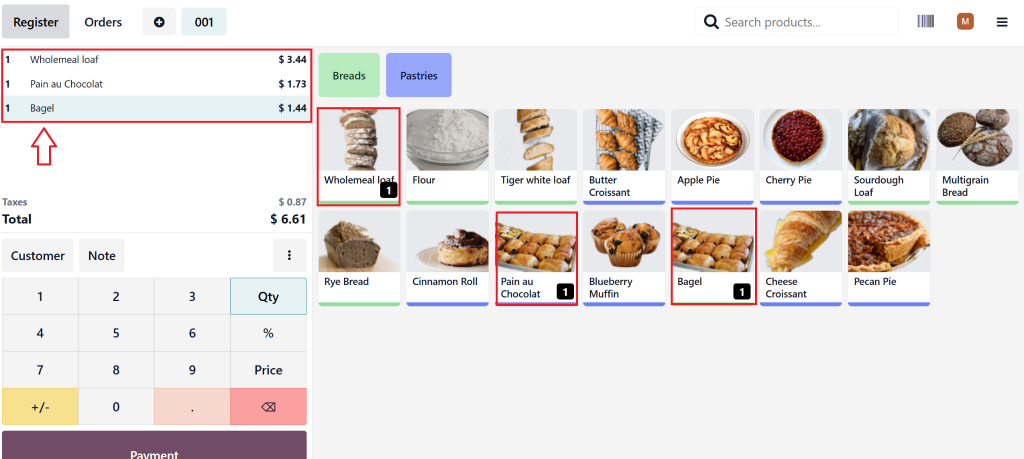
When processing a sale in Odoo POS, select the product to which you want to apply a discount.
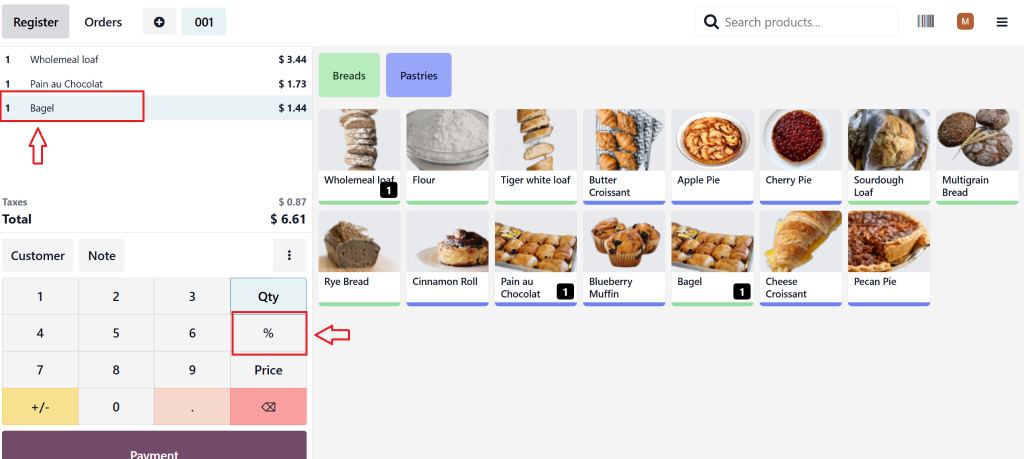
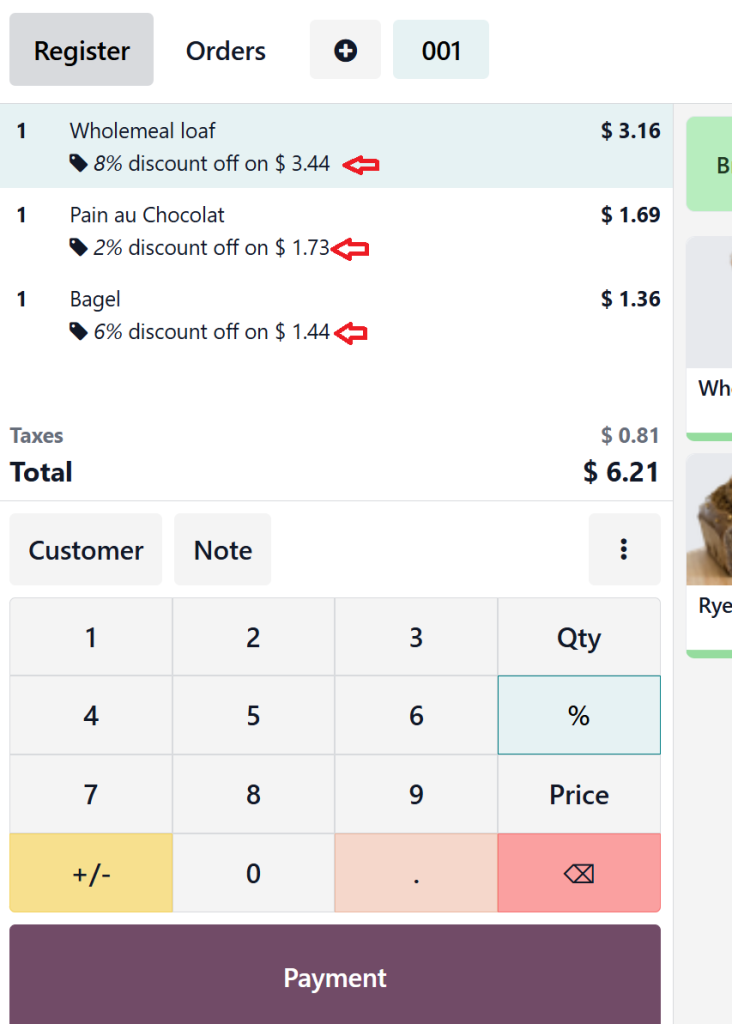
In the Sales Line area, select the product and click on the Percentage button.
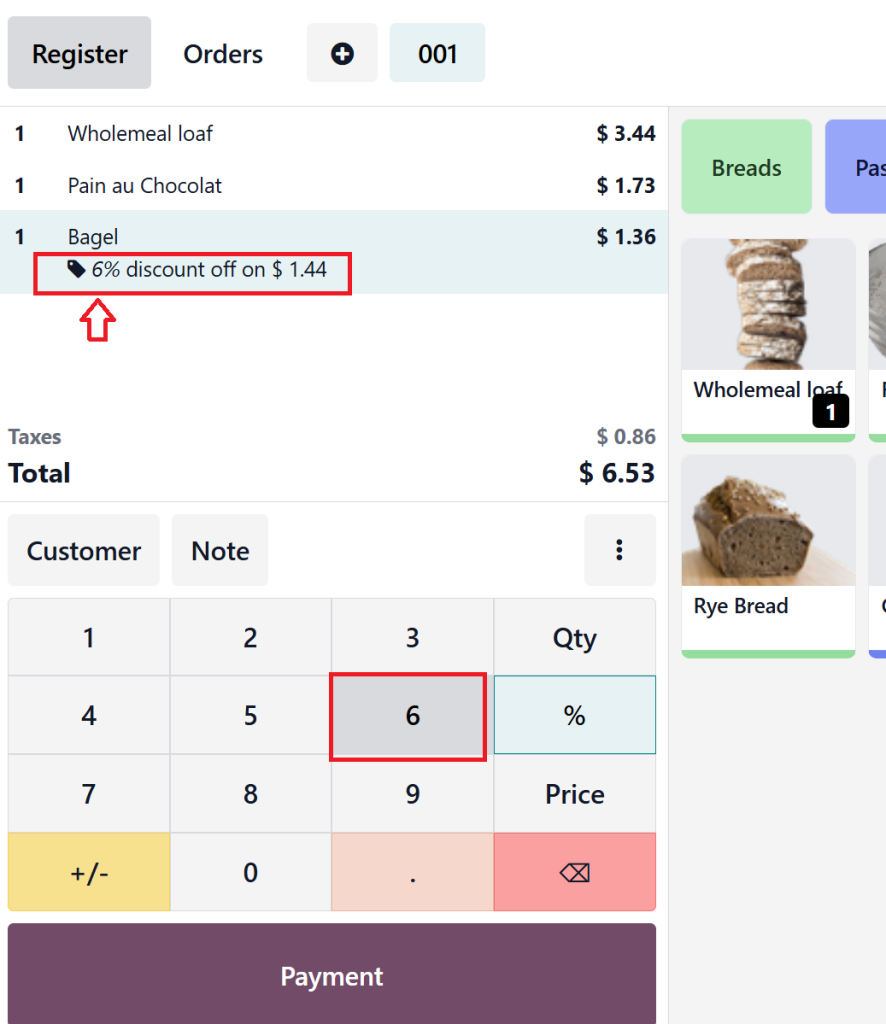
Enter the discount amount or percentage.
You can give every product different discount prices, and if you want to reverse the discount, simply click on %+0, and the discount will be reversed.
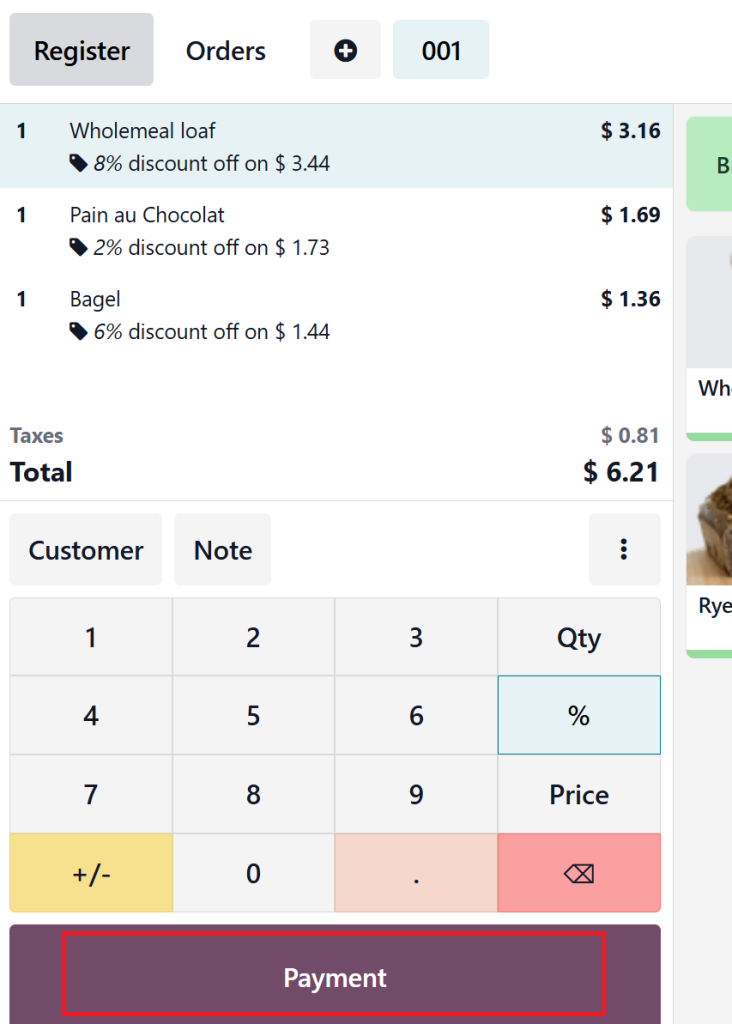
Click on Payment.
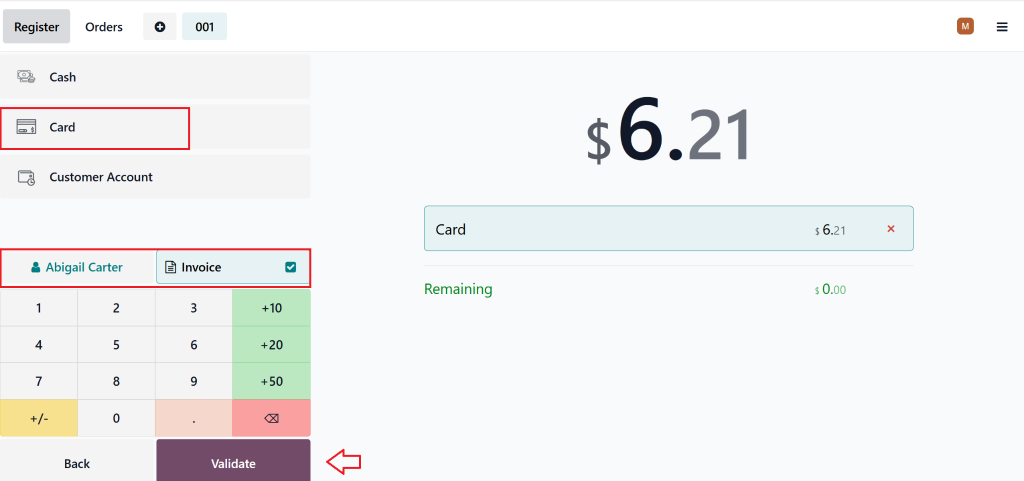
Select the customer payment method and check mark the Invoice if you want to generate then click on Validate.
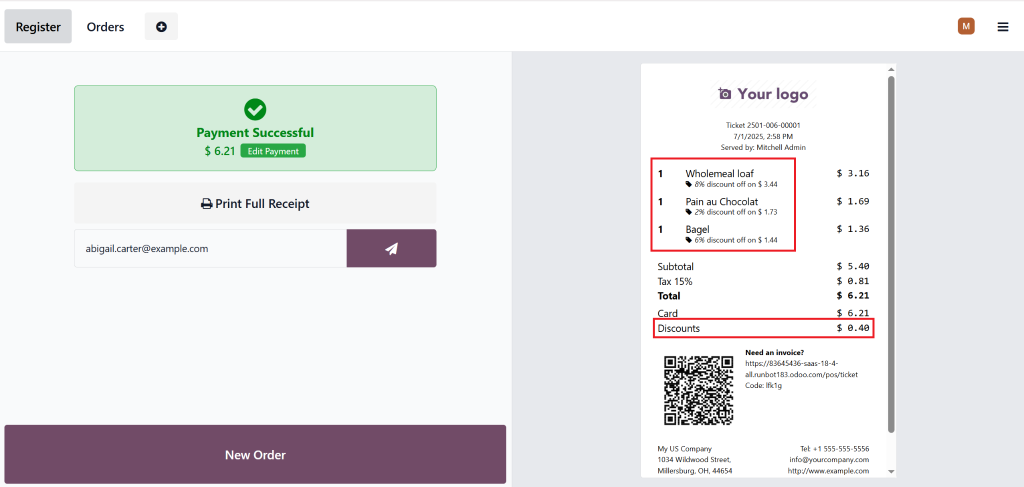
Once entered, the Odoo POS discount per line will be visible on the invoice, and the total price will reflect the adjusted value.
Step 5: Review and Confirm the Discount
Once you’ve applied the discount, review the transaction to ensure that it has been applied correctly to the relevant line. The discounted price will be shown in the Invoice view, providing transparency for both you and the customer.
How to Apply Line Discount in Odoo POS
Applying a use line discount Odoo Pos is as easy as adding the item to the cart. Here’s a breakdown of the process:
Step 1: Select the product from your POS interface.
Step 2: Choose the discount type (fixed amount or percentage).
Step 3: Apply the discount to the line item.
Step 4: Confirm and finalize the sale.
This allows your sales team to apply discounts on a per-item basis, giving you greater flexibility when running promotions or offering discounts to specific customers.
Why Use Line Discounts in Odoo POS for Pricing Adjustments?
Odoo 18 POS offers a highly customizable and efficient way to adjust pricing. Here’s why Odoo 18 POS pricing adjustments through line discounts are a game changer:
Customer Experience: Line discounts enable you to offer personalised deals. For example, VIP customers can receive discounts on select products while others might not.
Real-Time Updates: Any changes in pricing or discounts are reflected in real-time, allowing for easy management of sales and deals.
Better Sales Tracking: Since each discount is applied per line, you can more precisely track discount usage across your entire product range.
Simple Reporting: Discounts are tracked automatically in your reports, so you don’t need to calculate the impact of any promotional activities manually.
With line discounts in Odoo 18 POS, you can maintain control over your discount strategies while ensuring consistency and accuracy in your sales data.
Common Scenarios to Use Line Discounts in Odoo 18 POS
Line discounts are incredibly versatile and can be applied in various situations. Here are some common scenarios where you might want to use line discounts in Odoo 18 POS:
1. Seasonal Promotions
Offer discounts on specific items during seasonal sales. For example, offer a line discount Odoo POS on winter apparel during the fall or winter season.
2. Bulk Buying
Encourage customers to buy more by offering discounts on multiple items. If a customer buys two or more of a particular product, apply a line discount Odoo 18 to each item.
3. Loyalty Programs
Reward loyal customers by offering them a discount on select products via Odoo POS per line. This helps increase repeat sales and build customer loyalty.
4. Product-Specific Discounts
Apply discounts to individual products based on stock levels, product type, or market demand. For example, clear out slow-moving stock with targeted line discounts.
Lorem ipsum dolor sit amet, consectetur adipiscing elit. Ut elit tellus, luctus nec ullamcorper mattis, pulvinar dapibus leo.
Tips for Line Discounts in Odoo POS
While the line discount feature in Odoo POS is a fantastic addition, users may encounter a few common issues. Let’s address some of them:
1. Discount Not Appearing in Reports
If your Odoo 18 POS line discounts aren’t showing up in the reports, make sure that:
The discount setting is enabled in your POS configuration.
You are applying the discount correctly to each line item during sales.
2. Incorrect Discount Application
Ensure that you apply the discount to the correct line item. Always verify the final amount before confirming the sale to ensure accuracy and completeness.
3. Conflicting Discount Settings
If you have multiple discount systems (e.g., coupons and line discounts), ensure they don’t conflict. Configure your Odoo 18 POS discounts setup so that only one discount type can be applied to a product at a time.
Odoo POS Efficiency with Line Discounts
Line discounts in Odoo 18 POS provide a versatile and powerful way to manage pricing adjustments at the item level. Whether you’re running promotions, offering customer-specific discounts, or want to streamline your discount process, Odoo’s Point of Sale system gives you the tools you need to stay forward in a competitive retail environment.
By utilising Odoo 18’s POS discount per line feature, businesses can enjoy greater flexibility, enhanced customer relationships, and more effective sales management. With the right Odoo 18 POS discounts setup, you can ensure that every discount you apply is both efficient and transparent, leading to better business outcomes.
So, what are you staying for? Maximise your line discount with Odoo POS today and elevate your retail operations!
Hi, I'm Nabia, an Odoo ERP functional & technical content writer. I specialize in blogs, social media content, ad copy, landing pages, service pages, and email campaigns.
We use cookies to ensure that we give you the best experience on our website. If you continue to use this site we will assume that you are happy with it.