

Odoo 18’s Employees App introduces an efficient way to organize your business structure. Managing departments effectively can greatly enhance productivity and modernize HR processes. This blog will show you the steps to create and manage a new department in Odoo 18 Employees App while covering Odoo 18 create department, Odoo 18 manage departments, Odoo 18 department configuration, Odoo 18 department hierarchy management, and best practices for Odoo 18 organizational structure.
The Crazy Secret to Effortless Department Management
What if I told you that managing your company’s departments could be as exciting as levelling up in your favourite video game? Picture this: You’re the hero of your organization, wielding the mighty power of Odoo 18 Employees App. With just a few clicks, you can create new departments, assign roles, and conquer the chaos of HR management. Sounds intriguing, right?
But wait, there’s more! Did you know that with Odoo 18, you’re managing departments and building a dynamic organizational structure that can change your workplace? This app has everything from effortless department configuration to a visual hierarchy straight out of a strategy game. Are you ready to discover the secrets of creating and managing a new department in the Odoo 18 Employees App? Let’s dive in and revolutionize how you think about Odoo 18 HR management.
Why Departments Matter in Odoo 18
A well-structured organizational hierarchy is the backbone of any successful business. In Odoo 18, departments are the foundation for managing employees, assigning tasks, and maintaining operational efficiency. Here’s why creating and managing departments in the Odoo 18 Employees App is vital:
Enhanced HR Management: Odoo 18’s HR features are personalised to simplify employee oversight within specific departments.
Efficient Reporting: Department hierarchies make tracking performance and managing accountability easier.
Improved Collaboration: Teams within departments can collaborate more effectively when their roles and structures are clearly defined.
How to Create & Manage a New Department in Odoo 18 Employees App
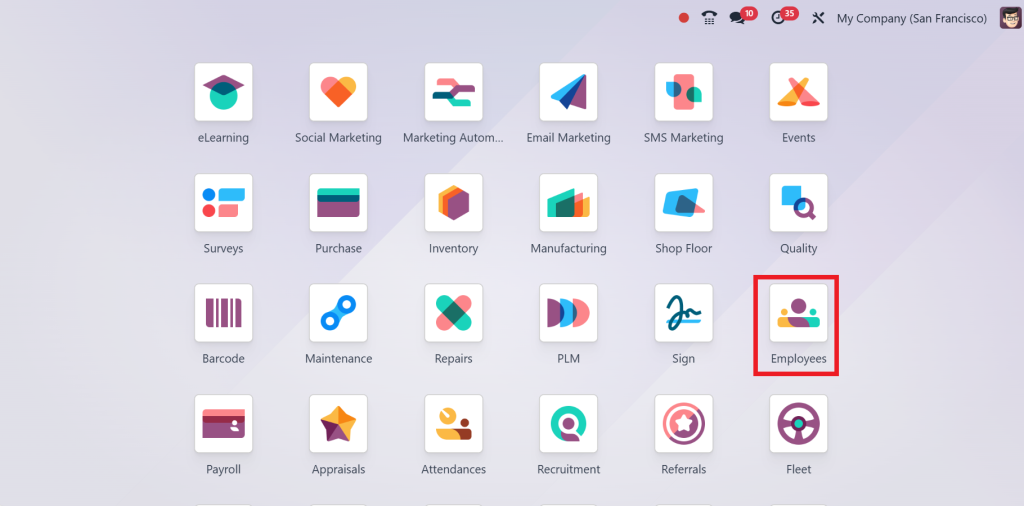
From the dashboard, click on the Employees App.
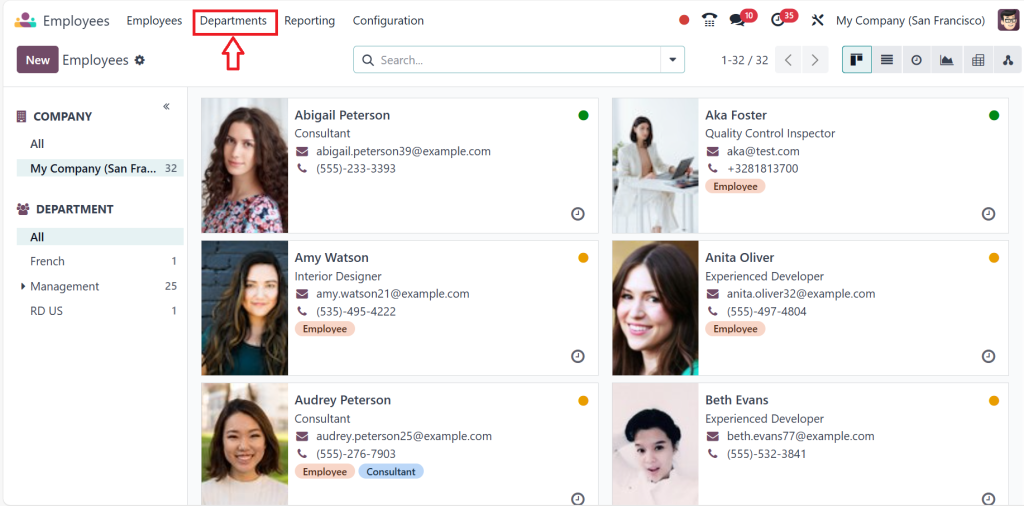
Under the Employees app, you can see the department; click the Department menu.
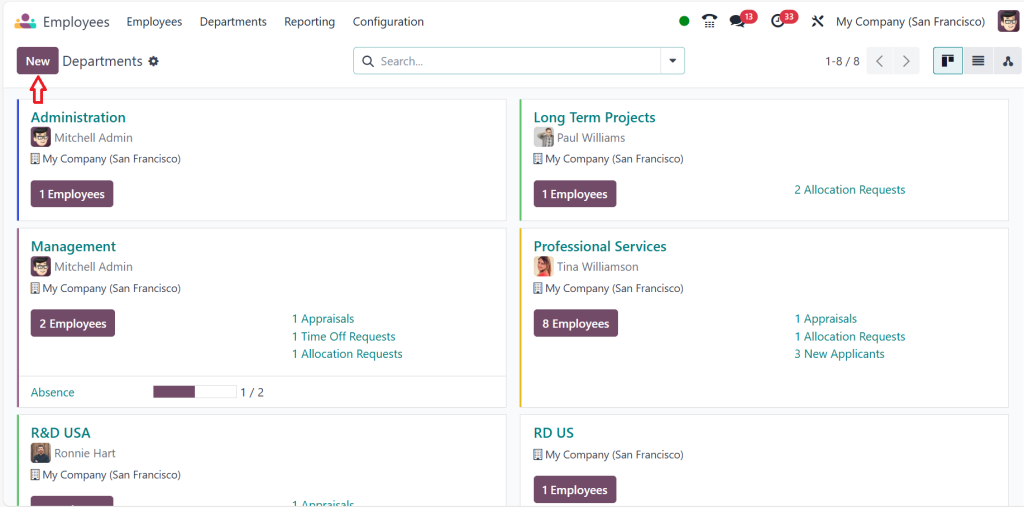
Click on the New button to add a new department.
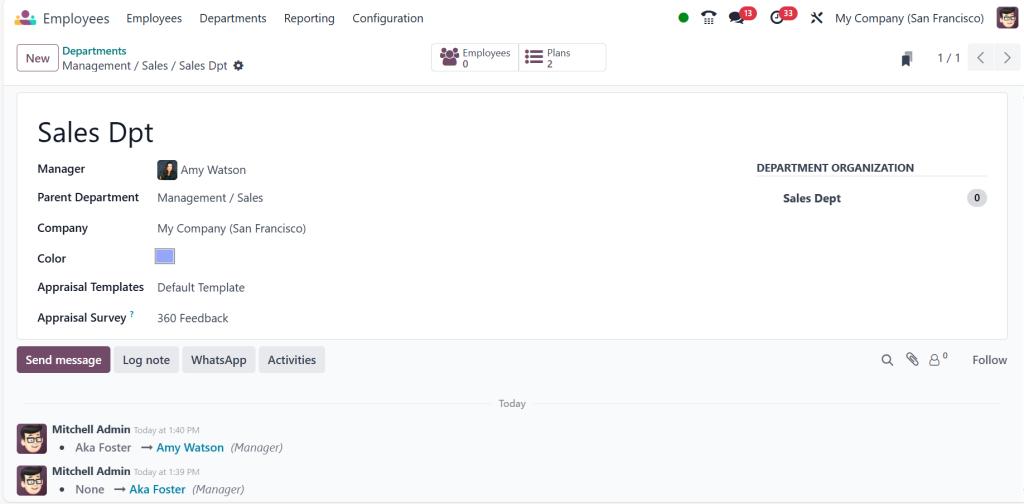
Fill in the required details, such as:
Department Name: Specify the name of the new department.
Manager: Assign a manager for the department.
Parent Department: If applicable, select a parent department to establish a hierarchy.
Once all fields are filled, click Save. Your new department is ready for use within the Odoo 18 Employees App.
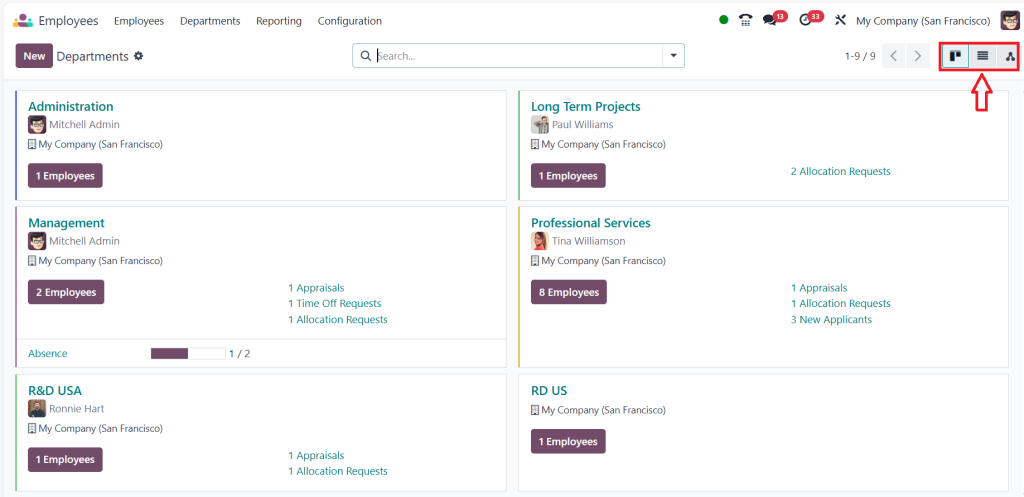
If you go back to the departments, you can see the dashboard. Departments have three different views. One is the Kanban view, which displays the department as a card with key information. If you take a closer look, each card has the company manager, the department name, and the number of employees in the department. As you can see in the screenshot below, each card has different colours, which we chose while creating all the departments.
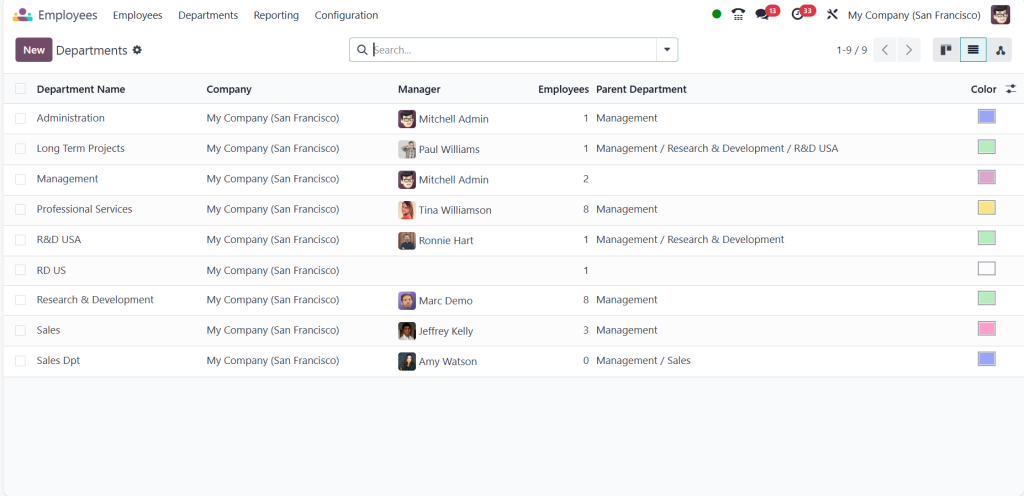
Then, you have the list view for the same thing shown in the screenshot below, where you can see details like the department name, company, manager, employees, and the parent department.
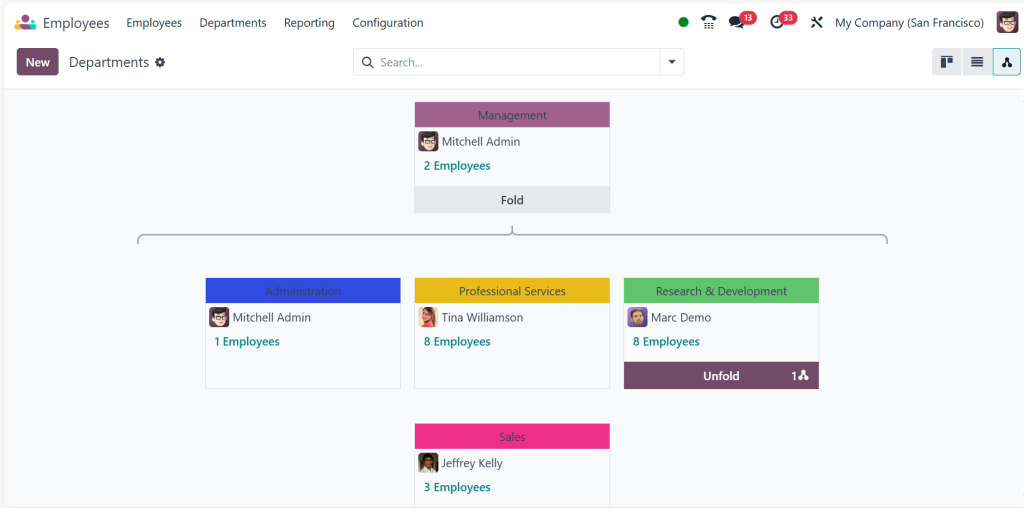
Finally, the hierarchy view is displayed in an organizational chart format, as shown below.
Managing Departments in Odoo 18 Employees App
Updating Department Details
To edit an existing department:
- Go to the Departments menu.
- Select the department you wish to update.
- Please make the necessary changes and save them.
Assigning Employees to Departments
- In the Employees App, go to the employee’s profile.
- Under the department field, select the desired department.
- Save the changes to assign the employee.
Configuring Department Access Rights
Odoo 18 allows you to set access rights for specific departments:
- Direct to Settings > Users & Companies > Users.
- Assign roles and permissions based on department-specific needs.
Configuring Department Hierarchy in Odoo 18
Creating a Parent-Child Relationship
The parent-child relationship is essential for establishing a clear hierarchy:
- While creating or editing a department, select the Parent Department field.
- Choose an existing department as the parent.
- Save the configuration to reflect the hierarchy.
Viewing the Organizational Structure
- Direct to the Departments menu.
- Use the Hierarchy View to visualize the organization’s structure.
- This feature helps managers oversee multiple departments effectively.
Odoo 18 Employees App Tutorial
The Odoo 18 Employees App tutorial is your ultimate guide to mastering employee and department management within Odoo’s powerful ecosystem. At Netilligence, we walk you through creating departments, configuring hierarchies, and assigning employees to their roles. With intuitive navigation and robust tools, you’ll learn how to optimize HR processes and maintain an efficient organizational structure. From configuring access rights to integrating with other Odoo modules, the tutorial ensures you maximise Odoo 18’s capabilities. Whether new to Odoo or looking to refine your HR operations, this tutorial is the perfect starting point.
Best Practices for Managing Departments in Odoo 18
Regularly Update Department Information
Ensure all department details are up-to-date to avoid confusion and inefficiencies.
Use Descriptive Naming Conventions
Name departments clearly to reflect their roles and responsibilities.
Leverage Reporting Features
Utilize Odoo 18’s reporting tools to monitor departmental performance and make data-driven decisions.
Train Managers on Odoo 18 Employees App
Provide adequate training to department managers to effectively use the platform’s features.
Advanced Features for HR Management in Odoo 18
Integrating with Other Odoo Apps
Odoo 18 Employees App integrates flawlessly with other modules like:
Payroll: Automate salary management for department employees.
Timesheets: Track employee working hours within departments.
Recruitment: Manage hiring for specific departments.
Utilizing Analytics and Reports
Access detailed analytics under the Reporting menu.
Generate reports for:
- Employee performance by department.
- Departmental KPIs.
- Budget allocation and usage.
Real-World Success Stories: Odoo 18 Employees App in Action
1. Tech Nova: Restructuring Organizational Growth
Challenge: Tech Nova, a rapidly growing IT firm, faced challenges managing its sprawling organizational structure. Departments lacked clear definitions, causing inefficiencies in workflow and miscommunication among teams.
Solution: Tech Nova restructured its organization by implementing the Odoo 18 Employees App. They utilized the department hierarchy feature to establish clear reporting lines and assigned specific roles to department managers.
Outcome: Within three months, Tech Nova reported:
- A 25% reduction in interdepartmental delays.
- Rationalised project assignments based on departmental roles.
- Enhanced collaboration across 10+ departments using real-time updates in Odoo.
2. Green Earth Solutions: Revolutionizing HR Management
Challenge: Green Earth Solutions, an environmental consultancy, struggled to manage employee data and departmental performance across multiple locations. Their outdated systems led to inconsistent reporting and misaligned team goals.
Solution: With Odoo 18, Green Earth centralized its department configuration and integrated reporting tools. By assigning parent-child relationships to departments, they clarified roles and responsibilities.
Outcome: Over six months, Green Earth observed:
- A 30% improvement in employee satisfaction, thanks to well-defined structures.
- Accurate performance metrics across departments, enabling better decision-making.
- Cost savings by eliminating redundant administrative processes.
3. Metro Retail: Scaling Flawlessly with Odoo 18
Challenge: Metro Retail, a national retail chain, faced issues scaling its HR operations as it opened new branches. Departments were inconsistently managed, leading to inefficiencies in payroll and recruitment.
Solution: By adopting the Odoo 18 Employees App, Metro Retail created a robust organizational structure aligned with its rapid expansion. It configured departments for each branch and integrated them with payroll and recruitment modules.
Outcome: Within a year, Metro Retail achieved:
- A 50% reduction in onboarding time for new employees.
- Real-time updates on payroll and employee data across 50+ branches.
- A scalable system that supports continued growth without compromising efficiency.
These success stories showcase how businesses can leverage the Odoo 18 Employees App to overcome challenges, optimize workflows, and scale flawlessly.
Mastering Department Management in Odoo 18 Employees App
Creating and managing a new department in the Odoo 18 Employees App is straightforward and empowers businesses to optimize their HR management. By leveraging the app’s robust features, you can establish a well-defined organizational structure, modernise workflows, and improve decision-making. Odoo 18 offers all the tools you need to build a successful and efficient workplace, from department configuration to hierarchy visualisation.
Start using the Odoo 18 Employees App today and experience the difference in managing your departments flawlessly. Whether you’re creating a department, configuring roles, or analysing performance, Odoo 18 has you covered every step.




