

Getting Started with Odoo AI (Tips for Odoo AI Beginners)
The complete guide below helps new Odoo AI users understand how to implement artificial intelligence within their Enterprise Resource Planning system. The following Tips for Odoo AI beginners help business owners, developers, and managers achieve process optimization through Odoo ERP automation and data intelligence capabilities.
Business operations now utilize Artificial Intelligence (AI) to transform workflow management, customer relationship handling, and financial data processing. The Odoo ERP AI system for beginners empowers users to streamline their daily work through automated workflows, AI chatbots, and predictive analytics, leading to more informed decision-making.
In this guide, we’ll walk you through five actionable Odoo AI beginner tips that will help you confidently start with AI in Odoo, integrate AI agents, and understand automation basics. Whether you’re just exploring or ready to implement AI-driven ERP, you’ll find every step here valuable and beginner-friendly.
By the end of this Odoo AI tutorial, you’ll know how to:
- Set up AI modules in Odoo 19
- Automate repetitive tasks
- Build smarter business insights
- Use AI agents in Odoo 19 for improved efficiency
- And most importantly, understand how to make Odoo’s AI features work for your specific business model
Let’s begin your journey toward more innovative automation with these 5 Essential Tips for Odoo AI Beginners.
Tip 1 – Understand the Core of Odoo AI and Its Automation Power
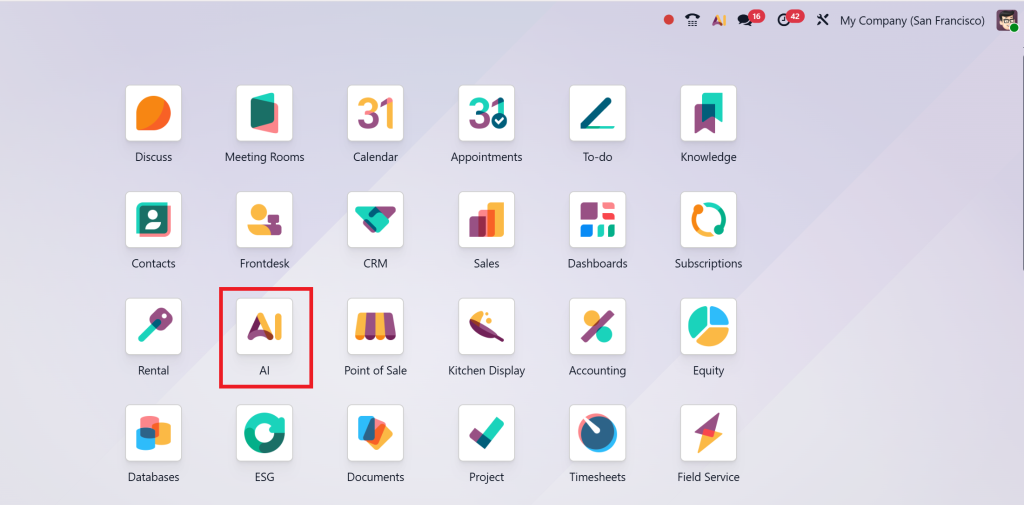
Before learning AI tools, every beginner should understand what Odoo AI really is and how it fits into ERP automation. Odoo’s AI is designed to bring intelligent automation to every module, including CRM, accounting, inventory, HR, and marketing.
For Odoo AI beginners, knowing the basics is the foundation. The AI system in Odoo works through machine learning algorithms, data models, and automated decision engines that continuously learn from your business data.
Imagine you’re managing customer queries. Instead of manually sorting and replying, AI agents in Odoo 19 can handle responses based on customer behaviour, preferences, and purchase history, saving hours every week.
The beauty of Odoo lies in its AI integration basics; you don’t need deep coding knowledge. Through Odoo Studio and pre-built modules, users can easily connect machine learning models or integrate third-party AI APIs.
Key Odoo AI beginner tips for understanding the basics:
- Learn about Odoo’s machine learning capabilities
- Explore Odoo 19’s built-in AI features like document digitization, chatbots, and intelligent scheduling
- Use Odoo AI automation guides provided by official Odoo partners (like Netilligence)
- Focus on how AI can solve your business problem instead of applying it everywhere
H2: Tip 2 – Start Small and Experiment with Odoo AI Automation Tools
When you start with AI in Odoo, don’t rush into complex automation setups. One of the most effective Odoo AI beginner tips is to start with small, high-impact use cases.
For example, automate:
- Invoice scanning using Odoo’s AI Document Recognition
- Customer segmentation using AI in Odoo CRM
- Forecasting stock needs with predictive inventory AI
These tasks require minimal setup but show immediate benefits. Once you’re comfortable, you can scale AI automation across your entire organization.
Odoo 19 introduces several features that make this even easier:
- AI-Powered Smart Actions: Automate workflows triggered by conditions (like “when invoice is overdue, send reminder”)
- Predictive Insights in Accounting: AI forecasts expenses and revenues
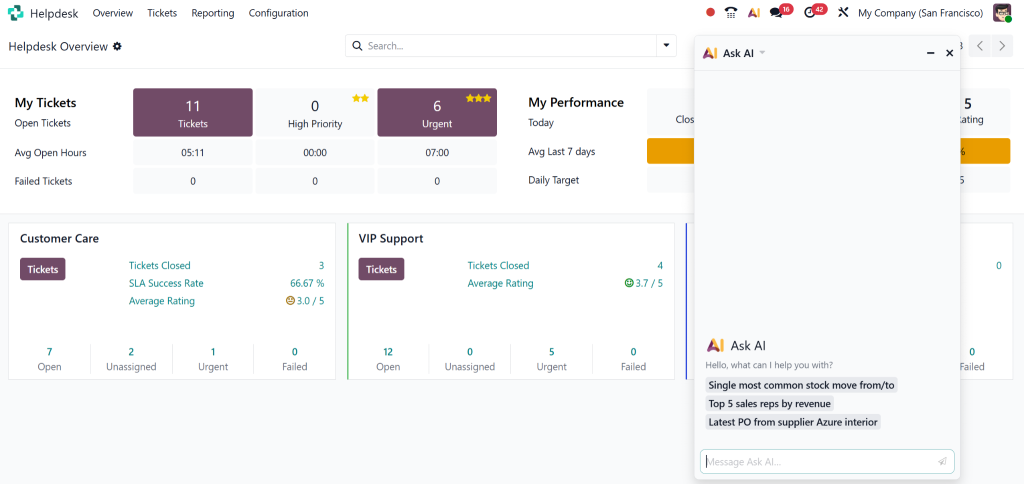
- Chatbots in Helpdesk: AI agents automatically resolve standard tickets
This approach gives Odoo ERP AI beginners the freedom to experiment safely and see measurable ROI before expanding further.
Odoo AI Tutorial Tip: Document Your Process. Note what automation works well and what needs fine-tuning; this is crucial when scaling AI across modules.
H2: Tip 3 – Influence of AI Agents in Odoo 19 for Smarter Workflows
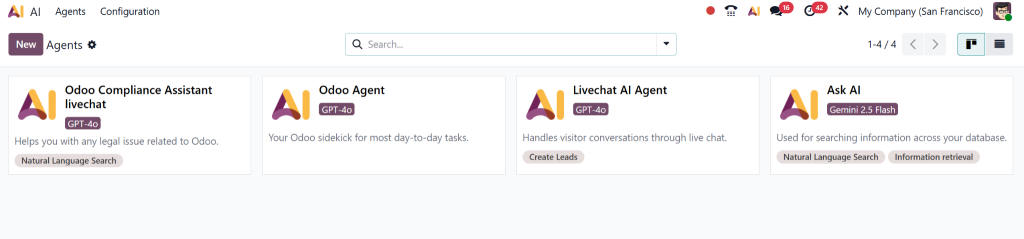
The implementation of AI agents in Odoo 19 has brought about a new operational framework for businesses. AI agents serve as intelligent assistants, performing data evaluation, decision-making, and task execution on behalf of users.
The configuration and training process of AI agents in Odoo AI requires basic knowledge to achieve maximum productivity benefits. The agents enable users to link with CRM, HR, and Inventory modules for performing automated repetitive tasks.
For example:
- In CRM, AI agents can score leads, prioritize follow-ups, and even schedule calls based on the probability of engagement.
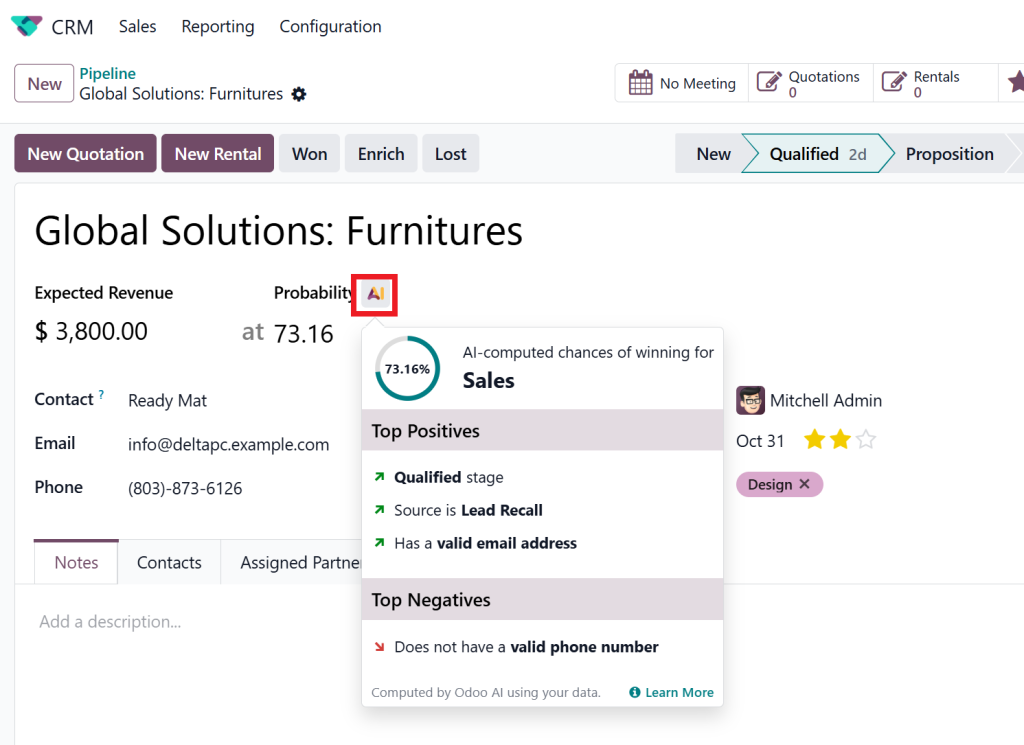
- In Accounting, they can categorize transactions, match bank statements, and highlight anomalies.
- In HR, they can screen resumes, automate onboarding tasks, and track employee engagement.
Odoo’s flexible AI framework allows you to define workflows for your agents. You can utilize Odoo AI integration basics to connect them with external APIs (such as ChatGPT, Google AI, or TensorFlow models) for more advanced use cases.
Top Tip for Odoo AI Beginners:
Start with pre-trained AI agents. Once you observe their performance, tweak rules to suit your business logic. This balance between automation and control ensures efficiency without losing personalization.
H2: Tip 4 – Master Odoo AI Integration Basics with Real Business Examples
The process of integration presents a significant challenge for new Odoo AI users; however, it should not be overly complicated to manage. The Odoo platform enables users to establish direct connections between AI models, data analytics platforms, and APIs through its built-in integration tools.
Let’s break down some Odoo AI integration basics you can follow:
API Integration:
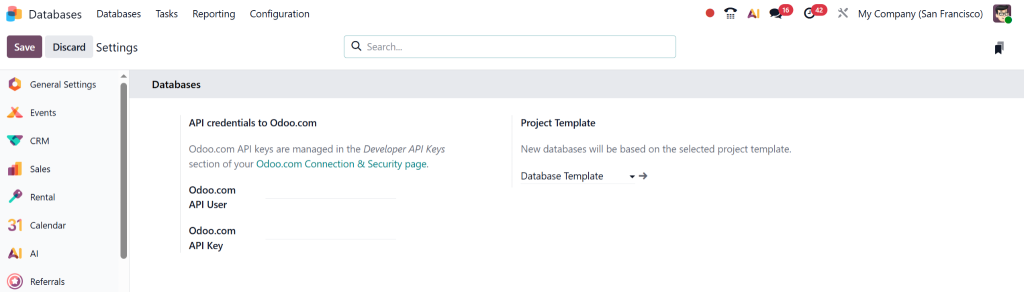
Odoo’s API enables you to connect external AI tools, such as OpenAI or Google Cloud Vision, for tasks like natural language processing and image recognition.
Odoo Studio:
Customize modules to include AI-based actions, for instance, add an AI field in CRM to predict deal success.
Data Preparation:
Ensure your data is clean and structured. AI performance depends on the quality of input data.
Workflow Design:
Utilize Odoo’s workflow automation to integrate AI-driven decisions seamlessly into your business processes.
Example:
An eCommerce business using Odoo has integrated an AI recommendation engine. It analyzes customer behavior, predicts preferences, and recommends products, resulting in a 35% increase in conversions.
Another company utilized Odoo AI automation to integrate AI for invoice fraud detection, resulting in a 50% reduction in errors.
These real-world examples demonstrate that understanding the basics of Odoo AI integration enables automation to become a growth accelerator.
H2: Tip 5 – Partner with Odoo Experts to Maximize Your AI Potential
Even with all these Odoo AI beginner tips, implementing AI can be complex without proper guidance. Partnering with an Odoo Gold Partner like Netilligence ensures you get expert assistance from professionals who specialize in AI-driven ERP automation.
Why Netilligence?
As an official Odoo Gold Partner, Netilligence provides:
- Custom-made Odoo AI tutorials and training for beginners
- End-to-end Odoo AI integration services
- Expert guidance for AI agents in Odoo 19
- Continuous support to optimize automation performance
Our experts help you:
- Identify AI opportunities in your workflows
- Customize AI modules to your business needs
- Implement automation that actually drives measurable results
Organizations that want to expand their operations must invest in AI technology through Odoo because it represents a fundamental requirement for success. Your transition to Odoo AI will be both secure and scalable when you work with Netilligence as your partner.
New users of Odoo AI should avoid following tutorials alone because they should work with experts who can convert AI technology into meaningful business results.
Bonus Tips for Odoo AI Beginners to Boost Implementation Success
Here are a few extra Odoo AI beginner tips that can take your implementation from good to great:
- Train your team: Ensure that everyone understands how AI integrates into their daily tasks.
- Track metrics: Use Odoo analytics to measure performance improvements.
- Update regularly: Odoo 19+ versions bring new AI updates, always stay current.
- Balance automation and human input: Let AI handle routine tasks but keep human insight for creative or critical decisions.
- Start with goals, not tools: Define what you want to achieve with AI before installing modules.
These points make your Odoo AI journey sustainable and ROI-driven.
Your Odoo AI Journey Starts Today
Implementing AI in Odoo doesn’t have to be overwhelming. With these 5 Essential Tips for Odoo AI Beginners, you can start small, integrate smartly, and automate intelligently.
Business management will advance through AI technology, which Odoo 19 provides as a universal solution for businesses at all levels, from startups to expanding enterprises. Your business transformation toward innovation and operational efficiency becomes possible with each step you take, from learning the fundamentals of Odoo AI integration to implementing AI agents in Odoo 19.
Your business AI transformation journey begins now with Netilligence as your trusted Odoo Gold Partner. Our team will support you throughout the entire process, from initial planning to final deployment, to achieve a fundamental business transformation through Odoo AI implementation.




