


Why Sales Pipeline in Odoo 19 CRM Matters More Than You Think
If you’ve ever felt like you’re losing potential deals just because you couldn’t keep track of them properly, you’re not alone. Many sales teams face a common issue: leads come in, conversations begin, and somewhere along the way, things slip through the cracks. That’s where the Sales Pipeline in Odoo 19 CRM steps in. It helps you organize, monitor, and control every opportunity, from the initial contact to the final deal.
In simple terms, the Odoo 19 sales pipeline is similar to your daily to-do list, but designed specifically for sales professionals. It shows you exactly where every lead stands, what needs attention, and which deals are ready to close. When you manage a sales pipeline in Odoo, you don’t just see your deals; you understand your process. You know what’s working and what’s slowing you down.
Whether you’re handling ten deals a month or hundreds, Odoo CRM sales management helps you stay consistent. You get a clear view of all your sales pipeline stages, you can perform detailed CRM pipeline tracking, and you can even analyze trends using pipeline analytics CRM to make smarter decisions.
And if you’ve ever wondered about the difference between a sales funnel and a sales pipeline, Odoo 19 CRM helps you see how both connect. One tracks your customer’s journey, and the other tracks your team’s actions. Once you get comfortable with it, you’ll realize how much clarity it brings to your entire sales routine.
Understanding the Odoo 19 Sales Pipeline
Think of your Odoo 19 sales pipeline as a visual roadmap that guides you through every stage of every deal. It shows each opportunity at a specific stage, helping you see what’s new, what’s in motion, and what’s stalled. Every card or stage you see inside the Sales Pipeline in Odoo 19 CRM tells a story about who your potential customer is, what stage they’re at, and what needs to happen next.
This simple structure keeps your focus clear and concise. Instead of jumping between spreadsheets or remembering who to follow up with, you have everything in one place. That’s why many businesses rely on Odoo CRM sales management to keep their sales process smooth and organized.
The flexibility of Odoo 19 allows you to rename your sales pipeline stages, adjust them as your process advances, or even add automation where needed. So, no matter how your business operates, the system adapts to you.
How to Manage Sales Pipeline in Odoo Step by Step
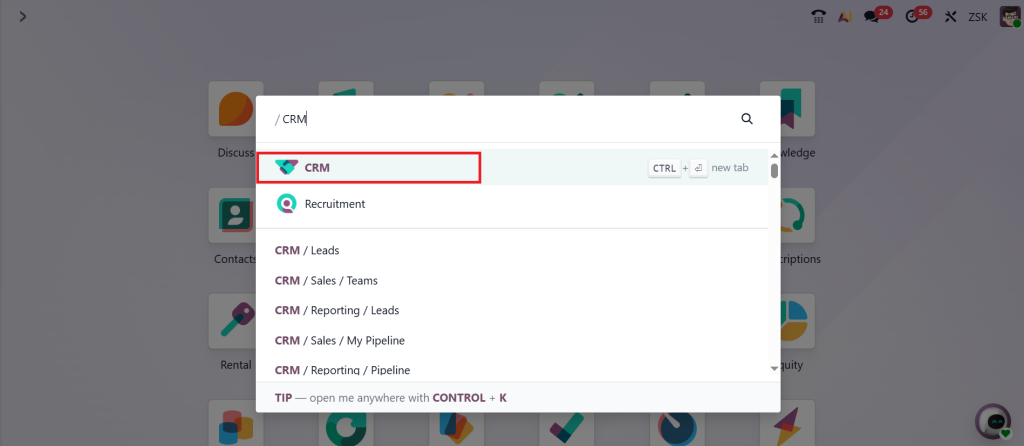
When you’re ready to manage a sales pipeline in Odoo, start with a straightforward setup. Begin by opening the CRM module, which serves as your central hub for all sales activities.
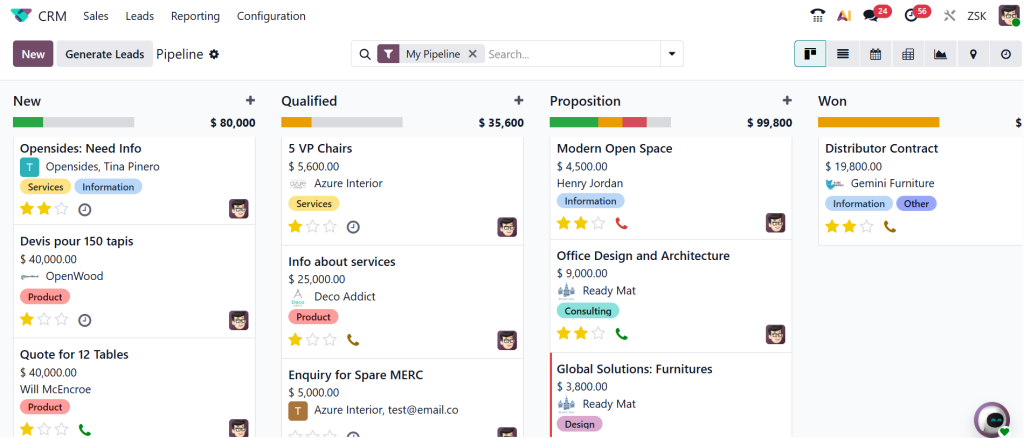
You’ll see your Odoo 19 sales pipeline displayed in a visual format, typically as a Kanban board.
Here’s how to make the most of it:
First, create your sales pipeline stages. These are your checkpoints, for example: “New Lead,” “Qualified,” “Proposition,” and “Won/Lost.” Each of these stages represents a step your lead takes before becoming a customer. You can rename or rearrange them however you want.
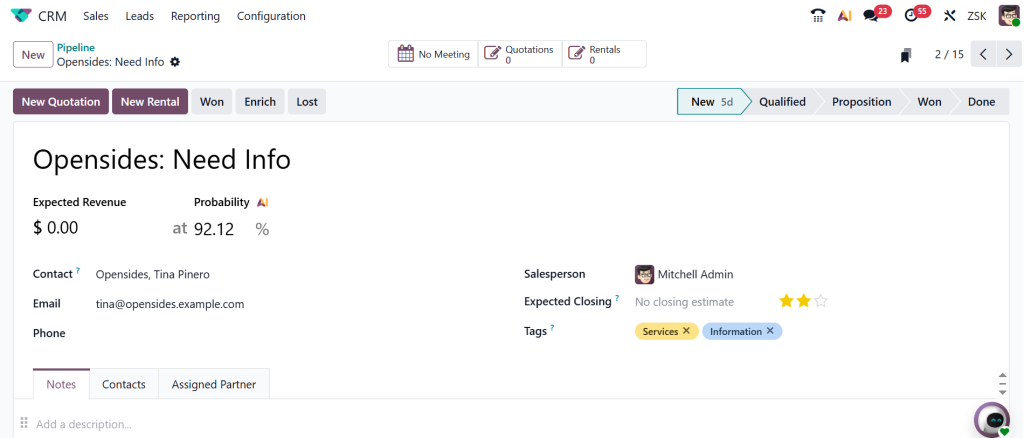
Next, start adding opportunities. Every opportunity you add is like a new card on your board. It includes all the necessary details: customer name, deal amount, expected closing date, and assigned salesperson. When you move a deal from one stage to another, you can literally drag it across the board. This is where CRM pipeline tracking becomes so easy in Odoo.
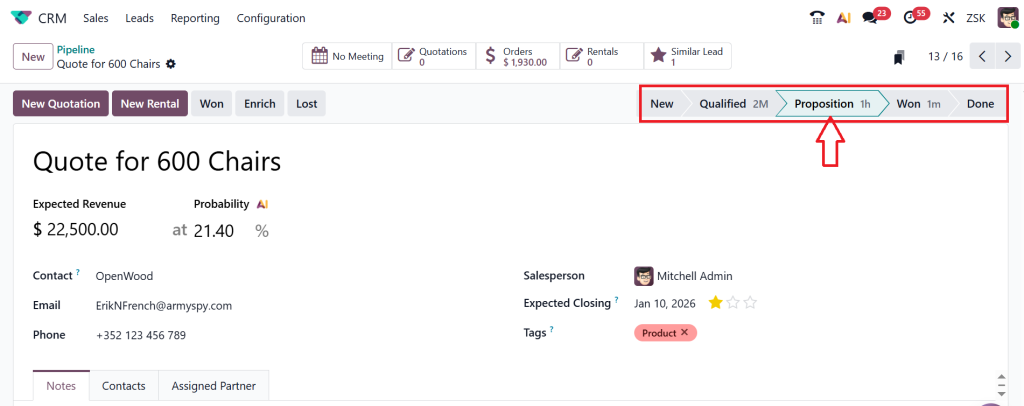
You can see your progress instantly, which deals are getting closer to a win, and which ones are stuck for too long. If you want to dig deeper, Odoo also allows you to utilize pipeline analytics CRM tools to track conversion rates or team performance.
As you begin using this system daily, you’ll notice a significant increase in control over your process. You stop relying on memory and start working with precise data.
Sales Pipeline Stages in Odoo 19 CRM
The most helpful part of the Sales Pipeline in Odoo 19 CRM is that you can design your own sales pipeline stages according to your process. Let’s discuss what these typically look like and how they help you stay on top of things.
Every new lead that comes in enters the first stage, typically labeled as “New Lead.” This is where you collect basic information and determine if the lead is a good fit for your product or service. Once you find a genuine opportunity, you move it to “Qualified.” Here, you dig deeper into their needs, timeline, and level of seriousness about making a purchase.
Next comes “Proposal Sent.” At this stage, you send your offer, quote, or proposal. This is a sensitive point because your communication here will determine whether the deal moves forward or not. Odoo 19 CRM helps you attach your proposal directly to the opportunity, so everything stays organized.
After that, you move to “Negotiation.” This stage can take time, as clients usually compare offers or discuss details. With Odoo CRM sales management, you can add notes, reminders, or follow-up actions so that no conversation goes cold.
Finally, you reach the “Won” or “Lost” stage. It’s essential to accurately mark deals, as your future pipeline analytics CRM relies on this data. It helps you measure success rates, identify patterns, and plan better.
When you use the Odoo 19 sales pipeline daily, you’ll realize how each stage provides you with better visibility. You’ll know what needs your attention and what can wait.
CRM Pipeline Tracking in Odoo 19 CRM
Now, tracking deals can be stressful when you have dozens of them going on at once. That’s why CRM pipeline tracking in Odoo is such a relief. Instead of chasing spreadsheets or remembering details, you get real-time updates in one view.
You can see who is working on which deal, which stages have the most leads, and how close you are to your monthly goals. The Kanban view keeps things clear. You can drag opportunities between stages, add notes instantly, and check deadlines without needing to switch screens.
If you work in a team, this becomes even more useful. Everyone is aware of what’s happening, who is handling which lead, and what the next step is. You can even filter data by salesperson, customer type, or region to see performance from every angle.
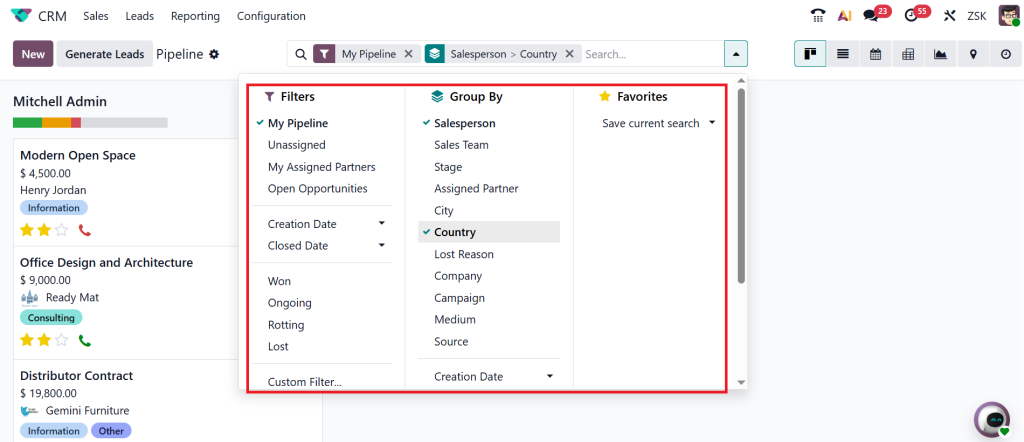
The best aspect of CRM pipeline tracking in Odoo is that it holds everyone accountable. You don’t have to guess who’s handling what or where a deal got stuck. You can literally see it right there.
Pipeline Analytics CRM for Smarter Sales Decisions
Once your pipeline is active, the next step is understanding how it performs. That’s where pipeline analytics CRM helps.
You can check your win ratio, how long deals stay in each stage, and how many opportunities are closing each month. If one stage is taking too long, that’s a sign you need to improve your approach there.
Odoo provides several report views, ranging from simple summaries to detailed charts. You can see your total revenue forecast, compare monthly progress, or analyze which salesperson is closing the most deals.
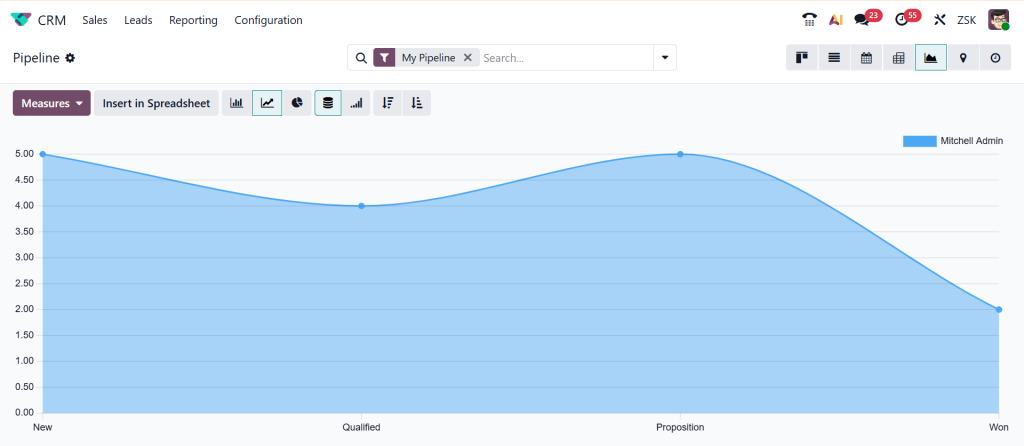
When you study these analytics regularly, you begin to see patterns. You learn what type of clients convert faster, which stages slow down deals, and what kind of follow-ups get the best response. This information helps you make smarter decisions without any guesswork.
That’s how Odoo CRM sales management converts simple deal tracking into a powerful growth tool. It’s not just about adding data, it’s about learning from it.
Sales Funnel vs Sales Pipeline in Odoo 19 CRM
It’s common for sales teams to confuse the sales funnel with the sales pipeline; however, the two are actually quite different, and both are important when using Odoo 19 CRM.
The sales funnel focuses on the customer’s journey from awareness to interest, decision, and ultimately, purchase. It’s about their behavior.
The sales pipeline, on the other hand, focuses on your team’s actions, how you move leads forward, the steps you take, and how efficiently you close deals.
When you use the Sales Pipeline in Odoo 19 CRM, you’re basically managing your side of the process. You’re making sure that for every lead that enters the funnel, your team has a clear plan to move it through the pipeline.
Odoo provides visibility into both customer activity and your team’s progress in one place. Once you understand this difference, it becomes easier to align your marketing and sales goals.
You stop chasing random leads and start focusing on the ones that actually move forward. That’s how you save time and increase your conversion rate simultaneously.
Odoo CRM Sales Management and Daily Routine
As you start using Odoo CRM for sales management regularly, it becomes an integral part of your daily routine. Every morning, you open your CRM dashboard, check your pipeline, and see which tasks need your attention.
The clarity it gives you changes the way you work. You don’t waste time guessing which client to follow up with; the system reminds you. You don’t lose track of proposals; they’re all attached to your deals. And you don’t need to rely on memory, as everything is recorded.
Odoo 19 also integrates your calendar and email, allowing for unified communication within the same system. You can send emails, schedule meetings, or record notes right inside your Odoo 19 sales pipeline.
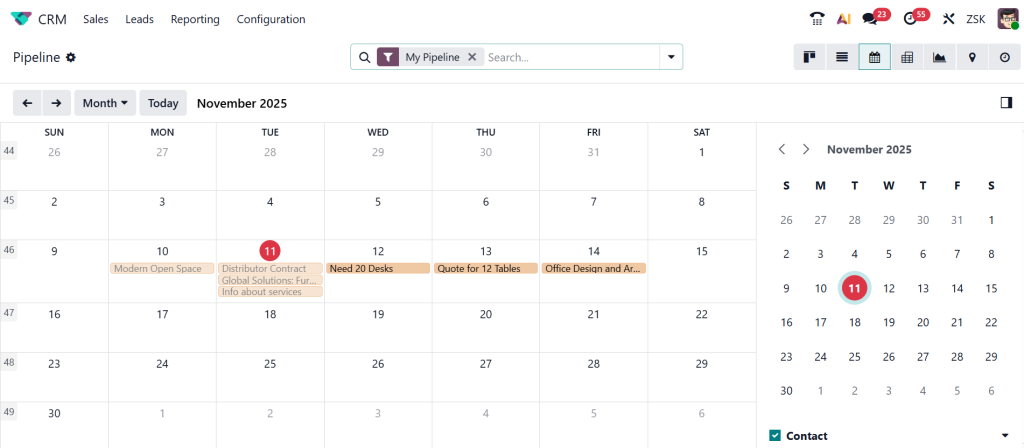
This approach not only helps you stay consistent but also creates a record of your interactions, so even if someone else joins the team, they can continue from where you left off. That’s the kind of structure that keeps your sales process smooth even when your team grows.
Improving Your Sales Results with Odoo 19 CRM
You don’t have to change your entire process to get results. Minor improvements in how you manage the sales pipeline in Odoo can make a huge difference.
Start by reviewing your sales pipeline stages every few months. If specific steps are no longer relevant or new ones need to be added, update them. A clean, relevant pipeline is easier to follow.
Next, use pipeline analytics CRM reports on a weekly basis. They help you see what’s working and what’s slowing you down. You can identify which deals take too long and which ones close faster. This enables you to plan better for the next month.
And lastly, involve your team. Encourage everyone to update their deals on a daily basis. When data stays accurate, you get reliable insights, and your entire Odoo CRM sales management system runs more efficiently.
Final Thoughts on Managing Sales Pipeline in Odoo 19 CRM
If you’ve ever felt like managing sales is all about chasing leads and hoping for the best, you’ll see a big difference once you start using the Sales Pipeline in Odoo 19 CRM. It helps you organize your work, focus on what matters, and make decisions based on actual data instead of assumptions.
The more you utilize the Odoo 19 sales pipeline, the more it becomes an integral part of your daily workflow. You’ll know exactly what’s happening in your sales journey from the first contact to the last negotiation. With proper CRM pipeline tracking, pipeline analytics CRM, and clear sales pipeline stages, you can build consistency in your results.
Understanding the difference between a sales funnel and a sales pipeline provides a balanced perspective, enabling you to comprehend how customers progress through the process and how your team responds. And that’s what makes your process more predictable and easier to manage.
If you’ve been searching for a simple way to bring more structure, clarity, and control to your sales process, start with your Sales Pipeline in Odoo 19 CRM. It’s one of those things that, once you set up and use it daily, changes the way you look at sales altogether.
If you want to learn how Netilligence can help you set up or improve your Sales Pipeline in Odoo 19 CRM, reach out to our team today. We help businesses organize their sales, track their progress, and grow faster one deal at a time.




