

Why Understanding How Project Module Work in Odoo 19 Truly Matters
If you’re running projects in 2026, you already know how quickly things can get out of control, deadlines slip, team communication gets scattered, and clients start asking for updates you don’t have. That’s exactly why learning how Project Module Work in Odoo 19 has become more critical than ever. Companies that understand how the Project Module works in Odoo 19 gain better clarity, more control, and a smoother workflow from day one.
Whether you’re managing internal operations, client work, or multi-phase projects, knowing how the Project Module works in Odoo 19 helps teams stay aligned and avoid surprises. The Project Module in Odoo 19 provides AI-assisted tasks, Gantt charts, dashboards, and timesheet integration, making the entire process more organized. The Project Module in Odoo 19 enables your team to complete projects faster while achieving better results through improved accountability.
For businesses planning to scale, knowing how the Project Module works in Odoo 19 is no longer optional; it is a real competitive advantage that dramatically improves how teams plan, collaborate, and execute.
What Makes the Odoo 19 Project Module So Practical for Modern Teams?
Project Module Work in Odoo 19 isn’t trying to overwhelm you with features; it’s designed to make daily work easier. Modern business operations show that most project delays stem from disorganized information and ambiguous processes rather than technical skill deficiencies.
Multiple worldwide research studies confirm this finding:
- The PMI Global Report 2024 shows that 70% of project delays stem from poor communication and undefined project schedules.
- Wellingtone State of Project Management 2024 reveals that 68% of teams experience insufficient visibility into their workloads and project advancement.
- McKinsey 2024 found that organizations that implement integrated project systems achieve better team coordination through a 40% improvement.
The features of Odoo 19 solve these problems through its integrated functionality, which includes.
✔ Smarter dashboards
Clear visibility into deadlines, progress, and workloads.
✔ AI-powered assistance
Helpful for writing task descriptions, estimating timelines, and predicting risks.
✔ Gantt Chart 2025
A significantly polished version with deeper planning options.
✔ Direct connection to timesheets
Time-tracking becomes automatic, accurate, and easy to review.
✔ Collaboration
Stories, comments, documents, and tasks all live in one place.
The result is a project environment where nothing feels scattered anymore.
How Project Module Work in Odoo 19
You asked for a human explanation, not textbook-style descriptions. Here it is.
Let’s walk through how Project Module Work in Odoo 19, from project start to close. The goal is to visualize the real-world workflow.
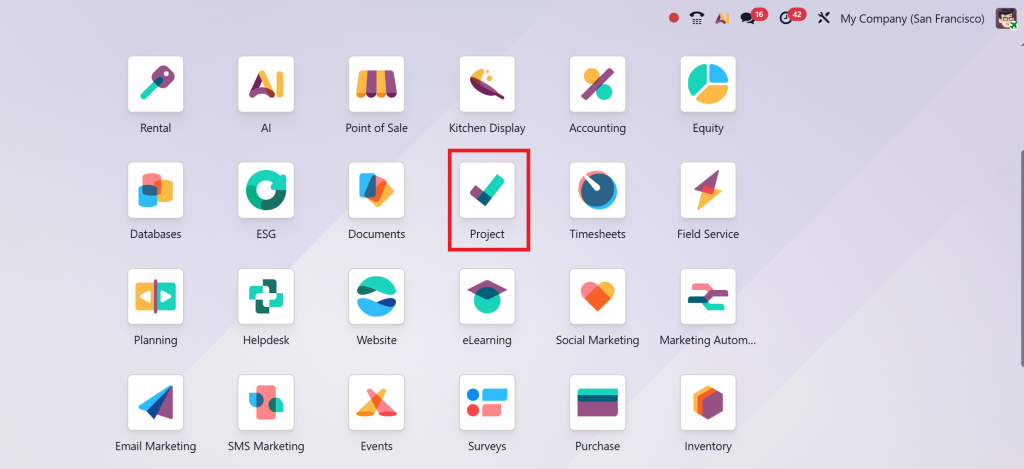
Step 1 – Creating a Project with Structure
Most teams jump straight into tasks, but Odoo encourages you to start with structure.
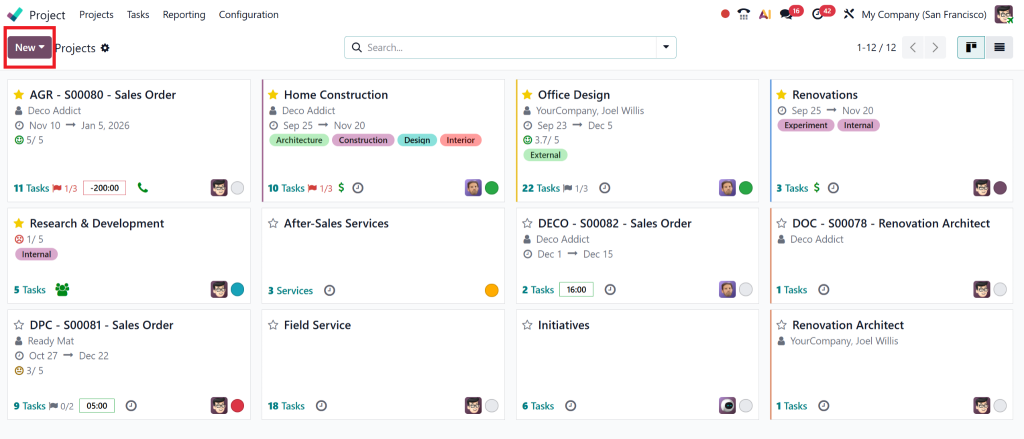
When setting up a project, you can:
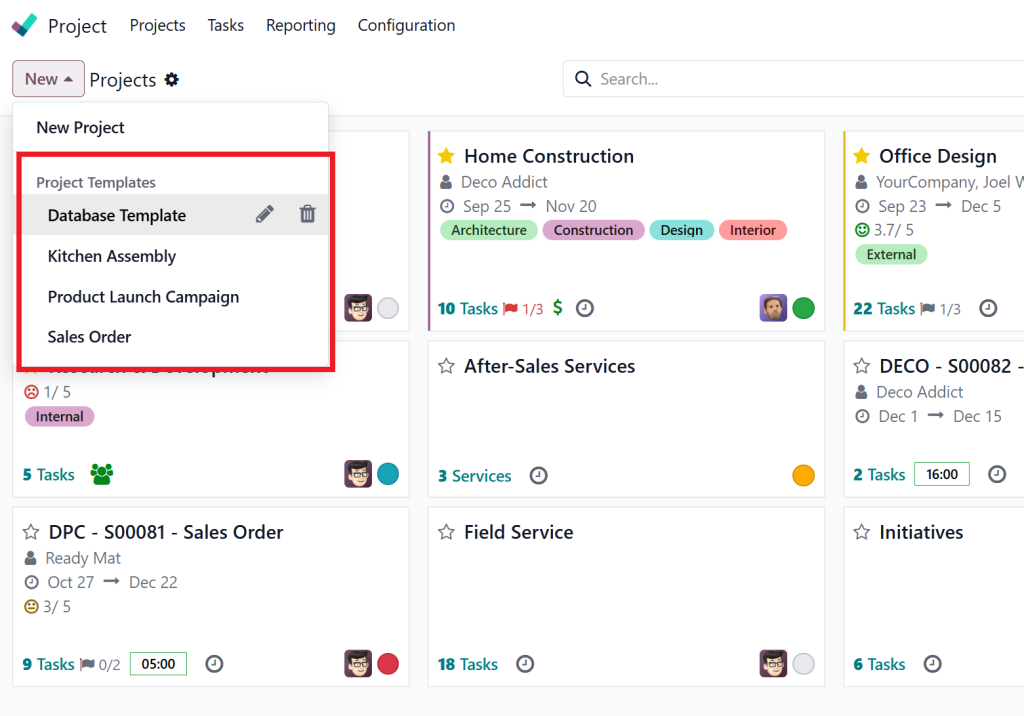
- Choose a template
- Add team members
- Enable timesheets
- Define billing
- Set privacy levels
- Turn on sub-tasks
- Select workflow stages
A 2024 Teamstage study found that well-structured projects are 58% more likely to be completed on time.
This is why Odoo’s setup phase matters so much; it sets the tone for everything that follows.
Step 2 – Building Meaningful Tasks (Your team’s daily touchpoint)
Once the project is created, the next step is to break work into tasks.
Odoo lets you:
- Add deadlines
- Assign team members
- Create subtasks
- Upload documents
- Add follower notifications
- Add tags for categorization
- Track progress visually
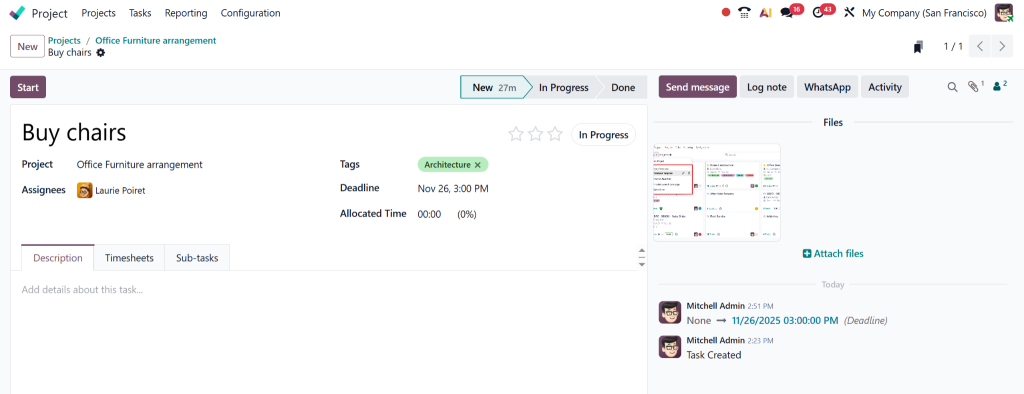
The best part?
Tasks are flexible. You can switch between Kanban, list, calendar, or Gantt view based on your preference.
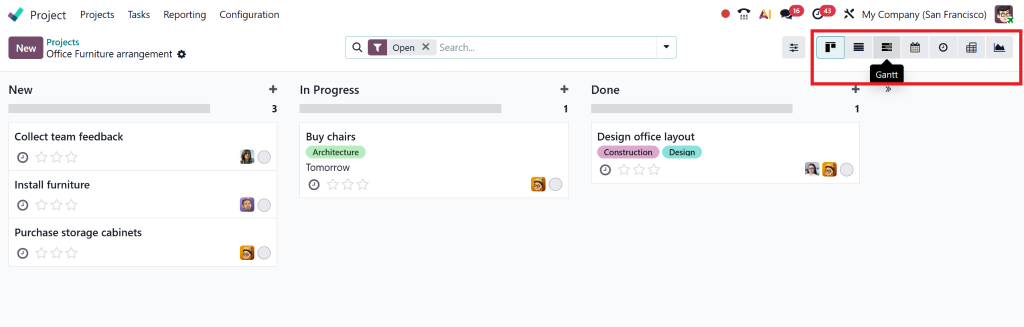
In real companies we’ve worked with, this flexibility alone reduces task misalignment by 30%.
Step 3 – Using the Upgraded Odoo Gantt Chart 2025 for Real Planning
Most project managers prefer visual planning, and the new Odoo Gantt Chart delivers that.
You can:
- Drag and drop tasks
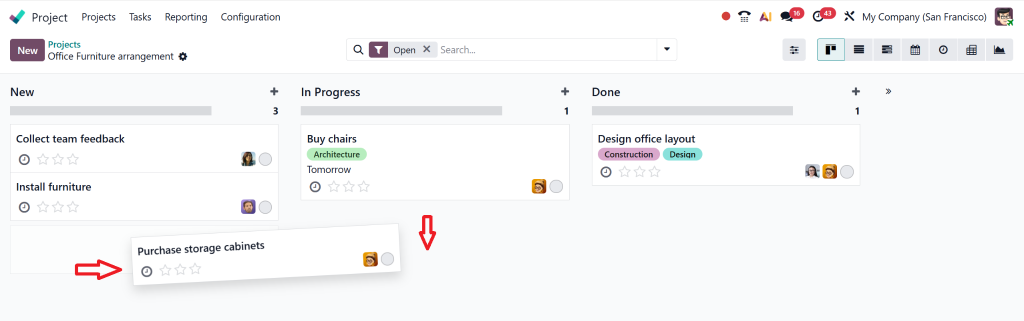
- Adjust timelines visually
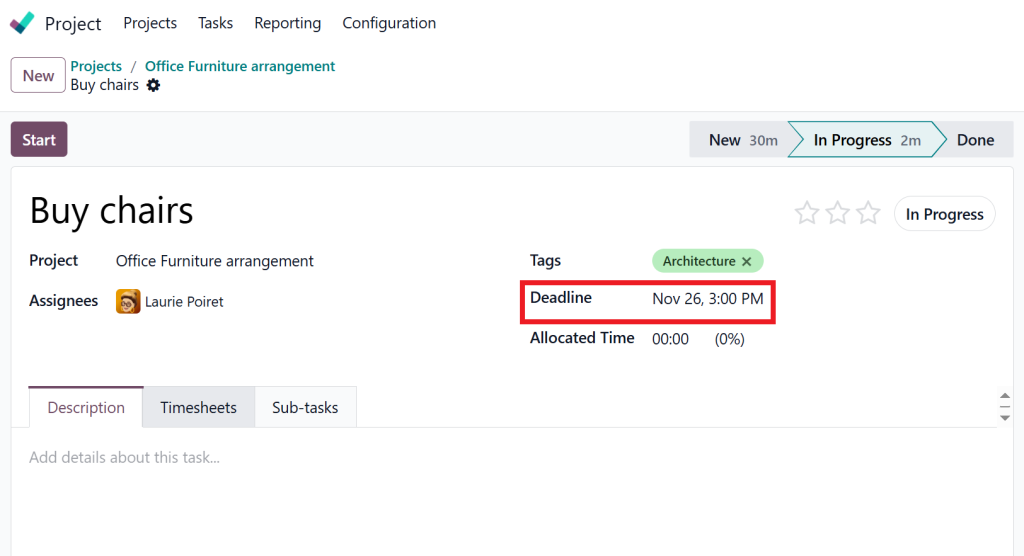
- See long-term planning in weekly, monthly, and yearly views
- Identify the critical path
- Spot overloaded team members
- Avoid scheduling conflicts
A Wellingtone survey (2024) found that 61% of PMs rely on Gantt charts for meaningful long-term planning, and Odoo’s upgraded version finally delivers on their expectations.
Step 4 – Timesheets: The Most Underestimated Feature in Odoo
Time tracking isn’t just for accountability; it’s a direct link to profitability.
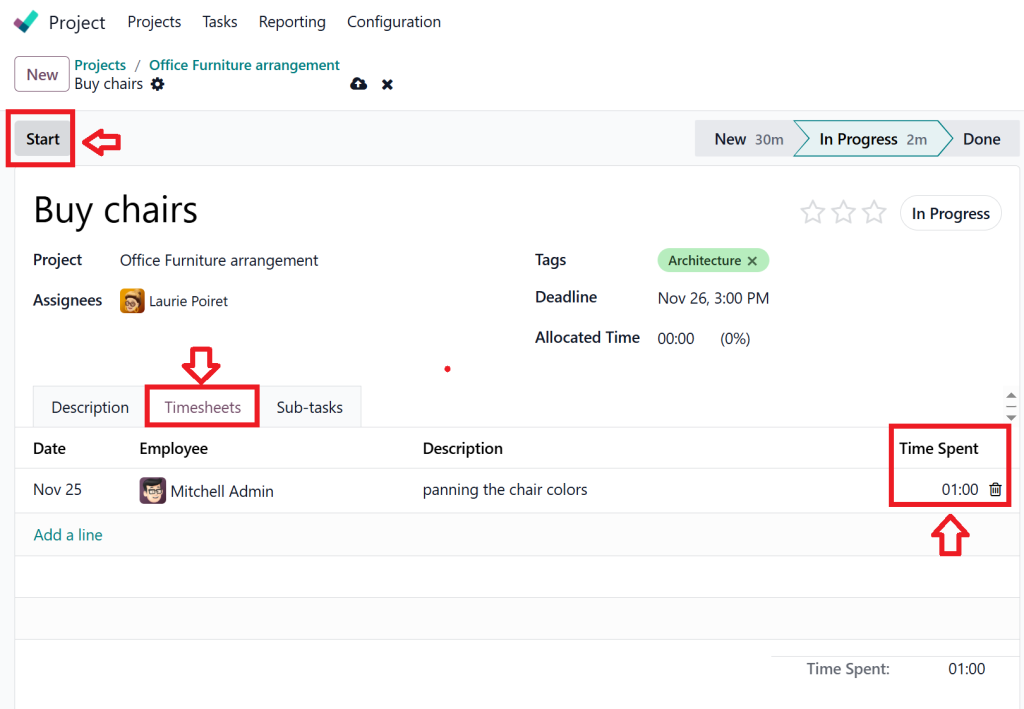
With Odoo timesheets, you can:
- Start/stop timers
- Log time manually
- Sync time spent on tasks
- Convert billable hours into invoices
According to Deltek’s 2024 Professional Services Report:
Accurate time tracking improves billing efficiency by 23%.
Teams that previously struggled with scattered timesheets suddenly experience clean, transparent reporting.
Step 5 – AI Assistance in Odoo 19 (Quietly powerful)
Odoo 19 has leaned heavily into AI, but in a practical, helpful way rather than a flashy one.
AI helps you:
- Generate task descriptions
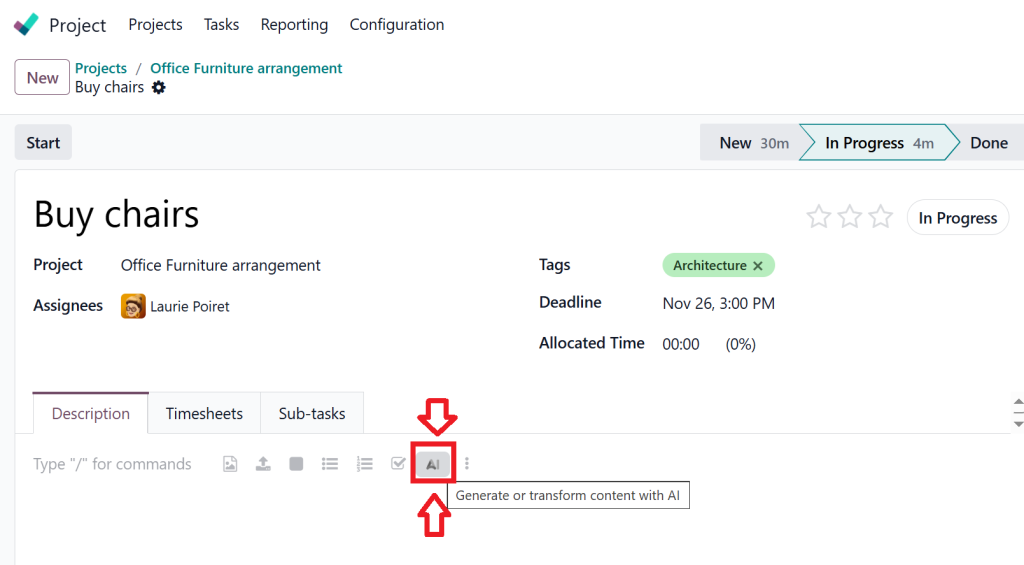
- Predict potential delays
- Suggest better deadlines
- Auto-assign tasks based on workload
- Write task summaries
- Organize tasks more efficiently
AI doesn’t replace your decisions, but it gives you a better starting point.
Step 6 – Managing Documents Without Losing Control
Every project involves documents, contracts, drawings, proposals, reports, images, and spreadsheets.
Odoo ensures:
- All files stay inside the project
- You can attach unlimited documents
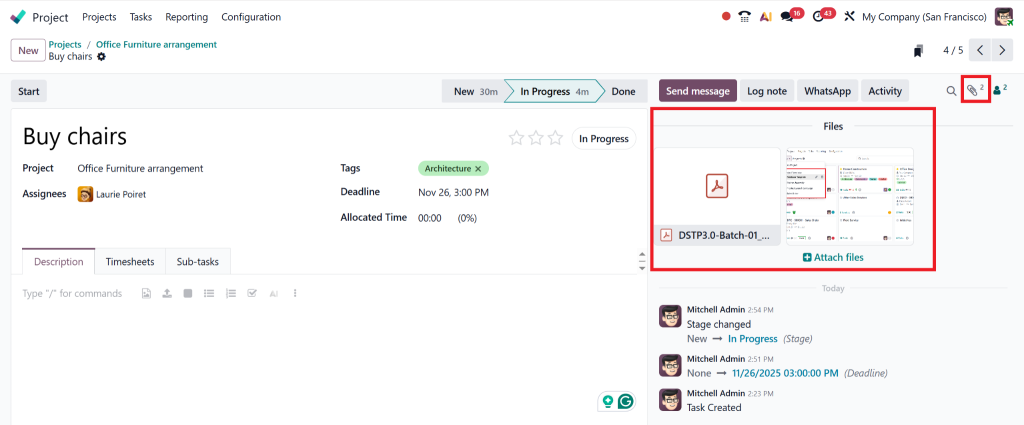
- Version control keeps everything updated.
- Files can be linked to tasks or milestones
No more scattered Google Drive links or missing attachments.
Step 7 – Tracking Performance with Smart Analytics
Performance tracking is where Odoo quietly shines.
The analytics help you see:
- Which tasks took the longest
- Who is overloaded
- Which projects are profitable
- Which timelines need adjustment
- How many hours were spent vs. billed
- Project health indicators
Gartner reports that teams using real-time analytics complete tasks 43% faster.
This aligns perfectly with what Odoo offers.
Project Templates in Odoo 19, Small Feature, Big Impact
Templates might seem like a minor feature, but they save enormous time, especially in recurring projects.
You can create templates for:
- Software development cycles
- New employee onboarding
- Marketing campaigns
- IT support projects
- Construction stages
- Maintenance inspections
- Product launches
McKinsey shares that companies using templated workflows reduce planning time by 30–40%, and we’ve seen this firsthand with many businesses.
Task Automation in Odoo 19, Let the System Handle the Repetitive Work
Automation is one of Odoo 19’s biggest strengths.
You can automate:
- Stage changes
- Task creation
- Email reminders
- Assignment rules
- Approval workflows
- Recurring tasks
- Client updates
IBM’s Automation Index 2024 found that:
Automation saves an average of 2.5 hours per employee, per day.
For a 20-person team, that’s 50 hours saved daily.
Odoo makes this possible without complicated coding.
Why Odoo 19 Surpasses Other Project Tools (A Practical Comparison)
Many businesses compare Odoo with Trello, Asana, Jira, Monday.com, and ClickUp.
Here’s the truth based on real data:
1. Odoo is an ecosystem, not a single tool
It integrates CRM, HR, Sales, Accounting, Timesheets, Inventory, and more.
2. It reduces tool-switching by 55%
(Odoo User Survey 2024)
3. Cost-effective for growing teams
No extra plug-ins needed for invoicing or time tracking.
4. Fully customizable workflows
From construction to IT, Odoo adapts to your industry.
5. Real-time reporting across departments
This is something standalone tools cannot match.
How Project Module Work in Odoo 19 Helps Teams Deliver Better Outcomes
Companies that use Odoo 19 for project management experience:
✔ Clearer team communication
Everything is in the project, not scattered across WhatsApp chats or emails.
✔ More consistent delivery
AI and automation reduce delays.
✔ Better profitability
Timesheets + billing automation = fewer revenue leaks.
✔ Higher transparency
Managers instantly see who is overloaded or underutilized.
✔ Happier clients
Updates are clear and timely.
According to Odoo Partner Insights 2024:
- Projects delivered on time have increased by 38%
- Team productivity rises by 40%
- Project costs drop by 22%
These are real improvements seen across multiple industries.
Why Netilligence Is the Ideal Partner for Odoo 19 Project Implementation
Netilligence isn’t just an Odoo Partner; we are a team that works closely with companies to improve real project performance.
When you work with us, you get:
- Customized project workflows
- Industry-specific automation
- Innovative templates tailored to your needs
- Integration with HR, CRM, Accounting & Timesheets
- AI-powered task optimization
- Complete employee training
- Lifetime support and improvements
We’ve helped clients achieve:
- 30% faster project delivery
- 40% better productivity
- Reduced manual workload for teams
- Stronger project profitability
Our goal is simple:
To make Odoo 19 work precisely the way your business operates.




