

Before we dive into the details, I want to talk to you directly. If you are running a business today, you already know that customers expect quick replies, clear answers, and real support. And honestly, most teams struggle here. They miss emails, forget conversations, lose follow-ups, and end up dealing with confused customers. This is where the world starts paying attention to the Odoo 19 helpdesk.
So, what makes the Odoo 19 helpdesk so important? It gives you a straightforward place to handle all customer questions. You don’t have to switch between tools, search old emails, or worry about losing track of a complaint. When you start using Odoo 19 helpdesk, you begin to see your daily support issues settle down. Your team feels more organized. Your customers feel heard. And your business feels lighter.
In this blog, I want you to notice something. You came here searching for answers, and you have already read the term Odoo 19 helpdesk multiple times. Why? Because understanding this system is the first step toward solving real customer support problems that almost every business faces today.
Understanding the Odoo 19 Helpdesk in a Simple Way
If you ask me what the Odoo 19 helpdesk really is, I would describe it like this:
It is a customer support center built inside Odoo that helps you catch every query, reply faster, and keep everything organized.
It works like an intelligent assistant for your support team. Every time a customer asks a question, whether via email, website, chat, or phone, the Odoo 19 helpdesk turns it into a trackable record. You don’t lose anything. You don’t overlook anything. And most importantly, your team knows exactly what needs attention.
The good thing about the Odoo 19 customer support module is that it is not complicated. Even someone new to support can learn it quickly. Everything is placed neatly. Every option makes sense. You can follow the flow without feeling lost.
In simple terms, it helps you handle customer support the way you always wished it could be.
Odoo 19 Helpdesk Features – The Tools That Make Support Easier
Whenever people ask me about the Odoo 19 helpdesk features, I always tell them to think about the problems they face daily: missing messages, slow replies, repeated questions, long wait times, and confused customers. Odoo built features specifically to address all of this.
Let’s walk through these features in a way that feels real and connected to your day-to-day work.
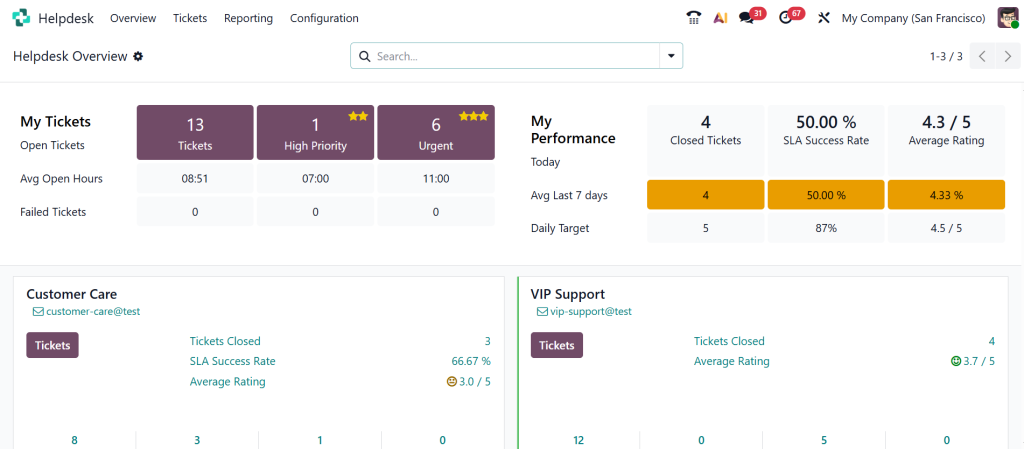
Odoo Helpdesk Ticketing System – The Heart of Customer Support
The Odoo helpdesk ticketing system is the first thing you notice. It catches every customer request and turns it into a ticket. This makes tracking simple. No more scattered emails. No missed WhatsApp messages. No forgetting who asked what. When a ticket arrives, you can see:
- Who sent it?
- When did they send it?
- What issue are they facing?
- How urgent is it?
- Who should handle it?
Everything stays visible. Nothing hides. You feel in control. The reason the ticketing system works so well is that it brings clarity. You know what is pending, what is solved, and what needs to move next.
Odoo 19 Customer Support Module – Clear Dashboard, Clear Actions
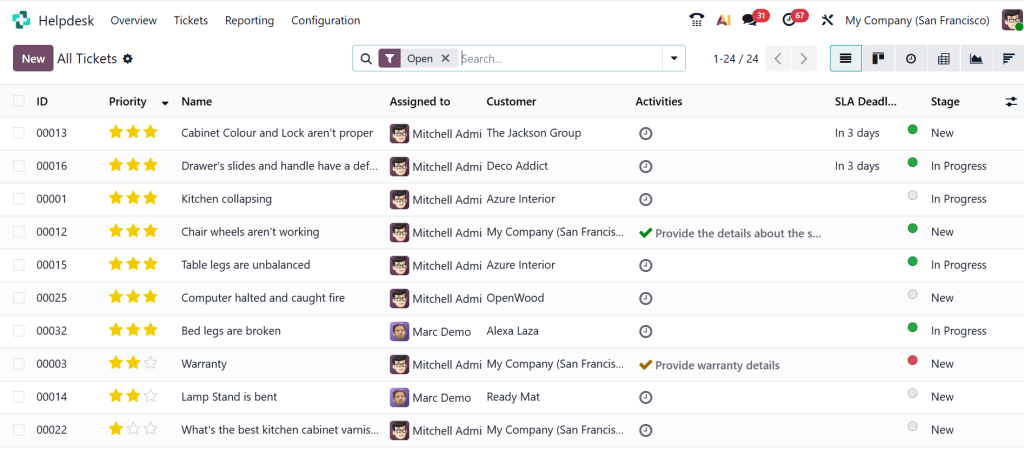
The Odoo 19 customer support module has a spotless dashboard. It shows your tickets at different stages, provides counters, helps you check the workload, and highlights what requires attention right now.
When you look at this dashboard, you don’t feel confused. You know exactly where to start your day. You don’t need long meetings to discuss the status of every issue. Everything is already visible.
This is one of the things that makes your team feel more confident, and your customers feel more supported.
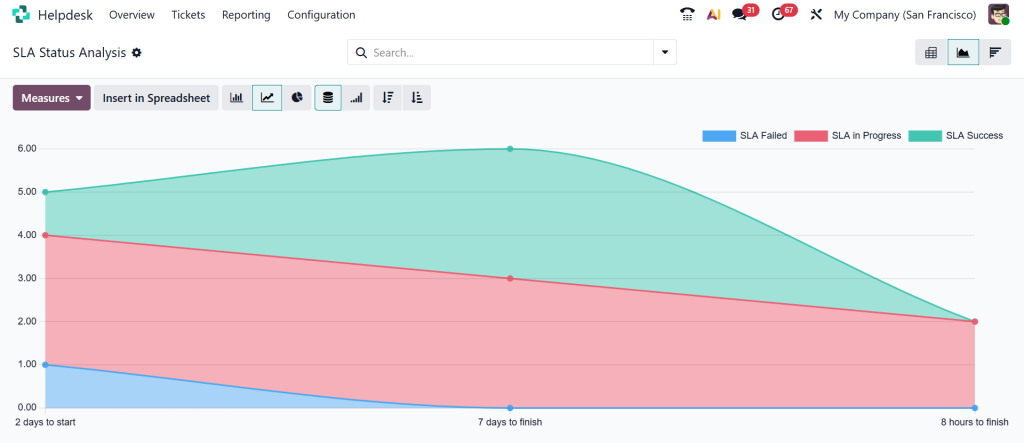
Odoo Helpdesk SLA Management – Meeting Promises on Time
SLA stands for the promise you make to your customer about how quickly you will respond or resolve an issue.
Most businesses don’t track this properly. They want to, but they don’t have a system to remind them or warn them when time is running out.
That’s why Odoo helpdesk SLA management is such a helpful feature. It lets you:
- Set response time
- Set resolution time
- Define priority rules
- Get alerts when deadlines are approaching
This helps your team stay on track. It reduces delays. Customers feel more respected and valued because you respond within the time you promised. And your team doesn’t need to check the clock constantly; Odoo handles that for them.
Odoo Helpdesk Live Chat Integration – Talking to Customers in Real Time
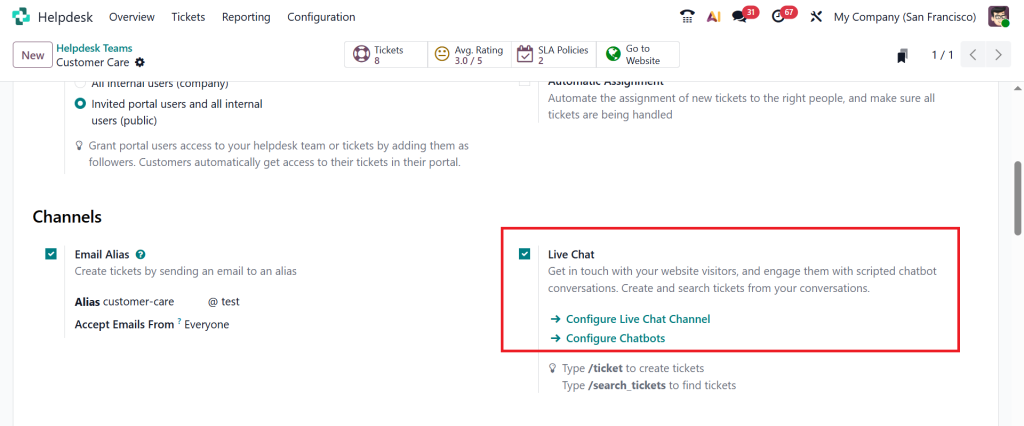
Sometimes customers don’t want to wait for an email. They want a quick conversation. The Odoo helpdesk live chat integration lets customers chat with your team instantly on the website. And every conversation can turn into a ticket if the issue needs more time.
This means your team experiences fewer missed chats and misunderstandings. You get the whole chat history. You can continue the conversation inside the helpdesk if needed. For your customer, this feels like quick support. For your team, it feels like a cleaner workflow.
Odoo Helpdesk Knowledge Base – Sharing Answers That Actually Help
You know how often customers ask the same questions again and again. And your team wastes time giving the same explanation over and over.
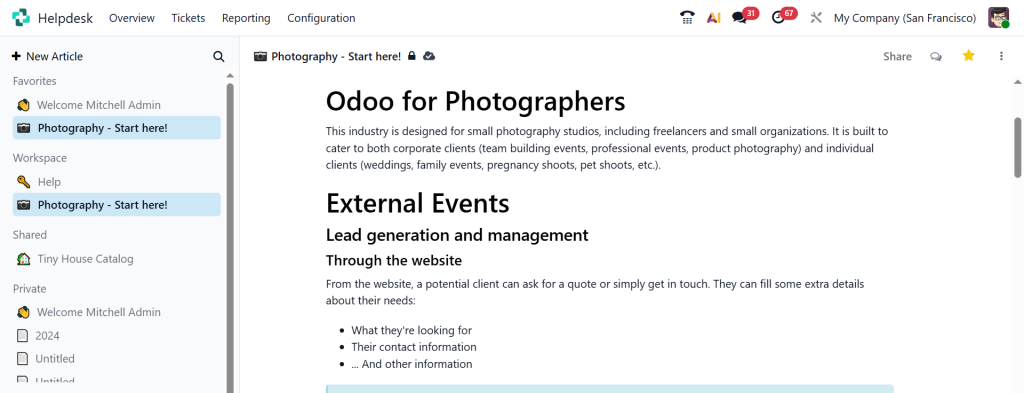
The Odoo helpdesk knowledge base solves this problem. You can create articles, guides, steps, instructions, and straightforward explanations that your team can send to any customer in seconds. This means:
- Faster replies
- Consistent answers
- Less workload
- More confident customers
You can even allow customers to read your website’s knowledge base so they can help themselves without waiting for your team.
How Odoo 19 Helpdesk Works in Daily Life
Now, let me share something that many readers appreciate. I want you to imagine how your support team works on a typical day, and how Odoo changes that routine.
- A customer sends an email.
- Odoo catches it and creates a ticket on its own.
- Another customer uses the website form.
- Again, a ticket is created.
- Someone else messages on live chat.
- Odoo creates another ticket.
Your support team logs in and sees everything organized in one place. Tickets waiting. Tickets in progress. Tickets solved. No confusion. No stress.
- When a ticket looks urgent, they see the priority.
- When a deadline is approaching, the SLA system alerts them.
- When they don’t know an answer, they check the knowledge base.
- They reply, update, follow up, and close tickets one by one.
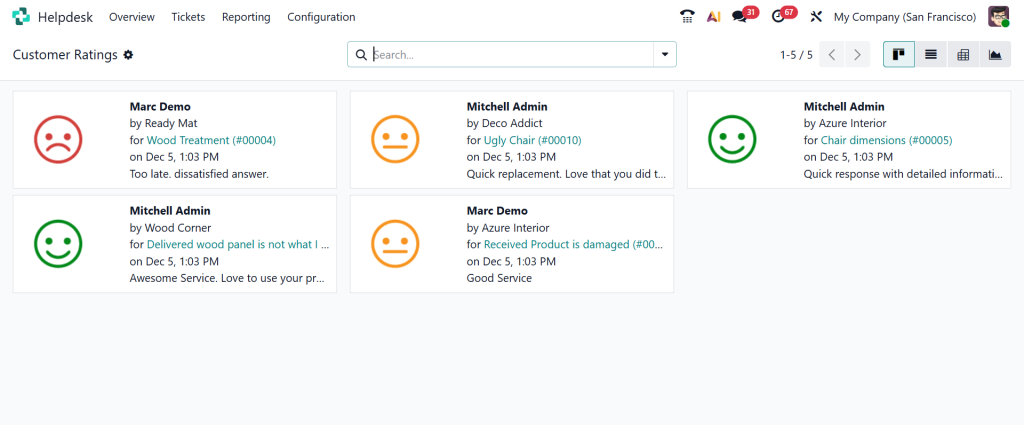
By the end of the day, they feel productive instead of drained. Customers leave feedback. Data is recorded. Reports update automatically. This is how the Odoo 19 helpdesk fits into your daily workflow without creating pressure.
Why Businesses Prefer Odoo 19 Helpdesk Over Old Support Methods
Many businesses used to rely on email folders, WhatsApp groups, spreadsheets, and manual tracking. These methods work at first, but as soon as the customer base grows, everything starts to fall apart.
When they shift to the Odoo 19 helpdesk, they notice:
- No more missing emails
- No more lost complaints
- No more repeated explanations
- No more unclear responsibilities
- No more guessing who is handling what
Customers get faster replies. Teams feel more organized. Managers get proper insight. And the business moves forward without slowdowns caused by support issues. This is why modern companies prefer Odoo over their old methods.
How Netilligence Helps You Use Odoo 19 Helpdesk the Right Way
If you really want the helpdesk to support your business correctly, you need the setup to match your workflow. This is where Netilligence plays an important role.
Netilligence helps you:
- Configure Odoo according to your support process
- Set up ticket categories and teams
- Build helpful SLA rules
- Create the knowledge base
- Set up automation
- Train your support team
- Connect helpdesk with CRM, website, and email
- Build reporting dashboards
The aim is simple:
Your helpdesk should make support easier, not harder. With the proper setup, Odoo becomes a comfortable space where your team feels confident handling customer queries.
A Clear Ending to a Clear Support System
If you are tired of scattered conversations, slow replies, and confused customers, it is time to take a closer look at Odoo 19’s helpdesk. It brings your entire customer support journey into one place, removes unnecessary work, and helps your team deliver the kind of support your customers expect.
Every feature from the Odoo helpdesk ticketing system to Odoo helpdesk knowledge base, from Odoo helpdesk SLA management to Odoo helpdesk live chat integration is built to support your daily work simply and practically.
When you start using the Odoo 19 customer support module, you see the difference in how your team responds, how your customers react, and how your support process feels more under control.
If you want the Odoo 19 Helpdesk to work smoothly for your business, reach out to Netilligence today. We will set up everything in the most straightforward, cleanest, and most effective way so your support team can focus on helping your customers.




