

Odoo 19 Studio App Overview
If you are running a business today, you already know one thing very clearly: every business works in its own way. Still, most software forces you to work in its way. This is where the Odoo 19 Studio App starts to make sense. In this Odoo 19 ERP Studio App overview, I want to show you how this one tool helps you shape your Odoo system exactly how your daily work looks.
The Studio App of Odoo 19 is built for people who want to change screens, add fields, and adjust how things work without calling a developer every time. That is why the Odoo 19 no-code app builder is now getting so much attention. In this Odoo 19 ERP Studio App overview, we will talk about Odoo 19 Studio features, how Odoo Studio AI fields work, how to customize apps in Odoo 19 Studio, and what the new features of Odoo Studio 19 mean for businesses. If you are searching for an Odoo 19 Studio tutorial in the UAE, you are also in the right place because many companies here need systems that fit their local work style.
This Odoo 19 ERP Studio App overview is not about technical stuff. It is about how your sales, accounts, HR, and operations teams can finally use software that feels closer to how they really work.
What Is the Odoo 19 Studio App and Why People Talk About It
The Odoo 19 ERP Studio App is a tool in Odoo that lets you manage your apps directly from within Odoo. You can add new fields, change labels, hide things you do not need, or even create a brand-new app. You do all this on the screen, not by writing code.
This is why people call it the Odoo 19 no-code app builder. It means you do not need a developer for every small change. If your sales team wants an extra field for customer type, you add it. If your HR team wants a new leave request form, you create it. That is how the Odoo 19 ERP Studio App starts saving time in daily work.
In this overview, you can already see that this tool is not only for IT people. It is for anyone who actually uses Odoo every day.
Odoo 19 Studio Features That Change How You Use Odoo
The Odoo 19 Studio features make it easy to build robust solutions with minimal effort. Let us look at the most important ones.
Visual App Builder
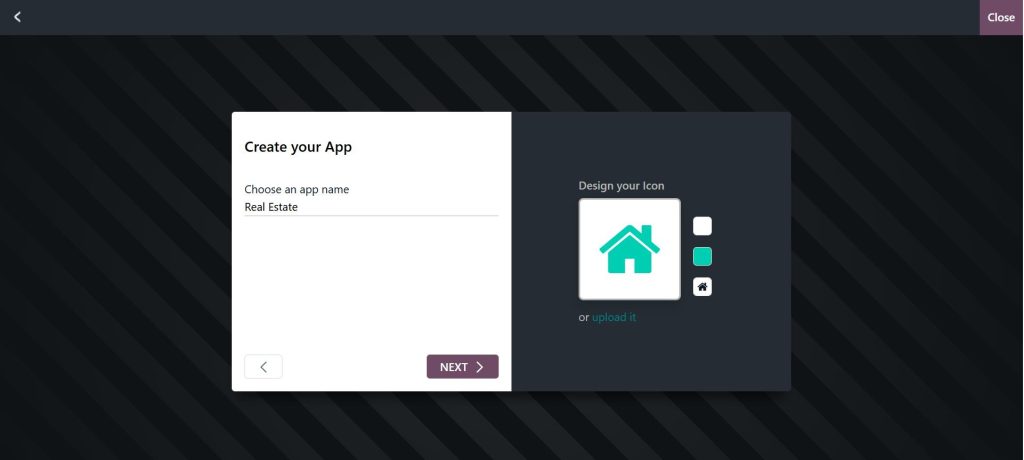
The visual builder is the core of the Odoo 19 no-code app builder. It lets users create or edit apps by dragging elements like fields, buttons, and pages onto the screen. This is especially helpful for teams that want to move quickly without waiting for developers.
Form and View Customization
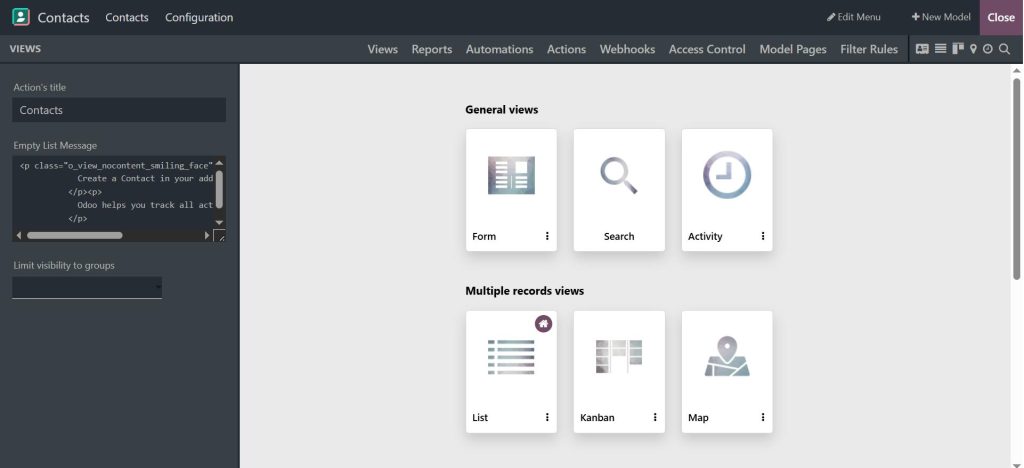
With the Odoo 19 ERP Studio App, you can change how forms, lists, Kanban boards, and dashboards look. If your sales team needs extra fields or your HR team wants a simpler layout, you can customize the Odoo 19 Studio in minutes.
Workflow Automation
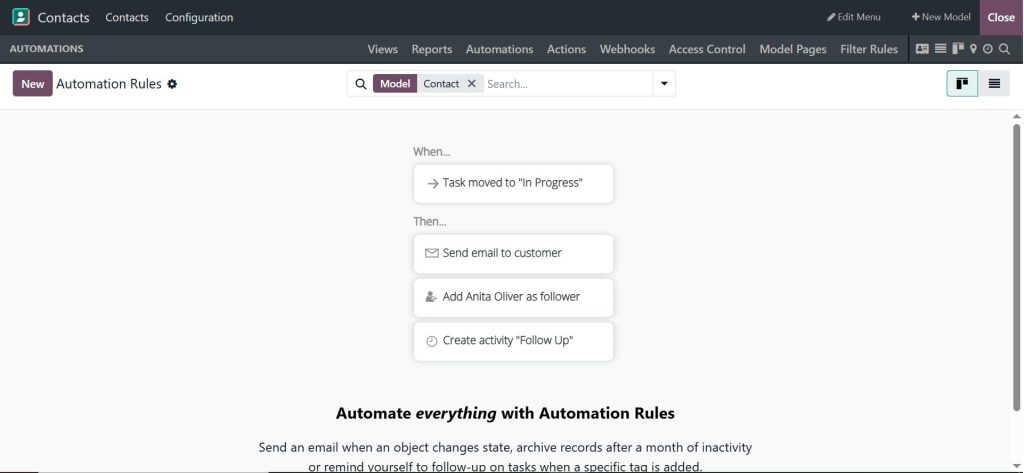
One of the most influential Odoo 19 Studio features is the ability to automate actions. You can trigger emails, create tasks, or update records automatically when something happens. This helps remove manual work and reduces errors.
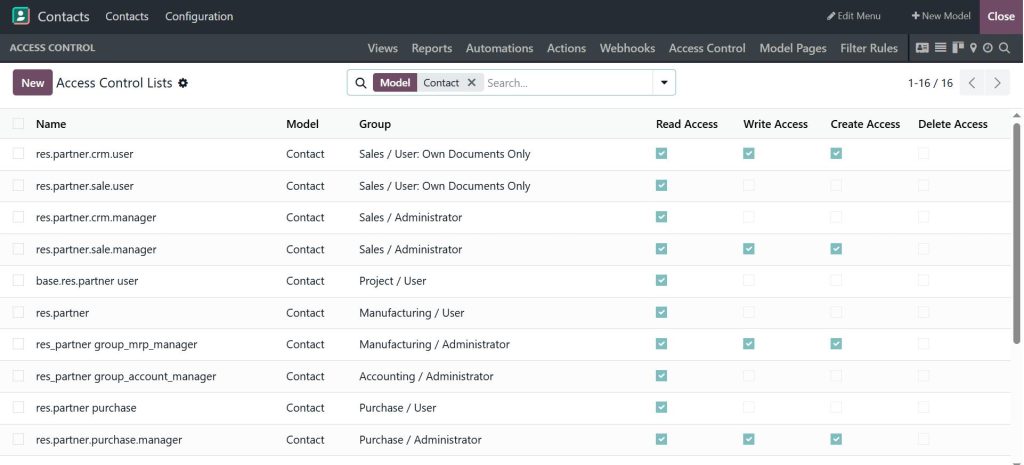
Security and Access Control
The Odoo 19 ERP Studio App lets you control who can view or edit data. This is very useful for businesses that handle sensitive information and want to comply with regulatory requirements.
Odoo Studio AI Fields and How They Help in Daily Work
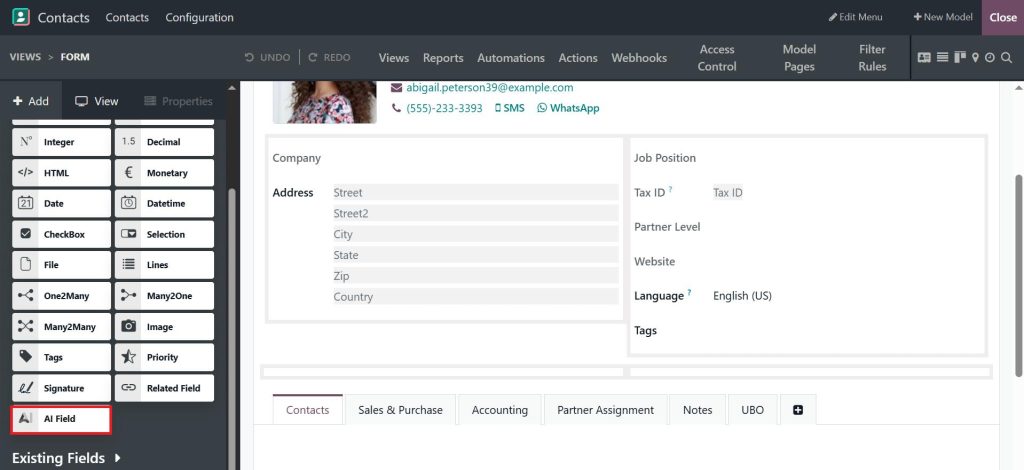
One of the new features Odoo Studio 19 brings is Odoo Studio AI fields. These are smart fields that help you fill in data by reading and understanding text. For example, if you receive an email from a customer, these fields can suggest the customer’s name, product, or priority based on the message.
In daily work, this saves time because your team does not have to retype everything. It also reduces mistakes because the system helps keep data clean. In this overview, it is easy to see how Odoo Studio AI fields fit well into busy offices where people handle many requests every day.
How to Customize Apps in Odoo 19 Studio Without Technical Skills
To customize apps in Odoo 19 Studio, you simply turn on Studio mode. After that, you click on any screen and start changing it. You can add new fields, remove old ones, rename labels, or move sections around.
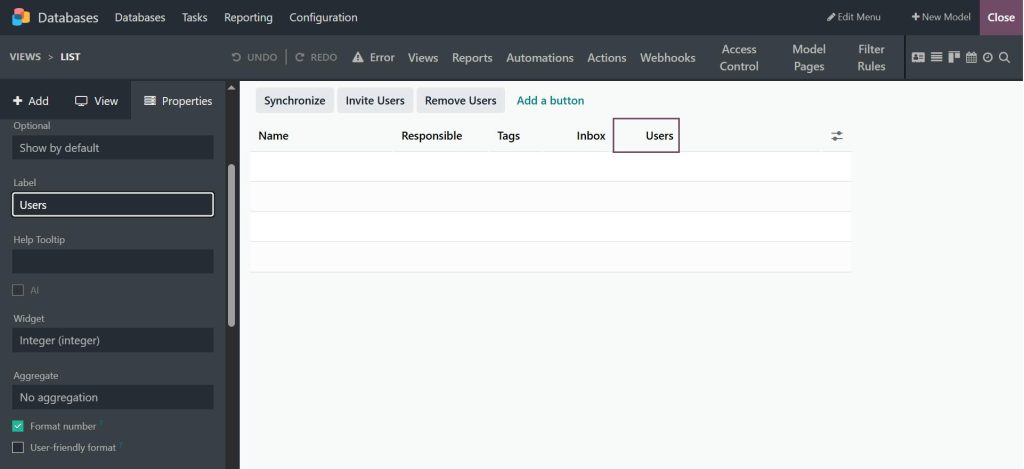
This is very useful when your business grows. At the start, you may not need many details, but later you want more control. With the Odoo 19 ERP Studio App, you do not have to rebuild your system. You just adjust it step by step.
This is why many companies choose the Odoo 19 no-code app builder. It lets them move forward without waiting weeks for development.
Odoo 19 Studio Tutorial UAE and Why Local Businesses Like It
In the UAE, businesses often deal with VAT, multi-currency, different approval levels, and customers from many countries. The Odoo 19 Studio tutorial in the UAE focuses on making Odoo fit these needs.
With the Odoo 19 ERP Studio App, UAE companies can add VAT fields, create purchase approval steps, and set up forms in both English and Arabic. They can also produce reports that align with what local auditors and managers expect.
This makes the Odoo 19 ERP Studio App overview very relevant for companies working in Dubai, Abu Dhabi, and other business hubs.
New Features Odoo Studio 19 That People Are Using Right Now
The new features of Odoo Studio 19 include better automation tools, smarter Odoo Studio AI fields, and smoother screen editing. You can now build more complex logic without writing code. You can also create reports and dashboards that show exactly what your team needs to see.
These Odoo 19 Studio features help businesses respond more quickly when things change. Instead of asking for a new system, they just adjust the one they already have.
Why Odoo 19 No-Code App Builder Is Getting Popular
The Odoo 19 no-code app builder is popular because it gives control to people who actually do the work. You do not have to explain your needs to a developer again and again. You simply build what you need inside the Odoo 19 Studio App.
This helps small and medium businesses a lot, as they can keep costs under control while still improving their systems.
How Businesses Use the Odoo 19 Studio App in Real Life
With the Odoo 19 Studio App, companies are creating custom screens for sales tracking, inventory checks, HR forms, and customer service. They are also using Odoo Studio AI fields to handle emails and requests faster.
This overview shows that Studio is not just for small changes. It shapes how your entire business runs in Odoo.
Your Next Step with the Odoo 19 Studio App
If you have read this far, one thing should already feel clear: the Odoo 19 ERP Studio App is not just another feature inside Odoo. It is the space where your real business work meets the system you use every day. From changing simple fields to building full screens with the Odoo 19 no-code app builder, this tool gives you the freedom to make Odoo fit how your team actually works.
With the growing list of Odoo 19 Studio features, the smart Odoo Studio AI fields, and the useful new features of Odoo Studio 19, you no longer need to live with screens and processes that slow you down. You can customize Odoo 19 Studio apps based on what your sales, finance, HR, and operations teams really need, even if you are running your business here in the UAE.
If you want to see how the Odoo 19 Studio App can be set up for your own business, talk to Netilligence today. Our Odoo experts can show you how to turn your daily work into a system that feels simple, clear, and built around your goals.




