How to Create and Use Contract Templates in Odoo 19 HR?
Why Contract Templates in Odoo 19 HR Are a Must-Have
If you’ve ever spent hours creating employee contracts manually, you know the frustration of repetitive tasks. Every employee needs a contract that’s accurate, complete, and compliant with labour laws. This is why Contract Templates in Odoo 19 HR are an absolute advancement.
Understanding how to create contract templates in Odoo 19 means you can standardize your contracts, avoid errors, and save precious HR time. By implementing the Odoo 19 HR contract template setup, you ensure every employee, whether full-time, part-time, intern, or contractor, receives the correct terms of employment.
HR teams often struggle to manage contract variations for different departments, salary structures, or roles. With the contract template Odoo 19, you can handle this efficiently. The Odoo 19 HR contract template tutorial makes it easy to use contract templates in Odoo 19 HR in everyday HR processes, ensuring compliance and efficiency.
In this comprehensive guide, we will cover everything from creating templates to assigning them, customizing clauses, and even advanced tips for maximizing the benefit of creating reusable contract templates in Odoo 19.
Why Contract Templates in Odoo 19 HR Are Essential
Many HR teams underestimate the power of templates. Let’s break down why Contract Templates in Odoo 19 HR are vital for modern HR management.
Save Time and Effort
Manual contract creation can take hours. Imagine having to do this for dozens of employees every month. Templates allow you to create reusable contract templates in Odoo 19, eliminating repetitive work. One well-set template can generate hundreds of contracts instantly.
Ensure Consistency Across Employees
Consistency is key in HR. Contract template Odoo 19 employees ensures every employee gets the same structure, clauses, and salary rules. This reduces confusion and protects your company legally.
Simplify Compliance
Labour laws and company policies must be included in all contracts. Templates let you predefine legal clauses and policies, ensuring no contract is incomplete or non-compliant.
Encourage Employee Onboarding
With the use of contract templates in Odoo 19 HR, new employees receive their contracts immediately. This improves the onboarding experience and helps HR focus on more strategic tasks instead of paperwork.
Scalable HR Operations
As your organization grows, managing contracts manually becomes impossible. Templates allow you to scale smoothly, regardless of workforce size.
Step-by-Step Guide: How to Create Contract Templates in Odoo 19
Creating templates might sound technical, but with the right approach, it’s straightforward. Here’s a complete, step-by-step guide.
Step 1 – Access the HR Module
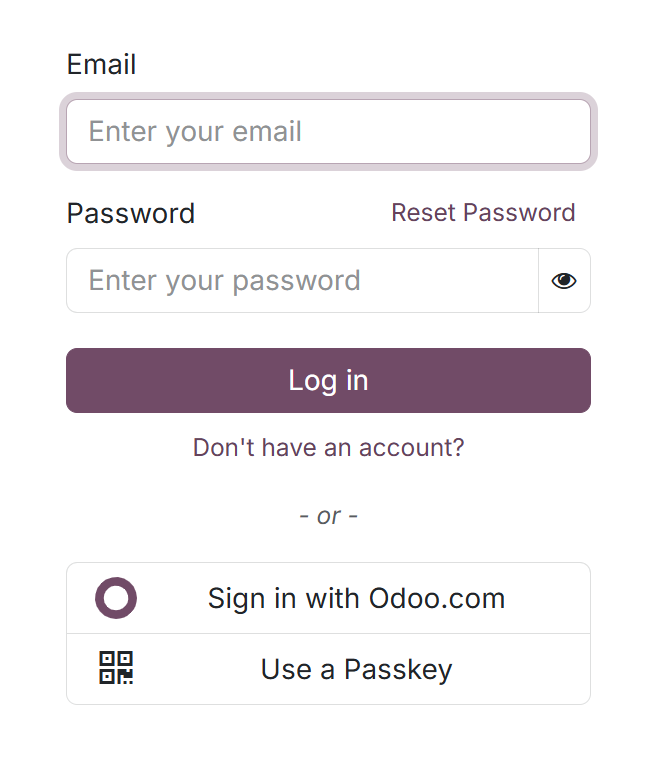
Log in to your Odoo 19 account.
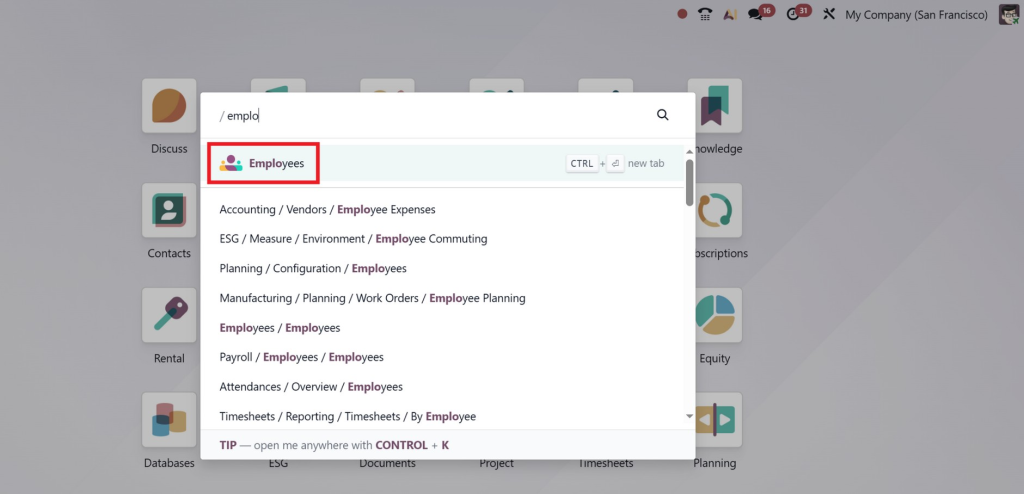
Go to Human Resources (HR) or Employee Module from the dashboard.
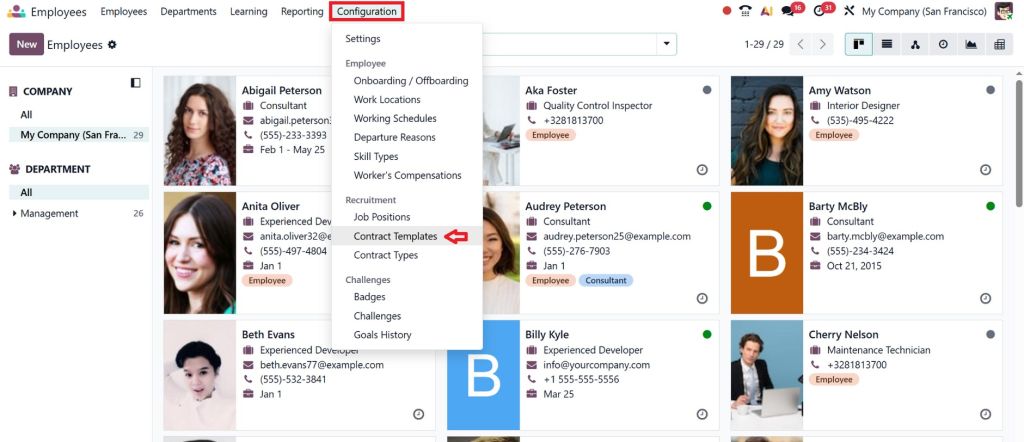
Navigate to Configuration → Contract Templates.
Step 2 – Start a New Template
Click Create to begin a new template.
Give it a descriptive name, e.g., “Permanent Employee Contract” or “Internship Agreement.”
Add important details:
Job Position
Department
Contract Type (Permanent, Temporary, Internship)
Salary Structure
This setup becomes the foundation for how to create contract templates in Odoo 19 efficiently.
Step 3 – Define Salary Rules and Benefits
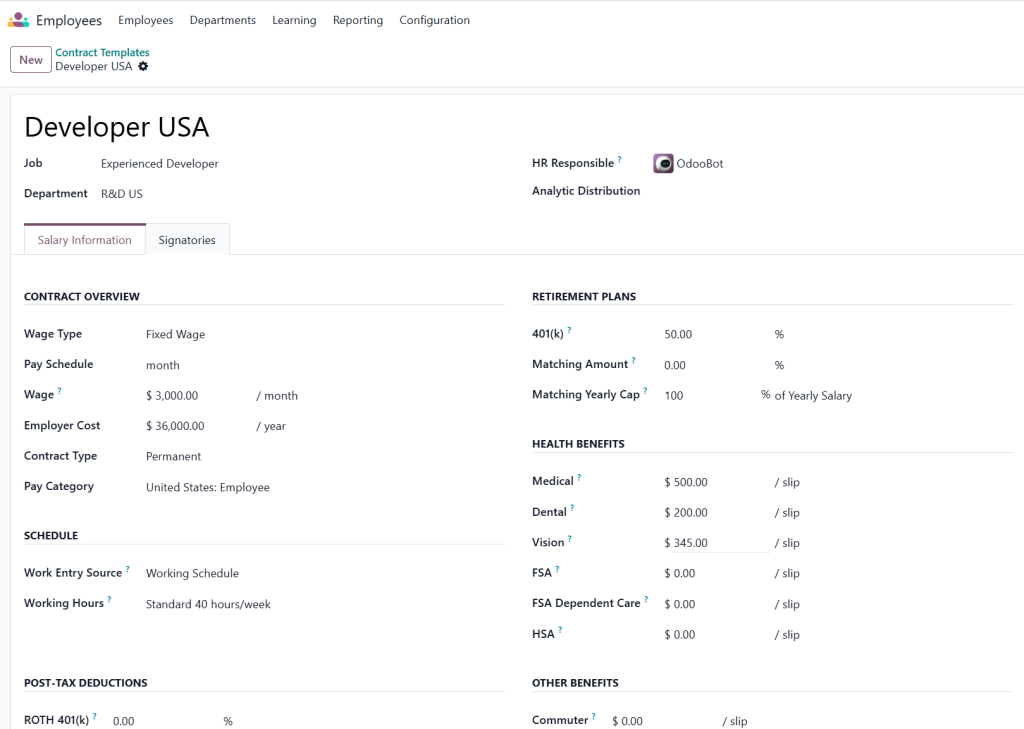
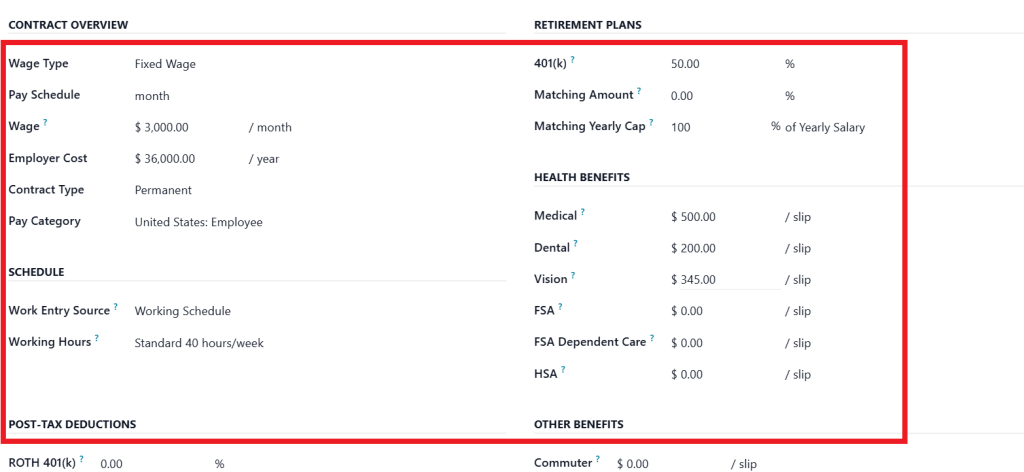
With the Odoo 19 HR contract template setup, you can predefine salary and benefits, including:
Base salary, bonuses, and allowances
Health insurance, meal or transport allowances
Overtime rules and incentives
When applied, these templates automatically calculate the employee’s payroll, saving HR time and minimizing errors.
Step 4 – Add Standard Contract Clauses
Contracts often include repetitive but essential clauses. With the contract template Odoo 19, you can:
Add confidentiality agreements
Define probation periods and notice periods
Include termination clauses and workplace policies
Dynamic fields like employee name, joining date, and manager name make every contract personalized while using the same template.
How to Use Contract Templates in Odoo 19 HR
Creating templates is one thing; using them correctly is where the magic happens.
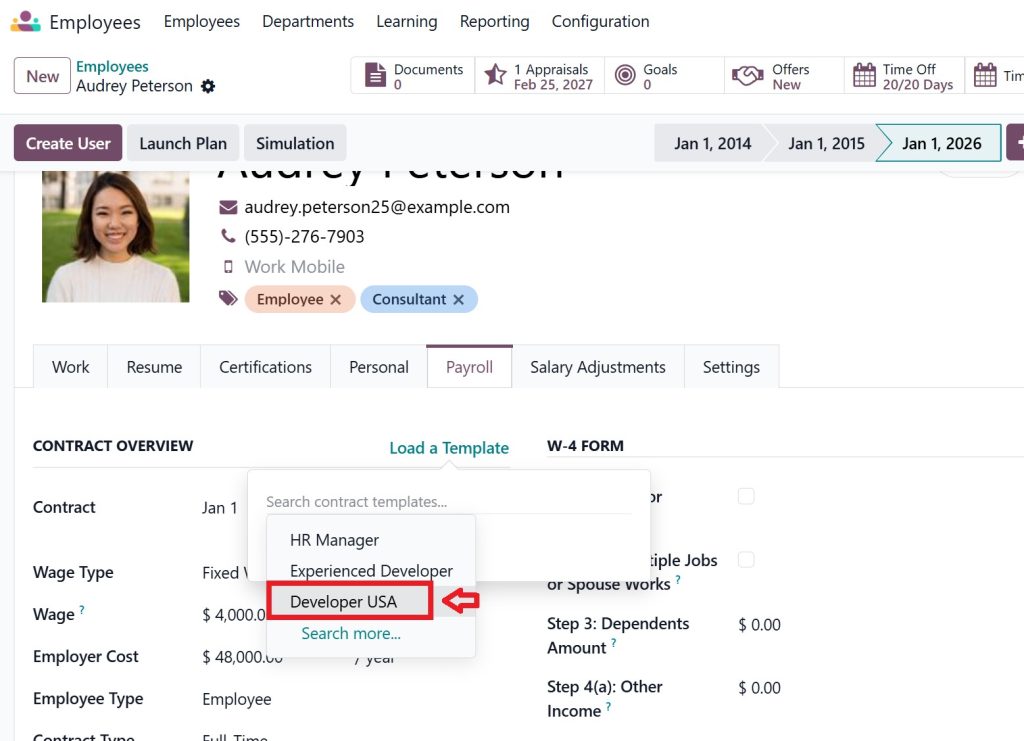
Step 1 – Assign Template to Employees
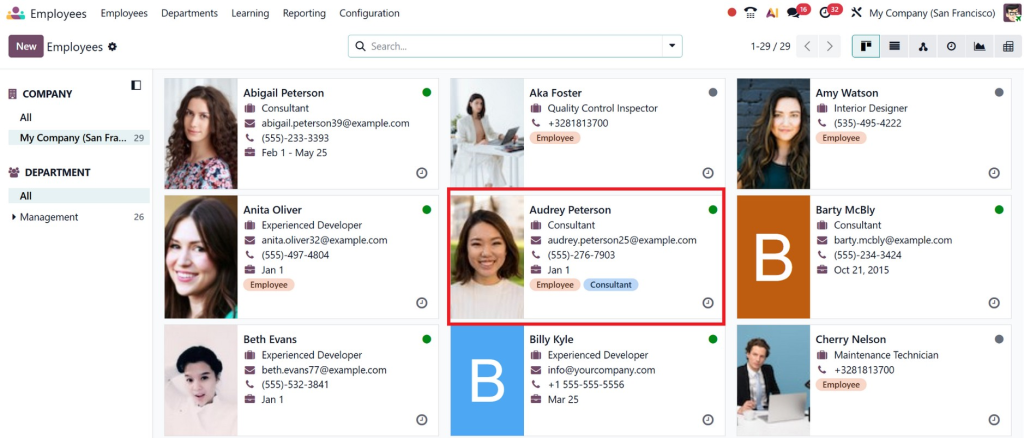
Go to Employees → select an employee or create a new profile
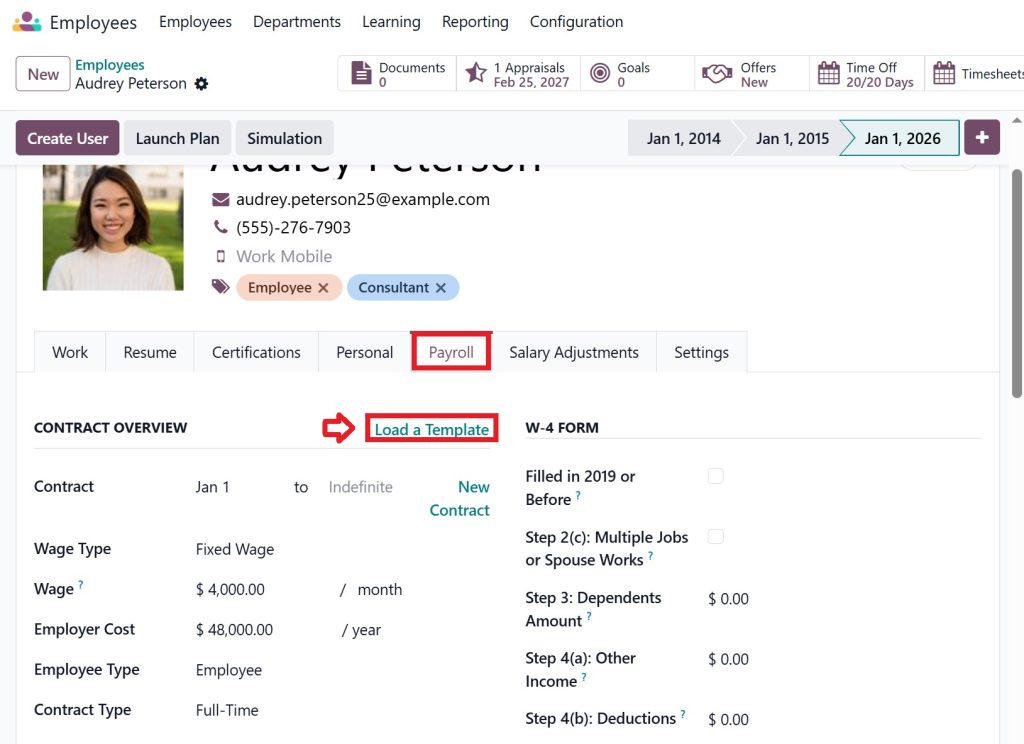
Click Payroll → Load a Template.
Select the template you need, such as “Developer USA.”
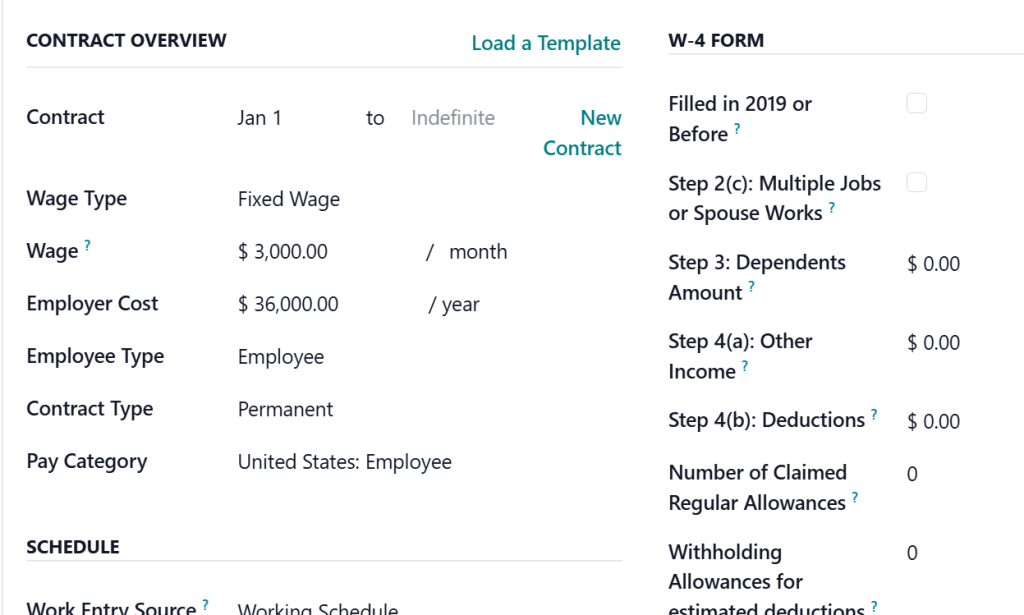
This instantly generates a ready-to-use contract for the employee.
Step 2 – Customize Individual Contracts
Even though templates are reusable, sometimes slight adjustments are necessary:
Adjust salaries based on experience
Modify probation periods
Add department-specific clauses
Templates remain reusable, making creating reusable contract templates in Odoo 19 extremely efficient for HR teams.
Step 3 – Confirm and Store Contracts
Once finalized, Odoo 19 HR:
Saves the contract in the employee’s record
Updates payroll and benefits automatically
Keeps a detailed history for audits and reporting
Advanced Tips for Contract Templates in Odoo 19 HR
To maximize efficiency and compliance, follow these expert tips:
Different Templates for Different Roles – Permanent staff, interns, contractors, and managers should each have unique templates.
Regular Updates – Keep templates updated with company policies, labour laws, and compensation changes.
Dynamic Fields Are Your Friend – Use placeholders for names, start dates, and salaries to reduce errors.
Test Before Full Deployment – Generate sample contracts to ensure calculations and clauses are correct.
Train Your HR Team – Ensure HR knows how to use contract templates Odoo 19 HR efficiently.
Document Changes – If a template is updated, keep a log of changes to maintain historical accuracy.
Integrate with Payroll and Benefits – Connect templates with payroll to automatically reflect salaries and allowances.
These steps make Contract Templates in Odoo 19 HR not just a tool but a strategic HR solution.
Common Mistakes to Avoid with Contract Templates
Even with templates, HR teams sometimes make mistakes. Avoid these pitfalls:
Using the Same Template for All Roles – Not all employees have the same terms; customize where necessary.
Ignoring Updates – Outdated templates can cause compliance issues.
Not Testing Templates – Always generate a few contracts to verify rules and calculations.
Manual Overrides Too Often – If you keep changing templates manually, it defeats the purpose of automation.
Avoiding these mistakes ensures your Odoo 19 HR contract template setup runs smoothly and efficiently.
Why Netilligence Is the Best Choice for Odoo 19 HR Implementation
Even though Odoo 19 makes creating reusable contract templates Odoo 19 simple, expert guidance ensures full ROI.
Set up the Odoo 19 HR contract template quickly and correctly
Train HR teams to use the contract templates in Odoo 19 HR effectively
Integrate templates with payroll, benefits, and compliance systems
Customize templates for different roles and scenarios
By partnering with us, HR teams can automate workflows, reduce errors, and focus on strategic HR initiatives.
Change Your HR Operations with Odoo 19 Contract Templates
Contract Templates in Odoo 19 HR aren’t just a convenience; they’re a strategic advantage. By learning how to create contract templates in Odoo 19, HR teams can save time, ensure compliance, and onboard employees faster.
Using the Odoo 19 HR contract template tutorial, you can:
Create reusable templates
Automate payroll and benefits
Ensure legal and company compliance
Streamline HR operations across the organization
Start using the contract template for Odoo 19 employees today and transform the way your HR department works.
Hi, I'm Nabia, an Odoo ERP functional & technical content writer. I specialize in blogs, social media content, ad copy, landing pages, service pages, and email campaigns.
We use cookies to ensure that we give you the best experience on our website. If you continue to use this site we will assume that you are happy with it.