Resupplying from the Warehouse Using Odoo 18 Inventory Management
Odoo 18 Inventory Management
What if managing your warehouse could feel effortless?
What if stock transfers, replenishments, and tracking inventory were no longer a headache but an efficient, automated process?
That’s the promise of Odoo 18 warehouse resupply. That isn’t just another inventory tool; it’s a revolution for businesses looking to stay ahead. Are you curious? Keep reading to uncover how Odoo 18 inventory management can transform your supply chain management.
Odoo inter-warehouse replenishment ensures your operations run like clockwork, from eliminating stockouts to simplifying inter-warehouse transfers. But that’s just the tip of the iceberg. Let’s explore the world of Odoo 18 stock replenishment and why it’s the go-to choice for businesses striving for efficiency.
Why Odoo 18 Is the Way to Effortless Warehouse Resupply
Warehouse management has always been a balancing act. Too much inventory ties up resources, while too little can cost you sales. Add the challenge of managing multiple locations, and feeling overwhelmed is easy. Enter Odoo 18 inventory management, a tool designed to take the guesswork out of resupply and put control back in your hands.
The Pain Points of Traditional Warehouse Management
Stock Discrepancies:
Keeping track of inventory manually is error-prone and time-consuming.
Delayed Transfers:
Inefficient processes slow down the movement of goods between locations.
Resource Drain:
Overstocking eats profits, while stockouts damage customer trust.
Odoo’s Smart Solution
Imagine a system that:
Predicts your inventory needs and acts before stockouts occur.
Automates replenishments between warehouses seamlessly.
Gives you complete visibility of your inventory in real time.
That’s precisely what Odoo inter-warehouse replenishment offers. It’s more than software; it’s a partner in your business growth.
How to Get Started with Odoo 18 Warehouse Resupply
So, you’re ready to level up your inventory game? Here’s how to start:
Understand Your Needs:
Identify where your current system falls short.
Set Up Odoo:
Use Odoo 18 inventory resupply configuration to customize workflows.
Empower Your Team:
Train your staff to use the system effectively.
Monitor and Adapt:
Use Odoo’s real-time analytics to refine your strategy continuously.
Proper Procedure:
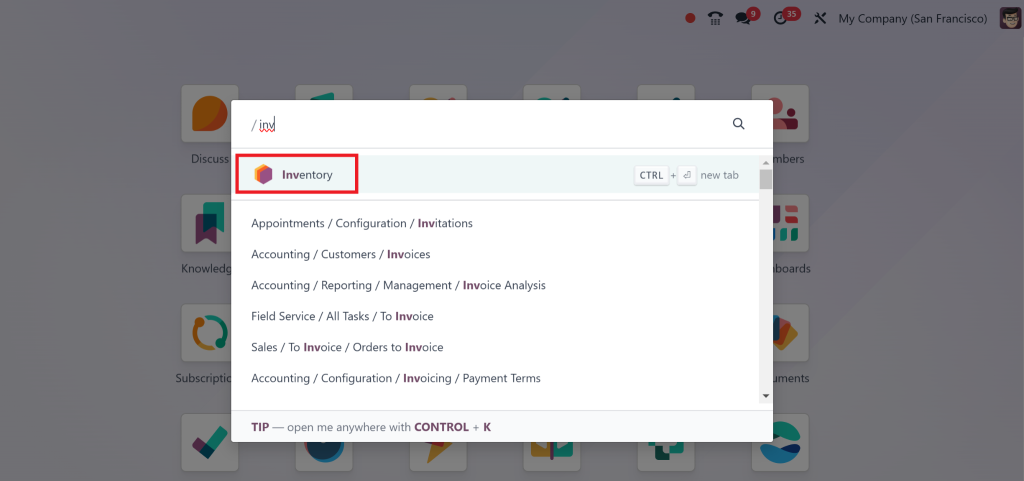
First, go to the “inventory” module on your Odoo Dashboard.
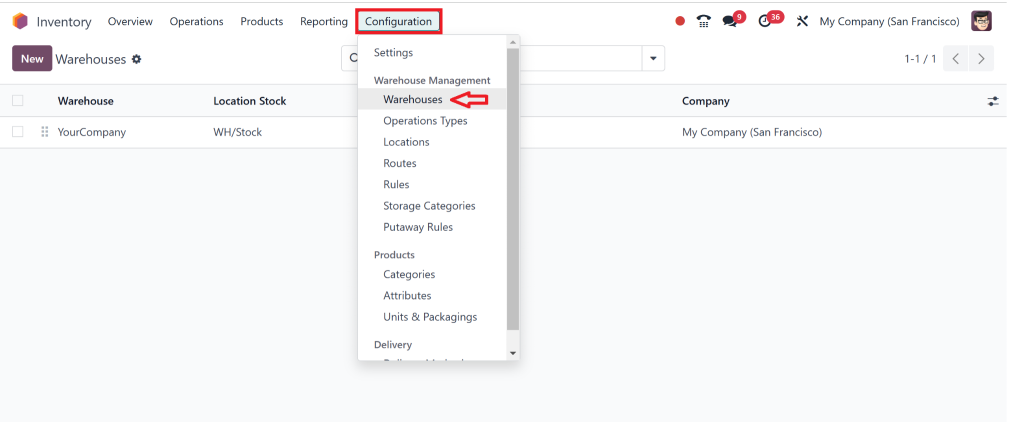
Go to Configuration > Warehouse
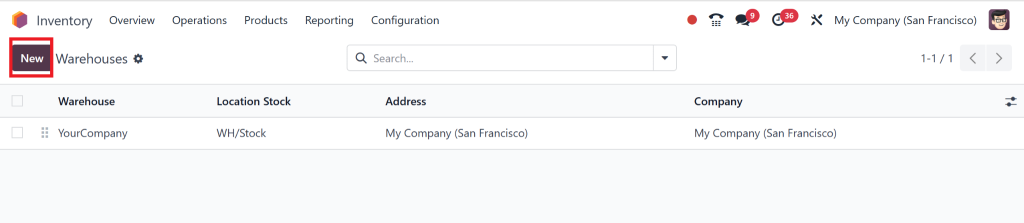
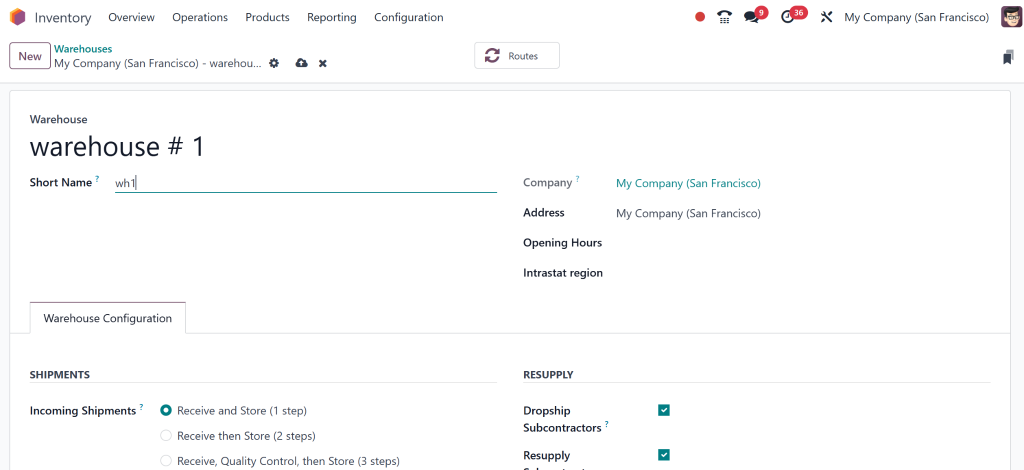
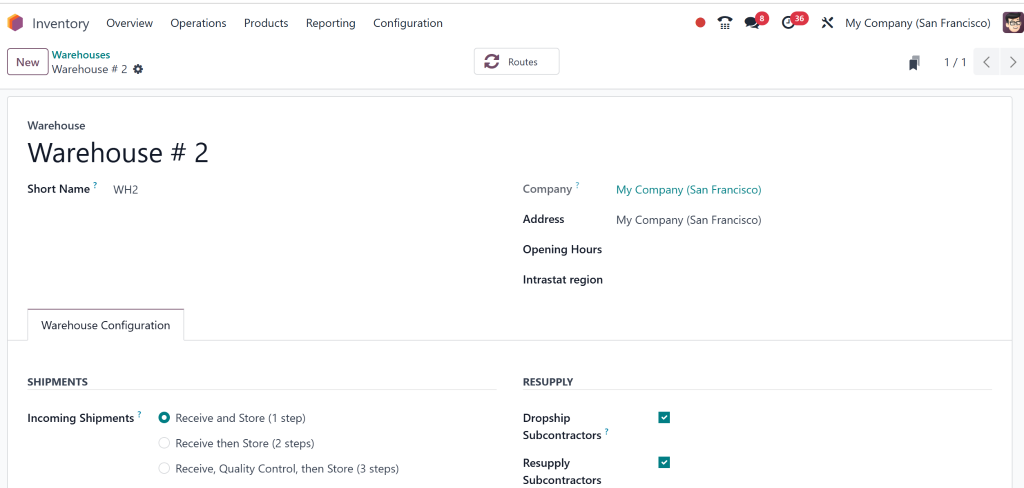
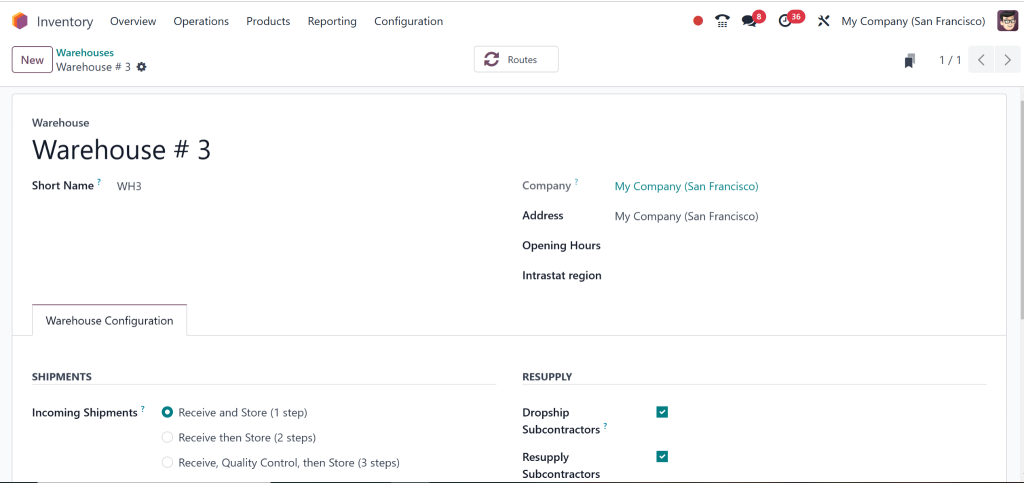
Click “New.” Add three warehouses in total.
Warehouse 1:
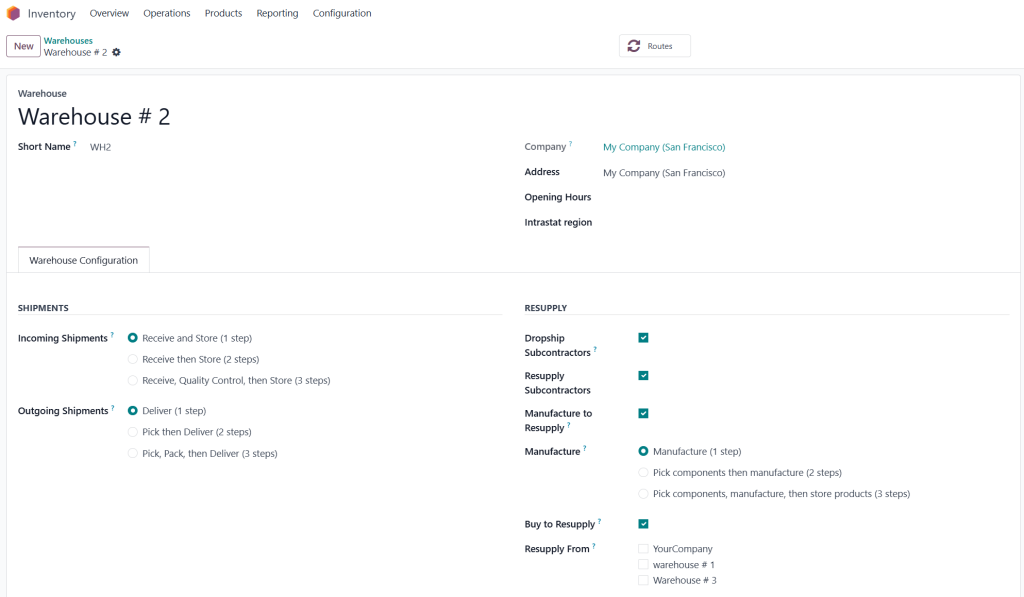
Warehouse 2:
Warehouse 3:
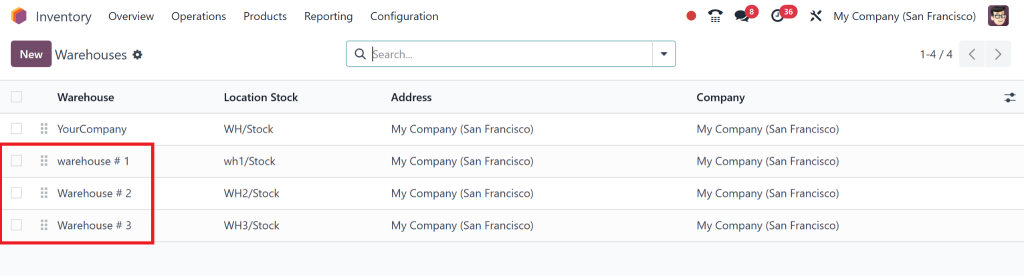
You can check all three from the Dashboard:
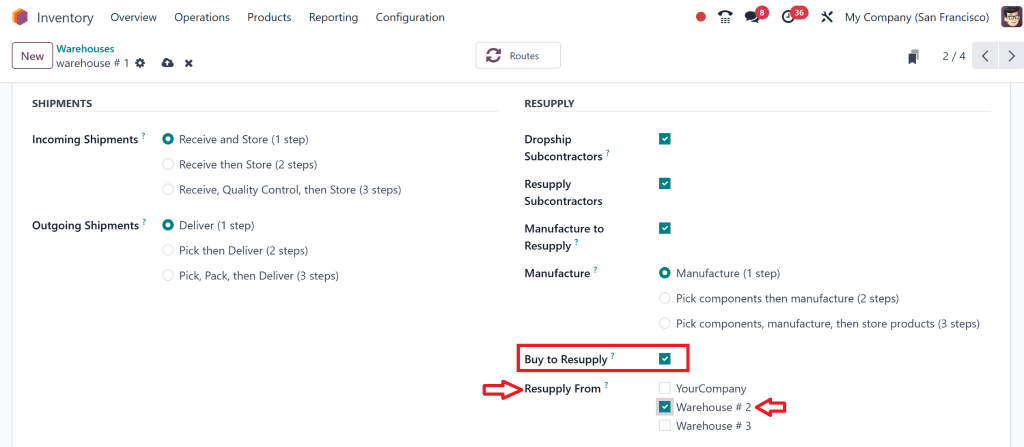
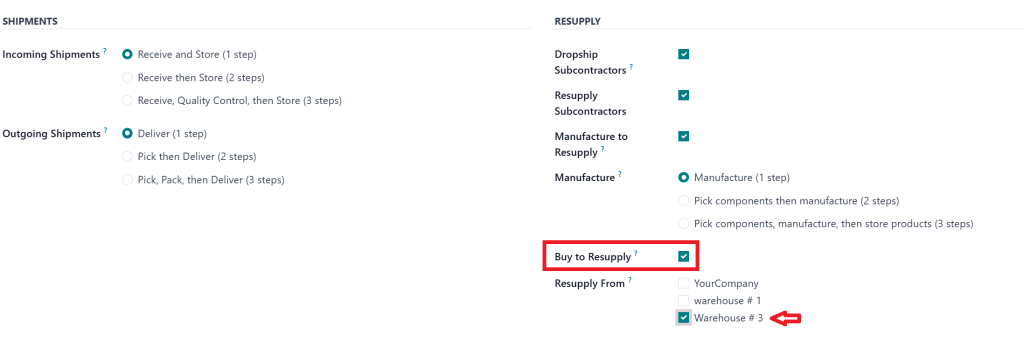
When you open warehouse 1, you see the option “buy to Resupply.” You must enable it and select the warehouse where you want to resupply.
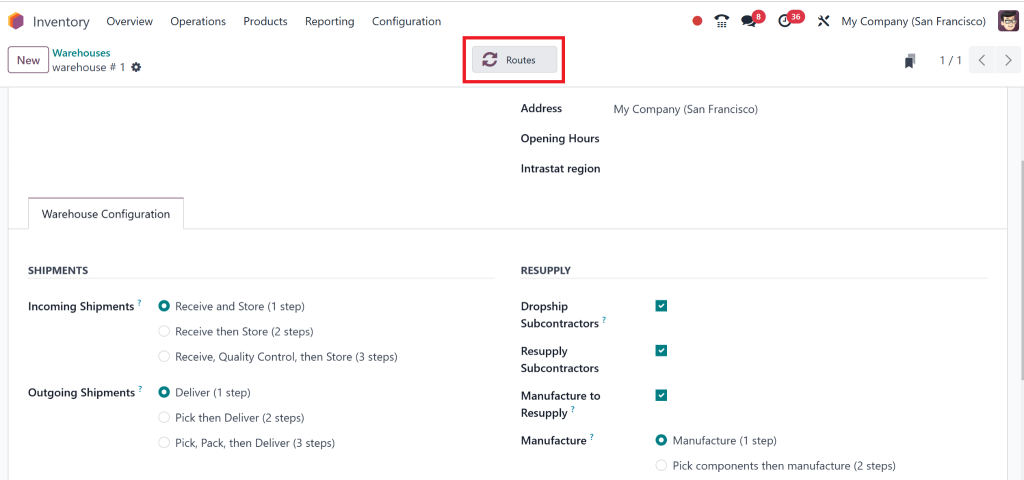
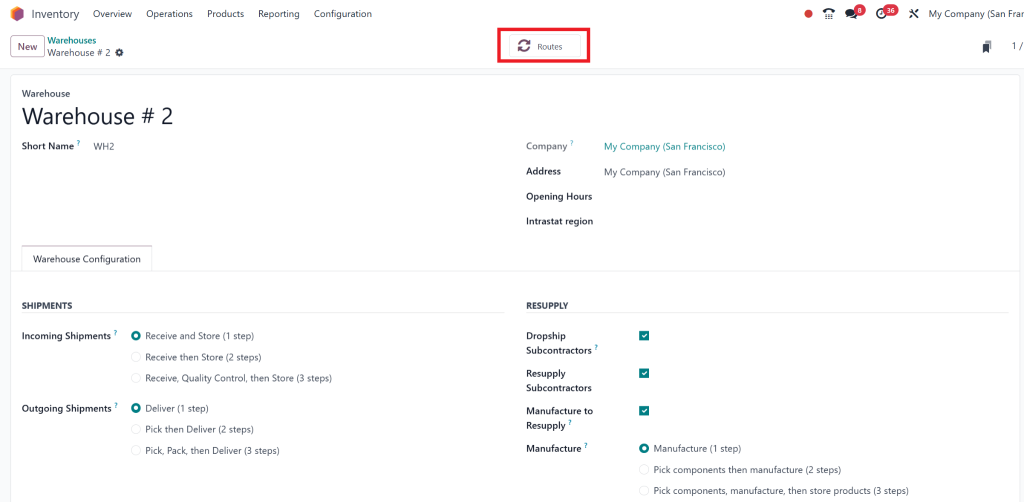
Then, go to “Routes.”
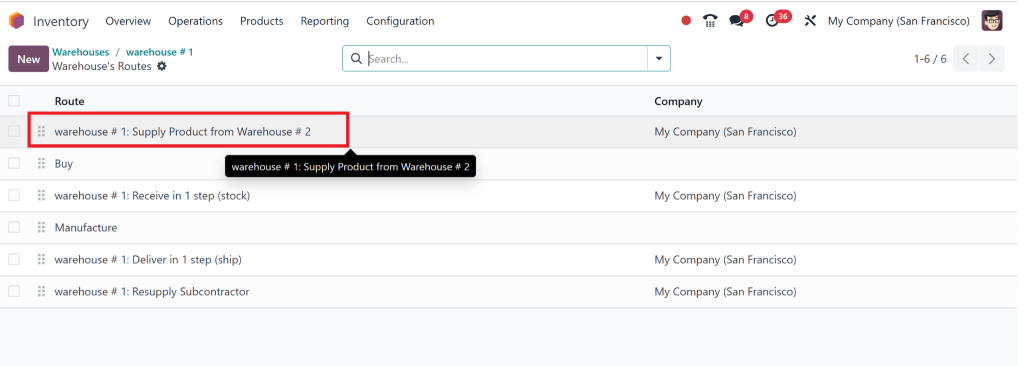
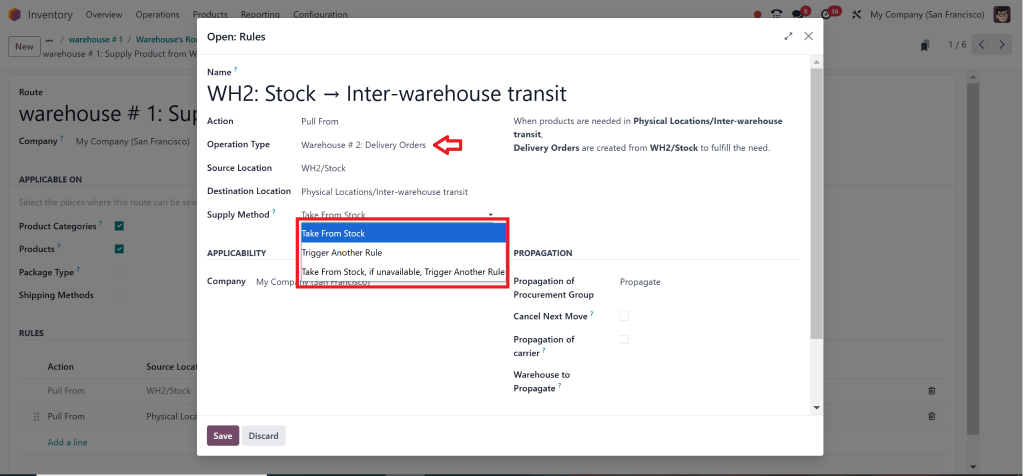
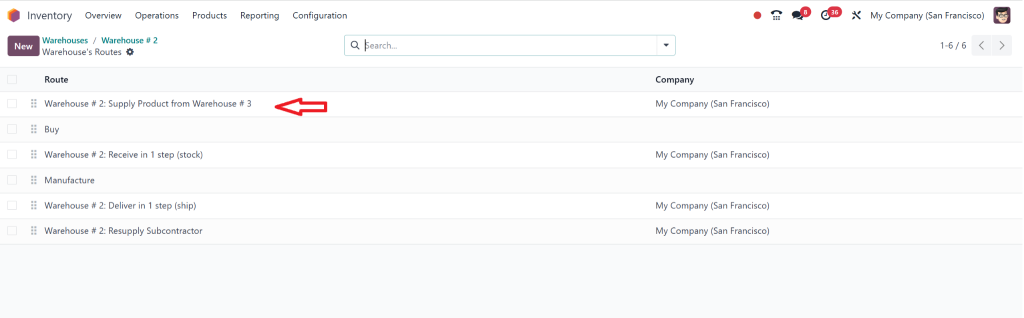
Here, you can see “Warehouse 1 can resupply from Warehouse 2.”
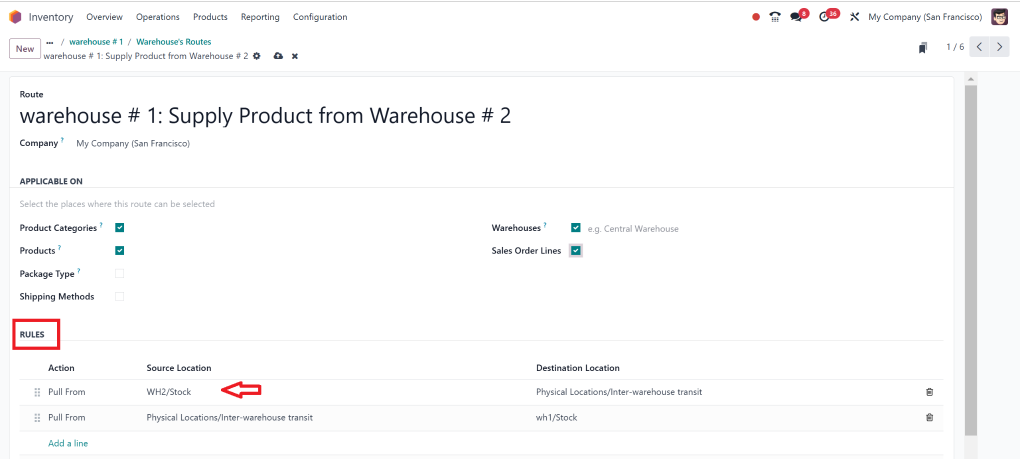
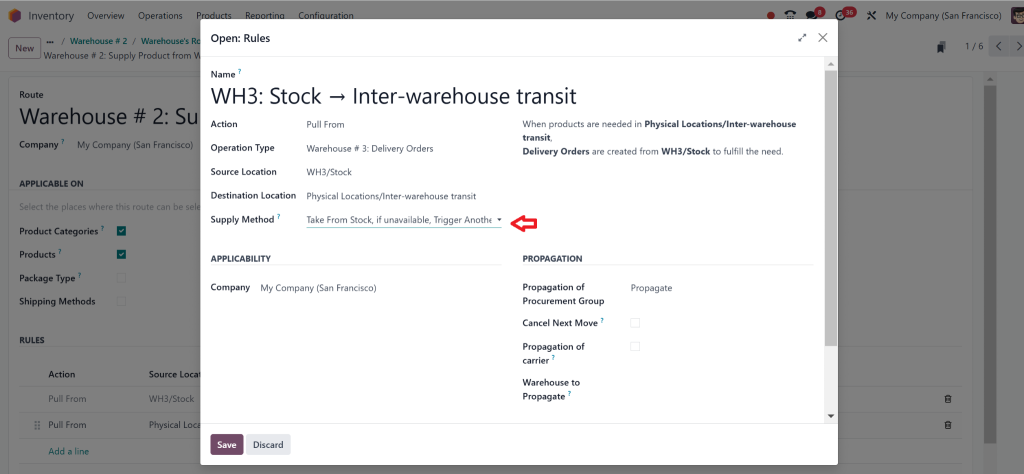
You can tick mark sales order lines and check “rules.”
By clicking on it, you can check for more details.
Then, go to Warehouse number 2.
Select warehouse for resupply.
Repeat the same steps with warehousetwo2 as you do on warehouse 1.
Check overview.
Check rules.
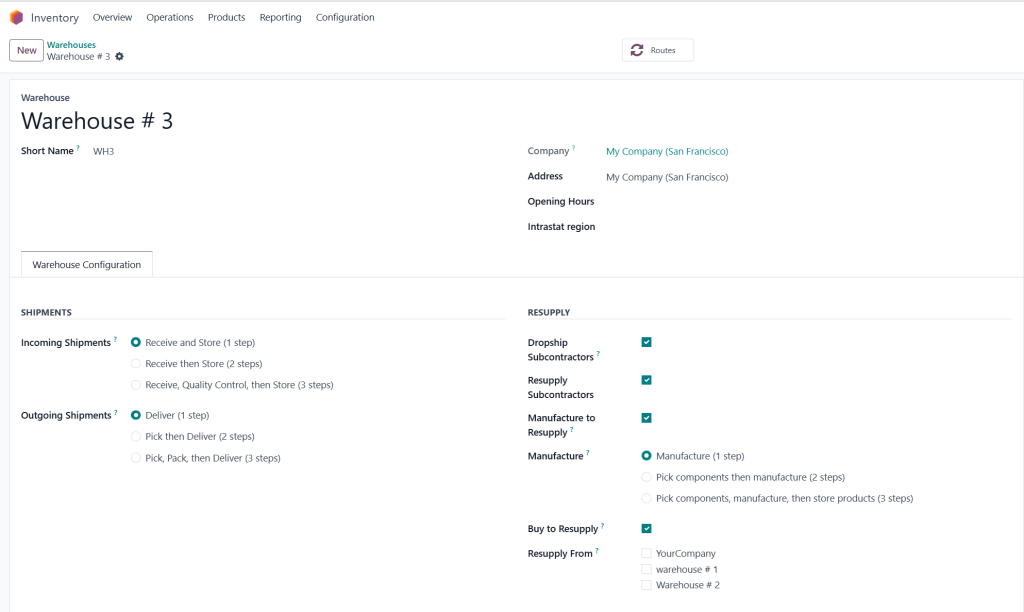
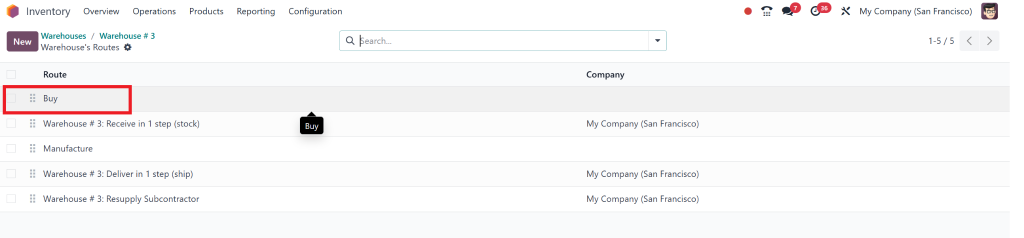
Then go to the warehouse number 3.
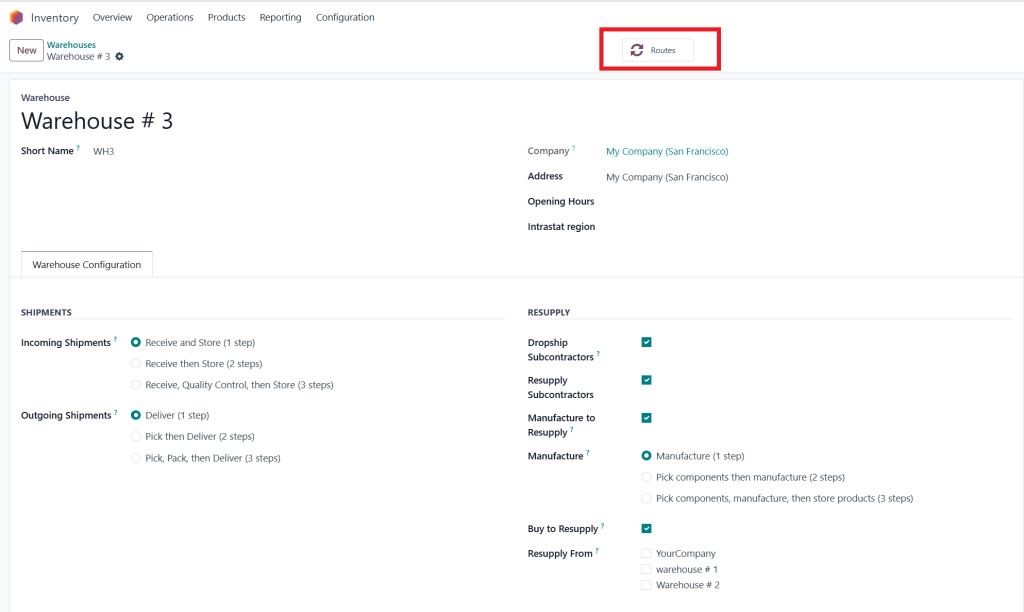
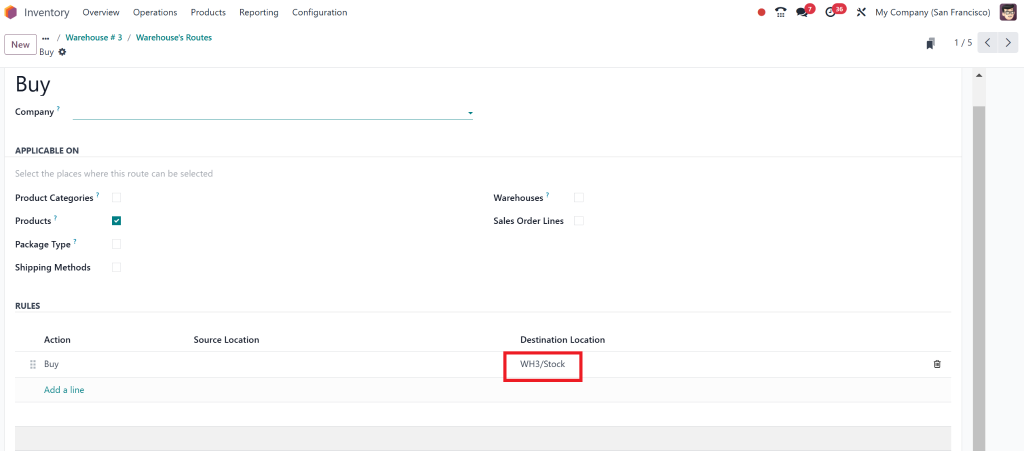
Click on “Routes”.
The third warehouse will buy.
Only warehouse number three can buy.
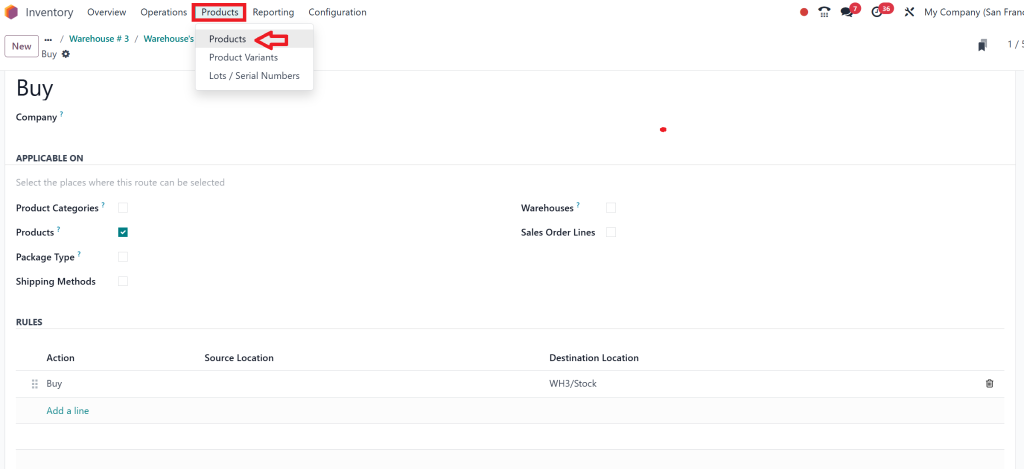
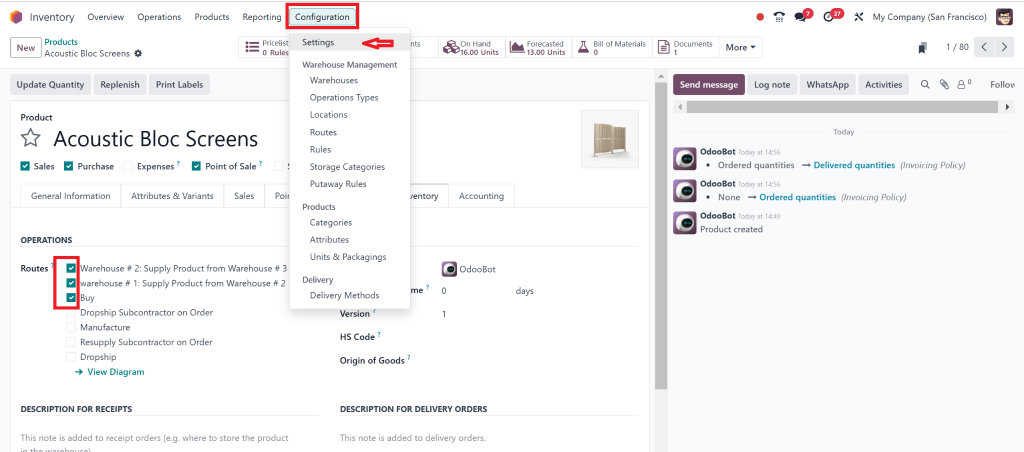
Then go to the “Products” and select products.
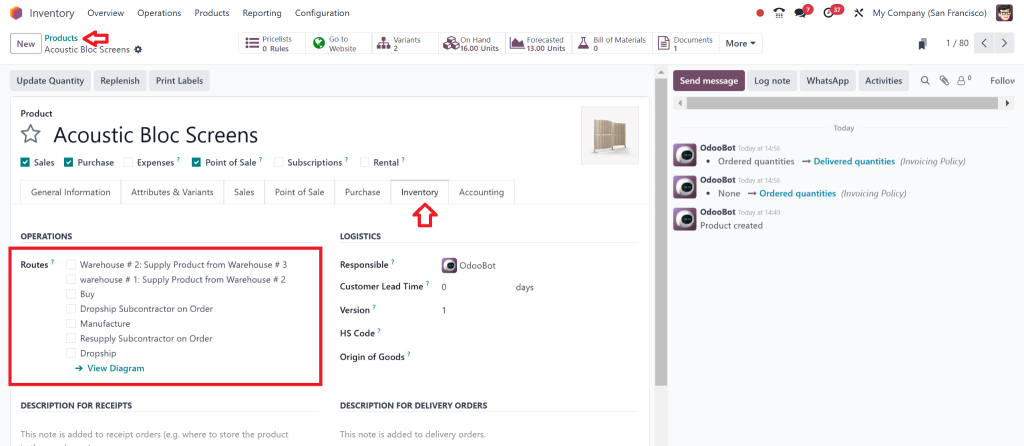
Select the products, and then check the “inventory,” you can see the Routes you have added.
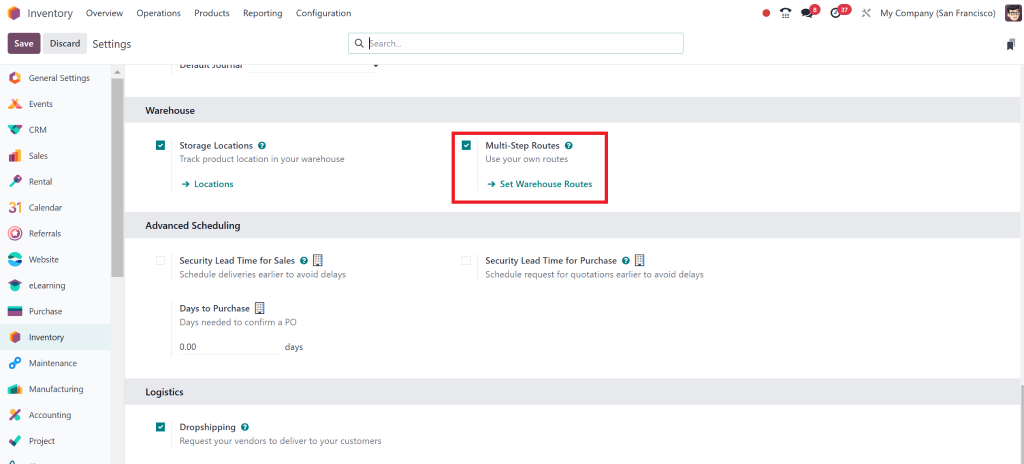
To enable the multiple routes, go to Configuration > Settings.
Check multi-setup routes and save the settings.
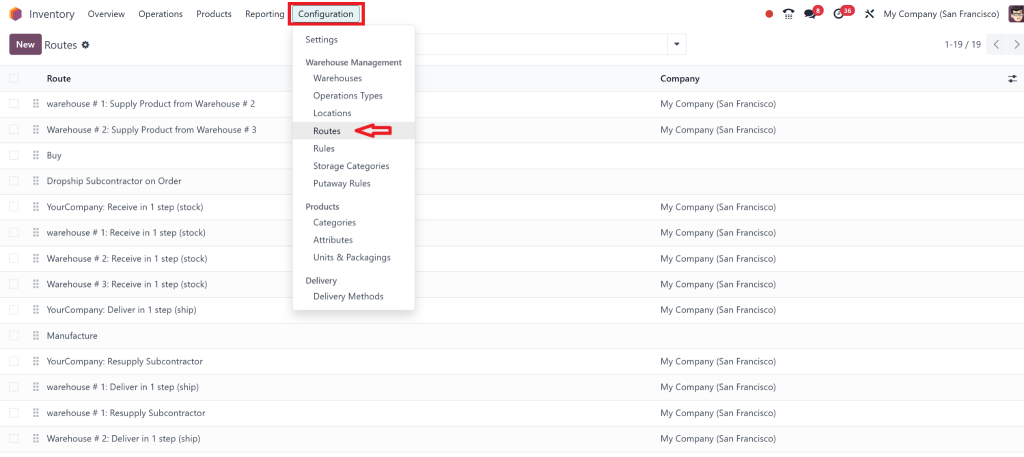
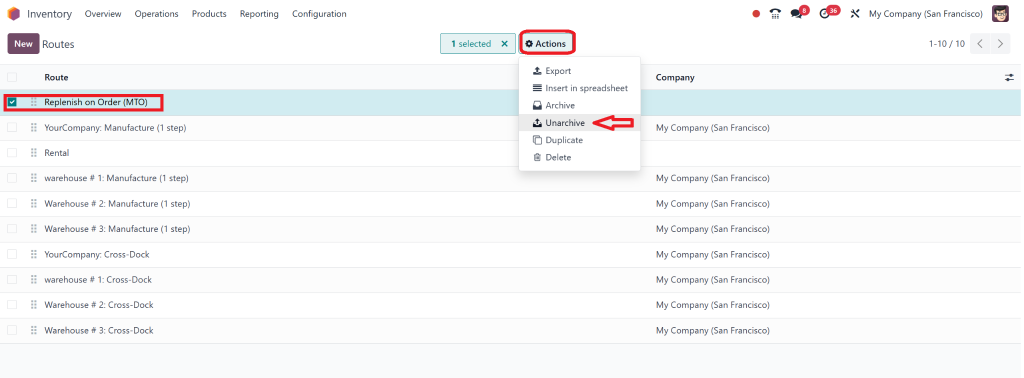
Then move to Configuration > Routes.
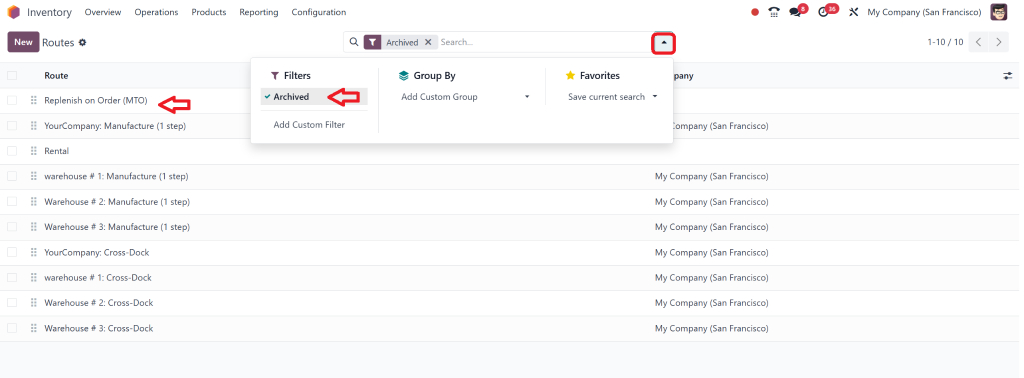
To get MTO, check “Archives.”
Select it, and from actions, choose “unarchive.”
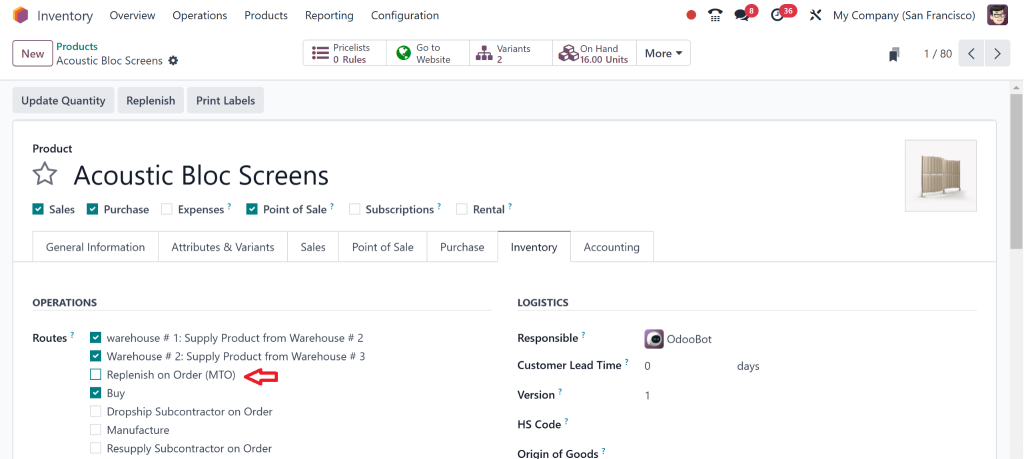
Then again,n go towards the Products.
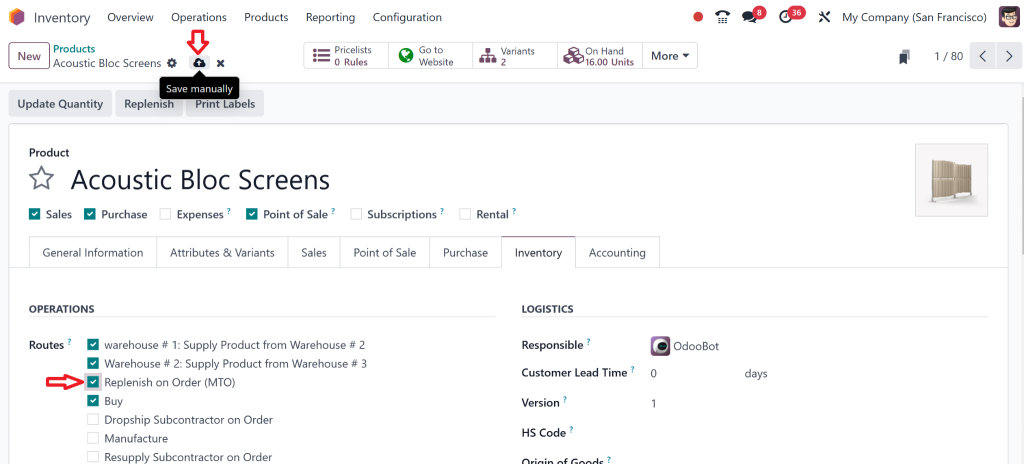
Now, here you can check the point of renewal on the order.r”
Enable it and click on save
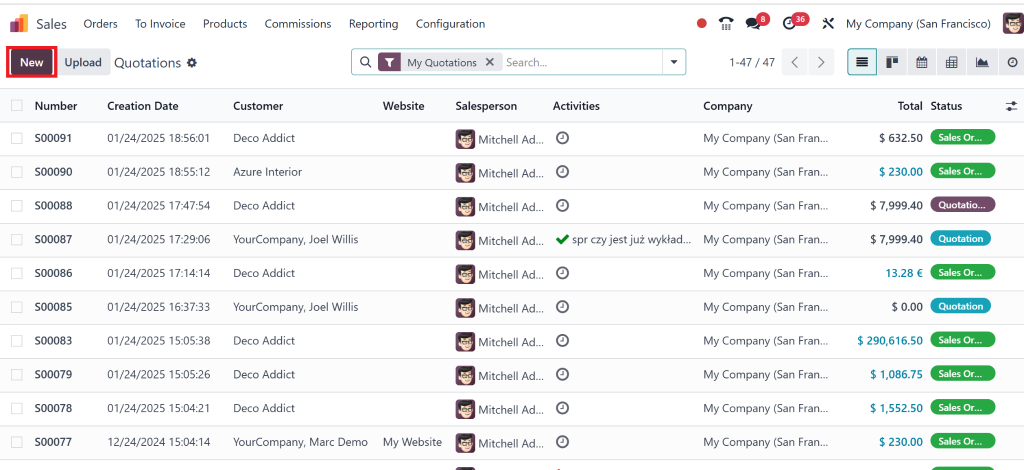
Then, we will create one new sales order.
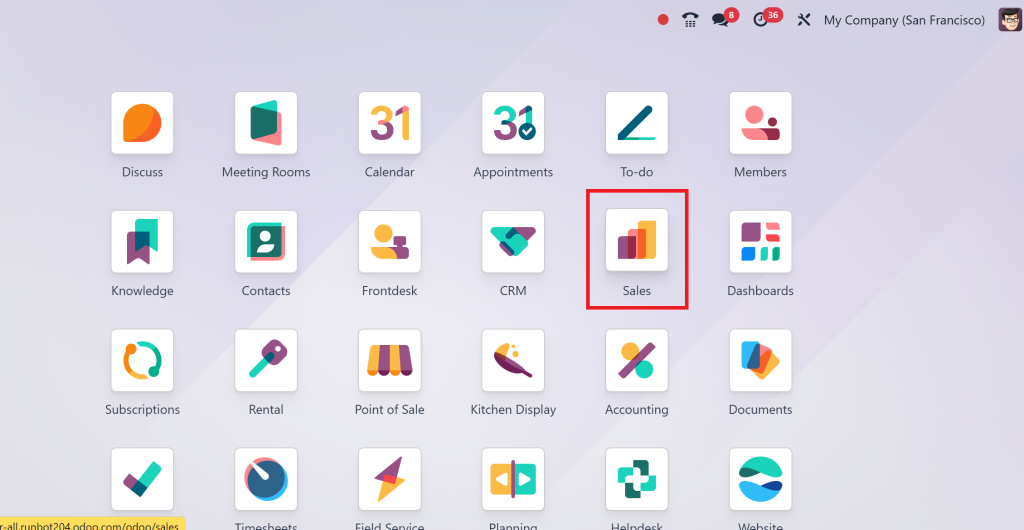
To do this, go to the sales module.
Click on “New.”
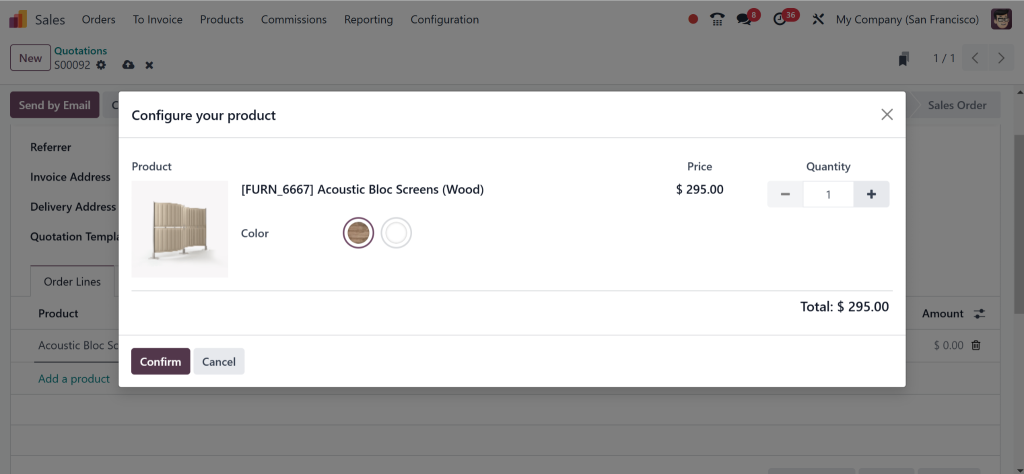
Select the Customer and add product details.
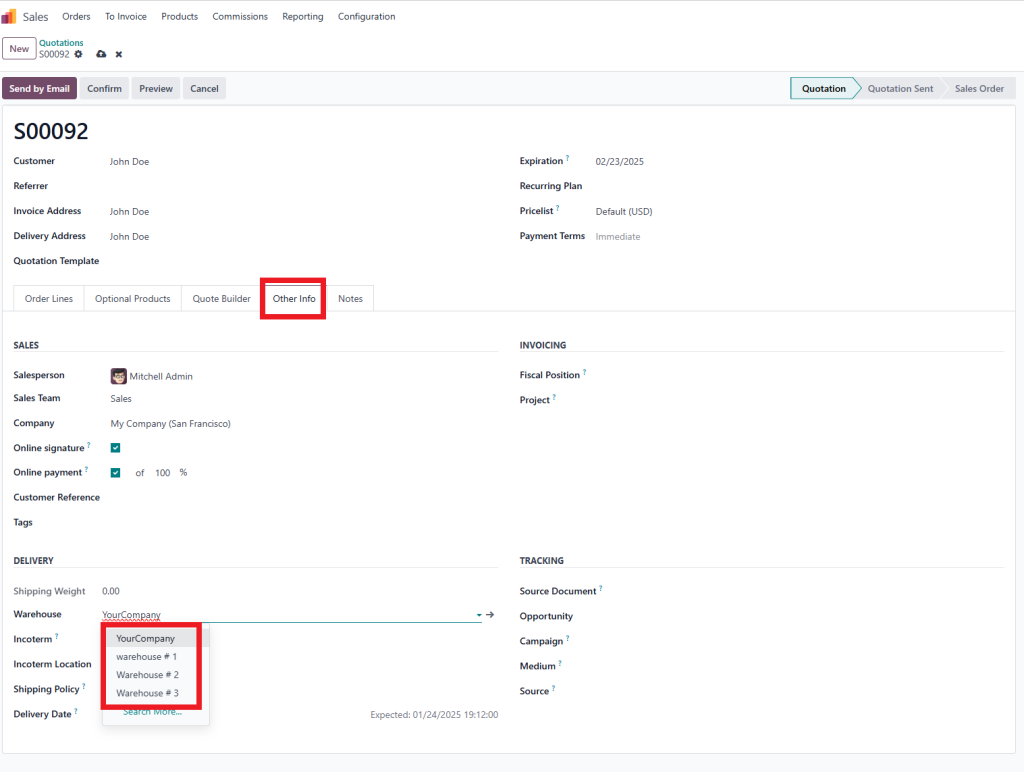
Then click on “Other info” and select the warehouse.
Select Warehouse # 1 and save it.
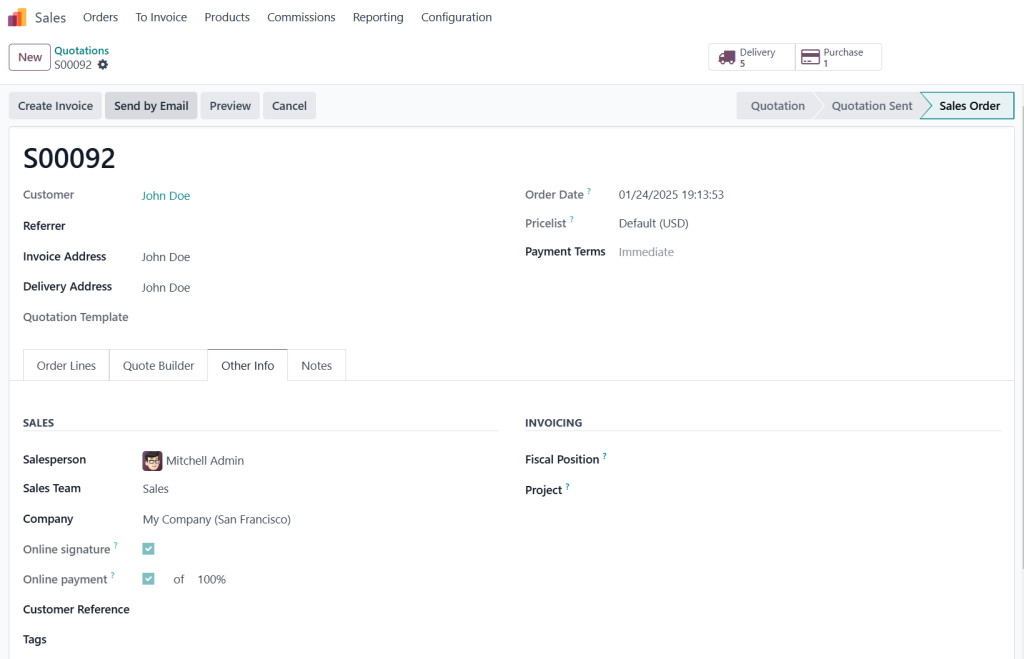
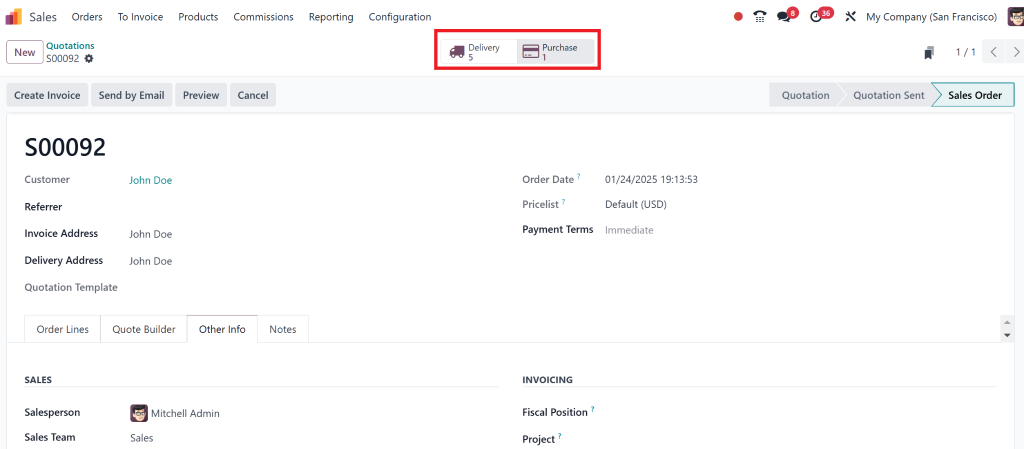
Click on “Confirm.”
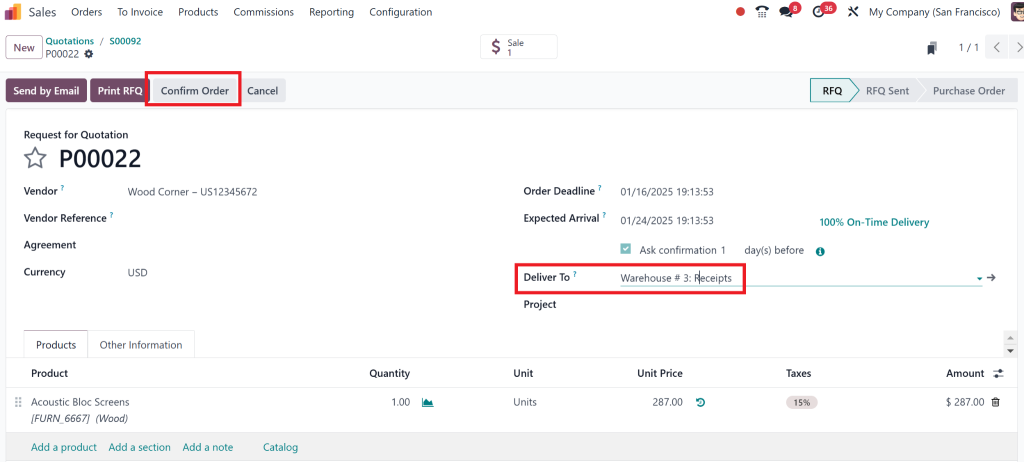
Delivery and purchase orders are automatically generated.
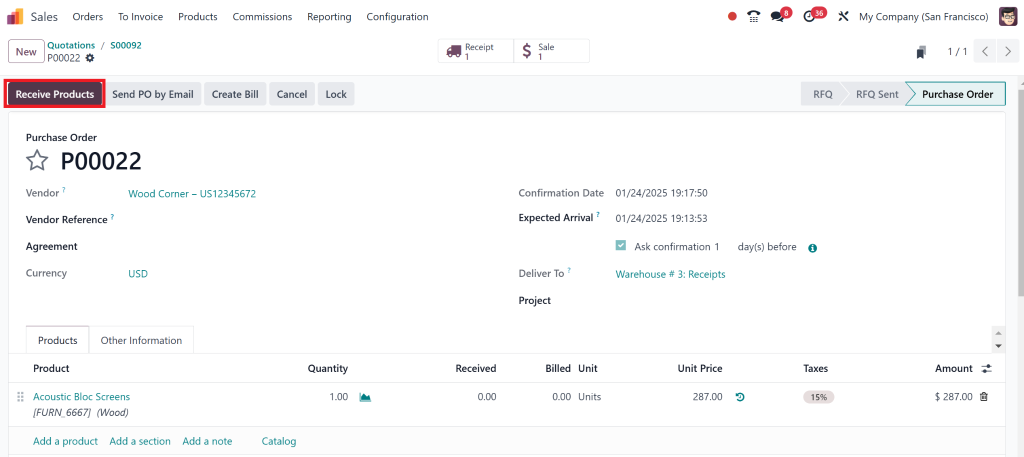
Confirm the order.
Click on receive the products.
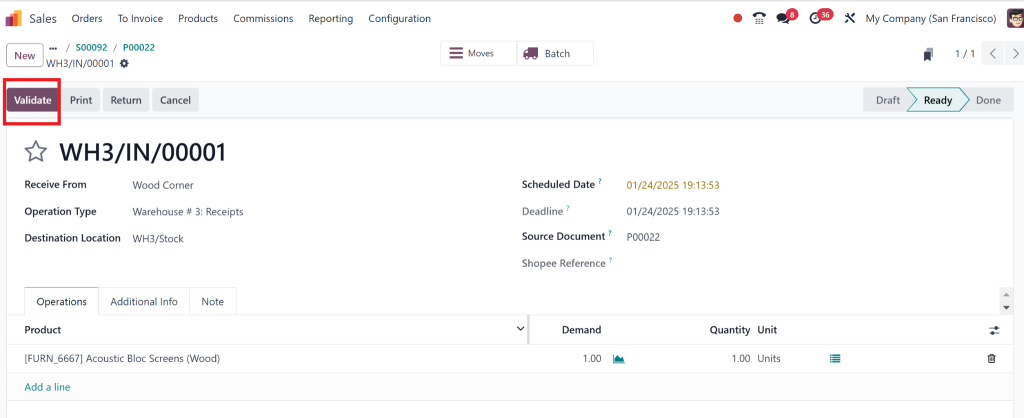
Then, validate it.
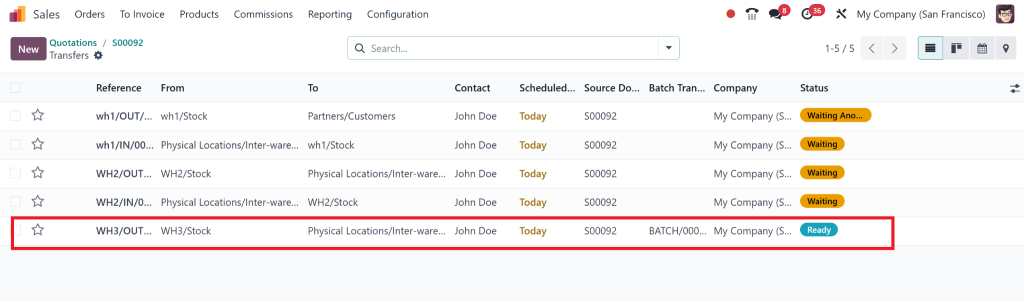
Here, you can see the Warehouse 3 stock is ready.
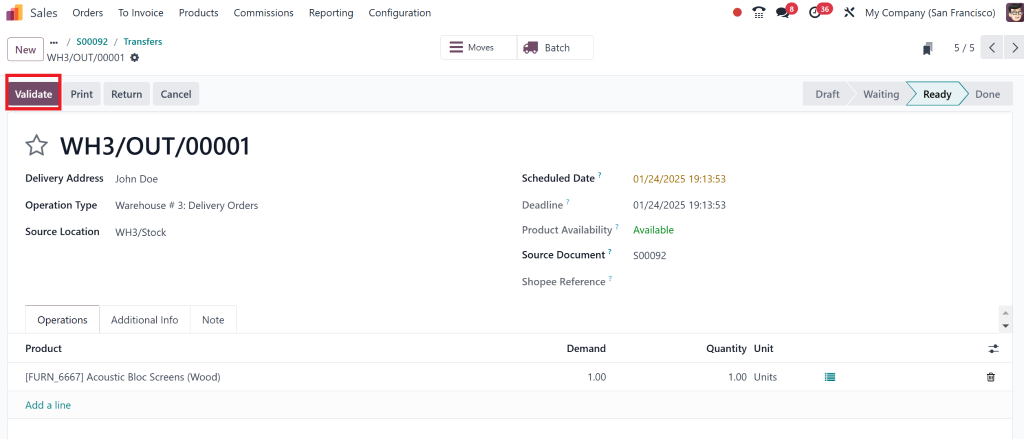
Validate the third warehouse.
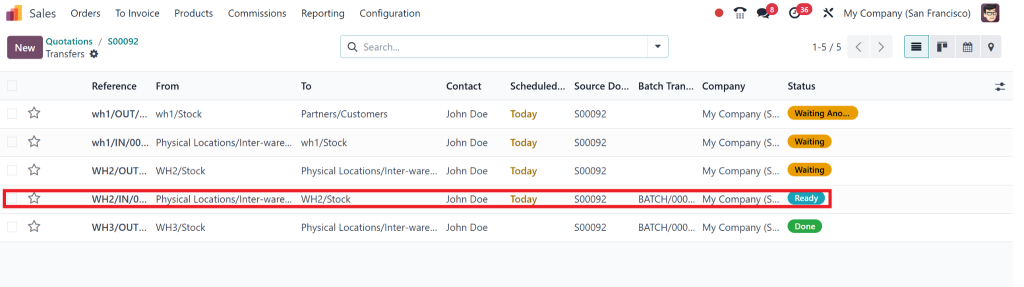
Now we can check that warehouse two is ready as it checks the availability of warehouse # 3.
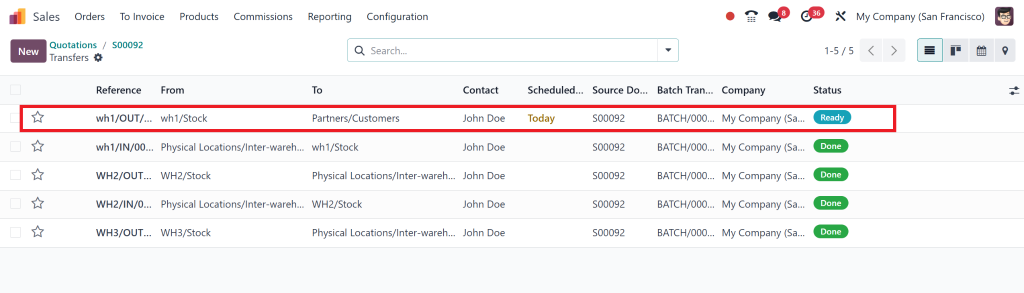
Validate warehouse # 2, and then see warehouse #1 become ready.
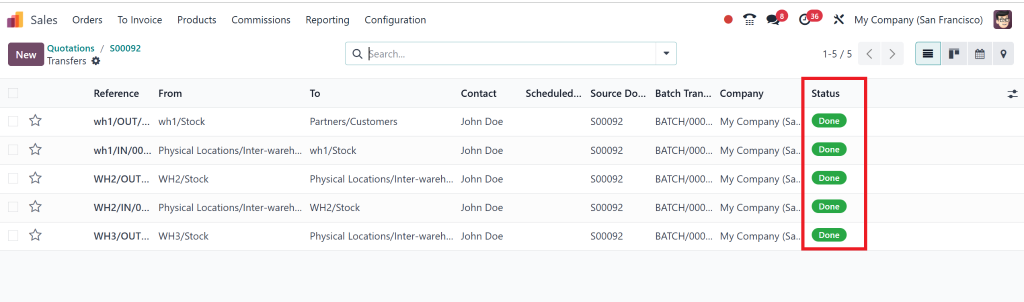
All deliveries are done.
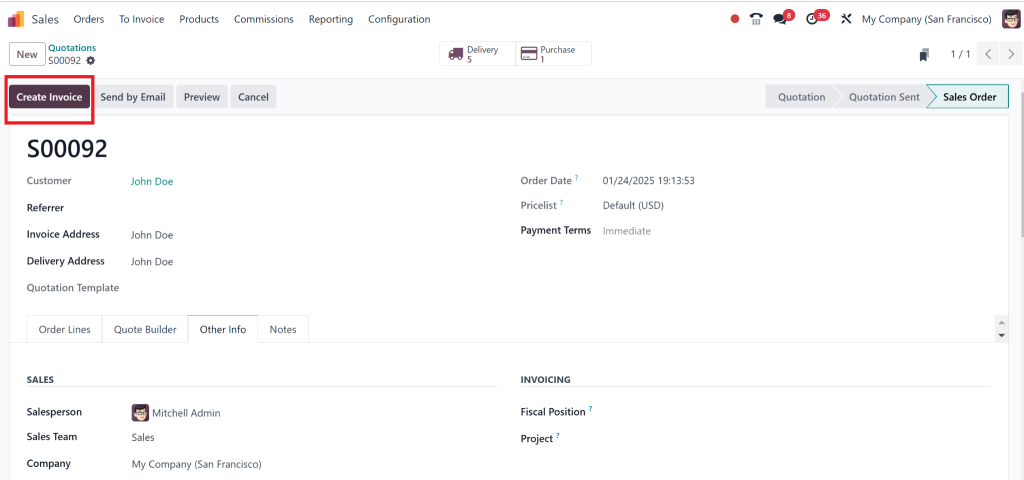
You can also create “invoice”.
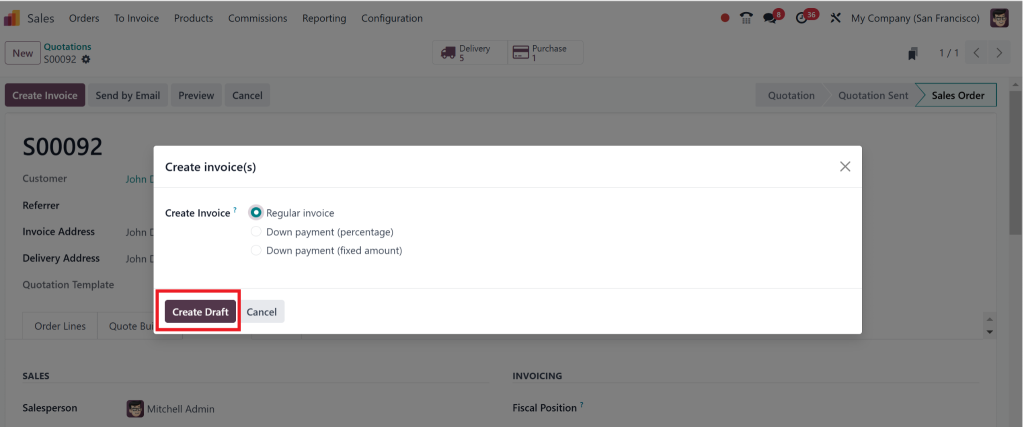
Create draft.
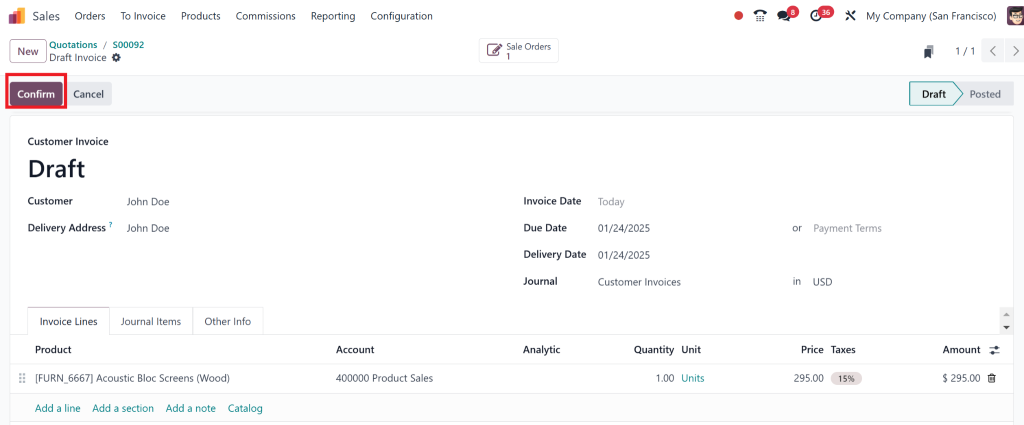
Then “Confirm” it.
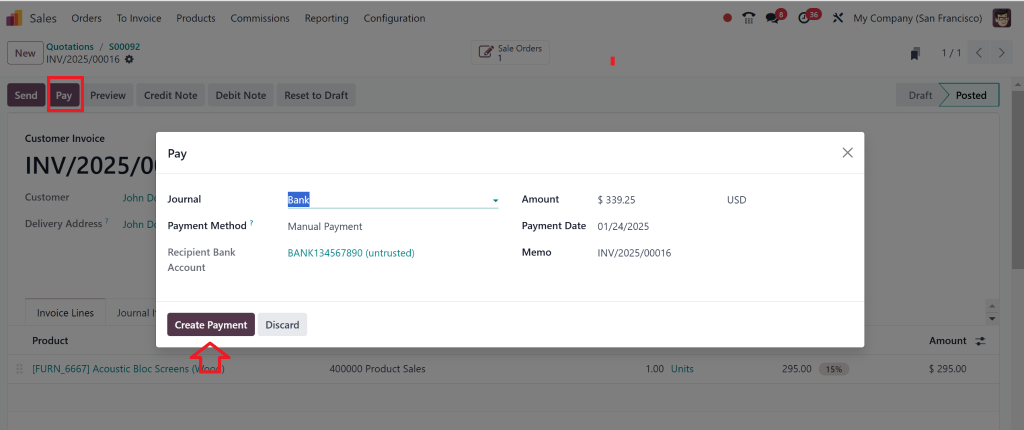
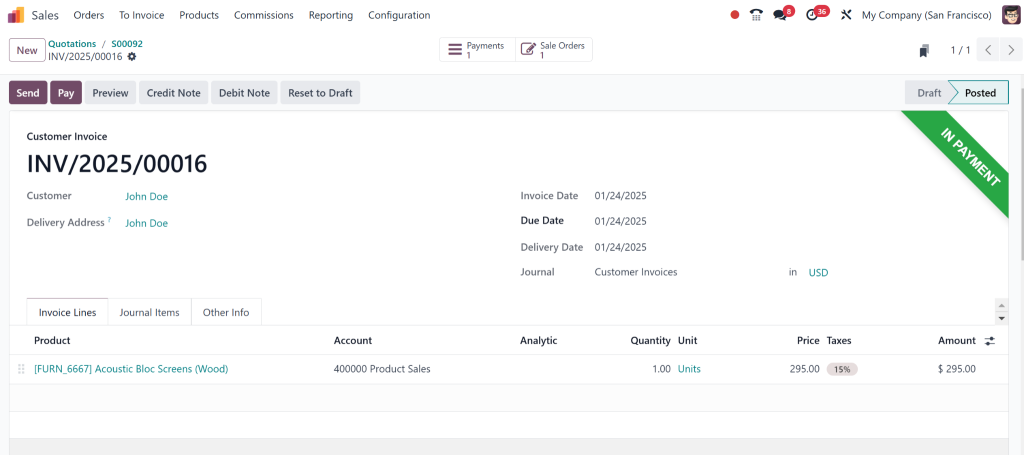
Then click on “pay” and create a payment.
Done.
The Must-Know Features of Odoo 18 Inventory Management
Inter-Warehouse Resupply Made Easy
Picture this: One warehouse is running low on stock, and another has a surplus. Instead of panicking, Odoo 18 inventory management automates the transfer, ensuring you’re always prepared. It’s like having a logistics expert working 24/7 in the background.
Why It Matters:
Avoid costly delays.
Ensure every location operates at peak efficiency.
Save time with automated workflows.
Smarter Stock Replenishment Rules
No more one-size-fits-all solutions. With Odoo 18 stock replenishment, you can customize rules that align with your business needs. Whether it’s a specific product or a seasonal trend, Odoo ensures you’re ready.
Why It Matters:
Tailor replenishments to your unique needs.
Reduce waste by avoiding overstocking.
Stay agile in fluctuating markets.
Real-Time Inventory Insights
Imagine knowing the exact status of your inventory at any moment. The Odoo warehouse management system offers real-time updates, so you’re never caught off guard. It’s like having eyes on every part of your supply chain.
Why It Matters:
Make informed decisions instantly.
Identify trends and inefficiencies.
Gain a competitive edge with actionable insights.
Integration Across Modules
Odoo 18 warehouse operations are unique because they can harmoniously integrate or implement other modules, such as Sales, Manufacturing, and Purchasing. This integration turns isolated processes into a synchronized machine.
Why It Matters:
Break down silos between departments.
Automate purchasing based on real-time inventory needs.
Create a unified, efficient workflow.
Simple Yet Powerful Configuration
The beauty of the Odoo 18 inventory resupply configuration lies in its simplicity. Even without technical expertise, you can set up workflows, define rules, and manage multiple warehouses naturally.
Why It Matters:
Get started quickly and efficiently.
Reduce training time for your team.
Focus on strategy instead of setup.
Real Businesses, Real Results
Retail Store Chain
A retail chain struggled with frequent stockouts and overstocked items, leading to frustrated customers and wasted resources. After switching to Odoo 18 warehouse resupply, they:
Automated stock transfers.
Improved stock accuracy by 40%.
Increased sales by ensuring products were always available.
Manufacturing Company
A mid-sized manufacturer faced production delays due to raw material shortages. By adopting Odoo 18 stock replenishment, they:
Efficient material resupply to the production floor.
Reduced downtime by 25%.
Boosted on-time delivery rates for customers.
Why Odoo 18 Is Your Competitive Edge
Here’s the truth: Managing inventory isn’t just about tracking numbers. It’s about staying agile, making wise decisions, and ensuring your business is always a step ahead. With the Odoo warehouse management system, you can:
Cut costs by reducing inefficiencies.
Improve customer satisfaction by avoiding stockouts.
Scale effortlessly as your business grows.
In short, Odoo 18 warehouse operations aren’t just a tool; they are a strategic advantage.
The Future of Inventory Management is here
With Odoo 18 warehouse resupply, you’re not just improving your processes; you’re transforming your business. Automate the tedious tasks, gain unparalleled insights, and watch your operations soar to new heights. The future of inventory management is here. Are you ready to embrace it?
Don’t let inefficiencies hold you back. Try Odoo 18 inventory management today and see the difference for yourself!
Hi, I'm Nabia, an Odoo ERP functional & technical content writer. I specialize in blogs, social media content, ad copy, landing pages, service pages, and email campaigns.
We use cookies to ensure that we give you the best experience on our website. If you continue to use this site we will assume that you are happy with it.