

Why Bank Reconciliation Models Matter in Odoo 19
Bank Reconciliation Models are one of the most valuable automation features in Odoo Accounting. If your finance team spends hours matching bank transactions manually, then learning how to use Bank Reconciliation Models can completely transform your accounting workflow.
Whether you are new to Odoo 19 bank reconciliation or already using bank reconciliation in Odoo 19, understanding Odoo 19 reconciliation models helps you reconcile transactions faster, reduce manual work, and improve financial accuracy.
Many businesses struggle with repetitive payment matching, bank fees, interest entries, and recurring transactions. Instead of processing every bank statement manually, Bank Reconciliation Models allow Odoo to automatically suggest or create accounting entries based on predefined rules.
In this guide, you’ll learn how to use reconciliation models in Odoo, configure Odoo bank reconciliation models, perform automatic bank reconciliation Odoo 19, and understand the complete Odoo accounting bank reconciliation process. Whether you want to reconcile bank statement in Odoo 19 or simply improve your accounting workflow, this Odoo 19 accounting tutorial will help you get started with confidence.
What Are Bank Reconciliation Models in Odoo 19?
Bank Reconciliation Models are predefined automation rules that help Odoo process incoming bank transactions without requiring manual intervention every time.
Instead of reviewing every transaction one by one, you can create rules that automatically recognize specific transactions and suggest the appropriate accounting treatment.
For example, whenever your bank deducts monthly service charges, Odoo can automatically:
- Identify the transaction
- Select the correct expense account
- Create the journal entry
- Complete the reconciliation
This significantly speeds up Odoo accounting bank reconciliation while minimizing human errors.
Some common transactions that can be automated include:
- Bank charges
- Payment gateway fees
- Loan installments
- Interest income
- Vendor payments
- Customer receipts
- Monthly subscriptions
- Utility payments
- Currency exchange differences
The more reconciliation models you create, the more intelligent your accounting process becomes.
Why Businesses Should Use Bank Reconciliation Models
Modern businesses process hundreds, or even thousands, of bank transactions every month. Reconciling each one manually consumes valuable time and increases the risk of mistakes.
Using Bank Reconciliation Models provides several advantages.
Save Time
Automation eliminates repetitive manual matching and allows accountants to focus on more strategic financial tasks.
Reduce Human Errors
Manual reconciliation often leads to incorrect account selection or duplicate entries. Reconciliation models minimize these mistakes.
Improve Financial Accuracy
Consistent rules ensure every similar transaction is handled the same way, improving reporting accuracy.
Faster Month-End Closing
When most bank transactions are automatically reconciled, month-end closing becomes much quicker.
Better Audit Trail
Each reconciliation follows predefined rules, making audits easier and ensuring financial transparency
How Odoo 19 Bank Reconciliation Works
Before learning how to use reconciliation models in Odoo, it’s important to understand the overall Odoo 19 bank reconciliation workflow.
The process generally follows these steps:
Step 1: Import Bank Statements
Bank statements can be imported through:
- CSV files
- CAMT files
- OFX files
- Direct bank synchronization
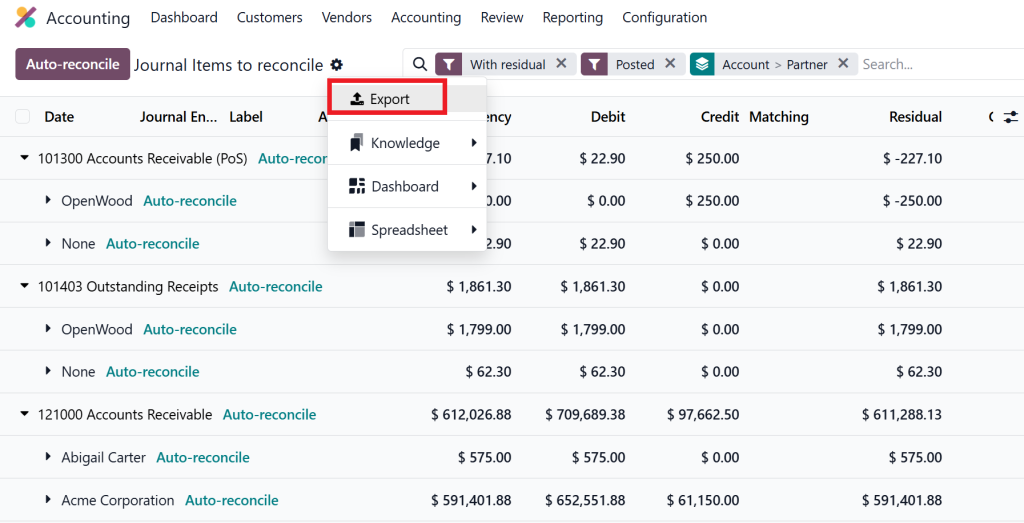
Once imported, transactions appear in the bank journal.
Step 2: Odoo Analyzes Transactions
Odoo compares each transaction with:
- Customer invoices
- Vendor bills
- Existing payments
- Previous reconciliation rules
If a matching transaction is found, Odoo suggests reconciliation automatically
Step 3: Reconciliation Models Are Applied
If a transaction matches one of your configured Odoo 19 reconciliation models, Odoo automatically proposes the correct accounting treatment.
Examples include:
- Monthly bank fees
- Payment gateway commissions
- Interest earned
- Loan repayments
Step 4: Accountant Reviews Suggestions
The accountant only needs to review and confirm the suggested reconciliation.
This dramatically reduces processing time.
How to Create Bank Reconciliation Models in Odoo 19
Now let’s look at the complete process of creating Odoo bank reconciliation models.
Navigate to Accounting Settings
Open:
Accounting → Cash → Reconciliation Models
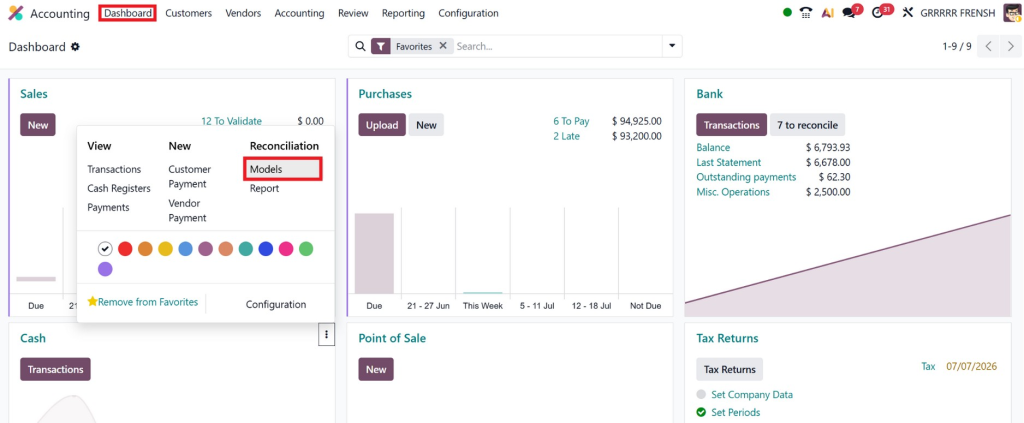
Click New.
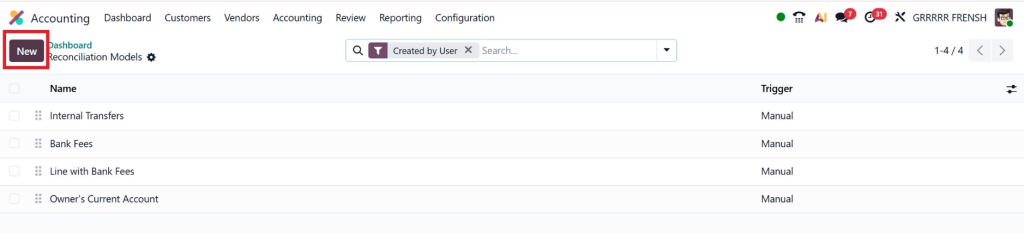
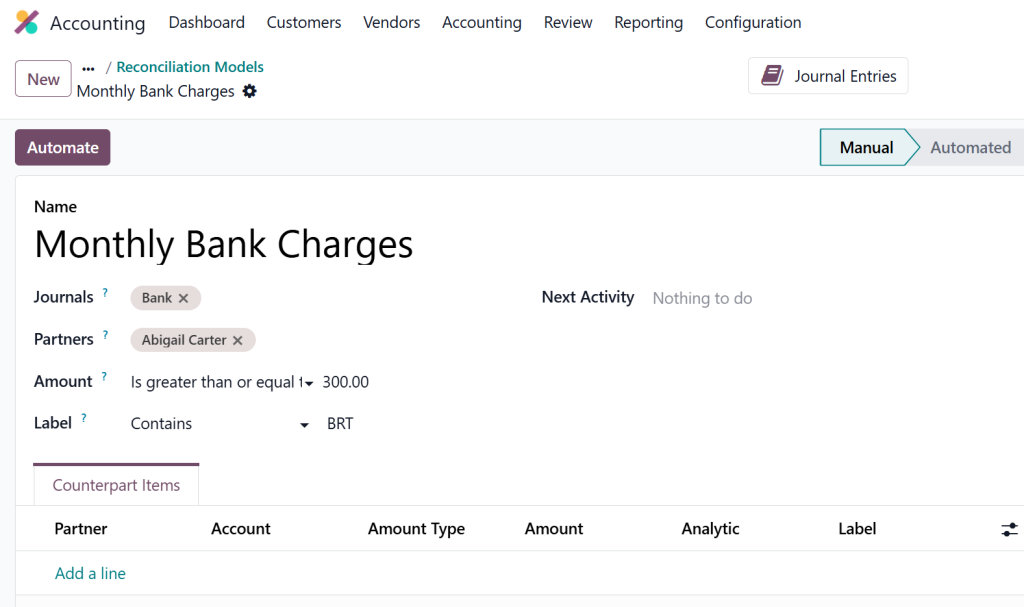
Give Your Model a Name
Choose a descriptive name such as:
- Monthly Bank Charges
- Stripe Fees
- PayPal Commission
- Interest Income
- Utility Payments
Clear naming helps maintain your accounting system as more models are added.
Choose Matching Conditions
Define when the model should be applied.
Conditions may include:
- The transaction label contains certain words
- Transaction amount
- Partner
- Payment reference
- Bank account
- Journal
For example:
If the label contains:
Service Charge
then apply the model automatically.
Configure Accounting Entries
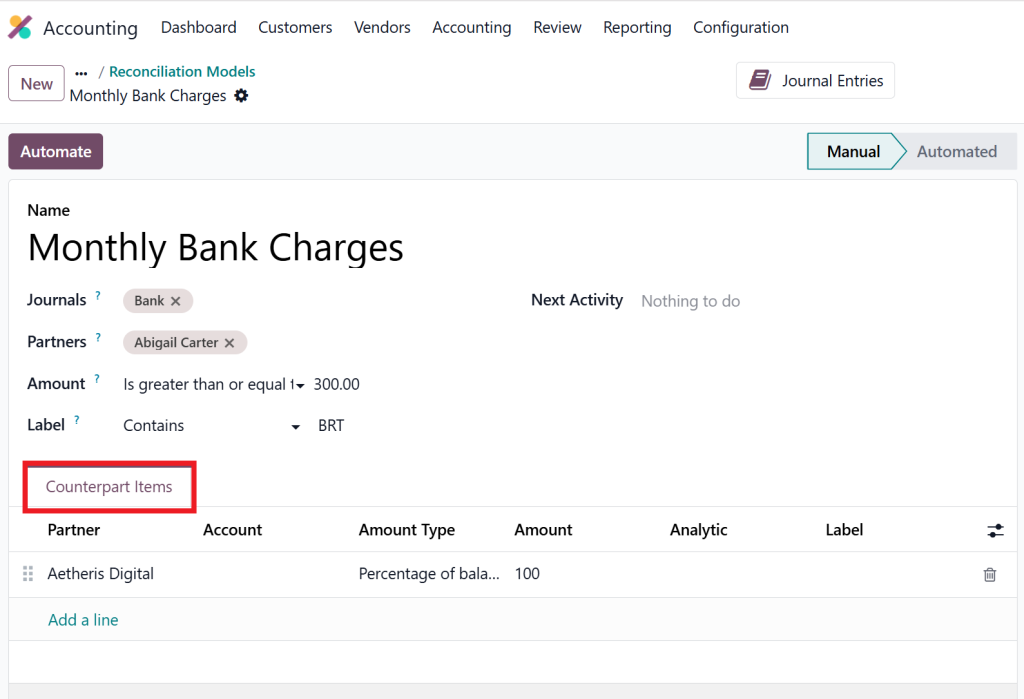
Specify:
- Expense Account
- Revenue Account
- Taxes (if applicable)
- Analytic Account
- Partner
- Journal
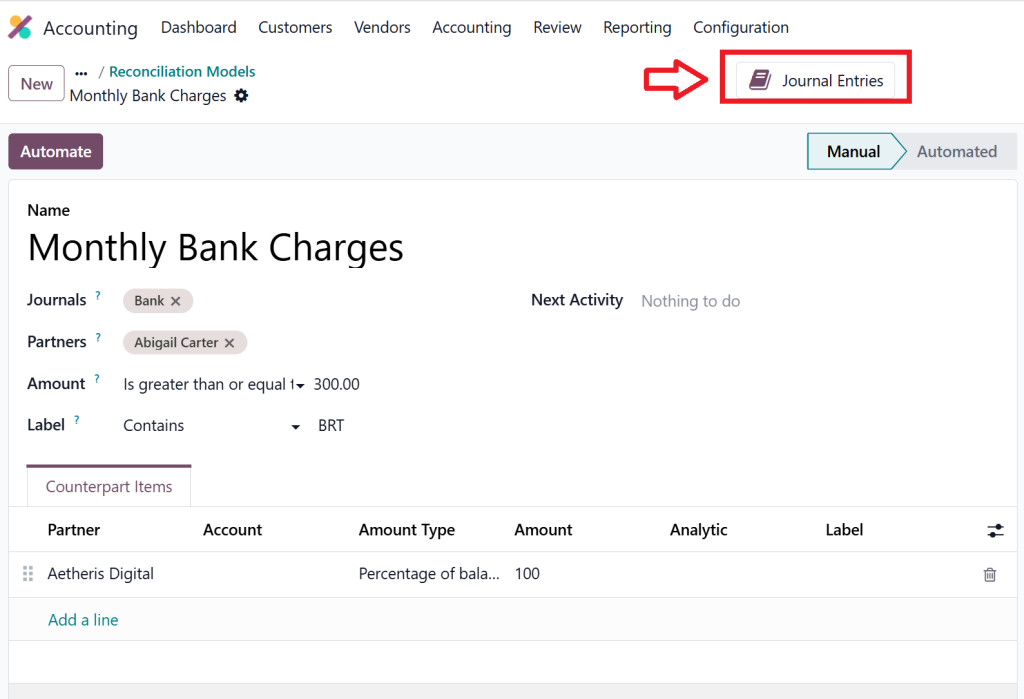
This tells Odoo exactly how the transaction should be recorded.
Enable Automatic Validation
If you’re confident with the rule, enable automatic validation.
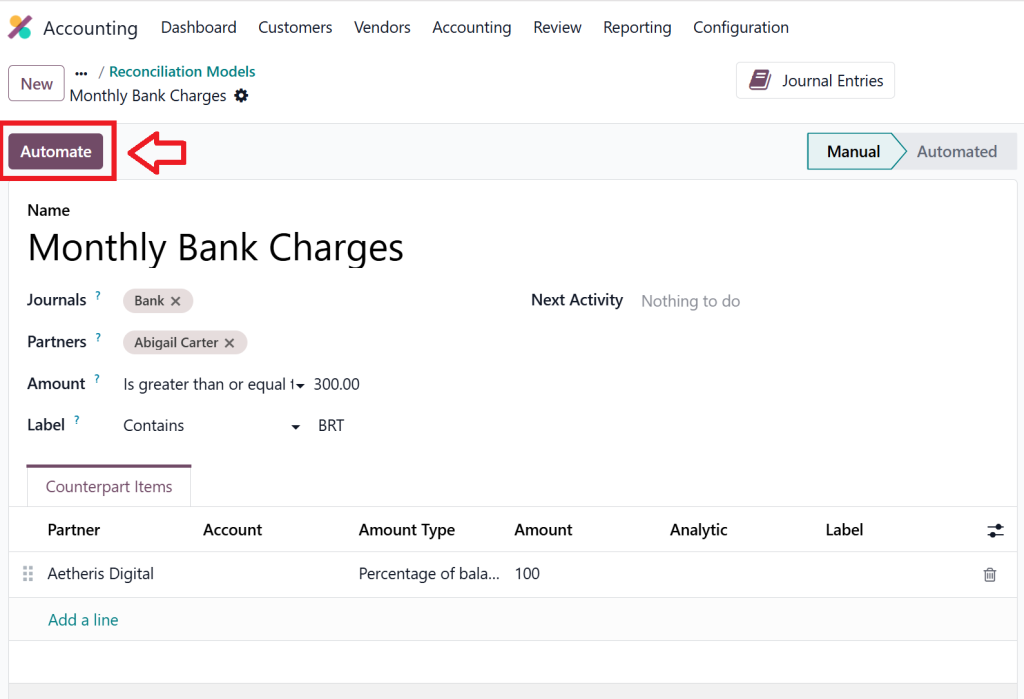
Odoo will then process matching transactions without manual approval.
This is one of the most powerful features for automatic bank reconciliation Odoo 19.
Practical Examples of Reconciliation Models
Let’s explore some real-world examples.
Example 1 – Monthly Bank Charges
Suppose your bank deducts:
$25 every month.
Create a model:
Condition:
Label contains:
Bank Charges
Action:
- Expense Account → Bank Charges
- Automatically reconcile
Now every month, Odoo handles this transaction automatically.
Example 2 – Interest Income
If your bank pays monthly interest:
Condition:
Label contains:
Interest
Action:
- Income Account → Interest Income
No manual journal entry required.
Example 3 – Payment Gateway Fees
Businesses using Stripe or PayPal often receive payments after commission deductions.
Create a model that:
- Detects Stripe Fee
- Posts commission expense
- Reconciles payment automatically
This saves hours every month.
Example 4 – Loan Installments
Loan repayments typically include:
- Principal
- Interest
A reconciliation model can automatically allocate each portion to the correct account.
Example 5 – Utility Payments
Recurring electricity or internet payments can also be automated.
Once configured, every payment follows the same accounting treatment.
Best Practices for Using Odoo 19 Reconciliation Models
To maximize the benefits of Odoo 19 reconciliation models, follow these recommendations.
Use Clear Conditions
Avoid broad rules that might match unrelated transactions.
Instead of:
Contains:
Payment
Use:
Contains:
Stripe Fee
or
Bank Charges
Test Before Automation
Always test new reconciliation models with sample transactions.
Verify:
- Correct account selection
- Tax application
- Journal entries
- Partner assignment
Keep Models Organized
Group similar models together.
Examples:
- Bank Charges
- Customer Payments
- Vendor Payments
- Interest
- Loan Payments
This makes future maintenance easier.
Review Models Regularly
Banks sometimes change transaction descriptions.
Update your rules periodically to maintain accuracy.
Use Multiple Conditions
The more specific the conditions, the better Odoo identifies the correct transactions.
Common Mistakes to Avoid
Even though Bank Reconciliation Models are easy to configure, certain mistakes can create accounting problems.
Using Generic Keywords
A rule like:
Contains:
Payment
may incorrectly match many unrelated transactions.
Wrong Ledger Account
Always verify the account assigned to each model.
Posting bank charges to the wrong expense account affects financial reports.
Ignoring Testing
Never activate automatic validation without testing.
Run several sample reconciliations first.
Too Many Overlapping Rules
Multiple rules with similar conditions can confuse the reconciliation engine.
Keep rules simple and unique.
Forgetting Updates
As your business grows, review your reconciliation models regularly.
Lorem ipsum dolor sit amet, consectetur adipiscing elit. Ut elit tellus, luctus nec ullamcorper mattis, pulvinar dapibus leo.
Why Choose Netilligence for Odoo Accounting Implementation?
Implementing Odoo is much more than installing software. Every business has unique accounting processes, banking workflows, reporting requirements, and compliance needs.
At Netilligence, we help businesses unlock the full power of Odoo Accounting through expert implementation, customization, and ongoing support. Whether you’re a small business looking to automate daily bookkeeping or a growing enterprise managing high transaction volumes, our certified Odoo professionals ensure your accounting system is configured for maximum efficiency.
Our services include:
- Odoo 19 Accounting implementation
- Bank reconciliation setup
- Reconciliation model configuration
- Financial reporting customization
- Data migration
- Multi-company accounting
- Multi-currency support
- User training
- Ongoing technical support
- Workflow automation
We don’t just deploy Odoo, we tailor it to your business processes, helping you reduce manual work, improve financial accuracy, and gain real-time visibility into your finances. With optimized Bank Reconciliation Models, your accounting team can save hours every month while maintaining accurate financial records.
Whether you’re implementing Odoo for the first time or upgrading your existing accounting system, Netilligence is your trusted partner for reliable, scalable, and future-ready Odoo solutions.
Bank Reconciliation Models Are One of the Smartest Automation
Bank Reconciliation Models are one of the smartest automation features available in Odoo 19 Accounting. They eliminate repetitive manual work, improve financial accuracy, and significantly reduce the time spent reconciling bank transactions.
By implementing Odoo bank reconciliation models, businesses can automate recurring entries such as bank charges, interest income, payment gateway fees, loan installments, and utility payments. This not only streamlines daily accounting operations but also supports faster month-end closing and more reliable financial reporting.
Whether your goal is to master Odoo 19 bank reconciliation, configure Odoo 19 reconciliation models, perform automatic bank reconciliation Odoo 19, or simply reconcile bank statement in Odoo 19 more efficiently, investing time in setting up these models is well worth the effort.
If you’re looking to get the most out of Odoo Accounting, Netilligence can help. Our experienced Odoo consultants provide end-to-end implementation, customization, and support tailored to your business needs. Contact us today to discover how we can help automate your accounting processes and transform the way you manage your finances.




