

Understanding Odoo 19 Accounting Invoice Payment Status
Odoo 19 Accounting makes invoice and payment management much easier, but sometimes an invoice can appear to be stuck at “In Payment” even after the customer has paid. This can be confusing, especially when your Odoo invoice payment status does not match the actual payment situation.
In Odoo 19 Accounting, an Odoo invoice stuck in payment usually means the payment has been registered, but Odoo has not yet fully matched or reconciled it with the invoice. When an Odoo invoice in payment remains in this state, the invoice may still not be treated as completely paid. This is where Odoo payment reconciliation, Odoo invoice payment, Odoo bank reconciliation, and the process of how to reconcile payments in Odoo become important.
For businesses handling many daily transactions, an Odoo invoice not marked as paid can create confusion in customer accounts, outstanding receivables, financial reports, and cash-flow tracking. The good news is that this issue is usually related to the payment workflow rather than a serious accounting error.
This guide explains why invoices can remain in payment, what happens behind the scenes, how to identify the problem, and how professional Odoo configuration and support can help your business avoid these issues.
What Does “In Payment” Mean in Odoo 19 Accounting?
In Odoo 19 Accounting, an invoice can move through different stages depending on its payment status. When a customer payment is registered, Odoo records the transaction and links it to the relevant customer account.
However, registering a payment and reconciling a payment are not always the same thing.
For example, imagine a customer owes your company $5,000. You receive the money into your bank account and register the payment in Odoo. The payment may temporarily appear as “In Payment.”
This tells you that Odoo has recorded the payment, but the payment may still need to be reconciled with the corresponding bank transaction or invoice.
Once the payment is correctly matched and reconciled, the invoice can move to “Paid.”
This distinction is important because businesses often assume that recording a payment automatically means the invoice is completely settled. In reality, the payment workflow can involve several steps.
“In Payment” vs “Paid”
The difference is simple:
- In Payment: Payment has been registered, but the accounting process may not be fully reconciled.
- Paid: The invoice has been fully settled, and the relevant payment has been reconciled.
Understanding this difference helps you troubleshoot an Odoo invoice payment status without unnecessarily changing accounting entries.
Why Is Your Odoo Invoice Stuck in Payment?
There are several reasons an invoice may remain in payment. Identifying the exact cause is the first step toward fixing it.
1. The Payment Has Not Been Reconciled
One of the most common reasons is incomplete Odoo payment reconciliation.
The payment may exist in the system, but it has not been matched with the correct invoice or accounting transaction. Until the relevant entries are reconciled, Odoo may continue showing the invoice as being in payment.
This commonly happens when payments are entered manually or when bank transactions are imported separately.
2. Bank Reconciliation Is Still Pending
Odoo bank reconciliation plays an important role in confirming that the transaction recorded in Odoo matches the actual transaction appearing on the bank statement.
For example, suppose your customer pays $2,000 through a bank transfer. You record the payment in Odoo, but the corresponding $2,000 bank transaction has not yet been reconciled.
The invoice may remain in the “In Payment” state until the bank transaction is matched correctly.
3. The Wrong Payment Method Was Used
Payment methods and journals determine how transactions are recorded.
If a payment is registered using an incorrect journal or payment method, Odoo may not process the transaction as expected. This can result in an Odoo invoice not marked as paid, even though the payment appears in the accounting records.
4. The Payment Was Linked to the Wrong Invoice
Another possible reason is that the payment was applied to the wrong customer invoice.
If a customer has multiple outstanding invoices, selecting the wrong invoice during payment registration can leave the intended invoice unpaid.
Checking the customer ledger and payment details can help identify this problem.
5. Partial Payment Was Recorded
If the customer has only paid part of the invoice, the invoice may naturally remain unpaid or partially paid.
For example, if an invoice is worth $10,000 and the customer pays $6,000, Odoo should not consider the invoice fully settled. The remaining $4,000 still needs to be paid.
Before trying to force an invoice to “Paid,” always confirm whether the payment amount actually covers the full invoice.
How to Reconcile Payments in Odoo 19 Accounting
If your invoice is stuck in payment, the next step is to review the payment and reconciliation process.
Step 1: Open the Customer Invoice
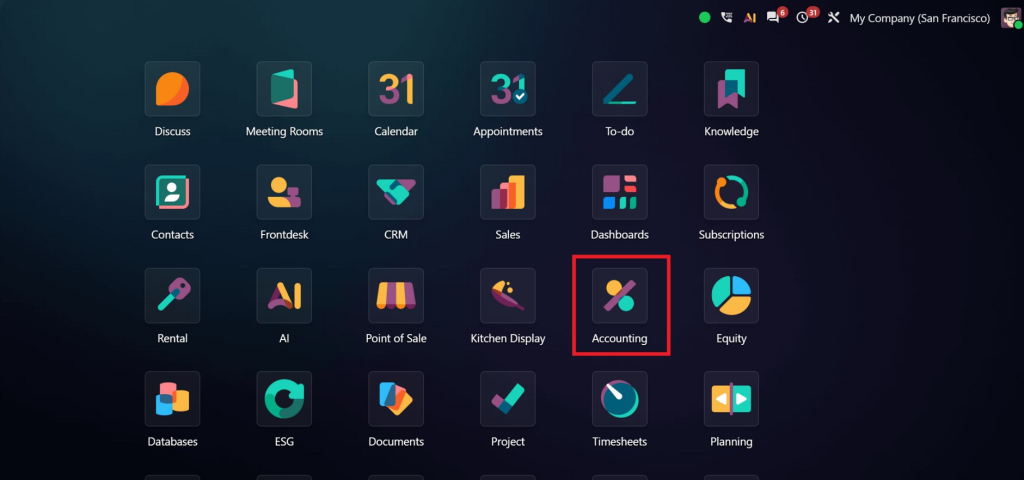
Go to the Accounting application and locate the relevant customer invoice.
Review the invoice status and payment information. Check the amount due, payment details, and related journal entries.
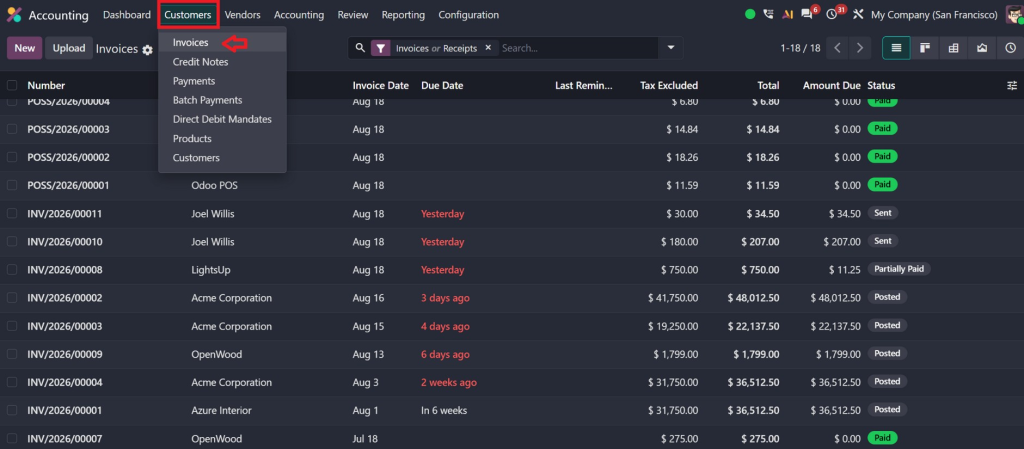
This gives you a starting point for understanding why the invoice has not moved to “Paid.”
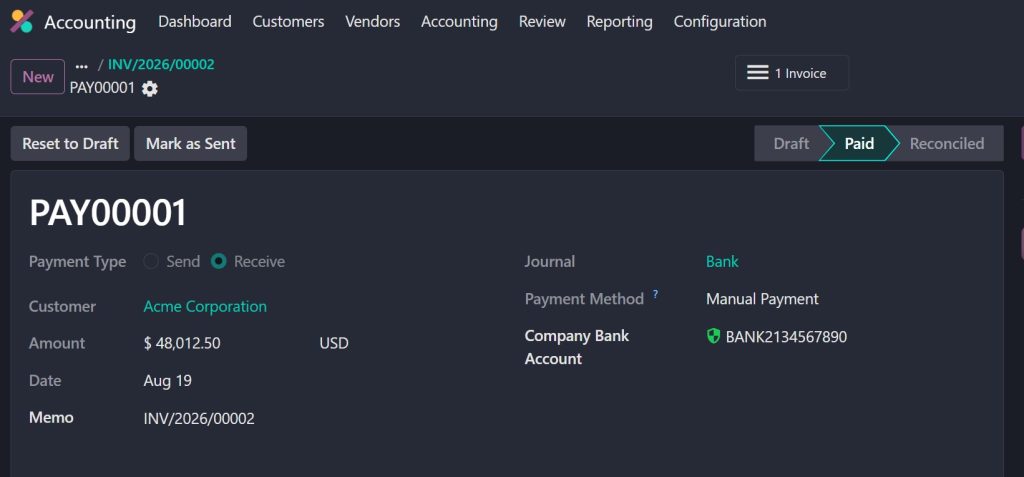
Step 2: Review the Registered Payment
Open the payment associated with the invoice.
Check:
- Payment amount
- Customer
- Payment date
- Journal
- Payment method
- Related invoice
- Payment status
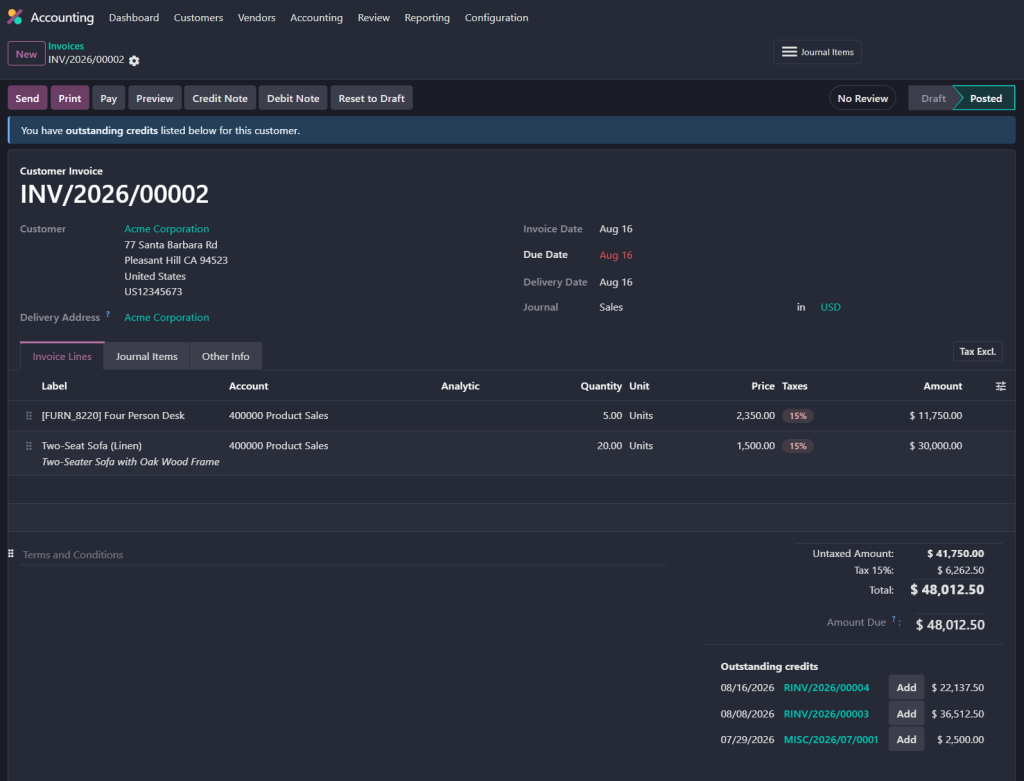
Make sure the payment amount matches the invoice and that the payment belongs to the correct customer.
Step 3: Check the Bank Transaction
If the payment was made through a bank, review the relevant bank transaction.
This is where Odoo bank reconciliation becomes especially important. The transaction imported from the bank should correspond to the payment recorded in Odoo.
If Odoo identifies a matching transaction, review the proposed match before confirming it.
Step 4: Complete the Reconciliation
Once you confirm that the payment and bank transaction belong together, complete the reconciliation.
This allows Odoo to connect the accounting entries correctly.
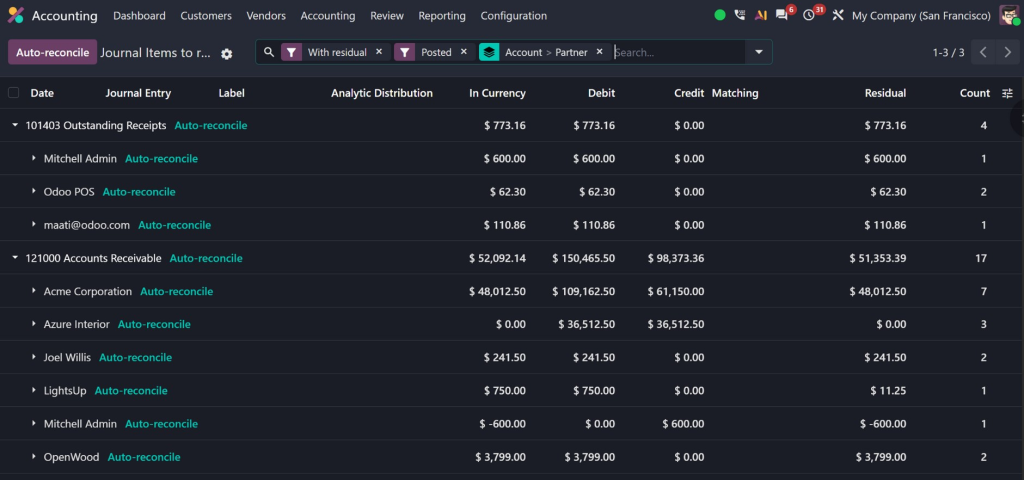
After successful reconciliation, the invoice should reflect the appropriate payment status.
Step 5: Verify the Invoice Again
Return to the invoice and check whether the status has changed.
If the full amount has been received and properly reconciled, the invoice should be marked as Paid.
If it still shows “In Payment,” investigate the journal, payment configuration, outstanding accounts, and reconciliation entries before making manual changes.
Common Mistakes That Keep an Odoo Invoice in Payment
Sometimes the problem is not the invoice itself but the way payments are being processed.
A common mistake is registering payments without completing the related reconciliation. Businesses may also manually create accounting entries instead of following the standard payment workflow.
Another issue is using incorrect outstanding payment accounts or journal configurations. If these accounts are not configured according to the company’s accounting workflow, payments may not move through the expected stages.
Duplicate payments can create another problem. For example, if a bank transaction is imported and a payment is also manually created without properly matching them, Odoo may have separate entries representing the same transaction.
Incorrect customer allocation can also cause issues. A payment received from one customer but assigned to another account will not correctly settle the intended invoice.
Finally, businesses sometimes try to change an invoice’s status manually without understanding the accounting entries behind it. This can create reporting inconsistencies and make future reconciliation more difficult.
That is why it is better to identify the underlying cause instead of simply trying to force the invoice into a “Paid” state.
How Odoo 19 Accounting Makes Payment Management Easier
When properly configured, Odoo 19 Accounting can provide a structured workflow for managing invoices, customer payments, bank transactions, and reconciliation.
Instead of maintaining separate spreadsheets to track which customers have paid, your finance team can use Odoo to monitor outstanding invoices and payment activity from a centralized system.
The benefits include:
- Better visibility into customer payments
- Faster identification of outstanding invoices
- Easier bank reconciliation
- More accurate receivable reports
- Reduced manual accounting work
- Improved payment tracking
- Better financial control
For companies processing a high volume of transactions, this can make a significant difference.
However, software alone is not enough. Your Odoo environment needs to be configured according to your business processes. Payment journals, outstanding accounts, bank feeds, reconciliation rules, and accounting workflows all need to work together.
When Should You Get Professional Odoo Support?
If an invoice remains stuck in payment occasionally, your accounting team may be able to identify and resolve the issue internally.
But if the problem happens repeatedly, it may indicate a configuration or workflow issue.
For example, if several invoices remain in payment even after customers have paid, or your accounting team frequently has to reconcile transactions manually, it may be time to review your Odoo setup.
Professional Odoo support can help you examine:
- Accounting configuration
- Payment journals
- Bank journals
- Outstanding payment accounts
- Reconciliation workflows
- Customer invoice processes
- Bank synchronization
- Payment methods
- Reporting requirements
At Netilligence, we help businesses configure and optimize Odoo around the way they actually work. Instead of simply fixing individual invoice issues, our team can review the broader accounting workflow and identify what is causing repeated payment and reconciliation problems.
This means your finance team can spend less time searching for mismatched transactions and more time focusing on financial operations.
Get Your Odoo Invoice Payment Workflow Back on Track
An Odoo invoice stuck in payment is usually not something to panic about. In many cases, the payment has been recorded but still needs to be properly matched or reconciled.
The key is understanding the difference between recording an Odoo invoice payment and completing Odoo payment reconciliation. Checking the payment, bank transaction, journal, customer, and reconciliation status can usually reveal where the process has stopped.
With the right configuration, Odoo 19 Accounting can give your business a much clearer and more reliable payment workflow. But when recurring reconciliation problems start affecting your finance team, professional support can save time and prevent accounting inconsistencies.
If your business is experiencing invoices stuck in payment, incorrect payment statuses, or difficult bank reconciliation, Netilligence can help you review, configure, and optimize your Odoo accounting workflow so your finance operations work the way they should.




