How to Create Booths and Rooms in Odoo 18 Event Module?
Exploring the Odoo 18 Event Module
Event management requires precision and flexibility, especially when dealing with complex setups like trade shows, conferences, and exhibitions. The Odoo 18 Event Module is an exceptional tool to rationalize these processes. From enabling you to create booths in Odoo to managing event rooms in Odoo efficiently, this module offers a complete suite of event management features to help you organize events effortlessly.
This article delves into the intricacies of setting up event spaces in Odoo, showcasing the Odoo event booth creation guide and offering a comprehensive Odoo 18 events tutorial. By the end, you’ll understand How to Create Booths and Rooms in Odoo 18 event module. The Odoo 18 ERP Event Module can revolutionize event planning, ensuring smooth execution and enhanced attendee satisfaction.
An Overview of Odoo 18 Event Module
The Odoo 18 ERP Event Module is an all-encompassing event management tool designed for businesses of all sizes. It integrates flawlessly with other Odoo modules to provide a cohesive experience, empowering users to create booths in Odoo and manage event rooms in Odoo with minimal effort.
Key Features of the Module
Booth Creation: Allows easy setting up of event spaces in Odoo, ensuring precise allocation and tracking of booths.
Room Management: Offers tools to organize rooms for various activities, including conferences, workshops, and panels.
Customizability: Modifies events to specific requirements with customizable settings.
Analytics and Reporting: Provides insights into event performance, helping businesses optimize future endeavours.
User-Friendly Interface: Simplifies tasks, even for non-technical users, while maintaining professional-grade results.
How to Create Booths and Rooms in Odoo 18 Event Module: Step-by-Step Guide
Why Booth Creation Matters
Booths are essential for trade shows, expos, and other similar events. They provide exhibitors with dedicated spaces to showcase their products or services. Odoo 18 simplifies this process with its intuitive event booth creation guide, ensuring efficient organization.
Step 1: Launch the Odoo 18 Event Module
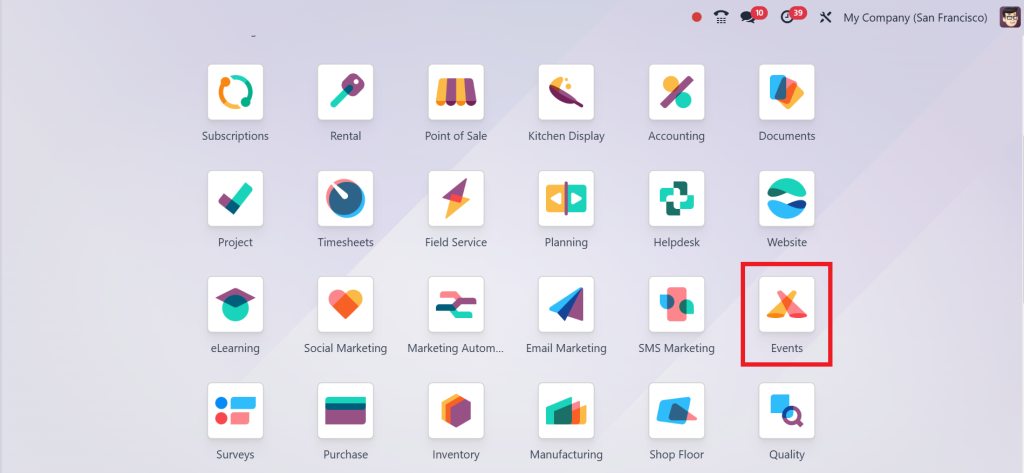
Log in to the Odoo platform. Open the Event Module from the application’s dashboard.
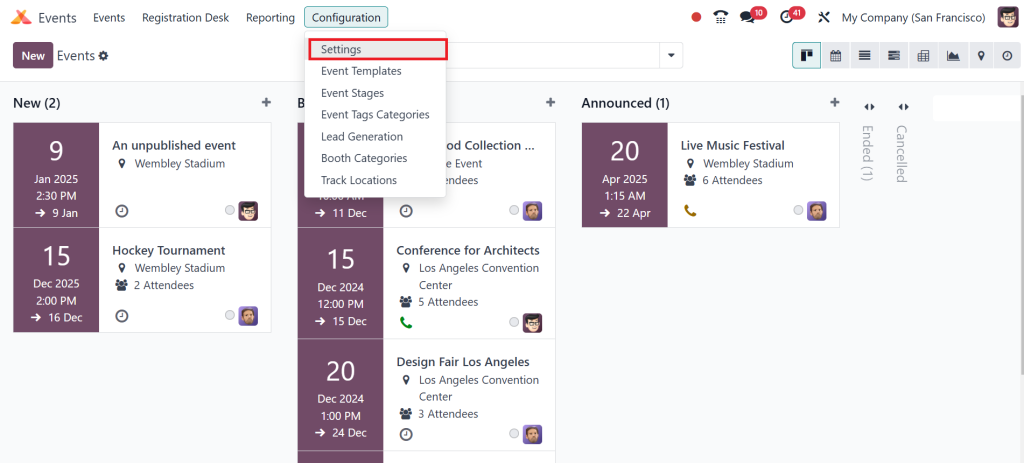
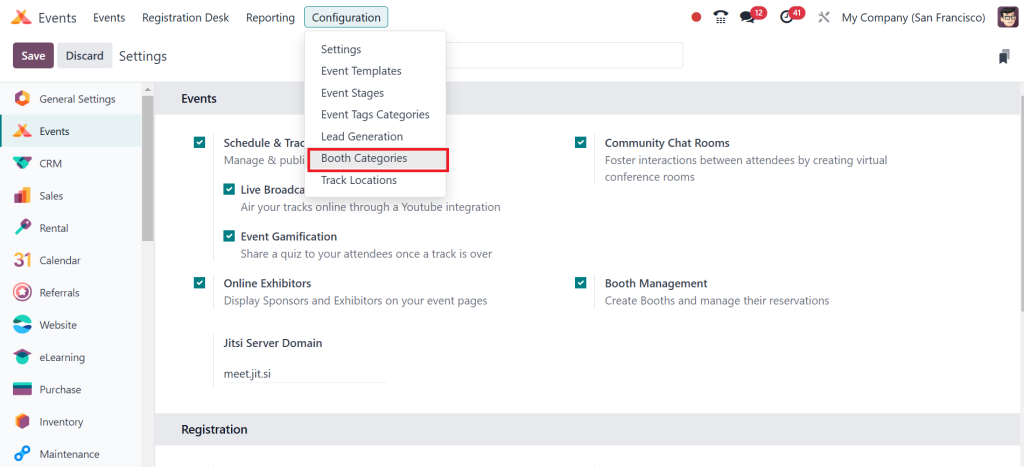
Go to Configuration > Settings.
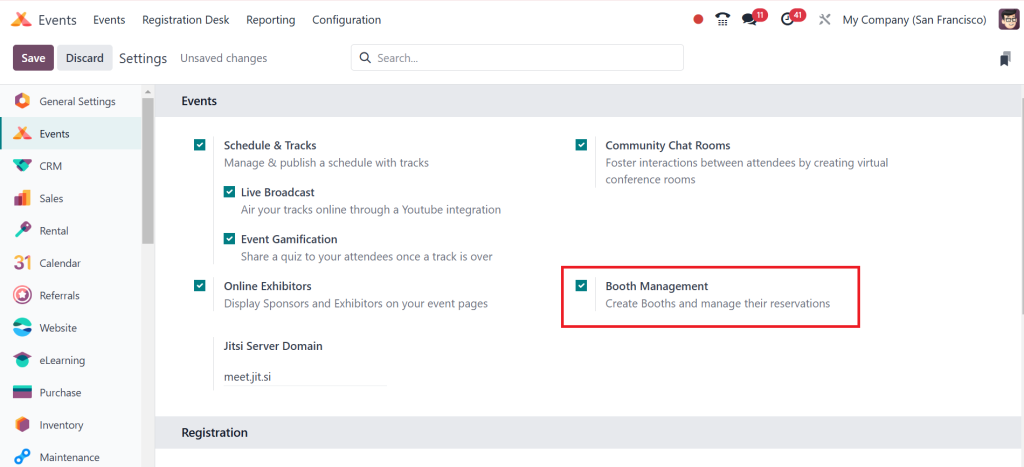
Tick the ‘‘Booth Management’’ option.
Step 2: Configure Booths
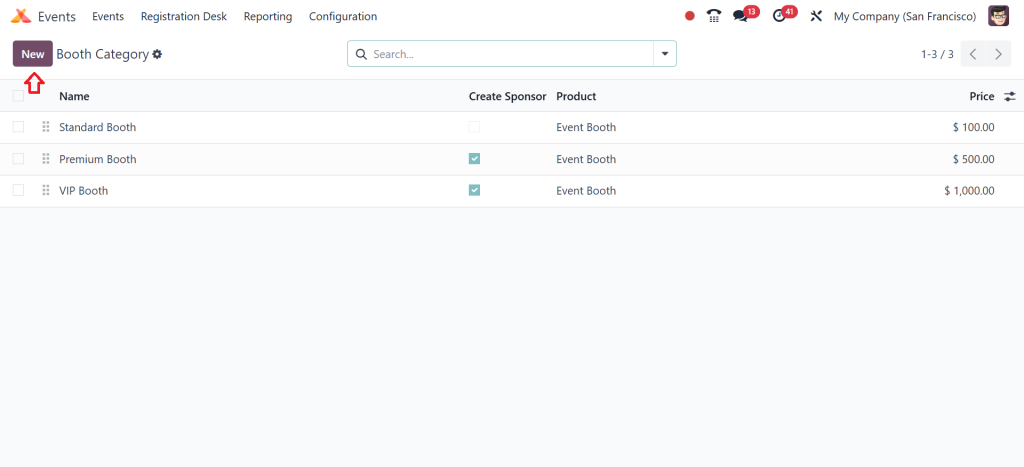
Direct to Configuration > Booth Categories.
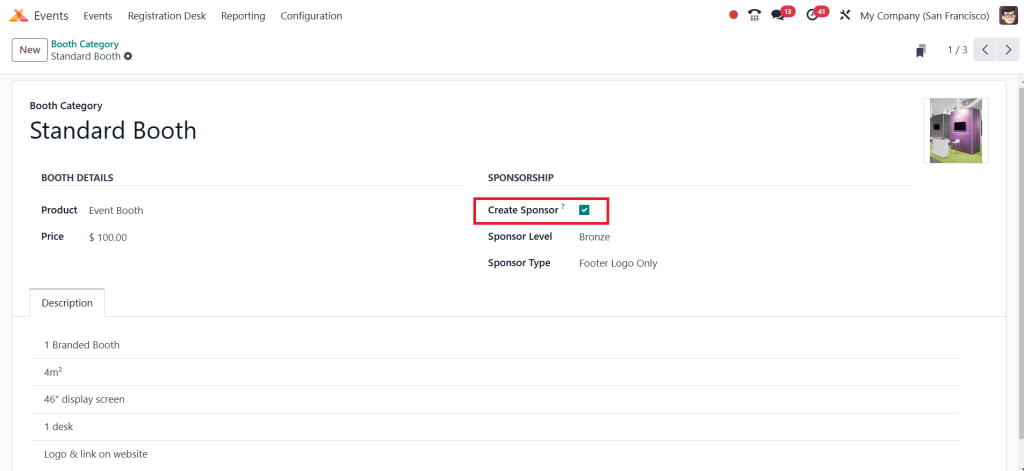
Click “New” and fill the details,
Such as booth name, product, size, and dimensions, check the ‘‘Create Sponsor’’ then save the changes.
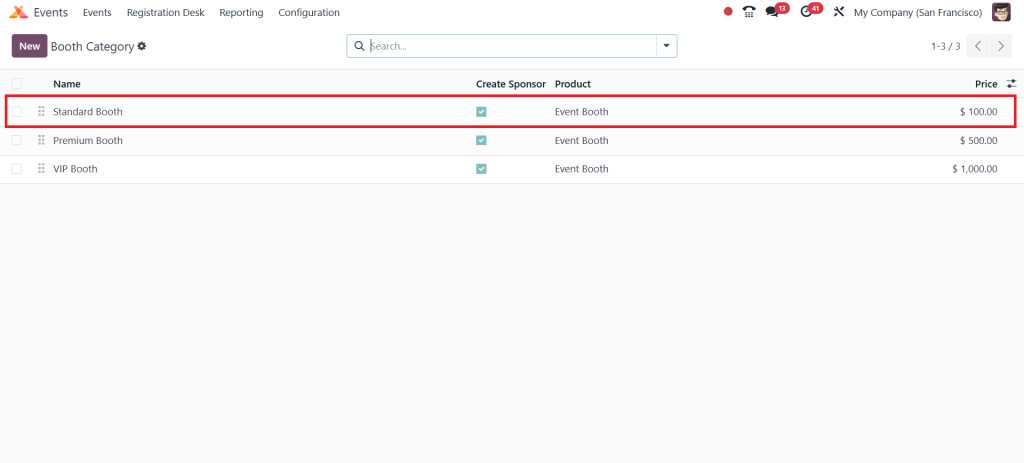
So, the created booth is visible along with the other list in the booth category.
Step 3: Access to Event Module
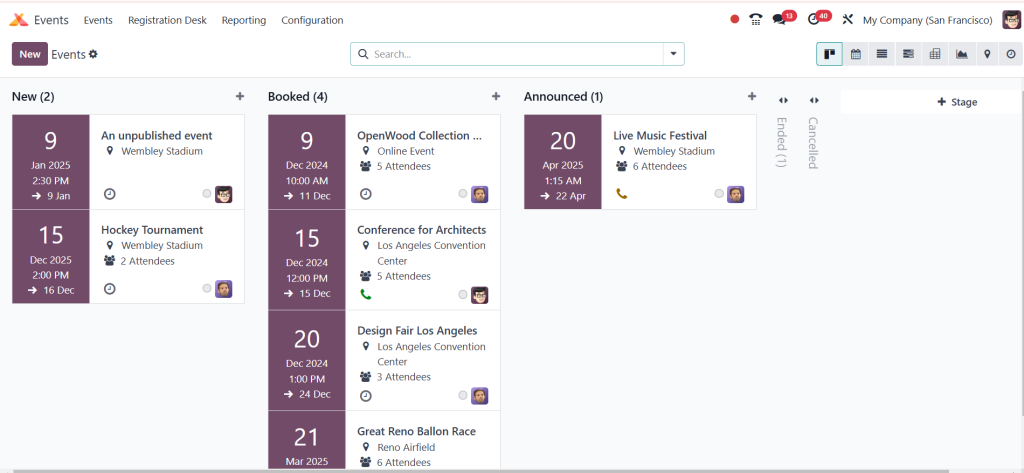
Go to the events tab and select one of your created events.
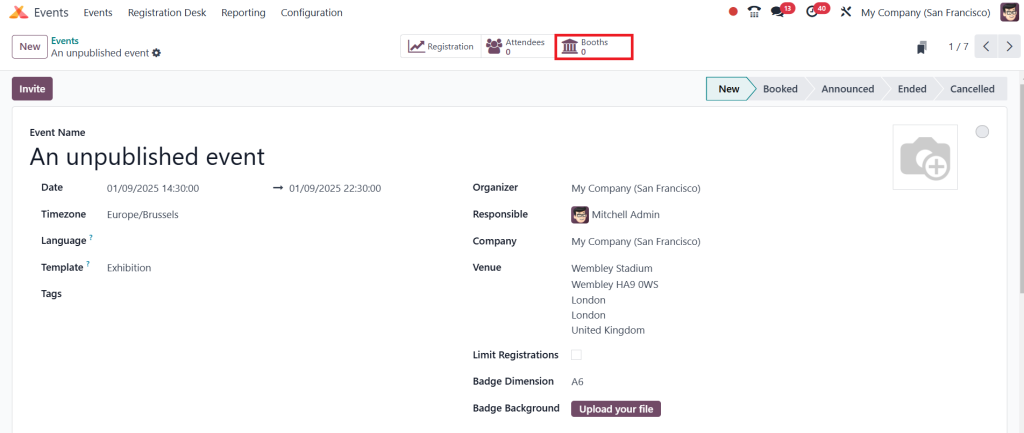
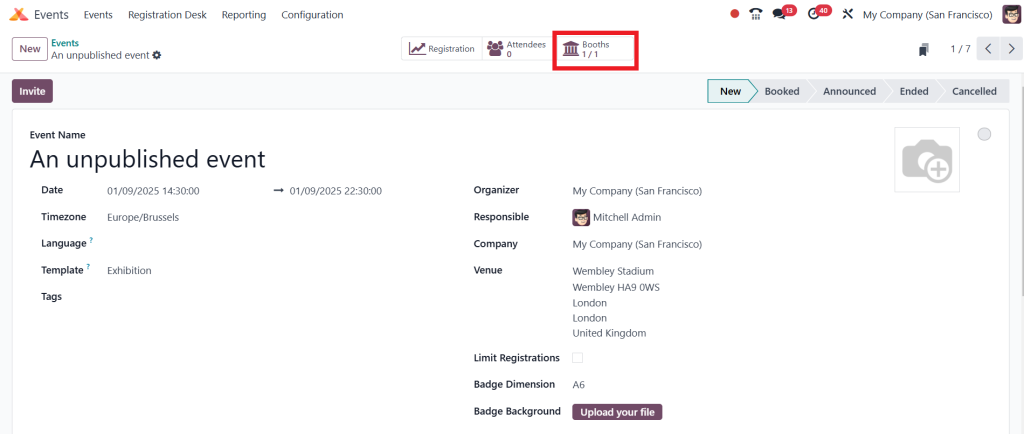
Here you can see the smart button called ‘‘Booths’’ Click on this button.
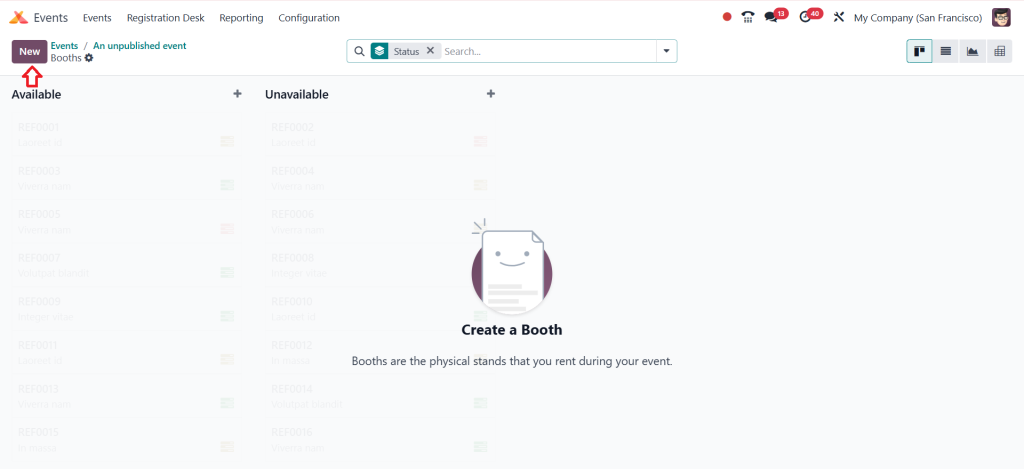
So, after pressing the ‘‘Booth’’ button a new page opens, you can click on the ‘‘New’’.
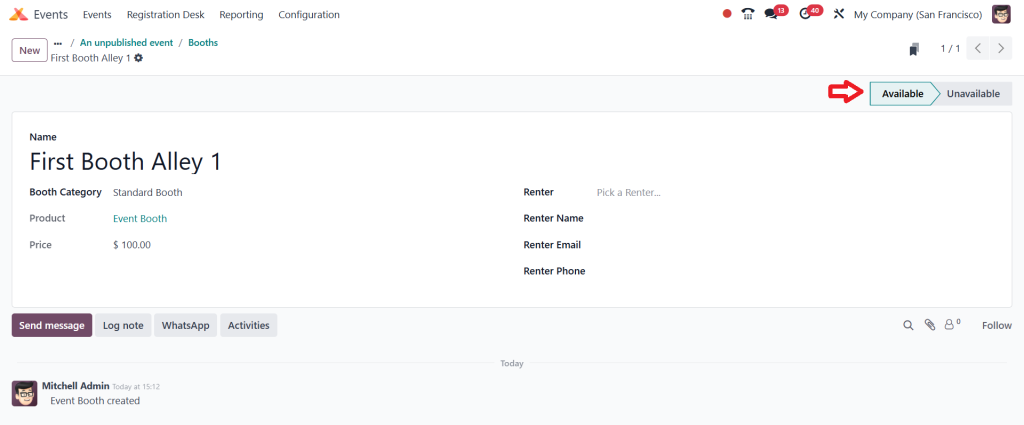
Then you can create a new booth from here; after entering all the details click on save.
As you can see, the number of booths is viewable in this event’s window.
Tips for Booth Optimization
Strategic Placement: Ensure high-traffic areas are prioritized for premium exhibitors.
Efficient Allocation: Avoid overlaps and maintain clear boundaries between booths.
Use Visual Tools: Leverage Odoo’s layout preview to optimize booth arrangements.
Managing Event Rooms in Odoo
Event rooms are crucial in hosting sessions, workshops, and panels. Efficient management of event rooms in Odoo ensures smooth scheduling and enhances the attendee experience.
Best Practices for Room Management
Allocate rooms during the initial setup phase.
Match room size with expected attendance to optimize space.
Leave buffer time between sessions to accommodate overruns.
Odoo Event Management Features in Detail
Integration Capabilities
The module integrates with CRM, sales, and marketing applications, creating a smooth event management ecosystem.
Real-Time Reporting
Get actionable insights into attendee engagement, booth sales, and room utilization.
Customization Options
Modify event elements, such as booth pricing and room arrangements, to suit unique requirements.
Benefits of Using Odoo 18 ERP Event Module
Automates repetitive tasks.
Reduces errors in booth and room assignments.
Adapts to events of all sizes.
Setting Up Event Spaces in Odoo
Booth and Room Layout Optimization
Creating efficient layouts for booths and rooms ensures better steering and maximized utility.
Tips for Booth Layouts
Use wide aisles to enhance traffic flow.
Position key exhibitors strategically for maximum visibility.
Tips for Room Layouts
Opt for modular furniture arrangements for versatility.
Ensure audio-visual equipment is placed conveniently.
Odoo 18 Events Tutorial: Common Challenges and Solutions
Challenges
Overlapping Room Schedules
Booth Space Conflicts
Real-Time Changes
Solutions
Use Odoo’s conflict detection tools during room assignments.
Define booth dimensions clearly and use layout previews to avoid overlaps.
Leverage Odoo’s dynamic update capabilities for last-minute adjustments.
Leveraging Analytics for Future Success
Performance Metrics to Track
Identify high-performing exhibitors.
Optimize future allocations.
Using Reports for Decision-Making
Adjust pricing strategies based on booth demand.
Refine room scheduling practices based on attendee feedback.
Revolutionizing Event Planning with Odoo 18
The Odoo 18 Event Module is a versatile and powerful tool that empowers event organizers to achieve remarkable results. By following this comprehensive guide, you can master the art of creating booths in Odoo, managing event rooms in Odoo, and setting up event spaces in Odoo.
With advanced features, all-in-one integrations, and intuitive workflows, the Odoo 18 Event Module is an indispensable asset for event management. Whether you’re planning a small corporate meeting or a large-scale exhibition, this module ensures efficiency, accuracy, and attendee satisfaction.
Start using the Odoo 18 ERP Event Module today and transform how you organize events!
Hi, I'm Ilsa Shabbir, an Odoo ERP content writer specializing in functional blogs on Odoo modules. I simplify complex Odoo features, creating clear and engaging content to help businesses understand and optimize their ERP solutions.
We use cookies to ensure that we give you the best experience on our website. If you continue to use this site we will assume that you are happy with it.