Why Discount Codes in Odoo 18 Sales Are Essential for Your Business
If you’re running a business, offering discounts is one of the best ways to attract customers, increase sales, and build loyalty. With Odoo 18 discount codes, you can easily set up promotions that make your products more appealing to new and returning customers. Whether you’re looking to clear out old stock, increase your customer base, or offer a special deal, Odoo 18 sales promotions are a fantastic way to achieve these goals.
In Odoo 18, creating discount codes is simple, flexible, and effective. These codes can be used in sales orders, invoices, and online purchases through your eCommerce platform. By implementing the Odoo 18 coupon and promotional codes, you can apply different discounts, such as a percentage off, a fixed amount off, or free shipping. Managing these discounts through Odoo 18 pricing rules allows you to tailor your offers to specific customer segments, products, or sales channels.
In this guide, we’ll walk you through creating Odoo 18 discount codes, setting up Odoo 18 sales promotions, and using Odoo 18 discount programs to increase your sales and keep your customers happy.
Let’s read!
Creating Odoo 18 Sales Discount Codes – A Step-by-Step Guide
Now that you understand why Odoo discount codes are necessary, let’s look at how to create them within Odoo 18.
Step 1: Enable Odoo 18 Discount Programs
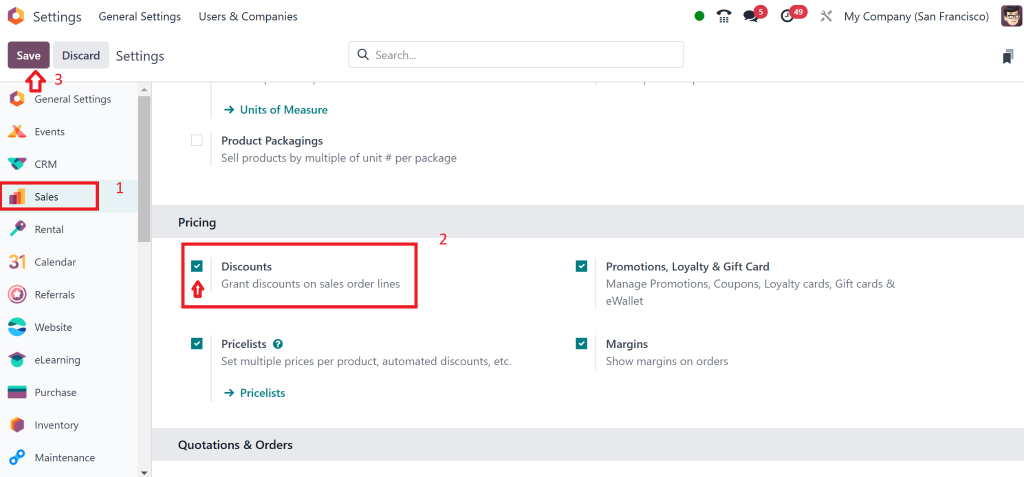
Before creating Odoo 18 discount codes, you must enable the discount feature in Odoo. Here’s how you do that:
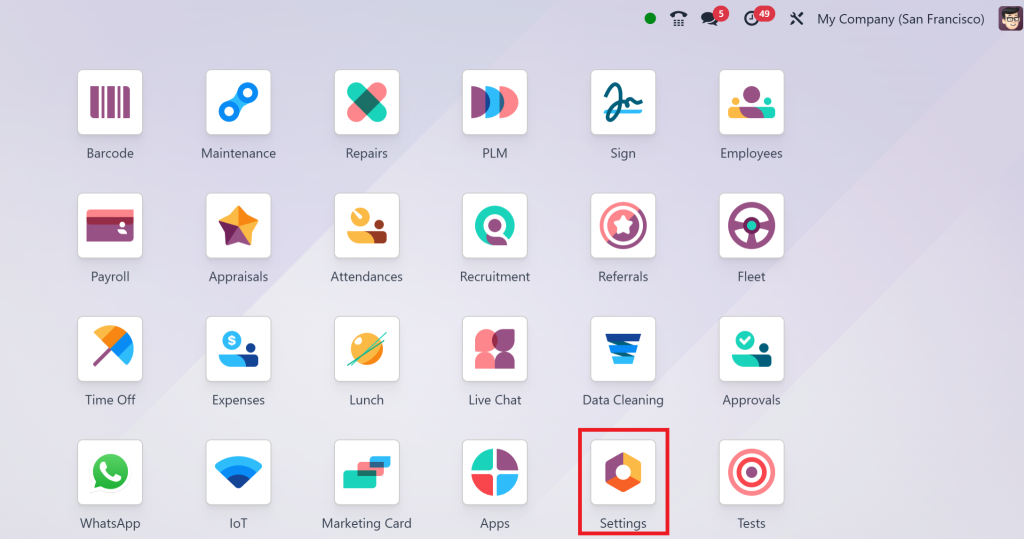
Go to Settings in your Odoo dashboard.
In the Sales section, find the Discounts setting and enable it.
After allowing it, you can create discount programs and coupon codes.
This feature will allow you to use discounts on sales orders, invoices, and even eCommerce orders using the Odoo website integration.
Step 2: Set Up Odoo 18 Pricing Rules
Odoo 18 pricing rules are where the magic happens. These rules determine how discounts are applied to your products, customers, and sales channels. You can set up rules based on several criteria, such as product category, total order amount, or customer segment.
To create Odoo pricing rules:
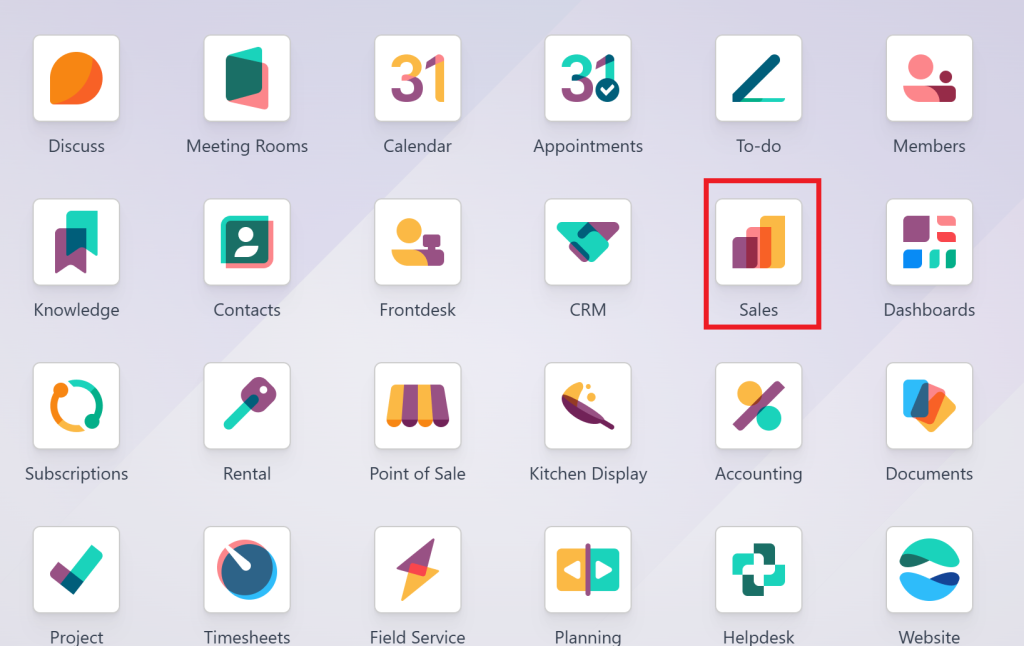
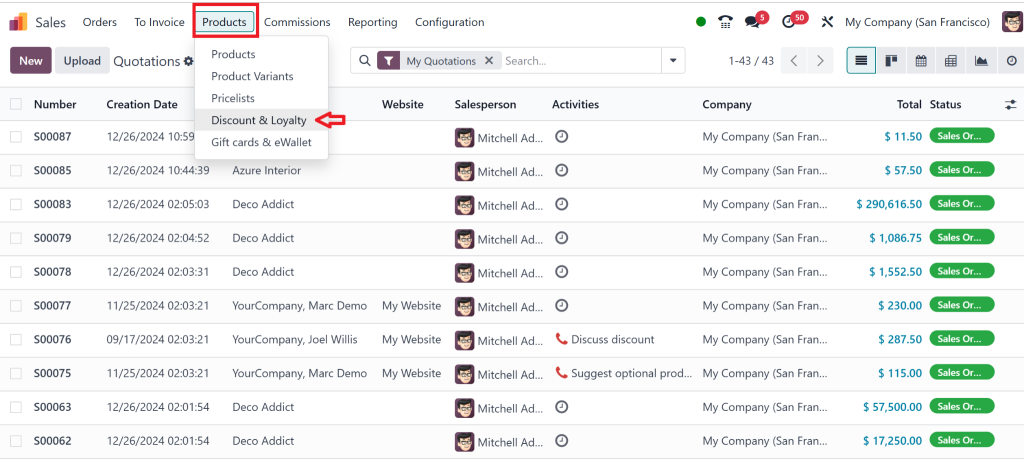
Go to Sales
Product → Discount & Loyalty Programs.
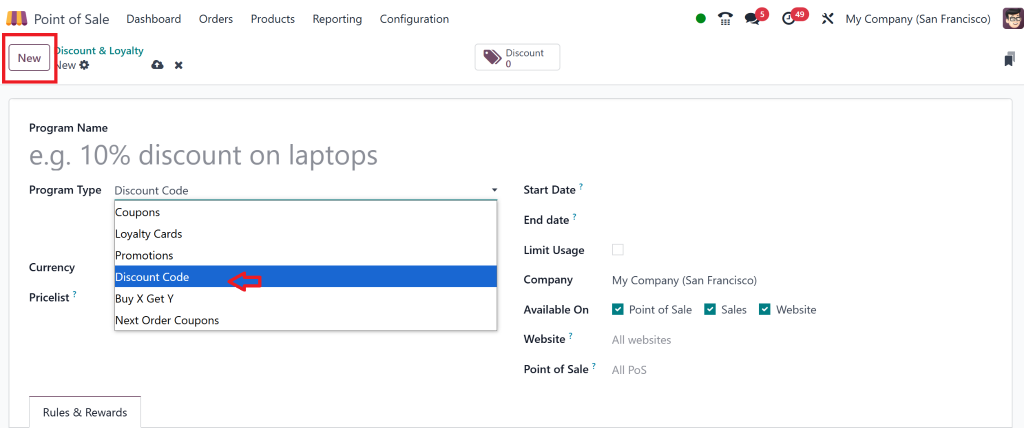
Click Create and enter the Program Type.
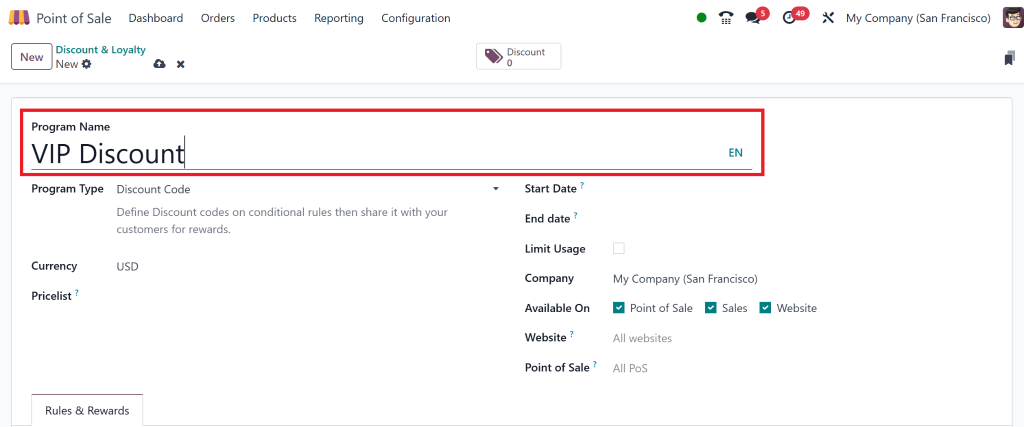
Set the Name of the discount program. For example, “Winter Sale” or “VIP Discount.”
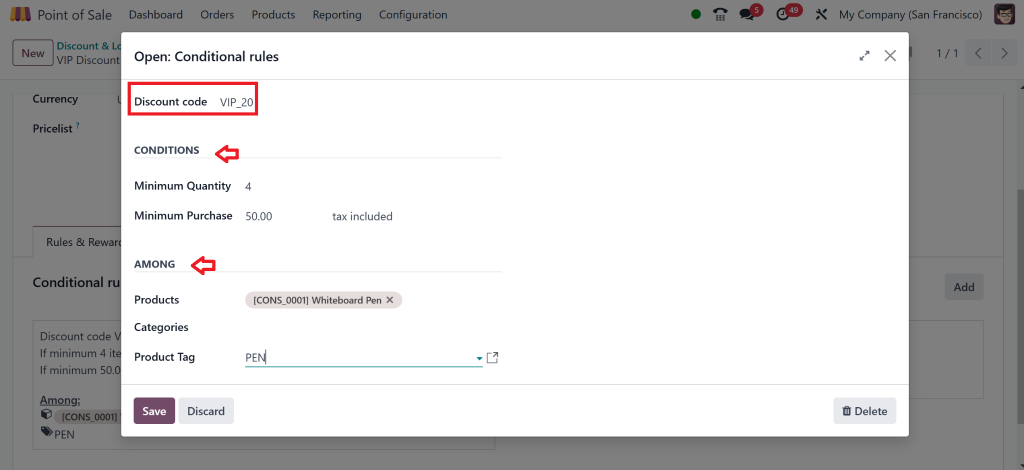
Define the conditions for the discount:
Choose which product categories or specific products the discount applies to.
Set a minimum purchase amount, such as “spend $50 to get 10% off.”
Specify whether the discount applies only to specific customer groups, such as VIPs or first-time buyers.
Write the Discount code.
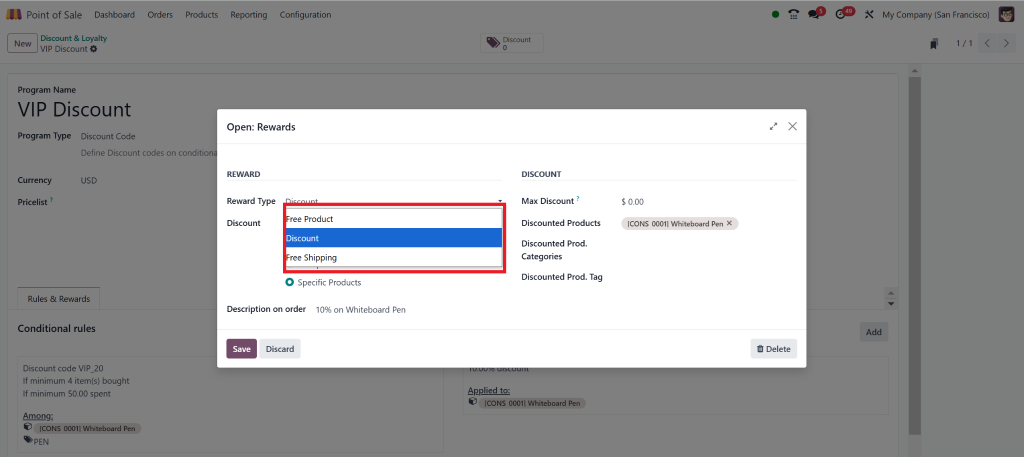
Set the type of discount (fixed amount or percentage).
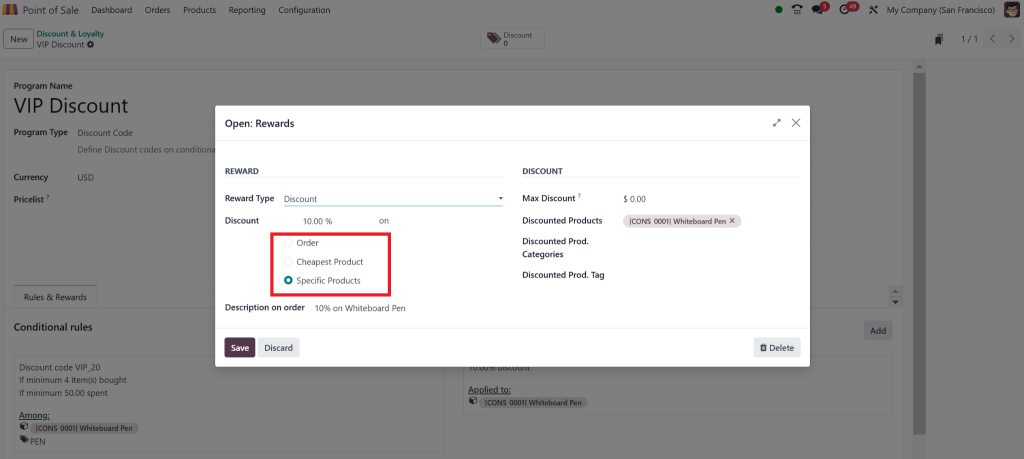
You can also set whether you want to give a discount on every order or a specific product.
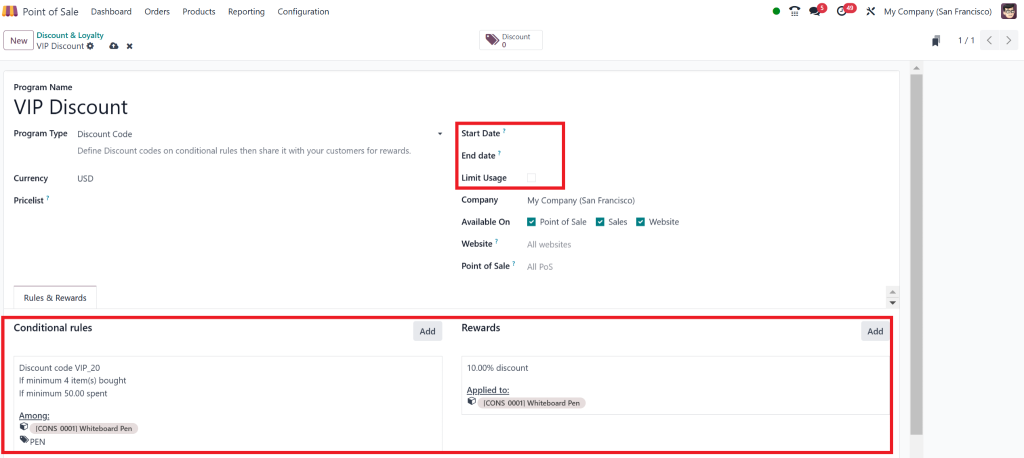
After “Save,” you can check the information you saved here.
We can also set the “Start & End Date” and Limit Usage.
With Odoo 18 pricing rules, you can offer dynamic pricing based on customer behavior, seasonality, or special occasions like Good Friday, Christmas, or end-of-season sales.
Step 3: Track the Success of Your Discount Codes
After launching your Odoo 18 sales promotions, it is essential to track their effectiveness. Odoo offers built-in reporting tools that help you monitor the success of your discount codes and promotional campaigns.
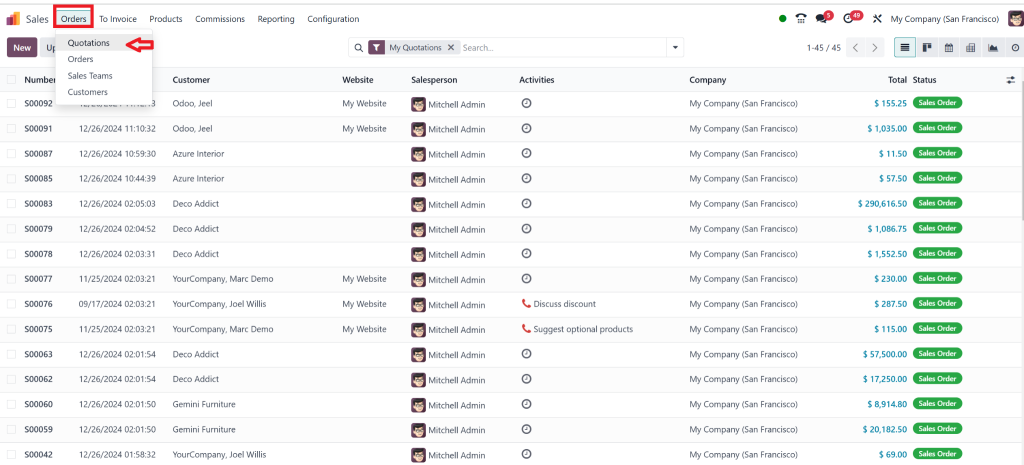
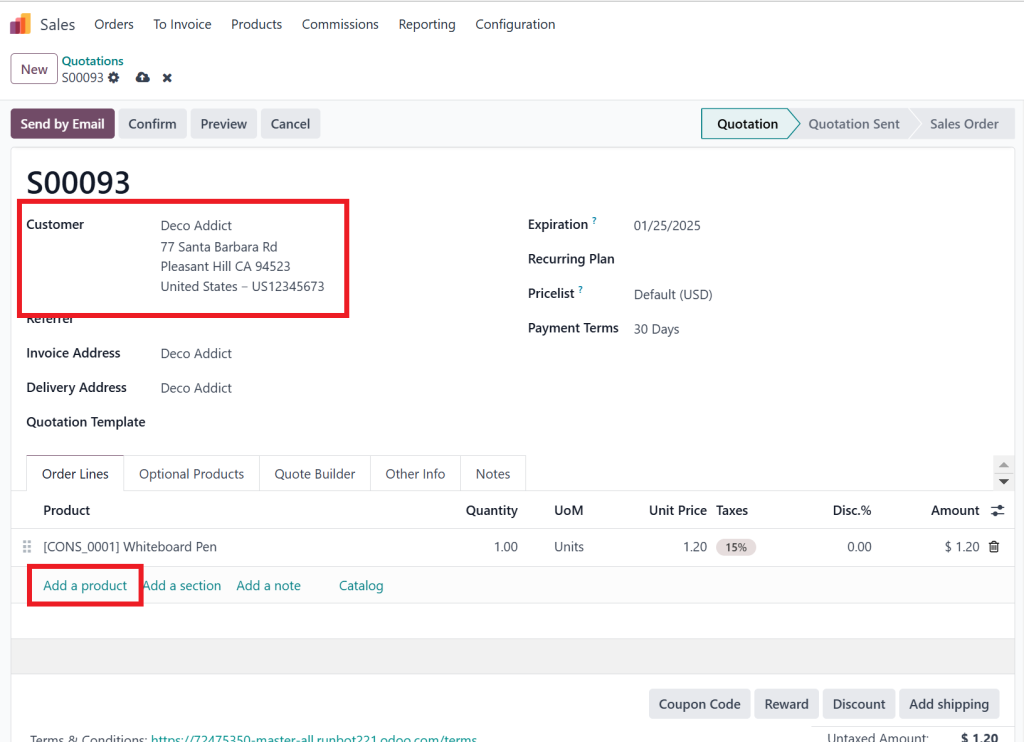
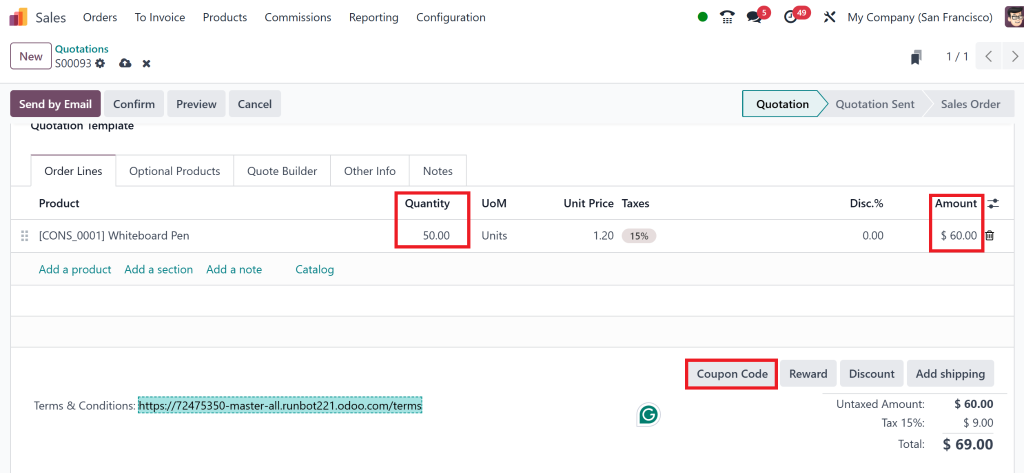
Go to Order → New and create the new Quotation
After Clicking on New, add customer and Product
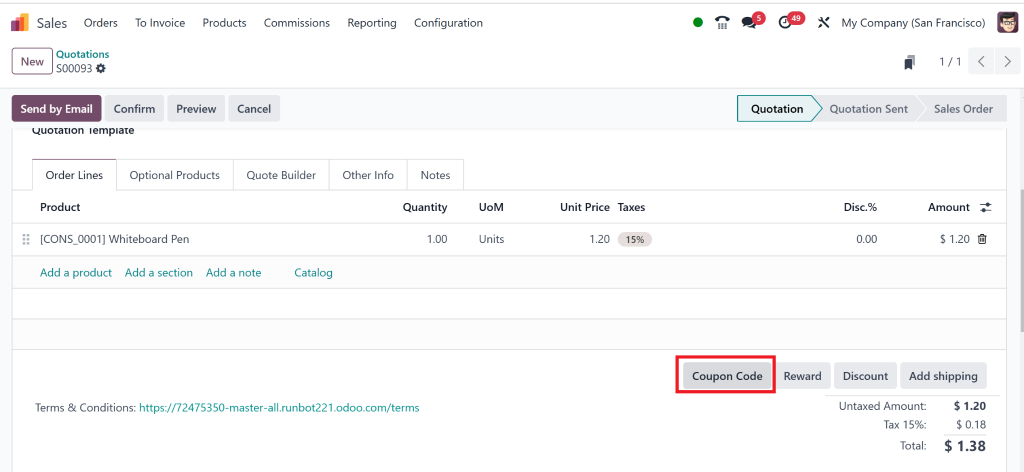
Click on the Coupon Code
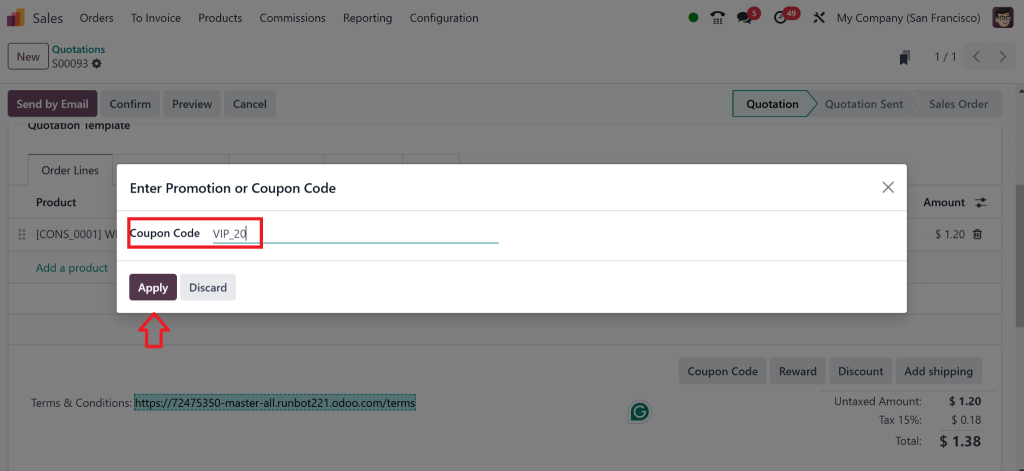
Write the code here that you set and Click on Apply
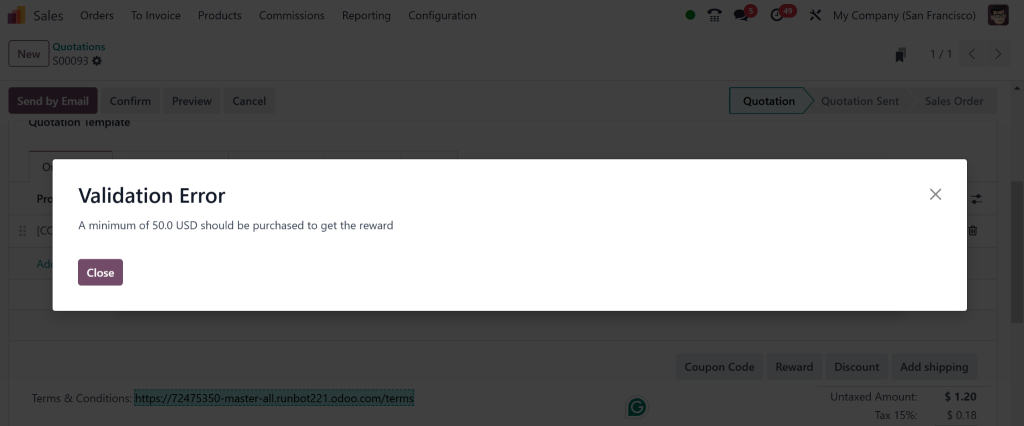
It shows this error because the discount code will apply if we purchase at least $50 in the conditions we set.
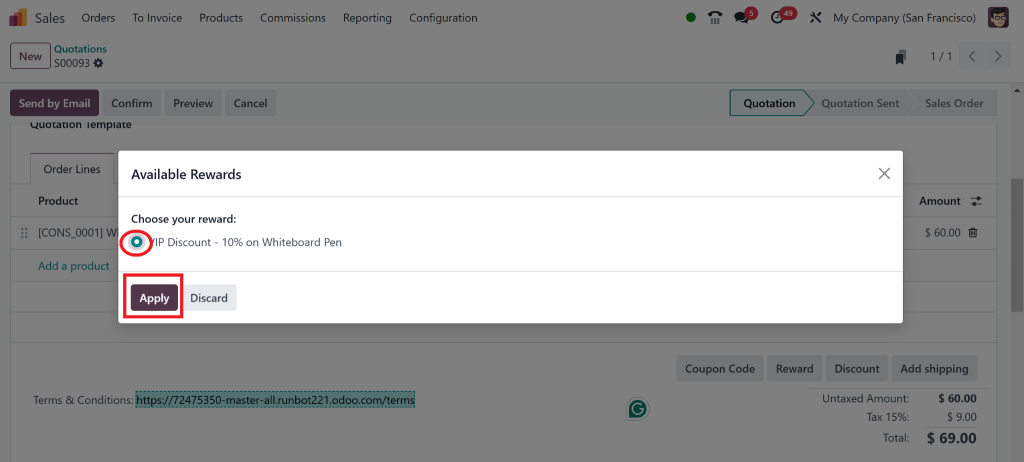
Then we will increase the product and again apply the Code
Click on “Apply”
Now, it is Applied
Step 4: Track the Success of Your Discount Codes
After launching your Odoo 18 sales promotions, tracking their effectiveness is essential. Odoo offers built-in reporting tools that help you monitor the success of your discount codes and promotional campaigns.
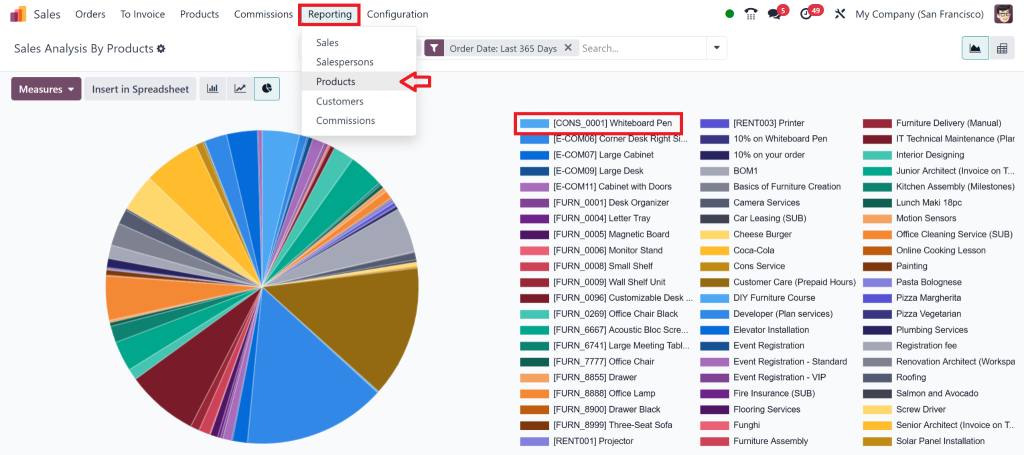
Go to Sales → Reporting → Products..
Here, you can view metrics like:
The total sales generated through Odoo discount codes.
The number of times each coupon was used.
Customer purchase behaviour related to the discount (e.g., average order value, total amount saved).
The Power of Discount Codes in Odoo 18
Grow Sales with Odoo 18 Promotional Codes
Discount codes are an essential tool in any marketer’s arsenal. They can drive more traffic to your store, encourage more significant purchases, and motivate customers to act faster. When used correctly, Odoo sales promotions can be a game-changer. By offering a discount on specific products or categories, you create an incentive for customers to buy now instead of waiting. This sense of urgency can significantly boost your conversion rates.
For instance, a simple Odoo 18 promotional code like “SUMMER15” could offer 15% off on all summer items, encouraging customers to purchase during the season. Similarly, time-limited promotions, such as Odoo 18 coupon codes for a holiday sale, can create excitement and push customers to finalise their purchases before the discount expires.
Why Use Odoo 18 Coupon Codes?
Implementation of Odoo 18 coupon codes allow businesses to offer targeted discounts. They can be distributed through email campaigns, social media, or even during checkout in your eCommerce store. This not only helps increase customer engagement but also enables you to track the effectiveness of each campaign.
Here are some key benefits of using Odoo discount codes:
Increase Sales Volume:
Discounts can encourage customers to purchase more for a limited-time offer or an ongoing sale.
Attract New Customers:
Offering Odoo 18 sales discounts can entice new customers to try your products.
Clear Out Inventory:
Discounts effectively reduce excess inventory and make room for new stock.
Reward Loyalty:
To thank your loyal customers for their business, give them exclusive access to Odoo 18 promotional codes.
Best Practices for Using Odoo 18 Sales Discounts Effectively
Use Time-Limited Offers to Create Urgency
One of the most effective ways to increase conversions with Odoo coupon codes is to set an expiration date. Creating a sense of urgency can prompt customers to purchase sooner rather than later. For example, a “Weekend Sale—30% off with code WEEKEND30” can drive customers to complete their purchases before the offer expires.
Personalize Offers Based on Customer Behavior
Odoo makes it easy to create personalised Odoo discount programs. Use customer data, such as past purchases, to offer targeted discounts. For example, offer 10% off a product the customer has viewed but not yet purchased or give loyal customers a birthday discount code.
Combine Discounts for Bigger Savings
Combining multiple discounts can make your Odoo 18 sales promotions even more appealing. For example, offer a sitewide discount and allow customers to use a coupon code for extra savings. This type of stackable discount often results in higher sales.
Screen Performance and Enhance
Always track the performance of your Odoo sales discounts. Use insights from the reporting tools to adjust your promotions accordingly. If a specific type of discount works well, consider using it more frequently.
Make the Most of Odoo 18 Discount Codes to Drive Sales
Creating Odoo discount codes is an excellent way to increase sales, attract new customers, and keep your existing ones happy. With Odoo sales promotions and coupon codes, you can easily create discounts tailored to your business needs. Whether running a seasonal sale, offering discounts to specific customer groups, or rewarding loyal buyers, Odoo provides a flexible platform to implement your discount strategy seamlessly.
By following the steps outlined above and applying best practices, you can utilise Odoo 18 promotional codes to boost your sales and keep customers returning for more. The power of Odoo pricing rules gives you complete control over how, when, and to whom you offer discounts, ensuring that your promotions are optimised for maximum impact.
Hi, I'm Nabia, an Odoo ERP functional & technical content writer. I specialize in blogs, social media content, ad copy, landing pages, service pages, and email campaigns.
We use cookies to ensure that we give you the best experience on our website. If you continue to use this site we will assume that you are happy with it.