

Running an import/export business? If that’s the case for you, accounting for all the hidden costs related to shipping, customs clearance and handling can be challenging if not tracked accurately – these expenses, known as “landed costs”, can dramatically eat into profit margins otherwise.
Landed Cost in odoo 18 inventory Integration can help. By incorporating landed costs into your inventory management system, you can ensure that every product’s valuation accurately reflects its true cost – thus increasing financial accuracy while aiding smarter business decisions.
In this guide, we’ll help you navigate the setup and administration of Odoo 18 landed cost configuration. Whether you are just getting started with Odoo 18 or upgrading from previous versions, this tutorial will show you how to unlock its full potential and benefit from it’s many features – like its landed cost capability!
At the conclusion of this blog, you’ll have an in-depth knowledge of how Odoo 18 inventory landed cost setup can optimize inventory management and increase financial accuracy.
What is the Landed Cost in Odoo 18 inventory?
Landed cost refers to the total price of a product, including additional expenses incurred during shipping, customs clearance, insurance coverage and handling. While many may view them as unnecessary expenses, their effects can have significant ramifications on profit margins.
Importing goods from another country means more than simply paying the purchase price – shipping fees, customs duties, insurance costs and handling fees must all be factored in when considering overall costs associated with operating in that country. Failing to account for these additional charges could result in inaccurate inventory valuation and poor financial reports leading to less effective decision-making processes.
Odoo 18 Landed Cost Integration allows you to add costs directly to products, enabling accurate inventory valuation and financial reporting. This feature is particularly helpful for businesses who import goods or have complex supply chains.
Why Use Odoo 18 for Landed Cost Management?
Odoo 18 offers a robust set of inventory and financial management tools, making it an ideal choice for businesses looking to streamline their operations. Here’s why you should consider using Odoo 18 landed cost configuration:
- Accurate Product Valuation: Ensure your product costs reflect all associated expenses.
- Improved Financial Reporting: Generate precise financial statements with included landed costs.
- Automated Calculations: Automatically allocate additional costs to products.
- Enhanced Decision-Making: Gain better insights into your cost structure and profitability.
- Scalability: Easily manage landed costs for large inventories and complex supply chains.
Step-by-Step Guide to Integrating Landed Cost in Odoo 18
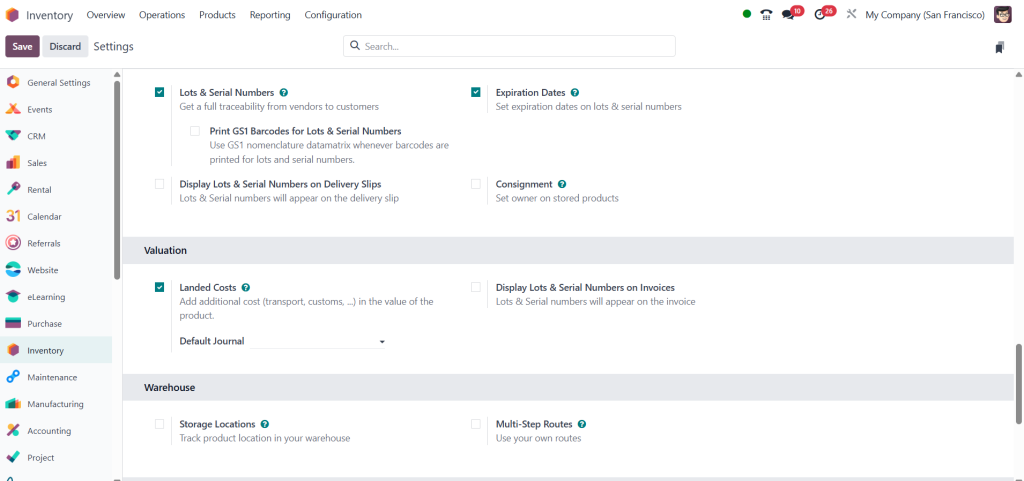
Step 1: Enable the Landed Cost Feature
Before you can start using landed costs, you need to enable the feature in Odoo 18.
- Log in to your Odoo 18 account.
- Navigate to the Inventory module.
- Go to Settings and enable the Landed Costs option.
Step 2: Configure Landed Cost Types
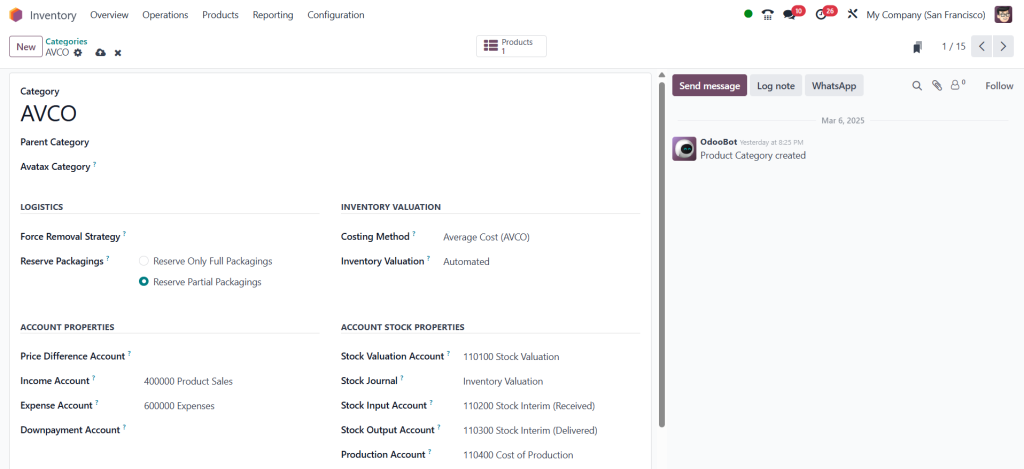
Next, you’ll need to define the inventory valuation you want to track.
- Go to Inventory > Configuration > Categories.
- Select a product category
- Open it and ensure inventory valuation.
Step 3: Apply Landed Costs to Incoming Shipments
Once the feature is enabled and cost types are configured,
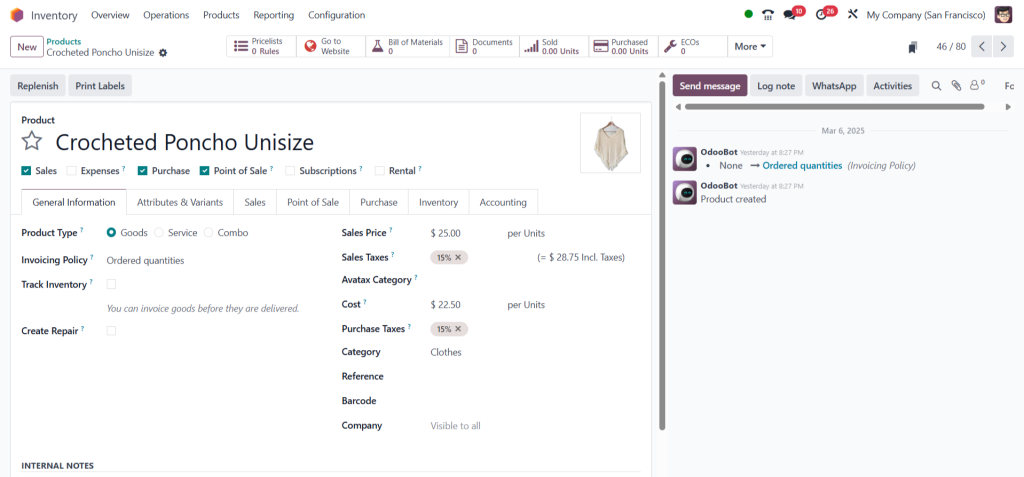
- Navigate to Inventory > Products.
- Select any product and click on.
Step 4: Validate and Post Landed Costs
After selecting product, you’ll need to confirm order
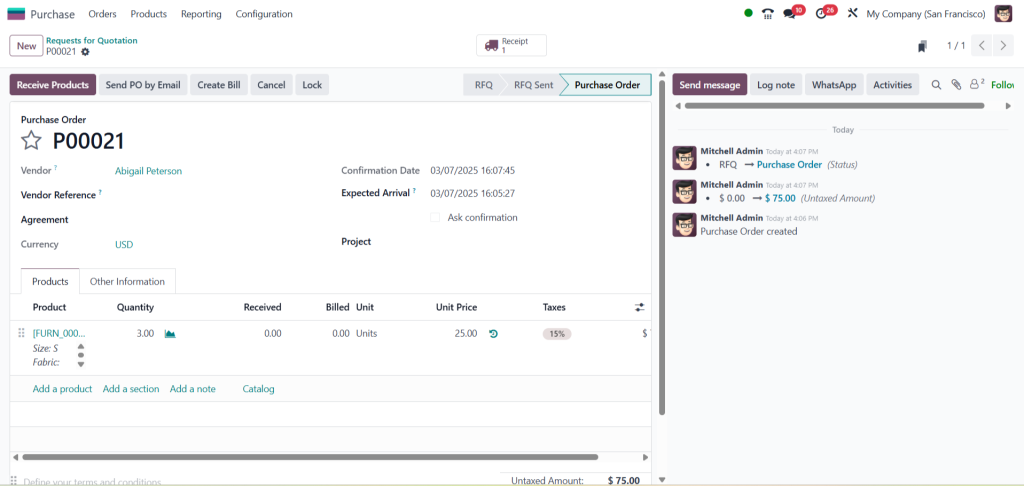
- Go to purchase module, Select vendor and the product with quantity then confirm the order.
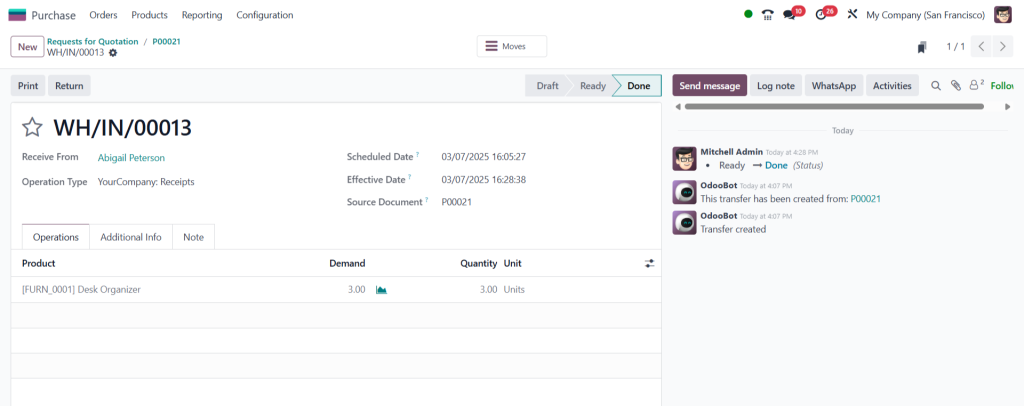
2. Click on receive product then validate.
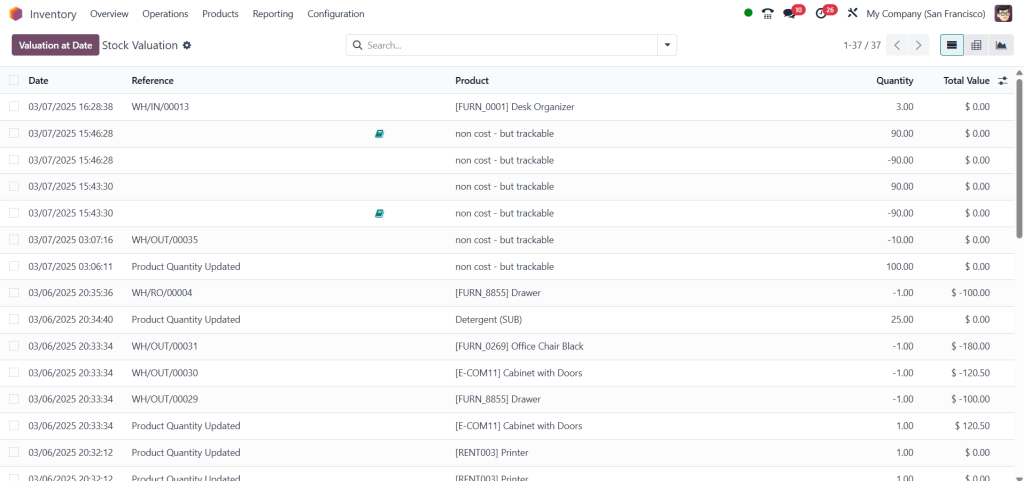
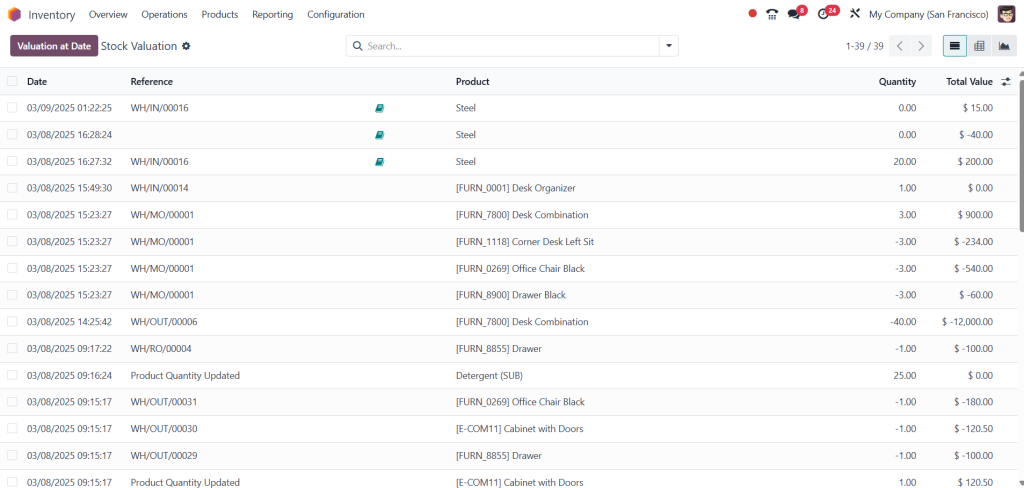
- Go to Inventory module, Click reporting > Valuation.
Step 5: Monitor Landed Cost Impact on Inventory Valuation
Odoo 18 allows you to track how landed costs impact your inventory valuation in real-time.
- Go to purchase > create bill > confirm > create landed costs.
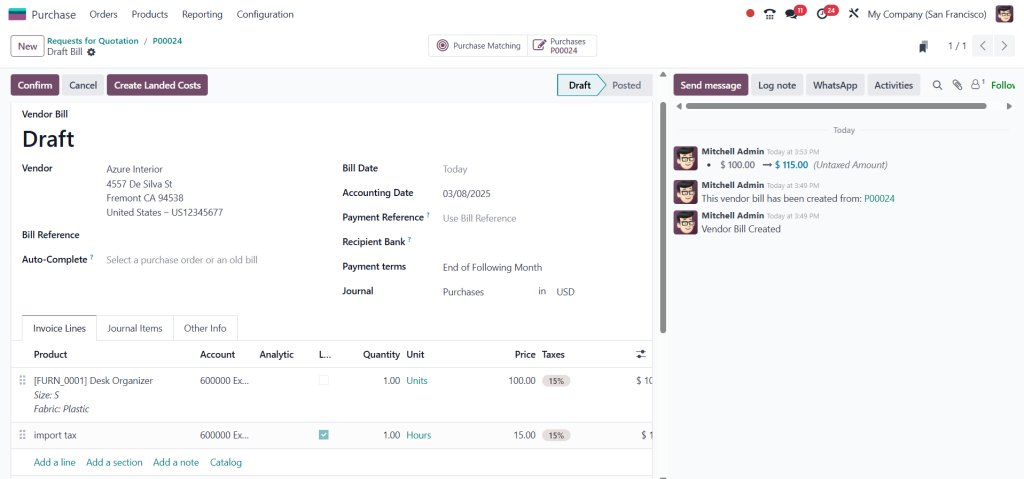
- Then validate.
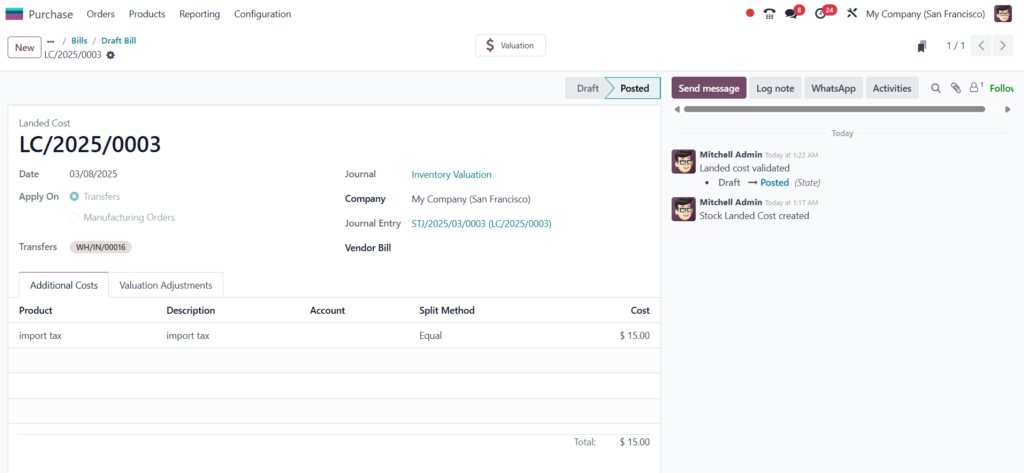
- Go to Inventory > Reporting > Valuation,Generate reports to analyze the impact on your financial performance.
Advanced Tips for Odoo 18 Landed Cost Management
- Automate Cost Allocation: Use Odoo 18’s automated allocation rules to distribute landed costs based on product weight, quantity, or value.
- Integrate with Accounting: Sync landed costs with your accounting module for seamless financial management.
- Leverage Analytics: Use Odoo 18’s built-in analytics tools to gain insights into your cost structure and profitability.
Optimize Your Inventory with Odoo 18 Landed Cost Integration
Integrating landed costs in Odoo 18 is a powerful way to ensure accurate inventory valuation and improve financial reporting. By following this guide, you’ll be able to leverage the Odoo 18 landed cost feature to streamline your operations and make better-informed business decisions.




