

Are You Confused About the Odoo Upgrade Process?
Is upgrading your Odoo ERP worth it? Concerned about how long an Odoo upgrade takes, what it costs, or whether your custom modules will still work? If so, you’re not alone! Businesses often hesitate before upgrading, fearing downtime, compatibility issues, and unexpected costs.
This article answers the top 12 FAQs about Odoo upgrades to help you understand everything about the Odoo upgrade process: best practices, cost, time, compatibility, and benefits. Let’s dive in and clear up your doubts!
1. What Is an Odoo Upgrade?
An Odoo upgrade is moving from an older version of Odoo to a newer one. Upgrading ensures businesses benefit from new features, better security, and enhanced performance.
Types of Odoo Upgrades
Version Upgrade: Moving from an older Odoo version (e.g., Odoo 14) to a newer one (e.g., Odoo 18).
Module Upgrade: Updating specific custom or third-party modules to ensure compatibility with the new version.
Security Upgrade: Applying patches to fix vulnerabilities and keep data safe.
Upgrading Odoo is essential for businesses that want to stay competitive, improve efficiency, and leverage the latest technological advancements.
2. Why Should You Upgrade to the Latest Odoo Version?
Sticking to outdated Odoo versions might seem safe, but it can hold your business back. Here’s why upgrading is beneficial:
Key Benefits of an Odoo Upgrade
New Features & Enhancements: Every Odoo upgrade introduces new tools and automation that enhance business operations.
Better Security: Older versions are prone to vulnerabilities; upgrading ensures your system stays protected.
Improved Performance: Faster processing, reduced bugs, and optimized workflows.
Long-Term Support: Odoo stops supporting older versions after a certain period. Upgrading keeps your system relevant.
Better Integration & Compatibility: New versions improve compatibility with third-party apps and custom modules.
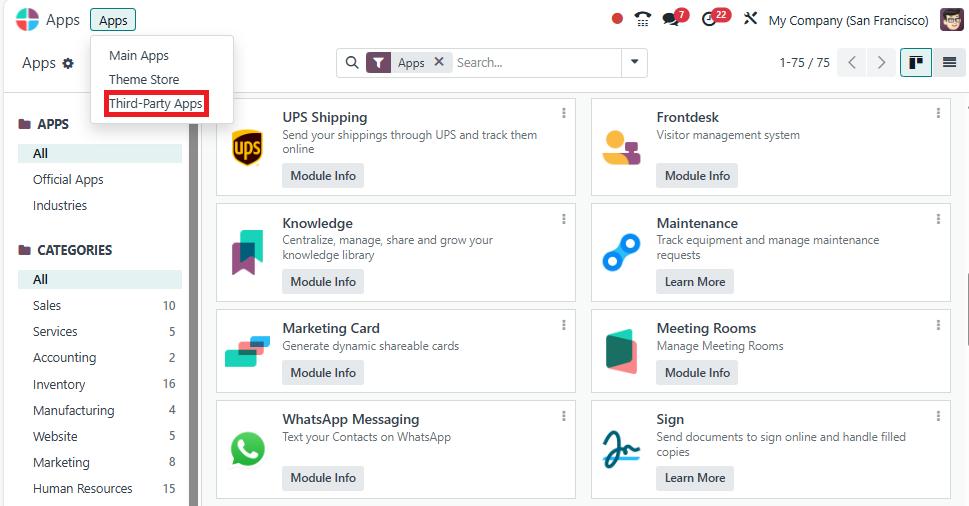
Is an upgrade worth it? The following section explains the best practices for upgrading Odoo to ensure a smooth transition.
3. What Are the Best Practices for a Successful Odoo Upgrade?
A well-planned Odoo upgrade minimizes risks and ensures a smooth transition. Here are some Odoo upgrade best practices to follow:
Step-by-Step Best Practices
Analyze Your Current System: Identify existing custom modules and dependencies.
Test Before Upgrading: Use a test environment to check compatibility and performance.
Backup Data: Before starting the Odoo upgrade process, always back up your database.
Check Module Compatibility: Ensure custom modules work with the new version.
Work With Experts: Partner with experienced Odoo developers to avoid errors.
Monitor Post-Upgrade Performance: Continuously check for issues and resolve them quickly.
A strategic approach reduces downtime and ensures that your business operations remain unaffected.
4. How Much Does an Odoo Upgrade Cost?
The Odoo upgrade cost varies based on several factors, including:
Factors Affecting Odoo Upgrade Cost
Odoo Version: Upgrading from an older version (e.g., Odoo 10 to Odoo 17) may be more expensive.
Custom Modules: If you have customized Odoo apps, they might need modifications for compatibility.
Number of Users: More users might mean higher costs due to additional testing and support.
Deployment Type: Cloud vs. on-premise upgrades may have different pricing structures.
Service Provider: Choosing an experienced Odoo expert might cost more but ensures a smooth upgrade.
To get an accurate estimate, consult an Odoo upgrade expert at Netilligence.
5. How Long Does an Odoo Upgrade Take?
The Odoo upgrade time depends on multiple factors, such as data size, custom modules, and testing.
Testing, debugging, and training employees can extend the timeline. Proper planning ensures a smoother and faster transition.
6. Will Custom Modules Work After an Odoo Upgrade?
One of the biggest concerns during an Odoo upgrade is whether custom modules will still function properly.
Steps to Ensure Compatibility
- Identify all custom modules used in the current system.
- Check if they are available in the latest Odoo version.
- Modify or rewrite code if necessary.
- Test everything in a staging environment before going live.
If a custom module is not compatible with the new version, developers may need to upgrade or rewrite it.
7. Is an Odoo Upgrade Mandatory?
Technically, upgrading is not mandatory. However, running an outdated Odoo version comes with risks:
- No official support or security updates.
- Increased chances of system crashes.
- Lack of new features and integrations.
For long-term business growth, an Odoo upgrade is highly recommended.
8. Can You Downgrade Odoo After an Upgrade?
Downgrading an Odoo system is complicated and not officially supported. If issues arise post-upgrade, the best approach is:
- Restore from backups.
- Fix compatibility issues with expert help.
- Ensure thorough testing before upgrading.
9. What Are the Risks of Not Upgrading Odoo?
Ignoring an Odoo upgrade can result in:
- Security vulnerabilities.
- Performance degradation.
- Compatibility issues with new apps.
- Higher maintenance costs in the long run.
Upgrading ensures stability and long-term efficiency.
10. How to Choose the Right Odoo Upgrade Partner?
Working with the right Odoo upgrade expert can make or break your upgrade experience.
Key Factors to Consider
- Experience in Odoo upgrades
- Proven track record with custom module migrations
- Transparent pricing
- Post-upgrade support
A reliable partner ensures a hassle-free transition.
11. Does an Odoo Upgrade Affect Data and Existing Features?
A properly planned Odoo upgrade process ensures no data loss. Best practices include:
- Complete data backup before the upgrade.
- Ensures data integrity.
- Check if any functionalities need adjustments.
12. What’s the Best Time to Upgrade Odoo?
The best time to upgrade depends on:
- Business off-season to reduce downtime.
- Release of a stable new Odoo version.
- Compatibility with essential modules.
Planning ensures minimal disruption.
Final Thoughts on Why an Odoo Upgrade Is a Smart Move
An Odoo upgrade is crucial for businesses that want to stay competitive, secure, and efficient. Whether concerned about cost, time, compatibility, or custom module migration, a well-planned upgrade ensures success.
Still have questions? Consult an Odoo upgrade expert today!




