In industries such as construction or manufacturing, charging a flat rate for a specific period — a daily or weekly rate — often isn’t enough to enable you to rent out your equipment (or the widget you’re producing) easily. Rather, many businesses in these spaces rent gear based on how much it’s in use – that is, clients are billed by the hour for using the gear.
As a result, it is important to properly monitor how long the gear is in use to avoid charging clients for hours not used. That means you are at risk of undercharging or overcharging customers and ending up in trouble.
The Rental Module of Odoo paired with the Timesheet integration solves this with the ability for businesses to register exact use time of an asset. This usage data can be automatically collected by the system, and rental charges can be calculated based on recorded usage, thus minimizing the entire process of billing. New emerging technologies and innovations—such as billing automation through enterprise solutions such as ERP software—help streamline invoice generation directly from these purchases.
Use Case Scenario: Time-Based Billing for Equipment Rentals in the Construction Industry
Take the construction industry, for example, where companies rent out heavy machinery, such as excavators and cranes, and clients are billed based on actual usage (not on a flat rental). With this approach, billing is done based on the time that equipment is actually utilized, ensuring that usage-based discrepancies are fully accounted for.
For instance, a company may issue multiple tariffs for daytime and nighttime usage, with nighttime usage having a higher charge because they must arrange for lighting and labor. This usage-based billing ensures that the company is only paying for what it uses and is fairly charged for any resources consumed.
Tools like Odoo’s Rental Module allow businesses to automate the data that gets filled into timesheets based on how long an item has been used and to eliminate human error in the records. Both company and client benefit, ensuring accountability and faith in the billing process.
Step 4: Handling Rentals
First, ensure your rental product supports timesheet-based billing:
- Go to Sales or Rental > Products > Rental Products
- Open your rental product > Excavator 3.5T
- Under the Invoicing tab, select:
Invoicing Policy → Based on Timesheets
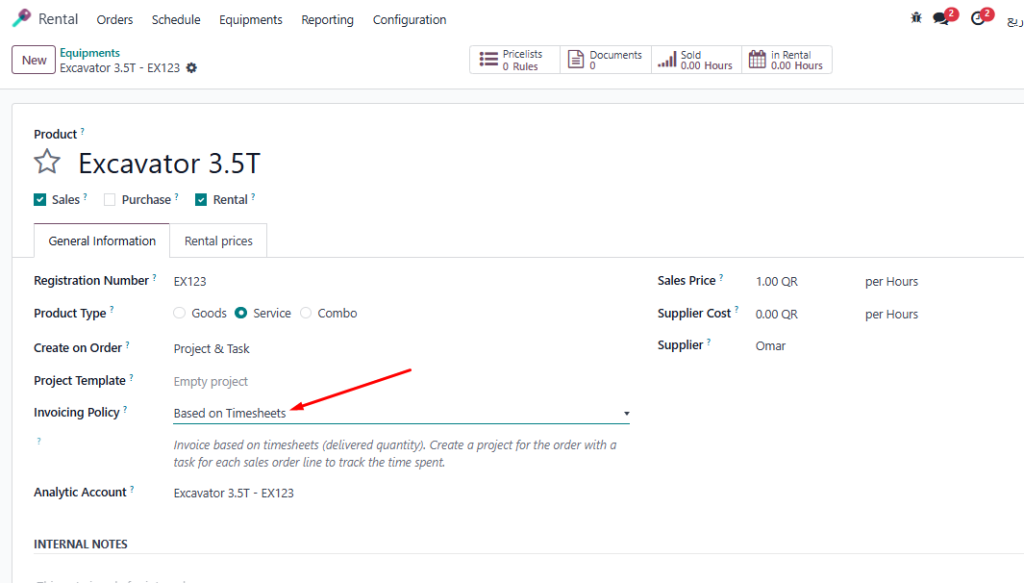
- select the Project and Task linked to the rental
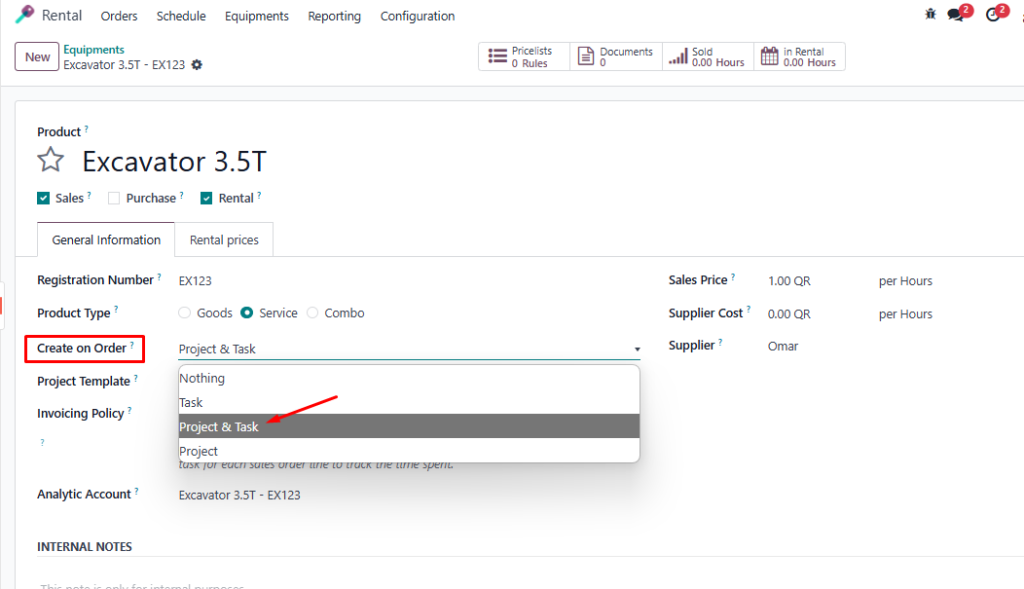
4. Set unit of measure as “Hour” if needed.
Step 2: Define Time Periods – Day or Night
To record time in more detail:
- Add two custom fields to the rental line:
- Day Hours
- Night Hours
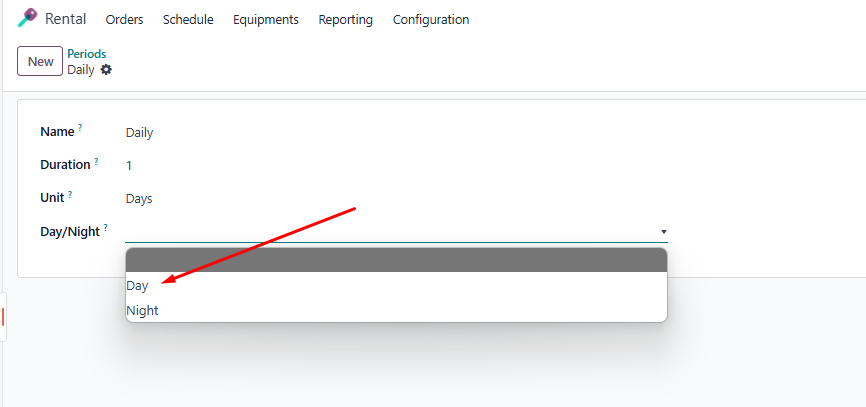
Operators can log the hours spent using the equipment during specific periods, such as daytime or nighttime, directly into the system. These recorded hours are then used to calculate the appropriate rental charges based on predefined rates for each period. This data is seamlessly reflected in the final invoice, ensuring accurate billing according to actual usage.
Step 4: Handling Rentals
Record working hours in Rental Module:
- Create the Rental Order
- Go to Rental > Rental Orders
- Click Create
- Select the customer and rental product > Excavator 3.5T
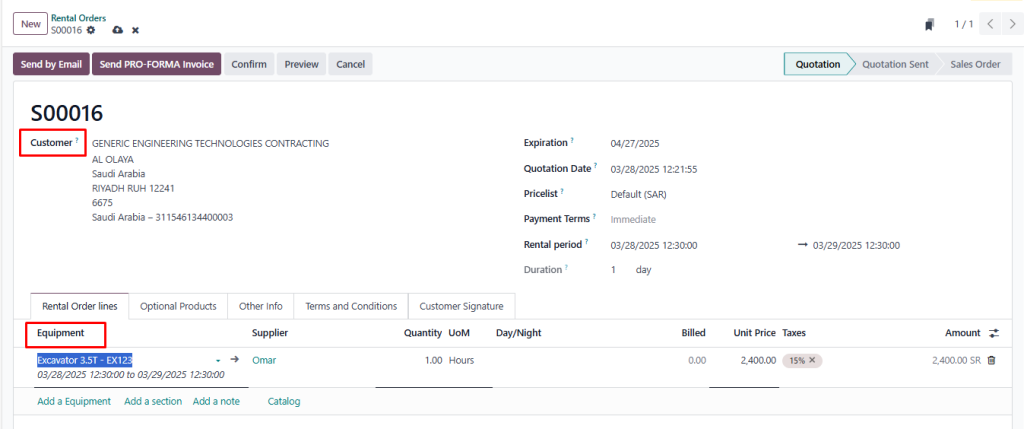
Adding Relevant Rental Information: When setting up a rental order, include key details such as the rental start date, end date, and quantity of the equipment being rented. This helps ensure clarity in the rental agreement and provides an accurate record of the rental period and assets involved.
Confirming the Order: Once all the necessary information is entered, confirm the rental order to finalize the agreement. This step triggers the system to reserve the equipment, track rental duration, and set up billing parameters, ensuring smooth operations and proper invoicing.
2. Add Day and Night
- After confirming we can see Recorded in the smart button

- Open and fill the required information like employee, description, day or night and the time spend
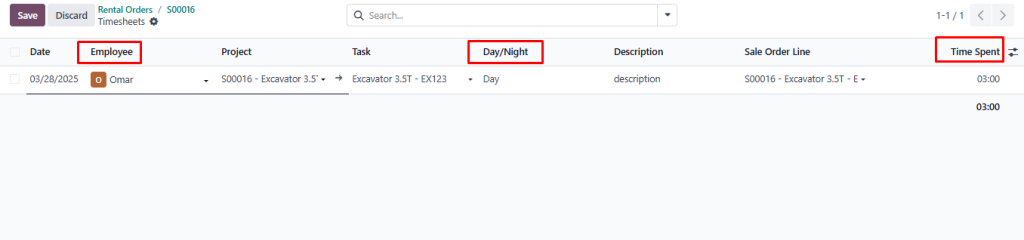
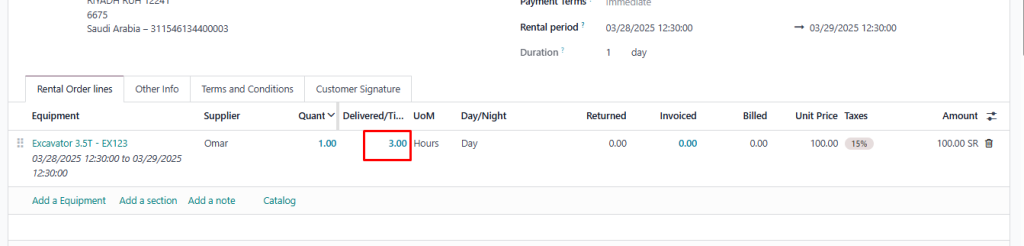
- After saving we can see the given hour in the rental order line
- After confirming the rental order, you can generate an invoice by selecting the “Create Invoice” option. Odoo automatically fetches the recorded usage hours, applying the appropriate Day/Night rates to calculate the total amount due based on the logged time.
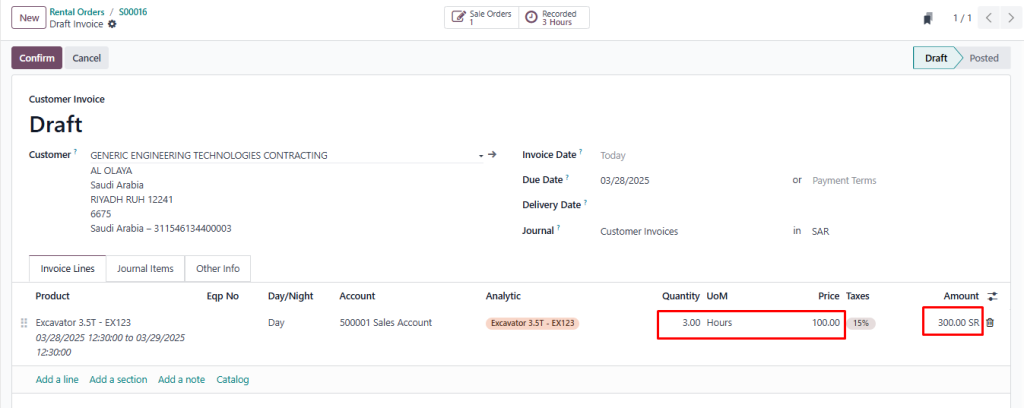
- Once the invoice is created, you can review the detailed calculation and the total amount based on the recorded usage hours. After confirming that everything is accurate, you can finalize and confirm the invoice for processing.
Integrating Timesheets with the Rental Module in Odoo
With Odoo’s usage-based billing system, businesses no longer have to rely on flat-rate charges and can instead benefit from accurate and transparent pricing. The accurate billing based on usage is guaranteed by tracking the real-time usage of the equipment, generating the invoices correctly, and giving the benefits of customizable workflows. This is especially useful for industries such as construction, logistics, and heavy machinery leasing, where precise billing is a necessity. Through Odoo’s features of automation, intelligent configurations, and capabilities, organizations are able to reduce their overall processes, gain client trust, and boost their overall performance.