How to Create and Manage Job Positions in Odoo 18 Recruitment?
Hiring in 2025 Needs an Upgrade - That’s Where Odoo 18 Recruitment Comes In
Hiring today isn’t what it used to be. With remote work, global teams, and hundreds of applicants flooding in through LinkedIn, email, and job boards, HR managers have their hands full.
That’s where Odoo 18 recruitment steps up. It isn’t just a recruitment tool – it’s a full-blown engine that helps businesses create job positions in Odoo, manage applications, automate workflows, and hire faster and smarter.
Whether running a startup or leading a growing enterprise, learning how to manage job positions in Odoo 18 gives you a serious edge. This guide walks you through every step – from setting up the Odoo recruitment module to optimizing your Odoo recruitment workflow and unlocking the full potential of Odoo 18 HR management.
By the end of this guide, you’ll know how to use Odoo for recruitment and be amazed at how you were ever hired without it.
What is Odoo 18 Recruitment?
Odoo 18 recruitment is part of Odoo’s HR suite. It’s designed to help businesses manage the entire recruitment cycle in one place – from posting a job opening to hiring the perfect candidate.
But what makes it powerful is how deeply it integrates with other modules in Odoo – like Employees, Payroll, and even Website.
What can you do with the Odoo recruitment module?
Create job position Odoo with all the details you need
Track candidates across customizable pipelines
Automate emails, notifications, and interview scheduling
Use data to improve hiring decisions
Connect the entire process with other HR tools like onboarding and contracts
In short, the Odoo recruitment app isn’t just another HR tool – it’s your hiring headquarters.
Step-by-Step: How to Create a Job Position in Odoo
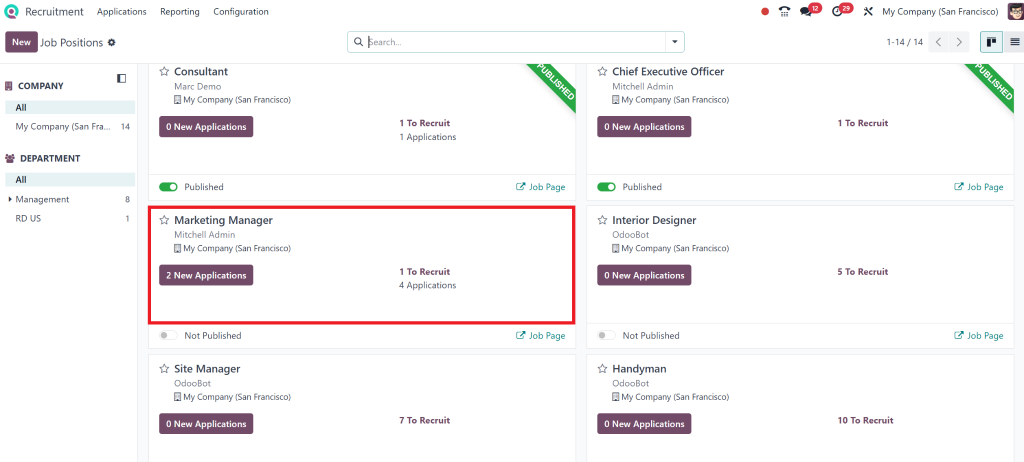
Let’s say you’re looking to hire a Marketing Manager. You want the role to be visible on your careers page, you want resumes coming in, and you need a simple way to manage applicants.
Here’s how to do it:
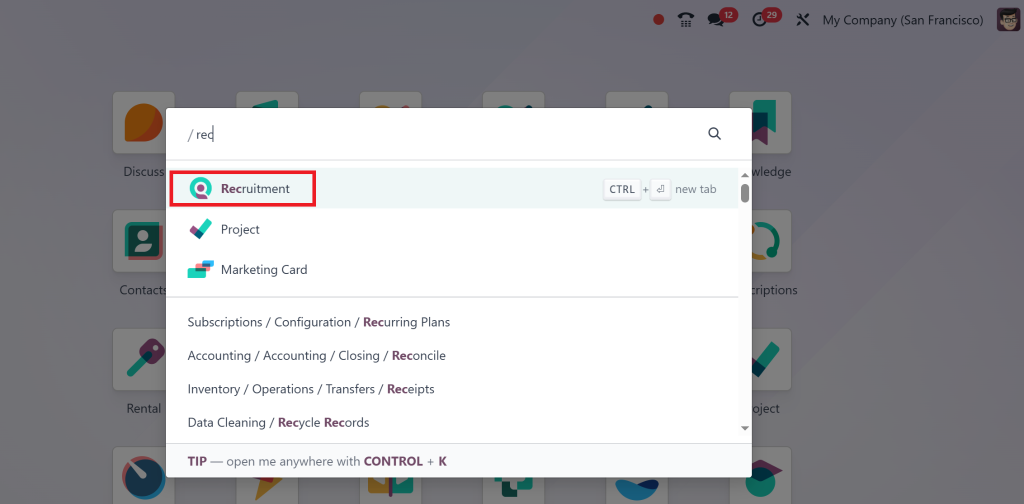
1. Open the Odoo Recruitment App
It all starts here. Just click on the Recruitment module from your Odoo dashboard.
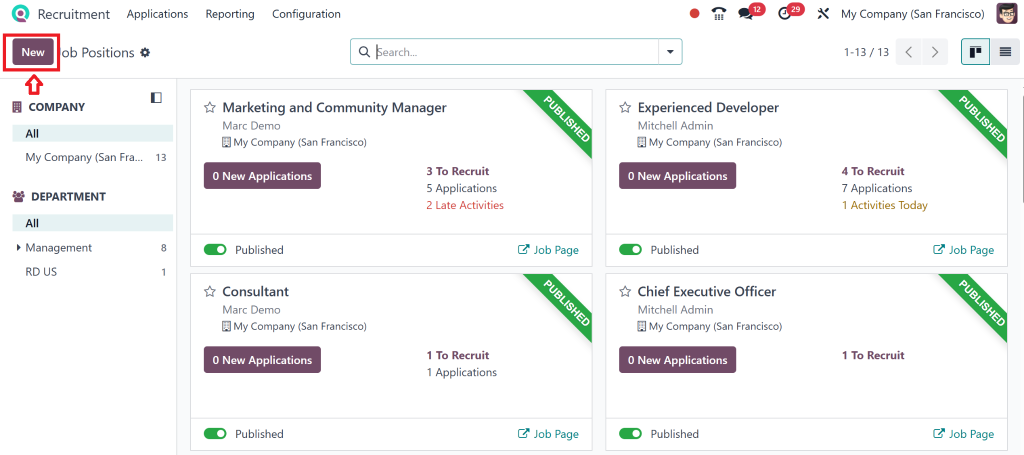
2. Head to “Job Positions”
You’ll land on a screen that shows all your current job openings. Click the New button to add a new one.
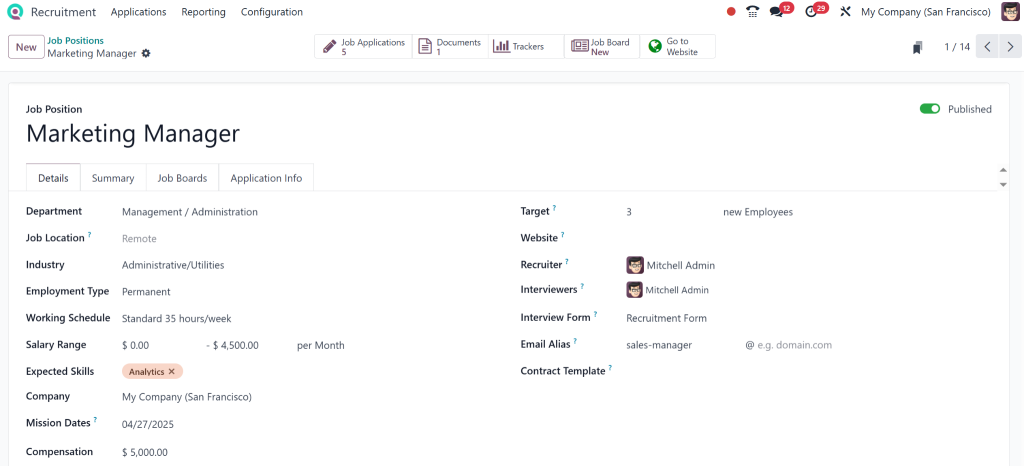
3. Add Job Details
After clicking on the three dots above the position, you’ll enter:
This section is flexible; you can format the text, add images, or even include a video job brief.
4. Publish on Your Website
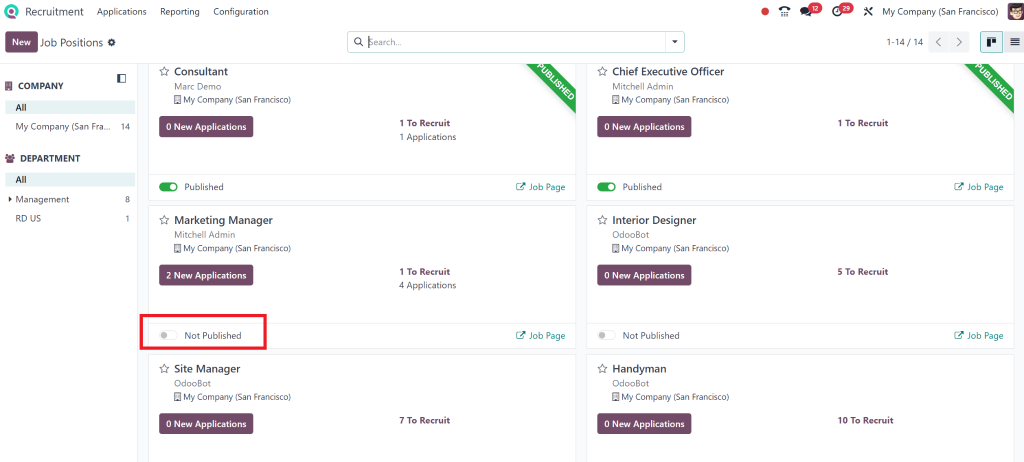
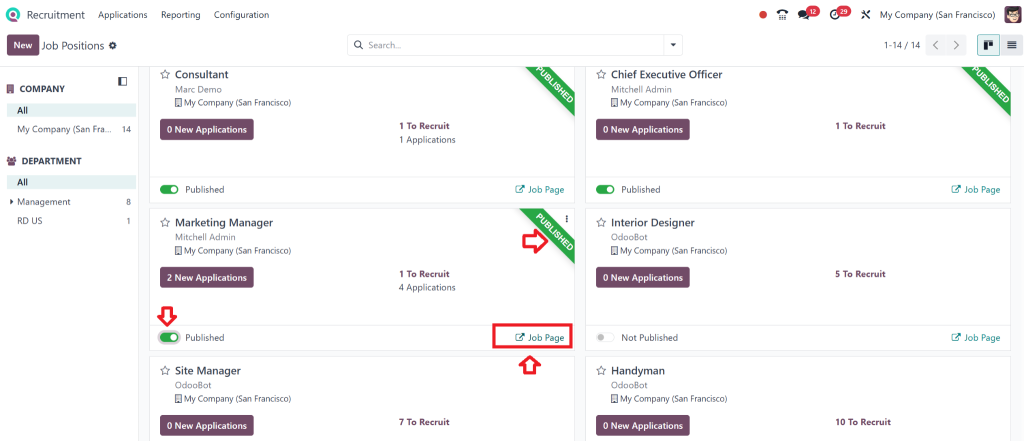
Once you’re happy with the listing, click Publish on the Website, and it will be live on your career page.
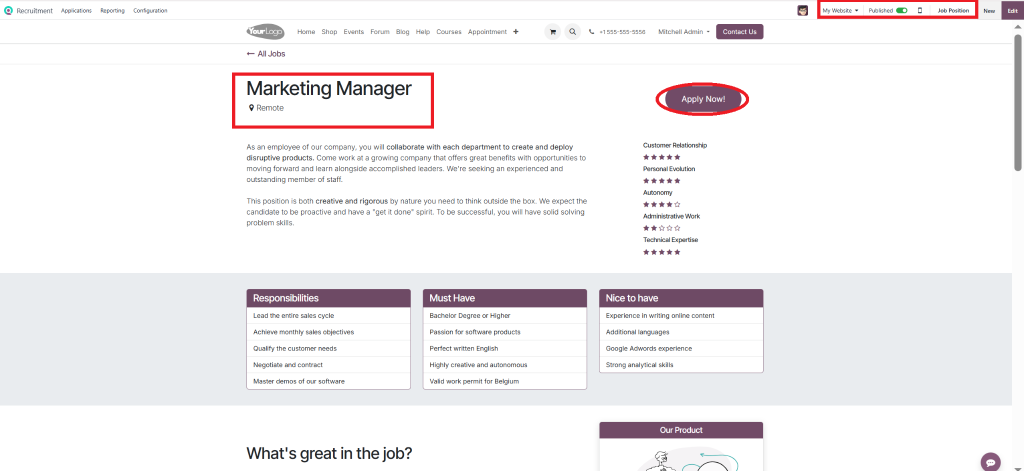
You can also verify it by navigating to the job page after publishing. It also shows a green ribbon with published written on it.
From here, you can click on Apply Now.
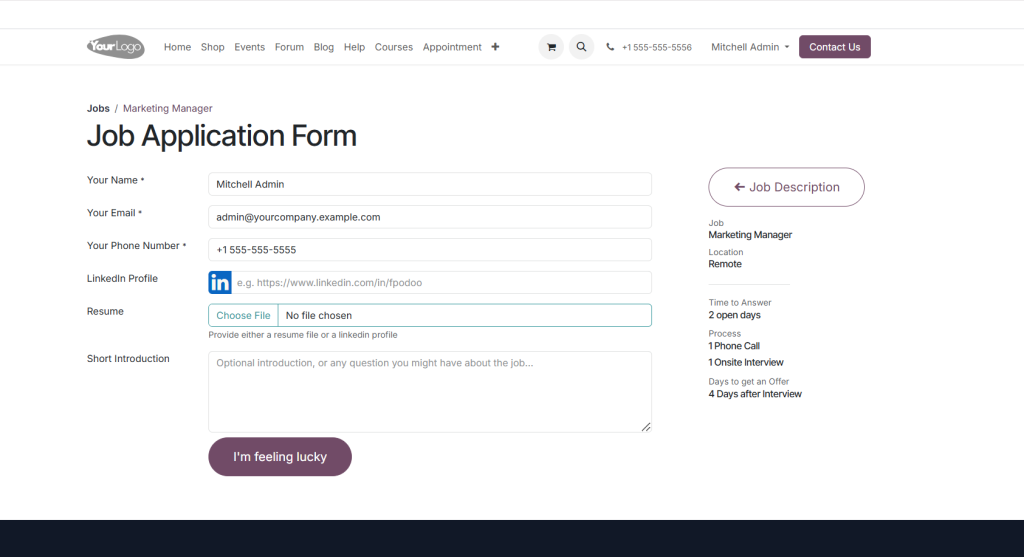
By clicking the ‘Apply now’ button, you will be directed to an application form.
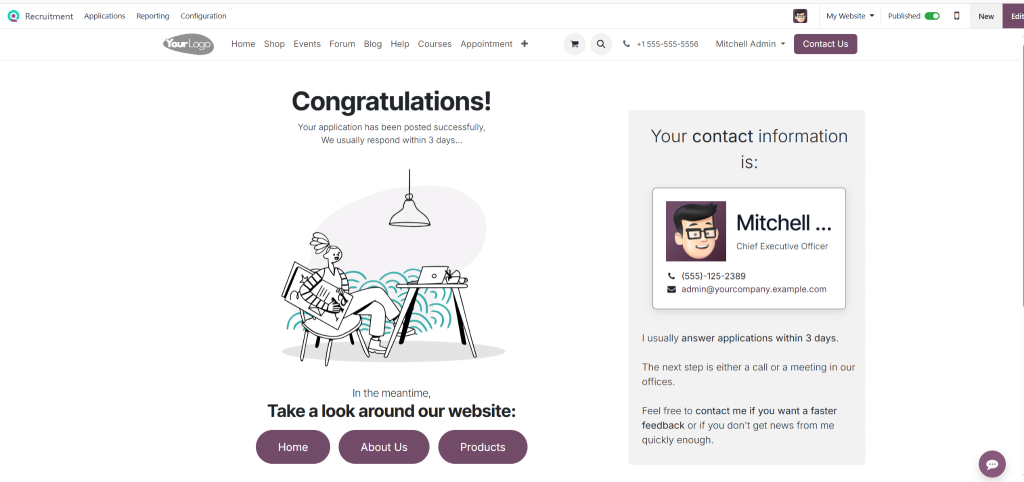
After applying, this window will appear.
Managing Job Positions Odoo 18: Keeping Everything Under Control
Creating the job is just the beginning. Let’s discuss managing job positions in Odoo 18 as they move through the recruitment pipeline.
Track Applications with Ease
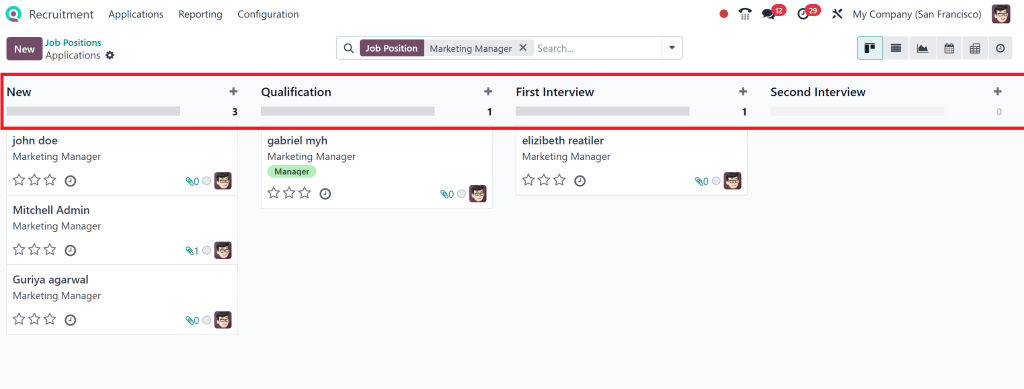
Each job position has its own dashboard showing the following:
Number of applicants
Current stage (Applied, Interviewed, Offered, etc.)
Status (Open, On Hold, Closed
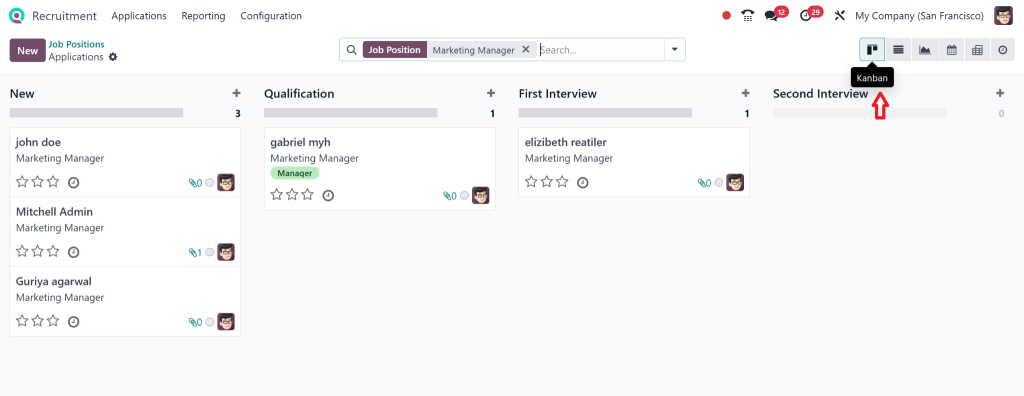
With the Kanban view, you can drag and drop candidates across stages. It’s visual, simple, and, honestly, fun.
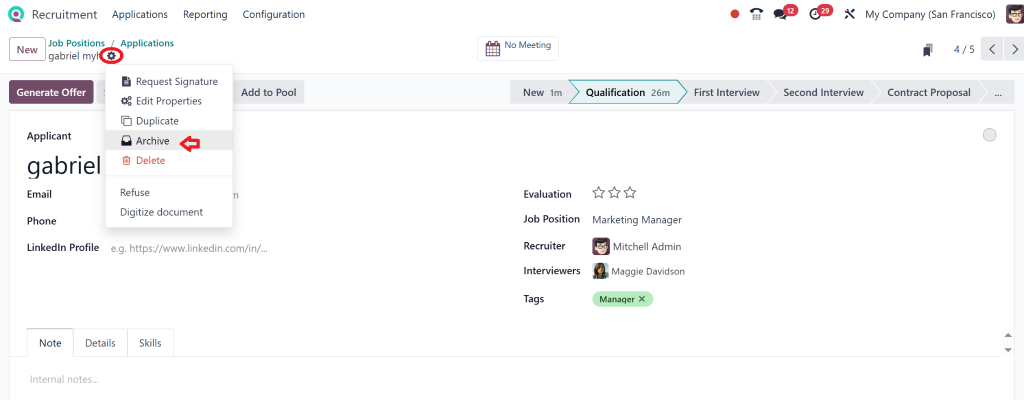
Edit or Archive Job Posts
Need to tweak the job description? Just hit Edit.
Have you filled the role already? Archive the position to keep your dashboard clean without deleting the data.
Odoo Recruitment Workflow: Your Hiring Process, Promoted
No two companies hire the same way. That’s why Odoo 18 recruitment lets you completely customize your Odoo recruitment workflow.
Default Workflow (Customizable)
Application Received
Phone Screen
Interview
Offer
Hired
You can add any stages you want, such as “Technical Assessment” or “Team Fit Round.”
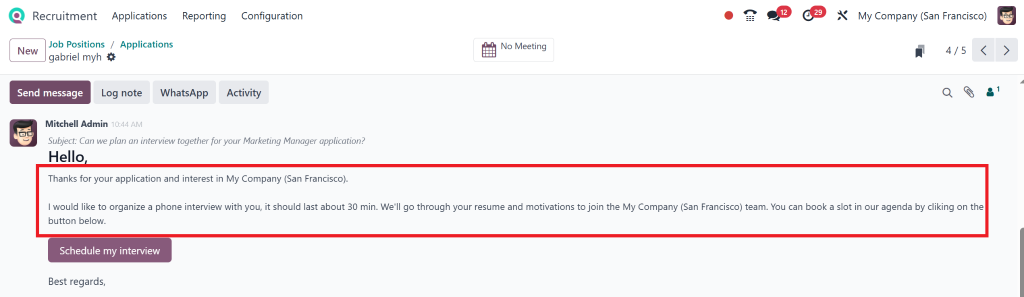
Automate Communication
You can even trigger emails when candidates move between stages:
“We received your application!”
“Your interview is scheduled.”
“Thanks, but we’ve moved forward with other candidates.”
No more writing the same email 15 times a day.
Why Odoo 18 HR Management and Recruitment Go Hand in Hand
One of Odoo’s biggest perks is its modular system. That means the Odoo recruitment module is just one piece of a bigger HR puzzle.
Once you hire someone, their profile moves automatically into the Employees module. From there, you can:
Onboard them
Set up payroll
Assign tasks or training
Track leaves and attendance
The beauty of Odoo 18 HR management is that it grows with your business. You start small – just recruitment – and manage a whole HR operation from a single platform before you know it.
How One Startup Hired 12 People in a Month
Let’s get real for a second.
Imagine a tech startup with no HR software. They’re using email and Excel sheets to track applicants. As you can guess, it’s chaos.
They switched to Odoo 18 recruitment.
Week 1: They set up five job positions
Week 2: 80+ applications come in via their careers page
Week 3: They’ve scheduled interviews, sent out automatic emails, and shortlisted top candidates
Week 4: 12 hires made, with zero missed emails and no scheduling headaches
That’s the power of using an innovative tool to create and manage job posts in Odoo ERP.
Lorem ipsum dolor sit amet, consectetur adipiscing elit. Ut elit tellus, luctus nec ullamcorper mattis, pulvinar dapibus leo.
Learn the Ropes with This Odoo Recruitment App Tutorial
If you’re new to the platform, don’t worry. This isn’t rocket science.
Here’s your Odoo recruitment app tutorial checklist:
Start with creating your job positions
Customize the recruitment workflow
Set up email templates and automation rules
Invite your hiring team into the process
Connect your careers page and track submissions
Use analytics to improve
It’s a system that grows with you. One month in, you’ll customise interview stages. Three months in, you’ll hire international teams with the same app.
How to Make Your Hiring Process 10x More Efficient with Odoo 18 Recruitment
Here’s what companies love about it:
Feature
Time Saved
Impact
Workflow Automation
5+ hrs/week
Faster communication
Drag-and-Drop Pipeline
2+ hrs/week
Cleaner process
Resume Management
3+ hrs/week
No lost applicants
One-Click Onboarding
1+ hr/hire
Smooth transition
Integrated Website Posting
Ongoing
Better visibility
And here’s the best part – it’s affordable. You’re not paying for ten different tools. Just one.
Ready to Make Things Easier About Your Hiring?
If your recruitment process feels chaotic, it’s not you – your system.
Odoo 18 recruitment provides clarity, is intuitive, scalable, and makes hiring feel like a superpower, not a stressor.
Whether you need to create a job position in Odoo, tweak your Odoo recruitment workflow, or fully integrate with Odoo 18 HR management, this platform has you covered.
So, if you’ve been waiting for a sign to upgrade your hiring process—this is it.
If your recruitment process feels chaotic, it’s not you – your system.
Odoo 18 recruitment provides clarity, is intuitive, scalable, and makes hiring feel like a superpower, not a stressor.
Whether you need to create a job position in Odoo, tweak your Odoo recruitment workflow, or fully integrate with Odoo 18 HR management, this platform has you covered.
So, if you’ve been waiting for a sign to upgrade your hiring process—this is it.
Need Help Getting Started?
We help businesses set up, customize, and get the most out of the Odoo recruitment module.
With our services, you’ll get:
Career page design
Module installation & configuration
Workflow consulting
Team training
Ongoing support
Let us help you make smarter hires with Odoo 18 recruitment. Hiring the right people should be easy – and with the right tools, it can be.
Hi, I'm Nabia, an Odoo ERP functional & technical content writer. I specialize in blogs, social media content, ad copy, landing pages, service pages, and email campaigns.
We use cookies to ensure that we give you the best experience on our website. If you continue to use this site we will assume that you are happy with it.