

The Turning Point in Inventory Management with Odoo 18 POS
Suppose your inventory is running smoothly, your stock is updated in real time, and you never have to worry about running out of products or overstocking again. Sounds like a dream, right? Well, it doesn’t have to be. With Netilligence, you can easily manage inventory movement in Odoo 18 POS, track stock updates, and ensure everything is synchronized across your business.
But how exactly does it work? How can you ensure your inventory is always on point without headaches? The answers lie in the powerful features of Odoo 18 POS inventory management. This article will explore Odoo 18 POS stock movement, real-time inventory management, and Odoo 18 POS inventory synchronising in great detail. You’ll learn to take control of your stocks without exerting any effort, which was never possible before. Let’s begin.
What is Odoo 18 POS Inventory Management?
Odoo 18 POS inventory management is real-time stock-level management using the POS interface. Designed to monitor inventory from the moment a transaction takes place, it guarantees that system updates and stock movements are automatically recorded. This tracks inventory faster, lowers human error, and removes the need for hand entering.
Odoo 18 POS stock movement capability provides real-time automatic updating of all stock entries, exits and transfers. From stock replenishment to sales transactions, this system instantly displays changes to inventory levels so users have an accurate view of their goods. Businesses with strict inventory control must integrate Odoo 18 POS real-time inventory to guarantee they never run out of fundamental products or overstock things slow to sell.
How to Manage Inventory Movement in Odoo 18 POS?
Understanding Odoo 18 POS’s main features and how they support inventory synchronising and tracking will assist one in managing inventory movement properly. These guidelines will assist you in negotiating and maximising your Odoo 18 POS system:
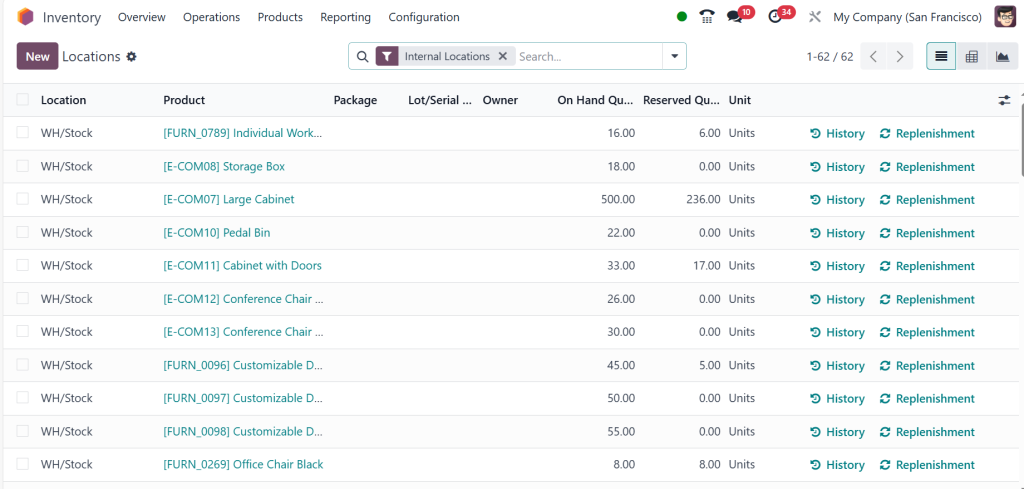
1. Set-up Odoo 18 POS Inventory Locations
Arranging inventory locations is the first step in controlling the movement of goods. Odoo lets you specify stock locations, such as retail outlets, warehouses, or stockrooms. Establishing these sites will help you monitor inventory across several places. Every site will have inventory movement records, which can assist you in tracking sales, transfers, and changes.
Stock movements between these sites will be monitored in Odoo 18 POS to provide a clear and accurate image of how your inventory flows from one point to another.
2. Provide Odoo 18 POS Stock Updates
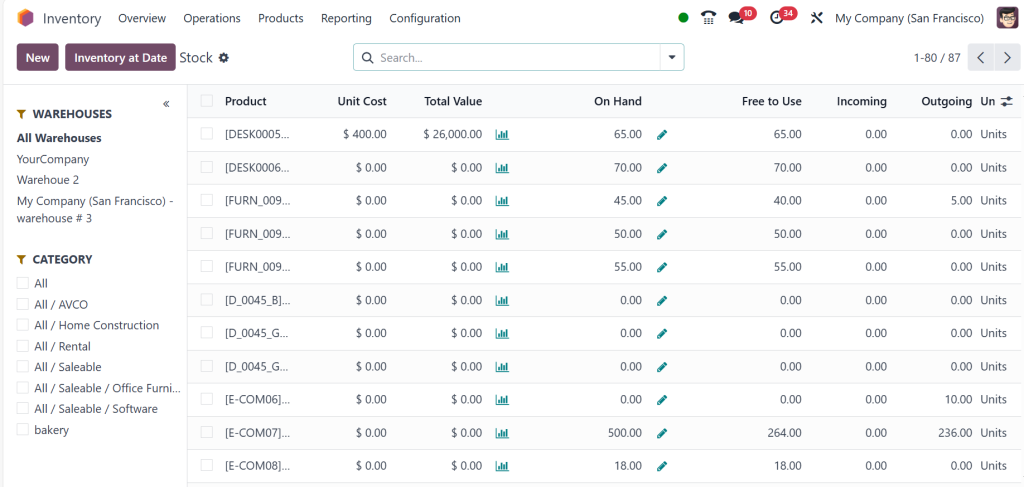
Real-time stock updates define Odoo 18 POS stock movement as one of its main characteristics. The system immediately changes the stock levels upon a sale or inventory movement. This function allows companies to monitor stock fluctuations quickly, therefore helping to prevent overstocking or stockouts. Odoo 18 POS inventory synchronising guarantees that your inventory data is always current, whether viewed on your POS, warehouse, or another linked system.
3. Track Inventory Using Barcodes
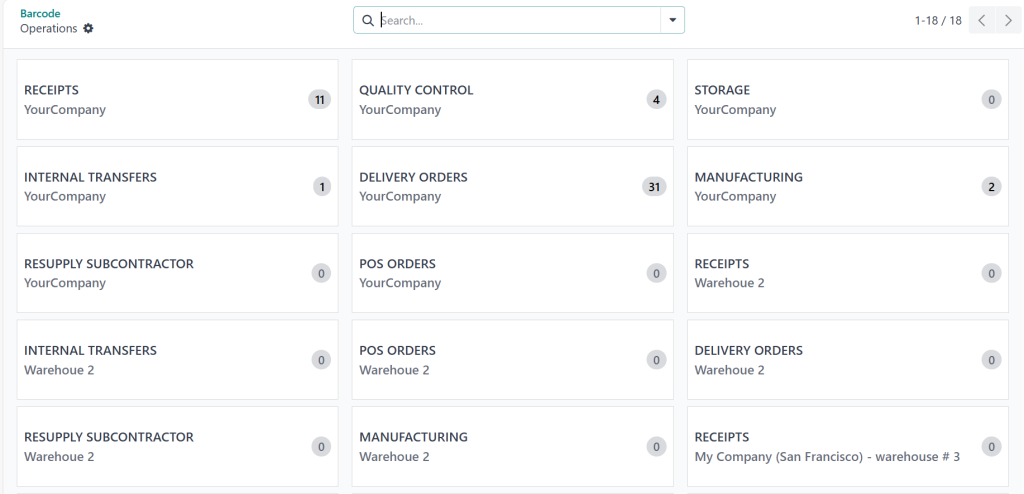
Odoo 18 POS helps integrate barcode scanners for better inventory control. When goods are scanned at checkout or during stock movements, the system immediately changes the inventory counts. Barcode scanning is key for controlling Odoo 18 POS stock flow as it eliminates human mistakes and ensures accurate product information is entered each time. Thus, it reduces human errors and simplifies Odoo inventory management without relying on hand entering.
Odoo 18 POS Inventory Synchronisation
Managing goods across several platforms requires Odoo 18 POS inventory synchronisation. Synchronising inventory guarantees that adjustments applied in one area, such as a POS system, are reflected in all related systems, including the back-end inventory management module, online stores, or other sales channels.
1. Synchronise Stock Levels at Several Sites
Odoo 18 POS lets companies manage stock flow between several sites and warehouses. This is especially helpful for firms with several locations or branches. Odoo 18 POS inventory synchronisation guarantees that the stock levels in one store are precisely reflected in others, preventing variations and stock problems. Odoo 18 POS stock updates will be synchronised across all locations in real time, whether for a sale or stock transfer.
2. Integration with E-commerce Platforms and Online Stores
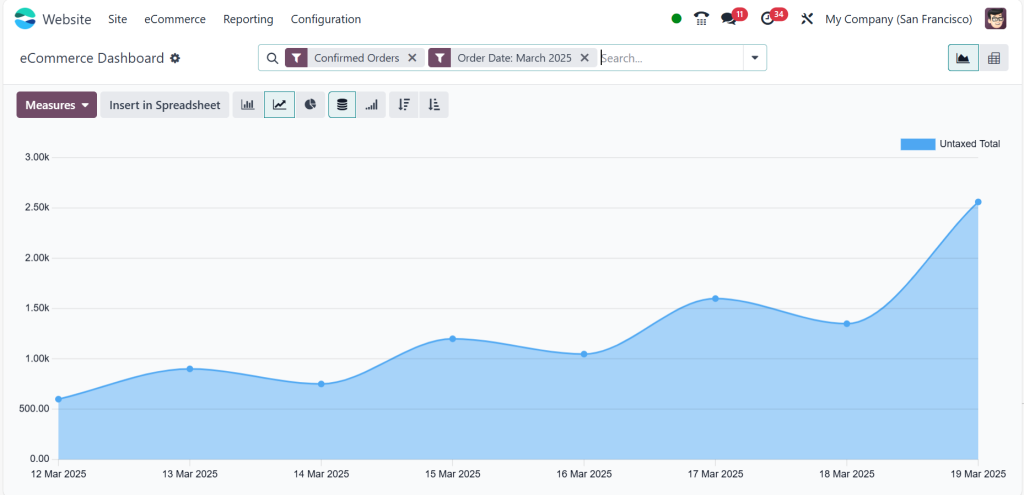
Odoo 18 POS inventory connectivity is essential for companies with physical and online outlets. Synchronising your POS system with your Odoo e-commerce platform will help you guarantee the automatic updating of inventory levels for every online and offline sale. This ensures flawless order fulfilment and helps stop overselling out-of-stock products. Real-time synchronising guarantees that all stock movements and sales are recorded and reflected throughout all channels, preserving consistency in your inventory control.
Odoo 18 POS Inventory Tracking
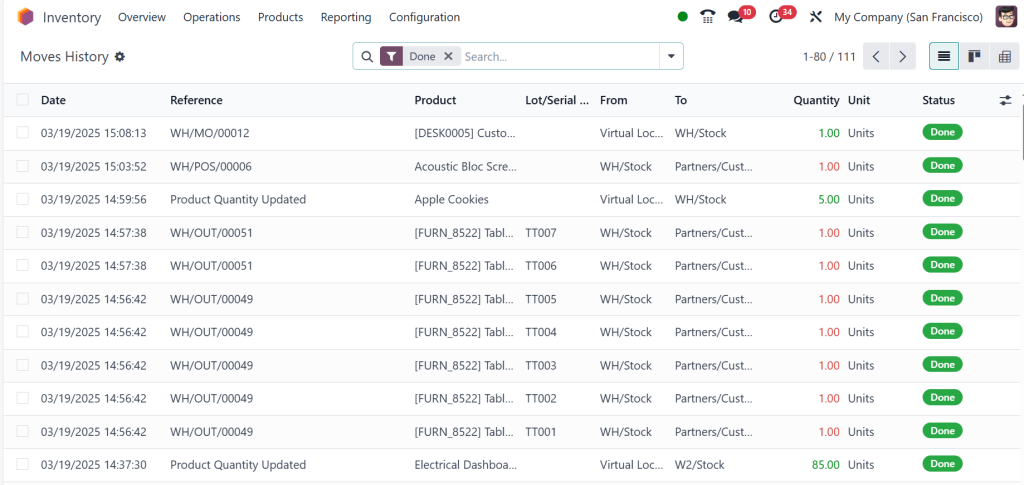
Odoo 18 POS inventory tracking gives companies a complete view of their inventory at any given moment. The POS interface allows users to watch product movements, check stock levels, and create reports on stock performance. Odoo 18 POS’s real-time inventory updates let business owners guarantee they always have the most accurate and current information about their inventory.
1. Track Inventory Trends
Odoo 18 POS helps companies track inventory trends, including most sold goods, restocking patterns, and product performance. Businesses that track which products are selling fast and which need to be reordered significantly benefit from this. Understanding inventory patterns helps companies to maximise their sales strategy and make wise judgements on stock replacement.
2. Create Low-Stock Level Alerts
Creating low stock alerts is one of the best strategies for maintaining ideal stock levels. Odoo 18 POS lets companies notify employees to reorder or move products when the stock reaches a specified level. This function guarantees constant readiness for consumer demand and allows businesses to prevent stock-outs.
Odoo 18 POS Inventory Integration
The Odoo 18 POS inventory connection features give companies one consistent method for inventory control. By tying your POS system with other corporate applications, including accounting, procurement, and warehouse management, Odoo guarantees flawless data flow across all departments.
1. Smoothly interact with other Odoo modules
Odoo 18 POS interacts effortlessly with other Odoo ERP Software modules, including the accounting and inventory systems. This interaction allows firms to track stock movements, sales, and financial data in one location. The system automatically changes your stock levels and shows the economic effect on your accounting records upon a sale. This real-time data flow guarantees your company’s correct and synchronised operations.
2. Linking with Outside Systems
Odoo 18 POS also enables connection with outside systems, including ERP solutions, outside warehouses, or e-commerce sites. This connection helps companies control inventory across several outlets, optimising processes and lowering the possibility of stock variations. Odoo 18 POS inventory synchronisation guarantees that all stock movements are recorded and updated across your whole company ecosystem, whether you run an online store or utilise a third-party warehouse for fulfilment.
Perfecting Odoo 18 POS Inventory Management
Control of inventory movement in Odoo 18 POS will significantly advance operational effectiveness and lower errors. Understanding the essential elements of Odoo 18 POS inventory management can help companies simplify stock movement, get real-time inventory updates, and combine systems for improved inventory tracking.
Odoo 18 POS is a must-have tool for companies trying to maximise their inventory control systems because of its strong capabilities like barcode scanning, inventory synchronising, and smooth interaction with other company tools. Odoo 18 POS stock movement and real-time inventory management may help you keep accurate stock levels and guarantee smooth operations regardless of whether your business is a retailer, wholesaler, or operator of several sites.
The techniques explained in this blog will help you use Odoo 18 POS entirely to maximise your inventory control systems and raise general company efficiency.




