How to Build a Website in Odoo 18 Community Edition Without Coding?
Build a Website in Odoo 18 Community Edition Without Coding
Have you ever wanted to build a beautiful, good website without writing a single line of code? You’re not alone. Whether you’re a small business owner, a freelancer, or a startup entrepreneur, creating a website can feel like a big challenge, especially if you don’t have technical skills.
That’s where Odoo 18 Community Edition comes in. With its free, open-source website builder, you can now easily build a website in Odoo 18 Community Edition using a visual interface: no HTML, CSS, or headaches. Just drag, drop, and publish.
This writing will light you through every step of using the Odoo drag-and-drop website builder, even if you have zero programming knowledge. If you’re searching for the best way to create website without coding Odoo, you’re in the right place.
By the end, you’ll know exactly how to:
Launch your site with Odoo 18 Community Edition
Use the no-code builder effectively
Customize pages using the drag-and-drop interface
Leverage powerful features to attract and convert visitors
Let’s explore the complete Odoo Community website tutorial you’ve been waiting for.
Why Choose Odoo 18 Community Edition for Website Building?
Odoo Website Builder Free and Open Source
One of Odoo Community’s most significant advantages is that it is free and open-source. You don’t need a license to start, making it ideal for startups and SMEs looking for cost-effective ways to go digital.
No Coding Needed
Thanks to the Odoo website builder, which has no code interface, users can build a website in Odoo 18 Community Edition without needing a developer. It’s all visual.
Integrated with Business Apps
Need to connect your website with sales, CRM, or email marketing? Odoo makes it seamless. Your website isn’t just a webpage; it becomes a powerful hub for your business.
Build Website Odoo Community Edition
You must enable the website module before you can build a website in Odoo 18 Community Edition. Here’s how:
Step 1: Install Odoo 18 Community Edition
You can host Odoo yourself or use third-party hosting. Once it’s up and running:
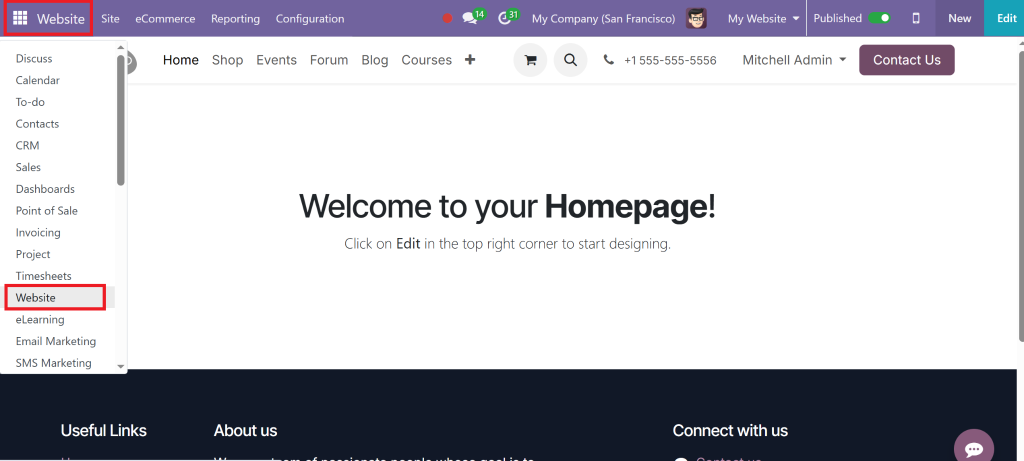
Step 2: Activate the Website App
Go to the Apps section
Search for “Website”
Click Install
You now have free access to the Odoo website builder.
Exploring the Odoo Drag and Drop Website Builder
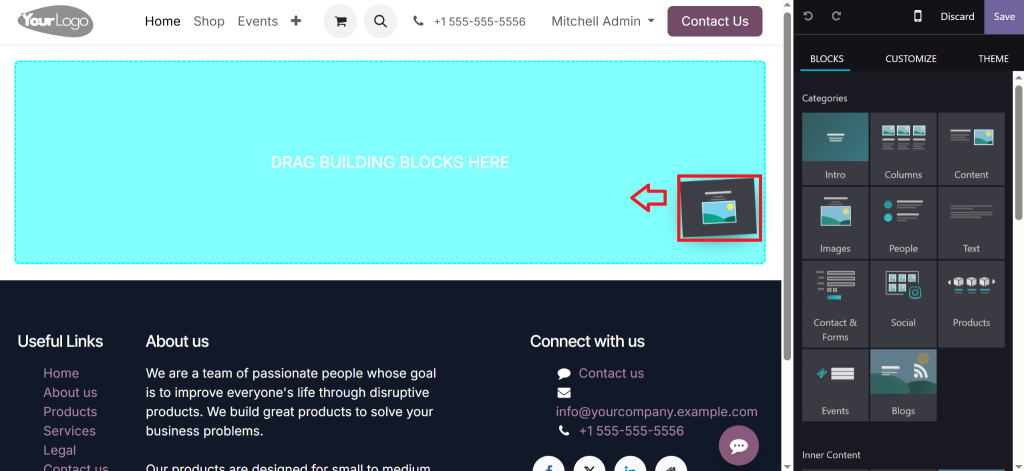
The heart of this no-code solution lies in its powerful drag-and-drop interface. Once the module is installed:
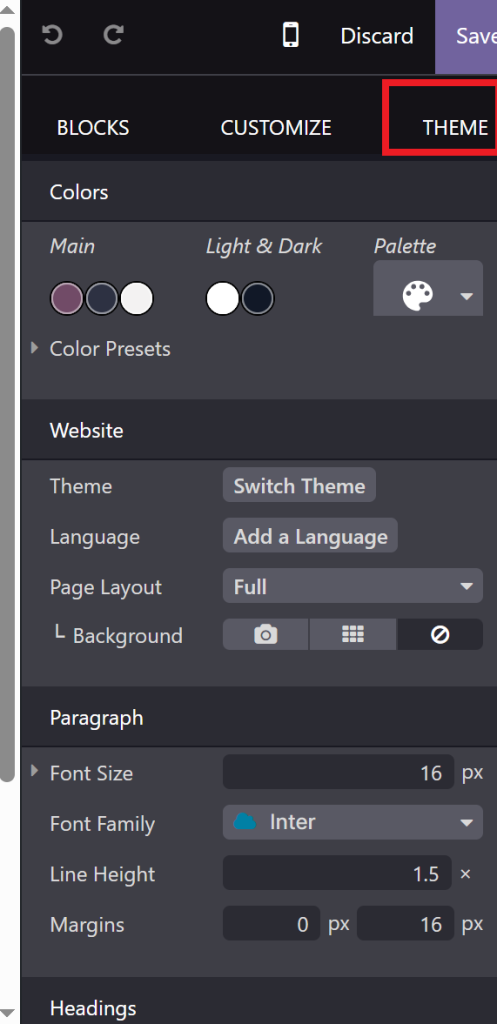
Choose a Theme
Odoo Community offers basic but clean themes. You can later customize colours, fonts, and layouts.
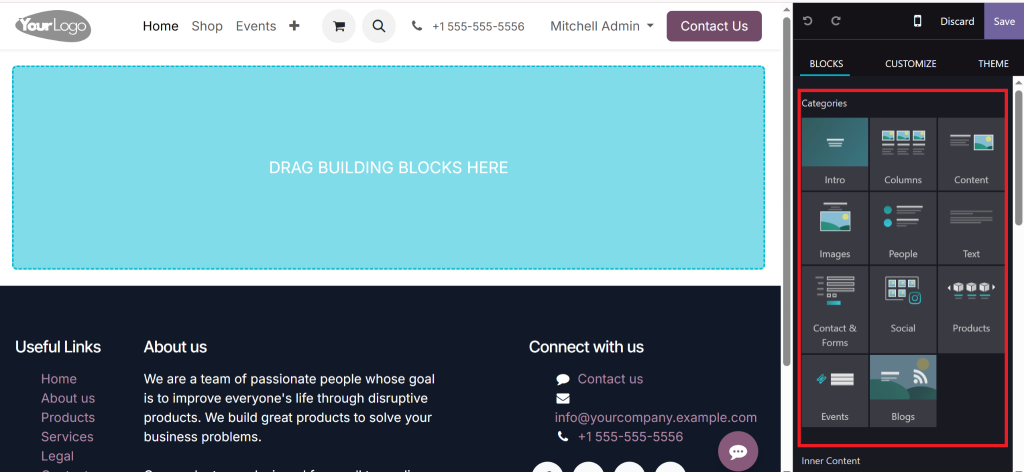
Start Editing with Blocks
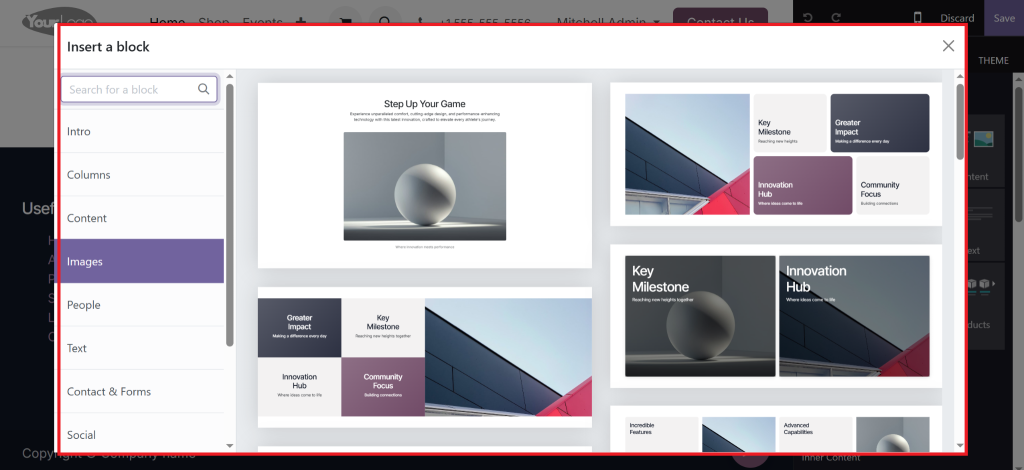
Click “Edit” on any page, and you’ll see blocks like:
Text
Images
Features
Carousels
Pricing tables
Testimonials
Just drag the block you want and drop it where needed.
No-Code Customization
Each block can be modified using side panel settings:
Change images
Update colors
Adjust spacing
Add buttons and links
No developer is needed. You truly create a website without coding in Odoo.
Key Odoo Website Builder Features You’ll Love
Let’s look at some powerful tools built into this free platform.
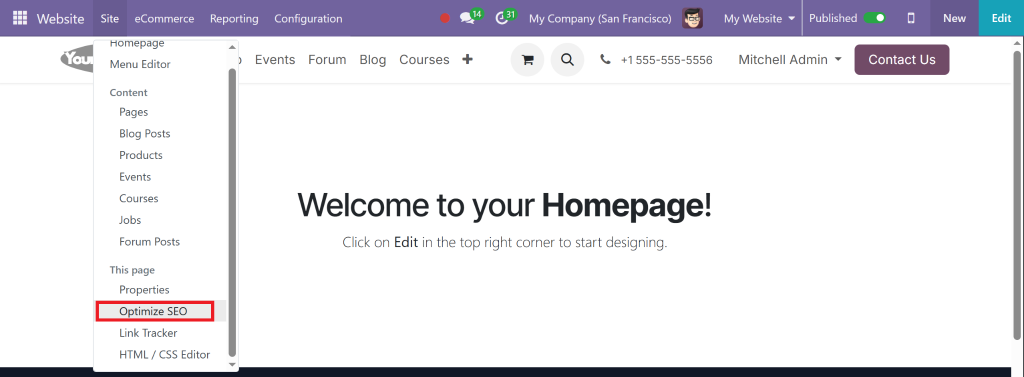
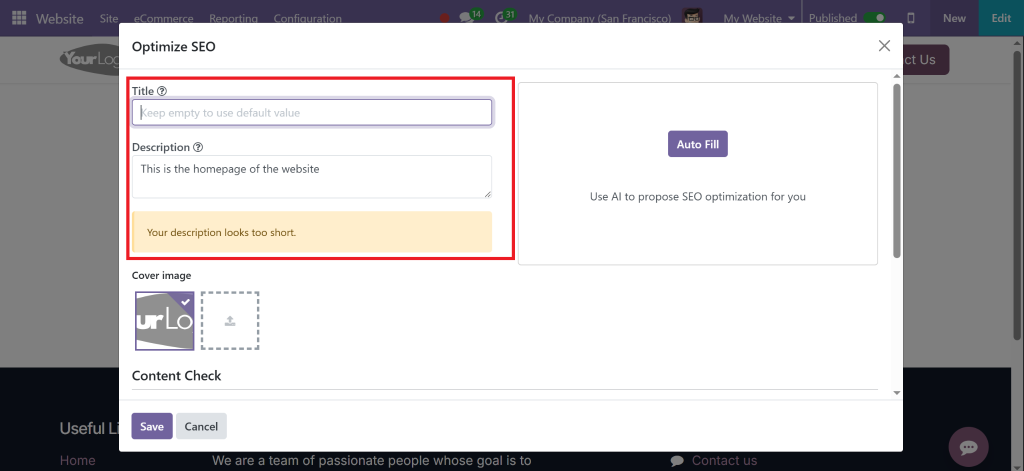
SEO Optimization Tools
Odoo 18 comes with built-in tools for SEO:
Meta tags
Keyword settings
URL structure editing
This ensures your website ranks well in Google, even when you build a website in Odoo 18 Community Edition without coding.
Mobile Responsive Design
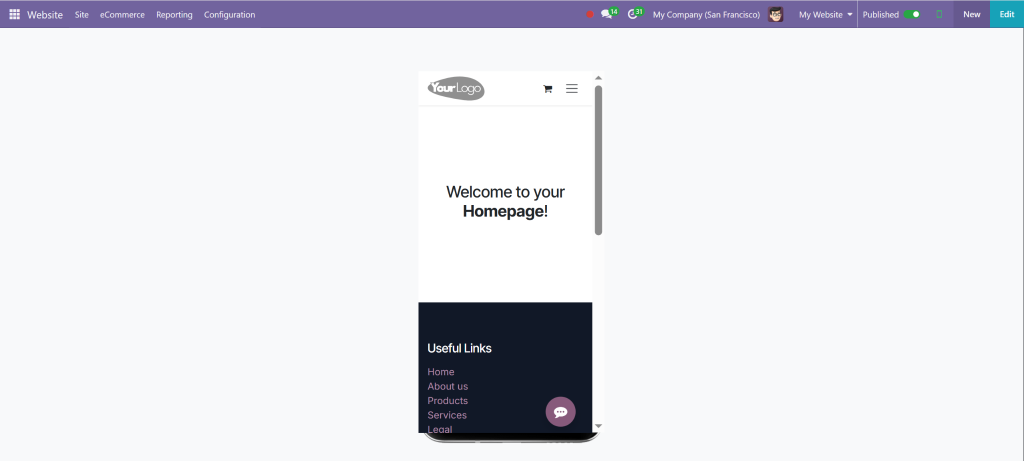
Websites built with Odoo look great on all devices. The builder automatically adapts your content for mobile users.
Live Chat and Contact Forms
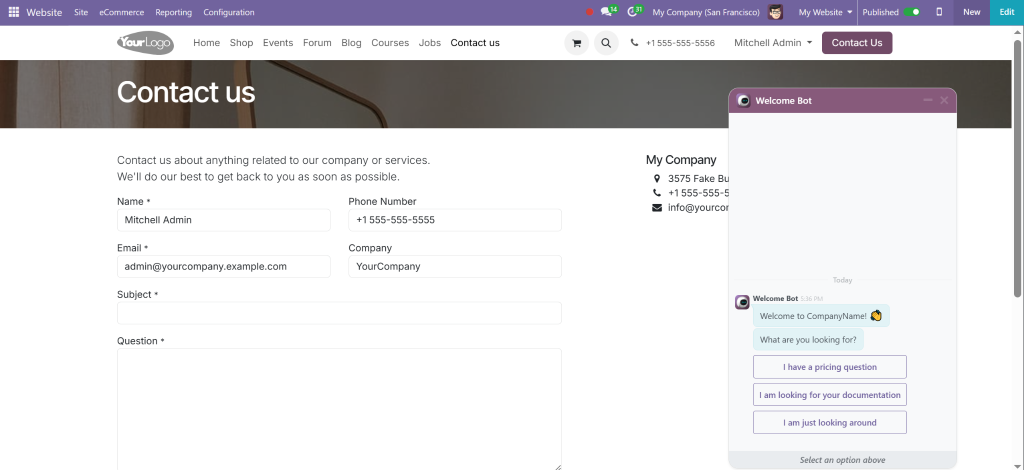
With Odoo Apps, you can directly add live chat, forms, or lead generation tools to your website pages.
Step-by-Step: Build a Website in Odoo 18 Community Edition
Here’s a simplified walkthrough of how you can build your first site today.
1. Setup Website Module
As mentioned earlier, install the Website module via the Apps menu.
2. Choose a Homepage Layout
Pick a homepage layout from the options, or start with a blank page.
3. Add Essential Pages
Use the builder to add:
About Us
Contact
Services/Products
Blog or News
4. Optimize Each Page
Use on-page settings to:
Set meta titles
Add descriptions
Insert H1 and H2 tags
5. Publish and Monitor
Click “Publish”, and your website goes live. Monitor visits via integrated analytics.
Common Use Cases for Odoo Website Builder No Code
Many businesses have already started using Odoo Community to power their online presence:
eCommerce Stores
Though the Community has limited eCommerce features, basic catalogues or product showcases are very doable.
Service-Based Businesses
Perfect for consultants, designers, freelancers, and agencies to build sleek, content-focused websites.
Local Businesses
Restaurants, gyms, and salons can all benefit from quick setup and contact-driven sites.
Tips to Enhance Your Website Without Coding
Even though you’re using a no-code tool, here are ways to take your site to the next level:
Add CTA Buttons Strategically
Use Odoo blocks with call-to-action buttons to drive conversions.
Integrate Newsletter Signup
Use Email Marketing modules to capture emails right from your homepage.
Use High-Quality Visuals
Images speak louder than words. Use free tools like Unsplash or Canva to create professional-looking banners and product photos.
Why Netilligence is the Right Partner to Help You Build an Odoo Website
Building a website in Odoo 18 Community Edition is simple, but expert guidance is crucial for optimizing it for growth, performance, and integration.
At Netilligence, an Odoo Partner, we help businesses:
Set up and customize their Odoo websites
Extend Odoo Community features with custom modules
Train teams on managing and updating the website
Our no-code implementation strategies are personalized to startups and growing businesses that want a stunning online presence without breaking the bank.
Want us to build your Odoo website for you? Contact Netilligence today and go live faster than ever.
You Can Now Build a Website in Odoo 18 Community Edition - No Coding Needed
The idea of creating a professional website seemed overwhelming before. But now, with the Odoo drag-and-drop website builder, anyone can build a completely code-free website in Odoo 18 Community Edition.
From startups to freelancers, from product launches to portfolio sites, Odoo Community has everything you need to go live confidently.
So, what are you waiting for?
Start building today, or contact Netilligence for help designing, structuring, and launching a high-performing website that drives results.
Hi, I'm Nabia, an Odoo ERP functional & technical content writer. I specialize in blogs, social media content, ad copy, landing pages, service pages, and email campaigns.
We use cookies to ensure that we give you the best experience on our website. If you continue to use this site we will assume that you are happy with it.