Learning the Odoo 18 Website Builder
Let’s face it – building a website can feel overwhelming, especially if you’re not a tech wizard. But what if I told you there’s a tool that makes website creation as easy as pie? Enter the Odoo 18 website builder. It’s like having a magic wand for designing, customizing, and launching a professional site without breaking a sweat. Whether starting from scratch or revamping an old site, Odoo 18 has features to make your vision come to life.
This guide will explore using the Odoo 18 website builder to create a stunning, fully functional website. From its intuitive drag-and-drop design to its powerful CMS features, you’ll see why Odoo is an innovation for businesses.
Let’s get started!
Why Should You Consider the Odoo 18 Website Builder?
It’s User-Friendly and Powerful
You don’t need to be a tech genius to use the Odoo 18 website builder. Its drag-and-drop functionality and pre-designed templates make creating a website that looks like a pro design easy. Trust me, you’ll love how intuitive it is.
Customization at Your Fingertips
Your website should be as unique as your business. Odoo lets you tweak every detail – from fonts and colors to layouts and images. With the Odoo website customization tools, you can create something that truly represents your brand.
Business Integration Made Simple
Odoo stands out in how smoothly it integrates with other Odoo apps. Need CRM? It’s done. Running an eCommerce store? It’s easy. Odoo’s integration capabilities make your website a central hub for your business operations.
Affordable and Scalable
Big budget? Small budget? Doesn’t matter. Odoo offers a cost-effective solution that grows with your business. Whether you’re a solopreneur or running a big enterprise, the Odoo 18 web development platform has you covered.
Odoo 18 Website Builder Tutorial
Step 1: Getting Started with Odoo
First things first, you need an Odoo account. Here’s how you do it:
- Head over to Odoo’s official site.
- Sign up for an account and pick a plan that fits your needs.
- Once you’re in, locate the Website Builder module in the dashboard.
Quick Tip: Start with the free trial to test the features before committing.
Step 2: Picking the Perfect Template
Templates are like the skeleton of your website. Odoo 18 offers a wide variety of templates customized to different industries. Here’s what to do:
- Go to the “Templates” section in the website builder.
- Browse through the options and select a design that fits your brand.
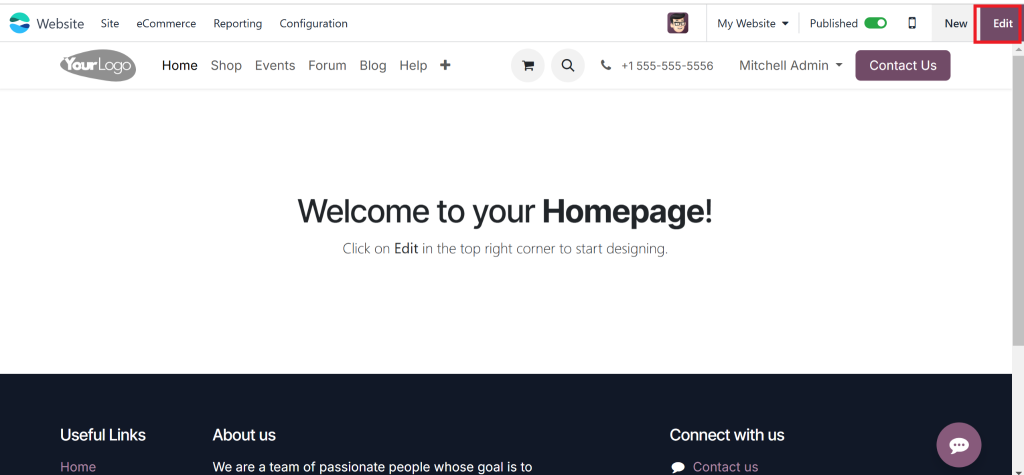
- Click “Edit” to start customizing.
Pro Tip: Choose a mobile-friendly template to ensure your site looks great on all devices.
Step 3: Customizing Your Website’s Look and Feel
Now comes the fun part – making the site your own! The Odoo website customization tools are super flexible and easy to use.
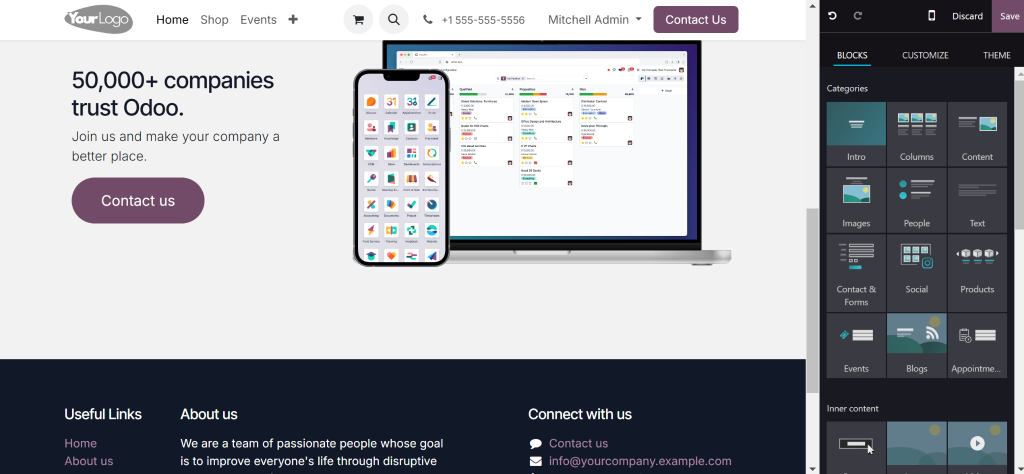
Drag-and-Drop Editor
- Add elements like text, images, buttons, and forms.
- Rearrange sections effortlessly.
Design Settings
- Change fonts, colors, and overall layouts to match your brand identity.
- Add your logo and tagline.
Media Integration
- Upload high-quality images and videos to make your site pop.
- Use Odoo’s image optimization tools to keep loading times fast.
Step 4: Adding and Organizing Content
Good content is the backbone of any great website. With Odoo 18, you can structure and populate your site quickly.
Create Essential Pages
- Home: Make a killer first impression.
- About: Share your story.
- Services: Showcase what you offer.
- Blog: Engage your audience with regular updates.
- Contact: Make it easy for visitors to reach you.
Write Compelling Copy
- Use clear, concise, and engaging language.
- Highlight your unique selling points.
- Naturally, keywords like Odoo website creation and Odoo CMS features should be included.
Pro Tip: Break up long text with headings, bullet points, and images for better readability.
Step 5: Optimizing for SEO
Want your website to rank high on Google? Odoo’s built-in SEO tools make it simple.
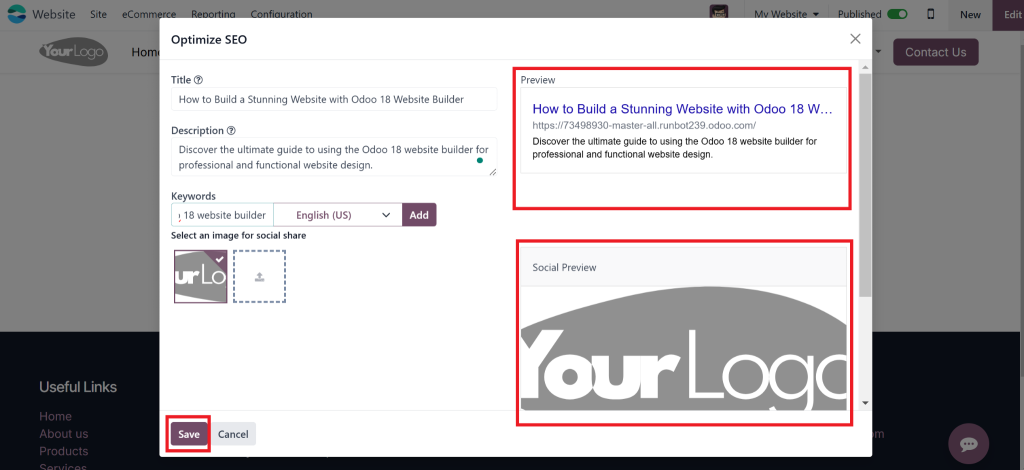
- Add a meta title and description for every page. For example:
- Meta Title: How to Build a Stunning Website with Odoo 18 Website Builder
- Meta Description: Discover the ultimate guide to using the Odoo 18 website builder for professional and functional website design.
- Use keywords like Odoo 18 website builder early and often in your content.
- Optimize images with descriptive alt text.
Step 6: Preview and Publish
You’re almost there! Before hitting publish, take a moment to review everything.
- Use the preview feature to check your site’s appearance on desktop, tablet, and mobile.
2. Fix any last-minute typos or design issues.
3. Click “Publish” and celebrate – your site is live!
Advanced Features You Should Know About
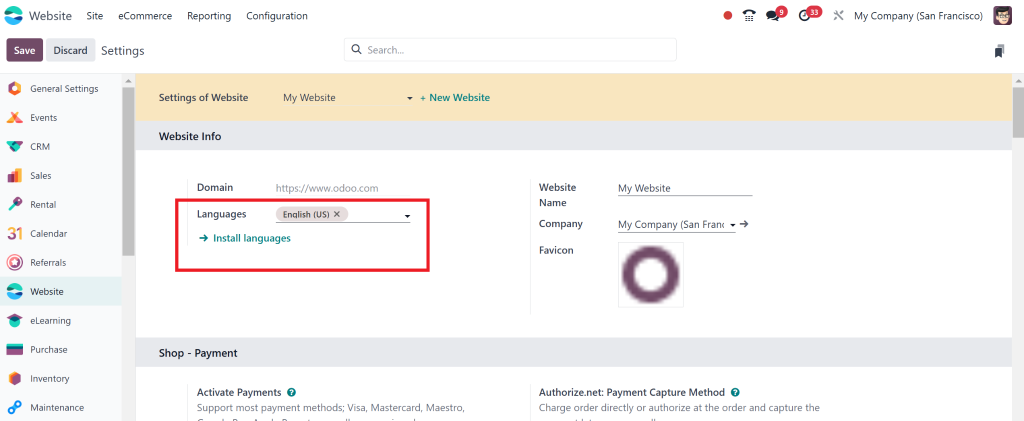
Multi-Language Support
Planning to go global? Odoo’s multi-language feature lets you effortlessly translate your site into different languages.
eCommerce Integration
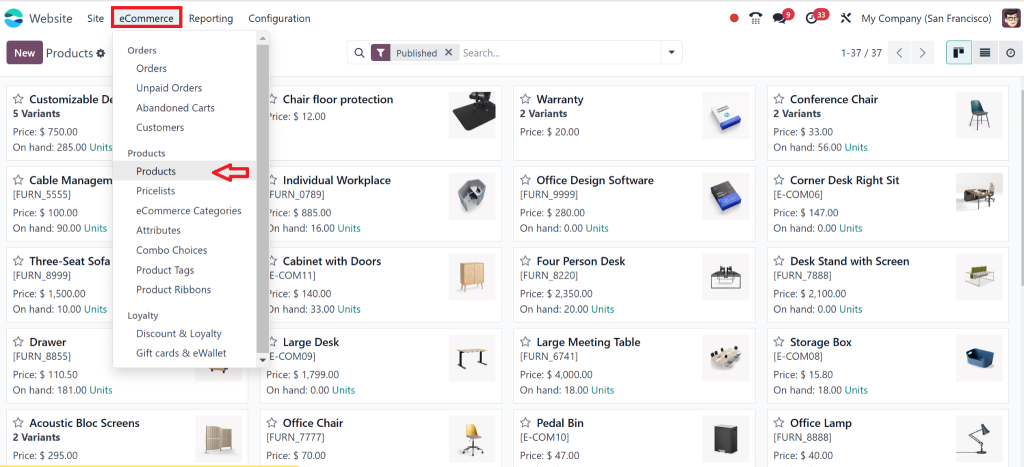
Selling products or services? The eCommerce module lets you:
- Add product pages with images and descriptions.
- Set up a shopping cart and secure payment options.
- Track orders and inventory.
Analytics and Reporting
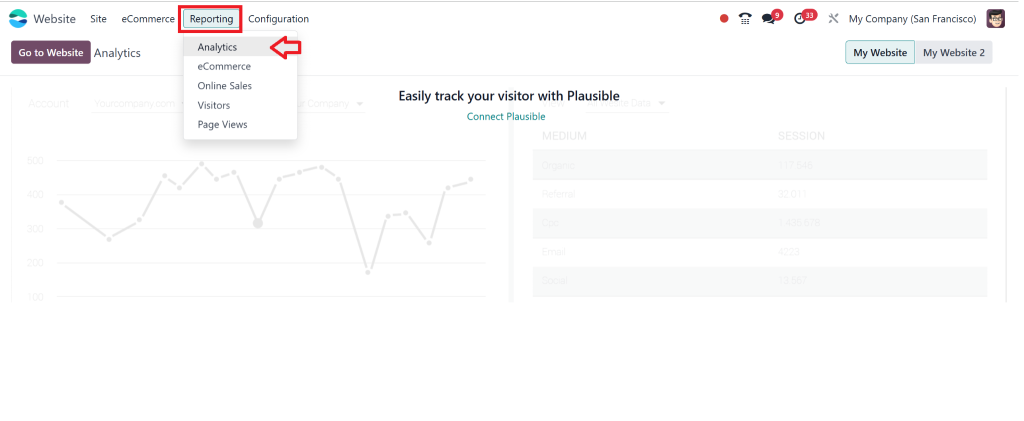
Stay on top of your game with Odoo’s analytics tools. Monitor traffic, conversions, and user behavior to refine your strategy.
Build Your Dream Website with Odoo 18
Creating a website doesn’t have to feel like climbing a mountain. With the Odoo 18 website builder, the process is not just easy – it’s exciting. From drag-and-drop simplicity to powerful integrations, Odoo equips you with everything you need to build a site that reflects your brand and drives results.
So, why wait? Start exploring the Odoo 18 website builder today and transform your online presence.
Your dream website is just a few clicks away.