

Modern project management has transformed through effective Odoo 18 project material tracking systems, which now serve as a key game-changing tool. The precise management of material usage directly affects project timelines, budgets, and success rates in all types of projects, including construction, manufacturing, and services-based projects.
Odoo 18 provides businesses with extensive tools that extend beyond standard inventory management capabilities. Odoo 18’s project capabilities, which track materials used in projects, enable project managers to track resources precisely, provide accurate cost assignments, and maintain continuous communication between procurement and project teams. The powerful ERP software includes three essential modules for Odoo 18 project inventory management, Odoo 18 material usage tracking, and Odoo 18 project cost tracking, which make it an essential solution for organizations seeking productivity and efficiency improvements.
This blog provides a step-by-step guide to help you master Odoo 18 project material tracking while creating valuable reports and achieving team alignment through defined project resource targets.
Why Material Tracking Matters in Project Management
Project materials serve as more than physical resources because they embody time costs and monetary expenses and represent progress levels. Materials that lack proper tracking can result in:
- Budget overruns
- Delays in completion
- Wastage and reordering
- Confusion among teams
Odoo 18 project material tracking solves these problems through automated systems, real-time tracking, and centralized reporting capabilities. The integrated modules of this system enable precise synchronization between material procurement and on-site usage.
The project material tracking feature of Odoo 18 enables businesses to link materials directly to task stages while connecting inventory to bill of materials (BoM) and providing instant stock level visibility.
Step-by-Step Process to Track Materials for a Project in Odoo 18
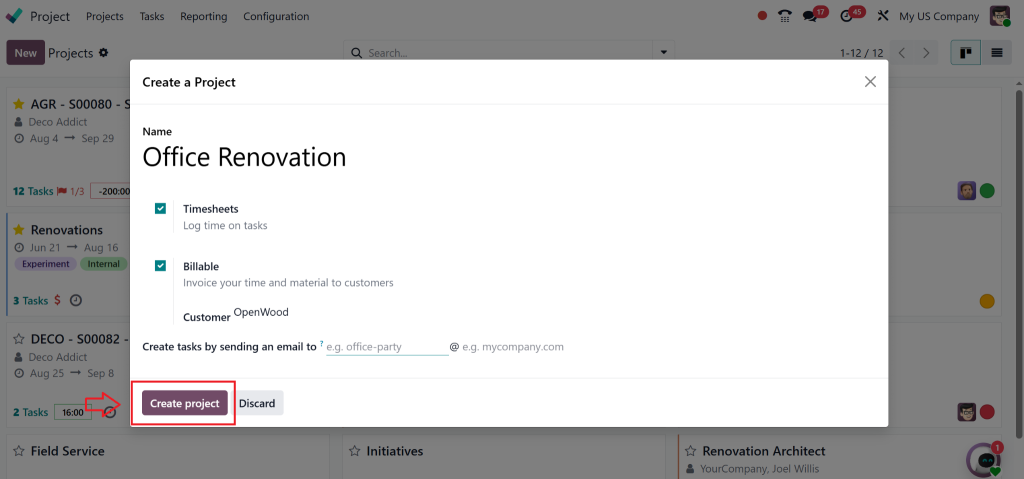
Step 1: Create a New Project
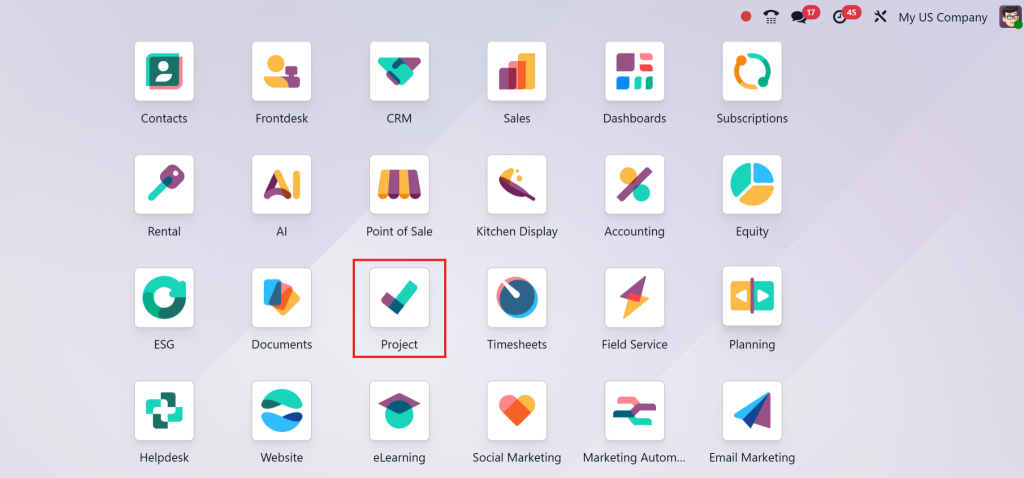
- Go to the Odoo 18 Project module.
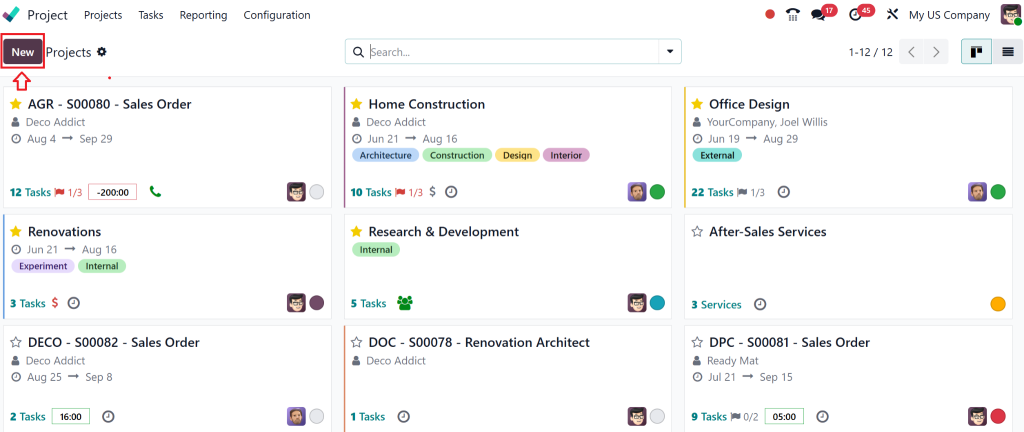
- Click on the “New” button.
- Fill in the project form:
- Name – Enter the project name.
- Timesheets – Enable tracking of time.
- Billable – Enable to allow invoicing for time and materials.
- Customer – Link the project to a specific client.
- Email Alias – Set to allow task creation via email.
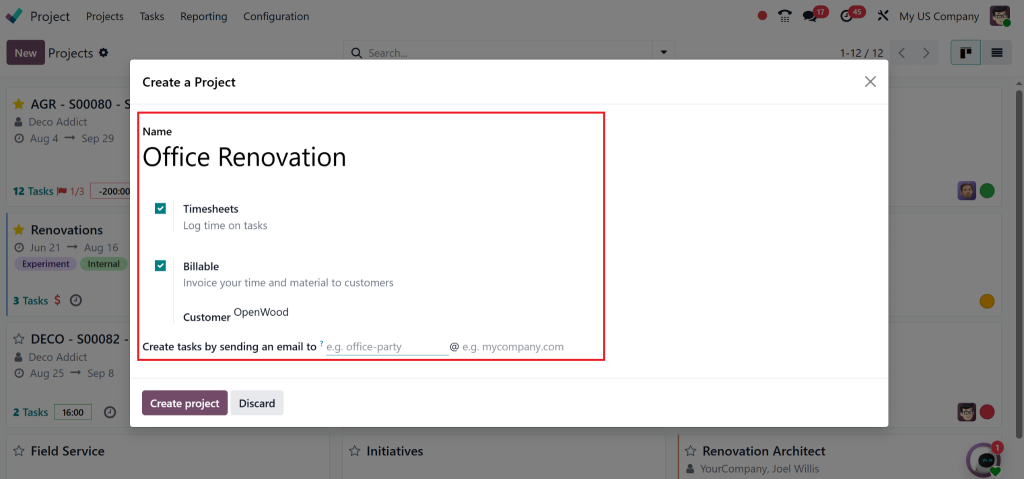
- Click Create Project.
Step 2: Set Up Task Stages
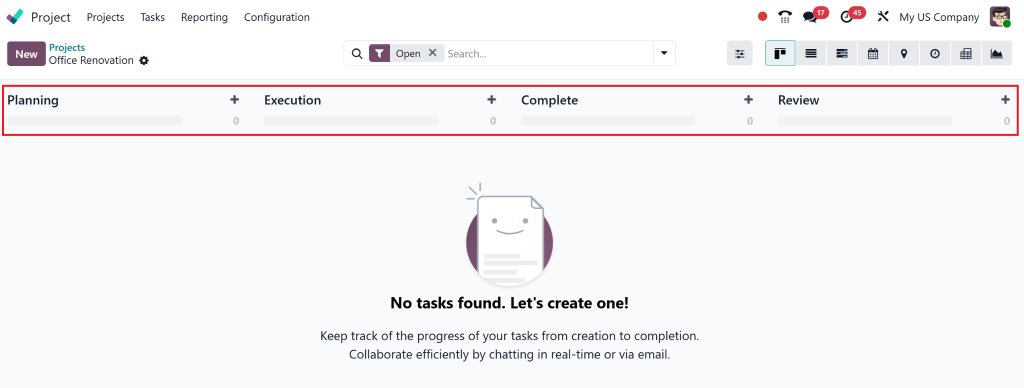
- After project creation, add task stages (e.g., “Planning”, “Execution”).
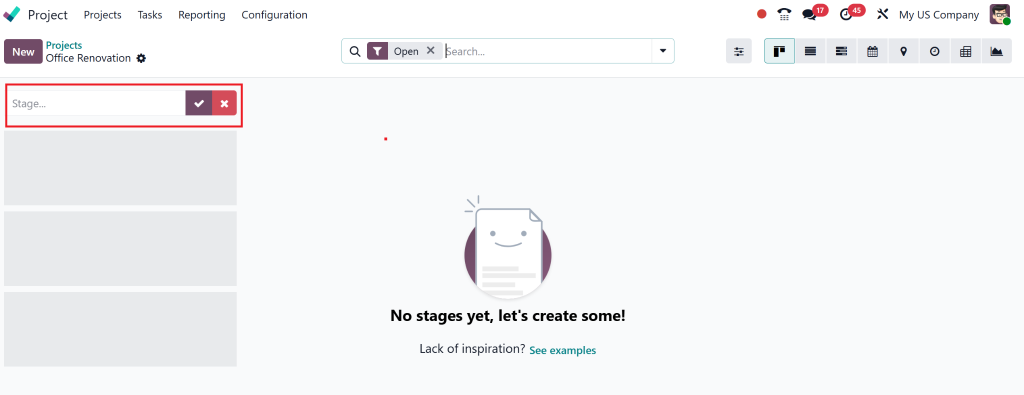
- Enter the name of each stage and click Add.
Step 3: Add Tasks to the Project
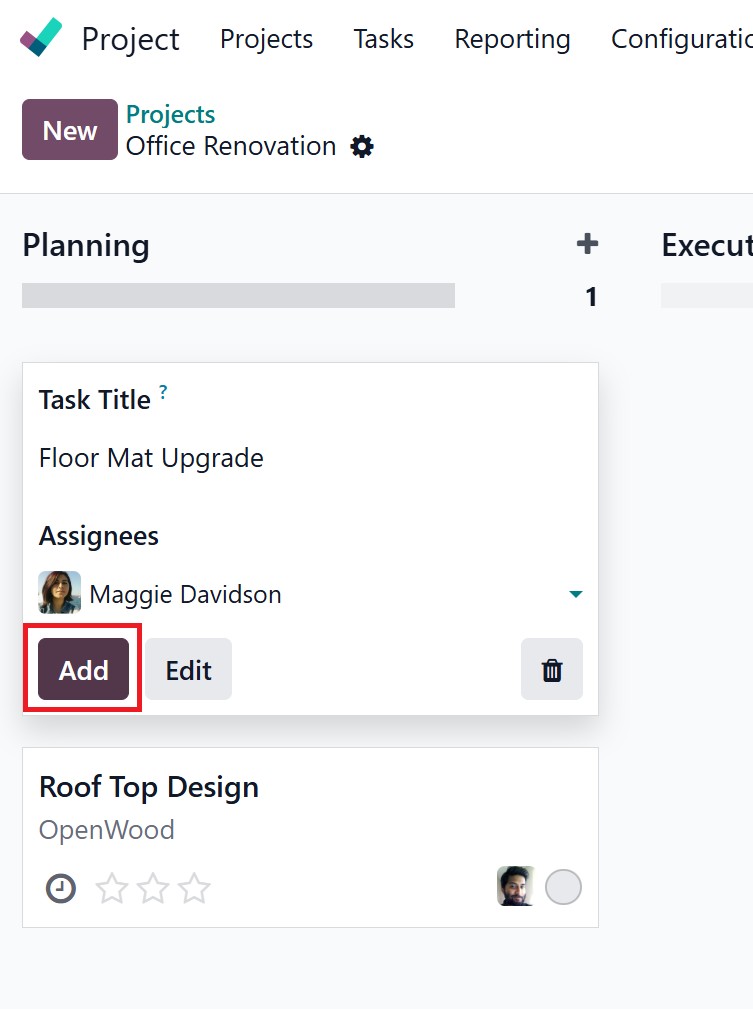
- Click on the “+” button to add tasks under each stage.
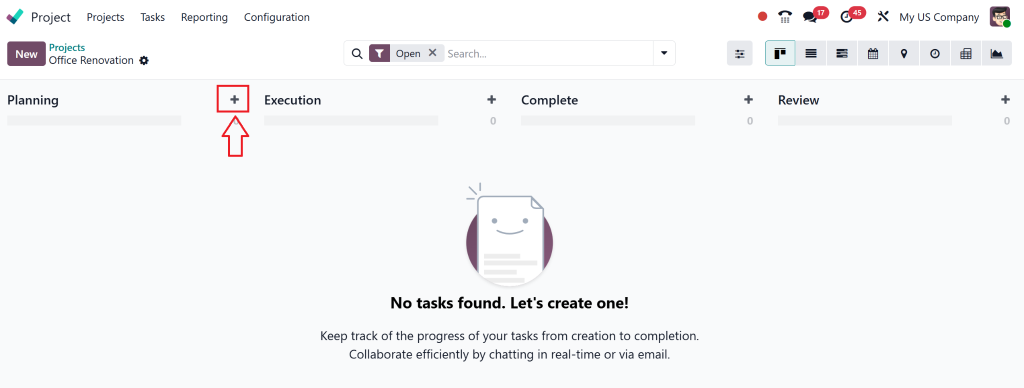
- Provide:
- Task Title
- Assignee
- Click Add to save each task.
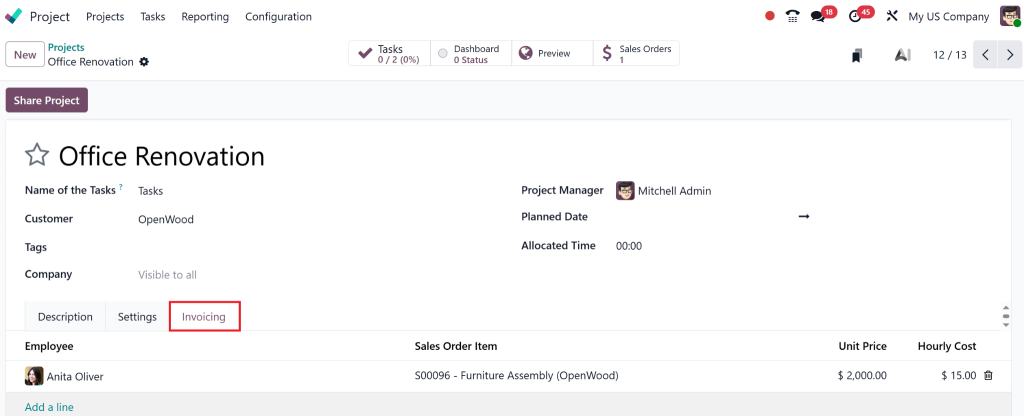
Step 4: Enable ‘Products on Tasks’ Feature
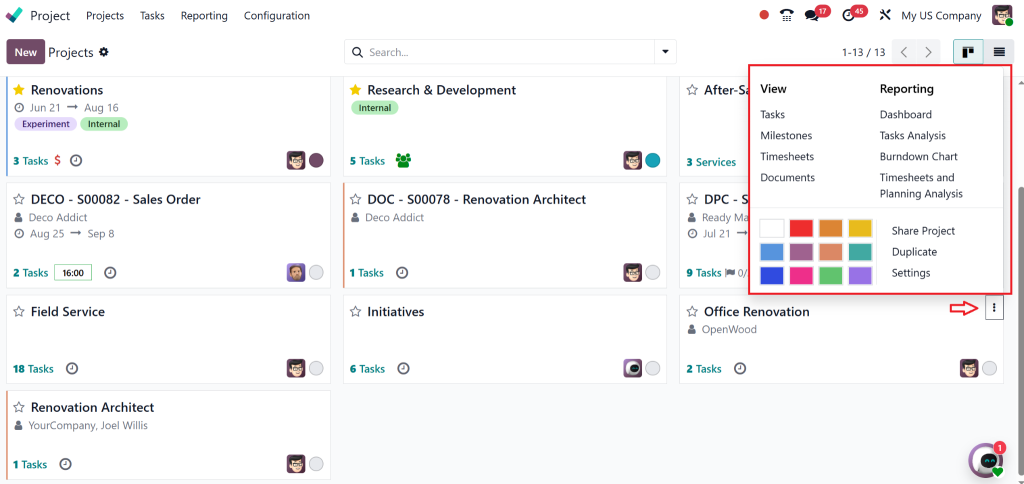
- Go to the project card and click on the three vertical dots.
- Open the project’s form view.
Step 5: Add Materials to a Task
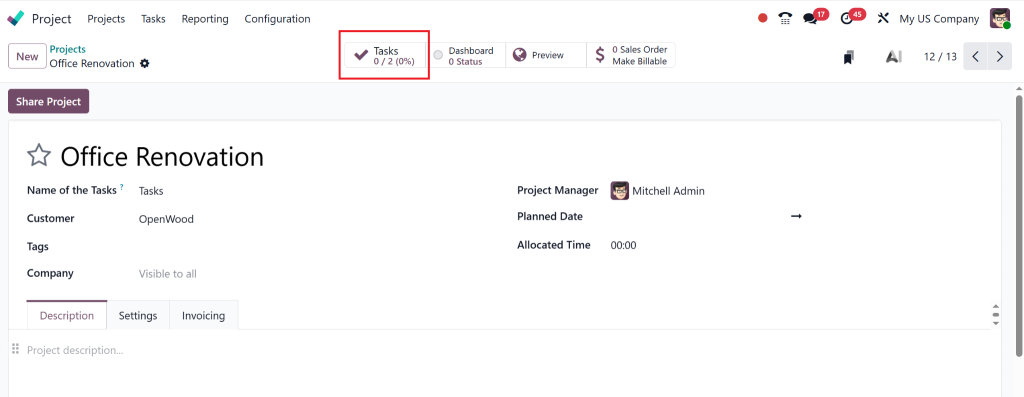
- Open the specific task from the smart tab.
Step 6: Link and Add Products
Go to the Sales order smart tab in the task.
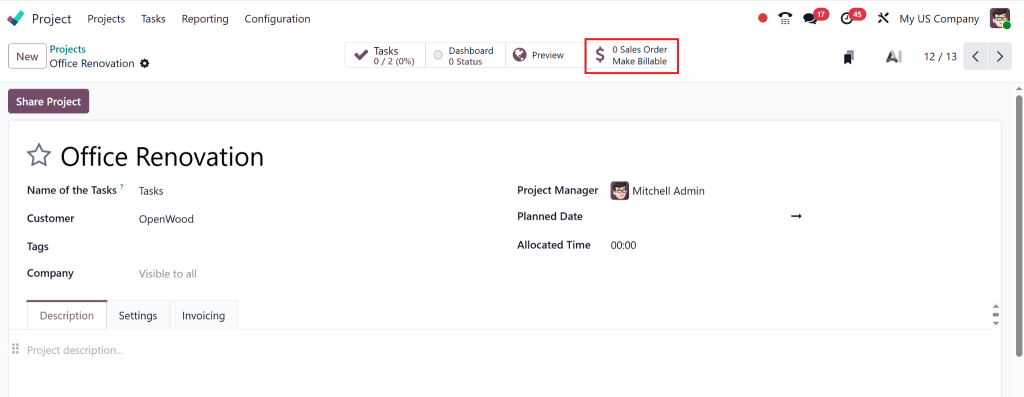
- Add required products (e.g., Whiteboard Pen, Measuring Tape).
- Adjust quantities as needed.
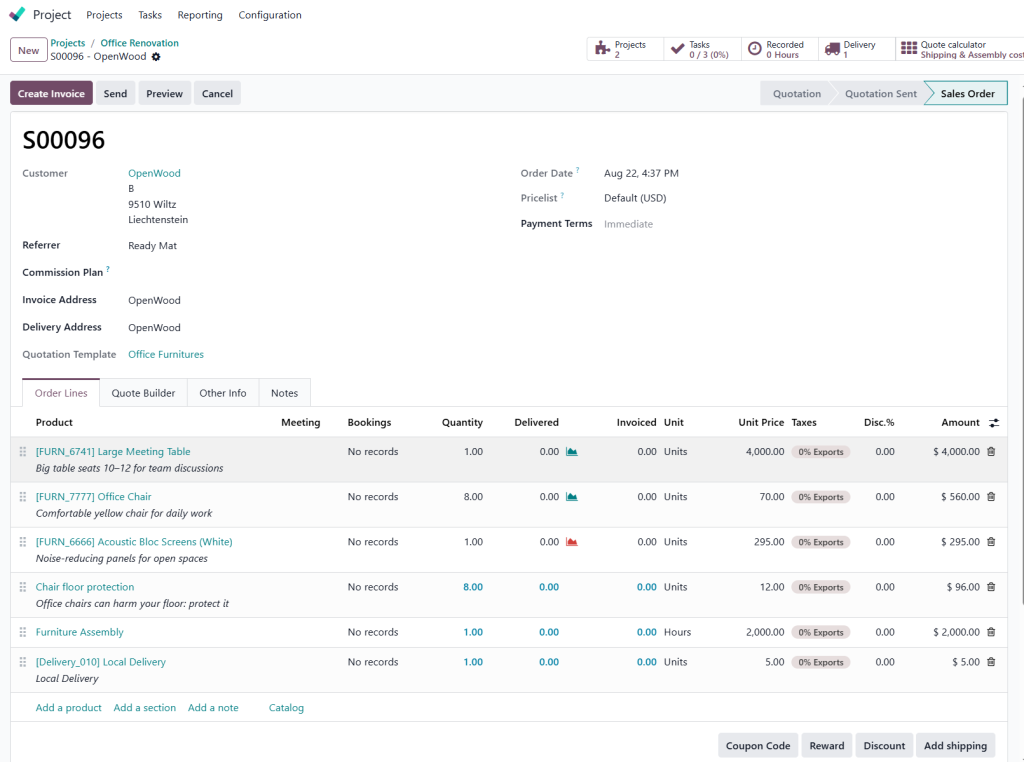
Step 7: Validate Product Delivery
- Click the Delivery Smart tab from the sales order.
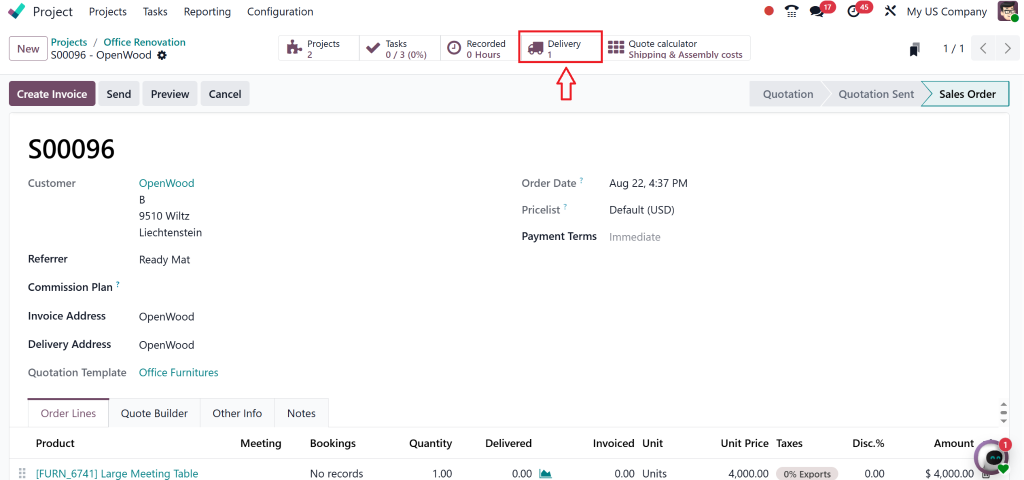
- Validate the delivery to confirm the dispatch of products.
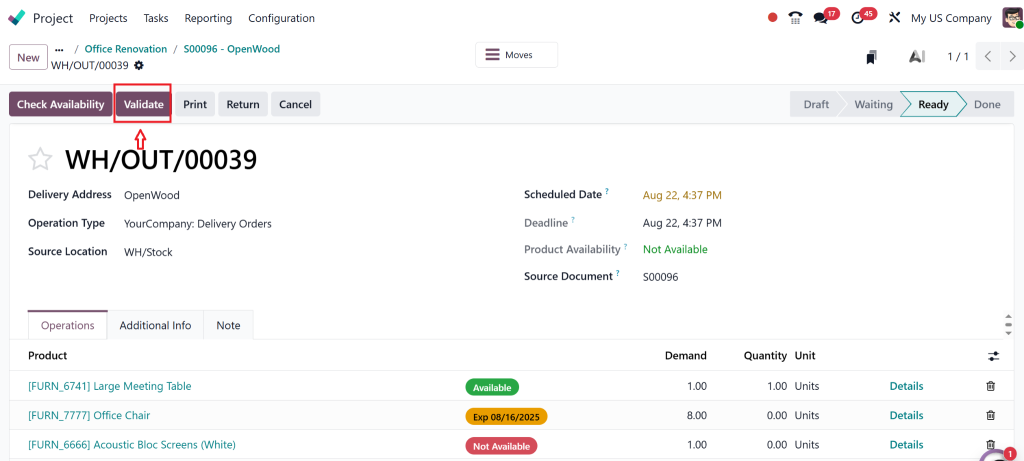
Step 8: Generate Invoice
- Return to the Sales Order.
- Click Create Invoice → then Confirm.
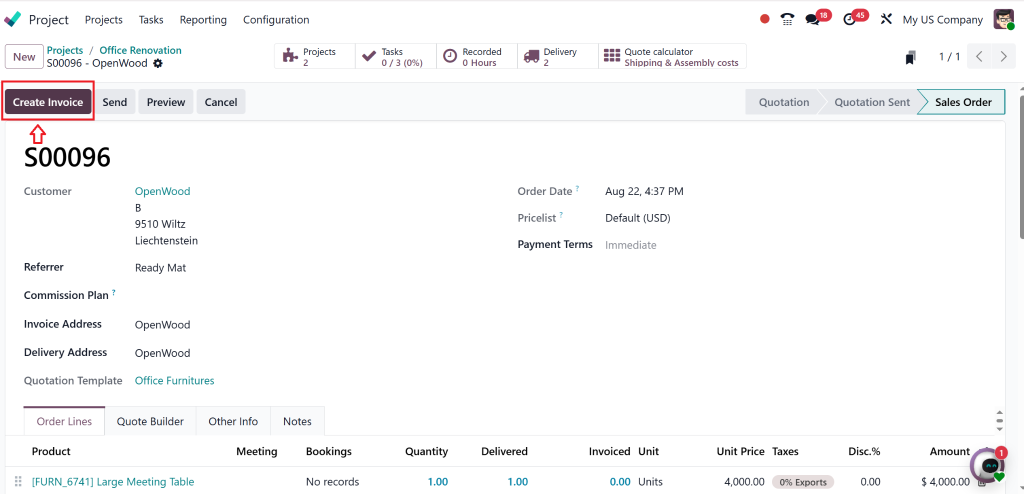
- An Invoice tab appears in the related task.
Tracking Material Consumption in Real-Time
The real-time monitoring capability stands out as a key feature of Odoo 18 project material tracking. Here’s how
1. Track Movement from Inventory to Project Site
The system tracks inventory movements through the recording of material issues. Odoo 18 tracks materials used in the project through actionable logs and audit trails, which make the system more than theoretical.
2. Use Smart Buttons and Reports
The smart buttons located in each task and project area enable users to view stock moves, material requests, and consumed items.
3. Automate Replenishment Rules
Project locations should have minimum stock rules established. The system triggers automated purchase orders when stock levels fall, which prevents delays from occurring.
Generating Project Material Consumption Reports in Odoo 18
The Odoo 18 project material consumption report functions as a robust tool which delivers transparency and audit-readiness. The system allows you to create reports that show the following information:
- Material consumption per task
- Value of materials used
- Balance stock for each project
- Historical consumption vs planned usage
These reports aid in strategic decision-making and ensure your Odoo 18 project cost tracking remains accurate throughout the lifecycle.
Linking Material Tracking with Cost and Resource Management
Odoo 18 project material tracking enables you to monitor physical goods while maintaining alignment with financial targets and workforce management. Here’s how
- Track material costs directly to the budget
- Associate usage with specific resources and timelines
- Integrate with timesheets and resource planning for full visibility
Odoo 18 project resource management connects planning activities to execution activities to optimize both material and manpower utilization.
Transform Project Execution with Odoo 18
Your project’s success depends on the level of resource control you maintain. Odoo 18 project material tracking gives you the ability to:
- Every material movement can be tracked through this system.
- Budget leaks can be prevented through this system.
- Team coordination becomes more effective through this system.
- The system enables projects to be completed on time with exact precision.
Odoo 18 track materials used in the project provides organisations with the power to transform their operations regardless of their construction site, IT deployment, or manufacturing workflow needs. The combination of Odoo 18 project inventory management with robust material usage tracking and real-time reporting through Odoo 18 will help you achieve execution excellence.
Netilligence will assist you in implementing and customising Odoo 18 to achieve the best possible results.




