How to Convert Tickets Into Sales Opportunity in Odoo 18 Help Desk Module?
Businesses that operate with support teams receive ongoing customer inquiries as part of their operations. A single customer inquiry can develop into a potential sale for businesses. The ticket-to-sale conversion feature in Odoo 18 help desk provides companies with a strategic advantage.
Understanding Odoo 18 Help Desk and CRM Integration
The main issue arises from the separate operations of support and sales teams, which prevents them from accessing beneficial cross-functional opportunities.
The Helpdesk and CRM integration in Odoo 18 provides a solution to this problem through its powerful connection. The platform enables your support team to transform tickets into opportunities, which prevents any potential leads from being lost. The platform enables your business to establish a unified operational process that connects service activities to sales activities.
Our team at Netilligence helps organizations set up this workflow to track all customer interactions while making them ready for sales. The correct setup enables you to maintain timely follow-ups, resulting in higher conversion rates and improved customer satisfaction.
Why Converting Helpdesk Tickets into Opportunities Matters
The main issue arises because support teams lack visibility into sales opportunities, which prevents them from making upselling and cross-selling offers.
Every support ticket contains potential buying opportunities that support teams should recognize. A customer inquiry about premium plan features or upgrades indicates their potential interest in making a purchase. The Odoo Helpdesk CRM integration monitors these interactions so your sales team can respond immediately.
A software company receives support ticket inquiries from customers about the availability of premium plan features. The ticket-to-opportunity conversion process transforms this support query into an immediate sales opportunity.
Odoo 18 sales opportunity from Help Desk operates as a growth enabler beyond its basic workflow functionality.
How to Convert a Support Ticket into a Sales Opportunity in Odoo 18 Help Desk Module
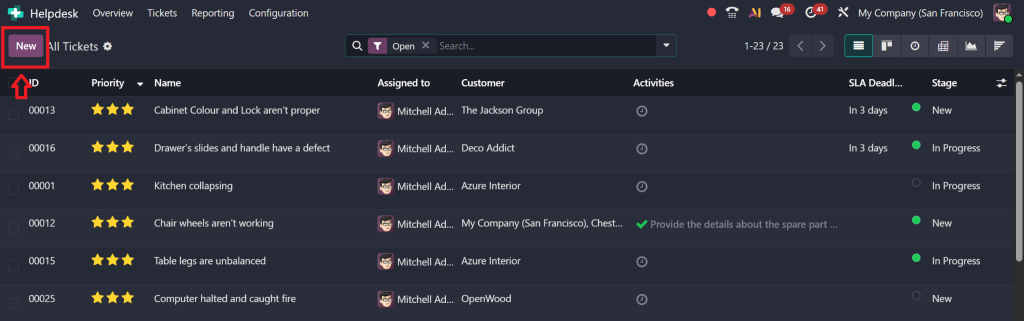
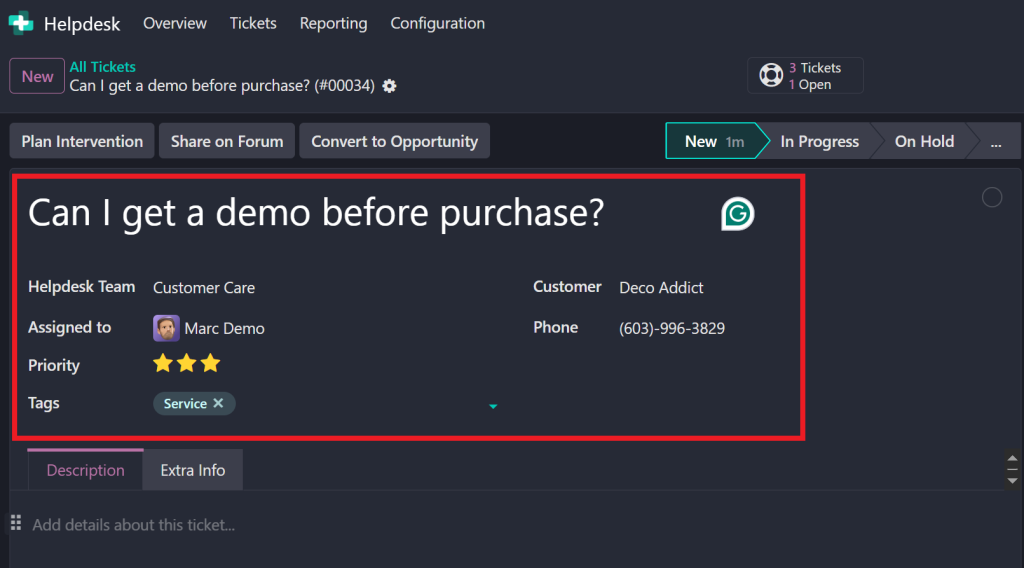
Title: Enter a descriptive title (e.g., “Can I get a demo before purchase?”).
Team: Assign it to a Helpdesk team.
Assignee: Select an internal user (e.g., Marc Demo).
Priority: Set using the star system (e.g., Urgent).
Tags: Add searchable tags.
Customer: Choose a customer (e.g., Deco Addict).
Contact Info: This is auto-filled if the customer is in the Odoo database.
Save the ticket once all fields are filled.
Step 3: Open the Ticket for Conversion
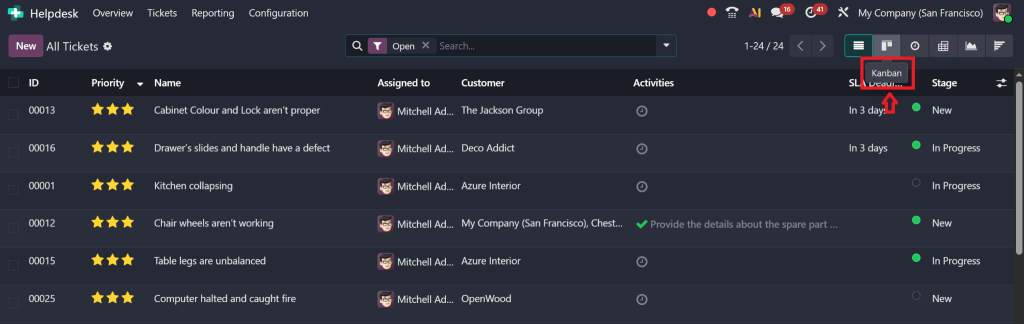
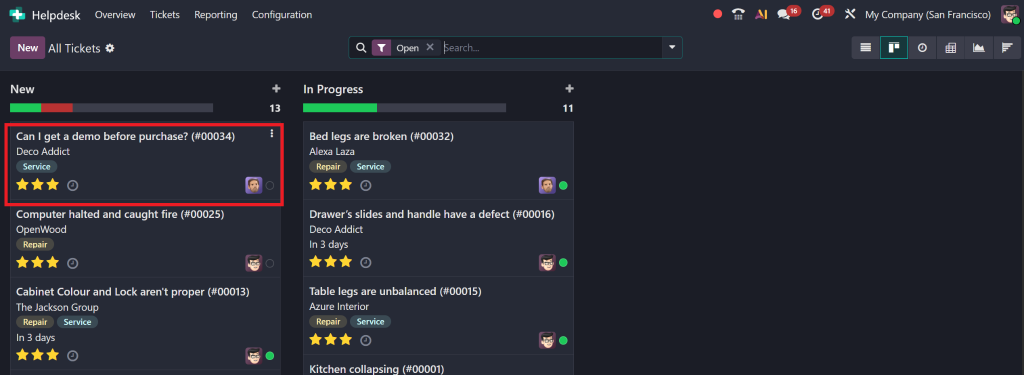
Find the newly created ticket in Kanban view.
Open the ticket.
Step 4: Determine If It’s a Sales Opportunity
Identify if the inquiry is pre-sales (e.g., asking about pricing or requesting a demo before purchase).
If yes, proceed to convert the ticket to a sales opportunity.
Step 5: Convert the Ticket
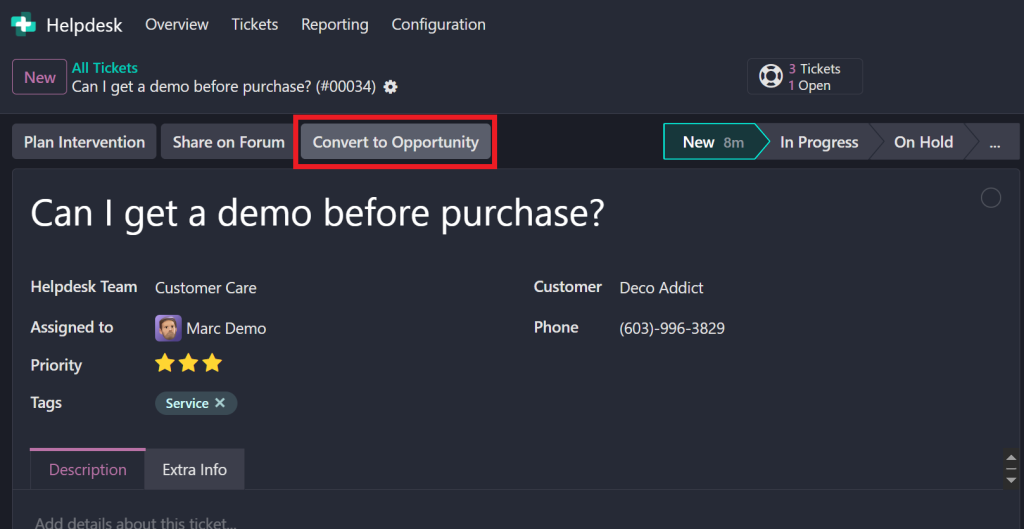
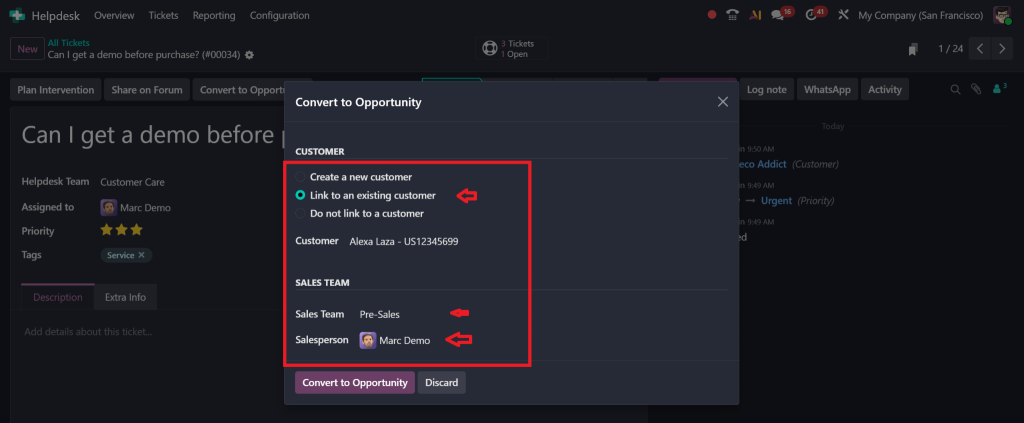
Click on the “Convert to Opportunity” button.
In the pop-up wizard:
Customer Link: Choose “Link to an existing customer” (auto-selected if already specified).
Sales Team: Select the appropriate sales team (e.g., Pre-Sales).
Assigned To: Assign a salesperson (e.g., Marc Demo).
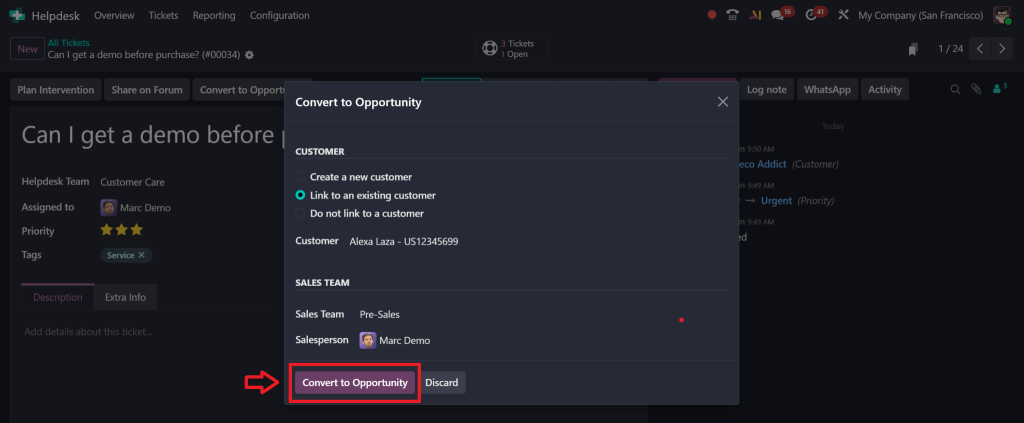
Click “Convert Opportunity”.
Step 6: Confirm in CRM
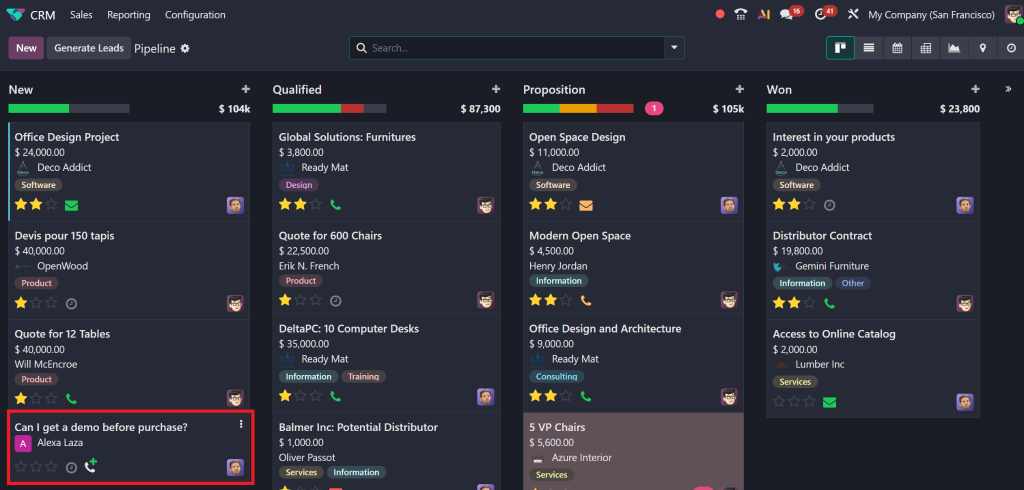
You are redirected to the CRM module automatically.
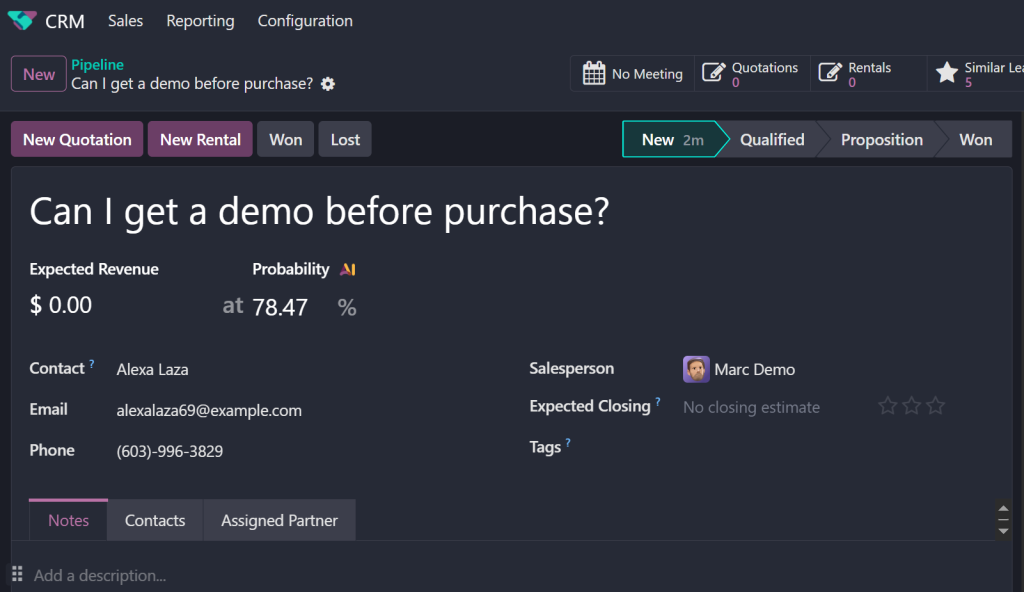
Check the CRM pipeline for the newly created opportunity.
It will contain pre-filled info like:
Customer
Expected Revenue
Probability
Closing Date
Benefits of Using Odoo 18 to Convert Support Tickets to Sales Leads
The main issue arises from the inability to track return on investment (ROI) from support team interactions.
The Odoo 18 convert ticket to opportunity feature provides the following benefits when used:
Increase Sales: Capture warm leads directly from support.
Improve Collaboration: Align support and sales.
Save Time: Reduce manual handovers.
Enhance Customer Experience: Personalized follow-ups make customers feel valued.
The Odoo system enables the conversion of support tickets into sales leads while delivering more than just automation through its smart business capabilities.
Tools & Services to Make It Work Better
The current manual ticket management system results in time loss and produces inconsistent tracking outcomes.
The following improvements to the process can be achieved through Netilligence’s services and tools:
Custom Workflows: Customize your Odoo Helpdesk ticket conversion process.
Automation Scripts: Auto-create opportunities based on ticket tags or priorities.
The analytics dashboards provide conversion rate tracking from Helpdesk to CRM.
The staff training program should teach employees to recognize and respond to potential opportunities for growth.
Best Practices for Odoo Helpdesk Ticket Conversion
The main issue arises when teams either neglect to use the conversion feature or apply it in an irregular manner.
1. Define Clear Criteria
Establish specific rules to determine which ticket types should be converted.
2. Train Support Teams
Teach your support team members to recognize sales opportunities within ticket interactions.
3. Automate Where Possible
Workflows should automatically direct converted leads to sales teams.
4. Monitor & Optimize
The reporting tools enable you to track success rates so you can enhance the process.
From Tickets to Sales
The conversion of tickets into sales represents a strategic approach that succeeds only through correct implementation. The Odoo ticket-to-opportunity process operates as a simple yet powerful and scalable system when organizations properly configure it.
The Odoo Helpdesk ticket conversion expertise of Netelligence enables businesses to convert customer interactions into successful sales outcomes. Our team provides customized setups and automation solutions, and team enablement services to help you maximize the full potential of your Odoo 18 platform.
Are you prepared to convert support interactions into sales opportunities? Reach out to Netilligence right now to convert your ticket desk into a sales engine.
Hi, I'm Nabia, an Odoo ERP functional & technical content writer. I specialize in blogs, social media content, ad copy, landing pages, service pages, and email campaigns.
We use cookies to ensure that we give you the best experience on our website. If you continue to use this site we will assume that you are happy with it.