


The Importance of Previewing Product Variants in Odoo 18 E-commerce
When it comes to e-commerce, user experience is everything. One feature that can significantly improve the shopping experience is the ability to preview product variants on the shop page. With Odoo 18 preview product variants become a smooth process that enhances your store’s visual appeal and functionality. This article will explore how to preview product variants in Odoo 18 and discuss how it can benefit your online store.
For businesses using Odoo 18 e-commerce, previewing variants on the shop page is essential for offering an intuitive shopping experience. The Odoo 18 product variant display ensures customers can easily view different options without navigating to individual product pages. Preview product variants and let your customers have a smooth, interactive shopping experience from start to finish.
How Odoo 18 Makes It Easy to Preview Product Variants
Odoo 18 provides multiple features that improve user interaction. One of the most notable features is the direct display of product variants on the shop page. The product variant thumbnail preview lets users view all product options simultaneously, including sizes, colours, and custom attributes. The product page’s visual representation of available choices enables customers to make better purchase decisions through instant product variant previews.
Odoo’s e-commerce functionality simplifies the shop page variant preview integration. The customization feature improves shopping convenience because customers can view each variant before selecting it for their cart.
Understanding the Product Variant Concept in Odoo 18
What Are Product Variants?
In the world of e-commerce, product variants refer to different options available for a single product. These options could include various sizes, colours, styles, or custom attributes. For example, a t-shirt could have different variants based on size (small, medium, large) or colour (red, blue, green).
Odoo 18 e-commerce is designed to handle these variants efficiently. By previewing product variants on the shop page, customers can instantly see what’s available and choose their preferred option. Odoo 18 allows you to easily configure and manage these variants, providing the merchant and the customer with an automated and efficient experience.
Why Display Product Variants on the Shop Page?
Showing product variants on the shop page helps improve customer experience. It eliminates the need for customers to open a product detail page to view the available options. Instead, they can choose from the variant thumbnails displayed alongside the main product image.
This Odoo 18 shop page variant display offers many benefits:
- Convenience: Customers can quickly browse all available options.
- Time-saving: No need to navigate away from the shop page to see other variants.
- Engagement: Interactive Odoo e-commerce variant grid preview helps customers engage with products before deciding.
How to Preview Product Variants on the Shop Page in Odoo 18
Step 1: Show Product Variants Odoo 18
Enabling product variant previews in Odoo 18 begins with verifying that variants are enabled in your product configuration settings. In Odoo 18, you can create product variants by defining different attributes, including size, colour, material, and other custom options for each product.
To enable this:
- Go to the Products menu in your Odoo backend.
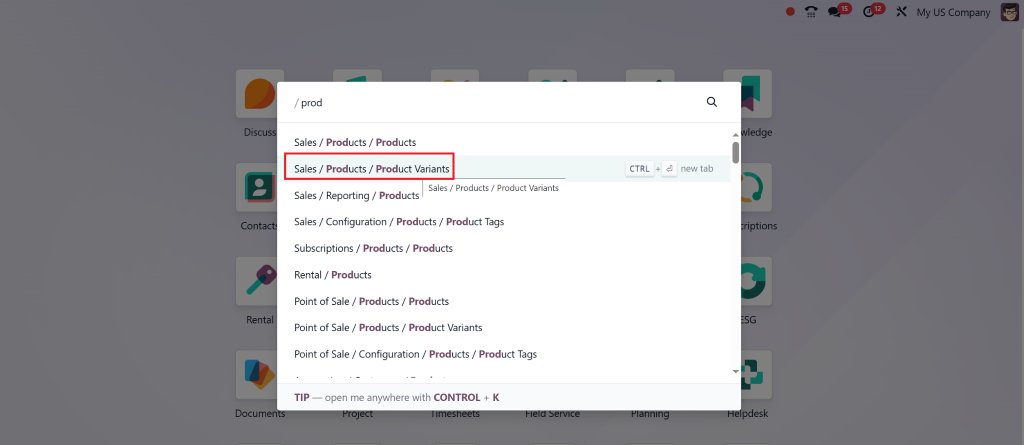
- Select the product for which you want to add variants.
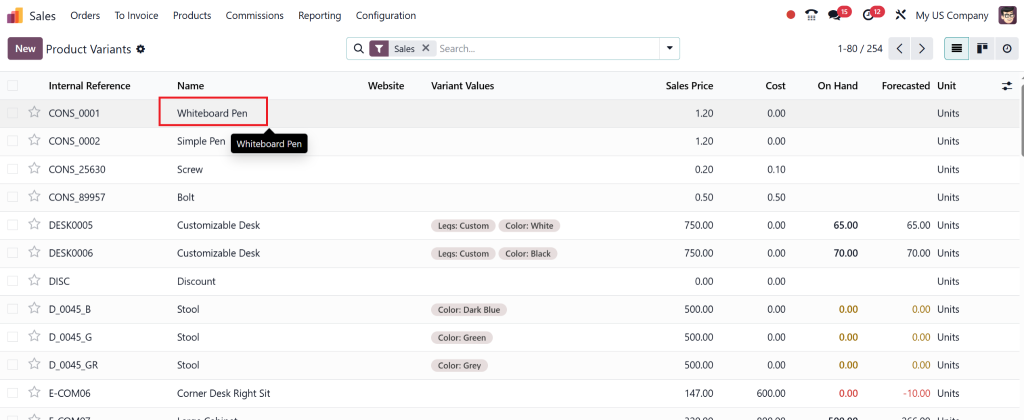
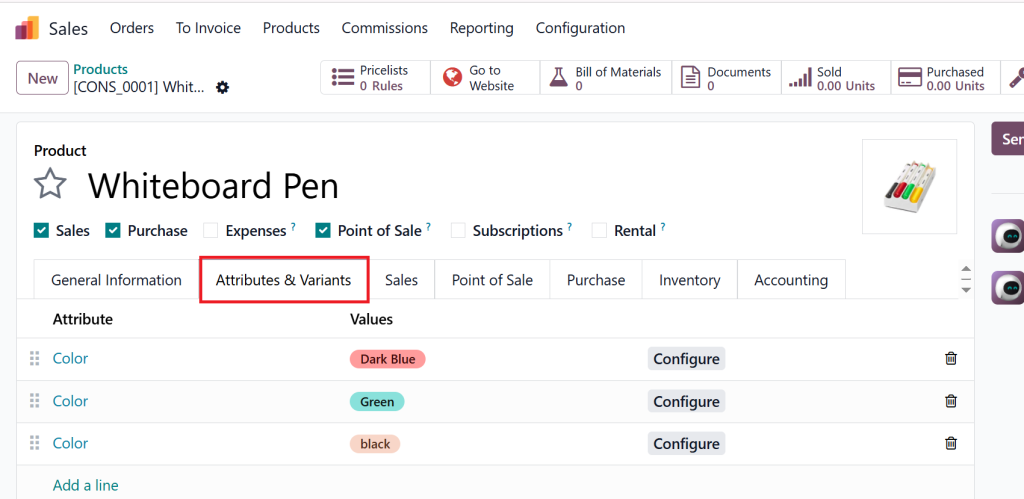
- Click on the Variants tab.
- Define the attributes (e.g., size, colour) for which the product will have variants.
- Or directly go to the product variant option, then go under sale and set variants.
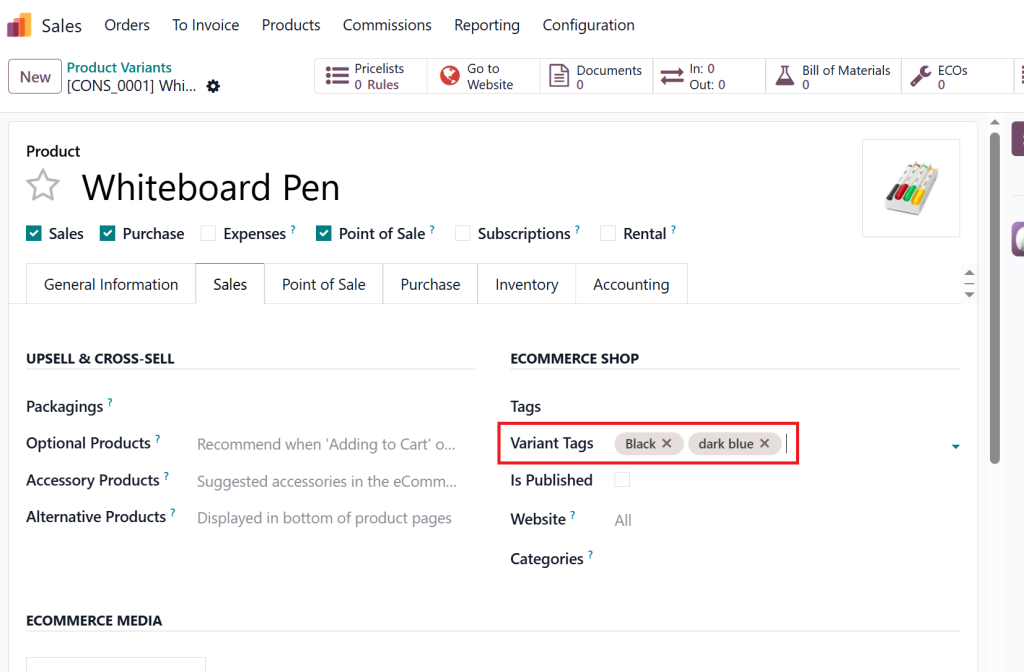
- Save your changes.
Step 2: Preview Variants on Odoo E-commerce
Next, you must ensure that the product variant thumbnails are visible on the shop page. This involves customizing the shop page to display variant previews in a grid format.
To do this:
- Go to the Website module in Odoo.
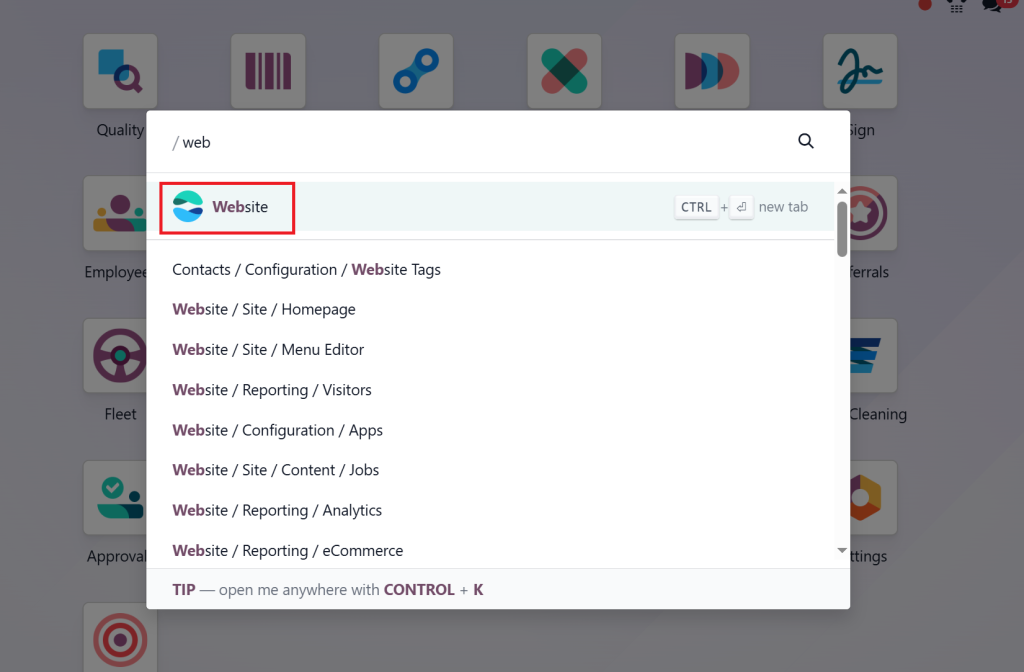
- Go to the product option.
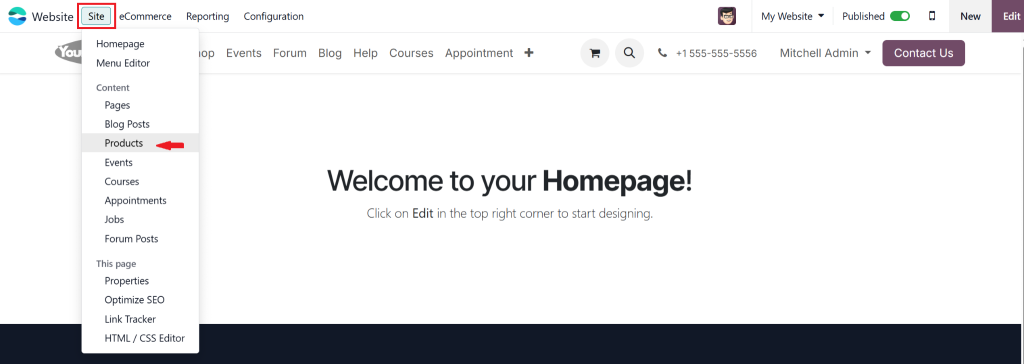
- Under the Product section, enable the variant preview option.
- You can choose whether the variants will be shown as a grid or a dropdown menu.
- After setting the desired layout, save the changes.
The Odoo e-commerce variant grid preview enables customers to view all product options directly on the shop page without additional clicks, simplifying their purchasing experience.
Step 3: Ensure High-Quality Images for Each Variant
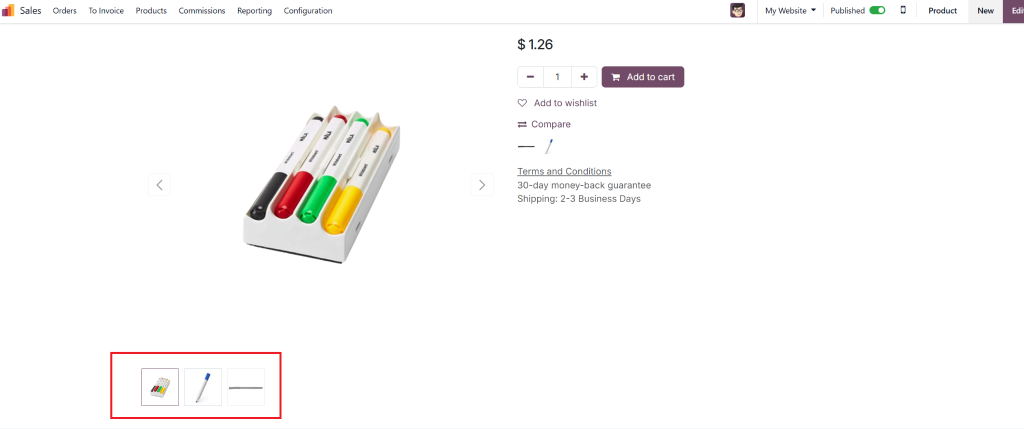
For the variant preview to be effective, you must ensure that each product variant has high-quality images. Odoo 18 allows you to upload different photos for each variant, giving customers a visual representation of the other options.
You should:
- Upload separate images for each variant (e.g., a black or blue marker should have its image showing the colour).
- Ensure images are of high quality and consistent in size and format.
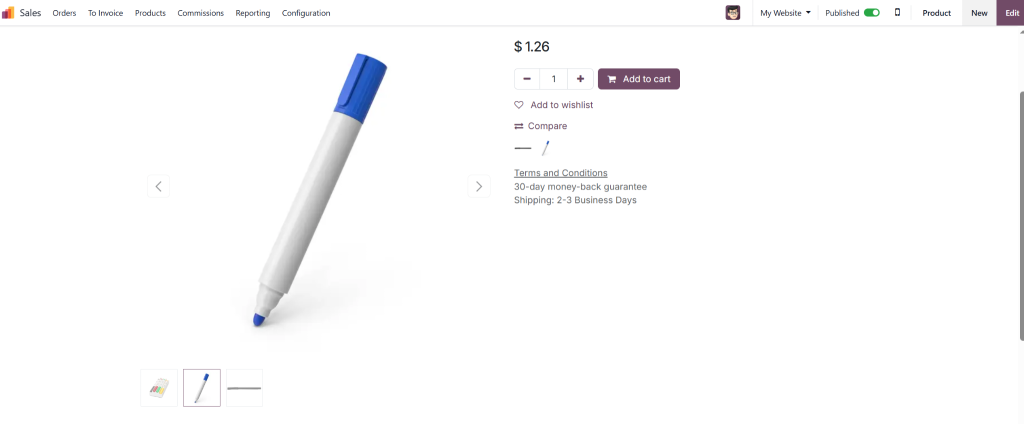
This helps enhance the visual experience and makes it easier for your customers to select.
Odoo 18 Customizable Variant Preview on Shop
Make Your Odoo Product Variants Stand Out
One of the best things about Odoo 18 is its customisation levels. With customizable variant previews, you can fine-tune how the variant thumbnails appear on your shop page. You can choose the thumbnail size, shape, and alignment to match your store’s branding.
For example:
- Odoo 18 product variant thumbnail preview can be shown in a grid format with hover effects, which can highlight the variant when customers move their cursor over it.
- You can also choose to display variant previews on hover. When a customer or a client hovers over a product image, the variant options appear in a pop-up or overlay, allowing them to select quickly.
Benefits of Customization:
- Branding: Align the variant display with your store’s look and feel.
- Customer Engagement: Back up customers to interact with your product display through unique hover effects or interactive grid previews.
- Increased Sales: By making it easier to see and choose variants, you’re more likely to increase sales conversions.
The Impact of Previewing Product Variants on User Experience
Enhanced Shopping Experience with Odoo 18
When customers can preview variants directly on the shop page, it improves the overall shopping experience. Customers no longer need to leave the page to find the perfect product option. They can see all available colours, sizes, or styles immediately, making it easier to make quick decisions.
- Faster Shopping Process: Customers can quickly find and select their preferred product variant without navigating multiple pages.
- Improved Visual Appeal: High-quality product variant thumbnails attract attention and make the store more visually appealing.
Increased Conversion Rates
The ability to preview product variants on the shop page helps customers make faster purchasing decisions. Because customers can view all available options from one page, they are less likely to leave their shopping carts. The Odoo 18 customizable variant preview is an effective method of increasing sales while decreasing bounce rates.
Why Previewing Product Variants Is Essential for Your Odoo 18 E-commerce Store
The direct preview of product variants on the shop page in Odoo 18 provides an effective method to enhance customer shopping experiences. Customers can easily view and select product variants through this feature, improving engagement and speeding up their decision-making process. The Odoo 18 product variant display features enable you to enhance customer satisfaction while driving more sales and making your store stand out in a competitive e-commerce market.
Odoo 18 enables you to display product variants through a smooth, customizable process, improving your e-commerce platform. It gives you every tool needed to build an outstanding shopping experience, whether you want to display variants on Odoo e-commerce or create visually appealing product displays.
Odoo Partner Netilligence stands ready to assist you in implementing these features if you want to elevate your e-commerce store. Our team at Netilligence is prepared to help you customise Odoo 18 to meet your store requirements while delivering an outstanding user experience.




