How to Create Departments & Job Titles in Odoo 18 HR Community Edition?
Getting Started with Departments and Job Titles in Odoo 18 Community
Are you facing difficulties in updating your company’s HR structure? Learn how to create Departments and Job Titles in Odoo 18 Community easily. Odoo 18 makes it simple to set up your organizational structure using its powerful and user-friendly HR tools. Whether running a startup or a growing business, mastering Odoo 18 HR module departments and job titles setup is essential for clear communication, employee hierarchy, and recruitment efficiency.
In this guide, you’ll understand how to:
Configure Odoo 18 create departments
Set up Odoo 18 job titles
Organize your Odoo 18 HR management system
Align Odoo 18 employee roles and departments
Support recruitment with Odoo 18 recruitment job positions
Build a solid Odoo 18 organizational structure setup
Let’s explore the step-by-step process for managing your teams effectively and empowering your HR operations using Departments and Job Titles in the Odoo 18 Community.
Why Define Departments and Job Titles in Odoo 18 Community?
Setting up departments and job titles is more than just naming teams; it’s about creating a solid foundation for performance management, recruitment, reporting, and employee engagement. The Departments and Job Titles in Odoo 18 Community feature allows businesses to structure their workforce for better decision-making and transparency.
Here’s why it matters:
Clear reporting lines
Role-based permissions
Targeted job posting via the Odoo 18 recruitment job positions
Department-specific KPIs
Efficient onboarding & HR workflows
Step-by-Step Guide to Creating Departments in Odoo 18 Community
Accessing the HR Module
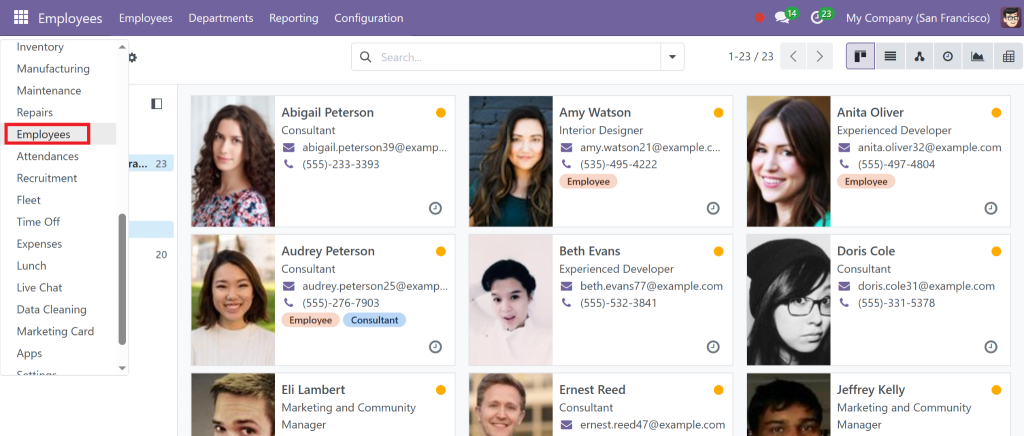
To begin setting up Odoo 18 HR module departments, log in to your Odoo 18 Community instance and Go to the Employees app.
If not installed, activate it from the Apps section.
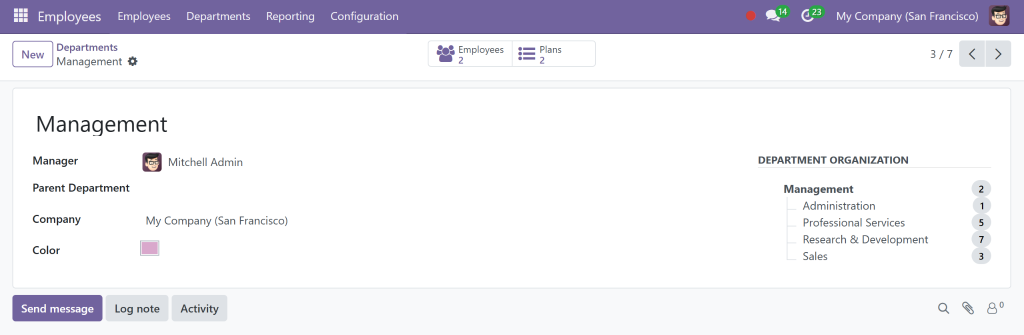
Creating Departments
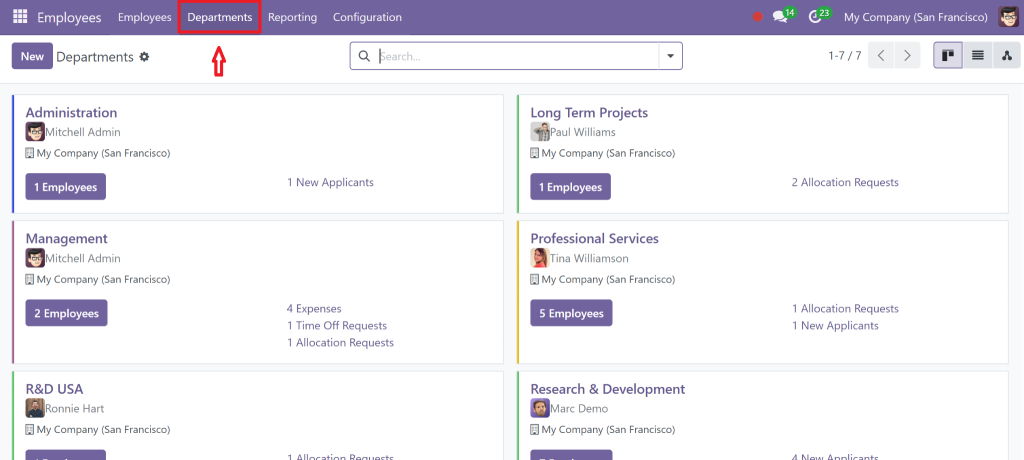
Go to Employees > > Departments
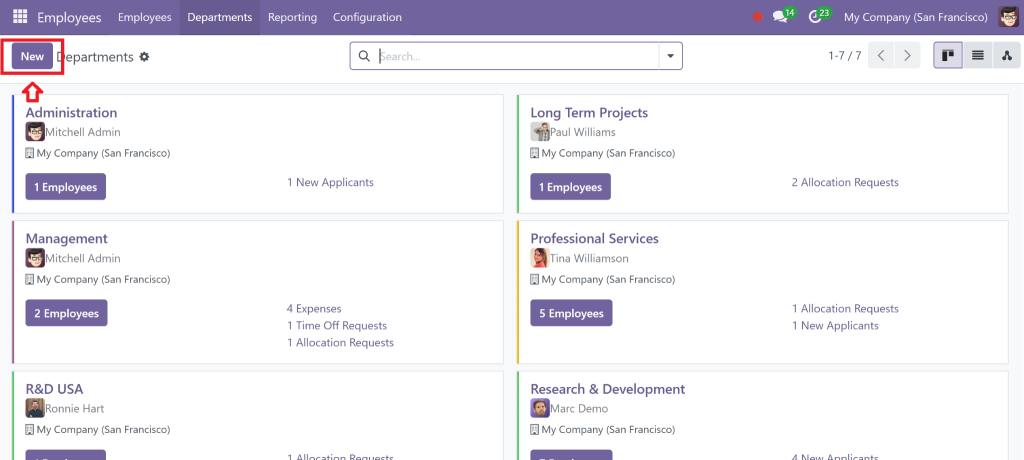
Click the Create button
Enter:
Department Name (e.g., Sales, IT, HR)
Parent Department (if it’s a sub-department)
Manager (assign an employee)
Save the department
You can now create sub-departments under each major division, making your Odoo 18 organizational structure more granular and dynamic.
Managing and Viewing Departments
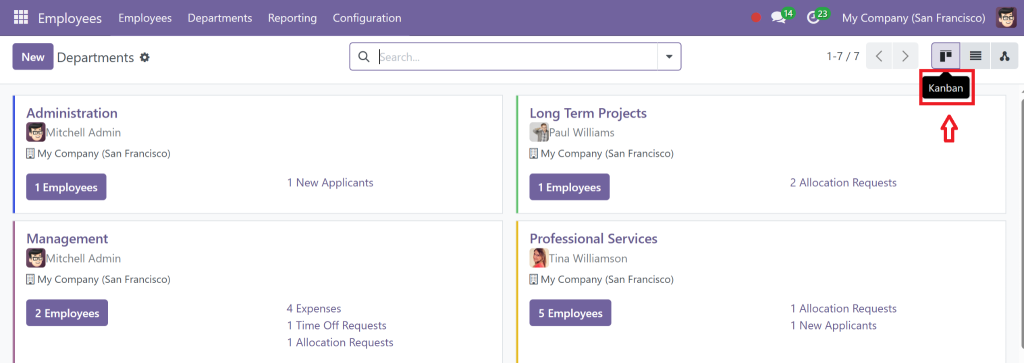
Use the Kanban or List View to see how departments are distributed
Click on a department to view associated job titles and employees
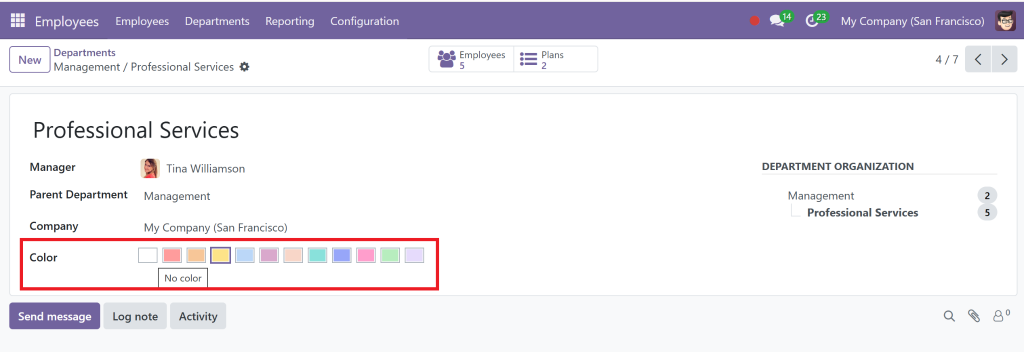
Pro Tip:
Tag each department with custom color codes and add notes to enhance identification.
How to Set Up Job Titles in Odoo 18 Community
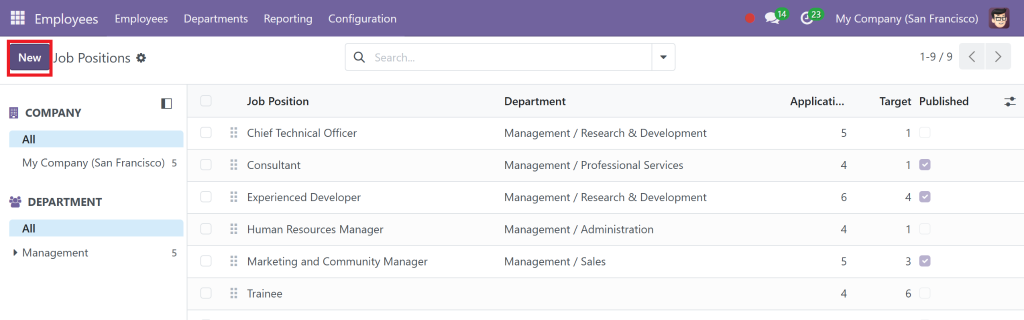
After you’ve structured departments, the next step is defining roles through Odoo 18 job titles setup.
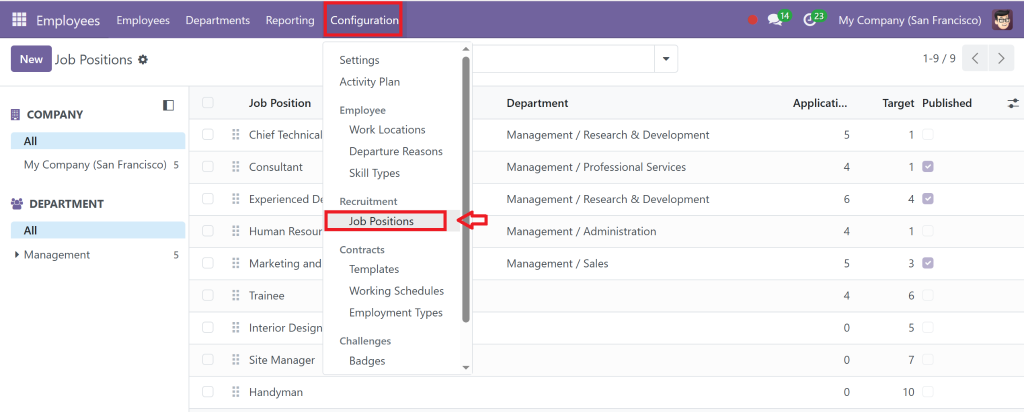
Guiding to Job Titles
Employees > Configuration > Job Positions
Click Create
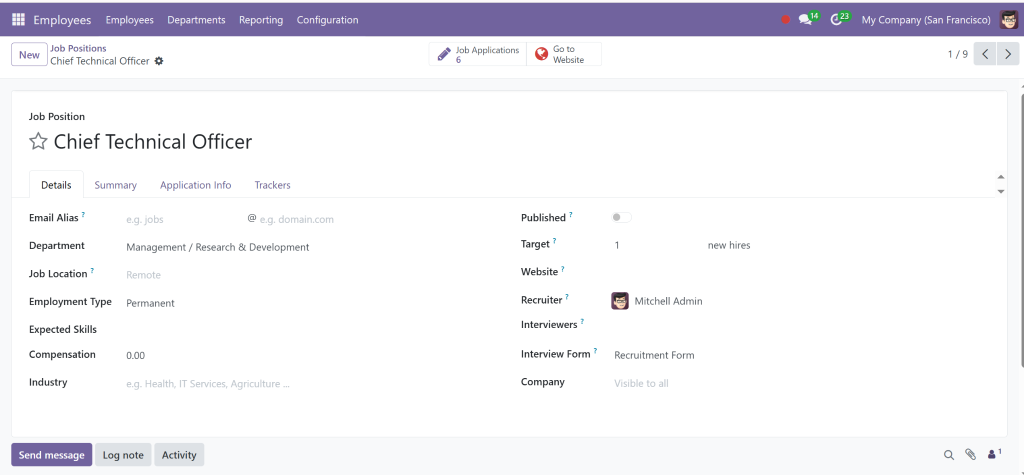
Creating a Job Title
Add the following:
Job Title (e.g., Sales Executive, HR Manager)
Department (select from the dropdown)
Expected New Employees (useful for recruitment)
Description and Responsibilities
You can also link this job title to specific Odoo 18 recruitment job positions later.
Linking Job Titles to Recruitment
Once job titles are created, navigate to the Recruitment app to start hiring for those positions. This is crucial for Odoo 18 HR management as it keeps the hiring process consistent with your structure.
Real-Life Example of Departments and Job Titles in Odoo 18 Community
Each department is created under Employee > Departments, and job titles are set up in Configuration > Job Positions.
This structure helps accurately define access levels, performance metrics, and recruitment workflows.
Lorem ipsum dolor sit amet, consectetur adipiscing elit. Ut elit tellus, luctus nec ullamcorper mattis, pulvinar dapibus leo.
Best Practices for Departments and Job Titles in Odoo 18 Community
Keep It Scalable
Design your Odoo 18 organizational structure setup to accommodate future growth. Don’t limit your company to the existing team size, anticipate expansion.
Align With Your Company’s Vision
Departments should reflect your core business areas. Job titles should clearly describe responsibilities.
Use Descriptive Titles
Avoid generic names. Instead of “Developer,” use “Backend Python Developer” to avoid confusion and improve clarity in HR analytics.
Regularly Review Structure
Organizations evolve. Conduct quarterly reviews of Odoo 18 employee roles and departments to ensure everything aligns.
Enhancing HR Management Using Odoo 18 Community
The real power of setting up Departments and Job Titles in Odoo 18 Community lies in its ability to improve overall Odoo 18 HR management. Here’s how:
Departmental KPIs for performance reviews
Clear role definitions reduce onboarding time
Integrated recruitment using Odoo 18 recruitment job positions
Better analytics through department-based reports
Easier access management with role-based permissions
With Odoo’s modular approach, all this information is interconnected across modules like Payroll, Appraisals, Time Off, and Recruitment.
Build a Strong HR Foundation with Odoo 18 Community
Setting up Departments and Job Titles in Odoo 18 Community is crucial in building a transparent and scalable HR framework. Whether creating your first department or refining an existing structure, Odoo 18 Community gives you the flexibility and tools you need.
From department creation to Odoo 18 job titles setup, you’ll be able to:
Facilitate hiring with Odoo 18 recruitment job positions
Strengthen HR policy execution through clear hierarchies
Improve visibility and control over your Odoo 18 HR module departments
Your Odoo 18 organizational structure setup creates the ideal environment for employee success and business growth.
Ready to simplify your HR setup? Contact Netilligence, your trusted Odoo Partner, to fit your HR system using Odoo 18 Community, completely adapted to your business needs.
Hi, I'm Nabia, an Odoo ERP functional & technical content writer. I specialize in blogs, social media content, ad copy, landing pages, service pages, and email campaigns.
We use cookies to ensure that we give you the best experience on our website. If you continue to use this site we will assume that you are happy with it.