How to Regenerate an Invoice in Odoo 19 Accounting?
Regenerate an Invoice in Odoo 19 Accounting
If you are managing your business finances in Odoo, you already know how efficient and powerful the accounting module is. But what happens if you discover an error in a posted invoice or need to issue a corrected version for compliance or customer requests? That’s where the ability to regenerate an invoice in Odoo 19 Accounting becomes invaluable.
In the real business world, mistakes happen. Whether it’s a wrong date, incorrect product quantity, or a miscalculated tax, you cannot afford to let errors go unnoticed. Odoo 19 makes it easy to regenerate, reissue, and modify invoices without disrupting your accounting flow.
Throughout this blog, we will cover:
Why you might need to regenerate an invoice in Odoo 19 Accounting
The difference between regenerating, reissuing, and modifying invoices
A detailed step-by-step guide to regenerate an invoice and update PDFs
Best practices to avoid common mistakes
How Netilligence, can help you set up, customize, and update your invoice management
By the end of this article, you’ll understand not only how to regenerate an invoice in Odoo 19 Accounting, but also how to use this functionality to maintain accuracy, compliance, and customer trust.
Let’s get in and explore everything about Odoo 19 regenerate invoice features.
Why Do You Need to Regenerate an Invoice in Odoo 19 Accounting?
Invoices are legal and financial documents; any mistake in them can lead to:
Compliance issues with tax authorities
Payment delays from clients
Errors in financial reports
Customer dissatisfaction
That’s why Odoo introduced improved options in its latest version. The ability to reissue or modify invoices in Odoo 19 ensures that you remain compliant and professional in all business transactions.
Key Scenarios Where Invoice Regeneration is Required
Here are the most common cases where you will need to regenerate an invoice in Odoo 19 Accounting:
Incorrect Customer Details – wrong address, email, or tax ID.
Error in Line Items – wrong product, service, or quantity.
Tax Corrections – applying the wrong VAT or GST rate.
Reissued Invoice Requests – when clients lose their copy or request an updated PDF.
Compliance Requirements – when auditors or authorities demand corrections.
Each of these scenarios can be solved quickly with Odoo 19 invoice PDF regeneration.
Step-by-Step Guide: How to Regenerate an Invoice in Odoo 19 Accounting
This is the most crucial part. Let’s go step by step:
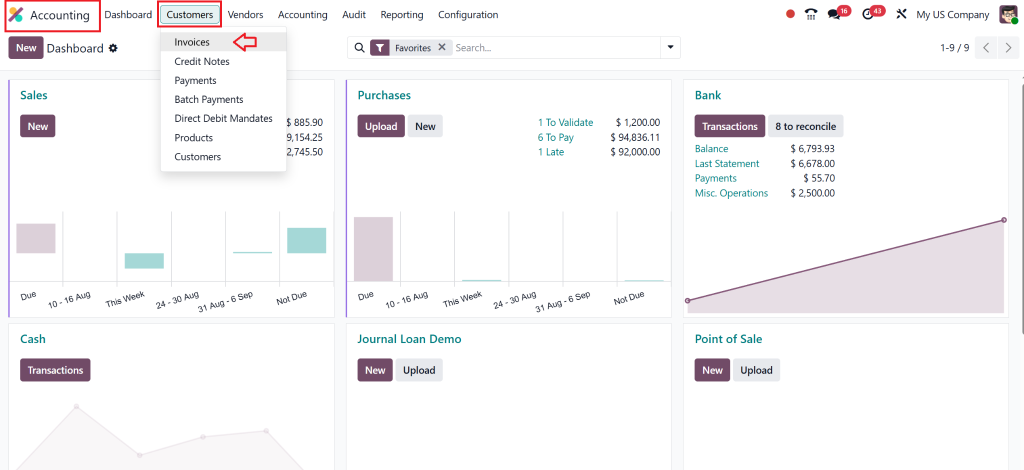
Step 1: Direct to the Invoice
Go to Accounting → Customers → Invoices.
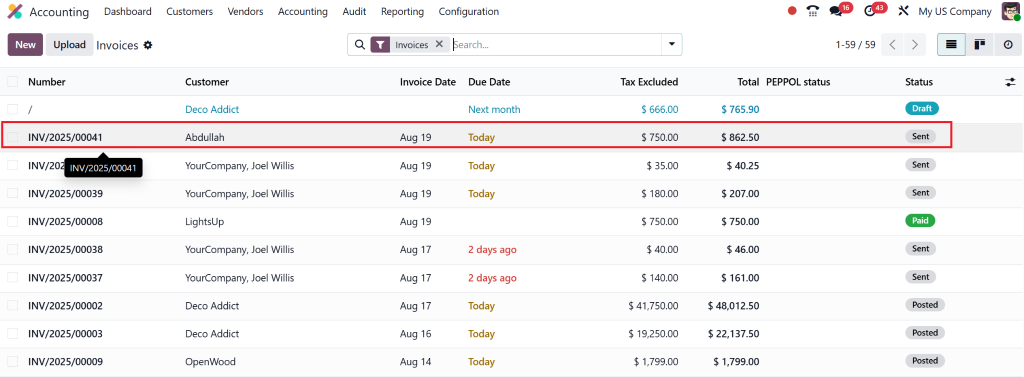
Search and select the invoice you want to regenerate.
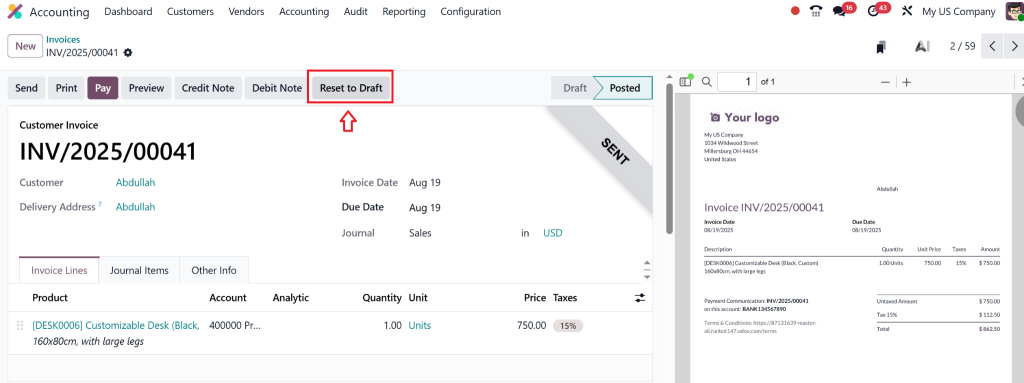
Step 2: Cancel or Reset to Draft
In Odoo 19, posted invoices can be canceled or reverted to draft.
Click “Reset to Draft” to enable editing.
This is key for Odoo 19 edit posted invoice functionality.
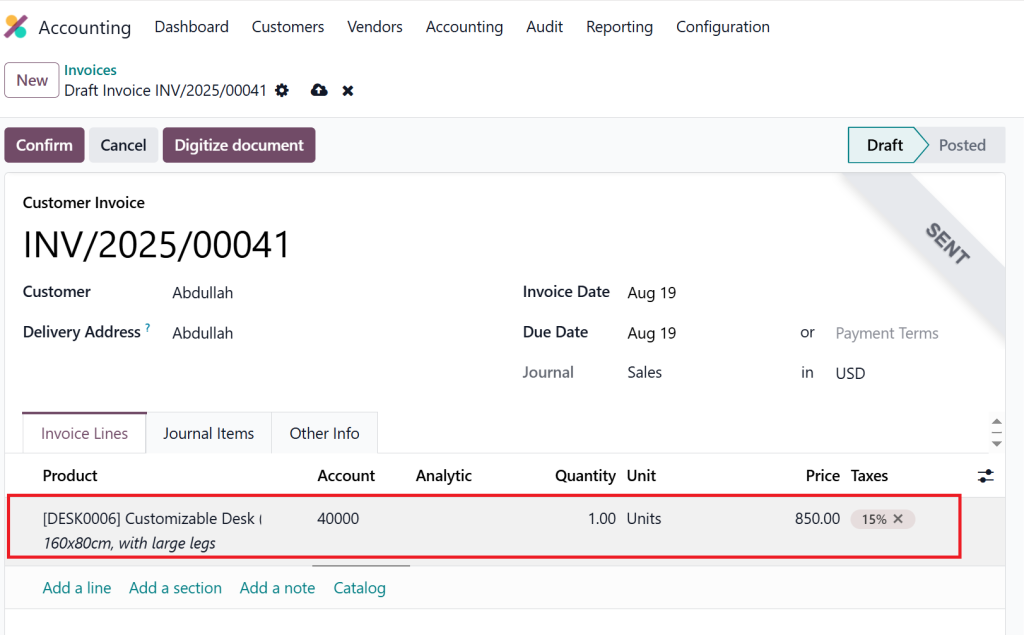
Step 3: Modify Invoice Details
Update line items, customer details, or tax values.
Ensure accuracy before confirming again.
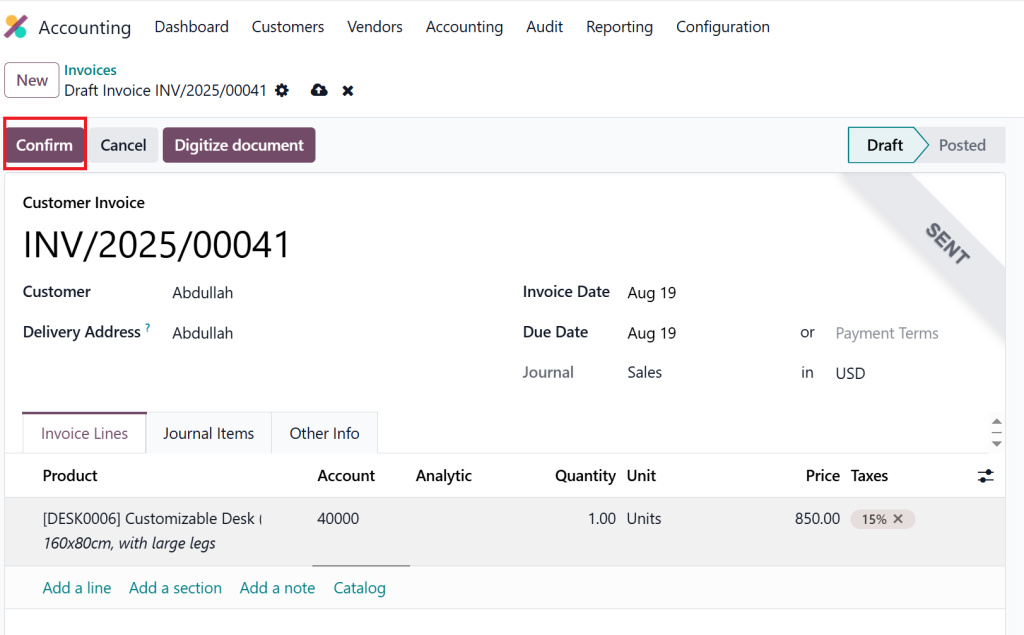
Step 4: Validate the Updated Invoice
Once corrected, click “Confirm” to validate.
Odoo generates a new invoice number if reissued, ensuring compliance.
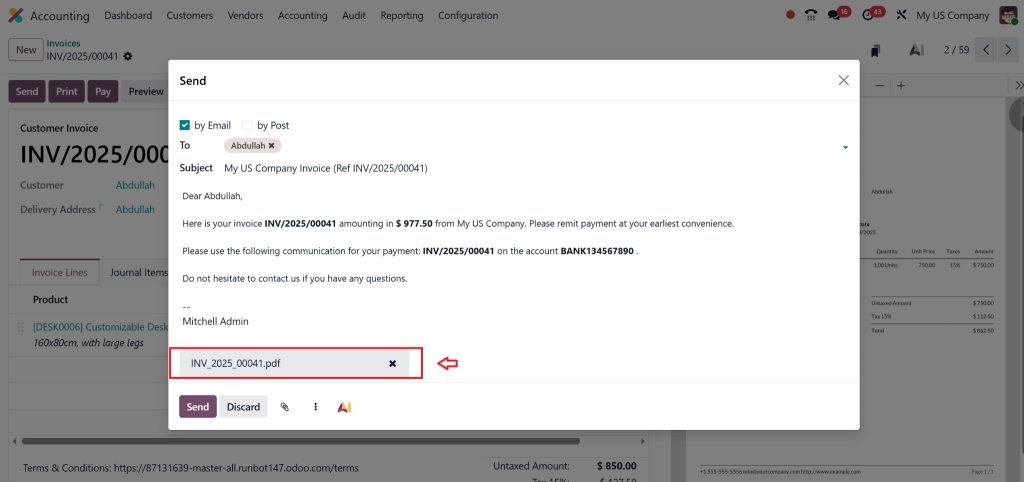
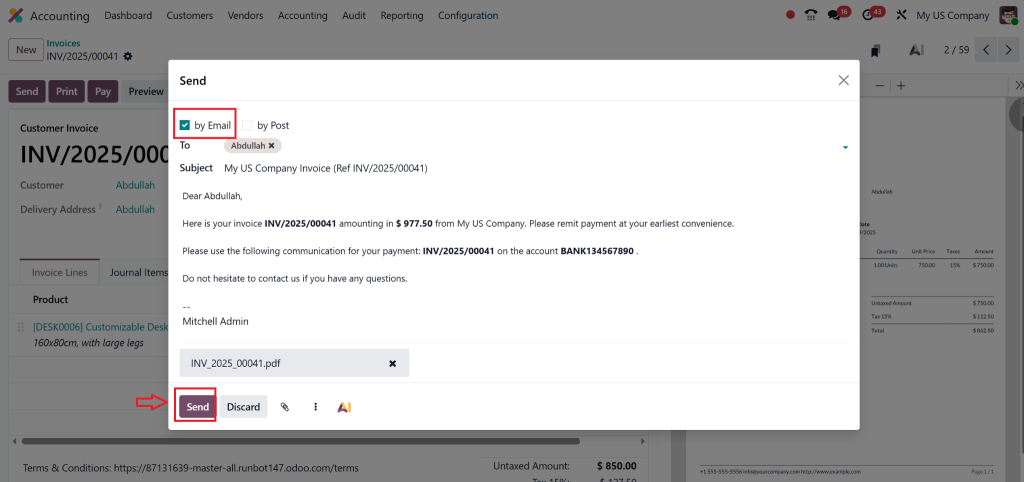
Step 5: Send to Customer
Click “Send by Email” with the updated attachment.
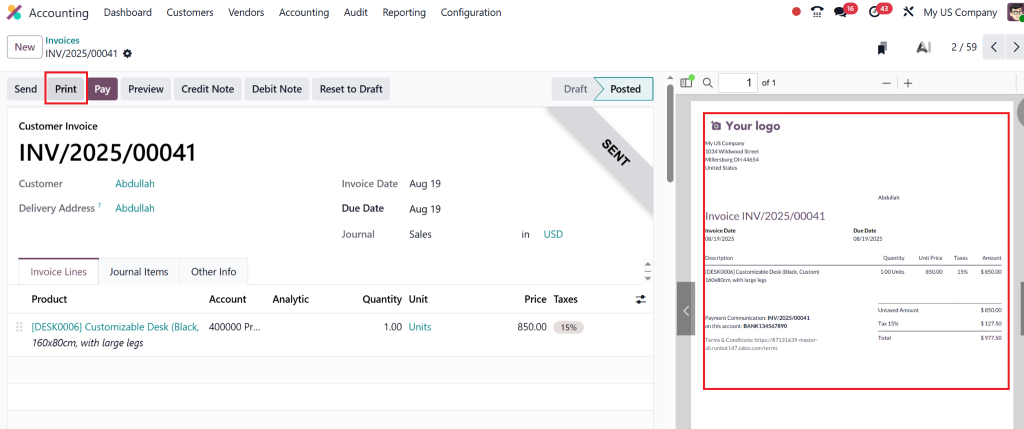
Step 6: Regenerate PDF
Select Print → Invoice to generate a fresh PDF.
This step completes the Odoo 19 invoice PDF regeneration.
Benefits of Regenerating Invoices in Odoo 19
By mastering how to regenerate an invoice in Odoo 19 Accounting, businesses gain:
Accuracy: Avoid financial reporting errors.
Compliance: Meet legal and audit requirements.
Customer Trust: Provide updated invoices quickly.
Flexibility: Ability to correct invoice Odoo 19 instantly.
Efficiency: Save time with automated PDF regeneration.
Difference Between Modify, Reissue, and Regenerate in Odoo 19
It’s easy to confuse these terms. Here’s how they differ:
Modify Invoice Odoo 19: Editing Invoice Details Before Posting
Odoo 19 Edit Posted Invoice: Resetting posted invoices back to draft for corrections.
Reissue Invoice Odoo 19: Issuing a corrected or duplicate invoice for a customer.
Regenerate Invoice in Odoo 19 Accounting: Creating a new, updated invoice document with accurate details and a regenerated PDF.
This clarity helps businesses stay compliant without mixing up processes.
Best Practices for Invoice Management in Odoo 19
To avoid frequent errors, follow these tips:
Double-check customer data before validation.
Train your team on Odoo 19 invoice update features.
Keep audit trails enabled for compliance.
Automate tax calculation to reduce manual errors.
Partner with Netilligence for a smooth setup.
How Netilligence Can Help with Odoo 19 Invoice Management
As a trusted Odoo Partner, Netilligence specializes in implementing and customizing ERP solutions tailored to your business needs.
Here’s why companies choose us:
Expert Guidance: Our consultants ensure your accounting processes are error-free.
Customization: Need advanced Odoo 19 regenerate invoice workflows? We build them.
Training: Empower your finance team with the right skills.
Support: Ongoing help to ensure invoices, reports, and compliance always run smoothly.
If you want to eliminate invoice headaches and enjoy seamless financial operations, Netilligence is the partner you need.
Regenerate an Invoice in Odoo 19 Accounting with Ease
Errors in invoices don’t have to slow down your business. With the ability to regenerate an invoice in Odoo 19 Accounting, you can quickly fix mistakes, reissue PDFs, and maintain accurate records.
From Odoo 19 regenerate invoice to Odoo 19 edit posted invoice, every feature is designed to give you more control, compliance, and efficiency.
And with Netilligence by your side, you can take full advantage of these tools without the stress.
Ready to facilitate your accounting processes?
Contact Netilligence today and experience the difference of working with an Odoo Partner.
Hi, I'm Nabia, an Odoo ERP functional & technical content writer. I specialize in blogs, social media content, ad copy, landing pages, service pages, and email campaigns.
We use cookies to ensure that we give you the best experience on our website. If you continue to use this site we will assume that you are happy with it.