Hey there! If you’re getting into Odoo 18, you’ve likely heard about its power and flexibility, especially when it comes to managing customers. And let’s be honest: customers are at the heart of every business. Getting their info into your system the right way? That’s a big deal.
In this guide, we will walk you through a significant process: creating customers in Odoo 18 Sales. Whether you’re just getting started or you’ve used older Odoo versions, you’re going to love how simple (and smart) this process is in Odoo 18.
We’ll cover everything:
How to add a customer in Odoo Sales the right way
Why Odoo sales customer creation is more than just data entry
The whole process for Odoo 18 new customer setup
Some hidden tricks that’ll save you time
How does this all link perfectly with your CRM and sales processes
So let’s read.
Why Is Customer Creation So Important in Odoo 18 Sales?
Alright, before we jump into the how-to, let’s talk about the why.
Adding a customer is a small task. But inside Odoo 18, it’s like opening an intelligent, connected system that brings sales, CRM, marketing, and invoicing together.
Think of it this way:
You create a customer once in Sales
It’s instantly linked to CRM, accounting, deliveries, and more
No repetition, no mess, no confusion
Odoo 18 handles background syncing, enabling you to focus on building genuine relationships with your customers.
And yes, when we say “smart system,” we mean it. Odoo helps you:
Avoid duplicates (because who wants three versions of the same client?)
Track history automatically
Segment and tag customers for marketing
Assign sales reps with just a click
Real Talk:
This isn’t just about managing customers; it’s about managing customers. It’s about ensuring your team is always a step ahead, with the correct information, at the right time.
Step 1 - Head to the Sales Module
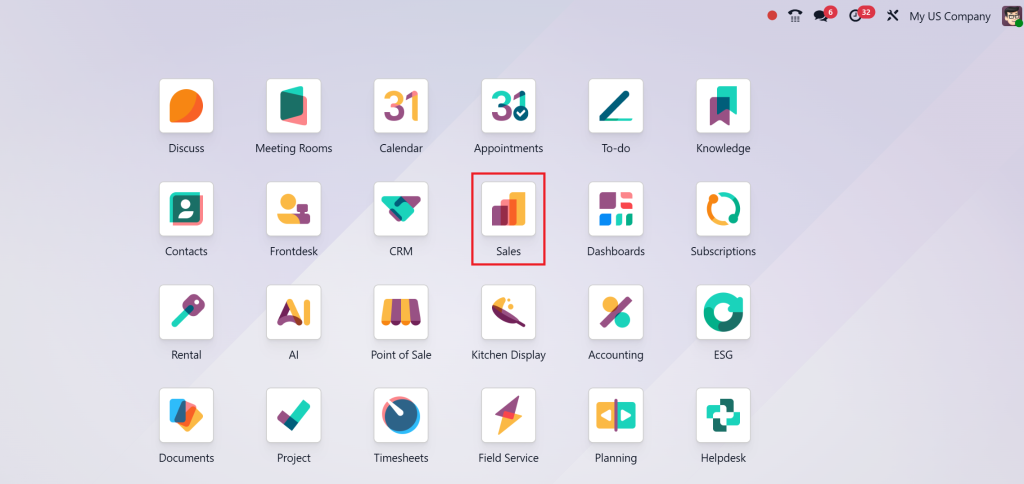
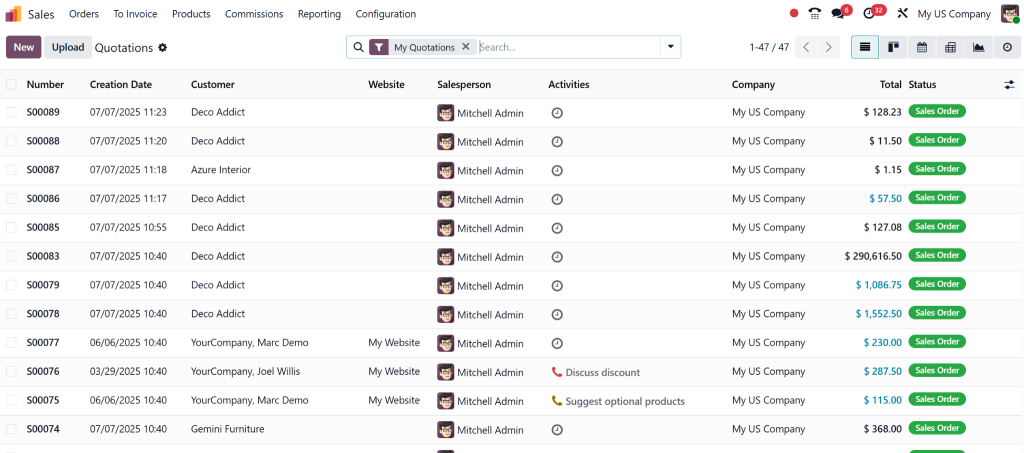
From your Odoo dashboard, click on the Sales module.
You’ll see all your quotations, orders, and, you guessed it, customers.
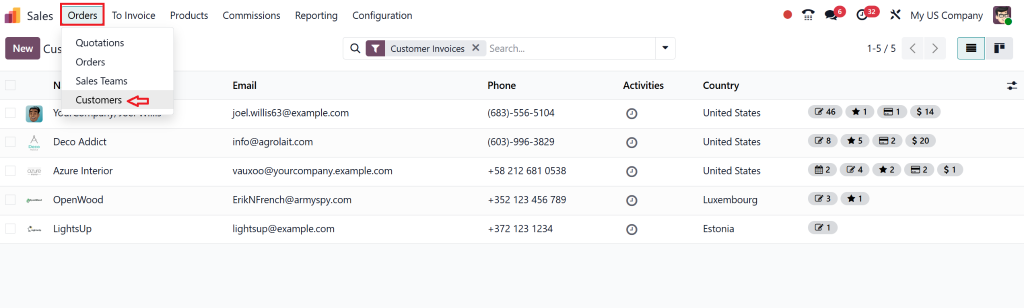
Step 2 - Click on "Customers"
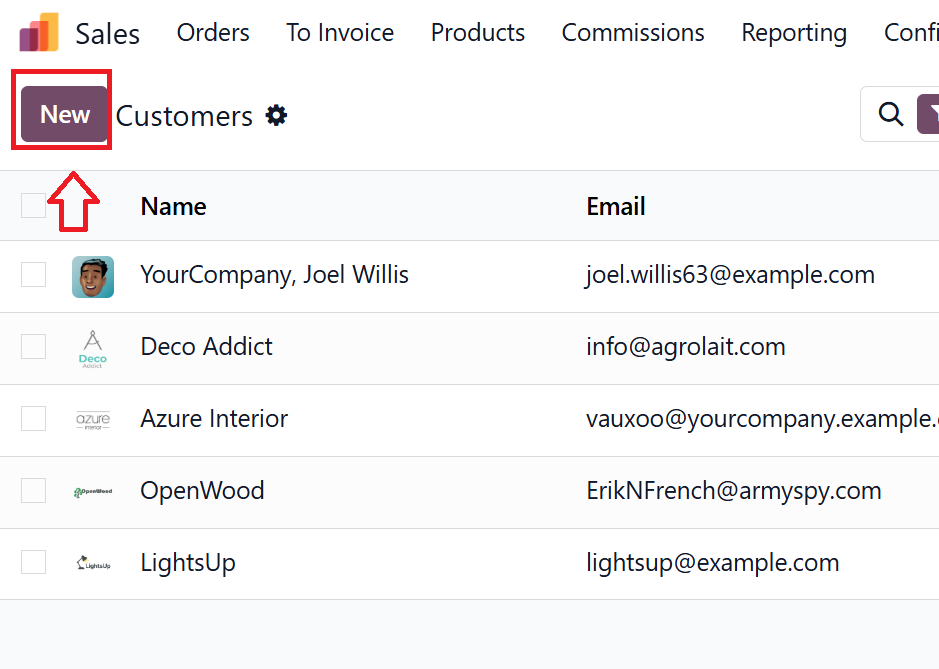
Look at the top menu bar. You’ll find “Customers”, click it. This will show you a list of existing customers.
See the NEW button? Hit it.
Step 3 – Fill in the Details
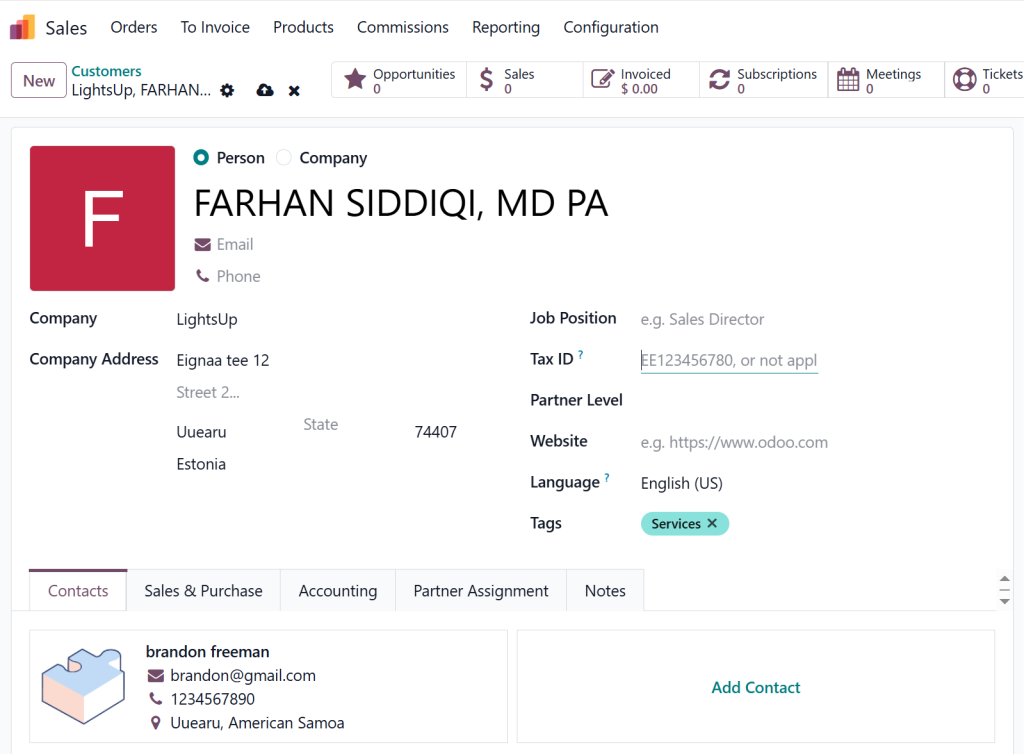
Now we’re at the fun part. Here’s what you’ll want to enter:
Full Name / Company Name
Contact Details (phone, email)
Address (don’t forget zip/postal code)
Assigned Salesperson
Tags (super helpful later on for segmentation)
Pro Tip:
Add custom fields if needed. Odoo 18 lets you customise the form to suit your business.
Step 4 – Save and Connect the Dots
Hit Save, and our customer is now connected across:
CRM
Quotations & Orders
Accounting
Marketing Campaigns
That’s what we call one-click magic.
Here’s How to Get the Most Out of Your Customer Setup
Alright, so you’ve added the customer. But wait, we can do even better.
Here’s how to turn a simple entry into a powerful business tool using Odoo 18 sales CRM customer entry:
1. Use Tags Like a Pro
Create tags for things like:
VIP Clients
Region or Territory
Lead Source (e.g., Website, Referral)
Later, you’ll thank yourself when you want to send a targeted campaign or check customer performance by segment.
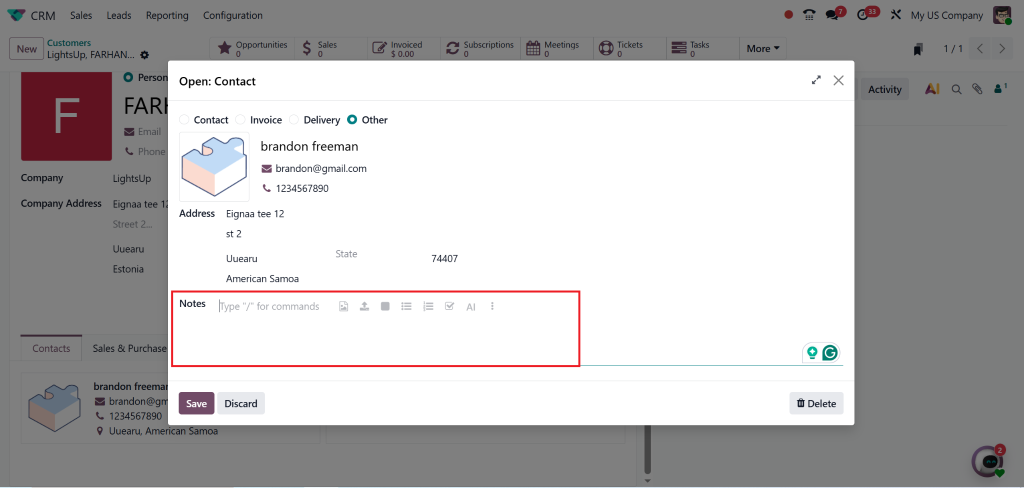
2. Add Internal Notes
Use the notes section to add useful internal info:
Preferred contact time
Order patterns
Any special terms you’ve agreed on
3. Sync with Your Marketing Team
When you use Odoo to create the contact sales module, it connects with marketing apps. So your new customer gets the right emails, updates, and promotions automatically.
How Odoo 18 New Customer Setup Helps You Sell Smarter
Let’s zoom out a bit. You’re not just entering contact details. You’re building a sales system.
Each time you use Odoo 18 new customer setup, you’re laying the foundation for:
Accurate forecasting
Better sales pipeline tracking
Cleaner reporting
Want to know how? It all comes down to connection.
Every time a salesperson updates a lead, sends a quote, or follows up, it’s tied to that customer record. Odoo logs the whole journey, so you can:
See what worked
Spot slow points in your pipeline
Run reports with a click
You can even assign multiple contacts under one company. Great for B2B deals!
How One Business Fixed It With Odoo Sales Customer Creation
Let’s bring this to life with a real-world story.
A retail business started using Odoo 18 with no CRM before. In just one month, here’s what changed:
They added all their clients using Odoo 18 adding customer in sales
Sales reps got assigned automatically
Campaigns started going out based on customer tags
Sales increased by 20% just from smarter follow-ups
The key? It all started with a single, smart customer creation process.
Still Wondering Why This Matters? Here’s What You Gain
Let’s list it out clearly. When you master how to add a customer in Odoo sales, here’s what you get:
Clean, organised customer database
Better communication between teams
Targeted marketing with zero manual work
Real-time updates and syncing
Time saved, no double entry ever again
And it doesn’t end there. Your customer profile becomes a hub, storing documents, tracking emails, logging calls, and integrating with invoices. One platform, everything you need.
Customers in Odoo 18 Sales Are the Start of Everything
Customers in Odoo 18 Sales aren’t just a feature. It’s the beginning of how your business runs smarter.
Let’s recap:
Creating customers in Odoo 18 is easy and powerful
It connects to your entire sales and CRM workflow
You’ll sell faster, track better, and communicate clearly
So, whether you’re setting up your first customer or importing thousands, do it with intention.
Need Help Setting It All Up?
You don’t have to do this alone. At Netilligence, we’re an Odoo Partner, and we know the ins and outs of every module.
We help businesses like yours:
Set up CRM & Sales the right way
Customize customer workflows
Automate repetitive tasks
Please book your free consultation today, and let’s build something great together.
Because in business, the better you know your customer, the better you grow.
Hi, I'm Nabia, an Odoo ERP functional & technical content writer. I specialize in blogs, social media content, ad copy, landing pages, service pages, and email campaigns.
We use cookies to ensure that we give you the best experience on our website. If you continue to use this site we will assume that you are happy with it.