How to Manage Multi-Language Invoices in Odoo 18 Sales
Why Multi-Language Invoices Matter in Odoo 18 Sales
Managing Multi-Language Invoices in Odoo 18 Sales is no longer just a “nice-to-have” feature; it’s an absolute necessity for any business dealing with international clients. Whether you’re selling across continents or simply catering to multilingual customer bases, ensuring your invoices speak your client’s language builds trust, reduces payment delays, and enhances your brand’s professionalism.
In Odoo 18, multilingual invoicing is not just possible, it’s straightforward and highly customizable. With the proper Odoo multi-language invoice setup, you can create professional documents in multiple languages without manually translating every field.
In this article, we’ll dive deep into:
Why multilingual invoicing is essential for global businesses.
How to Configure Language Invoices in Odoo 18: A Step-by-Step Guide.
Practical tips for optimising Odoo sales multi-language billing.
How to use Odoo 18 invoice translation features to make your billing effortless.
By the end of this guide, you’ll be able to confidently send Odoo 18 international invoice language formats to any client, anywhere in the world, without hiring a translator every time.
The High Cost to Manage Multi-Language Invoices in Odoo 18 Sales
Language mismatches cause payment delays, compliance risks, and customer frustration.
The failure to use clients’ native language in invoices leads to misunderstandings about payment terms, item descriptions and tax rules. The UAE-based logistics company incurred monthly payment losses of 12% due to sending English-only invoices to clients who primarily spoke Arabic.
Our Language Gap Audit identifies client-specific translation needs. The French manufacturer achieved an 18-day reduction in payment delays after implementing Odoo’s customer-language mapping system.
Understanding Multi-Language Invoices in Odoo 18 Sales
Multi-Language Invoices in Odoo 18 Sales allow businesses to generate invoices in the preferred language of each customer automatically. This means your Spanish-speaking customer gets a Spanish invoice, your French client receives one in French, and so on, all without extra work from your team.
Benefits include:
Improved Customer Experience – Clients feel valued when they receive documents in their native language.
Faster Payments – A Clear understanding reduces disputes and delays.
Global Compliance – Certain regions require invoices in the local language for tax compliance.
Brand Credibility – Multilingual invoices show you’re serious about global business.
Steps to Manage Multi-Language Invoicing in Odoo 18
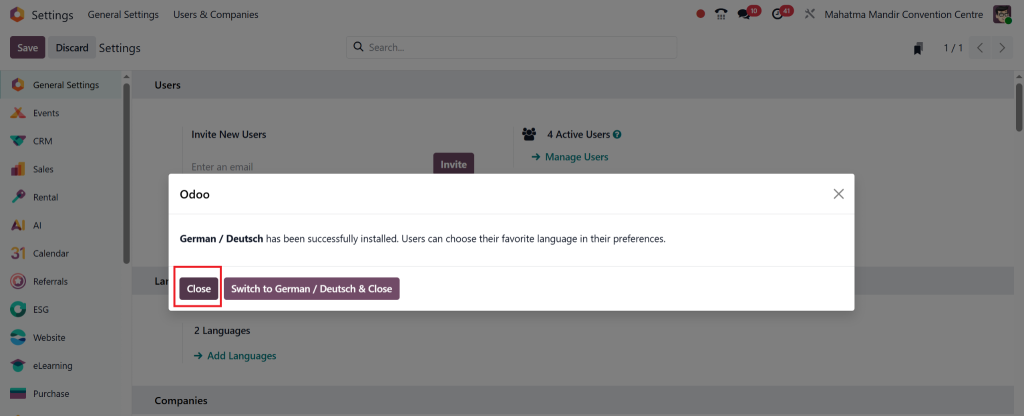
Step 1: Enable Additional Languages
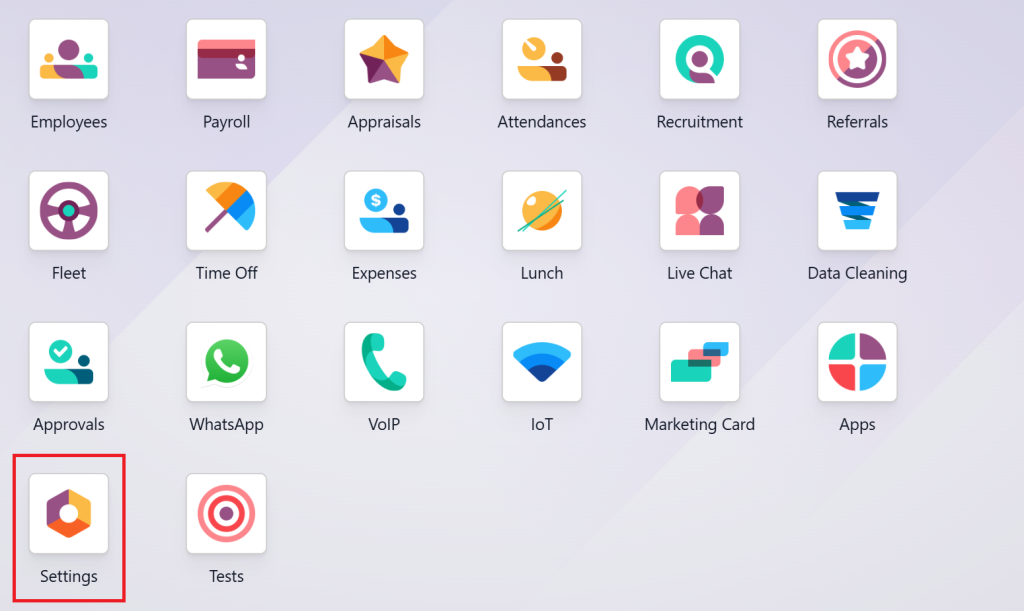
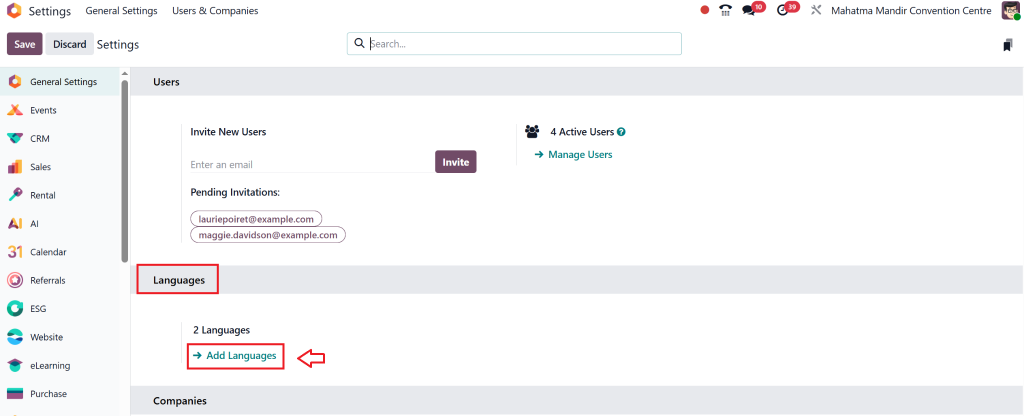
Go to Settings in your Odoo 18 dashboard.
Scroll to the Languages section.
Click Add Languages.
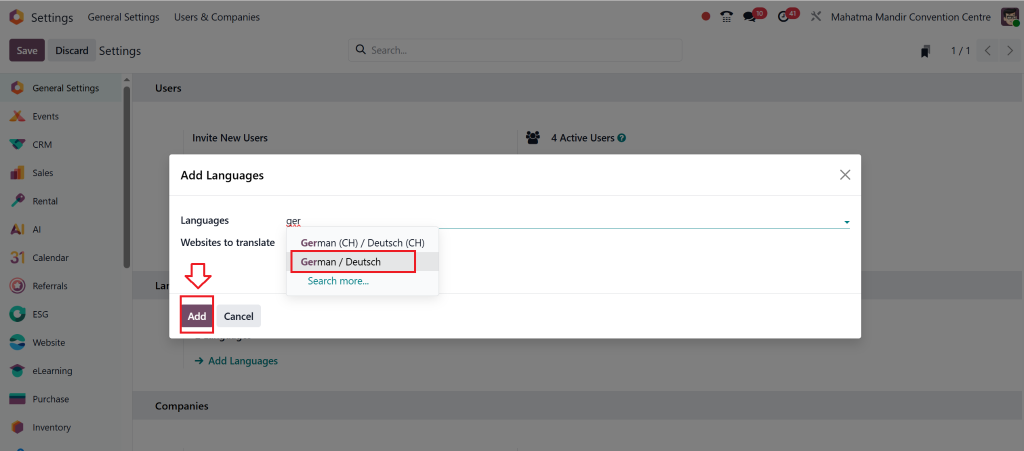
Search and select the language your customer prefers (e.g., German).
Click Add.
When prompted to switch the entire database language, click Close to retain the default interface language for users.
Step 2: Set Customer’s Preferred Language
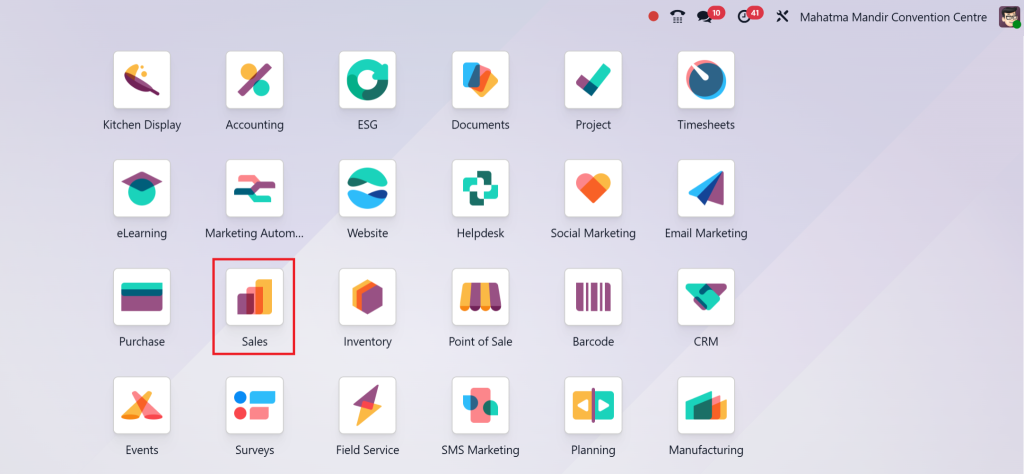
Go to the Sales app.
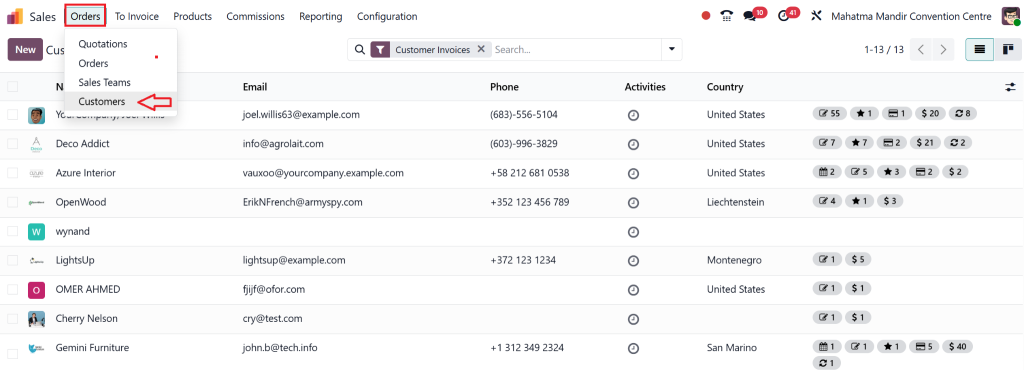
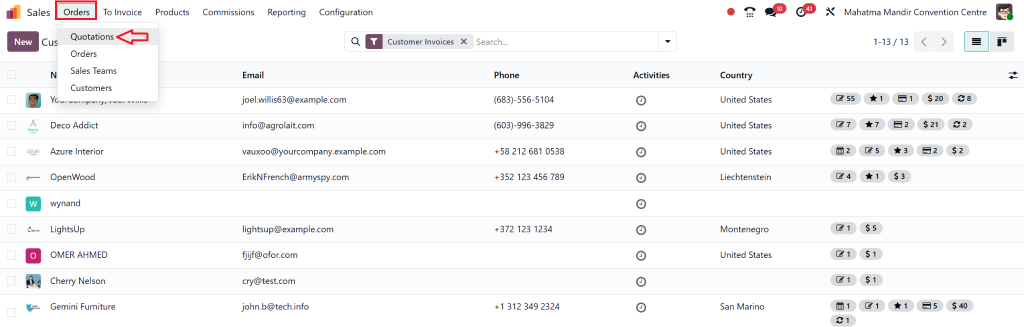
Go to Orders > Customers.
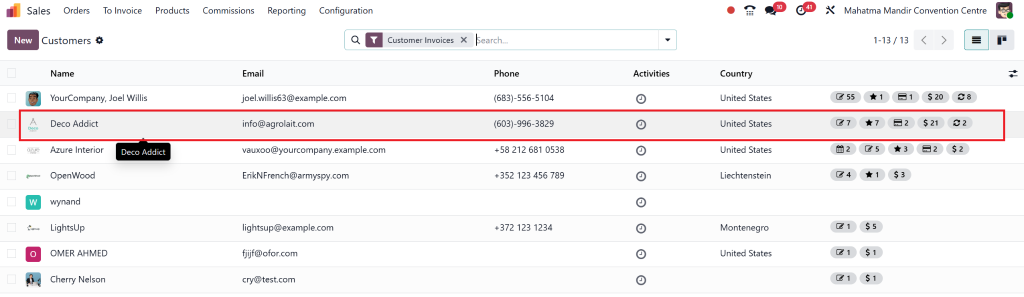
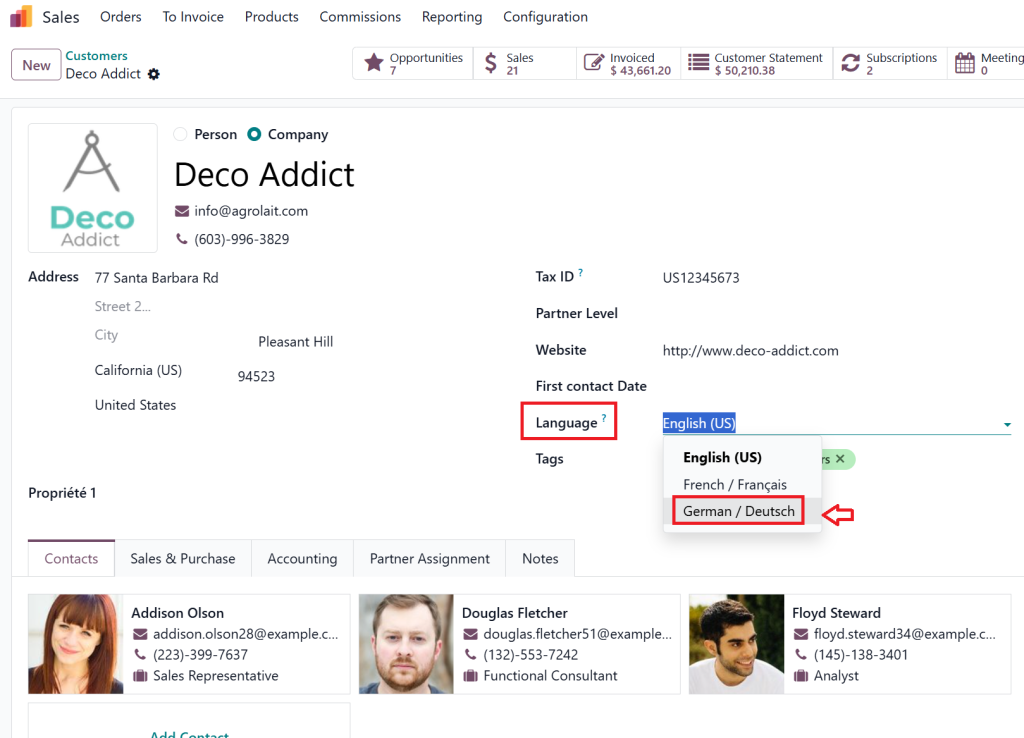
Select the customer you want to update (e.g., Deco Addict).
Open the Language dropdown.
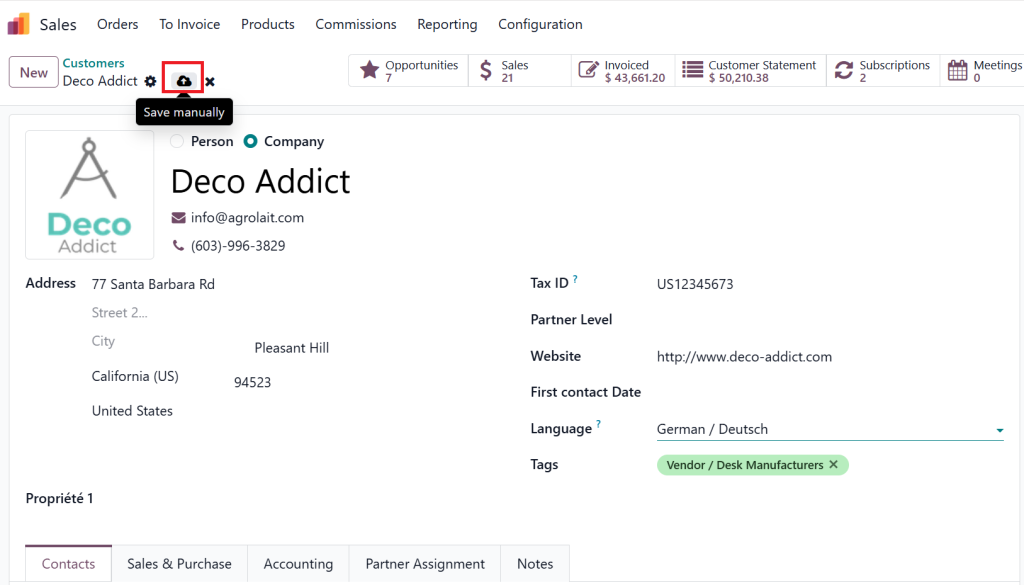
Choose the desired language (e.g., German).
Click Save.
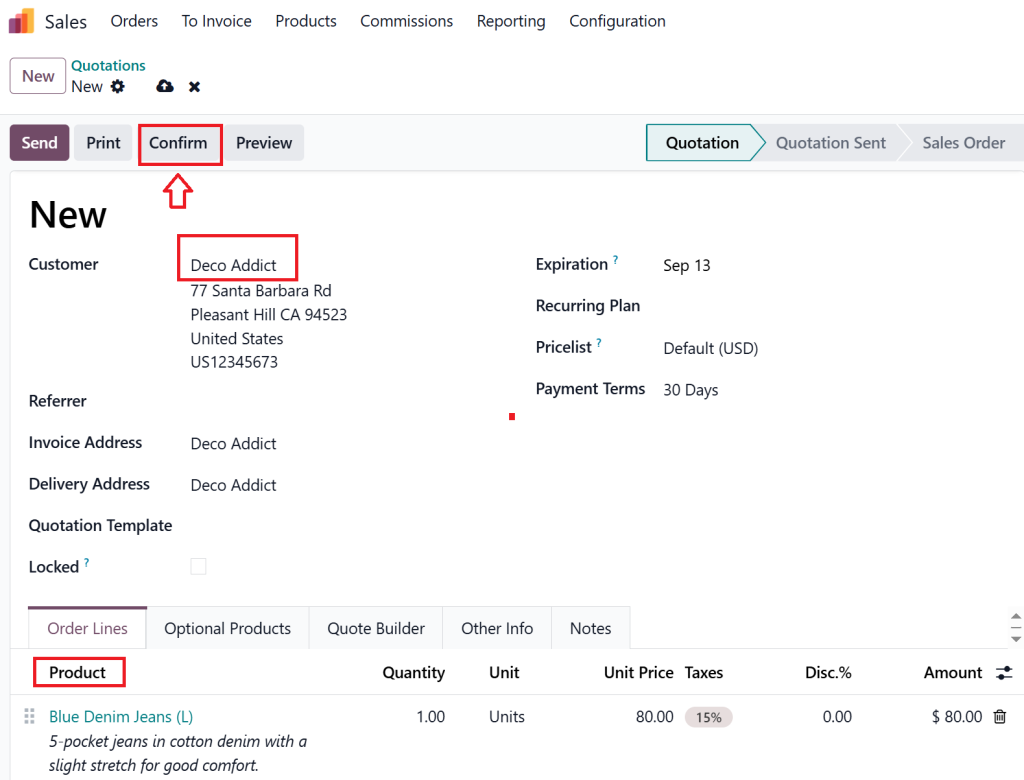
Step 3: Create a Quotation or Sales Order
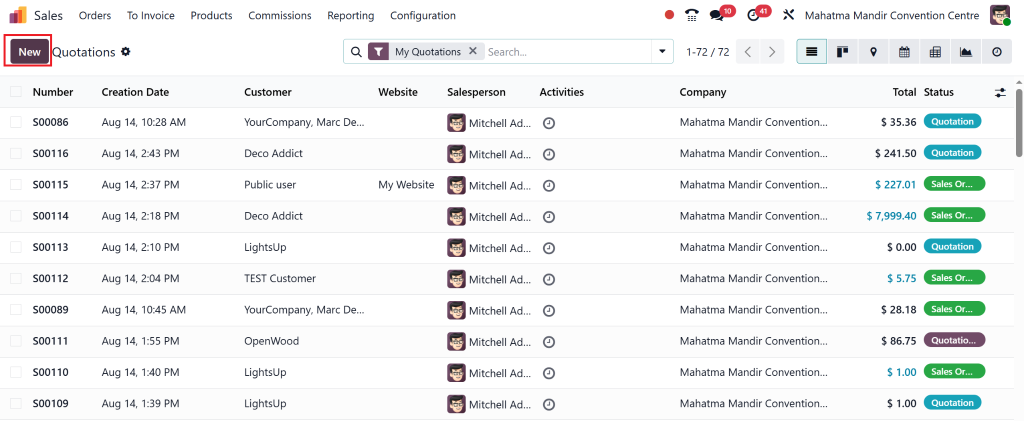
Go to Orders > Quotations.
Click New.
Select the customer whose language you set.
Add a product (e.g., Blue Denim Jeans – Size L).
Click Confirm to validate the quotation.
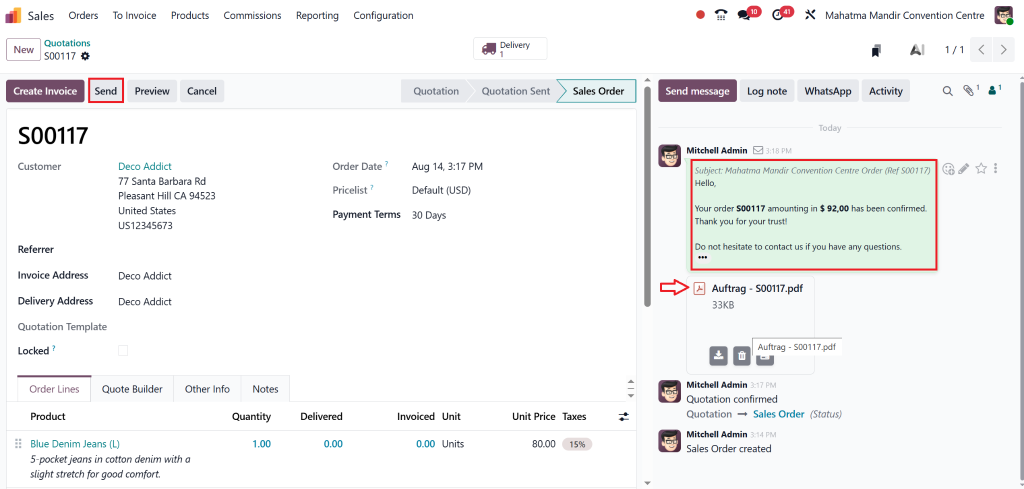
Click Send to email the quotation.
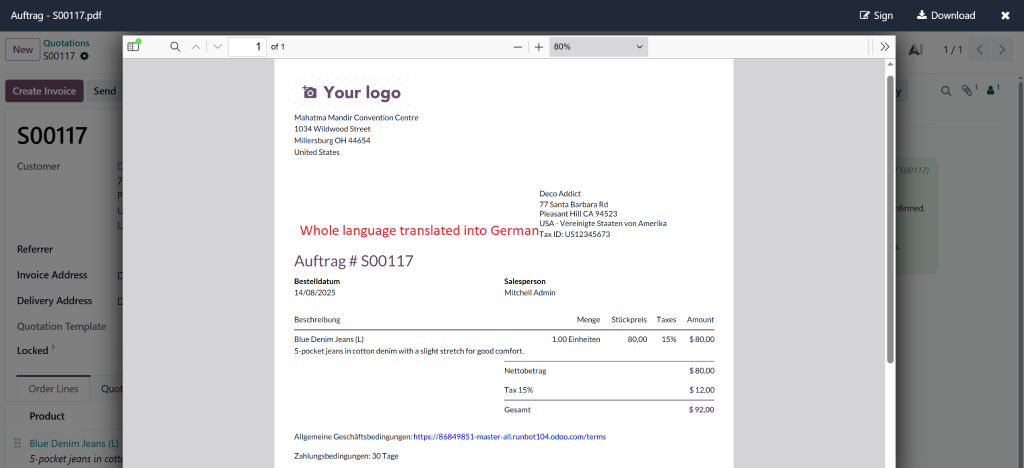
✅ The PDF received by the customer will be automatically translated into their selected language.
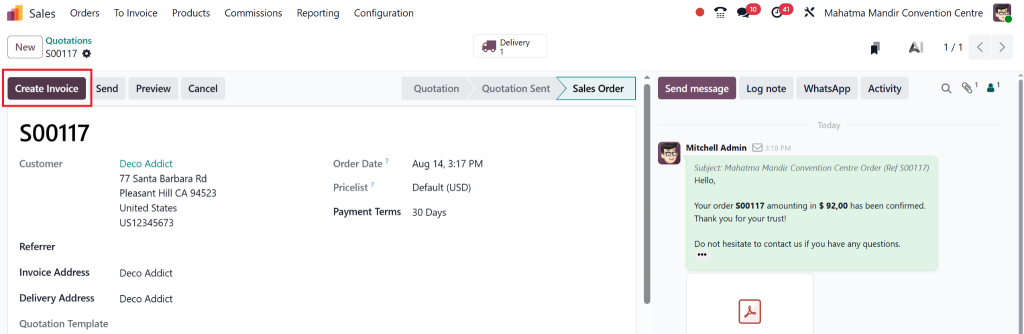
Step 4: Generate the Invoice
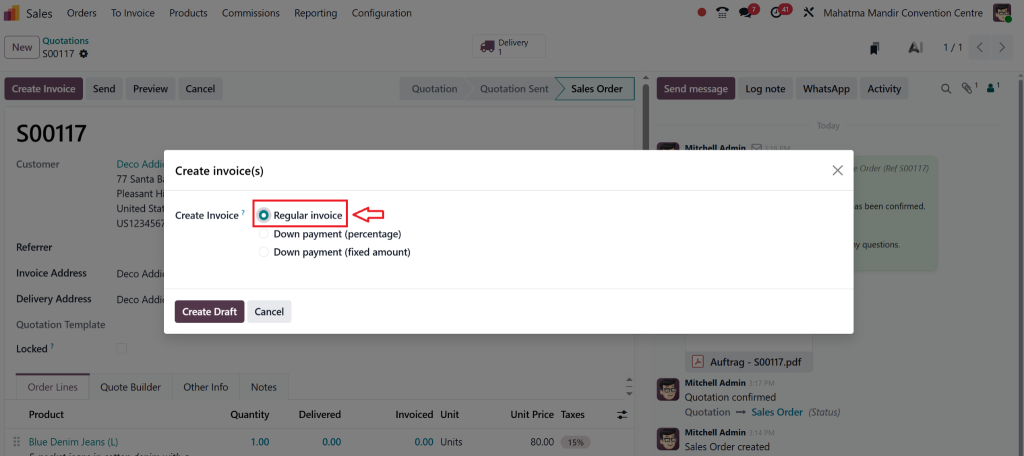
Create an invoice from the sales order.
Choose Regular Invoice.
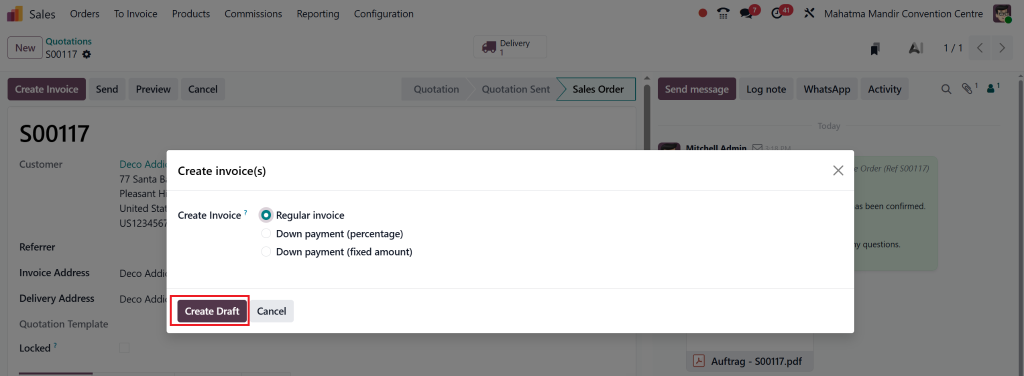
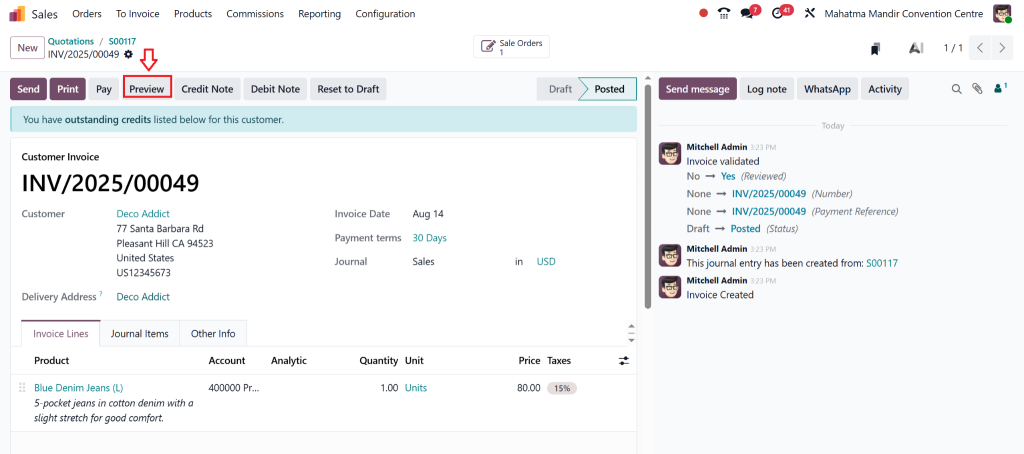
Click Create Draft and Confirm.
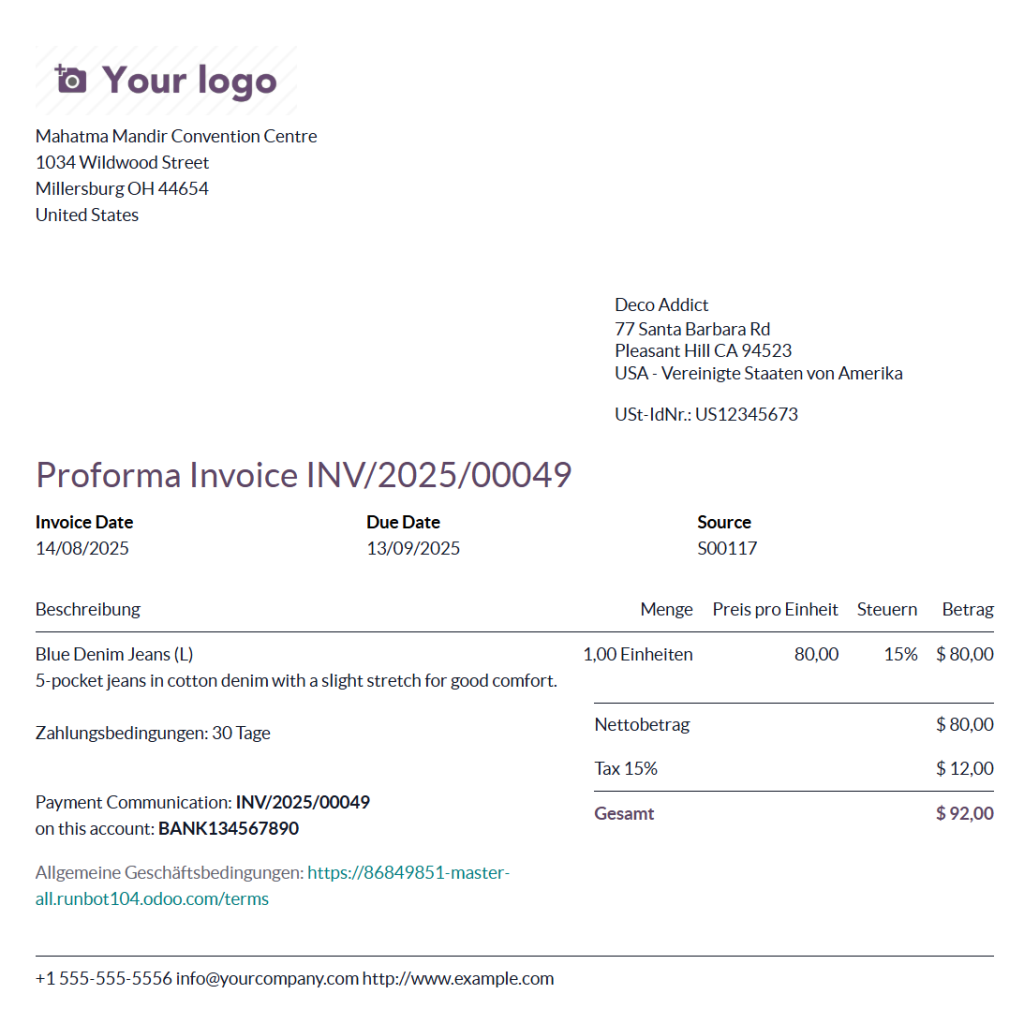
Click Preview to view the invoice.
✅ The invoice will also be automatically translated into the customer’s preferred language.
Handling International Invoice Language Requirements in Odoo 18
Different countries have different invoice regulations. The Odoo 18 international invoice language feature lets you comply with these effortlessly. For example:
Canada: Bilingual (English/French) invoices in certain regions.
UAE: Invoices may require Arabic alongside English.
EU countries: Invoices must sometimes be in the local official language for VAT compliance.
Tip: Always check local laws before sending invoices to avoid legal complications.
Common Mistakes in Multilingual Invoicing Odoo 18 and How to Avoid Them
Even with Odoo 18 multi-language invoices, businesses can make mistakes. Watch out for:
Forgetting to Translate Product Descriptions – Only headers are auto-translated.
Inconsistent Terminology – Make sure financial terms are consistent across all languages.
Wrong Customer Language Setting – This leads to incorrect invoice translations.
Why Choose Netilligence for Your Odoo Multi-Language Invoice Setup
At Netilligence, we’re an Odoo Partner with proven expertise in configuring Multi-Language Invoices in Odoo 18 Sales. Our team ensures:
Flawless language setup for every customer segment.
Compliance with regional billing regulations.
Custom branding across all language templates.
Training for your team to manage translations effortlessly.
When you work with us, you’re not just getting a setup—you’re getting a long-term partner in your global business journey.
Take Your Invoicing Global with Odoo 18
Implementing Multi-Language Invoices in Odoo 18 Sales is one of the smartest moves you can make if you’re targeting international markets. It’s efficient, professional, and customer-friendly.
With the Odoo 18 invoice translation tools, you can send precise, culturally appropriate invoices to clients in any part of the world. And when you partner with Netilligence, you’ll have the confidence of knowing your multilingual invoicing is set up perfectly from day one.
Ready to scale globally? Contact Netilligence today to set up your Odoo 18 multi-language invoices and make every client feel right at home.
Hi, I'm Nabia, an Odoo ERP functional & technical content writer. I specialize in blogs, social media content, ad copy, landing pages, service pages, and email campaigns.
We use cookies to ensure that we give you the best experience on our website. If you continue to use this site we will assume that you are happy with it.