How to Manage Dropshipping in Odoo 18 Purchase Module?
The rise of e-commerce has made dropshipping a popular business model, and managing it efficiently is key to success. Managing dropshipping in Odoo 18 is an all-in-one process that combines automation, efficiency, and advanced supply chain tools. With features like efficient Odoo 18 dropshipping setup, real-time logistics tracking, and inventory optimization, the Odoo 18 Purchase Module simplifies the entire workflow. From enabling dropshipping routes to automating purchase orders and direct supplier-to-customer shipments, businesses can save time and costs while enhancing customer satisfaction. This blog covers everything you need to know about Odoo 18 dropshipping configuration, logistics management, and supply chain features to help you scale your dropshipping operations effortlessly. Let’s dive in and discover how to manage dropshipping in Odoo 18!
Dropshipping Just Got Smarter with Odoo 18!
Imagine running a business where you never have to stock a single product, worry about messy warehouses, or fret over delayed shipments. Sounds like a dream, right? Well, it’s not just a dream; it’s the magic of managing dropshipping in Odoo 18!
But wait…what if I told you this isn’t just about ordinary dropshipping? With the Odoo 18 dropshipping setup, you reveal a world of automation, precision, and smooth logistics. Whether shipping coffee or scaling your business to new heights, Odoo 18 makes running a stress-free drop shipping operation extremely simple.
What’s the secret sauce? The Odoo 18 Purchase Module has features that make you feel like a supply chain wizard. From smooth inventory tracking to direct supplier-to-customer shipping routes, this tool is a game-changer. And guess what? The surprises don’t stop here.
Curious to know how to set up the ultimate Odoo 18 dropship configuration, master logistics, and outshine your competitors? Read on because we’ll reveal how to turn your dropshipping business into a profit-making machine. This is the guide you don’t want to miss!
What is Dropshipping, and Why Choose Odoo 18?
Dropshipping is a fulfillment method where retailers sell products without holding inventory. Instead, customer orders are forwarded directly to suppliers, who ship the products to customers. This model eliminates storage costs, minimizes risks, and provides scalability.
Why Odoo 18 is Ideal for Dropshipping
Odoo 18 Purchase Module is perfect for dropshipping due to its:
Unified dropshipping setup and configuration.
Advanced supply chain and logistics management tools.
Integration with inventory and purchase modules.
User-friendly interface and customizable workflows.
How to Manage Dropshipping in Odoo 18 Purchase Module?
Let’s discuss how to manage dropshipping in the Odoo 18 purchase module. Dropshipping is a business model where you sell products you don’t have in stock. Instead, when you receive an order from a customer, you place an order with your supplier and have them ship the product directly to the customer; this means that you do not have to worry about the stress of storing or shipping products yourself. So, let’s start by seeing how dropshipping works.
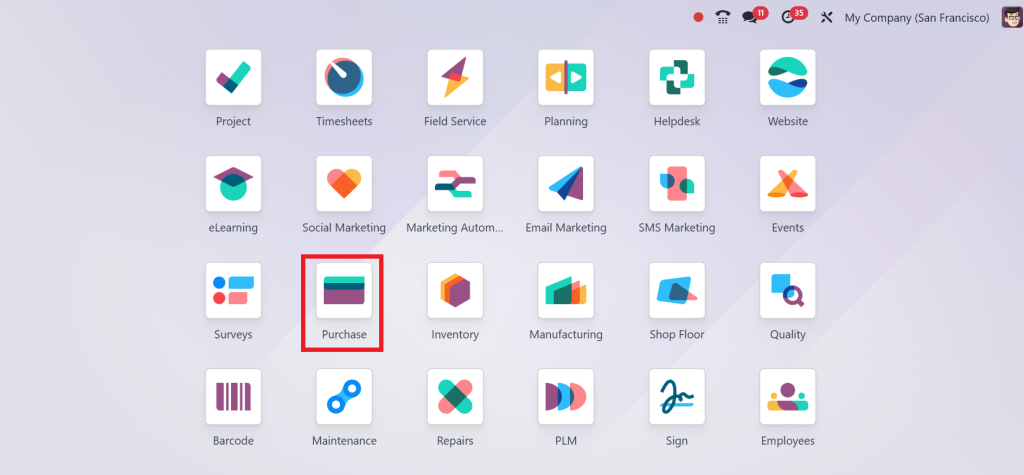
Direct to the Purchase module.
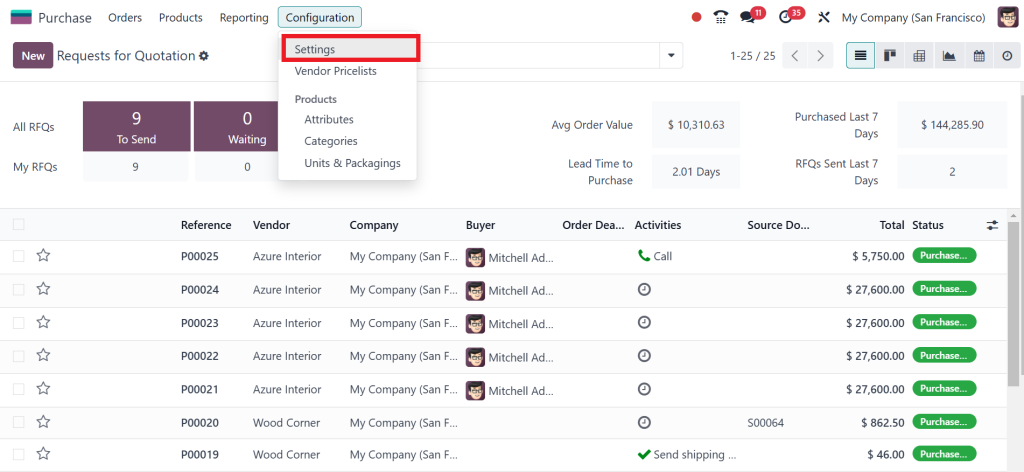
Go to the Configuration > Settings.
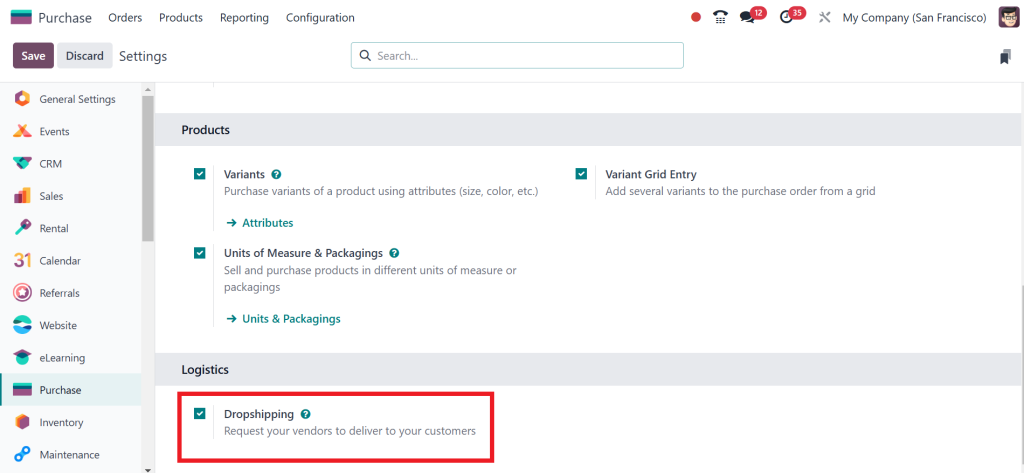
Simply scroll down and under the logistics section, enable the ‘‘Dropshipping’’ and click the ‘‘Save’’ button.
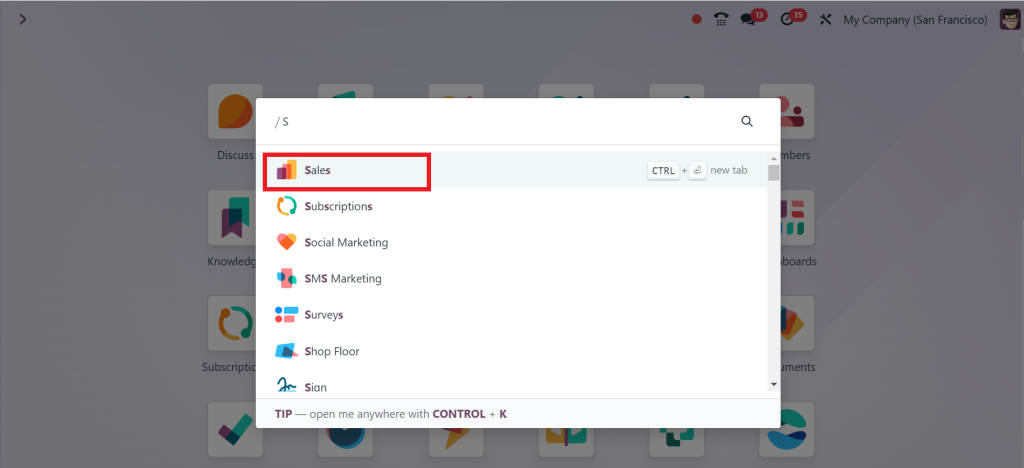
Next, open the Sales module.
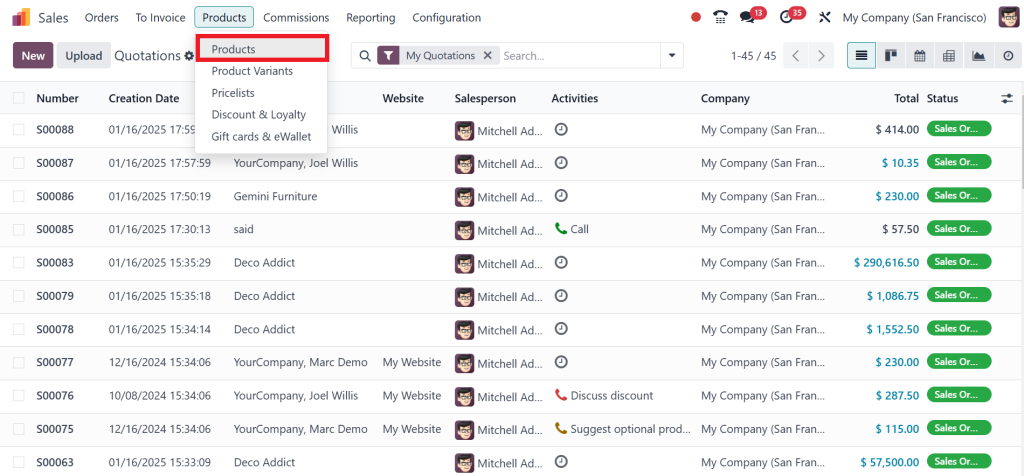
Go to the Products menu and click Products.
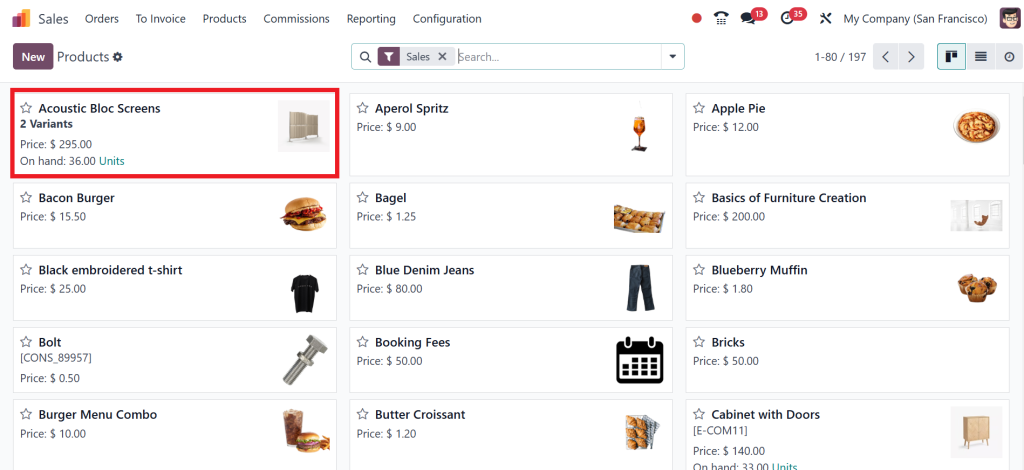
And choose the product. Here, I am selecting the ‘‘Acoustic Bloc Screens’’.
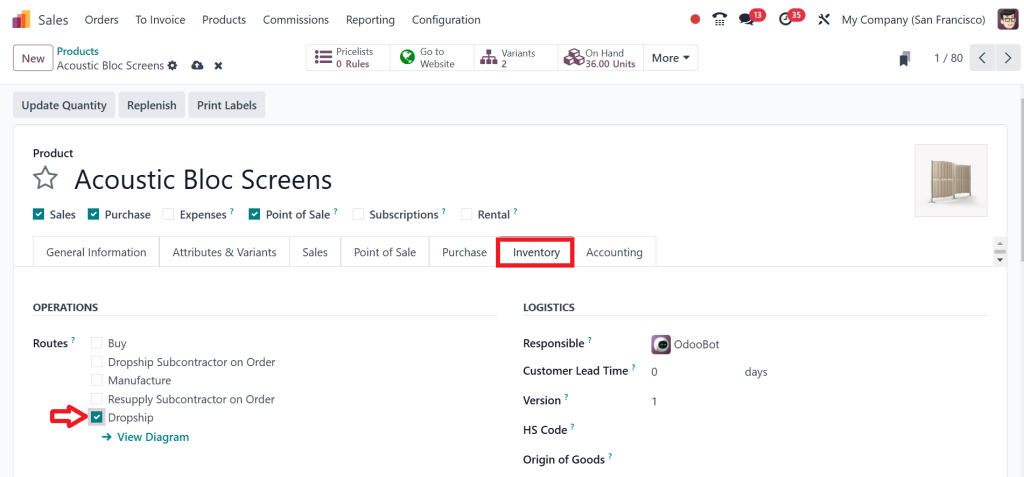
Open the ‘‘Acoustic Bloc Screens’’ and click the Inventory tab, then tick (✔) routes as ‘‘Dropship’’.
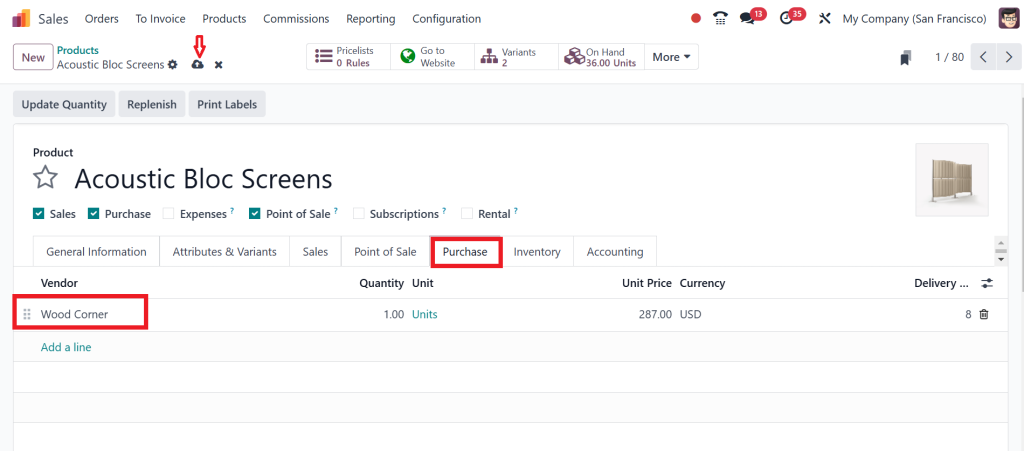
Now, click on the Purchase tab and set the vendor. I am setting Wood Corner as the vendor and clicking the Save button.
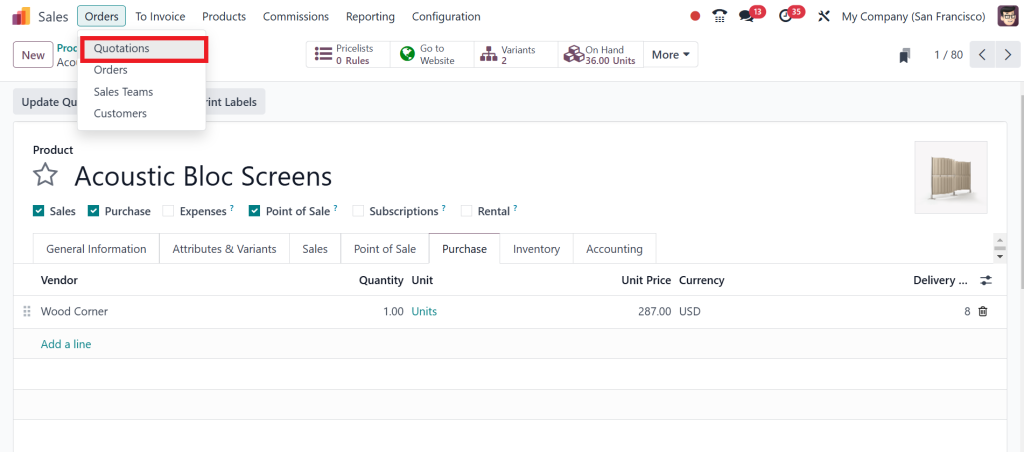
Then go to the Orders menu and click on Quotations.
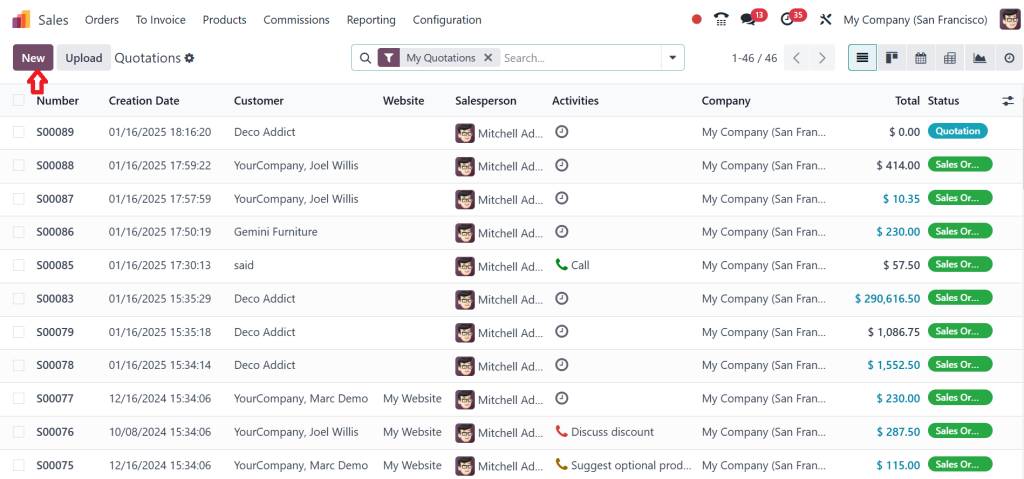
Now, click on the ‘‘New’’ button.
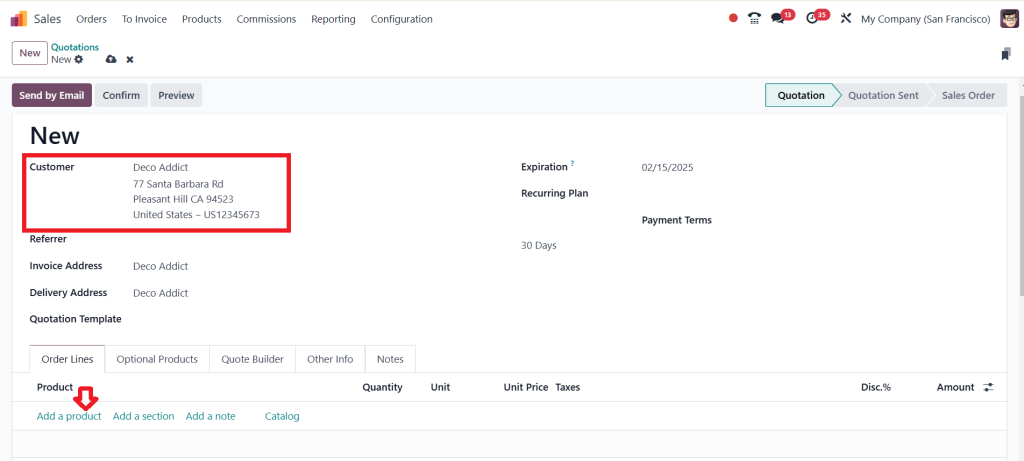
Create a new quotation; let’s add the customer Deco Addict and ‘‘Add a Product’’.
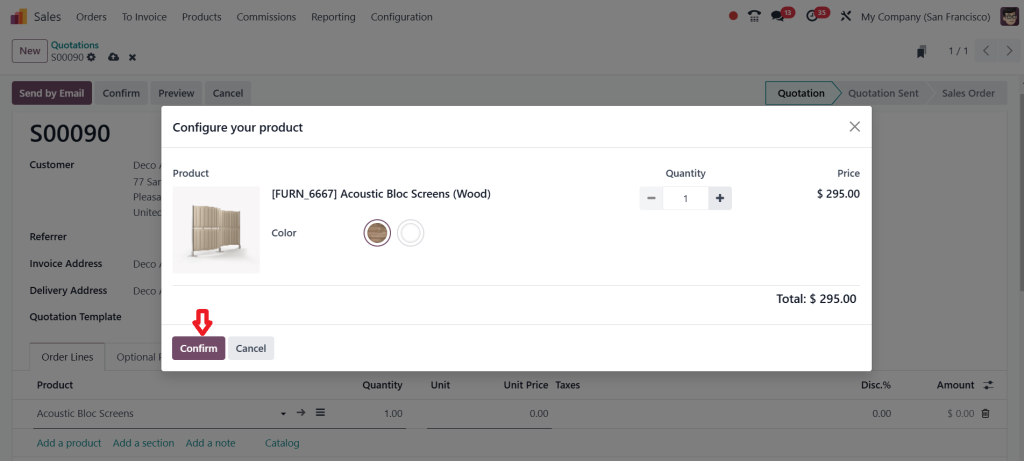
So, I am adding ‘‘Acoustic Bloc Screens’’ as a product and clicking on ‘‘Confirm’’.
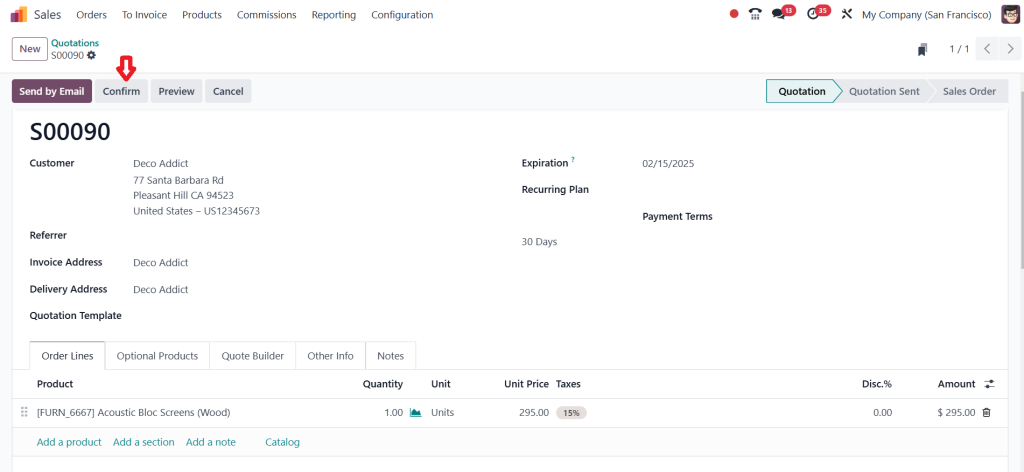
This is the sale order. Click on Confirm.
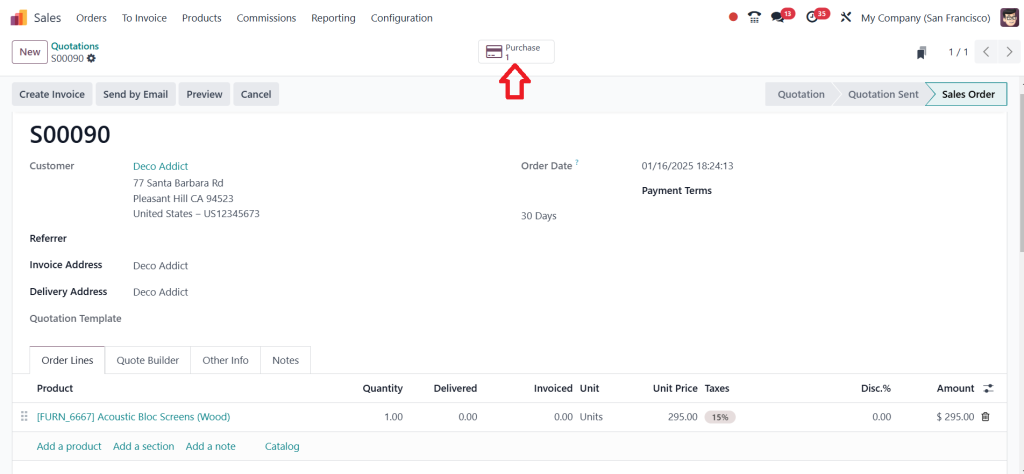
Now, you can see the new tab above, which is Purchase. Click on the above Purchase tab to see the vendor.
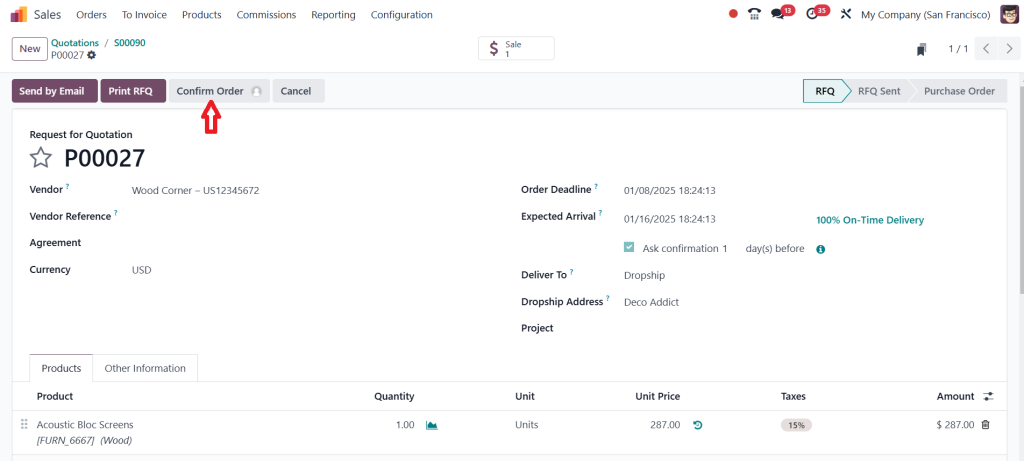
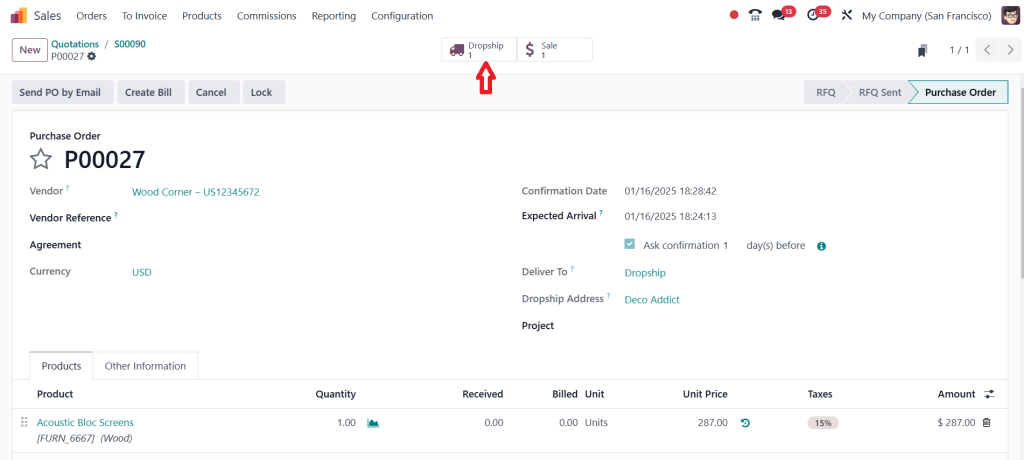
So, once the product routes are set as dropshipping and when you simultaneously use that product in a sale order, a purchase order is also created with the vendor you have set for the chosen product. So, this is the purchase order made through the quotation. Then, click on ‘‘Confirm Order’’.
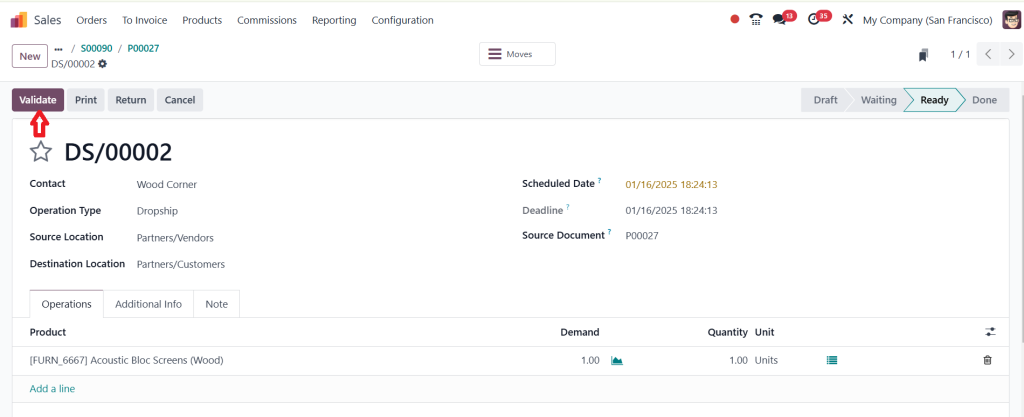
After confirming the purchase order, you can see another new tab, the Dropship. Click on ‘‘Dropship’’.
Click on the ‘‘Validate’’.
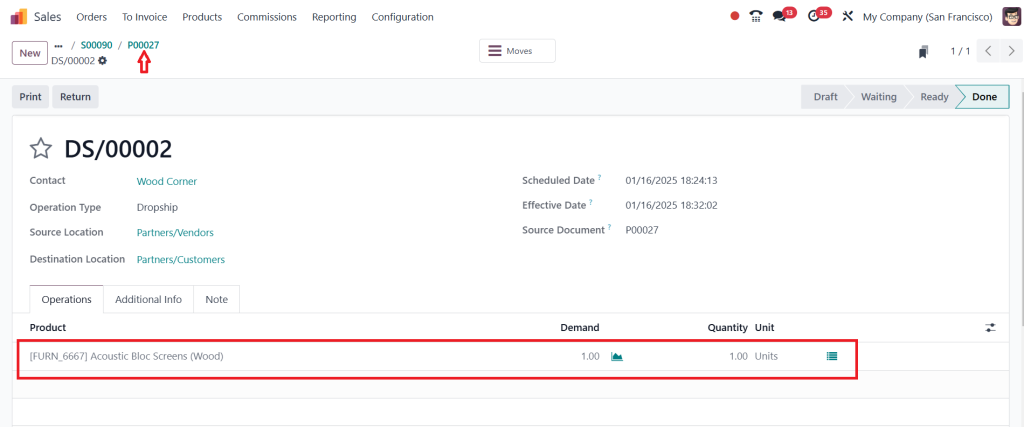
The screenshot below shows the demand and quantity units. Click on the above purchase order number to return to the purchase order.
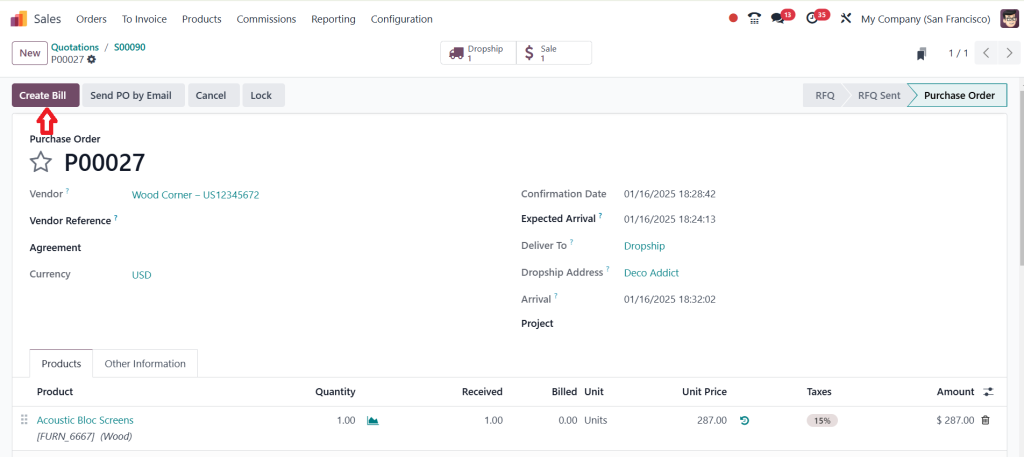
As you can see in the screenshot below, ‘‘Create Bill’’ is active; now click on ‘‘Create Bill’’ and complete the procedure.
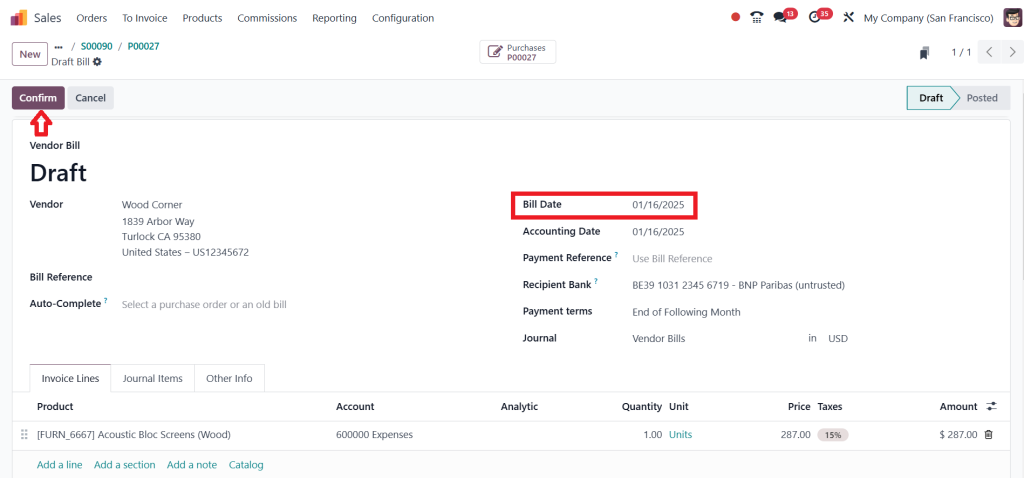
Provide the bill date and click on ‘‘Confirm’’.
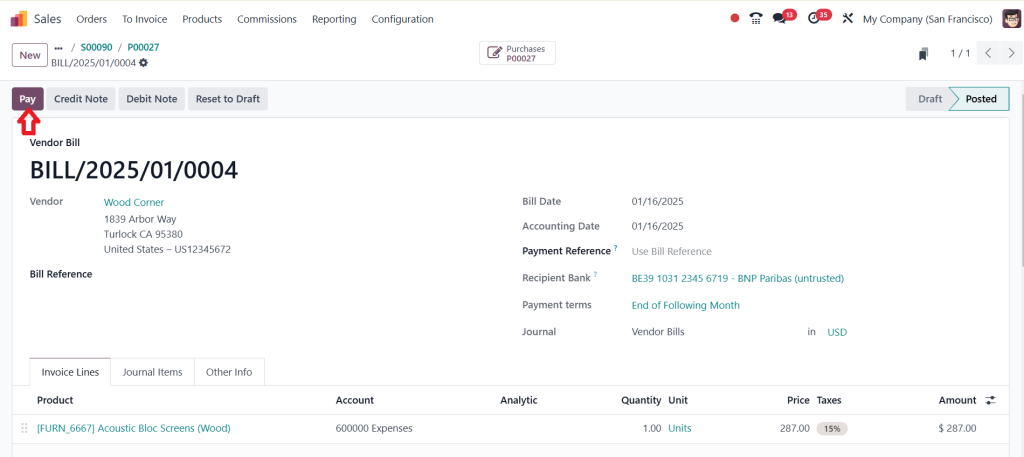
It’s in the posted stage; now click on ‘‘Pay’’.
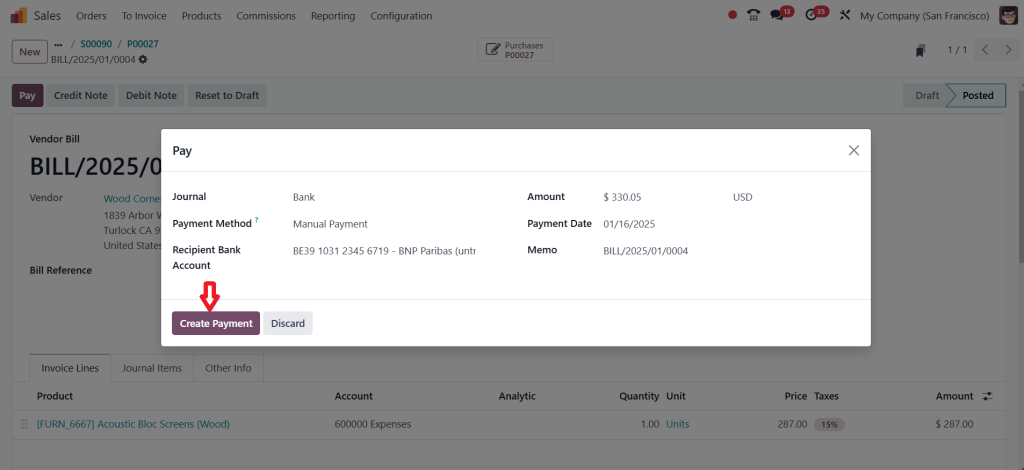
I am creating a journal as a bank and clicking ‘‘Create Payment’’.
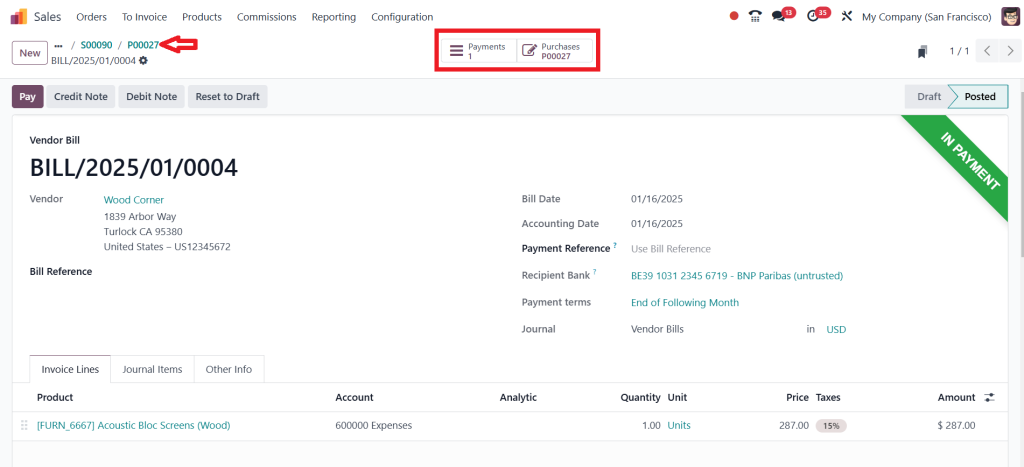
Now it’s in payment state, and you can see the Payments and the Purchases smart tab shown in the screenshot below. Let’s click on the purchase order and go back.
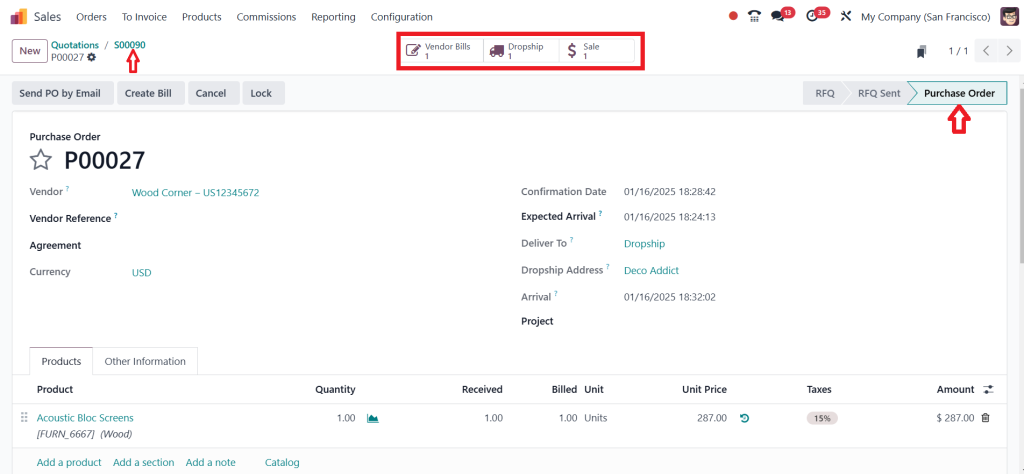
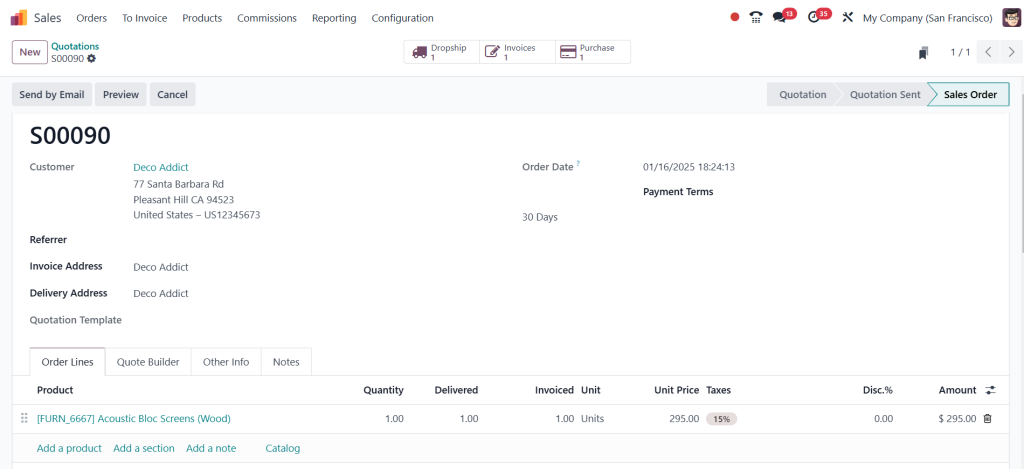
You can see the vendor bills, dropship, and sale tabs, and this is in the purchase order state. By clicking on the number shown in the screenshot below, you can easily go back to the sale order.
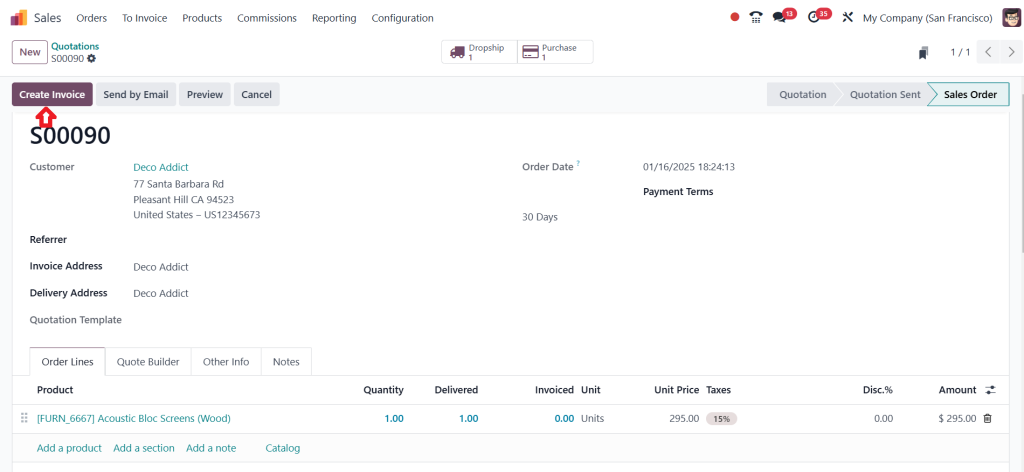
Here, you can see your Create Invoice button is active now, and I will create an invoice by clicking on ‘‘Create invoice’’.
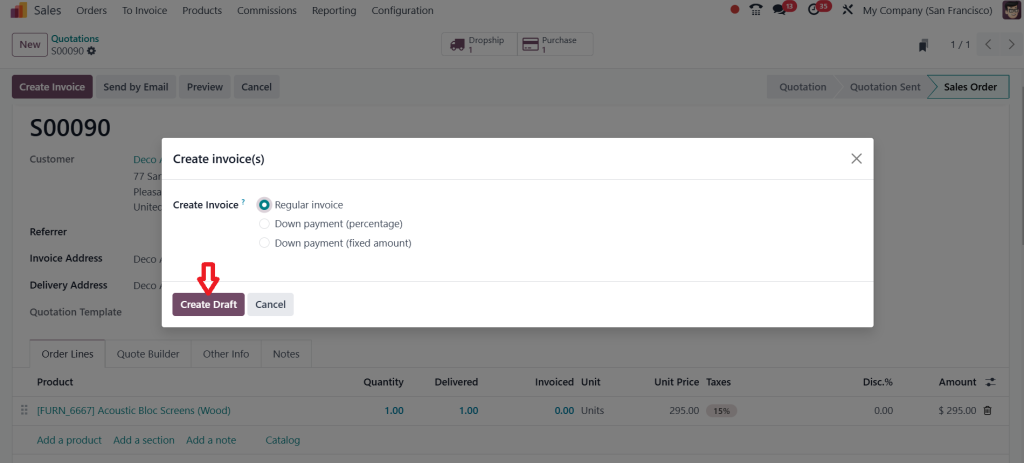
So, let it be a regular invoice and click on ‘‘Create Draft’’.
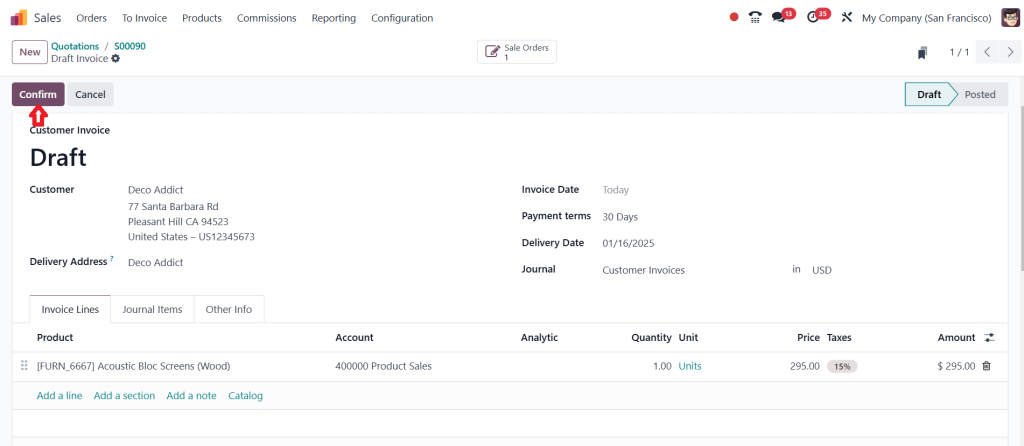
Next, click on ‘‘Confirm’’.
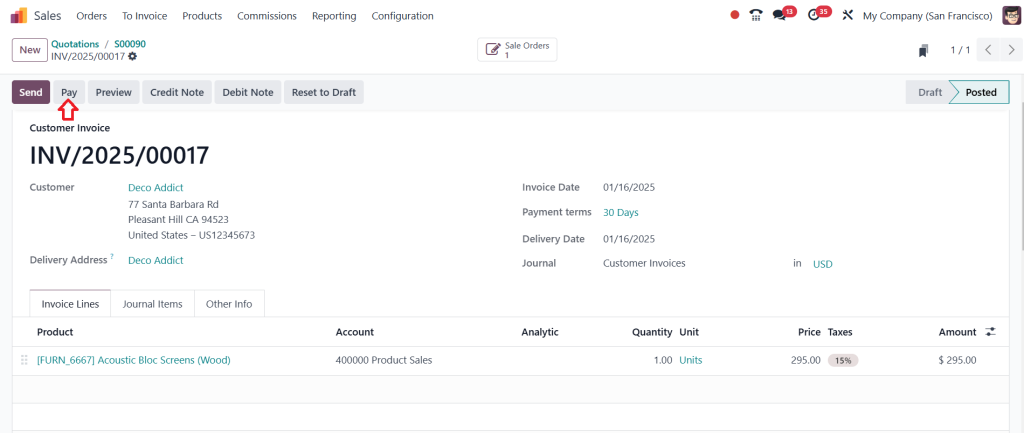
After confirming it, you can either make the payment or print & send it. I am just making the payment by clicking the ‘‘Pay’’ button.
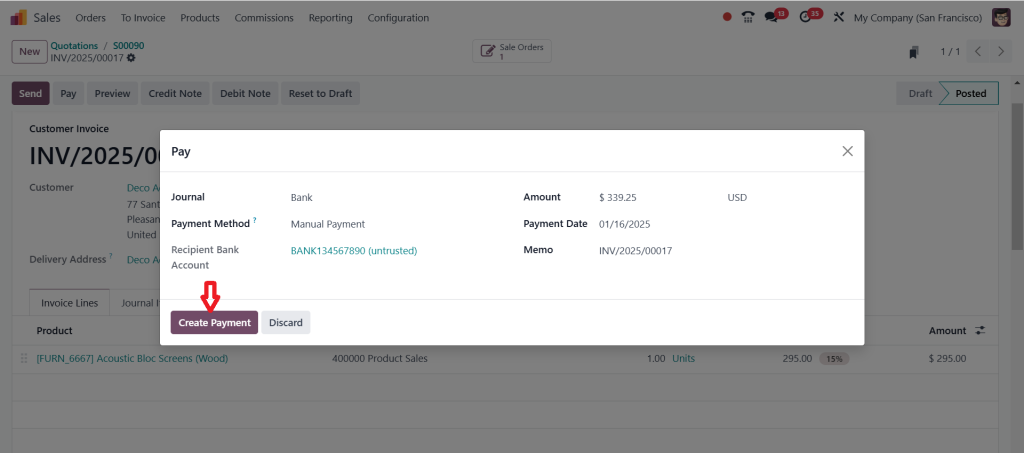
Then simply click on ‘‘Create Payment’’.
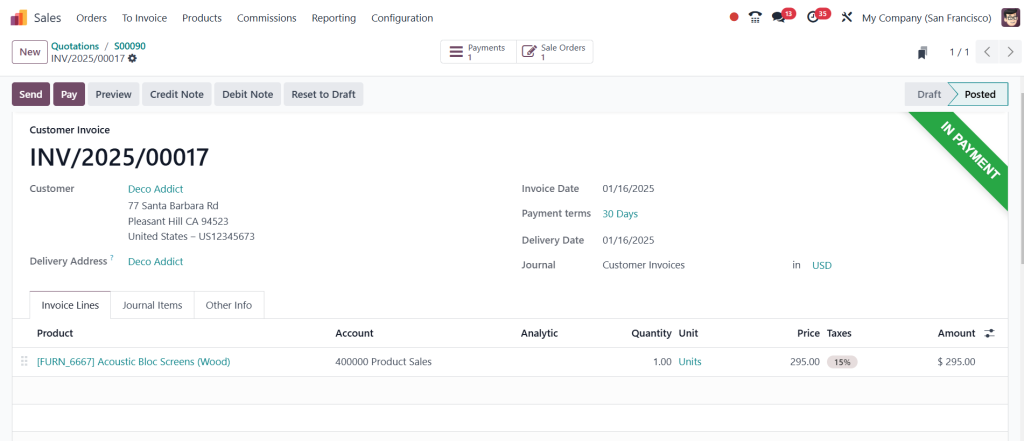
Now, you can see in the screenshot below that it’s in the payment state.
So, this is basically how the dropshipping works. The dropshipping can be a great way to start an e-commerce business.
Odoo ERP is a powerful platform that can help you set up and manage your dropshipping business, and I hope this step-by-step guide has been helpful to you. If you have any questions, please connect with us at Netilligence. We’re always here to support you.
Stay here because there’s so much more to explore about dropshipping. Keep reading this blog to discover more insights.
Key Benefits of Odoo 18 Dropshipping Setup
Direct shipment from supplier to customer.
Reduced handling and shipping costs.
Modernized purchase and sales orders.
Odoo 18 Supply Chain Features for Dropshipping
Odoo 18 supply chain features include:
Multi-location inventory management.
Integration with third-party logistics providers.
Automated workflows for purchase and sales orders.
Odoo Inventory Dropshipping Enhancements
Efficient inventory management is critical for dropshipping. Odoo inventory dropshipping tools help by:
Automating stock level updates for drop-shipped products.
Generating alerts for delayed shipments.
Ensuring accurate invoicing and reconciliation.
A Practical Example of Managing Dropshipping in Odoo 18
Let’s take a real-world scenario to illustrate the benefits of the Odoo 18 dropshipping setup:
A retailer receives an order for a high-demand product.
Using the Odoo 18 Purchase Module, the system automatically generates a purchase order for the supplier.
The supplier ships the product directly to the customer, while the retailer tracks the order via the Odoo 18 logistics management dashboard.
This all-in-one workflow ensures fast delivery, reduces operational costs, and boosts customer satisfaction.
Why Odoo 18 Stands Out for Dropshipping
Odoo Dropshipping Tutorial for Beginners
The intuitive interface and detailed tutorials make it easy for new users to learn the Odoo dropshipping setup. The step-by-step guides and user manuals cover everything from basic configuration to advanced features.
Scalability and Integration
As your business grows, Odoo 18 supply chain features and integrations with third-party apps provide the flexibility needed to scale. From managing thousands of orders to ensuring compliance with logistics standards, Odoo 18 adapts to your business needs.
Tips for Optimizing Dropshipping in Odoo 18
Leverage Automation Features
Automation reduces manual errors and improves efficiency. Use Odoo’s automated workflows to manage purchase and sales orders flawlessly.
Monitor Key Metrics
Track key performance indicators (KPIs) such as delivery times, supplier reliability, and customer satisfaction. Use the built-in analytics tools in the Odoo 18 Purchase Module to gain insights and make data-driven decisions.
Regularly Update Configurations
Keep your Odoo 18 dropship configuration updated to reflect supplier changes, shipping routes, or product pricing.
Common Challenges in Dropshipping and How Odoo 18 Solves Them
Challenge 1: Inventory Management
Dropshipping businesses often struggle with managing inventory visibility.
Delays in communication between sellers and suppliers can hinder operations.
Solution: Odoo 18 automates the order-to-supplier process, reducing delays.
Challenge 3: Lack of Transparency
Customers often demand transparency in shipping timelines.
Solution: Odoo 18 logistics management provides real-time tracking and updates.
Odoo Dropshipping Tutorial: A Quick Recap
By now, you should clearly understand how to manage dropshipping in Odoo 18. From enabling dropshipping in the purchase module to leveraging advanced supply chain features, Odoo 18 provides a comprehensive solution for eCommerce businesses.
Key steps include
Activating dropshipping in Odoo 18 settings.
Configuring routes and linking them to products.
Automating purchase orders and managing logistics.
Mastering Dropshipping with Odoo 18
Managing dropshipping in Odoo 18 has never been easier, thanks to its advanced features, intuitive interface, and robust supply chain tools. Whether you’re setting up your first dropshipping operation or looking to optimize existing workflows, the Odoo 18 Purchase Module provides everything you need for success.
By utilizing the power of Odoo 18 logistics management, inventory tools, and smooth integrations, businesses can deliver exceptional service while minimizing costs and maximizing efficiency.
Today, take the first step towards transforming your operations with the Odoo 18 dropshipping setup!
Hi, I'm Ilsa Shabbir, an Odoo ERP content writer specializing in functional blogs on Odoo modules. I simplify complex Odoo features, creating clear and engaging content to help businesses understand and optimize their ERP solutions.
We use cookies to ensure that we give you the best experience on our website. If you continue to use this site we will assume that you are happy with it.