How to Manage Equipment Maintenance Schedules in Odoo 18?
Why Equipment Maintenance Schedules in Odoo 18 Is Central
Equipment Maintenance Schedules in Odoo 18 is often the difference between smooth operations and expensive breakdowns. If you’re in charge of ensuring machinery and equipment are running smoothly, you know how vital it is to stay on top of maintenance schedules. That’s where Odoo 18 equipment maintenance comes in – a powerful tool that helps you manage and streamline the entire maintenance process.
Whether managing preventive tasks, dealing with repair requests, or keeping track of critical equipment in your fleet, Odoo 18 maintenance scheduling makes everything easier, faster, and more efficient. It allows you to automate manual processes, freeing time for your team and reducing costly downtime.
Let’s explain how you can use Odoo 18 maintenance features like the maintenance calendar, preventive maintenance, and maintenance requests to keep everything running smoothly.
Whether you’re a small business or a large enterprise, Odoo 18 has the tools to manage your equipment and assets efficiently.
What Is Odoo 18 Maintenance Module and Why You Should Care?
If you’re still getting familiar with Odoo 18, the maintenance module is an innovation for anyone responsible for managing equipment. Think of it as your digital assistant for keeping track of all the moving parts of your machinery, vehicles, or any other valuable assets. The module tracks and schedules maintenance activities, reduces downtime, and keeps everything working efficiently.
In addition to handling your assets, Equipment Maintenance Schedules in Odoo 18 offers features beyond simple maintenance. You get access to real-time data about the condition of your equipment, customizable reports, and easy-to-follow workflows for handling requests and repairs.
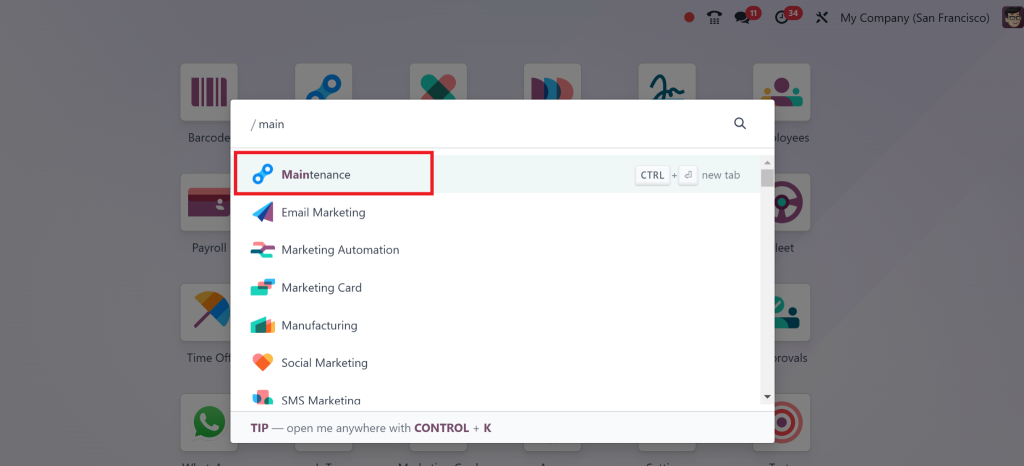
How to Set Up Maintenance Schedules in Odoo 18
Now that we know the features let’s explore how you can manage and set up maintenance schedules for your equipment using Odoo 18.
Step 1: Add Equipment Records
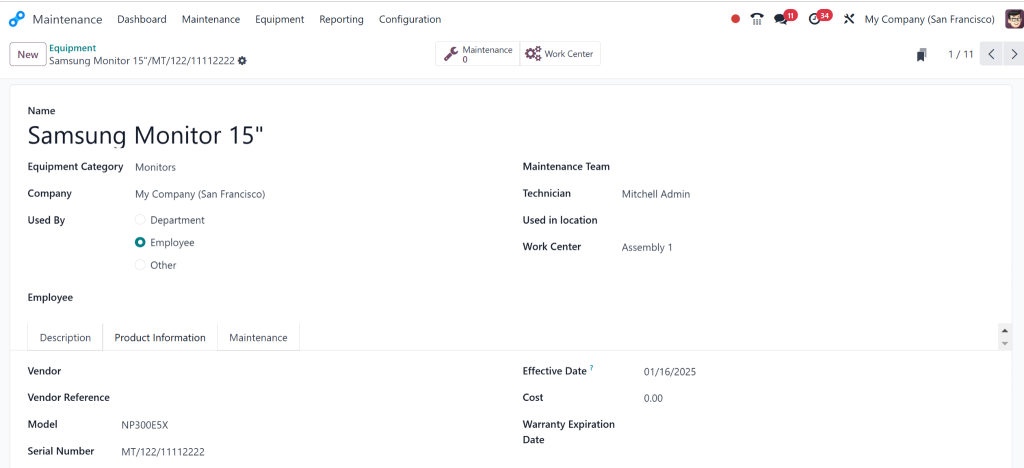
Before scheduling Equipment Maintenance Schedules in Odoo 18, you’ll need to add your equipment to Odoo. That is the foundation of the entire system. Creating detailed records for each asset ensures that maintenance tasks are tracked and reported correctly.
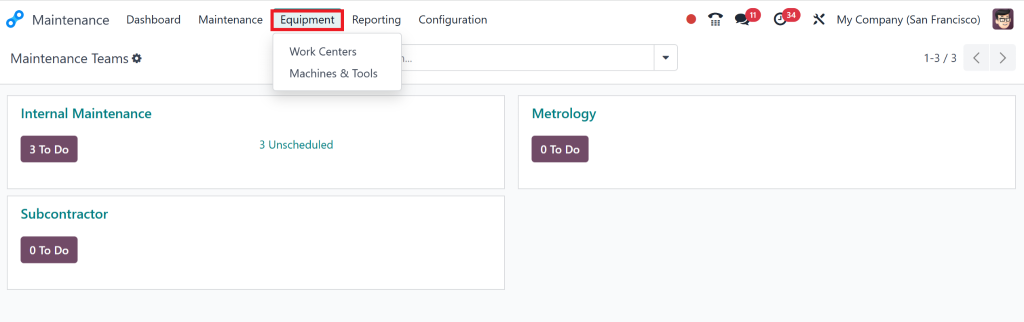
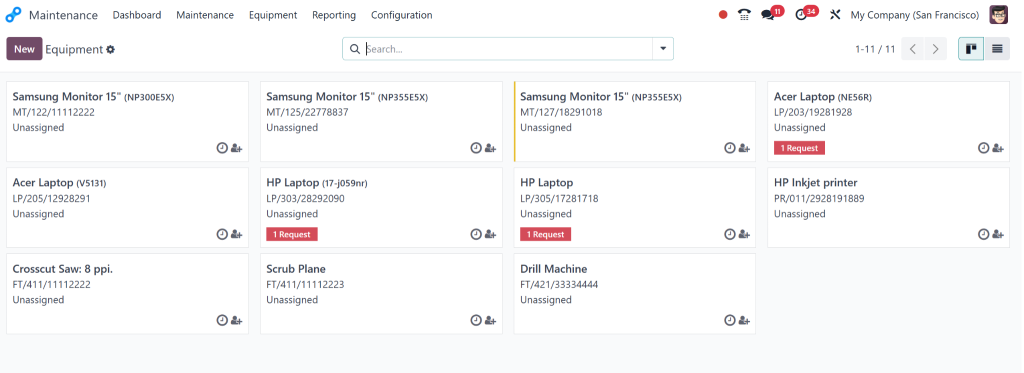
Go to Maintenance > Equipment.
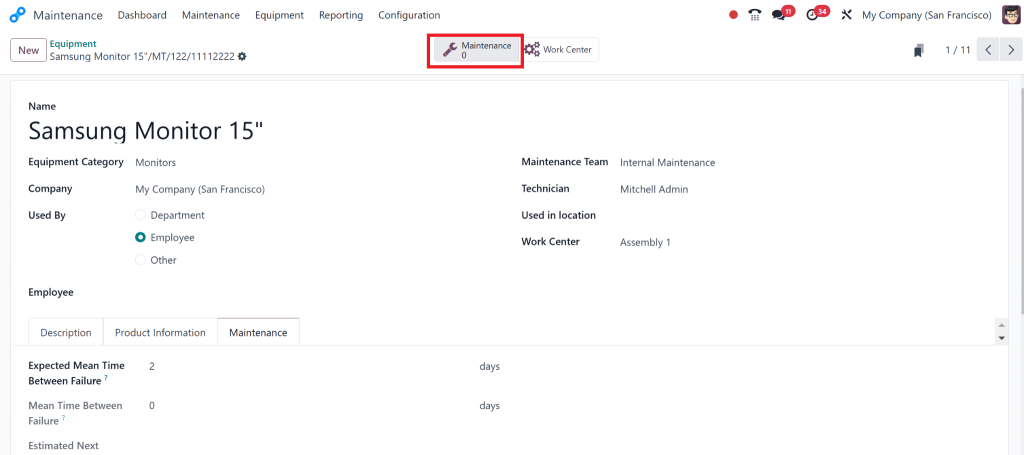
2. Add your equipment details, such as serial numbers, model types, and specific maintenance instructions.
3. Include information like usage hours, warranty, and location if relevant.
With detailed records in place, you’ll better understand each asset’s needs, making it easier to schedule timely maintenance.
Step 2: Set Up Preventive Maintenance
Preventive maintenance is all about being proactive. Rather than waiting for equipment to break down, you set up maintenance tasks automatically based on usage or time intervals.
Here’s how to set Equipment Maintenance Schedules in Odoo 18:
Go to Maintenance > Preventive Maintenance.
2. Click on Create to add a new maintenance plan.
3. Choose the equipment for which you want to create the plan.
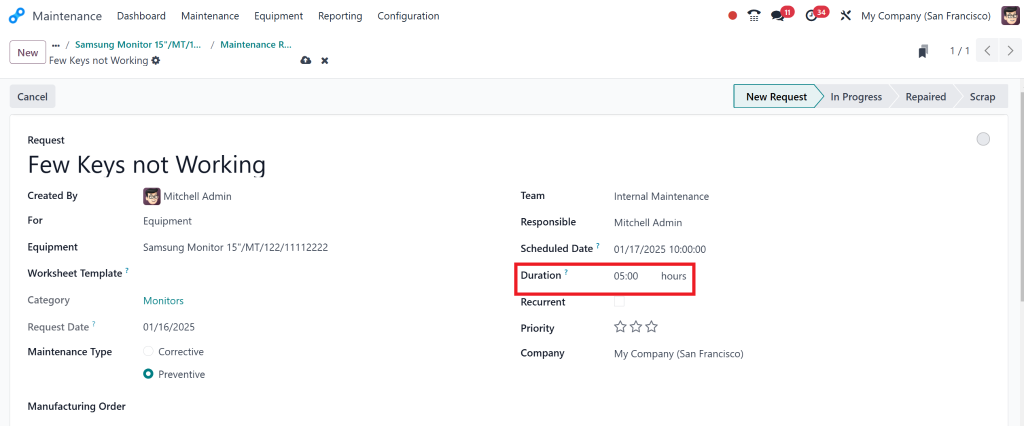
4. Set the frequency of the maintenance task – daily, weekly, monthly, or after a certain number of usage hours.
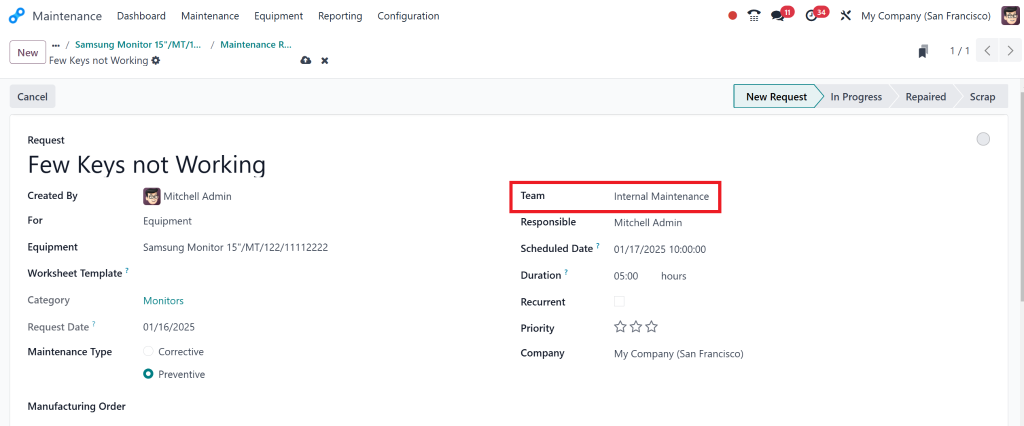
5. Assign the task to the appropriate technician or team.
6. Select what maintenance is required – inspection, cleaning, or part replacement.
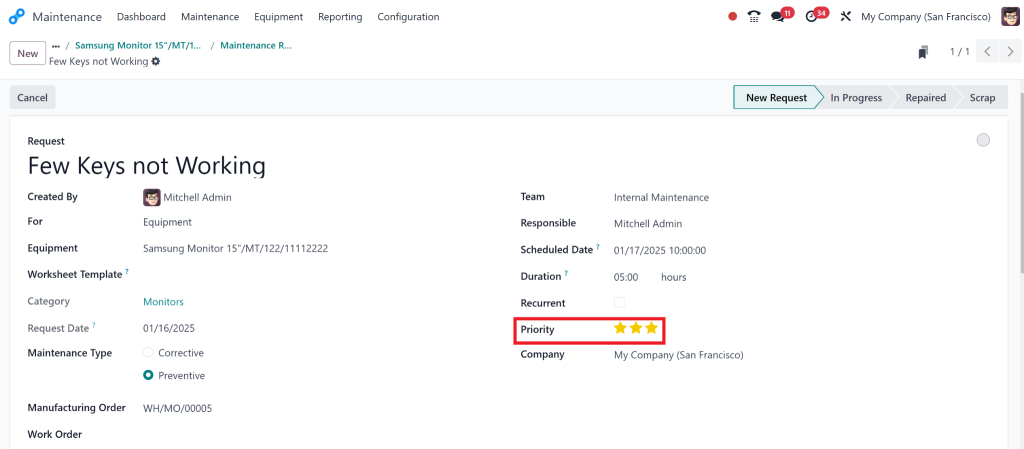
It can also be set as a priority
This setup helps ensure you don’t miss any important tasks and keeps your equipment running smoothly.
Step 3: Utilize the Maintenance Calendar
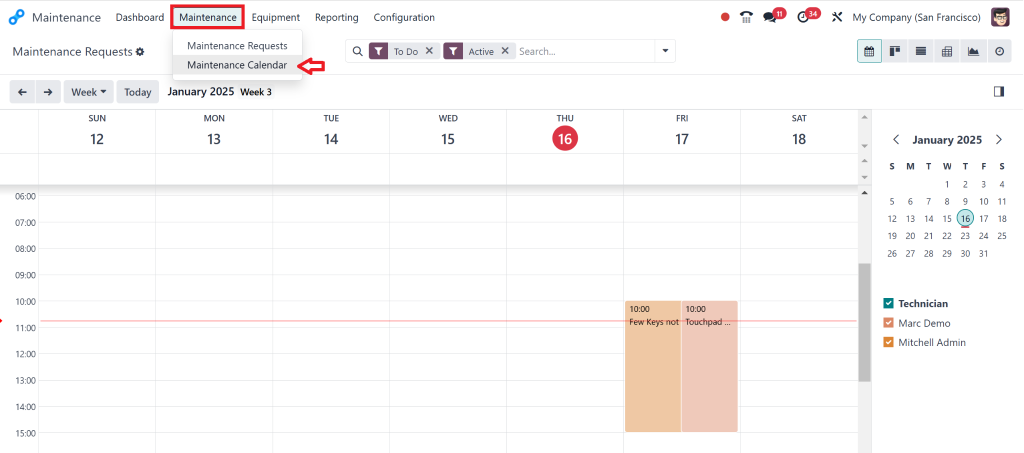
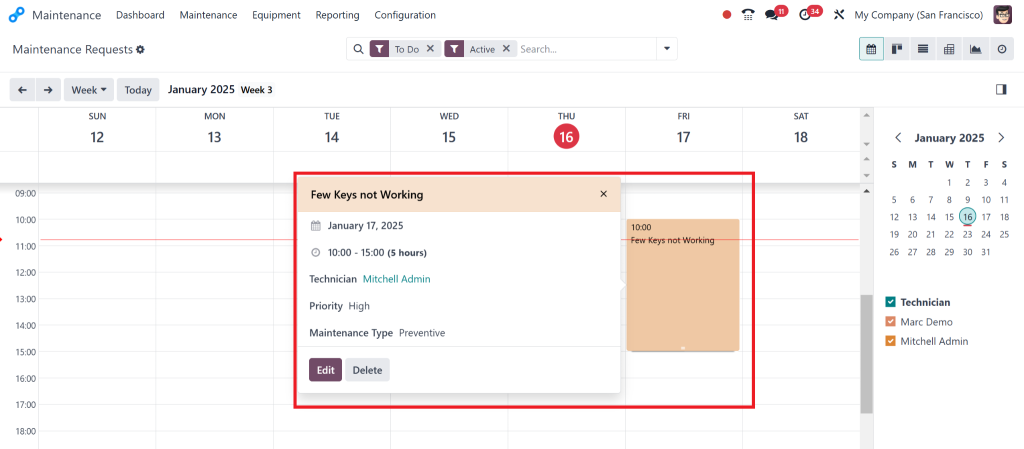
The Odoo 18 maintenance calendar visualizes all your scheduled maintenance tasks. It gives you a clear overview of everything due or coming up, making planning your team’s workload easier.
Go to Maintenance > Maintenance Calendar.
2. Add the preventive tasks you’ve set up, or create non-recurring maintenance tasks if needed.
3. Review the calendar regularly to ensure tasks are distributed evenly and avoid double-booking technicians.
The calendar provides a bird’ s-eye view of your maintenance schedule, helping you avoid disruptions and keep everything running on time.
Step 4: Manage Maintenance Requests
Sometimes, things go wrong unexpectedly, and that’s when maintenance requests come into play. Odoo 18 allows anyone in your organization to submit a maintenance request if they notice an issue with any equipment.
Here’s how to handle it:
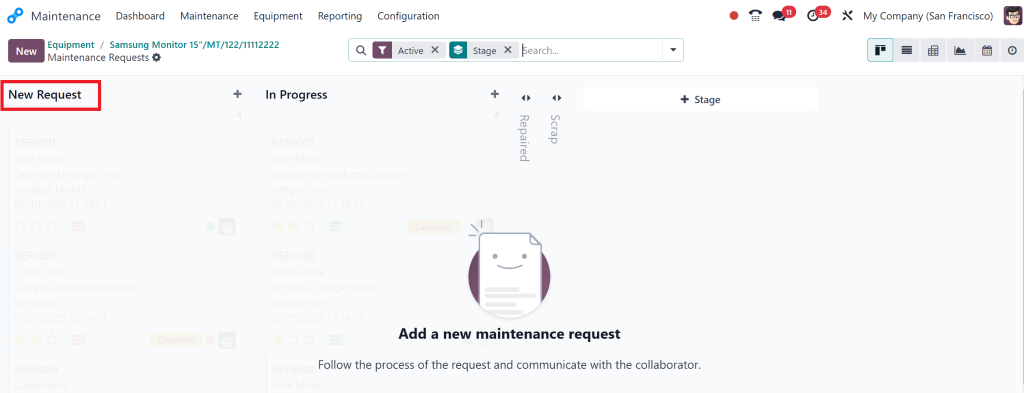
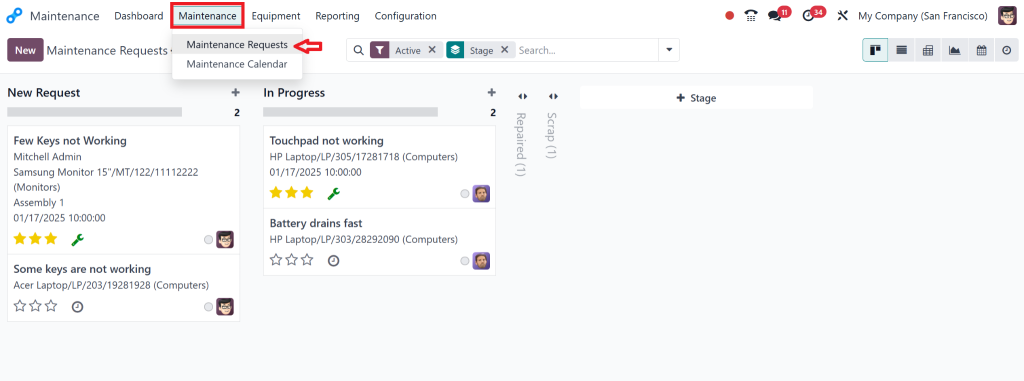
Go to Maintenance > Maintenance Requests.
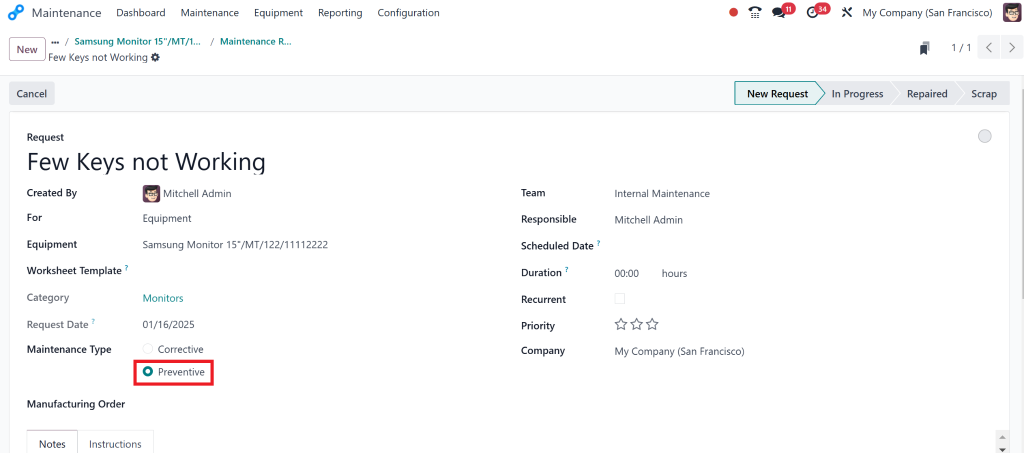
2. Click Create to add a new request.
3. Fill out details of the problem, including the equipment ID and issue description.
4. Assign the request to the appropriate technician.
Once the request is logged, it is tracked in the system, and technicians can work on resolving the issue as soon as possible. This process ensures that maintenance is not delayed and nothing falls through the cracks.
Key Features of the Odoo 18 Maintenance Module
Here are the features you’ll love about Equipment Maintenance Schedules in Odoo 18:
Odoo 18 Preventive Maintenance
With Odoo 18 preventive maintenance, you can set up scheduled maintenance tasks based on time intervals, usage hours, or equipment conditions. This proactive approach helps avoid unexpected failures resulting in costly repairs and downtime.
Odoo 18 Maintenance Requests
Employees can report issues or submit maintenance requests directly through the system. These requests are automatically logged and assigned to the appropriate technician, ensuring quick response times and resolution.
Odoo 18 Maintenance Calendar
The Odoo 18 maintenance calendar is a powerful visual tool for scheduling maintenance activities. It allows you to see all your upcoming tasks in one place and adjust schedules as needed to avoid conflicts or missed appointments.
Odoo 18 Equipment Management
Equipment Maintenance Schedules in Odoo 18 allows you to track each asset’s history, condition, and performance. You can maintain detailed records on each piece of equipment, including maintenance history, repair costs, and warranties.
Reporting & Analytics
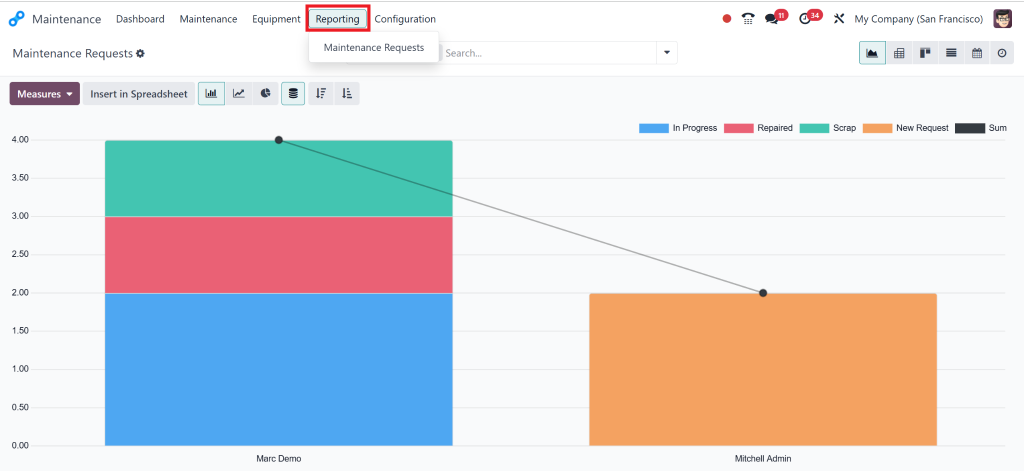
Odoo 18’s powerful reporting tools make it easy to track your maintenance performance. You can analyze downtime, identify patterns in equipment failure, and gain insights into the effectiveness of your maintenance schedules.
Best Practices for Using Odoo 18 Maintenance Scheduling
To make the most out of Equipment Maintenance Schedules in Odoo 18, here are some best practices that can help you manage equipment maintenance more effectively:
1. Automate Preventive Maintenance
One of Odoo 18’s most significant advantages is automating preventive maintenance tasks. By setting up recurring tasks, you don’t have to rely on manual scheduling, which can be time-consuming and error-prone. Automation ensures that maintenance happens on time, every time, without fail.
2. Use Notifications and Alerts
You don’t have to check the system constantly for upcoming maintenance. Odoo can send automated notifications to the relevant team members, reminding them when tasks are due. This is especially helpful for busy teams to stay on track with maintenance schedules.
3. Track Equipment History
Maintaining detailed logs of each asset’s maintenance history allows you to analyze performance over time. You can identify recurring problems, track the lifespan of parts, and make more informed decisions about repairs and replacements.
4. Generate Reports
Odoo 18’s maintenance reporting tools give you valuable insights into your maintenance operations. By regularly reviewing reports, you can identify patterns such as frequent breakdowns, underperforming equipment, or areas that need attention. This data helps you improve future maintenance planning and make better investment decisions.
Odoo 18 Equipment Maintenance
Efficient Equipment Maintenance Schedules in Odoo 18 is crucial to minimizing downtime and maximizing productivity. Odoo 18 equipment maintenance provides all the tools to automate and streamline maintenance tasks, from preventive maintenance and maintenance requests to tracking and scheduling on the maintenance calendar.
Using Odoo 18’s features, you can keep your equipment running in top condition, prevent costly repairs, and improve overall operational efficiency. Whether you’re a small business or an enterprise, Odoo 18 makes equipment management more manageable, organized, and effective.
Don’t let maintenance be an afterthought – embrace Odoo 18’s powerful tools to stay ahead of the curve. Contact us today to learn how Odoo 18 can transform your maintenance process.
Hi, I'm Nabia, an Odoo ERP functional & technical content writer. I specialize in blogs, social media content, ad copy, landing pages, service pages, and email campaigns.
We use cookies to ensure that we give you the best experience on our website. If you continue to use this site we will assume that you are happy with it.