

Why Organize Orders into Courses in Odoo 18.2 POS?
If you’re running a restaurant, café, or any food service business, you know how vital it is to manage orders efficiently. One of the most potent tools that Odoo 18.2 POS offers to improve your workflow is the ability to organize orders into courses in Odoo 18.2 POS. This simple yet impactful feature allows you to break down orders into multiple classes, ensuring a organized dining experience for your customers.
By using the Odoo POS courses setup, restaurants can easily track each part of an order, whether it’s an appetizer, main course, or dessert. This guide will walk you through how to configure and use Odoo 18.2 point-of-sale courses effectively. From creating meal courses in Odoo POS to managing Odoo 18 POS multi-course orders, we will cover everything you need to know. Get ready to elevate your service and streamline your order flow with the Odoo POS course flow.
What Does "Organizing Orders into Courses" Mean in Odoo 18.2 POS?
Understanding the Concept of Configure Courses in Odoo 18.2 POS
In any restaurant, organizing orders into courses in Odoo 18.2 POS means that the system divides orders into distinct sections, such as appetizers, main courses, desserts, and drinks. When customers order a multi-course meal, it can be difficult for staff to track what’s been served and what still needs to be prepared. Using the Odoo POS courses setup, all items are grouped according to their respective courses, allowing better coordination between the kitchen and servers.
This feature also allows your restaurant to set different priorities for preparing dishes. For instance, appetizers can be prepared and served before the main course, ensuring customers enjoy their meals in a well-structured sequence.
Step-by-Step Guide to Organizing Orders into Courses in Odoo 18.2 POS
1. How to Set Up Meal Courses in Odoo POS
The first step in organizing orders into courses in Odoo 18.2 POS is configuring the meal courses. Setting up your courses correctly will ensure that each order flows smoothly. Here’s how to set it up:
Go to POS Configuration:
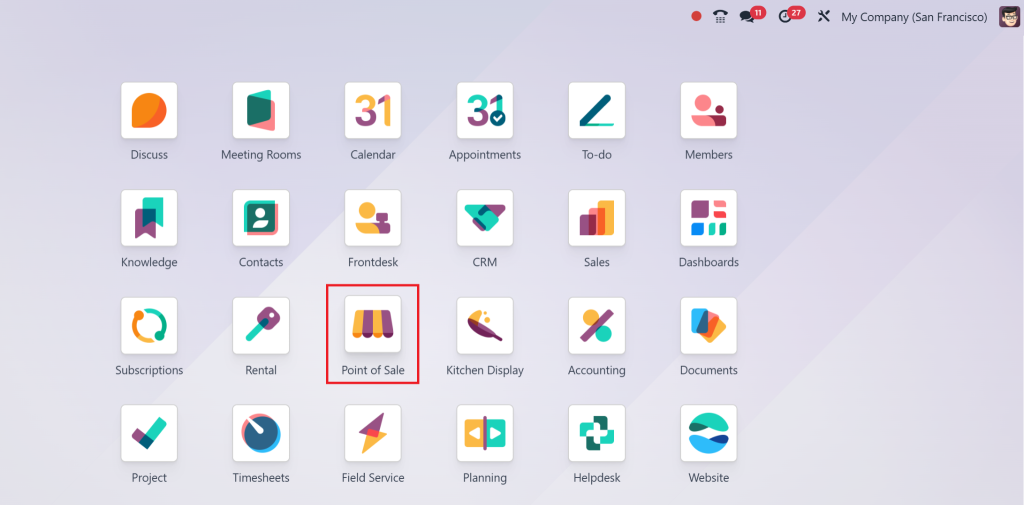
Open the Odoo POS module
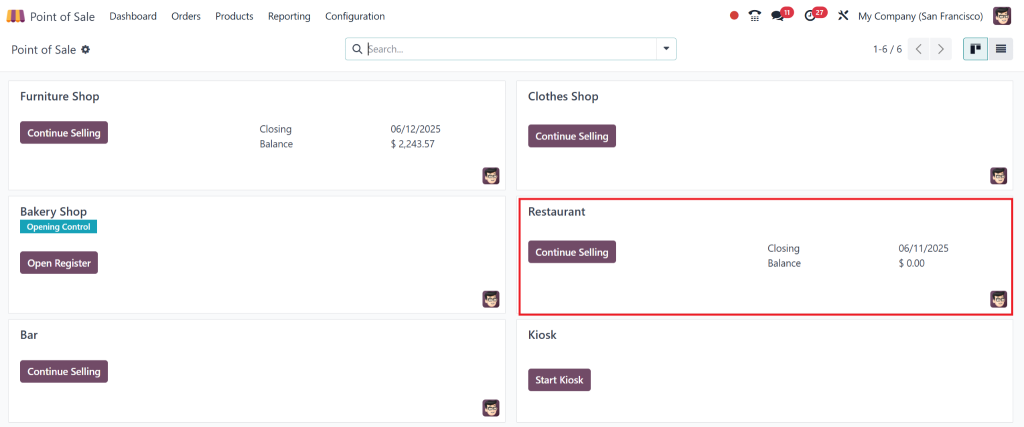
Go to the odoo pos Restaurant tab.
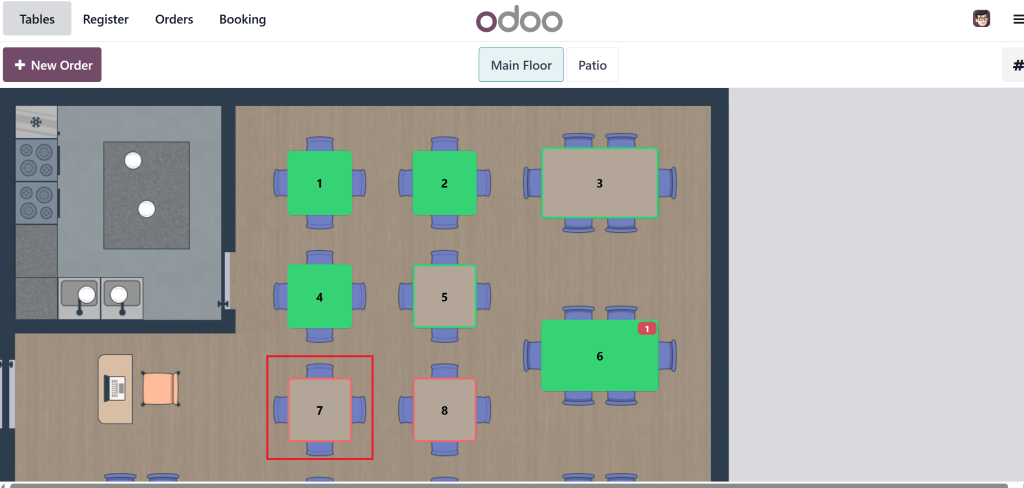
Click on a specific table to take orders.
Create Meal Courses:
You can create different courses based on your menu offerings, such as “Starters,” “Mains,” “Desserts,” and “Drinks.” Each course should correspond to a category of items your kitchen staff can prepare logically.
Choose course 1 as Water and Course 2 as Pasta.
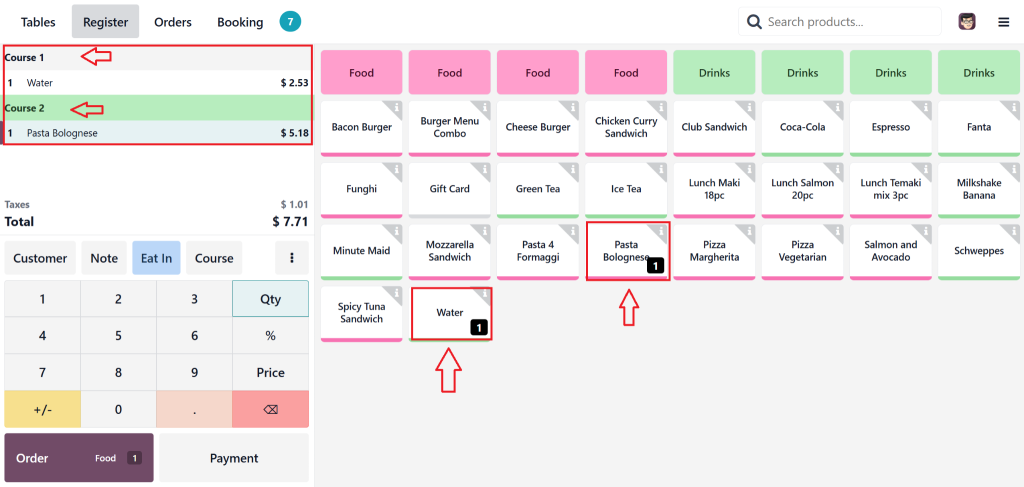
Assign Courses to Items:
The next step is to link your menu items to the respective courses after creating the meal courses. For example, you might assign “Caesar Salad” to the “Starters” course and “Grilled Salmon” to the “Mains” course.
After serving Course 1 we can fire course 2.
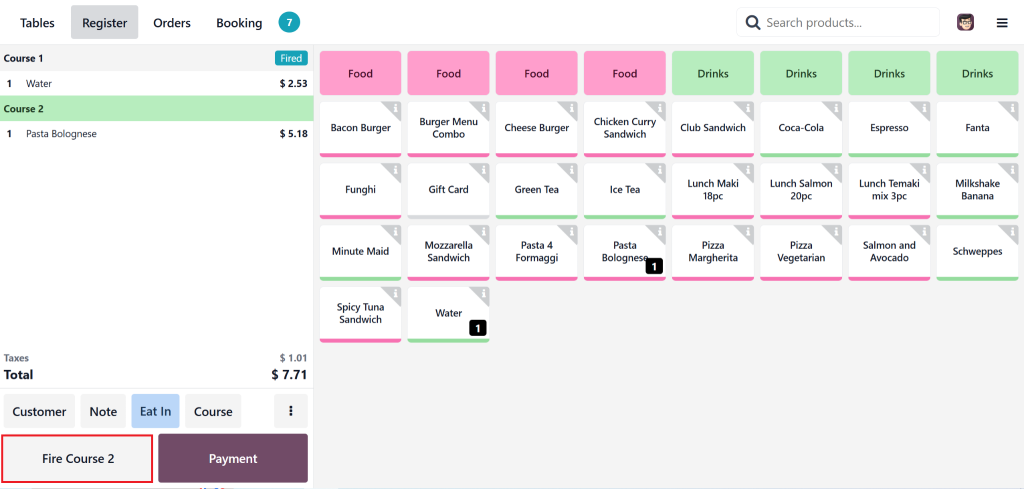
Doing this allows you to easily organize orders into courses in Odoo 18.2 POS whenever customers make multi-course selections.
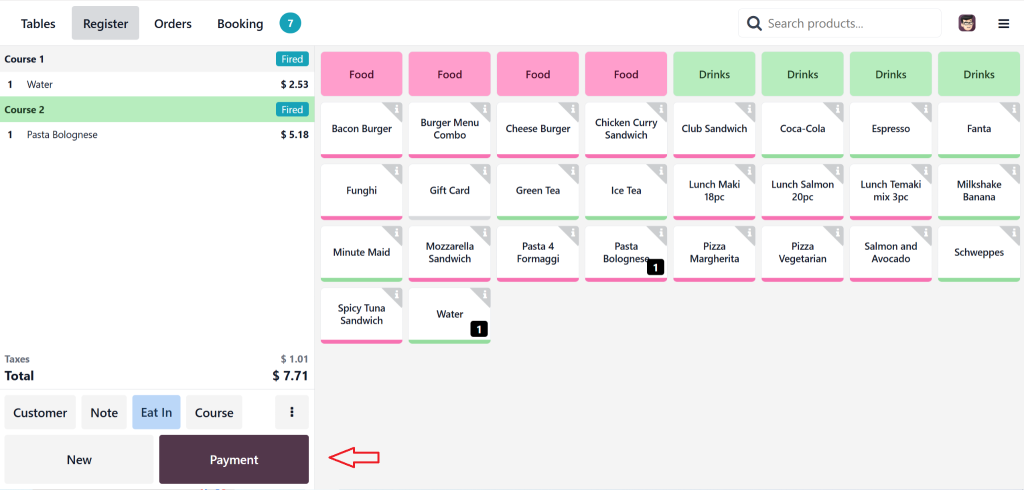
After serving both courses we can move towards payments.
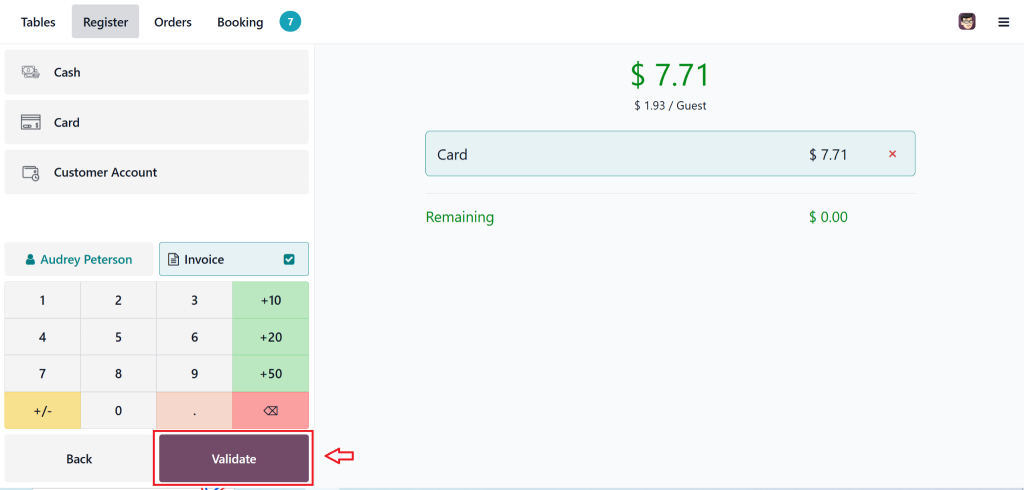
Select Customer and check mark the Invoice and then select payment method either cash or card.
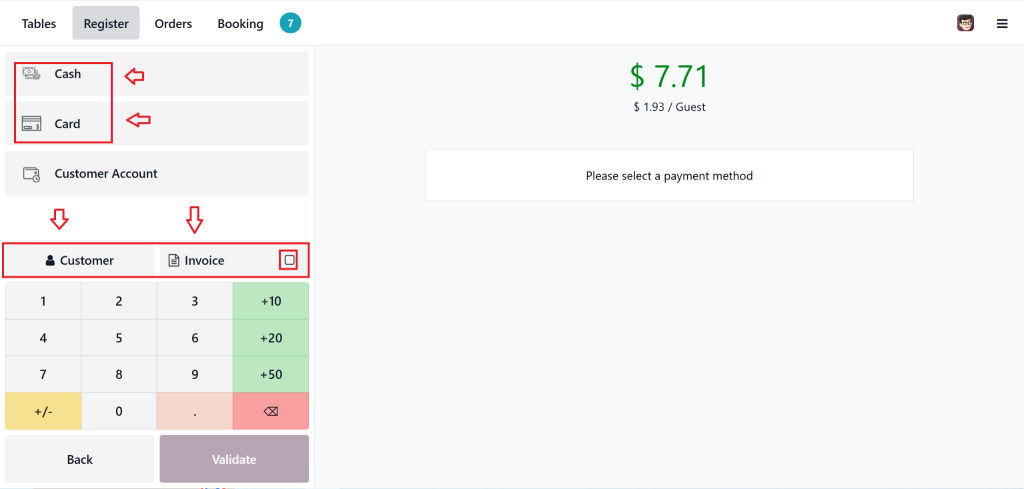
Then click on Validate.
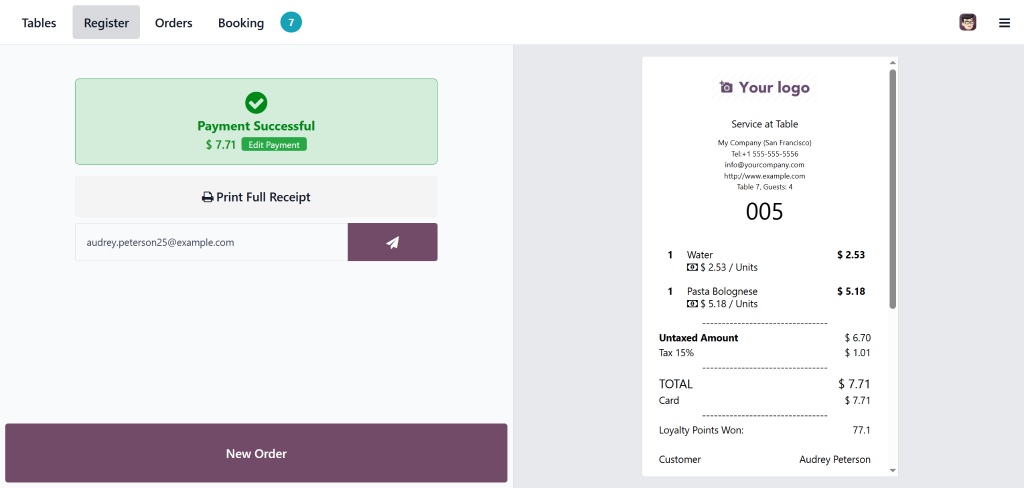
Order Complete.
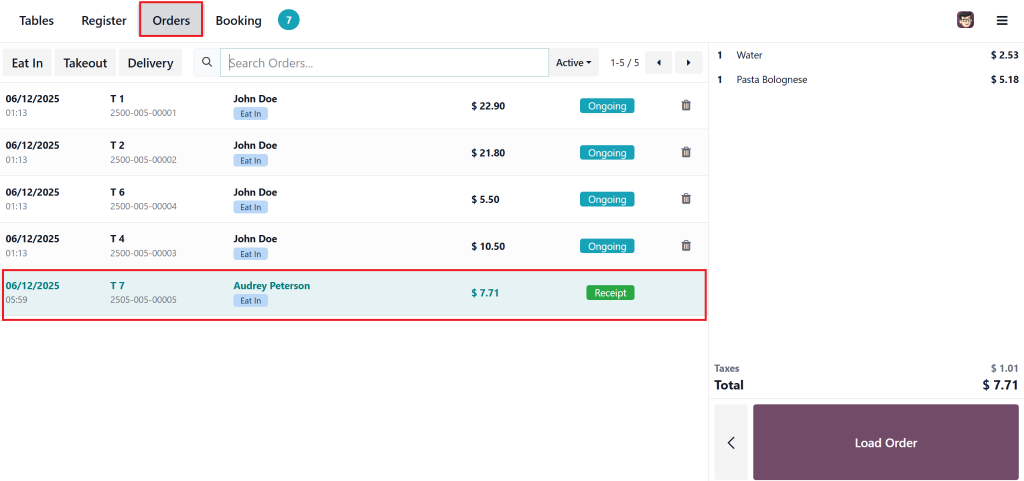
You can check the order also from clicking the order tab.
2. Enable Multi-Course Orders in Odoo POS
Once meal courses are set up, enabling multi-course orders is essential for restaurants that serve various meal sequences. Odoo 18 POS multi-course orders allow you to smoothly manage orders consisting of multiple dishes, including appetizers, mains, and desserts.
To enable multi-course orders:
Access POS Settings:
In the “Configuration” section of your POS module, find the option to enable multi-course functionality. This feature ensures that every item ordered is tracked according to its course, making it easier to manage complex orders.
Link Items to Their Courses:
Ensure each menu item is linked to the appropriate course (Starters, Main Courses, Desserts, etc.). This makes sure that customers receive their orders in the correct sequence and that the kitchen staff knows what to prioritize.
Enabling this feature allows you to organize orders into courses in Odoo 18.2 POS, improving order accuracy and kitchen efficiency.
3. How to Manage Orders with Odoo 18.2 POS Course Flow
The Odoo POS course flow is essential for managing orders that consist of multiple courses. This feature allows your restaurant to easily keep track of orders and ensure that food is served in a logical sequence.
Here’s how the Odoo POS course flow works:
Take the Order:
When a customer orders a multi-course meal, the POS automatically categorises each item based on the course it belongs to. For instance, if the customer orders “Bruschetta” and “Spaghetti Carbonara,” the system categorises these under “Starters” and “Mains.”
Serve in Sequence:
Once the order is placed, the POS will display each course correctly for preparation and serving. Staff can easily see what’s ready to serve and what needs to be prepared.
Monitor Progress:
As each course is prepared, the system allows staff to update the course status, ensuring all items are served promptly and correctly.
4. How to Track and Adjust Courses in Odoo POS
Managing customer orders doesn’t always go as planned. Customers might change their minds, request modifications, or delay certain courses. Thankfully, Odoo 18 POS multi-course orders allow you to adjust the order flow easily.
Modify Courses:
If customers skip an appetizer or change their dessert, you can quickly modify the order. This flexibility allows staff to control the order flow and adapt to customer requests.
Remove or Add Items:
Adding new items to a course or removing them is simple. Just update the order in the POS system, and the latest meal course flow will be reflected automatically.
Ensure Timely Service:
Staff can monitor which courses are ready to be served. With the Odoo POS course flow, staff can coordinate between the kitchen and the dining area to deliver meals promptly and in the correct order.
Benefits of Organizing Orders into Courses in Odoo POS
1. Improved Order Management
By organizing orders into courses in Odoo 18.2 POS, your restaurant can efficiently manage complex orders. The POS system ensures each dish is served in the correct order, improving service and reducing errors. Every item, whether an appetiser or a dessert, is categorised and tracked automatically.
2. Better Customer Experience
Customers who receive their meals in a well-organized sequence are more likely to enjoy their dining experience. Odoo 18.2 POS organize courses allow you to serve meals promptly, enhancing customer satisfaction and encouraging repeat business.
3. Enhanced Kitchen Efficiency
Kitchen staff can prepare each dish based on the course sequence, ensuring that dishes are cooked at the right time. The Odoo 18 POS multi-course orders system helps the kitchen avoid confusion, which leads to faster preparation times and higher food quality.
Convert Your Restaurant with Odoo 18.2 POS
Organizing orders into courses in Odoo 18.2 POS is an innovation for businesses in the food service industry. Managing multi-course orders becomes a breeze with features like Odoo POS course setup and Odoo POS course flow. From creating meal courses in Odoo POS to tracking the progress of each order, this functionality enhances both customer experience and operational efficiency.
By odoo implementation services these features, you can modernize your workflow, reduce errors, and serve your customers better than ever before. If you’re ready to take your restaurant to the next level, start organizing orders into courses in Odoo 18.2 POS today. Contact our team, and we’ll guide you through the setup process as your trusted Odoo Partner.
Ready to improve your restaurant’s order management? Contact us today to learn how Odoo 18.2 POS can help you organize orders into courses, manage multi-course orders, and boost your business efficiency. As a leading Odoo Partner, we offer expert support to set up and optimize your POS system.




