How to Update Product On-Hand Quantity in Odoo 18.2 Inventory Module?
Why Updating Product On-Hand Quantity in Odoo 18.2 is Essential
Managing Product On-Hand Quantity is one of the most critical tasks for any business that deals with Inventory, whether small, medium, or enterprise-level. With the latest release of Odoo 18.2, companies can perform smoother, faster, and more accurate inventory adjustments, reducing the risk of mismatches between physical stock and system records.
The Product On-Hand Quantity feature allows companies to maintain accurate stock levels, perform manual stock updates, and execute physical inventory processes without disrupting daily operations. In this blog, we will walk you through the importance of updating stock levels, explain the step-by-step process in the Odoo 18.2 inventory adjustment tutorial, and show you why Netilligence, as an Odoo Partner, is the ideal partner to help you achieve seamless inventory management.
By the end of this guide, you’ll not only know how to update your Product On-Hand Quantity but also understand the bigger picture of maintaining real-time stock visibility in Odoo 18.
What is Product On-Hand Quantity in Odoo 18.2?
The Inventory Balance represents the actual stock available in your warehouse at a given time. Unlike forecasted quantities, which consider future receipts or deliveries, the on-hand count reflects the physical inventory ready to be sold or used.
With Odoo 18.2 inventory count, businesses can easily align physical stock with the system records. This avoids stock-outs, overstocking, and unnecessary financial discrepancies.
Key advantages of managing Product On-Hand Quantity in Odoo 18.2:
Accurate sales availability information.
Reliable reporting for demand forecasting.
Streamlined warehouse operations.
Better supplier relationship management through timely reordering.
Why is Updating Product On-Hand Quantity Important?
Errors in stock management often happen due to manual counting mistakes, delays in recording movements, or miscommunication between departments. The errors will result in serious problems if not corrected.
Stockouts: Losing customers due to unavailability.
Overstocking: Wasting capital on excess Inventory.
Operational inefficiency: Wasted time resolving stock mismatches.
By utilizing the Odoo 18 update stock levels functionality, businesses can periodically run a physical inventory process to verify their system records. This ensures that your data is reliable for making strategic decisions.
Step-by-Step Guide to Odoo 18.2 Update On-hand Quantity
Now, let’s dive into the Odoo 18.2 inventory adjustment tutorial. Follow these steps carefully to execute an accurate update of your Inventory Balance:
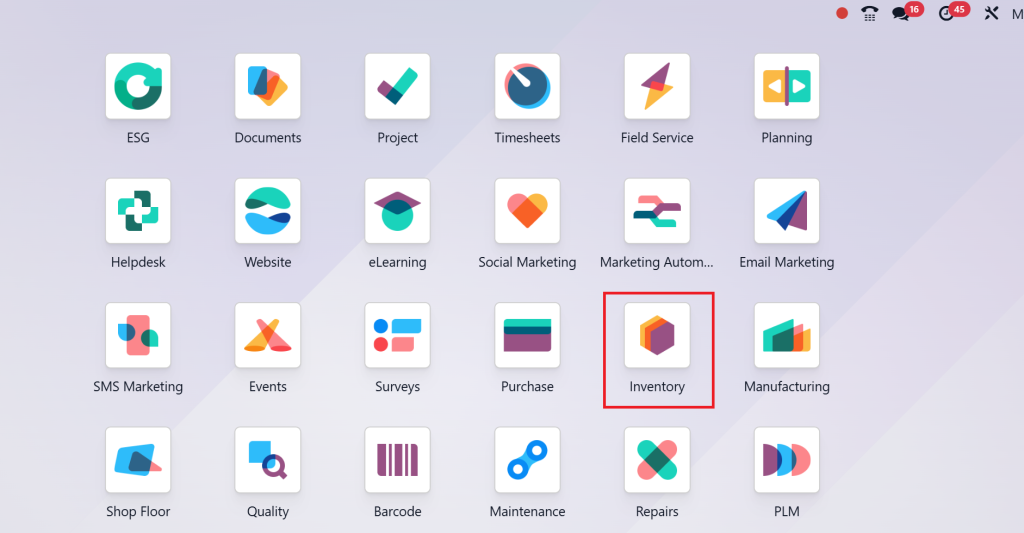
Step 1 – Go to the Inventory Module
From the Odoo 18.2 dashboard, click on the Inventory app.
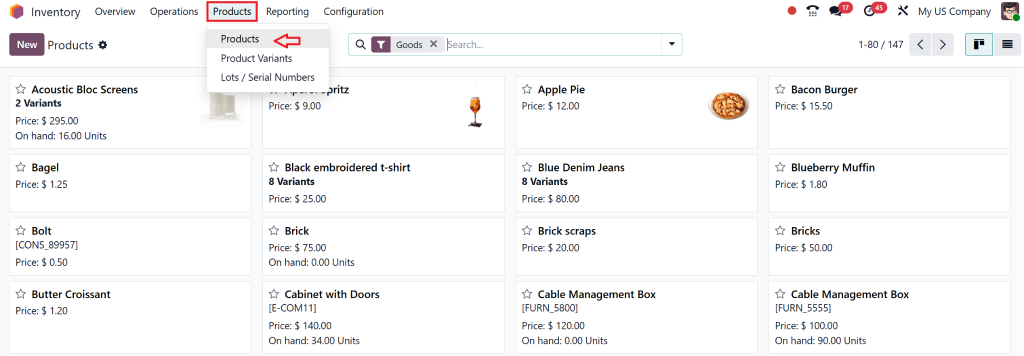
Step 2 – Select Products
In the Inventory module, go to Products → Products.
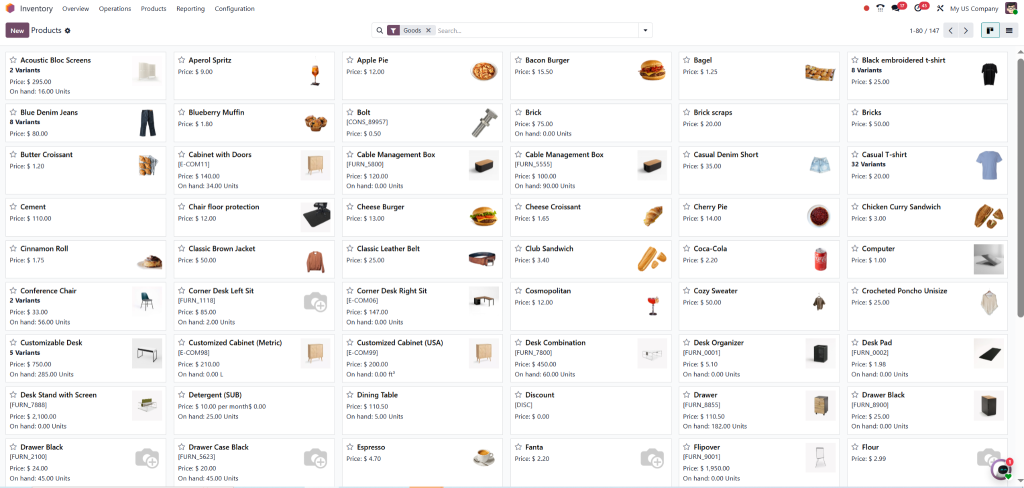
You will see a list of all products in your system.
Step 3 – Open the Product Form
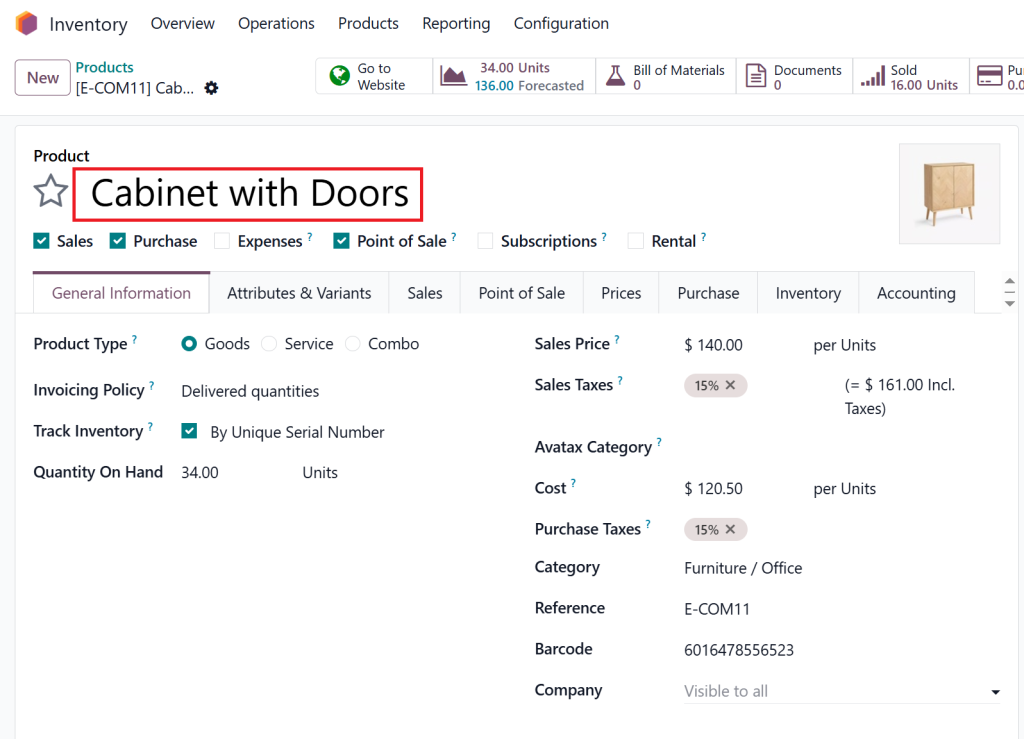
Select the product whose stock you want to update.
This opens the detailed product form.
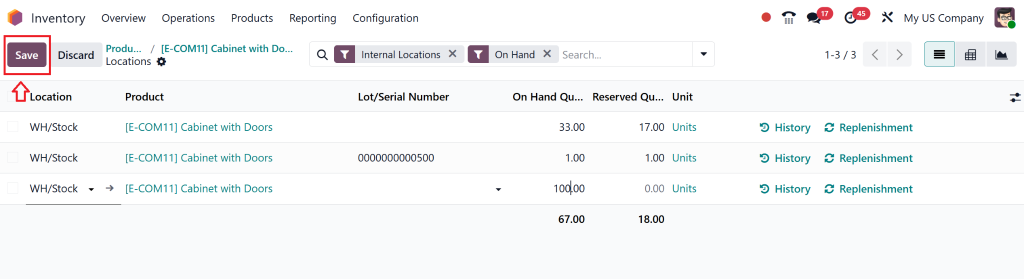
Step 4 – Update On-Hand Quantity
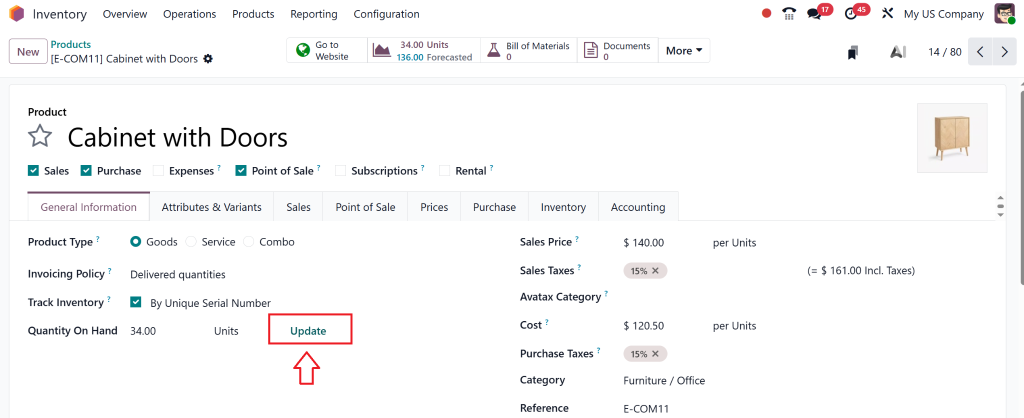
Inside the product form, click the Update Quantity button.
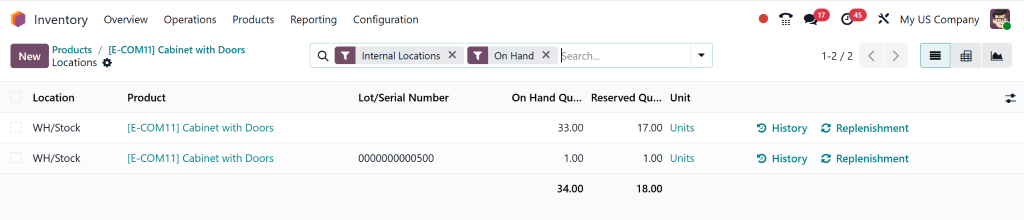
A new window will appear showing the current Inventory Balance.
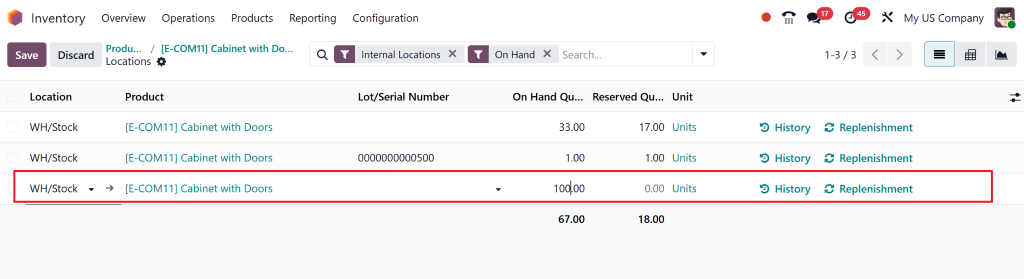
Enter the new value for the quantity.
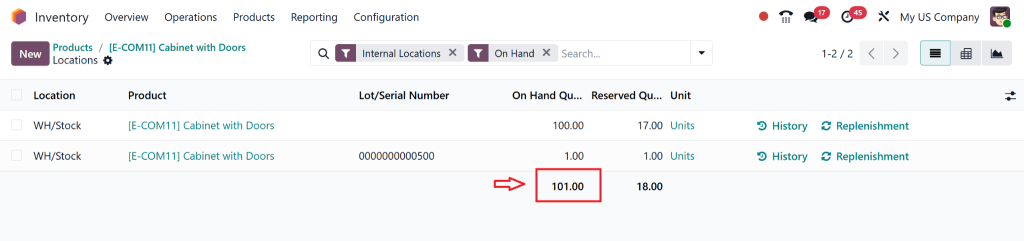
Step 5 – Save and Validate
After entering the correct number, save your changes.
The Inventory Balance for this product will now be updated in real-time.
Manual Stock Update vs. Physical Inventory in Odoo 18.2
It’s important to distinguish between a manual stock update and a complete physical inventory process:
Odoo 18.2 manual stock update: Adjust specific items quickly, for example, when receiving damaged returns or misplaced products.
Odoo 18.2 physical inventory process: A comprehensive stock count covering all products in a location, usually done monthly, quarterly, or annually.
The two methods modify Inventory Balance but operate at different levels according to your business requirements.
Best Practices for Managing Product On-Hand Quantity in Odoo 18.2
To maximize the benefits of Odoo’s inventory tools, follow these best practices:
Perform regular Odoo 18 inventory counts by scheduling periodic counts instead of waiting for year-end adjustments.
Use barcodes and scanners – Integrate Odoo with barcode scanners for faster, error-free stock counting.
Train your warehouse staff – Ensure staff understand how to perform adjustments in Odoo.
Audit adjustments – Regularly review who made updates and why, for better accountability.
Leverage reports – Use Odoo’s reporting tools to analyze discrepancies and prevent recurring errors.
How Netilligence Can Help You Optimize Inventory Management
As an Odoo Partner, Netilligence has hands-on expertise in helping companies implement and optimize Odoo 18.2 inventory adjustment processes. Our team provides correct system setup, staff training, and data flow between procurement, sales, and accounting functions.
With Netilligence, you don’t just learn how to update Inventory Balance; you transform your entire inventory ecosystem into a real-time, efficient, and profitable operation.
Why Choose Netilligence?
Certified Odoo experts with proven industry experience.
Personalized Odoo implementation strategies.
End-to-end support, from setup to maintenance.
Focus on cost-efficiency and scalability.
Keep Your Inventory Accurate and Your Business Profitable
The process of updating Inventory Balance in Odoo 18.2 requires more than numerical accuracy because it directly affects customer satisfaction, financial accuracy, and business growth. By following this Odoo 18.2 inventory adjustment tutorial, you can ensure that your stock data matches reality, helping you make smarter decisions.
Whether you need help with a manual stock update, a complete physical inventory process, or a full-scale ERP implementation, Netilligence is here to support you every step of the way.
Hi, I'm Nabia, an Odoo ERP functional & technical content writer. I specialize in blogs, social media content, ad copy, landing pages, service pages, and email campaigns.
We use cookies to ensure that we give you the best experience on our website. If you continue to use this site we will assume that you are happy with it.