How to Reinvoice Employee Expenses in Odoo 18 Project?
Reinvoice Employees' Expenses
A proper system becomes essential for managing employee expenses between different projects because, without it, the process becomes complicated. Odoo 18 re-invoice employee expenses feature provides companies with a solution to simplify and automate their financial management through this important process. Odoo project expense management enables users to handle travel costs and equipment purchases, and project-related expenditures through a seamless re-invoicing process.
This article provides a comprehensive overview of Odoo 18 re-invoice employee expenses by explaining Odoo employee expense workflow, Odoo 18 project billing, Odoo expense report approval and Odoo re-invoice expenses to customers. The following section explains how to link these processes effectively under Odoo 18 expense re-invoicing features.
The Odoo 18 re-invoice employee expenses feature enables you to efficiently bill customers for project expenses. The system eliminates manual expense tracking and billing by automatically linking expenses to project billing.
Key Benefits:
The system integrates all project-related data with timesheet records and financial accounting functions.
The system enables direct billing of reimbursable expenses to customers.
The system provides real-time project profitability tracking.
How to Re-invoice Expenses to Customers in Odoo 18
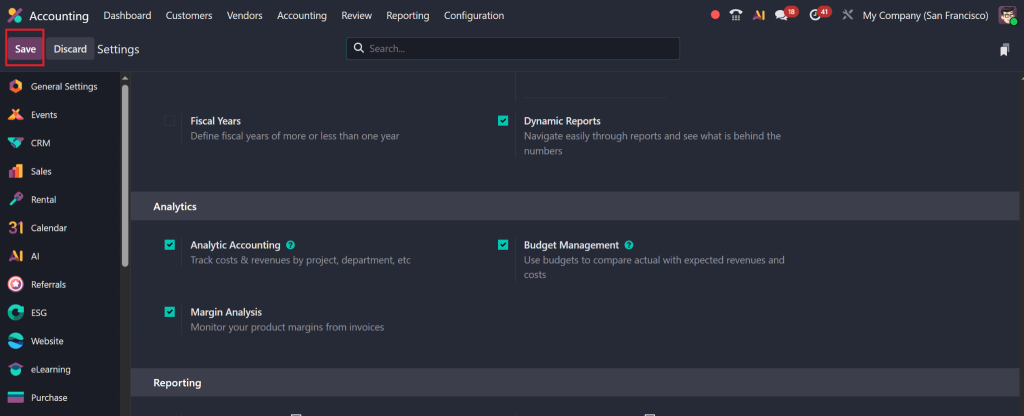
Step 1: Activate Analytic Accounting
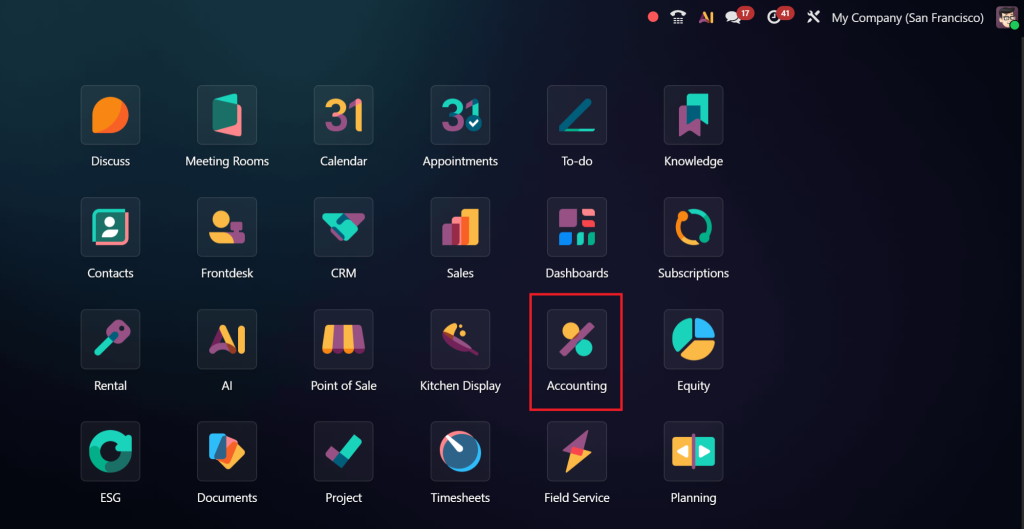
Go to the Accounting module.
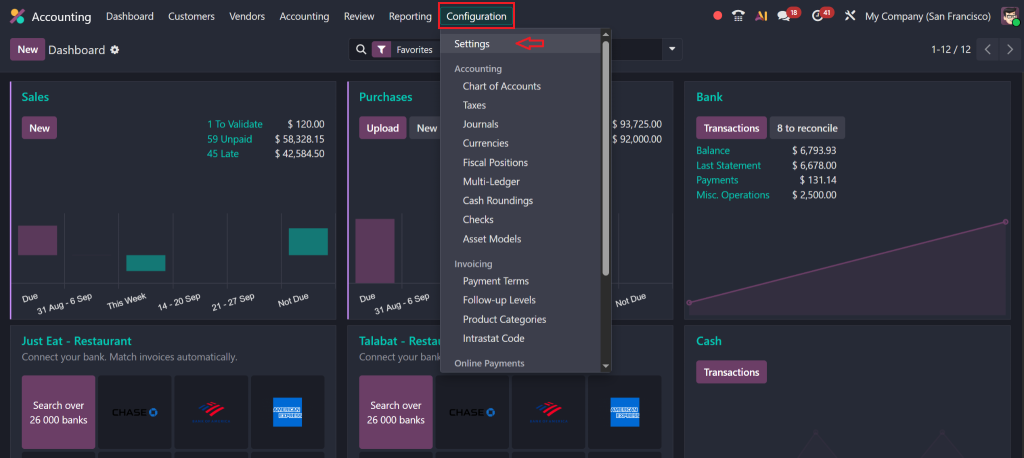
Click on Configuration > Settings.
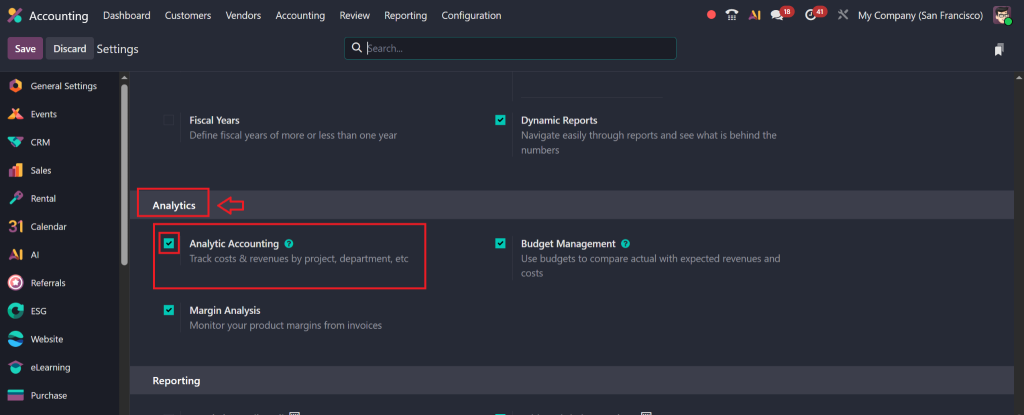
Under the Analytics section, enable the Analytic Accounting option.
Click Save.
Step 2: Create Products to Re-Invoice Employee Expenses
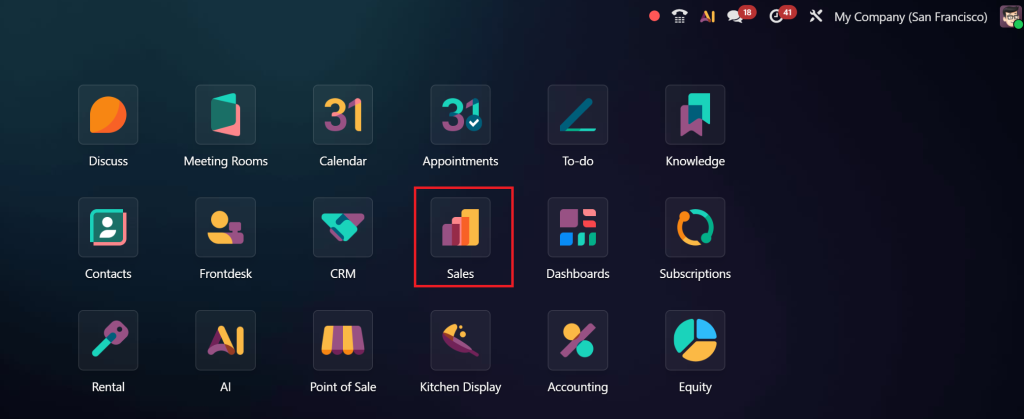
Navigate to the Sales module.
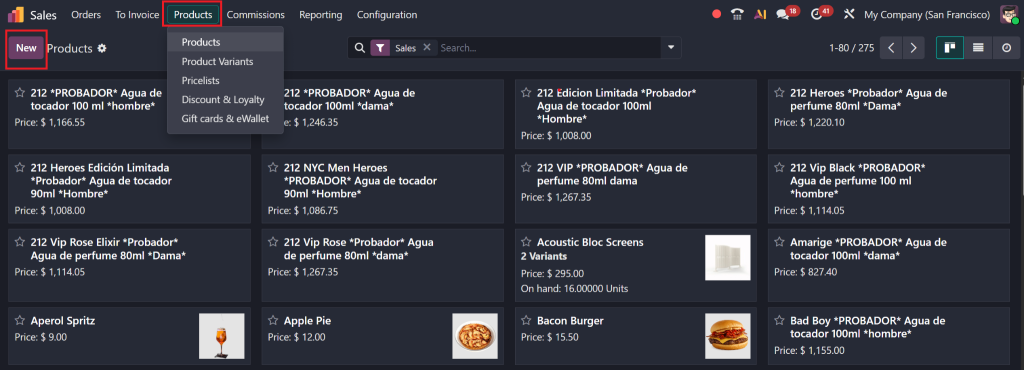
Go to Products > Create.
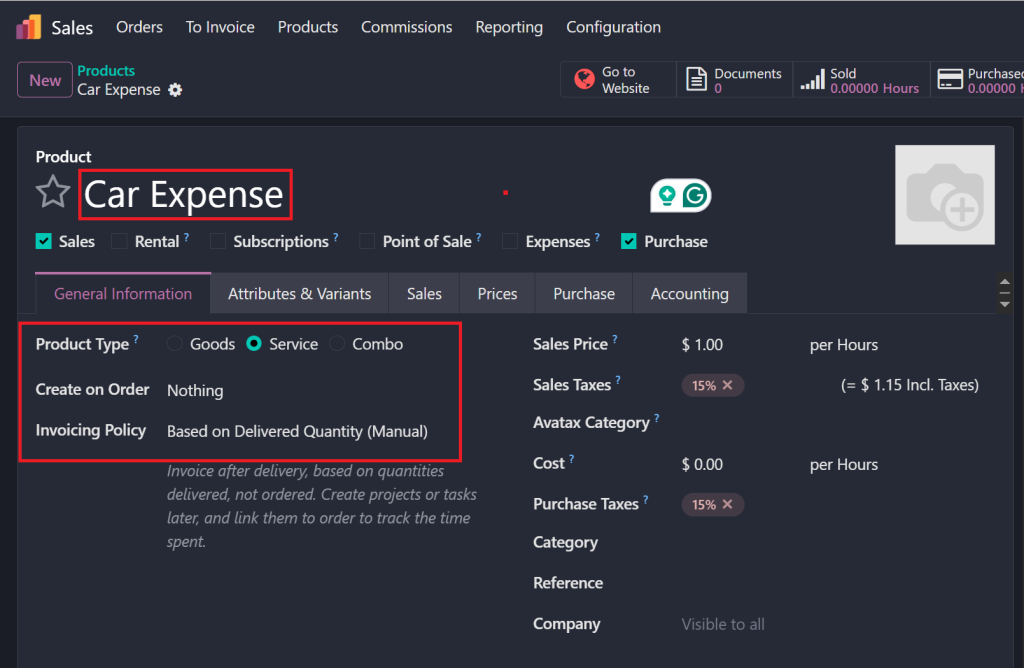
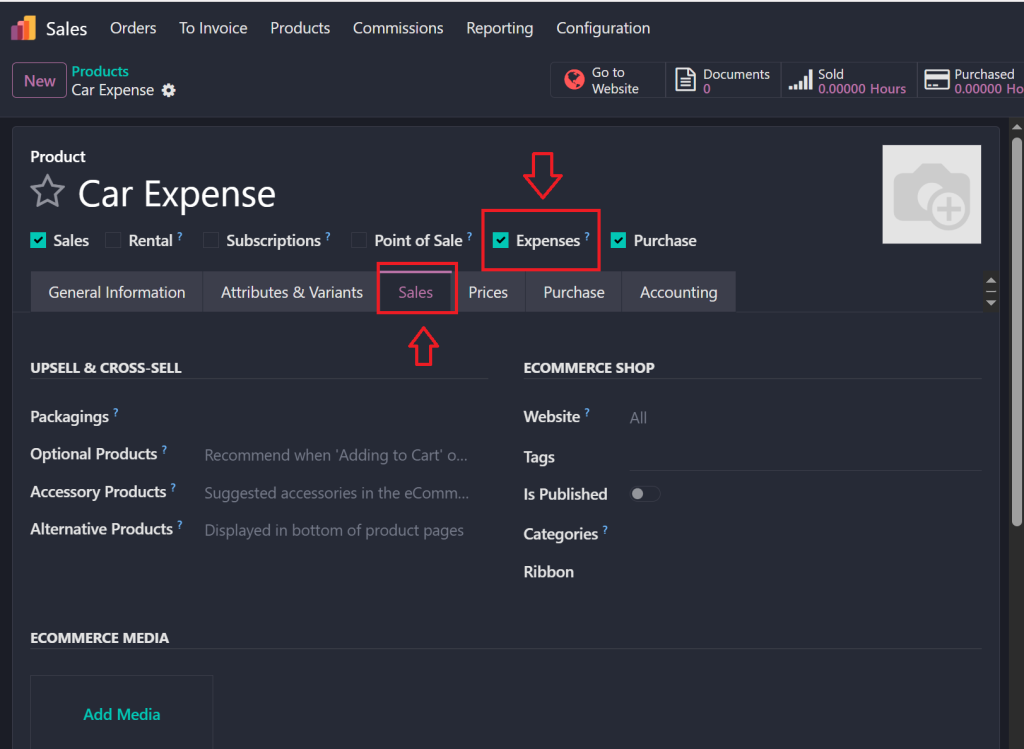
Create First Product (Car Expense):
Name: Car Expense
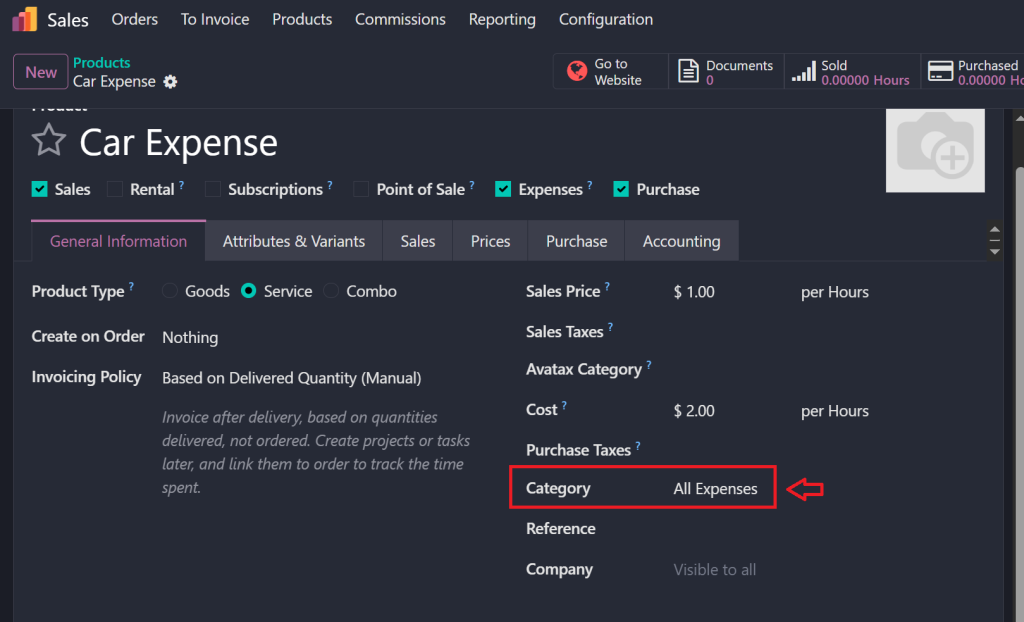
Set Product Type: Service
Set Invoicing Policy: Based on Delivered Quantity.
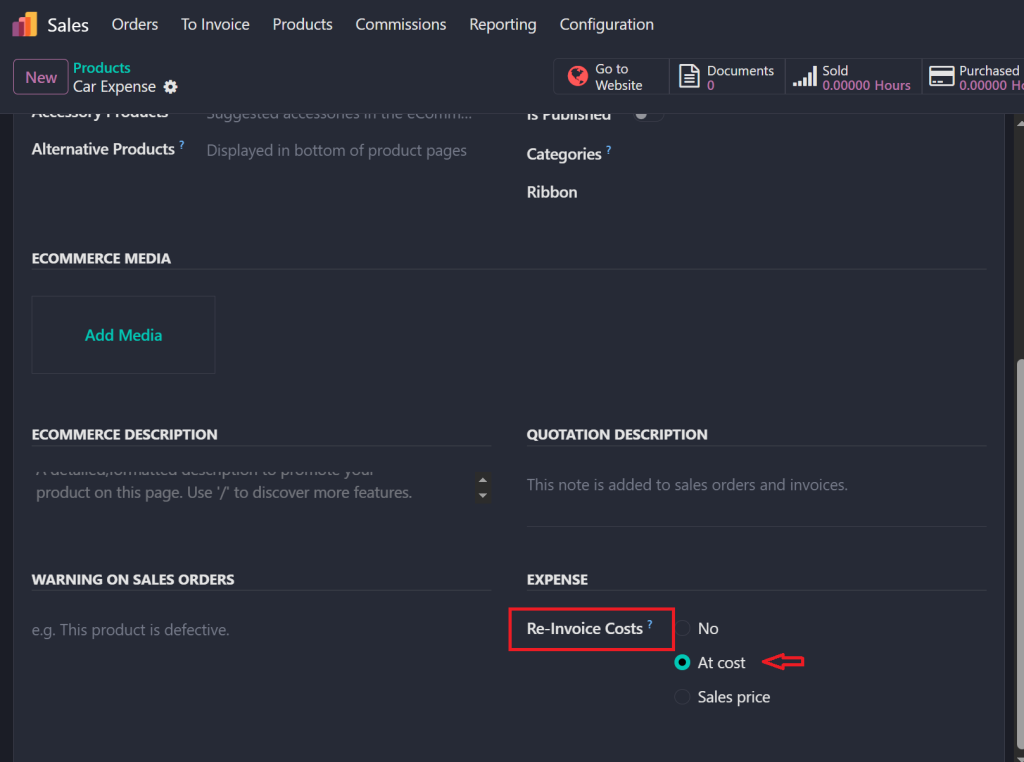
Enable Expense and Go to Sales smart button.
Set Reinvoice Expense: At Cost.
Assign Product Category: All Expenses.
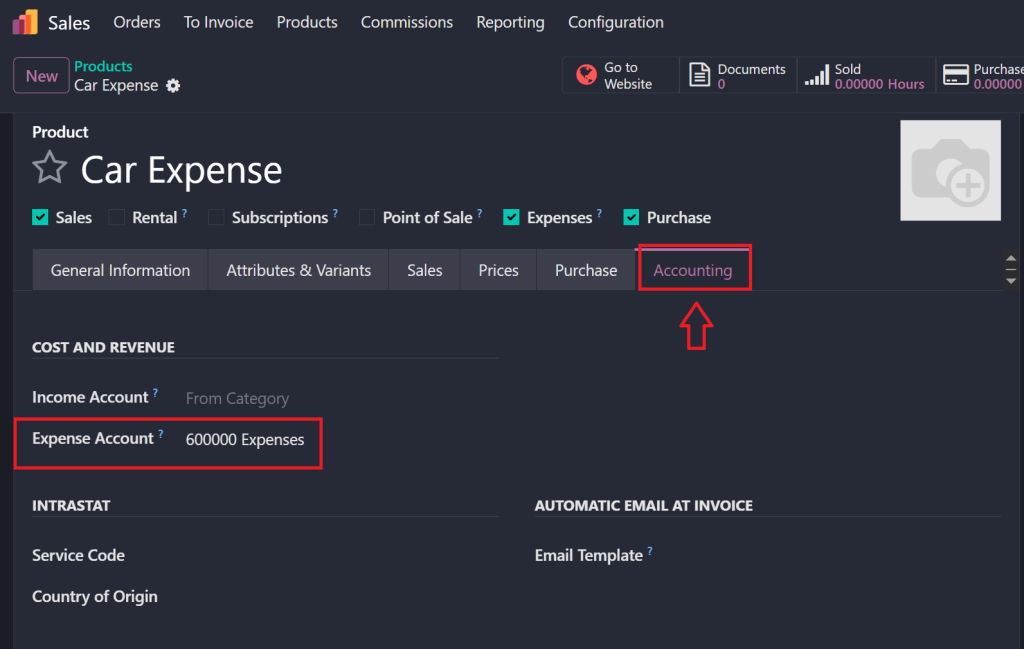
Under the Accounting tab, set the Expense Account.
Save the product.
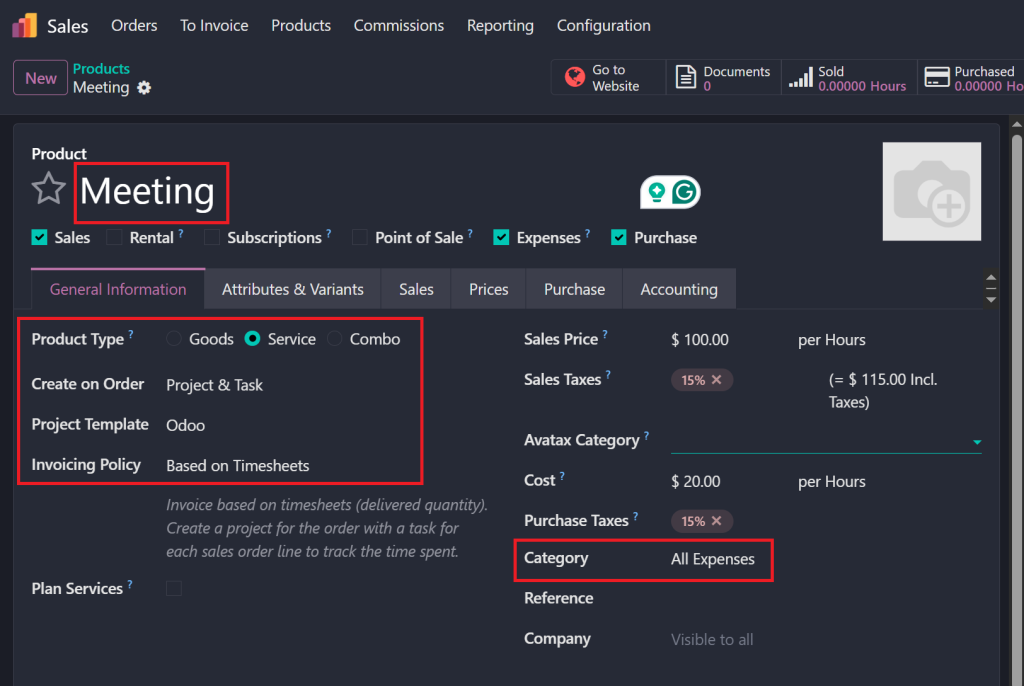
Create Second Product ( Meeting):
Name:Meeting
Set Product Type: Service.
Set Invoicing Policy: Based on Timesheets.
Enable Create on Project & Task.
Create a Project Template (e.g., “Odoo “).
Assign Product Category: All Expenses.
Set the Sales Price and Cost appropriately.
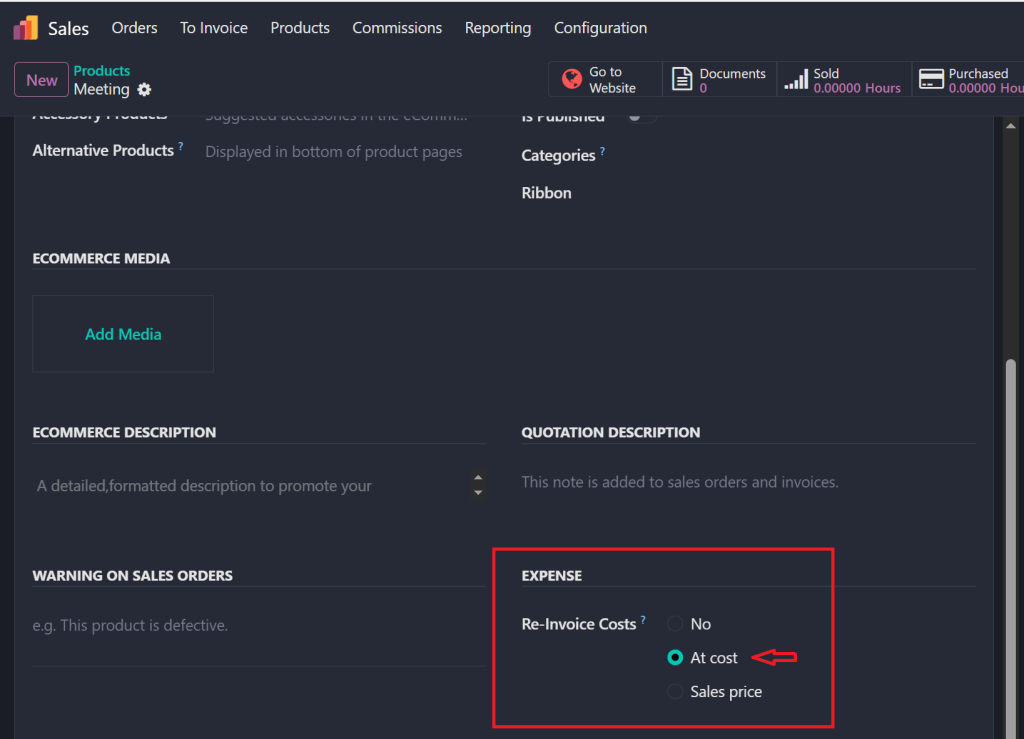
Set Reinvoice Expense: At Cost.
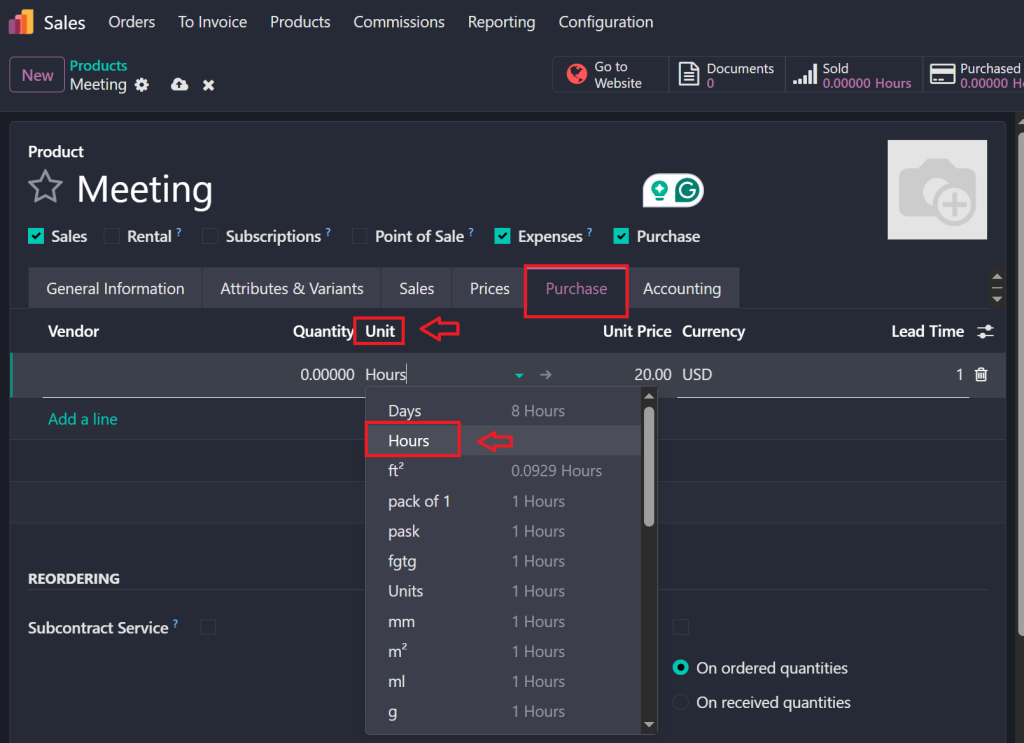
Set Unit of Measure: Hours.
Save the product.
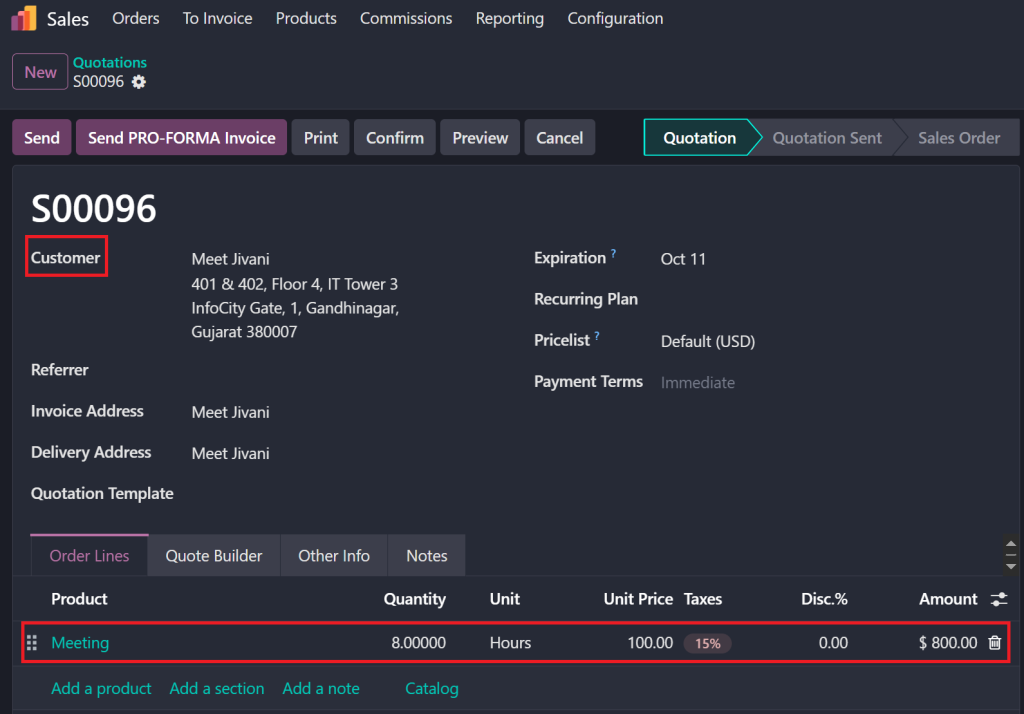
Step 3: Create a Quotation
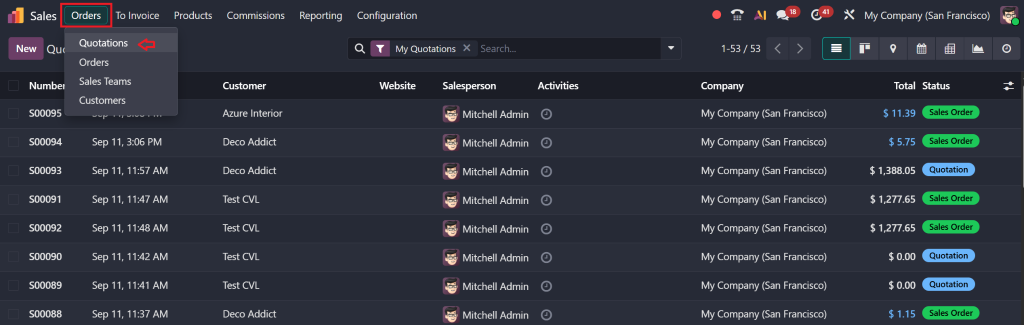
Go to the Sales > Orders section.
Click on New to create a quotation.
Fill in the Customer details.
Add the Product (e.g., Meeting) in the Order Lines.
Set Quantity (e.g., 8 hours).
Save and confirm the quotation.
Step 4: Project and Task Creation
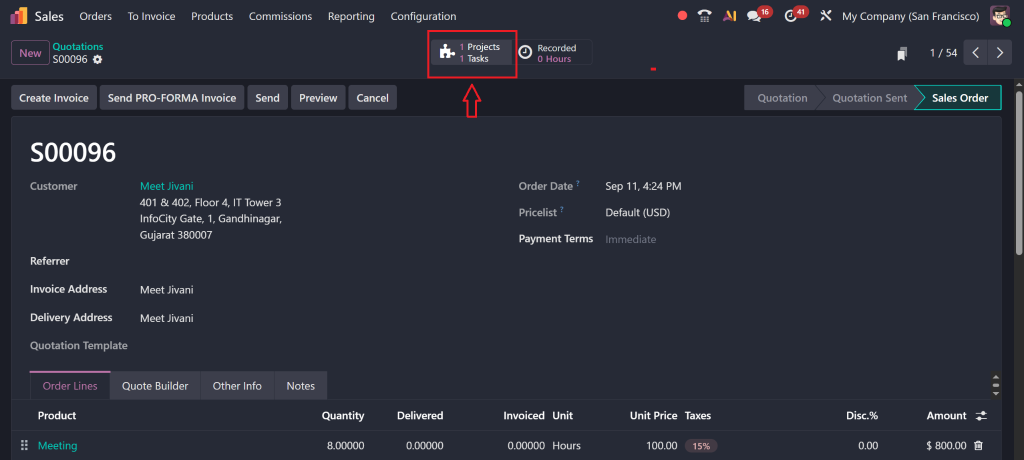
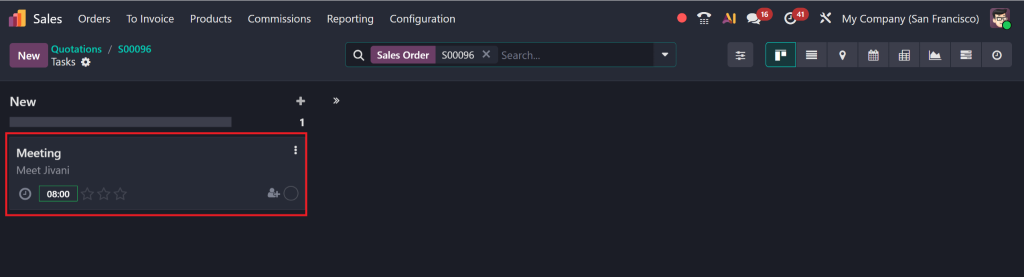
After confirming, a Project and Task will be automatically generated.
Navigate to the Project.
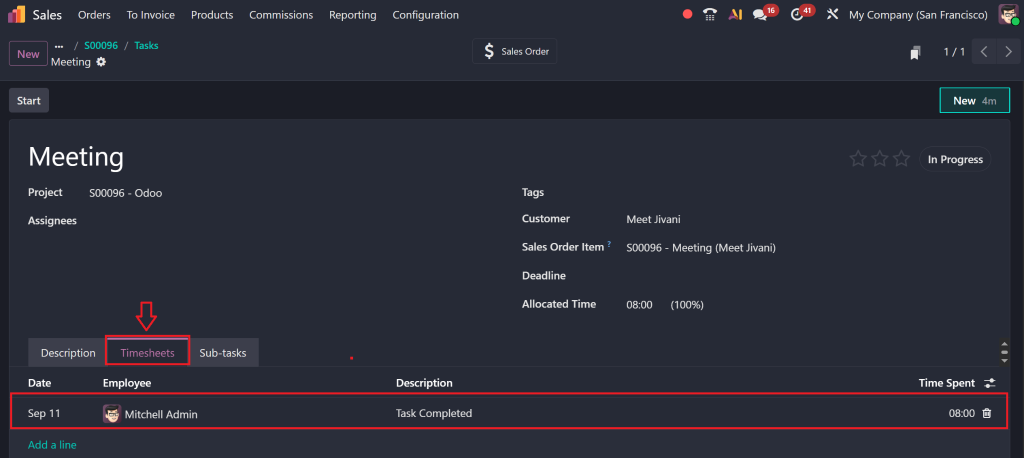
Set Customer, Project Name, and Task Details.
Add timesheet entries by:
Logging hours.
Adding a description (e.g., Task Completed).
Step 5: Create an Employee Expense
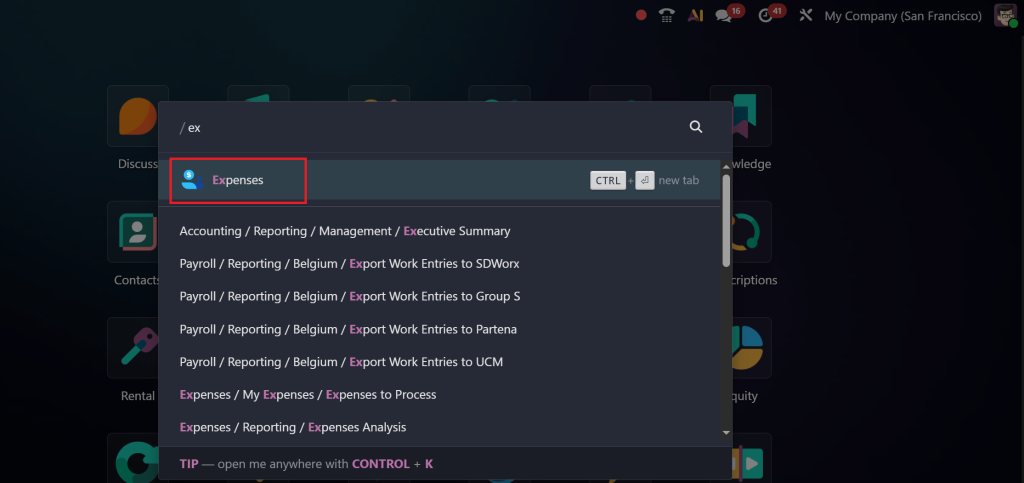
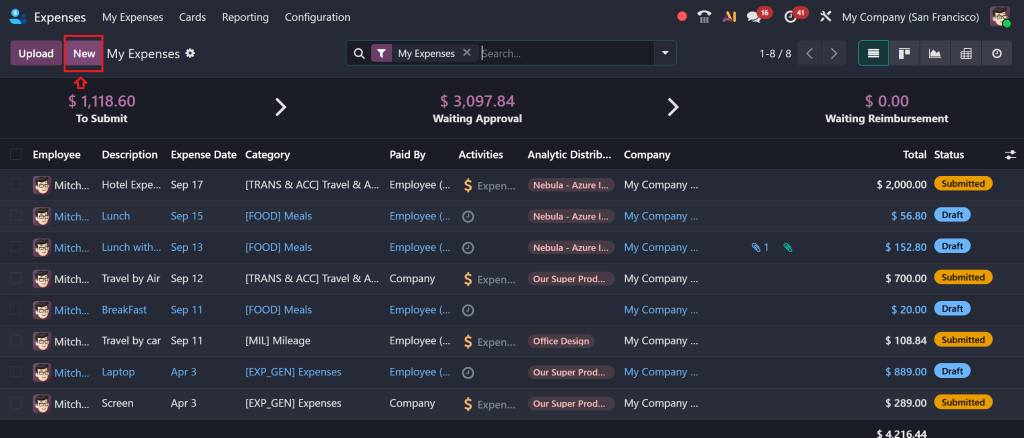
Go to the Expenses module.
Click New to create a new expense.
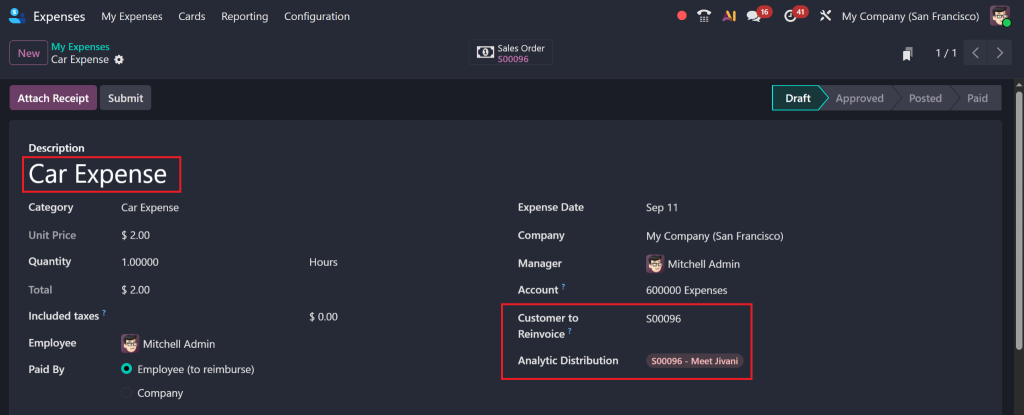
Select the Category (e.g., Car expense or Meeting).
Details like Name, Cost, and Quantity will auto-fill.
Set the Customer to Reinvoice.
Save the expense.
Step 6: Submit and Approve Expense
After saving:
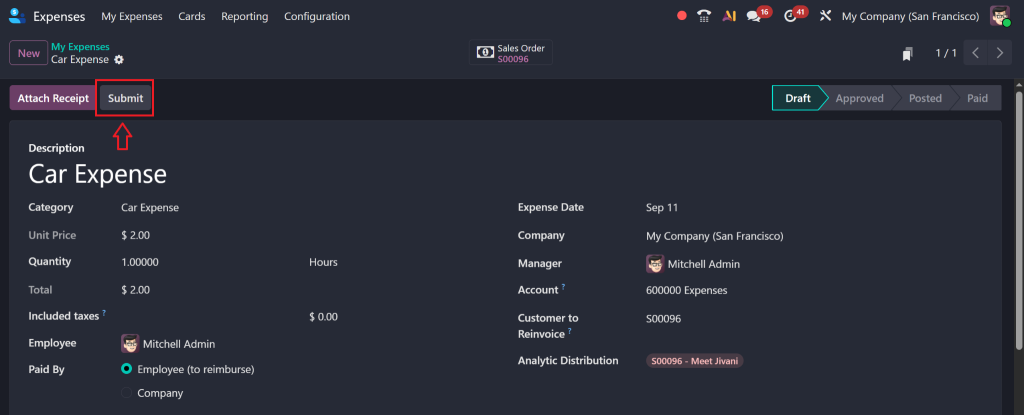
Click Submit.
The expense status will change to Submitted.
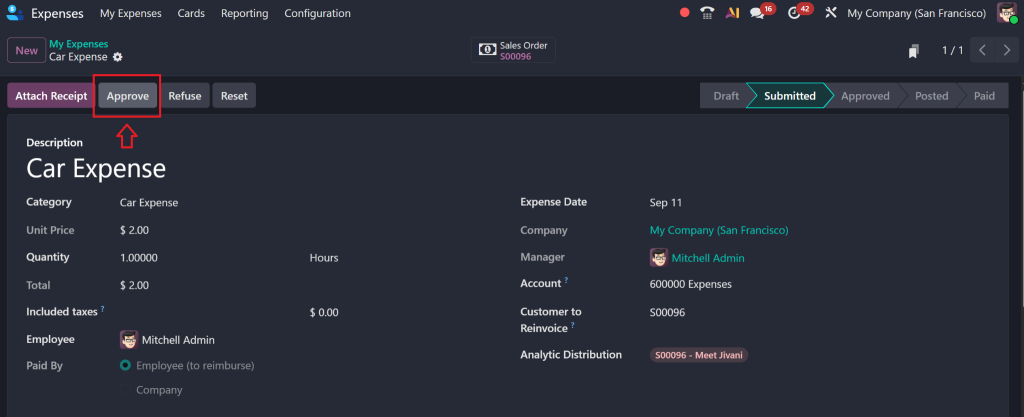
After that Click on Approved.
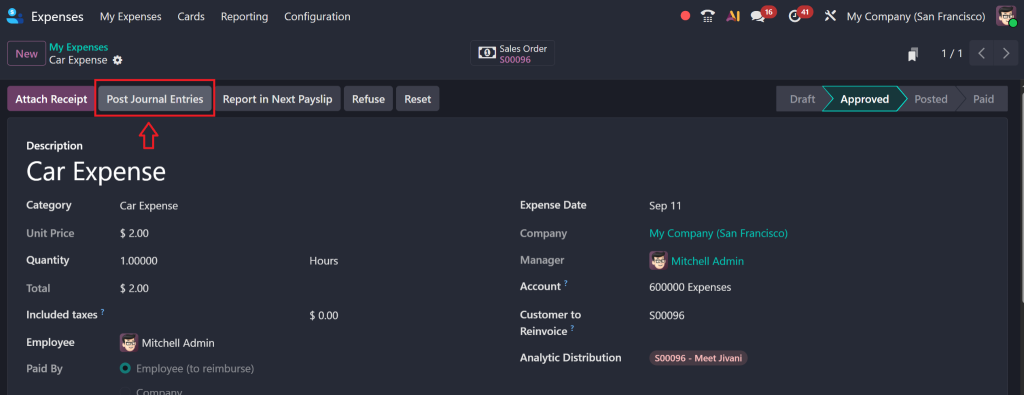
Click Post Journal Entries to finalise and move it to the Posted state.
Step 7: Review Sale Order and Journal Entries
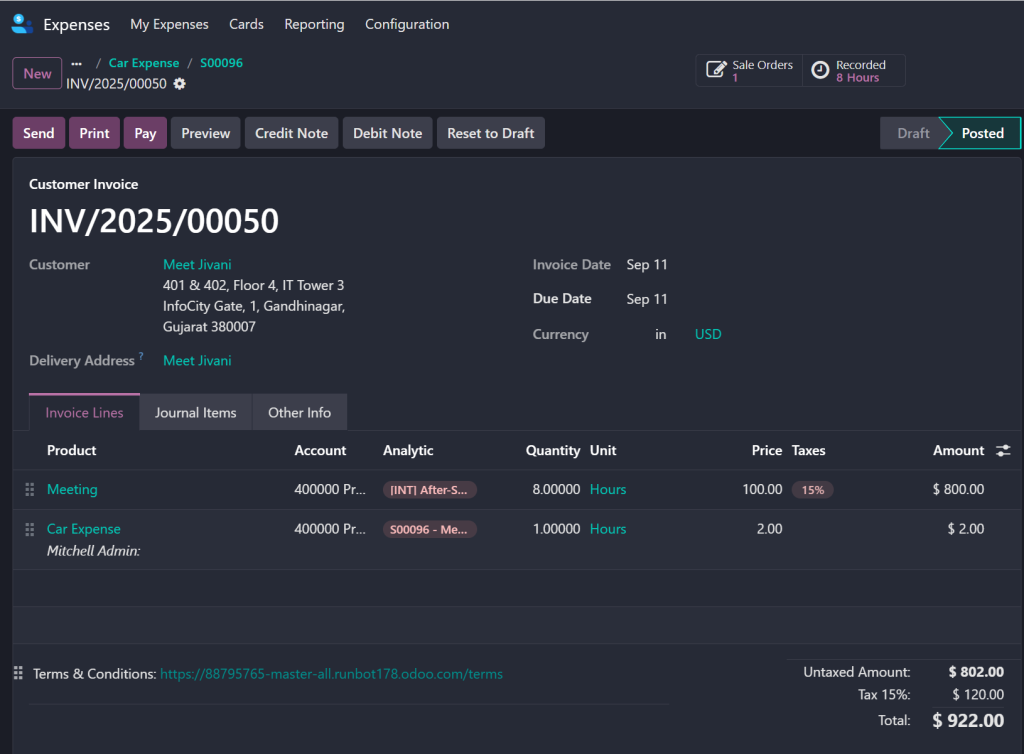
A Sale Order will be automatically created based on the expense.
Review:
Project Name.
Task.
Logged Hours.
Expense Details.
Confirm journal entries have been posted under Accounting.
Tips for Mastering Odoo 18 Expense Re-Invoicing
Always use analytic accounts correctly for linking expenses to projects.
Odoo expense report approval requires a proper approval chain to prevent miscommunication.
The project overview dashboard should be used to conduct regular audits of billable expenses.
The Odoo project expense management settings need customisation to align with your internal policies and client agreements.
Verify that expense products have proper revenue recognition settings when necessary.
The implementation of these practices will optimize your Odoo 18 re-invoice employee expenses process and improve cash flow management.
Odoo 18 enables you to fully control your project expenses.
Odoo 18 provides an efficient solution for employee expense management through its re-invoice employee expenses feature. Odoo enables users to track project expenses while performing customer validation for billing purposes through an efficient and transparent system.
Odoo project expense management helps you decrease administrative costs while delivering precise and timely billing to clients, which enhances their satisfaction. These implementation steps will lead to major enhancements in your company’s project financial management.
Hi, I'm Nabia, an Odoo ERP functional & technical content writer. I specialize in blogs, social media content, ad copy, landing pages, service pages, and email campaigns.
We use cookies to ensure that we give you the best experience on our website. If you continue to use this site we will assume that you are happy with it.