How to Set Up Cash on Delivery (COD) in Odoo 19 Website?
Why Odoo 19 Website COD Setup Matters?
When it comes to running an Odoo 19 Website, one of the most common and customer-preferred payment methods is Cash on Delivery (COD). Setting up Odoo 19 cash on delivery setup is not only about providing convenience to buyers but also about building trust. Many e-commerce businesses, especially in regions where online payments are less common, rely on the cash-on-delivery payment method in Odoo 19 to boost their sales.
The good news is that with Odoo’s powerful payment acquirer system, you can enable COD payment on the Odoo website in just a few easy steps. Whether you’re running a fashion store, electronics shop, or food delivery business, the ability to configure COD in Odoo ensures your customers feel secure.
In this blog, we’ll give you a complete, step-by-step guide on how to set up a payment acquirer for the COD Odoo 19, understand the role of the COD module on the Odoo website, and make the most out of the Odoo 19 eCommerce COD option. By the end, you’ll not only learn how to set it up but also why it’s a must-have feature for your Odoo eCommerce store.
In this guide, you’ll discover:
Why is COD important for your Odoo website?
How to enable, configure, and test COD in Odoo 19.
Best practices to manage COD orders efficiently.
How Netilligence, as your Odoo Partner, can help you.
Understanding COD in Odoo 19 Website
What is Cash on Delivery in Odoo 19?
Cash on Delivery (COD) is a payment option that allows customers to pay for their order only when it is delivered. In the Odoo 19 Website, COD is set up as a payment acquirer, which means it functions just like online payment gateways such as PayPal or Stripe, but instead, the transaction happens offline.
When you configure COD in Odoo, it gives flexibility to customers who are hesitant to pay online. Many businesses across Asia, Africa, and the Middle East rely heavily on Odoo 19’s cash on delivery setup to cater to customer preferences.
Benefits of Setting Up Cash on Delivery in Odoo 19 Website
Why Do Businesses Prefer COD on Odoo eCommerce?
Enabling the cash on delivery payment method in Odoo 19 brings multiple benefits:
Customer Trust: Shoppers feel safer paying for delivery.
Wider Reach: Many customers without cards or wallets can buy.
Higher Conversions: COD reduces cart abandonment on your Odoo 19 Website.
Flexibility: Useful for new businesses to win trust.
COD vs Online Payments – Which One Wins?
While online payments are faster, COD ensures that customers who are skeptical about online fraud still shop with confidence. By activating the Odoo 19 eCommerce COD option, you bridge the gap between traditional buying habits and modern eCommerce.
Step-by-Step Guide to Odoo 19 Cash on Delivery Setup
Step 1 – Accessing Payment Acquirers in Odoo
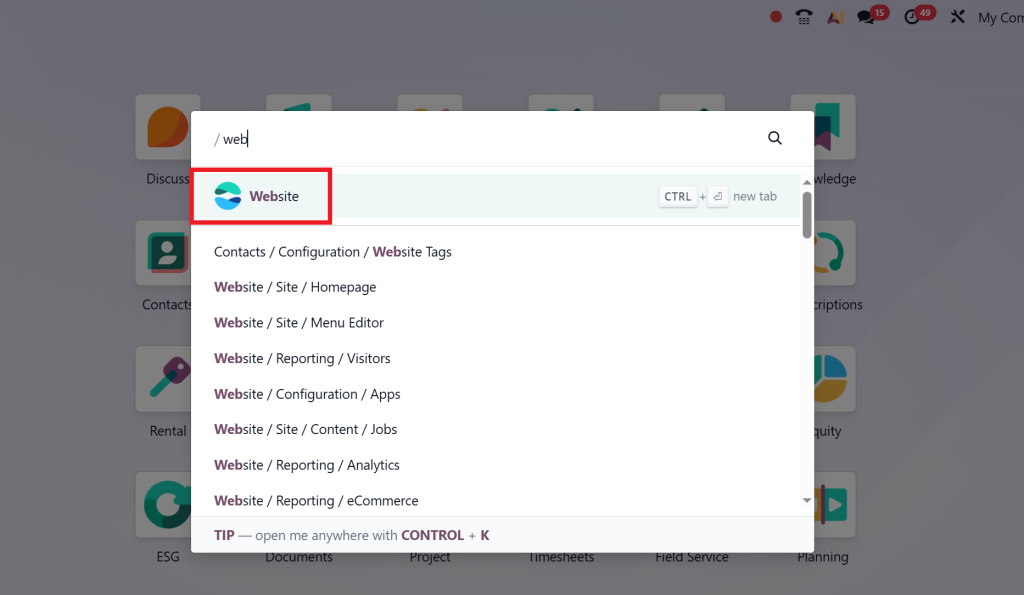
Go to your Odoo 19 Website module.
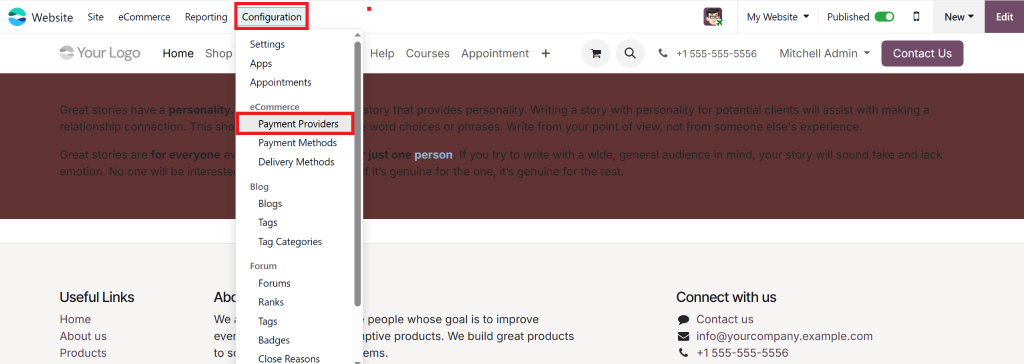
Navigate to Website → Configuration → Payment providers.
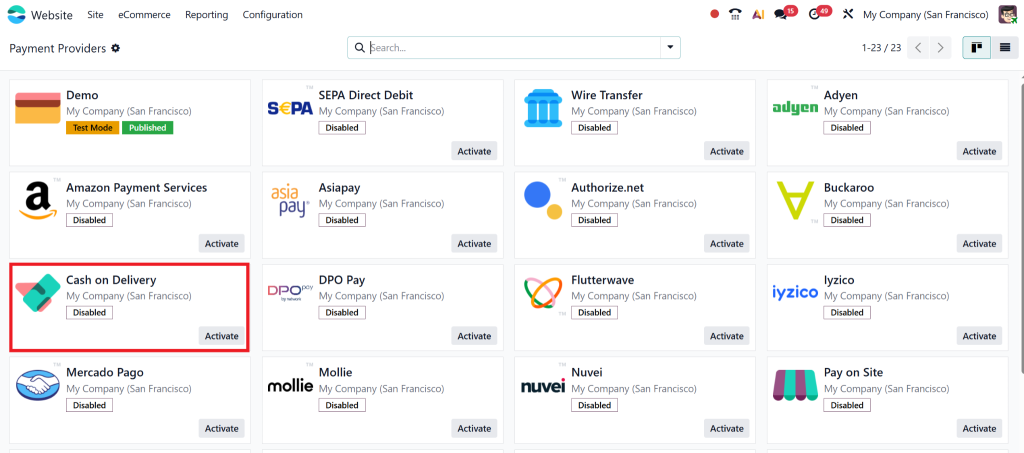
Here, you’ll find options like PayPal, Stripe, and COD.
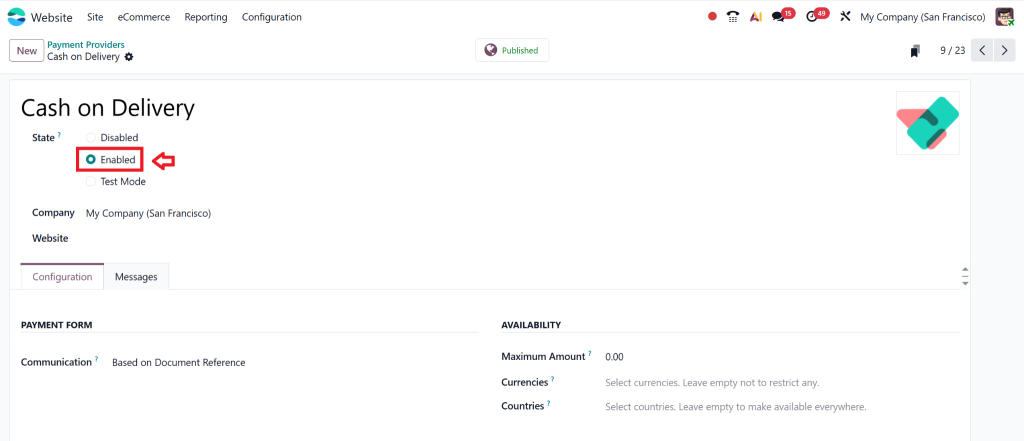
Step 2 – Enable COD Payment on the Odoo Website
Locate the Cash on Delivery option in payment acquirers.
Switch the status from Disabled to Enabled.
This activates the COD module on the Odoo website for checkout.
Step 3 – Configure COD in Odoo
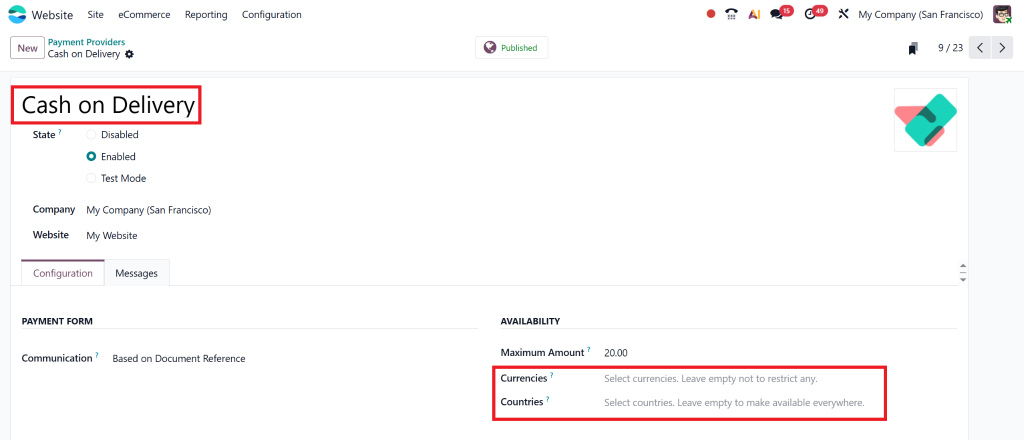
Click on COD and edit its settings.
Add a name (e.g., “Cash on Delivery”).
Define countries where COD should be available.
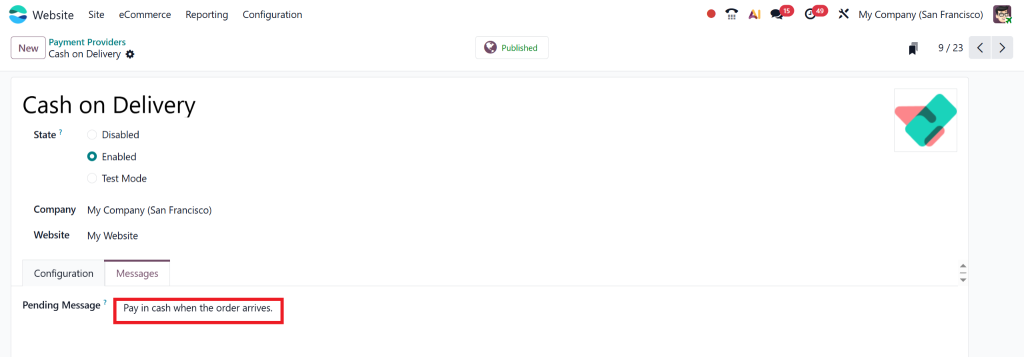
Set payment instructions like “Pay in cash when order arrives.”
Save and publish.
Step 4 – Set up Payment Acquirer COD Odoo 19
Define fees if you want to charge extra for COD orders.
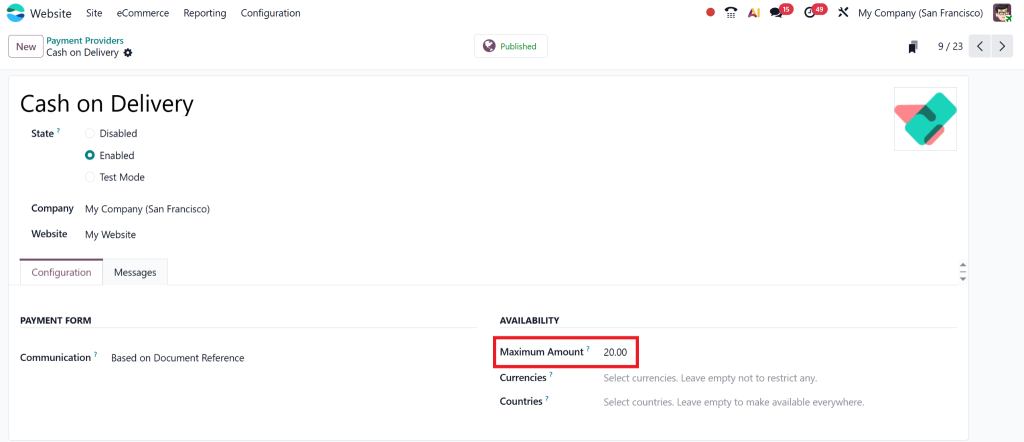
Add conditions (for example, COD only available for orders under $500).
Configure journals to record COD transactions separately.
Step 5 – Testing the COD Setup in the Odoo Website
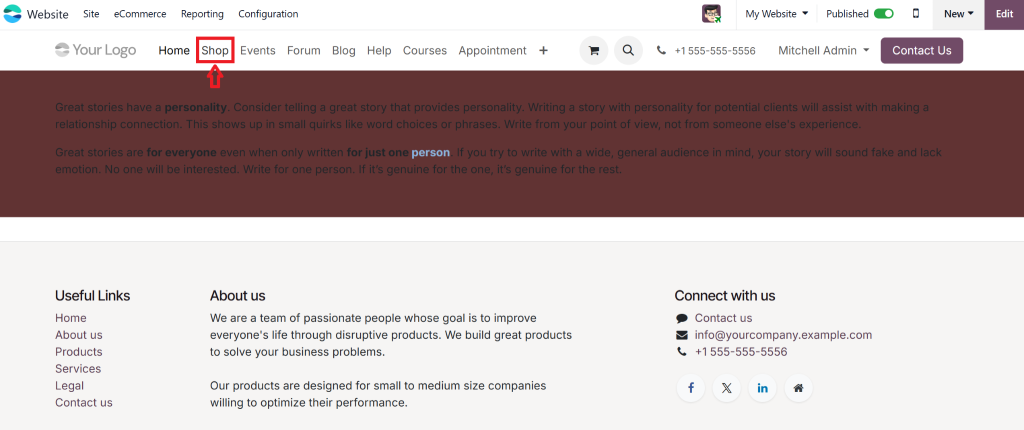
Visit your Odoo 19 Website store.
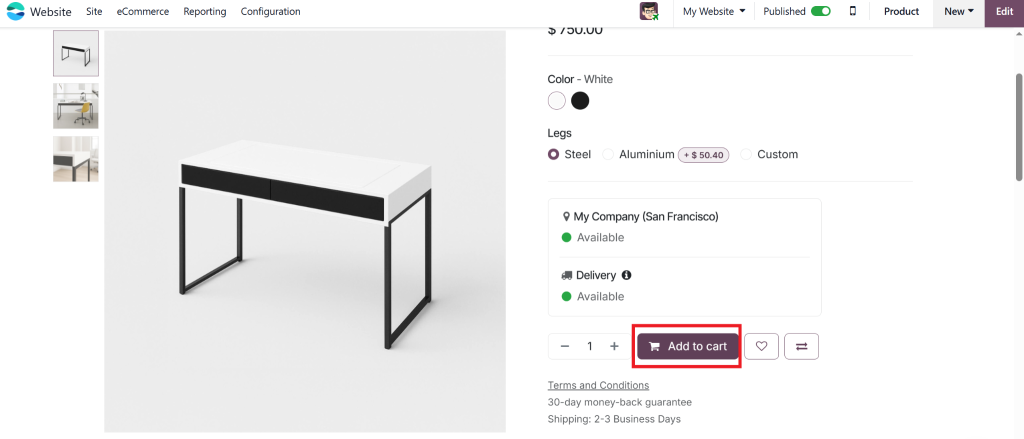
Add a product to the cart and proceed to checkout.
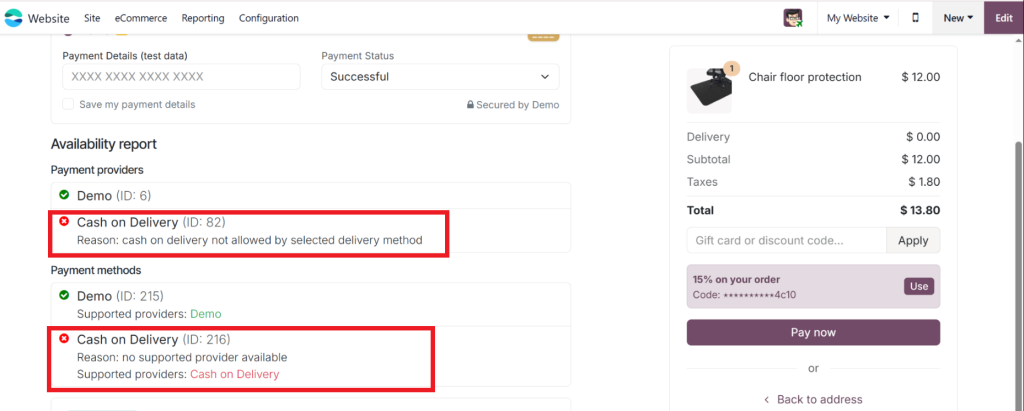
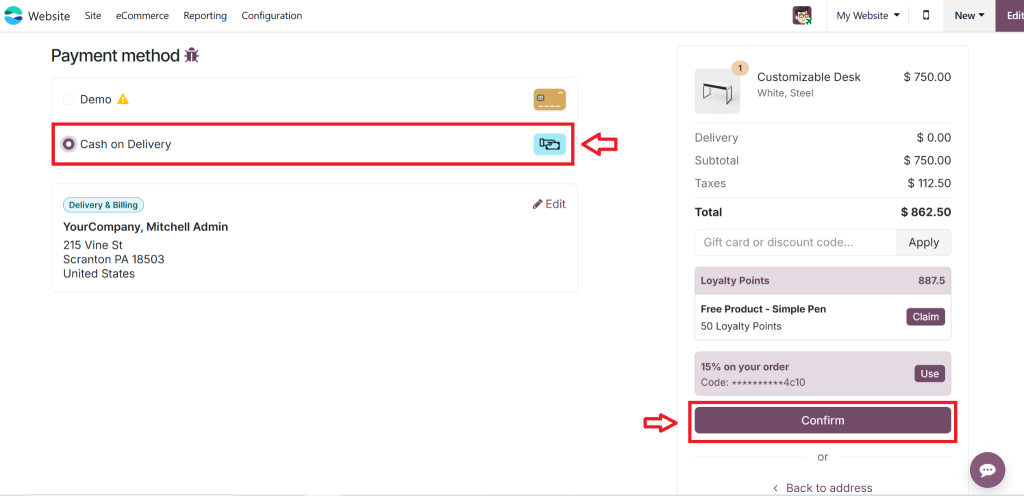
Choose Cash on Delivery as the payment method, and in any case, if you get erro,r then you have to follow a few steps..
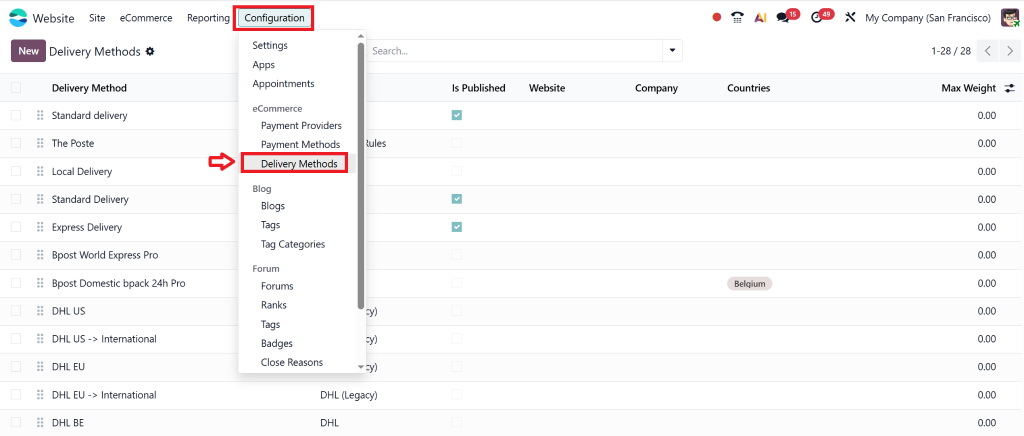
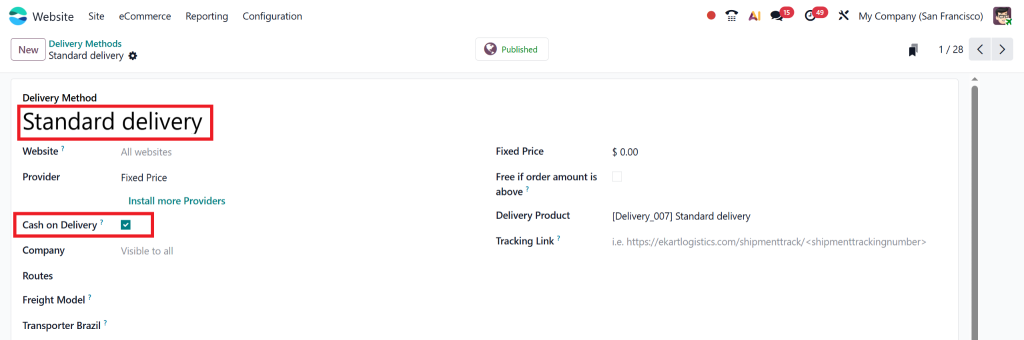
Go to: Website → Configuration → Delivery Methods
Open your active delivery method (e.g., Free Delivery, Standard Delivery).
Under “Payment Methods Allowed,” make sure Cash on Delivery is selected.
Now you can see the “Cas on delivery” option, select that & confirm the order.
Check the backend to see if the COD order is recorded correctly.
Best Practices for Managing COD Orders in Odoo 19 Website
Preventing Fake Orders
One of the challenges of COD is fake or canceled orders. Use Odoo’s automated workflows to verify customer contact details before confirming delivery.
Setting Limits on COD
Limit COD to specific regions or order values. For example, allow COD only for local deliveries under $200. This helps reduce risks.
Smooth COD Workflow in Odoo
Use Odoo’s Inventory & Delivery modules to align COD orders.
Train your delivery team on collecting cash.
Reconcile the COD journals with bank deposits for clarity.
Enhancing Odoo 19 eCommerce COD Option with Netilligence
Why Choose Netilligence as Your Odoo Partner?
As an Odoo Partner, Netilligence provides tailored solutions for businesses wanting to implement the cash on delivery payment method in Odoo 19.
We help you:
Customize your COD module Odoo website.
Automate workflows for COD orders.
Securely manage COD transactions.
Provide ongoing support and training.
Case Study Example
A retail fashion store switched to Odoo 19 and wanted COD enabled. With Netilligence’s help, they not only set up Odoo 19 cash on delivery setup but also reduced fake orders by 40% using smart validation rules.
Common Issues While Setting Up COD in Odoo 19 Website
COD Not Visible at Checkout
Make sure COD is enabled in payment acquirers.
Check that the website is published.
COD Not Available for Certain Customers
Verify country restrictions in the COD configuration.
Update delivery methods to allow COD for local shipments.
Accounting Mismatches in COD
Ensure COD journal entries are correctly mapped.
Always reconcile COD payments with deposits.
Future of COD in Odoo 19 Website
While digital wallets and cards are growing, COD will remain important in many regions. Odoo 19 has made it simpler than ever to set up a payment acquirer for COD Odoo 19, ensuring flexibility for businesses.
By offering COD alongside digital options, you cover both traditional and modern customer needs, boosting your overall sales.
Odoo 19 Cash on Delivery Setup with Netilligence
Setting up cash on delivery payment method in Odoo 19 is simple yet powerful. From enabling COD payment on the Odoo website to configuring limits and managing transactions, Odoo makes the process smooth.
With the Odoo 19 eCommerce COD option, you not only build trust with your customers but also increase conversions. However, to get the most out of it, you need a trusted partner. That’s where Netilligence, Odoo Partner, comes in.
If you want to configure COD in Odoo effectively, automate workflows, and scale your eCommerce business, reach out to Netilligence today!
Hi, I'm Nabia, an Odoo ERP functional & technical content writer. I specialize in blogs, social media content, ad copy, landing pages, service pages, and email campaigns.
We use cookies to ensure that we give you the best experience on our website. If you continue to use this site we will assume that you are happy with it.