

Get Ready for the Odoo 19 Document App Revolution
The moment you’ve been waiting for is here: the Odoo 19 Document App has arrived, bringing a wave of innovation to how you handle documents, automate workflows, and manage your files with confidence. If you’ve been looking into Odoo 19’s new features, especially around Odoo document management, Odoo AI document processing, and Odoo document automation, you’re in the right place. In this blog, we’ll dive deep into the Odoo 19 updates 2025 and show how the Odoo file management system has made significant advancements. By the end, you’ll be ready to embrace this tool and understand why partnering with Netilligence – Odoo Partner is a smart move for your business.
Why the Odoo 19 Document App Matters
Before we read the features, let’s understand why upgrading or incorporating the Odoo 19 Document App matters for modern businesses.
- With today’s growing volumes of contracts, invoices, receipts, and other business documents, having a robust Odoo document management tool means less time searching and more time acting.
- The new features in Odoo 19, focusing on automation and AI, result in fewer manual tasks, reduced human error, and faster cycles.
- The updated Odoo file management system brings everything into a single hub: upload, tag, share, automate, all within your ERP.
- For businesses in Dubai(and worldwide), moving to this version means a competitive advantage: staying ahead through stronger processes, better document workflows, and automated intelligence.
In short: the Odoo 19 Document App isn’t just “a module”, it’s the backbone of your document ecosystem.
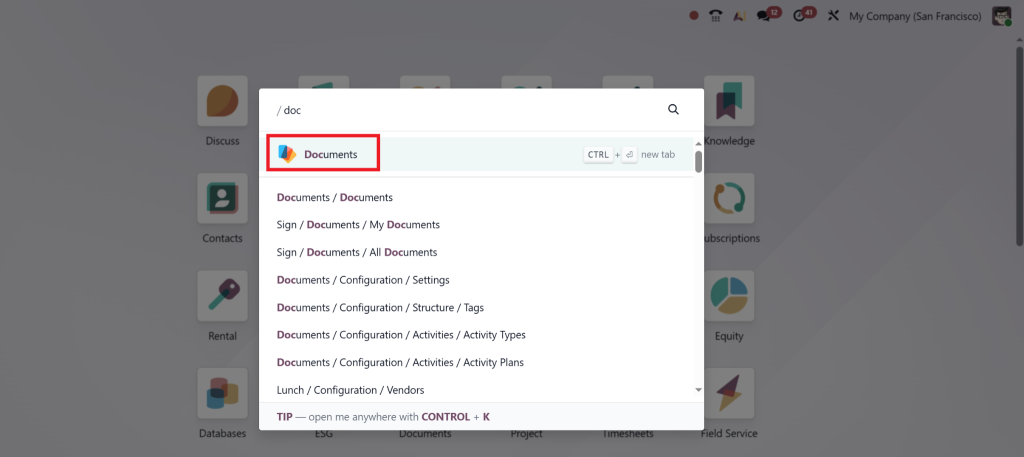
Core Enhancements in the Odoo 19 Document App
Let’s break down the key improvements you’ll see in the Odoo 19 Document App, and why each one matters for you.
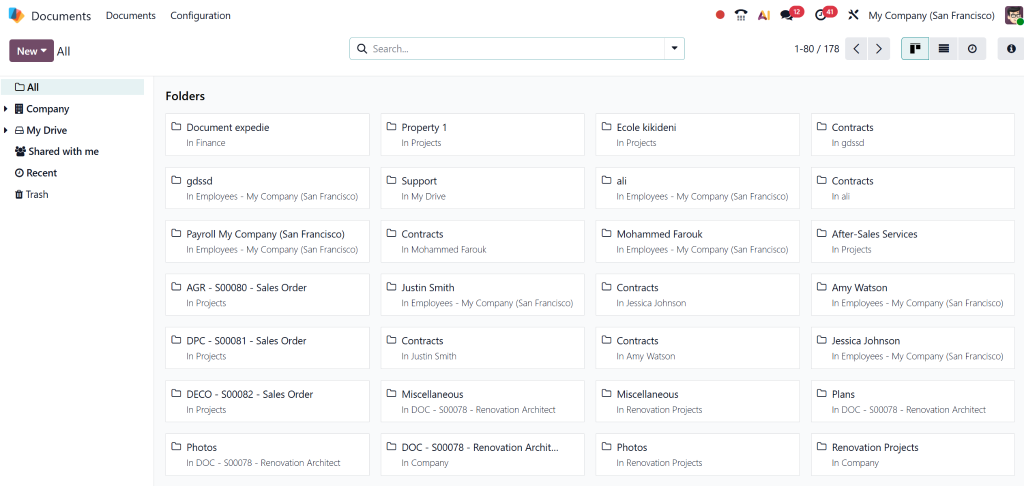
Centralised Storage & Folder Structure
In the new version, the document app allows you to store, view, and manage files within Odoo in a highly organised way.
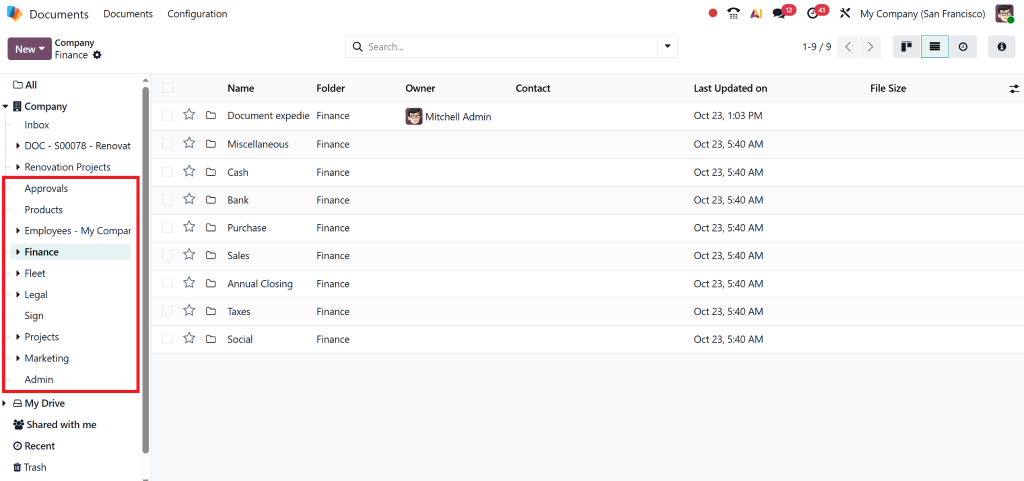
File Centralisation for Specific Apps
One of the big wins: you can enable file centralisation for specific apps so that all related attachments are automatically moved to dedicated folders.
Smart Sharing & Access Rights
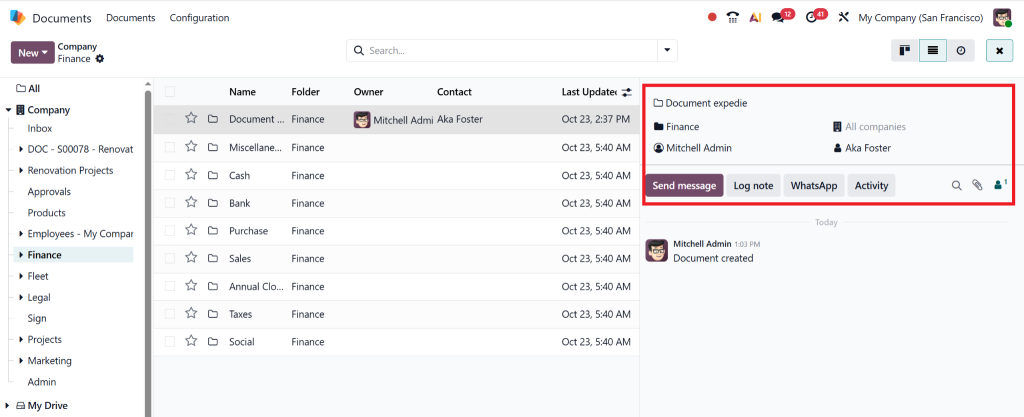
Collaboration gets a boost. You can share files and folders, assign tags, set access rights, add expiry dates, and keep full traceability.
Automation & Tagging
The automation capabilities in the Document App allow you to define custom actions (workflow rules) that trigger when a file is added or moved.
Integration with Chatter and Other Odoo Apps
The Document App is not an island: it integrates smoothly with Odoo’s Chatter, so files exchanged in discussions can be stored and managed. Note: In version 19, the behavior has changed: attachments added via Chatter may need a manual “Add to Documents” to be filed appropriately.
Enhanced Search, Tags & Metadata
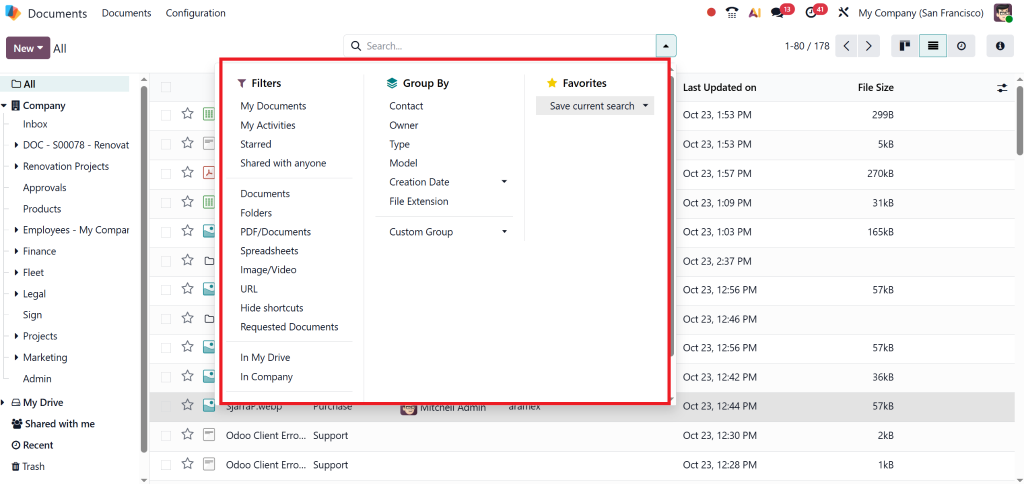
Searching for a document shouldn’t be a chore. The new version supports advanced filtering, tags, favourites, star marks, and full-text search.
Improved Trash & Retention Management
Files moved to the Trash can stay there for a configurable delay (e.g., 30 days) before permanent deletion.
The AI & Automation Improvement in Odoo 19 Document App
What really elevates the Odoo 19 Document App from good to great is the infusion of intelligence and automation. This is the part where we talk in earnest about Odoo AI document processing and Odoo document automation.
AI-Powered Document Processing
In Odoo 19, the platform introduces native features for extracting and processing data from uploaded documents (invoices, receipts, purchase orders, etc.).
- Rather than manual data entry, you upload the document and the system reads key information: vendor, date, line items, amounts, etc.
- Because this is part of your document app, the results flow directly into your workflows (e.g., accounting, approvals).
- This level of automation dramatically reduces errors and speeds up processing.
Natural-Language Automation & Server Actions
The platform now allows business users to define automation through natural-language prompts: “When invoice > $5,000 create approval task”, or “When vendor bill uploaded move to folder and tag ‘High'”.
- This is core Odoo document automation: you define triggers, actions, and the system executes them.
- No longer do you rely on custom code or manual workflows; it becomes self-driven.
Custom Actions on Documents
Within folders, you can define server actions (buttons) that apply to one or many documents: approved, send reminder, archive, move, etc.
- For example, in the “Contracts” folder, you can have a button labeled “Renew contract” that triggers the copying, updates the dates, and notifies the parties.
- This turns your Odoo document management into active process management.
Smart Tagging & Learning
As the system processes more documents, it learns the tagging, folder-movement, and business logic patterns – leading to more accurate and relevant suggestions. While not all details are publicly documented, this aligns with the broad AI strategy for Odoo 19.
- Over time, your Odoo file management system evolves from a reactive to a predictive approach.
- This empowers teams to focus on exceptions and decisions, not routine tasks.
What's New in Odoo 19 Document App Compared to Previous Versions
Feature / Aspect | Odoo 17 / 18 (Previous Versions) | Odoo 19 (Latest Version) |
AI & Automation Integration | Limited automation; manual workflows and tagging required. | Advanced AI-powered document processing and intelligent workflow triggers. |
User Interface & Experience | Basic interface with fewer navigation aids. | Modern UI with faster navigation, drag-and-drop uploads, and intuitive folder trees. |
App & Record Integration | Attachments are managed separately in each module, resulting in limited centralisation. | The centralised folder model ensures attachments across all apps are automatically managed. |
Automation & Server Actions | Simple rules and workflows; limited customization. | Natural-language triggers and enhanced automation capabilities. |
Metadata & Tagging System | Basic tagging, limited search, and categorisation options. | Advanced tagging, metadata, and full-text search capabilities. |
Compliance & Retention Management | Minimal retention and deletion options. | Configurable retention policies and delayed deletion in Trash. |
Document Structure & Organisation | Simple folder hierarchy; limited flexibility. | Enhanced folder structures with subfolders, favourites, and shared views. |
Integration with Other Apps | Partial integration with limited cross-app document management. | Deeper integration with Accounting, HR, Projects, and other Odoo modules. |
Search & Accessibility | Limited filters and manual searching. | Smart search with tags, filters, and favourites. |
Overall System Value | Acts as a basic document repository. | Becomes a strategic business asset for automation, compliance, and collaboration. |
Key Benefits for Your Business
You might be wondering: “What’s in it for my business?” Here are compelling benefits you’ll gain by implementing the Odoo 19 Document App via a trusted partner like Netilligence.
Time Saved & Productivity Increased
- Less time searching for documents. With organised folders, tags, and favourite shortcuts, retrieval is near instantaneous.
Better Compliance & Governance
- Access rights, expiry dates, and sharing logs all help you maintain audit trails.
Cost Reduction & Risk Mitigation
- Fewer paper files, fewer scanners, less manual overhead → direct cost savings.
Scalability & Future-readiness
- As you grow, the Odoo document management ecosystem scales with you.
Empowered Teams & Better Collaboration
- Sharing folders with external users (vendors, clients) is simple, secure, and tracked.
How Netilligence – Your Trusted Odoo Partner Makes the Difference
Implementing the Odoo 19 Document App effectively requires more than just flipping a switch. As a recognized Odoo Partner, Netilligence ensures your success.
- Expert Implementation & Migration
- Customisation & Automation
- Training & Change Management
- Support & Future-proofing
Roadmap & Getting Started with Odoo 19 Document App
Here’s how to get started, and what to expect from the upgrade and ongoing use.
Quick Implementation Plan
- Discovery & Mapping – Netilligence will work with your team to map current document flows, identify pain points, and define folder/tag schema.
- Setup & Configuration – Install Odoo 19 (if not already installed), enable the Document App, configure the folder structure, set access rights, and enable file centralisation.
- Automation Design – Define triggers and server actions relevant to your business, such as automatic tagging, notifications, folder moves, and approvals.
- Data Migration – Move existing documents into the new system, tag and organise them.
- Training & Adoption – Train users, establish governance policies, and ensure teams adopt a “single source of truth” mindset.
- Review & Optimise – After go-live, monitor usage, refine automations, and improve retrieval/search experience.
Upgrade Timing & Considerations
- If you’re on Odoo 18 or earlier, upgrading to Odoo 19.2025 brings immediate benefits (especially in document workflows).
- Consider the compatibility of custom modules related to document storage. Netilligence will handle testing and ensure smooth migration.
Long-Term Use & Scaling
- As your company grows, you can expand folder workspaces (Sales, Service, Helpdesk, Manufacturing).
- Add advanced automations (e.g., contract renewals, compliance workflows, vendor certificate expiry).
Why Now is the Right Time to Act
- Businesses that adopt early gain a competitive edge, with faster document cycles, fewer errors, and better employee and customer experiences.
- Staying on older versions puts you at risk of outdated technology, slower workflows, and higher overhead, especially in regions like Pakistan, where digital transformation is accelerating.
Document Workflows with Odoo 19 Document App
In conclusion, the Odoo 19 Document App represents a significant leap for document management, automation, and workflow efficiency. From enhanced folder structures and centralized storage to AI-powered document processing and automation rules, the Odoo file management system is now a strategic asset, not just an add-on.
For businesses in Pakistan and beyond, this means: less time wasted, fewer manual tasks, stronger compliance, and quicker decision-making.
By working with Netilligence – Odoo Partner, you’ll ensure the solution is implemented correctly, tailored to your needs, and fully adopted by your team.
If you’re ready to elevate your document workflows and embrace the full potential of Odoo 19, we’re here to help you take that next step.




