What Is the Closest Location Removal Strategy in Odoo 18 Inventory?
Inventory management is at the heart of every business that deals with products. Whether it’s a warehouse, retail chain, or distribution center, the way stock is picked directly impacts time, cost, and efficiency. Odoo 18 has refined its inventory system to provide advanced features that enable companies to select more intelligent picking methods. Among these, the Closest Location Removal Strategy in Odoo has gained attention for its practical approach in minimizing movement within the warehouse.
When businesses handle large stock volumes spread across multiple shelves or storage units, the key challenge is identifying the right removal strategy. The Odoo 18 closest location removal strategy solves this by allowing items to be picked from the nearest available stock location. This strategy is part of Odoo 18’s inventory picking methods, helping teams save effort, reduce walking time, and increase overall productivity.
With the closest location removal warehouse setup in Odoo, businesses can ensure that employees pick goods from the shortest path instead of roaming across the warehouse. When you configure removal strategies in Odoo 18, you gain the flexibility to define rules that guide your warehouse operations. Whether it’s a small store or a significant distribution hub, Odoo ensures that picking from the nearest location reduces time and effort.
Additionally, Odoo offers support for multi-step routes in the warehouse, which allows you to manage complex workflows that involve receiving, storing, and delivering stock through multiple stages. Combined with the Odoo 18 picking optimization feature, these strategies provide a clear advantage for businesses seeking to enhance their operational efficiency.
In this blog, we’ll take a closer look at the Closest Location Removal Strategy in Odoo, including its functionality in Odoo 18, its significance for businesses, and how to configure it for your warehouse.
Understanding the Closest Location Removal Strategy in Odoo 18
The Closest Location Removal Strategy in Odoo is one of the most innovative methods for picking goods in a warehouse. Instead of randomly choosing a location or following a strict first-in-first-out approach, Odoo allows you to set rules that prioritize stock based on its proximity to the operator.
For example, imagine a warehouse where the same product is stored in three different places: near the entrance, in the middle section, and at the far end. Without the right system, your team may end up picking items from the farthest shelf, wasting both energy and time. With the Odoo 18 closest location removal strategy, the system guides workers to select stock from the nearest point.
This method is not only about convenience but also about reducing operational costs. Shorter travel distances within the warehouse result in faster order fulfillment, ultimately improving customer satisfaction.
The Role of Odoo 18 Inventory Picking Methods
Odoo offers multiple inventory picking methods to cater to various business requirements. While FIFO (First In, First Out) or LIFO (Last In, First Out) might work for perishable items or specific financial reporting needs, the closest location removal warehouse Odoo strategy is practical for fast-moving products where speed is more critical than stock age.
The flexibility to configure removal strategies in Odoo 18 ensures that each company can select the most effective method, custom-made to its specific products and operations. For warehouses that handle thousands of movements daily, relying on the Odoo 18 closest location removal strategy can significantly simplify picking tasks for staff.
How to Configure Removal Strategies in Odoo 18
Setting up the Closest Location Removal Strategy in Odoo doesn’t require complex steps. The process in Odoo 18 is straightforward and user-friendly. Here’s a simple outline of how you can configure it:
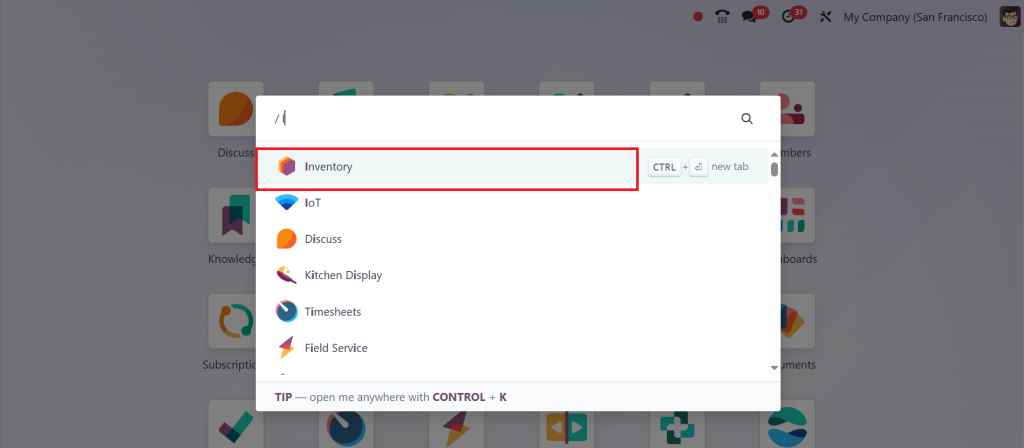
Open the Inventory App from your Odoo dashboard.
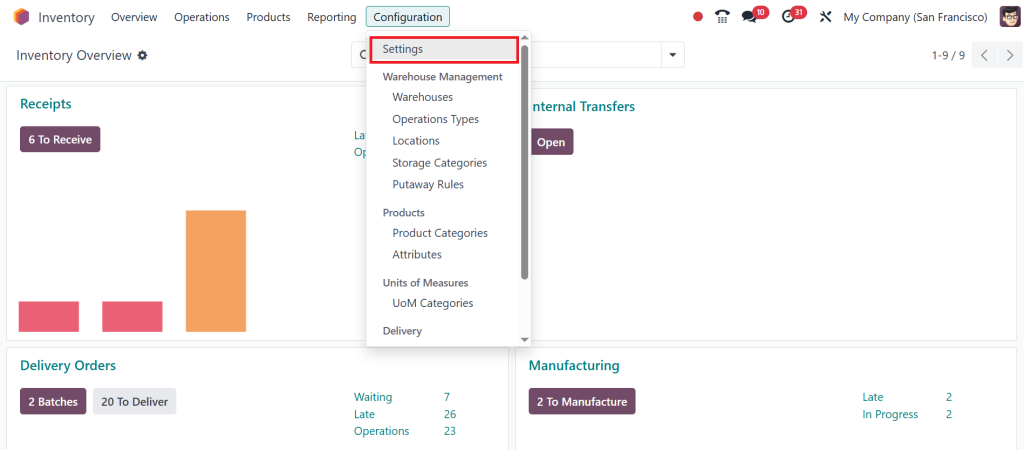
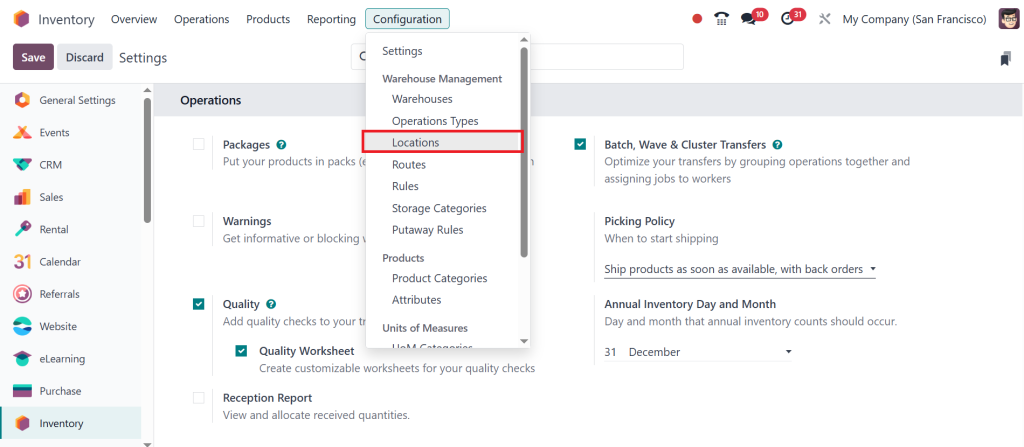
Go to Configuration > Settings.
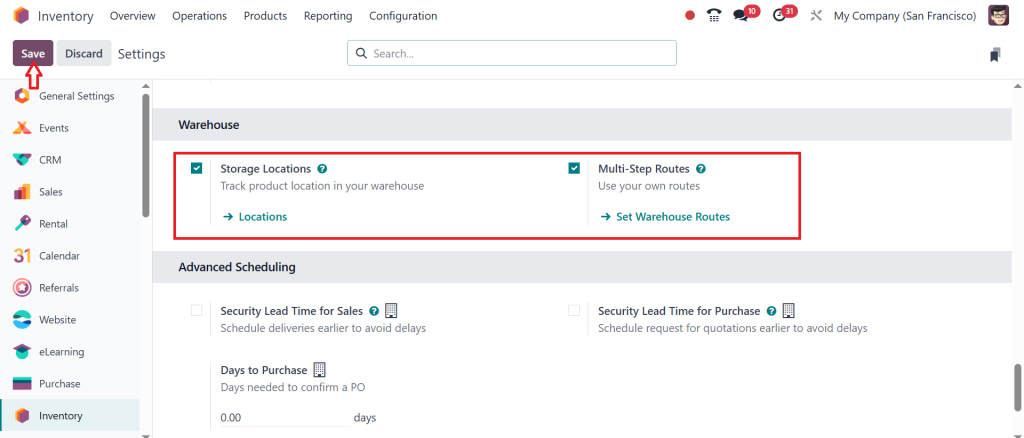
Enable the Storage Locations & Multi-Step Routes, then click Save.
Direct to Configuration > Locations.
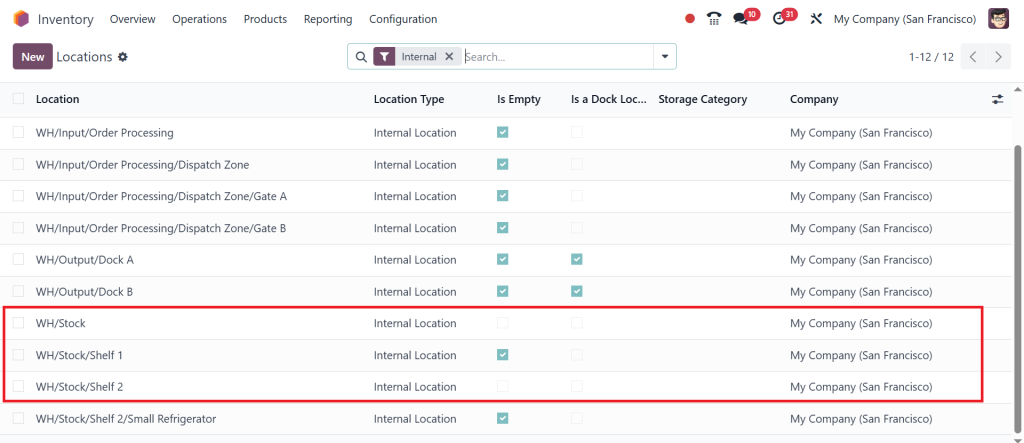
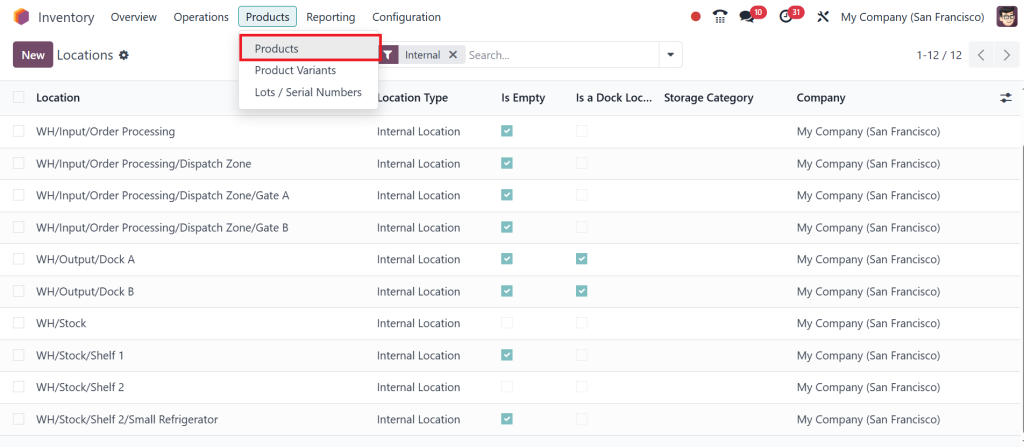
Here, Odoo decides which location is closest based on the alpha-numeric order of the location names. To make this work properly, we should name our locations in a way that reflects the real distance from the packing area. In this example, we have Shelf 1 as the closest shelf and Shelf 2 a little further away.
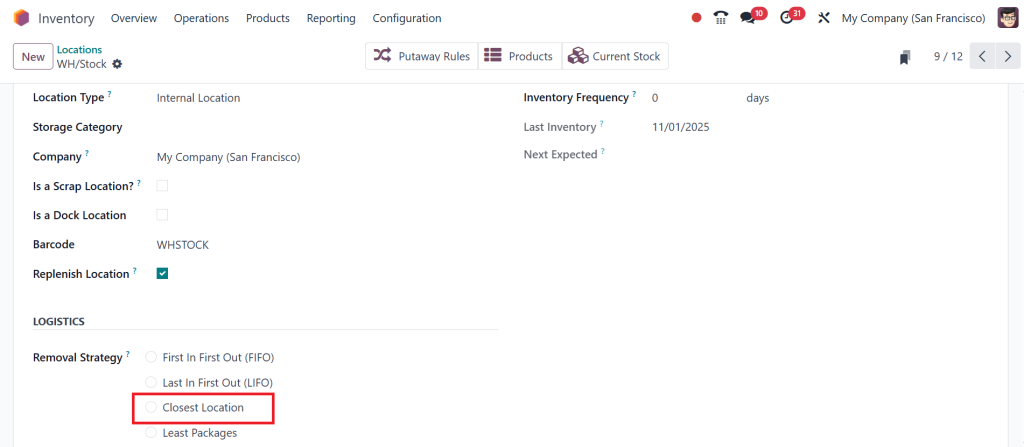
That way, Odoo understands a picking sequence in a way that matches the real-world layout of our warehouse. Now that our shelves are appropriately named, we need to apply the removal strategy. We can either set it on the parent location. In this case, WH/Stock applies; however, please note that if we do so, the closest location strategy will be used for all shelves within the warehouse to stock.
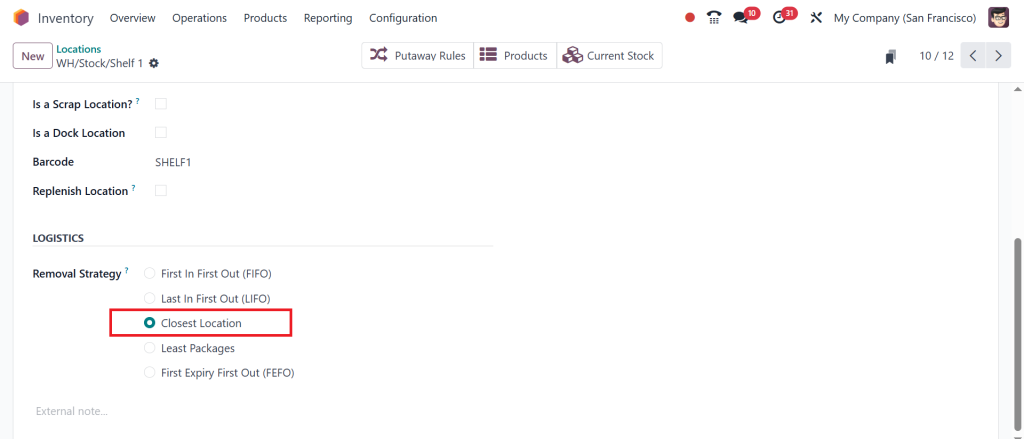
Alternatively, we can apply it to each shelf individually. This way, Odoo will always suggest picking from the nearest shelf first for those specific locations, while other warehouse areas continue their default removal strategy.
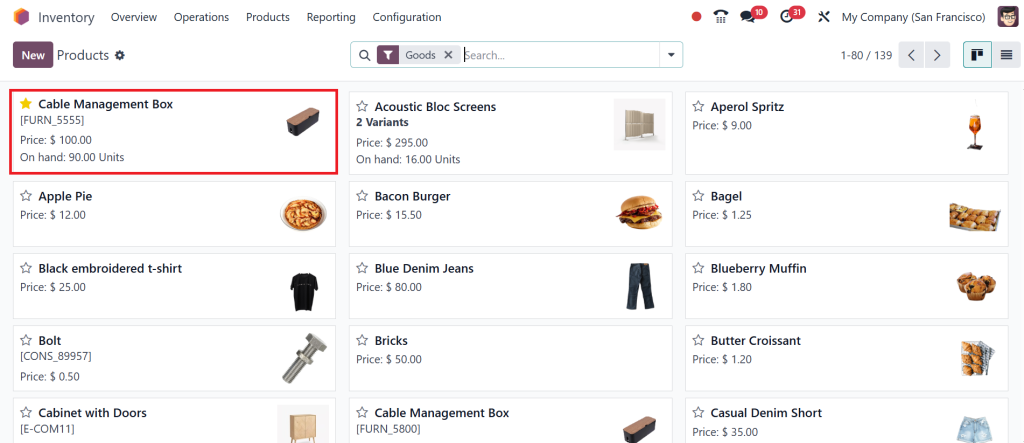
Now, let’s check the on-hand stock at each storage location. To do that, I’ll go to the Products > Products.
And click on the Cable Management Box.
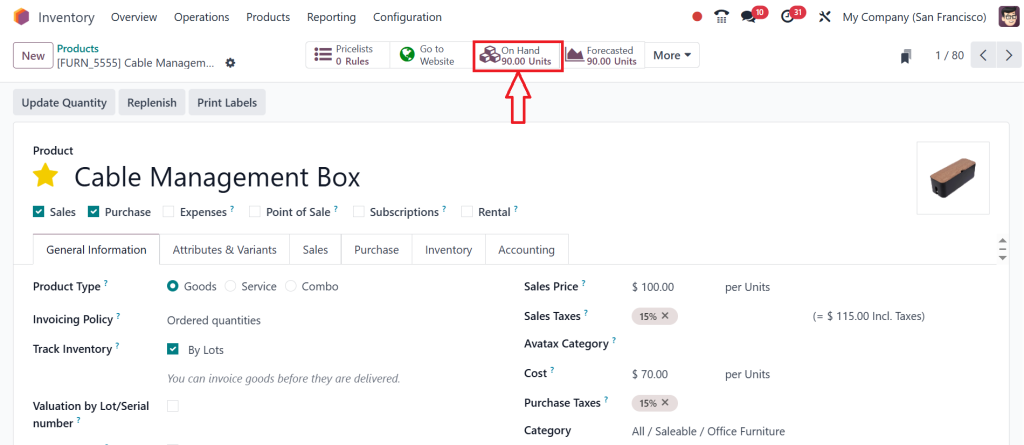
Under the Product Form, click the “On Hand” smart button at the top.
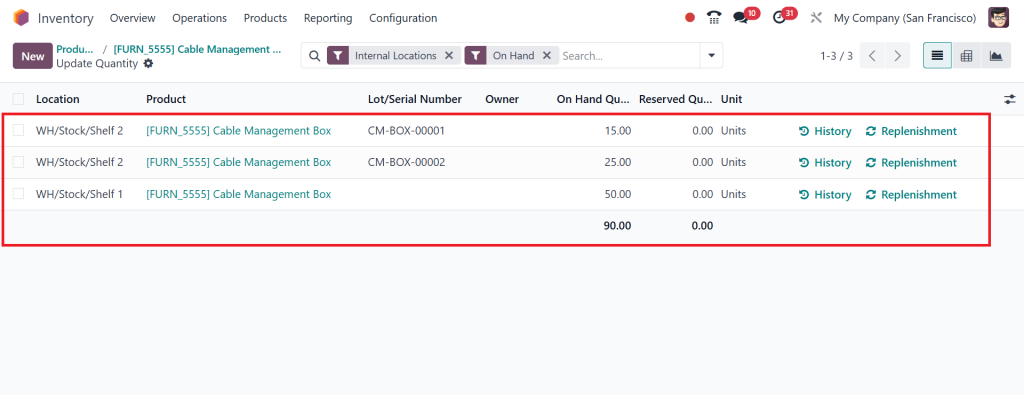
Here, we can see the product stored across shelves. You will also notice the on-hand quantity column, which shows precisely how much stock is available at each shelf.
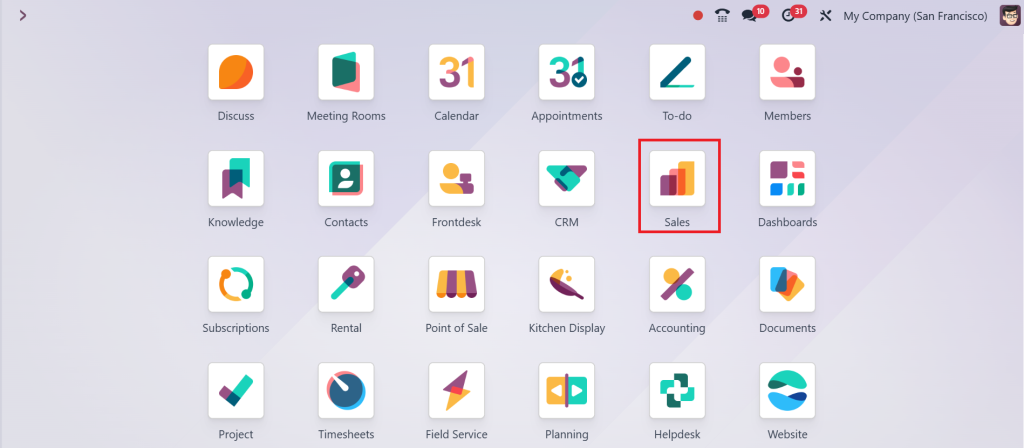
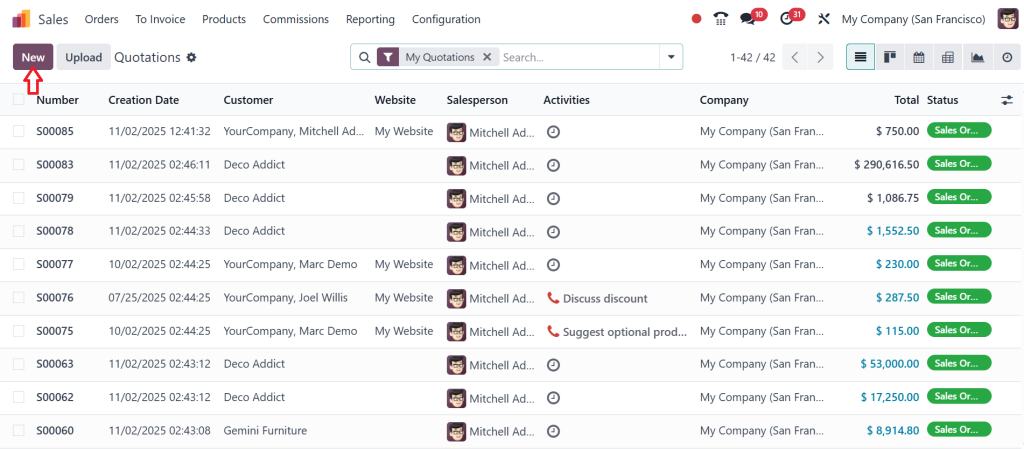
Let’s move to the Sales App and create a sales order to see the strategy in action.
Click New and create a new quotation.
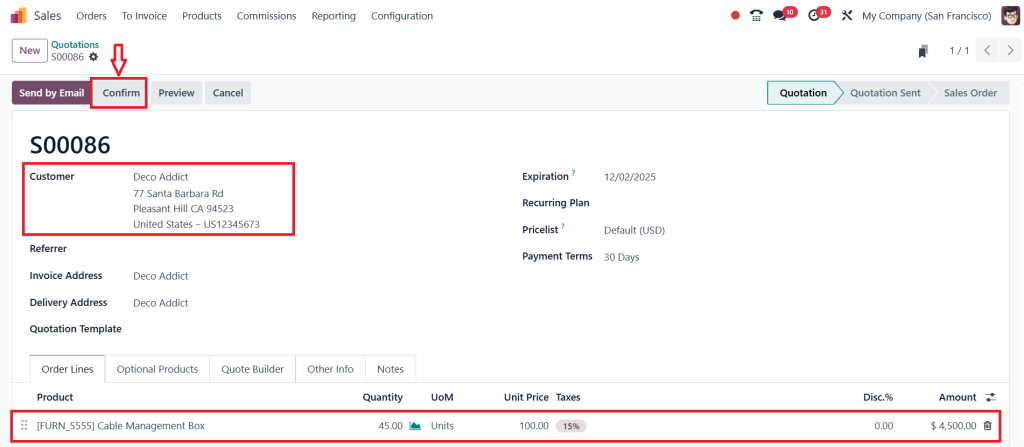
Select the Customer, add the Product, and click Confirm.
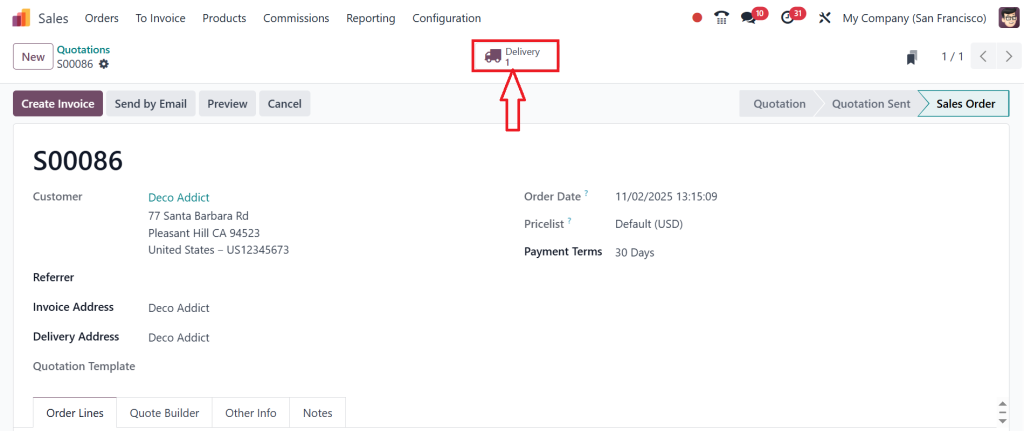
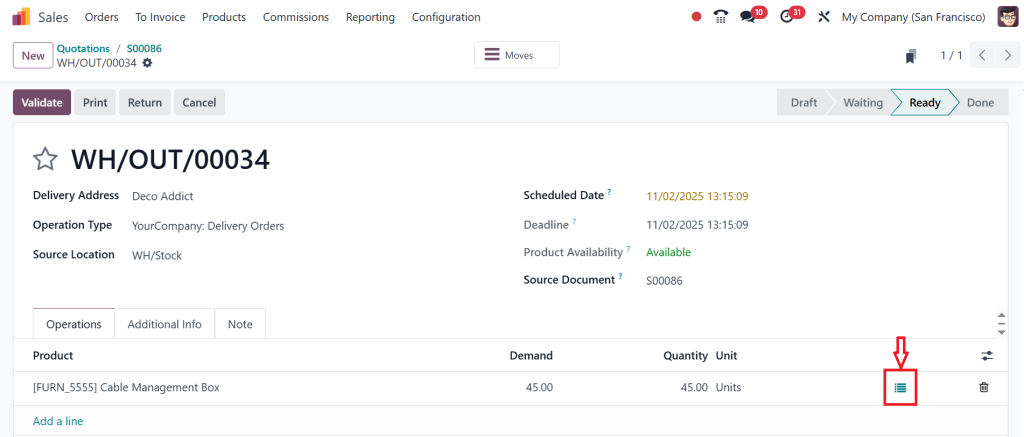
Click the Delivery smart button.
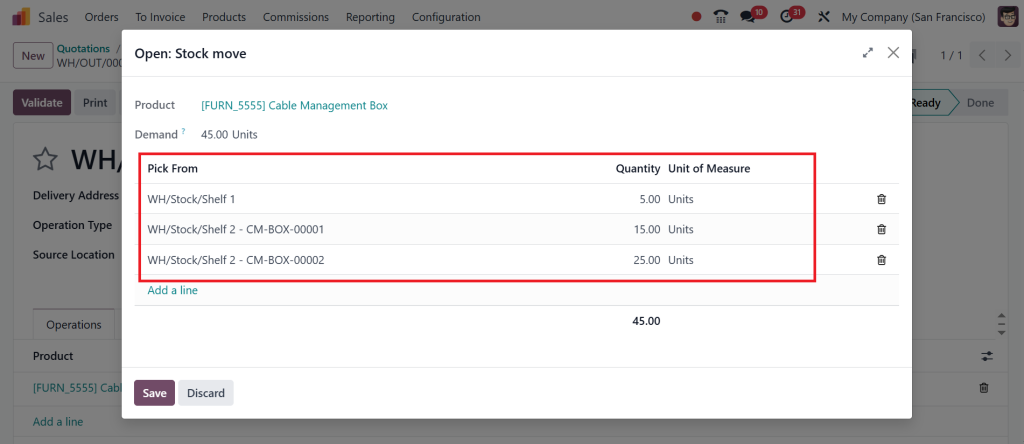
Inside the Operations tab, click the details button on the product line to open the stock move information.
Here, Odoo suggests picking first from Shelf 1, then from the following nearest location, Shelf 2, until the full demand is covered.
With the closest location removal strategy, Odoo ensures products are always picked from the nearest available shelf. This not only saves time but also makes the picking process smoother, keeping warehouse operations running efficiently.
By learning how to configure removal strategies in Odoo 18, businesses can experiment with various setups and determine what works best for their specific environment. The best part is that these settings can be applied to both small warehouses and extensive multi-level facilities.
Odoo 18 Picking Optimization with Nearest Location Strategy
The ability to choose the closest storage area is one of the most effective Odoo 18 picking optimization techniques. Workers save steps, orders are processed faster, and the overall flow of products improves significantly.
The picking from the nearest location Odoo strategy is especially beneficial for industries such as retail, wholesale, e-commerce, and manufacturing, where speed plays a crucial role in meeting demand. Every second saved in the warehouse adds up to significant improvements when scaled across thousands of transactions.
By integrating multi-step routes warehouse Odoo 18 with the closest location strategy, companies can create a fine-tuned system where each product moves through a structured process while still being picked from the most efficient point.
Why Businesses Prefer Closest Location Removal in Odoo 18
The Closest Location Removal Strategy in Odoo has gained popularity because it directly addresses one of the most common problems in warehouse management: unnecessary movement. Picking goods from random or distant places leads to inefficiency and frustration for warehouse staff.
With the Odoo 18 closest location removal strategy, businesses can:
Reduce walking time inside warehouses.
Improve picking accuracy.
Shorten delivery preparation cycles.
Lower labor fatigue and increase staff efficiency.
Speed up operations in high-demand seasons.
When companies adopt Odoo 18 inventory picking methods with this strategy, they experience smoother processes that improve overall productivity.
Multi-Step Routes and Closest Location Removal in Odoo 18
Complex warehouses often require more than just simple stock picking. The multi-step routes warehouse feature in Odoo 18 is designed for such setups. It enables you to manage receipt, storage, internal transfers, and deliveries with multiple checkpoints.
By combining these routes with the closest location removal warehouse Odoo, companies get the best of both worlds: structured workflows and optimized picking. This combination ensures that products follow a clear path through the warehouse while workers save time by always choosing the nearest available stock location.
Final Thoughts on Closest Location Removal Strategy in Odoo 18
The Closest Location Removal Strategy in Odoo is not just another option in the system; it’s a practical way to make warehouse tasks more efficient. With Odoo 18’s closest location removal strategy, companies can focus on reducing wasted effort and ensuring that employees pick items from the nearest possible location.
When you combine this with Odoo 18 picking optimization, multi-step routes for warehouse Odoo 18, and other Odoo 18 inventory picking methods, you create a warehouse that runs smoothly and meets customer needs on time. By learning how to configure removal strategies in Odoo 18, businesses can effectively manage their stock operations without unnecessary complications.
If you’re ready to improve your warehouse operations, explore how the Closest Location Removal Strategy in Odoo can work for your business. At Netilligence, we help companies implement the right Odoo solutions personalised to their specific needs. Contact us today to explore how Odoo 18 can simplify and optimise your inventory processes.
Hi, I'm Ilsa Shabbir, an Odoo ERP content writer specializing in functional blogs on Odoo modules. I simplify complex Odoo features, creating clear and engaging content to help businesses understand and optimize their ERP solutions.
We use cookies to ensure that we give you the best experience on our website. If you continue to use this site we will assume that you are happy with it.