Landed Cost in Odoo 19 Inventory is not just another accounting feature; it is the key to understanding the real cost of your products. Most businesses calculate product cost based only on the purchase price, but in reality, that is never the whole picture.
Shipping charges, customs duty, freight, insurance, clearance fees, all these extra expenses quietly eat into your profits. If these costs are not added correctly, your pricing decisions become wrong, margins shrink, and reports become misleading.
This is precisely where Landed Cost in Odoo 19 Inventory becomes powerful.
With Odoo 19’s landed cost management, you can automatically distribute additional expenses across products and reflect the actual value of your inventory. Whether you use Odoo’s periodic or perpetual stock valuation, Odoo 19 makes landed cost calculation simple, accurate, and reliable.
In this guide, we will clearly explain how to manage landed cost in Odoo, how Odoo’s inventory landed cost setup works, how landed cost allocation in Odoo impacts inventory valuation, and why getting it right can dramatically improve profitability.
If you want precise costing, confident pricing, and clean financial reports, understanding Landed Cost in Odoo 19 Inventory is essential.
What Is Landed Cost in Odoo 19 Inventory?
Landed Cost in Odoo 19 Inventory means the total actual cost of bringing a product into your warehouse.
This includes:
Purchase price of the product
Transportation or shipping charges
Customs duties and taxes
Insurance and handling charges
Any additional vendor or port fees
Without Odoo 19’s landed cost management, these charges stay separate, and inventory shows an incomplete, lower product value.
With correct landed costs product costing in Odoo, your inventory value reflects reality, not assumptions.
How to Manage Landed Cost in Odoo 19 Inventory (Step-by-Step)
Now, let’s get to the most crucial part: how to manage landed cost correctly in Odoo 19 Inventory.
Step 1: Enable Landed Cost in Odoo Inventory
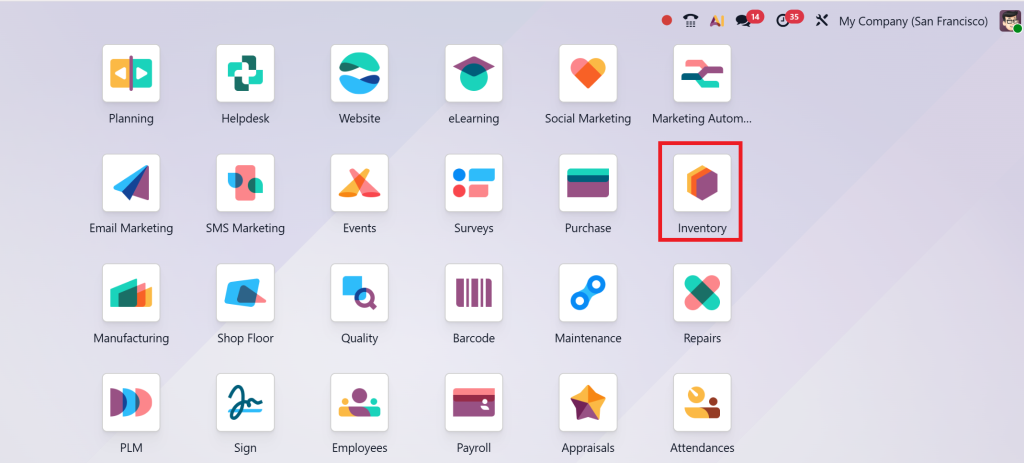
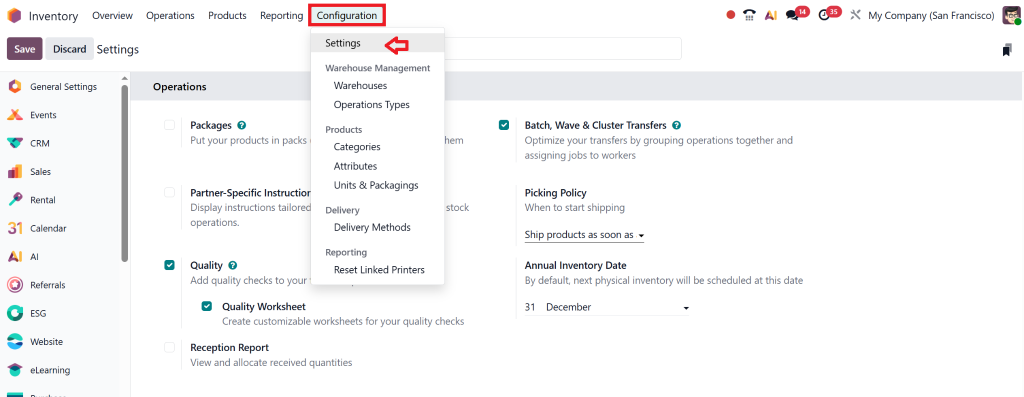
Go to Inventory → Configuration → Settings
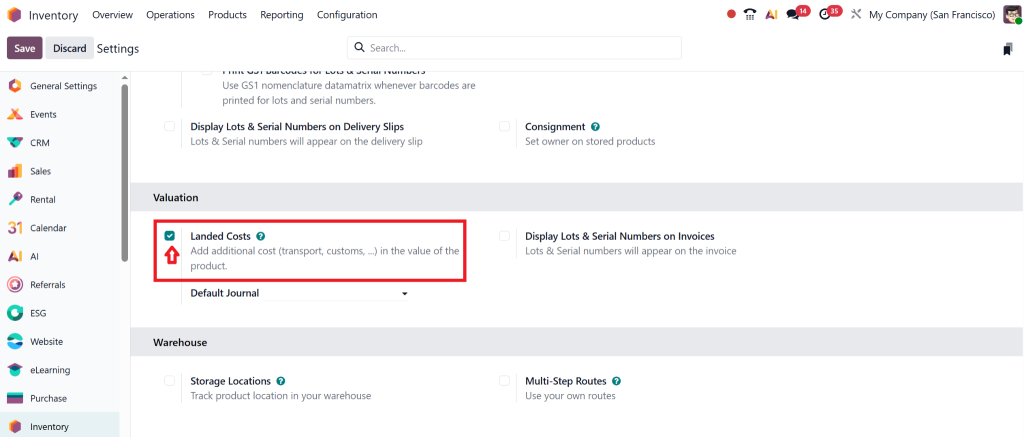
Enable Landed Costs
Make sure products use the correct valuation method (Perpetual or Periodic)
This step activates the foundation of the Odoo inventory landed cost setup.
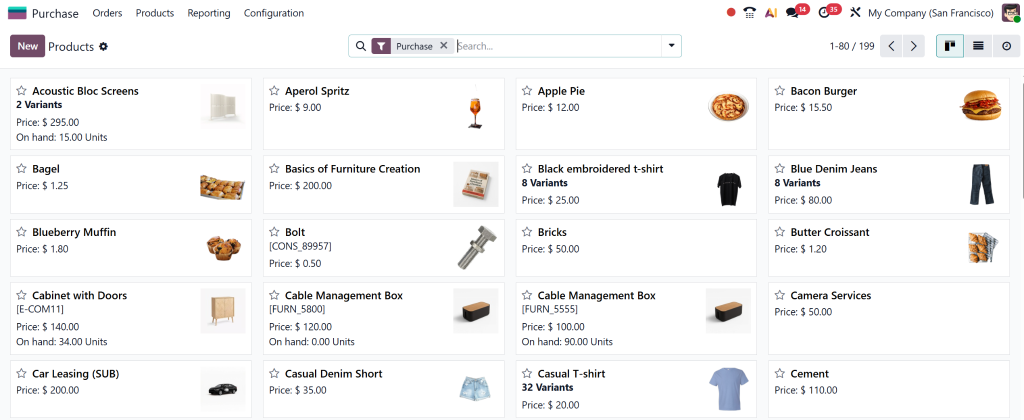
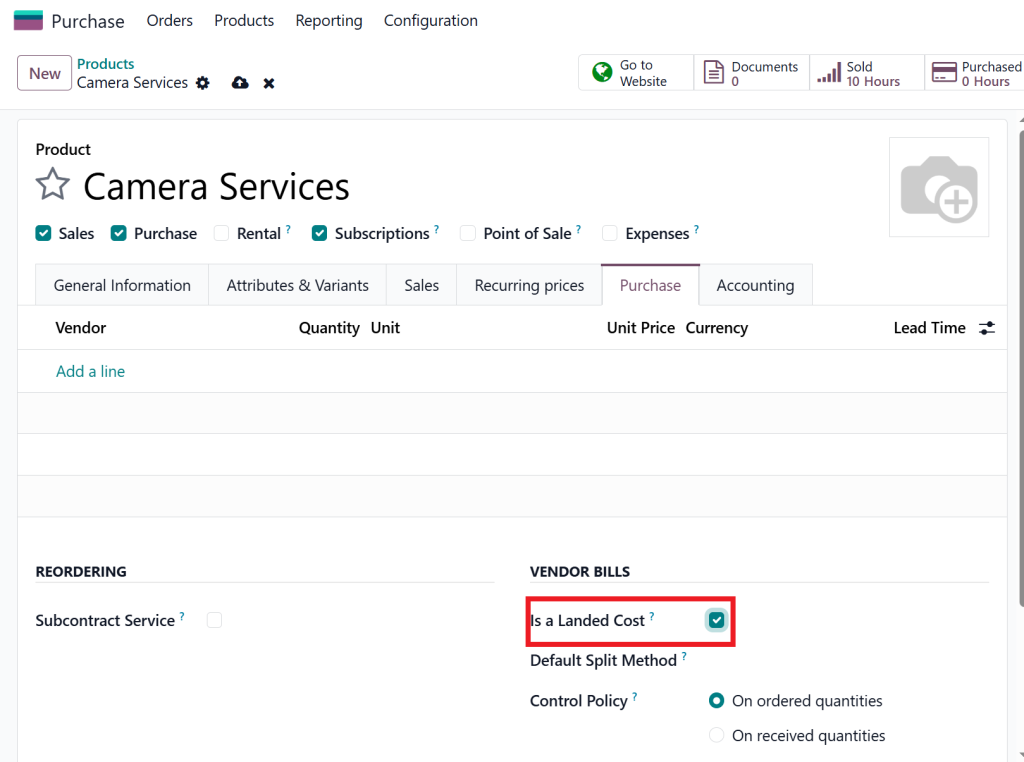
Step 2: Create Landed Cost Products
You must define cost types like:
Freight Charges
Customs Duty
Insurance Costs
Clearing Fees
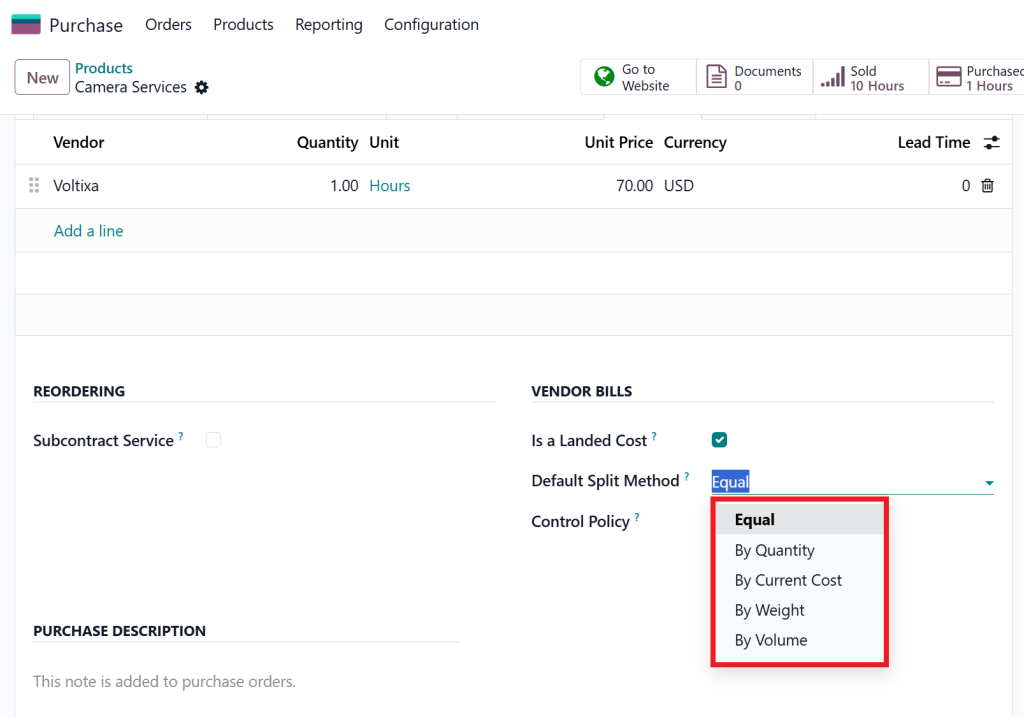
Each cost type should be linked to the appropriate accounting rules. This is critical for accurate perpetual valuation of landed cost.
Step 3: Apply Landed Costs to Incoming Shipments
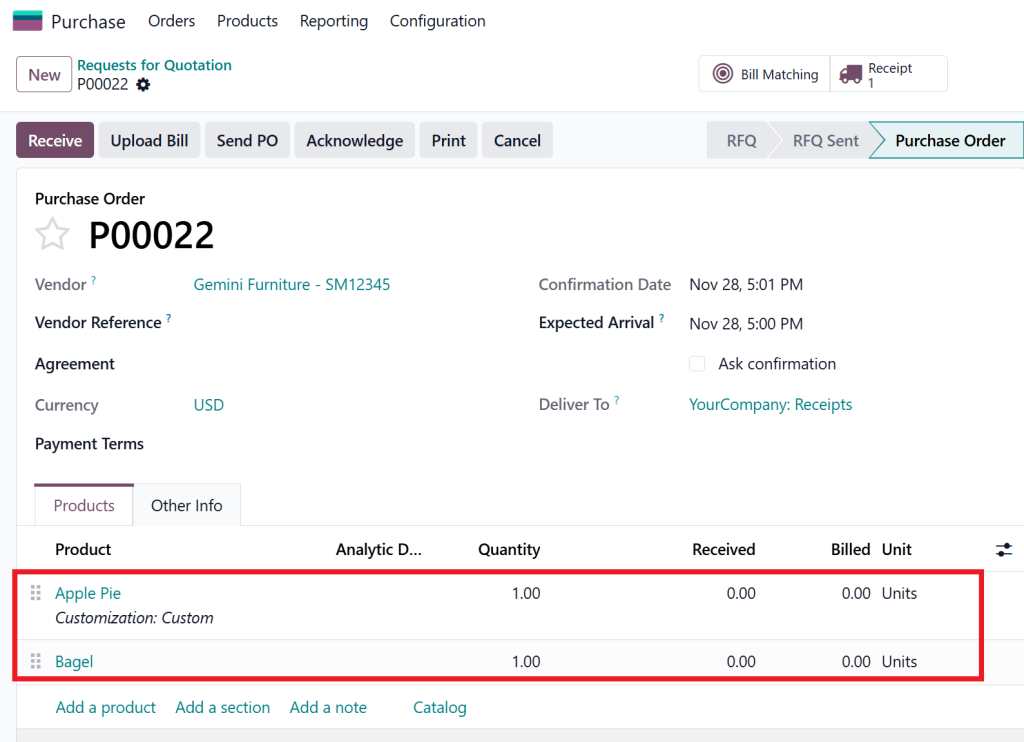
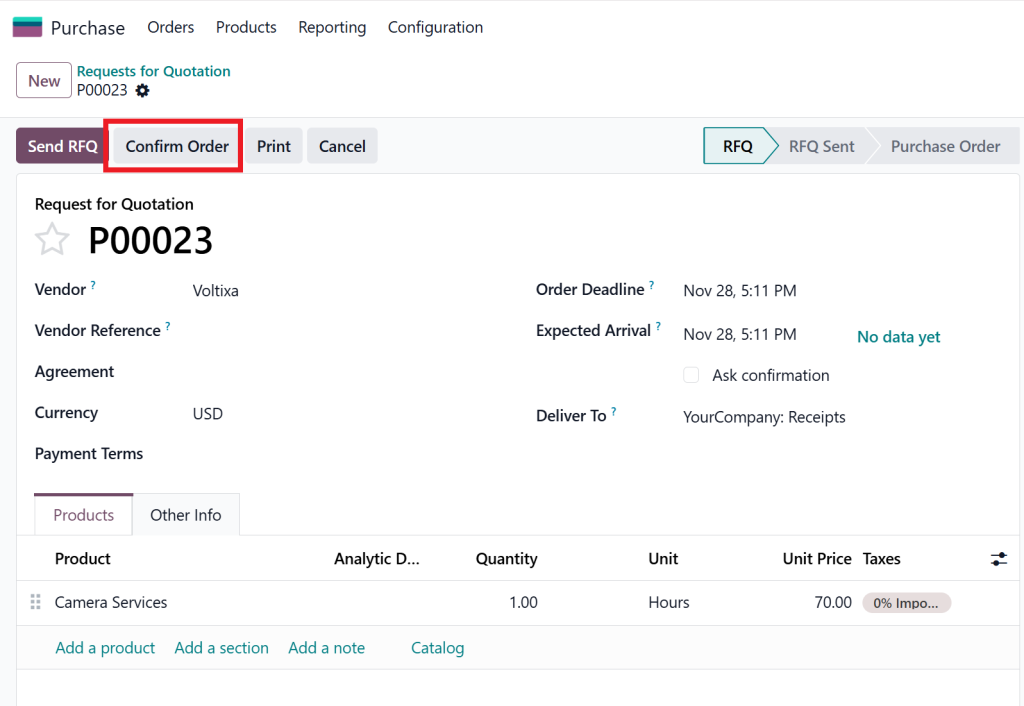
Create a quotation and add the selected products.
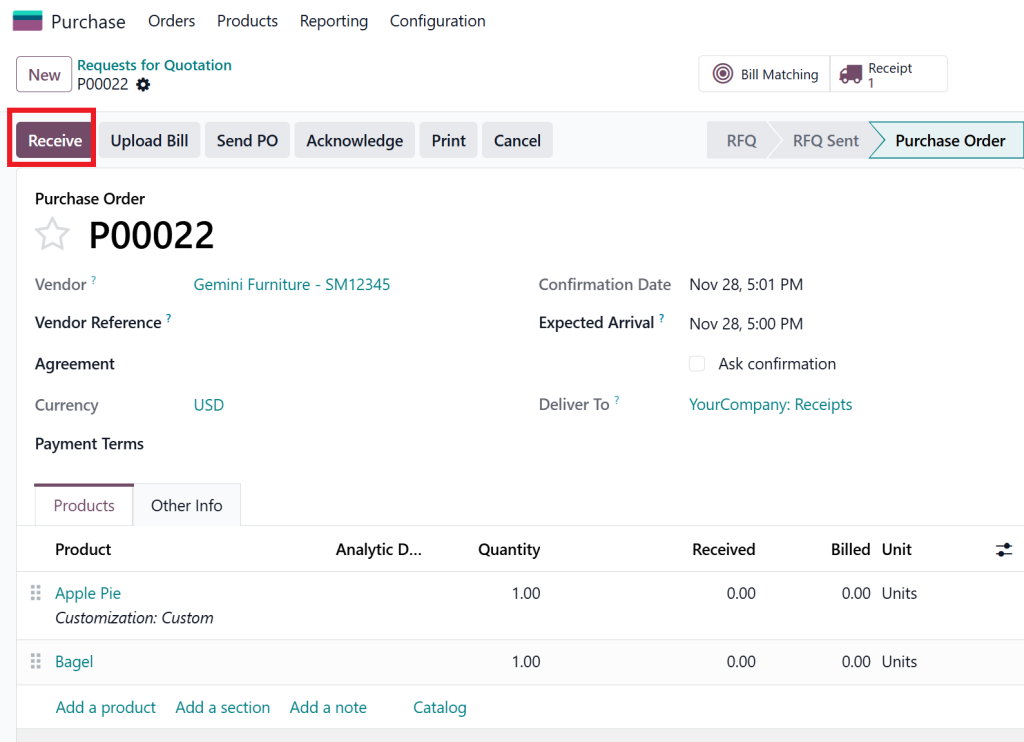
Then, receive the products and validate
Once the goods are received, go to the bill and copy the reference number WH/IN/00014.
Now, create a new service quotation and confirm the order, and repeat the same steps as before.
Open the receipt
Click Create Landed Cost
Add the cost lines (freight, duty, etc.)
Choose an allocation method
Validate
After validation, Landed Cost in Odoo 19 Inventory automatically updates the product value.
Why Businesses Must Manage Landed Cost in Odoo 19
Many companies lose money simply because they don’t see it happening. Incorrect cost calculation is one of the biggest silent business killers.
Using Landed Cost in Odoo 19 Inventory helps you:
Get Accurate Product Costing
You know exactly how much each item truly costs, making pricing decisions safer and smarter.
Avoid Underpricing
Without landed costs, products look cheaper on paper, and you sell them at a loss without realising it.
Maintain Correct Inventory Valuation
Both Odoo’s periodic stock valuation and its perpetual valuation by landed cost remain aligned with reality.
Improve Profit Analysis
Reports make sense. Margins are real. Decisions are confident.
Landed Cost Allocation in Odoo: Choosing the Right Method
Landed cost allocation: Odoo determines how costs are divided among products.
Odoo provides multiple allocation methods:
By Quantity
Best for similar products shipped together.
By Weight
Ideal when shipping cost depends on weight.
By Volume
Valid for bulky but lightweight items.
By Current Cost
Perfect when products have very different prices.
Choosing the proper allocation ensures accurate landed-cost product costing in Odoo and avoids distorted inventory values.
Hi, I'm Nabia, an Odoo ERP functional & technical content writer. I specialize in blogs, social media content, ad copy, landing pages, service pages, and email campaigns.
We use cookies to ensure that we give you the best experience on our website. If you continue to use this site we will assume that you are happy with it.