

The Knowledge Module in Odoo 19 - Your New Smart Workplace Companion
The Knowledge Module in Odoo 19 has arrived, and it’s easily one of the most refreshing updates Odoo has introduced for businesses that want clarity, collaboration, and organized documentation, without the mess. If your company has ever struggled to maintain scattered documents, outdated SOPs, or slow onboarding processes, then the Knowledge Module in Odoo 19 is the solution you’ve been waiting for.
Right from the start, this upgraded module empowers teams to build a modern, collaborative internal wiki, work smarter with structured documentation, and share information effortlessly. In this complete Odoo knowledge base overview, we’ll explore how this module supports everything from internal notes to onboarding guides, AI-generated summaries, and knowledge-sharing workspaces. Most importantly, you’ll see how these tools make everyday work faster and easier.
The best part? The Knowledge Module in Odoo 19 is simple enough for any employee to use, yet powerful enough to serve as the backbone of your organization’s documentation. Whether you’re creating onboarding manuals, HR policies, sales playbooks, or technical guides, Odoo 19 gives you the flexibility and freedom to build content your team will actually use.
As an Odoo Partner, Netilligence has seen firsthand how transformative the Knowledge Module in Odoo 19 can be when properly implemented. With intuitive features, beautiful Odoo 19 article templates, and AI summarization built right in, this module helps teams turn their scattered knowledge into a well-organized, easy-to-navigate internal library.
Let’s explore it in depth, but in a simple, conversational way that actually makes sense for real teams and real businesses.
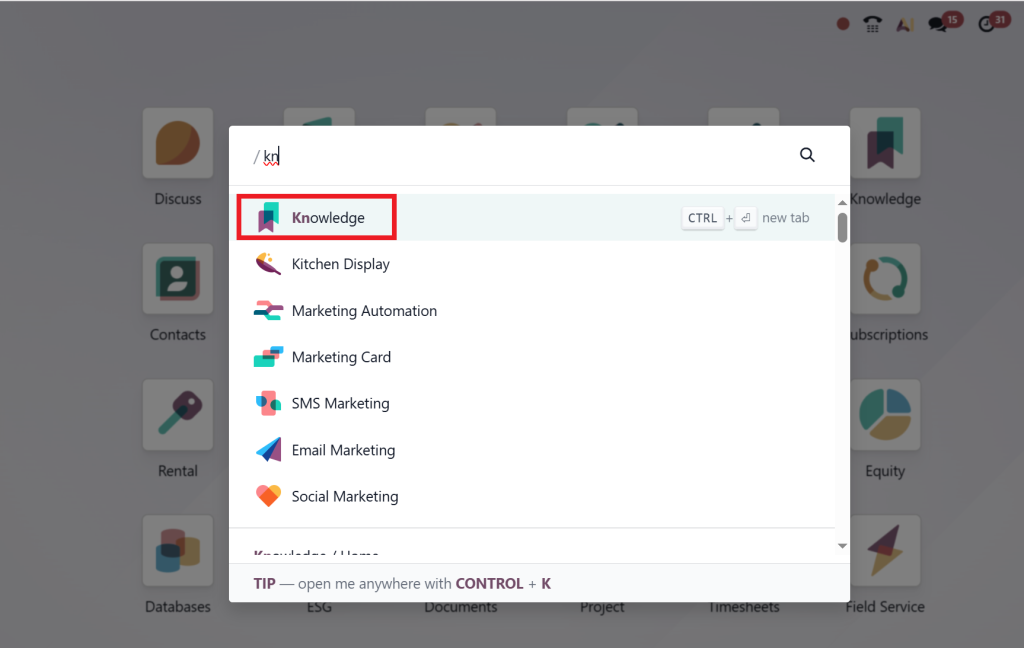
Odoo 19 Knowledge App Features That Teams Love
The Odoo 19 knowledge module isn’t just a “nice-to-have” tool; it’s packed with practical features that support real work. Here are the highlights, explained easily and humanly:
1. A Clean, Calm Writing Experience
The moment you open the module, you’ll notice how clean and distraction-free the interface feels. It’s designed for focus. Whether you’re typing a simple note or drafting a long guide, the writing experience feels natural and enjoyable, similar to modern writing apps like Notion.
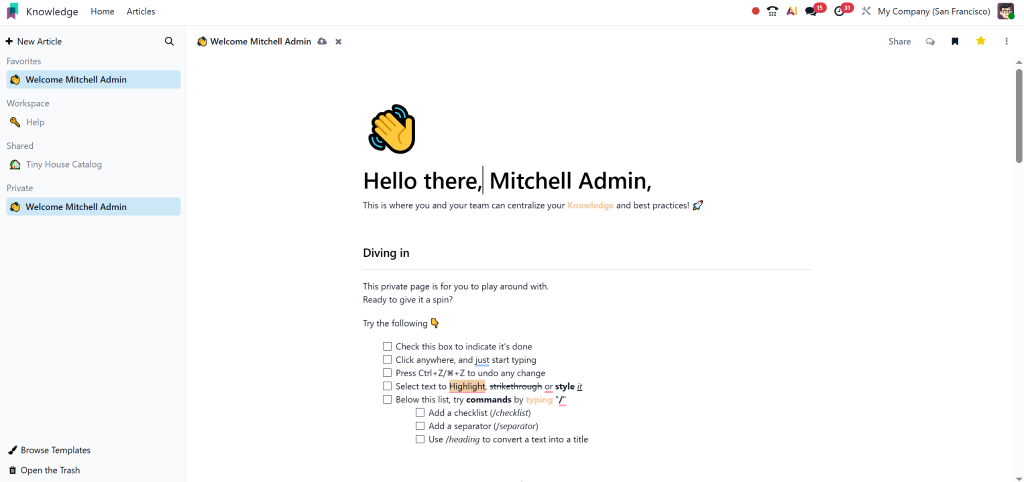
2. Rich Text, Media, Layout Options & More
Odoo 19 gives you complete freedom to format your content. You can add:
- Headings
- Images
- Videos
- Buttons
- Tables
- Checklists
- Attachments
This means your knowledge articles look polished and professional, even if you’re not a designer.
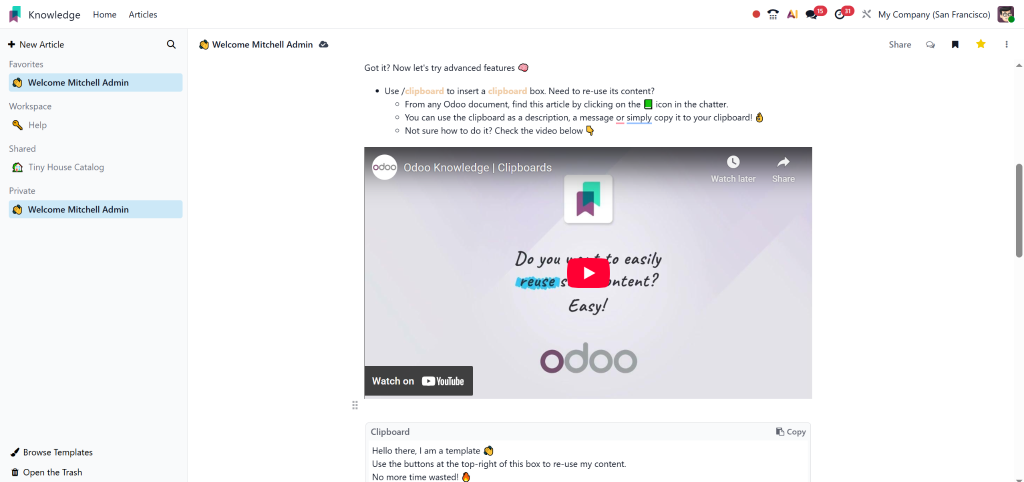
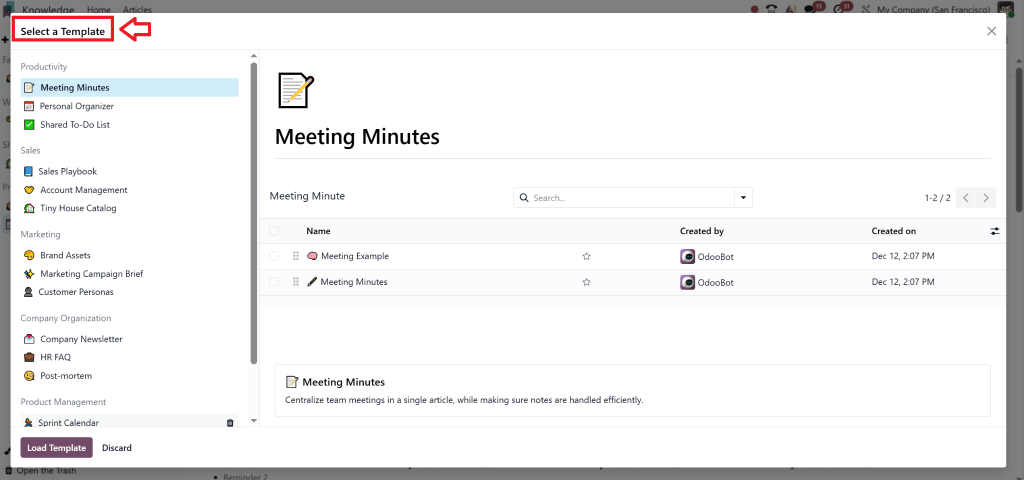
3. Time-Saving Odoo 19 Article Templates
Templates might be one of the most underrated features. Instead of starting every document from scratch, you can pick from a collection of ready-made Odoo 19 article templates, including:
- Employee onboarding guides
- SOPs
- HR policies
- Troubleshooting checklists
- Department handbooks
- Sales process guides
Templates allow your team to stay consistent, organized, and faster.
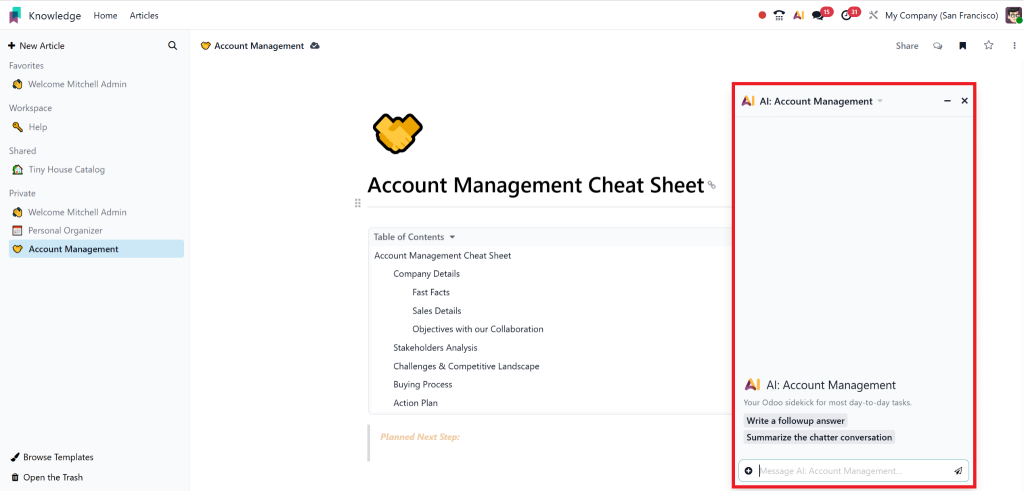
4. AI Summarization: Your New Writing Assistant
Odoo didn’t just build a documentation app; they added intelligence to it.
The Odoo knowledge AI summarization feature helps users:
- Summarize long articles
- Clean up messy writing.
- Rewrite content
- Reduce jargon
- Improve clarity
It’s like having a built-in editor that works instantly.
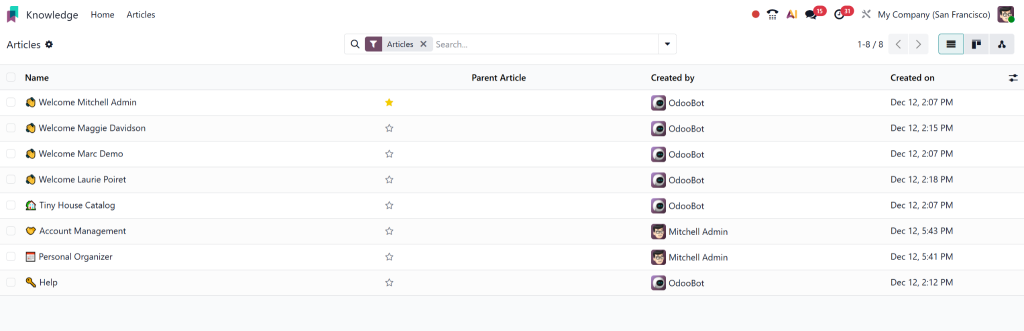
5. Build a Complete Internal Wiki
The Odoo 19 internal wiki is one of the biggest reasons businesses love this module. You can structure knowledge into:
- Workspaces
- Categories
- Subcategories
- Tags
- Articles
A new employee can find what they need in minutes, not weeks.
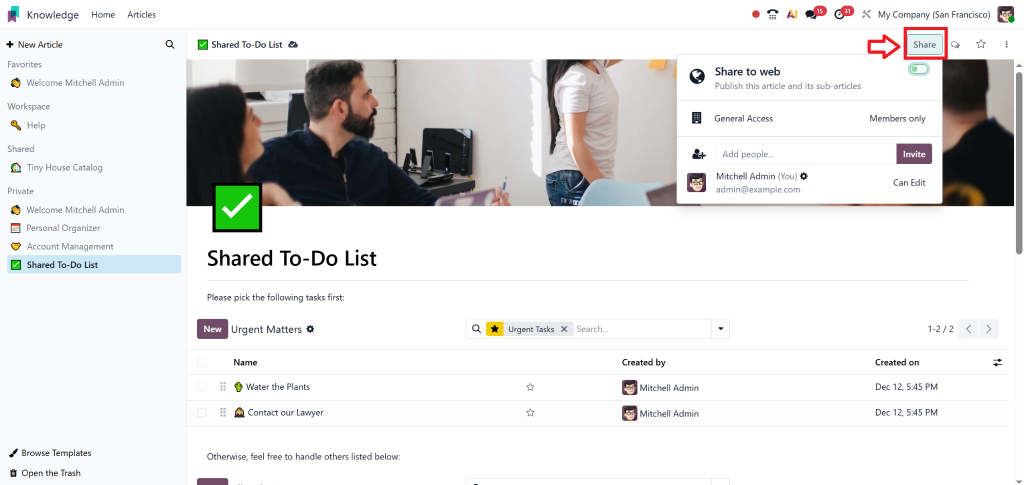
6. Share Knowledge Easily Across Your Workspace
The Odoo knowledge sharing workspace feature allows teams to share articles with:
- Specific users
- Entire departments
- The whole company
Permissions ensure sensitive information stays protected. Meanwhile, general documentation stays accessible for everyone.
7. Integration with Other Odoo Apps
This is a significant advantage.
The Knowledge module connects with apps like:
- Projects
- HR
- CRM
- Helpdesk
- Website
For example, Helpdesk teams can link articles to tickets. HR can attach onboarding guides directly to employee profiles. It all works together beautifully.
What Exactly Is the Knowledge Module in Odoo 19? (And Why Should You Care?)
Imagine having all your company’s knowledge, processes, how-tos, internal notes, FAQs, policies, and training guides available in one single place. No more lost documents. No more back-and-forth emails. No more wondering, “Where did we save that?”
That’s precisely what the Knowledge Module in Odoo 19 does.
It acts like your company’s personal internal wiki. But unlike the typical wikis that look and feel old-fashioned, Odoo 19 delivers a modern, friendly, easy-to-use workspace that feels more like a digital notebook your whole team can share.
Here’s what it allows you to do:
- Create professional articles
- Store important information
- Organize documentation into structured categories.
- Use stunning templates
- Collaborate as a team.
- Use AI for summarization.
- Build a well-organized internal wiki.
- Control who views and edits content
In short: It’s the simplest way to make your company more innovative, more organized, and more efficient.
Why the Knowledge Module in Odoo 19 Matters for Businesses
You might wonder, “Do we really need a knowledge module?”
The answer is yes, and for good reasons.
Here are the key benefits, explained in simple terms:
1. No More Lost or Scattered Information
Centralization is everything. Instead of files living across emails, PDFs, chat messages, or old hard drives, you finally have one reliable home for all business knowledge.
2. Faster Team Collaboration
Multiple users can work on articles, leave comments, update sections, and tag others. It keeps everyone aligned without endless meetings or long threads.
3. Perfect for Onboarding & Training
The Odoo 19 internal wiki gives new hires everything they need to get started — all in one place. This reduces training time dramatically.
4. Accurate and Up-to-Date Information
When articles get updated, everyone sees the same version instantly. No conflicting documents. No outdated SOPs. No confusion.
5. Saves Time with Templates + AI Tools
Instead of spending hours writing documents, teams can use Odoo 19 article templates and AI summarization to speed up content creation.
Real Use Cases Where Odoo's Knowledge Module Shines
Let’s take a look at how real-world teams benefit from the Knowledge Module in Odoo 19:
HR Department
- Employee policies
- Onboarding checklist
- Cultural guidelines
- Internal rules
Sales Team
- Sales pitch scripts
- Product training
- Objection handling guides
Operations Team
- SOPs
- Daily workflows
- Troubleshooting steps
IT & Technical Teams
- Infrastructure documentation
- Security process
- Technical walkthroughs
No more guessing. No more “Who knows how to do this?”
Everything is documented well in advance of when it’s needed.
Smarter Teams Start with Smart Knowledge
In a world where information moves fast, businesses need a knowledge system that keeps up. The Knowledge Module in Odoo 19 gives you exactly that, a modern, AI-powered, beautifully designed space to store, structure, and share your company’s knowledge.
It’s intuitive. It’s powerful. And with the right partner, it becomes one of the most valuable tools your team will use every single day.
If you’re ready to transform the way your business manages knowledge, Netilligence is here to help you every step of the way.




