

Integrating and migrating data between different Odoo instances is a common requirement during upgrades, testing, or multi-database setups. One of the most reliable methods to achieve this is Odoo 17 to Odoo 18 using XML-RPC, a remote procedure call protocol that allows external applications to communicate with Odoo using XML over HTTP.
Odoo exposes its models and operations through a powerful XML-RPC API, allowing you to authenticate, read records, create new ones, and perform complete data migrations programmatically. In this blog, we will walk through a real-world example of migrating CRM Lead records from Odoo 17 to Odoo 18 using XML-RPC and Python. The guide is written to be practical, easy to follow, and suitable for developers and functional consultants alike.
Why XML-RPC Is Ideal for Odoo Data Migration
XML-RPC (Extensible Markup Language, Remote Procedure Call) is a protocol that allows one system to call methods on another system remotely using HTTP. Odoo exposes its models and business logic via XML-RPC, enabling external access to its databases.
Using XML-RPC for Odoo integration offers several advantages:
✔ Works across different Odoo versions
✔ Supports full CRUD operations (Create, Read, Update, Delete)
✔ Enables communication between completely separate servers
✔ Allows selective migration of specific models
✔ Ideal for automation, upgrades, and integration testing
Unlike manual exports or one-time imports, XML-RPC provides repeatability and control, which is especially important in production environments.
Prerequisites Before You Begin Transfer Data From Odoo 17 to Odoo 18 Using XML-RPC
Before Transfer Data From Odoo 17 to Odoo 18 using XML-RPC Make sure the following requirements are met:
- Python 3 is installed on your system
- CRM module is installed on both Odoo 17 and Odoo 18
- You have admin or API access to both databases
- Both Odoo servers are accessible via HTTP
- Basic understanding of Odoo models and Python scripting
Note: This guide focuses on simple fields. Relational fields such as many2one, one2many, and many2many may require ID mapping, which should be handled separately.
Migration Overview
We will perform the migration in five logical steps:
- Import the required Python library
- Connect to the Odoo 17 (source) server
- Connect to the Odoo 18 (target) server
- Fetch CRM Lead data from Odoo 17
- Insert the fetched data into Odoo 18
Step-by-Step Guide to Transfer Data From Odoo 17 to Odoo 18 Using XML-RPC
Step 1: Import Required Python Library
Python includes xmlrpc.client by default, so no additional installation is required.
import xmlrpc.client as xmlrpclib
This module enables Python to communicate with Odoo’s XML-RPC endpoints.
Step 2: Configure Odoo 17 Server Connection (Source Database)
Here we define the connection details for the Odoo 17 instance:
					# version 17
url_common="http://localhost:8017//xmlrpc/2/common"
url_object="http://localhost:8017//xmlrpc/2/object"
sock_common = xmlrpclib.ServerProxy(url_common)
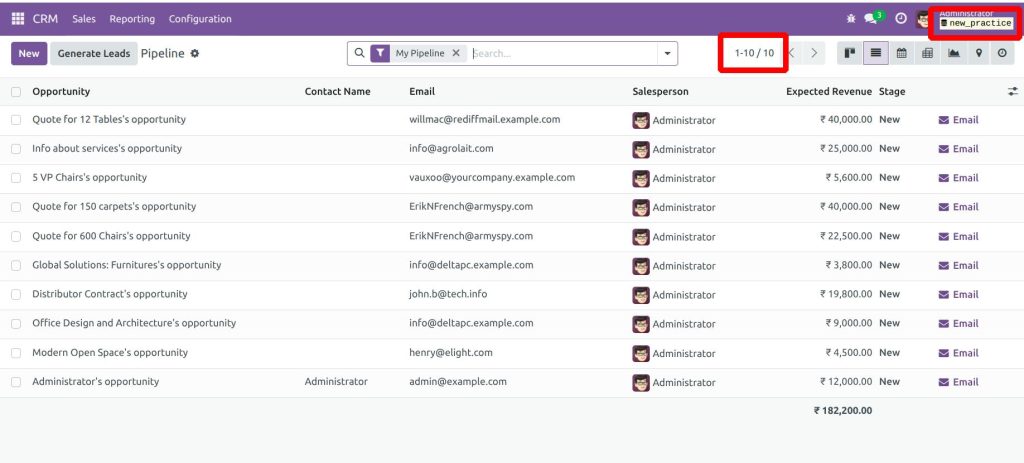
dbname="new_practice"
username="admin"
pwd="admin"
uid = sock_common.authenticate(dbname, username, pwd, {})
sock = xmlrpclib.ServerProxy(url_object)
What’s Happening Here?
- common endpoint: used for authentication
- object endpoint: used for CRUD operations
- authenticate() returns uid, proving successful login
Step 3: Configure Odoo 18 Server Connection (Target Database)
Same process, but for the destination Odoo 18 instance:
					# version 18
url_common18="http://localhost:8018/xmlrpc/2/common"
url_object18="http://localhost:8018/xmlrpc/2/object"

sock_common18 = xmlrpclib.ServerProxy(url_common18)
dbname18="trial"
username18="admin"
pwd18="admin"
uid18 = sock_common18.authenticate(dbname18, username18, pwd18, {})
sock18 = xmlrpclib.ServerProxy(url_object18)
At this point, both Odoo instances are authenticated and ready for data transfer.
Step 4: Fetch CRM Lead Data From Odoo 17
We use search_read() to fetch all CRM lead records with selected fields:
					crm_leads = sock.execute_kw(
dbname, uid, pwd,
'crm.lead', 'search_read',
[[]],
{'fields': ['name','contact_name','email_from','phone','mobile','type','priority','description','expected_revenue']}
)

print("Total CRM Leads:", len(crm_leads))
Why search_read() Is the Best Choice
- Combines search + read in a single call
- Returns clean dictionaries ready for insert
- Prevents double looping / duplication issues
Step 5: Insert Data Into Odoo 18
Loop through the fetched records and create them in Odoo 18:
					for rec in crm_leads:

   # rec is already a dict, so send directly

   new_id = sock18.execute_kw(

       dbname18, uid18, pwd18,

       'crm.lead', 'create',

       [rec]

   )

   print("Created lead:", new_id)
The Odoo 18 CRM lead page is empty before transferring the data.
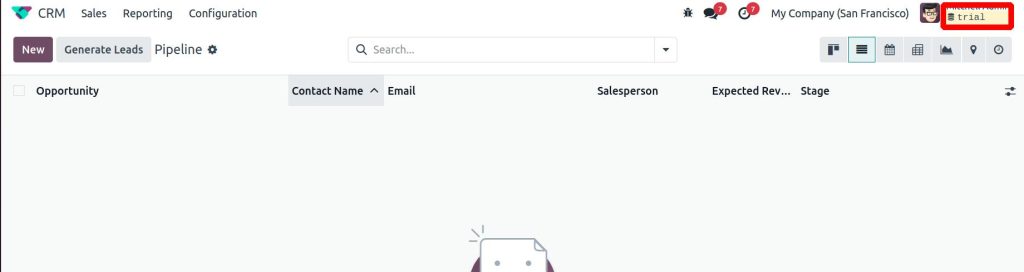
Before running the script, the CRM Leads page in Odoo 18 is empty.
After execution, all leads from Odoo 17 will appear in Odoo 18.
How to Run the Script
- Save your Python script (the XML-RPC migration code) as:
crm_lead.py
Now, you can run the migration using:
python3 -m crm_lead.py

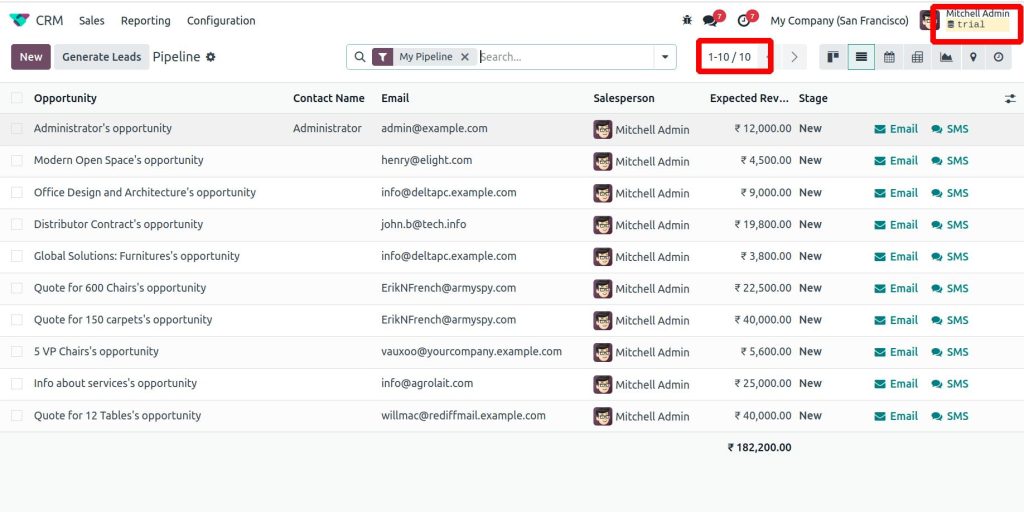
After running the python script go to the Odoo 18 CRM lead page then we can see all leads from the Odoo 17 will be transferred to Odoo 18.
Important Considerations and Best Practices
- Relational Fields: Many2one fields may require ID mapping
- Large Data Volumes: Use batch processing for better performance
- Error Handling: Wrap create calls in try/except blocks
- Duplicate Records: Apply filters or uniqueness checks if required
- Access Rights: Ensure the user has permission to create records
For production migrations, always test the script in a staging environment first.
Transfer Data From Odoo 17 to Odoo 18 Using XML-RPC
Migrating data between Odoo versions does not have to be complex. With XML-RPC, you gain a powerful, flexible, and repeatable method to transfer data across Odoo instances with precision.
This approach is particularly useful for:
- Upgrading from older Odoo versions
- Migrating selected models only
- Synchronizing data across multiple servers
- Automation and integration testing
By utilizingOdoo’s XML-RPC API and Python scripting, businesses can ensure smooth transitions while maintaining full control over their data.




