

If you run a business that sells products, you probably face stock issues more often than you’d like to admit. Sometimes the system shows stock as available, but it is physically not there. Sometimes goods arrive, but the quantity does not match. Sometimes, damaged items remain in stock records, causing confusion later. All these problems usually point to one thing: stock movements are not being handled properly.
This is exactly where understanding the different stock movements in Odoo 19 becomes important. Many businesses use Odoo, but only scratch the surface of how inventory really works. The truth is, once you understand the different stock movements in Odoo 19, things start making more sense. You begin to see why numbers change, how locations work, and where mistakes are happening.
In this blog, I will explain the different stock movements in Odoo 19 in a very simple way. No technical language. No confusing terms. Just real examples, real problems, and clear explanations. I will walk you through Odoo 19 stock movements, explain the types of inventory transfers in Odoo 19, clarify Odoo 19 receipts, deliveries, and scrap, and also explain how businesses in the UAE can properly manage scrap orders in Odoo 19.
Think of this blog as a conversation where I am sitting with you and helping you fix your inventory confusion step by step.
Odoo 19 Stock Movements Explained: What Is Actually Happening in the Background
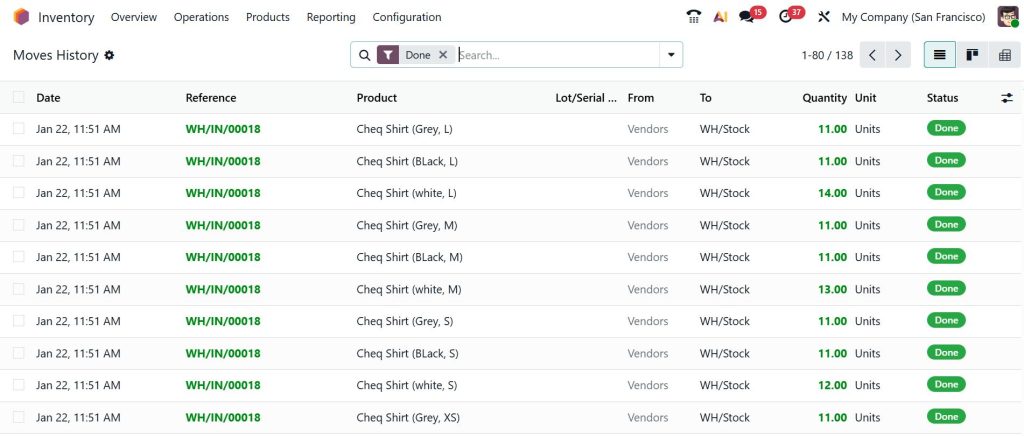
Whenever something moves in Odoo Inventory, the system records it. That movement can be small or large, simple or complex, but Odoo quietly tracks it in the background. This is what we call a stock movement.
When you receive goods from a supplier, Odoo records it. When you send products to a customer, Odoo records it. When you move items from one shelf to another, Odoo records it. Even when you throw away damaged items, Odoo records that as well. All of these actions together are known as the different stock movements in Odoo 19.
Many users only see the end result, such as an updated stock quantity. But behind that number, there is a full story of movements, locations, and operations. Once you understand this story, inventory mistakes become easier to spot and fix.
Odoo 19 Operation Types Inventory: The Rules That Control Stock Movements
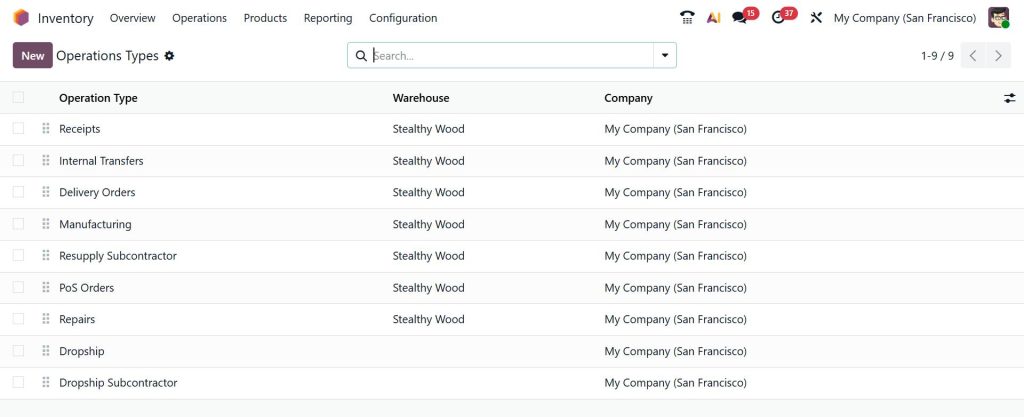
Before any stock moves, Odoo needs to know how it should move. This is where Odoo 19’s inventory operation types come into play.
Operation types tell Odoo what kind of movement is happening. Is it a receipt? Is it a delivery? Is it an internal transfer or scrap? Each operation type has its own source location, destination location, and workflow.
If these operation types are not set correctly, stock movements become confusing. You might receive items, but they end up at the wrong location. You might deliver items, but the stock does not reduce correctly. Understanding Odoo 19’s inventory operation types helps you control how stock flows within your business, rather than reacting to errors later.
Types of Inventory Transfers Odoo 19 Businesses Use Daily
Now let’s talk about the types of inventory transfers Odoo 19 supports. These are the movements you deal with almost every day, even if you do not realise it.
Odoo 19 Receipts Deliveries Scrap: The Most Common Stock Movements
The most common movements in any business are receiving goods, delivering goods, and handling damaged stock. In Odoo, these are clearly separated, so you always know what is happening.
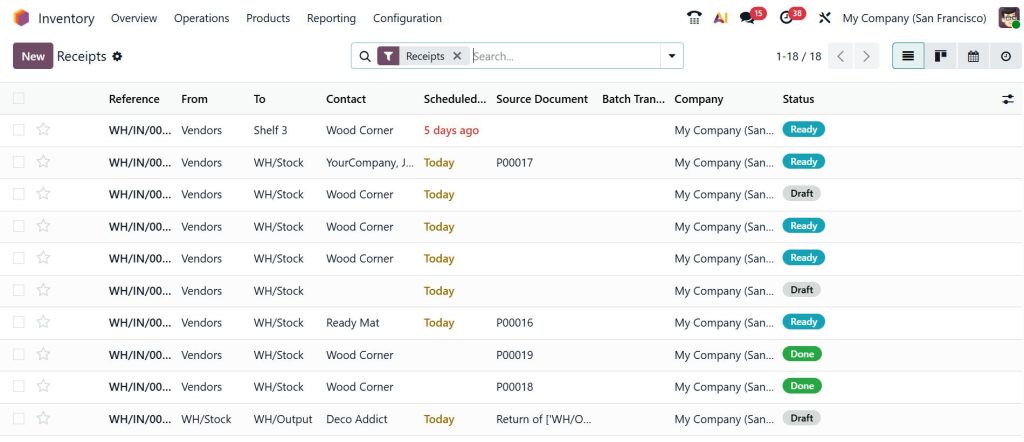
When goods arrive from a supplier, Odoo treats this as a receipt. Stock moves from the vendor location to your warehouse. This movement increases your available stock. If something goes wrong here, your entire inventory starts showing incorrect numbers.
When you send goods to a customer, Odoo records the delivery. Stock moves from your warehouse to the customer location. This reduces your available stock. Late deliveries, partial deliveries, and backorders are all handled through this process.
Then there is scrap. Scrap is often ignored, but it can cause serious problems if not managed properly. In Odoo 19, receipts, deliveries, and scrap movements ensure that damaged or expired items are removed from available stock to prevent issues later.
Internal Stock Moves Odoo Tutorial: Moving Products Inside Your Warehouse
Not every movement involves a supplier or a customer. Often, products move within your own warehouse. This is where the internal stock moves Odoo tutorial becomes important.
Maybe you are moving items from the receiving area to storage. Maybe you are shifting fast-moving products closer to the packing area. Maybe you are transferring stock from one warehouse to another. All of these are internal stock moves.
These movements do not change the total stock quantity, but they change where the stock is stored. If internal moves are not recorded properly, your system shows stock in one location, while it is physically somewhere else. Over time, this creates confusion for warehouse teams and delays for sales teams.
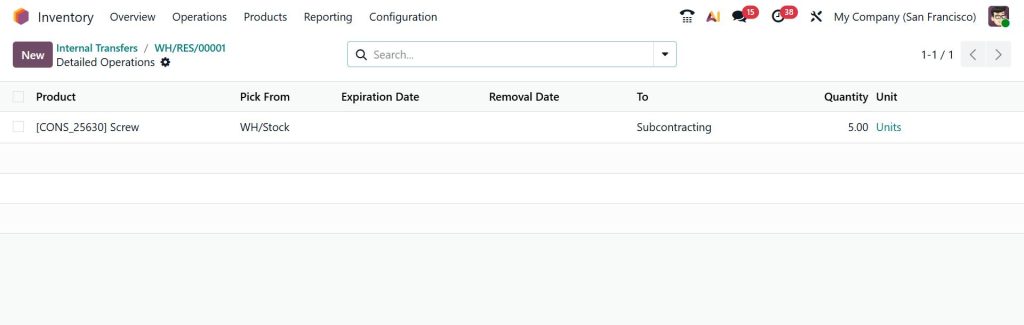
Inventory Transfers in Odoo 19 for Multi-Warehouse Businesses
For businesses working with multiple warehouses, types of inventory transfers in Odoo 19 become even more important. Stock may move between cities, branches, or storage facilities.
Odoo handles this by treating each warehouse as a location. When stock moves from one warehouse to another, it is still an internal transfer, but with tracking and documentation. This gives full visibility of where goods are and how long they take to move.
Stock Valuation Movements Odoo 19: Why Accounting Cares About Stock Moves
Now let’s talk about something that many users overlook: stock valuation movements in Odoo 19. Every time stock moves, money moves too. When you receive products, your inventory value increases. When you deliver products, the inventory value decreases, and the cost of goods sold is recorded. When you scrap products, value is written off.
If stock movements are incorrect, valuation is incorrect. This directly affects profit, reports, and audits. Stock valuation movements in Odoo 19 make sure inventory numbers and accounting numbers stay aligned.
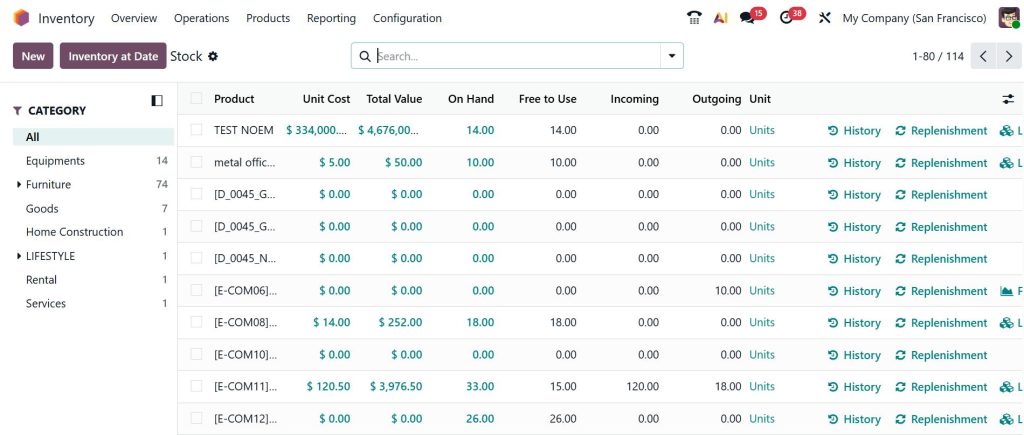
For businesses in the UAE, this is especially important because financial accuracy and compliance are critical.
Manage Scrap Orders Odoo 19 UAE Businesses Should Not Ignore
Scrap is one area where many businesses struggle. Items get damaged, expired, or unusable, but they stay in stock records because no one wants to deal with scrap entries.
When you manage scrap orders in Odoo 19 UAE, you create clear records of what was scrapped, why it was scrapped, and when it happened. This helps management understand loss reasons and helps finance teams keep clean records.
Scrap movements remove stock from usable inventory and move it to the scrap location. This ensures your available stock is always realistic.
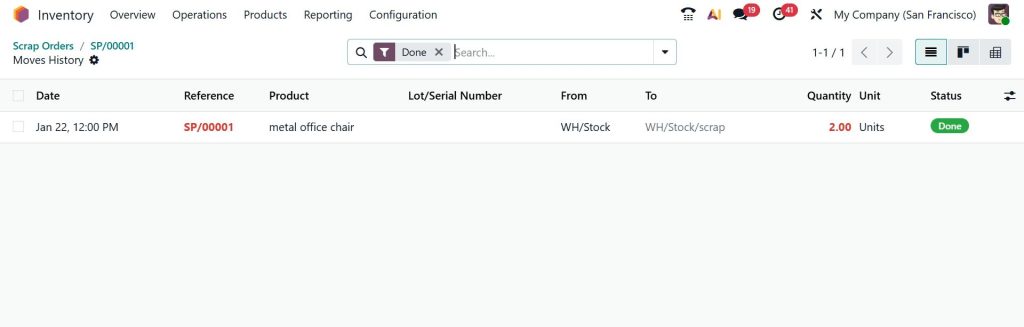
Odoo 19 Stock Movements Explained Through a Real Business Flow
Let me give you a simple flow that many businesses in the UAE experience daily. Goods arrive from the supplier, so Odoo records a receipt. Items are moved to the storage area using internal stock moves. A customer places an order, so Odoo records a delivery. During packing, some items are found damaged, so scrap orders are created. Each step is tracked using the different stock or inventory movements in Odoo 19.
When all these movements are done correctly, inventory reports start making sense. Warehouse teams trust the system. Sales teams stop complaining about missing stock. Finance teams get clean valuation data.
Why Understanding Different Stock Movements in Odoo 19 Solves Real Problems
Most inventory problems are not system problems. They are understanding problems. Once you understand the different stock movements in Odoo 19, you stop guessing and start controlling.
You know why the stock increased. You know why it decreased. You know where it moved. You know what was scrapped. And most importantly, you know how to fix issues when something looks wrong.
Inventory Control Starts with Stock Movement Clarity
If your business uses Odoo 19 Inventory, learning about the various stock movements is not optional. It is necessary. This knowledge helps you avoid daily confusion, reduce errors, and maintain trust in your inventory system.
If you feel that your stock numbers never fully match what is actually in your warehouse, or that your team often gets confused while receiving, moving, or scrapping products, it might be time to look more deeply into how your Odoo Inventory is set up.
At Netilligence, we help businesses understand and manage stock movements in Odoo 19 in a clear, practical way. From setting up operations to resolving internal stock moves, scrap handling, and valuation issues, our team works with you to ensure your inventory reflects reality.
If you want guidance on improving your Odoo 19 Inventory process or need help fixing ongoing stock movement issues, reach out to Netilligence and start a conversation today. A small correction now can save you from bigger inventory problems later.




