How Do Storage Categories Work in Odoo 19 Inventory?
Why Understanding Storage Categories Work in Odoo 19 Inventory Is Critical
If your warehouse feels disorganized, slow, or difficult to manage, you are not alone.
Many growing businesses reach a point where Excel sheets, manual decisions, and random storage simply stop working. Products start piling up, workers spend more time searching than picking, and errors begin to affect customer satisfaction.
This is exactly where understanding Storage Categories Work in Odoo 19 Inventory becomes essential.
Instead of treating your warehouse as one big storage area, Odoo 19 introduces a structured, intelligent approach through storage categories. These categories allow you to define exactly how your storage locations should behave, how much they can hold, what type of products they accept, and how they interact with automated workflows.
In this blog, we will go beyond basic definitions and deeply explore:
How storage categories work in Odoo 19 in real operational environments
How Odoo 19 storage location categories bring structure to warehouses
How Odoo 19 inventory storage categories improve efficiency and accuracy
How Odoo 19’s putaway rules and storage categories enable automation
How features like Odoo 19 max weight storage category, Odoo 19 capacity by product locations, and Odoo 19 package type storage categories ensure safety and optimization
By the end, you’ll not only understand the concept, but you’ll also know exactly how to use it to build a smarter, faster, and more scalable warehouse.
A Practical Definition of What Storage Categories Are in Odoo 19?
Storage categories in Odoo 19 are a rule-based system that defines how inventory is stored in different locations within a warehouse.
Instead of simply assigning products to locations, you define:
Capacity limits
Weight restrictions
Allowed product types
Package compatibility
These rules collectively form your Odoo 19 warehouse storage classification system.
Why Traditional Storage Methods Fail
Before systems like Odoo, warehouses relied on:
Human judgment
Static layouts
Manual tracking
This leads to:
Inefficient space usage
Increased picking time
High error rates
With Odoo 19 inventory storage categories, decisions are no longer based on guesswork; they are system-driven.
How Storage Categories Work in Odoo 19 Inventory (Detailed Workflow)
Understanding how storage categories work in Odoo 19 requires examining the full workflow from product arrival through storage.
Step 1: Creating Storage Categories
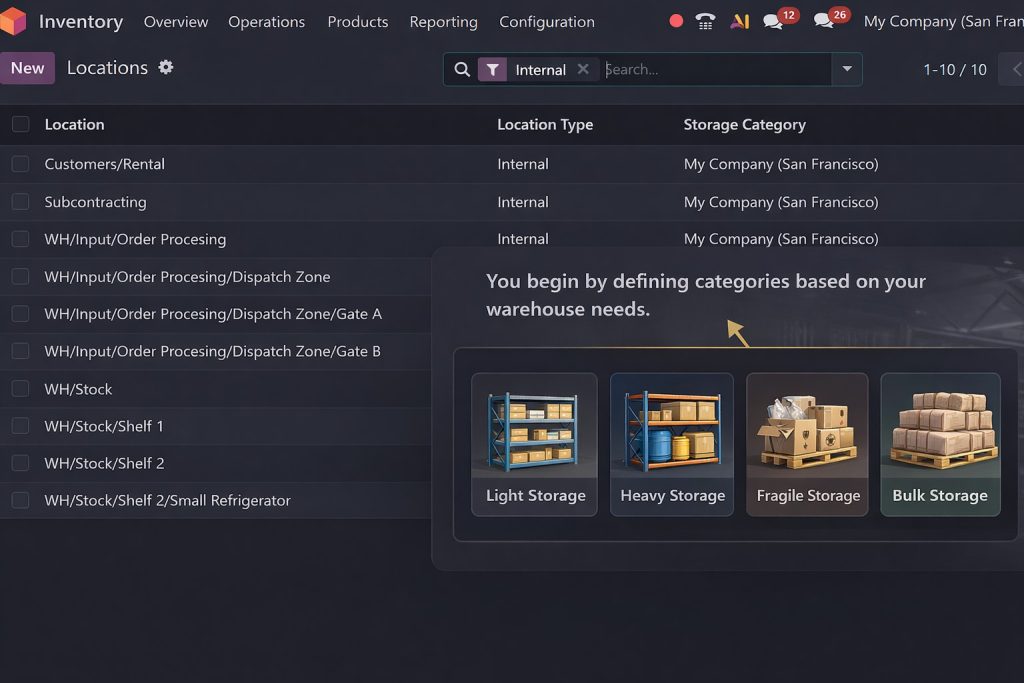
You begin by defining categories based on your warehouse needs.
Example categories:
Light Storage
Heavy Storage
Fragile Storage
Bulk Storage
Each category includes:
Maximum weight limits
Maximum capacity
Package type rules
This is where the Odoo 19 max-weight storage category and the Odoo 19 package-type storage categories are configured.
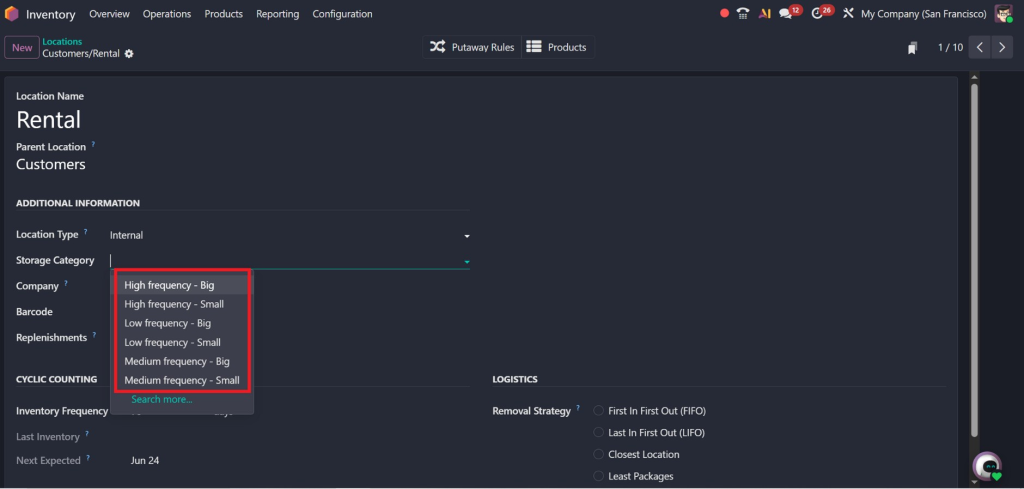
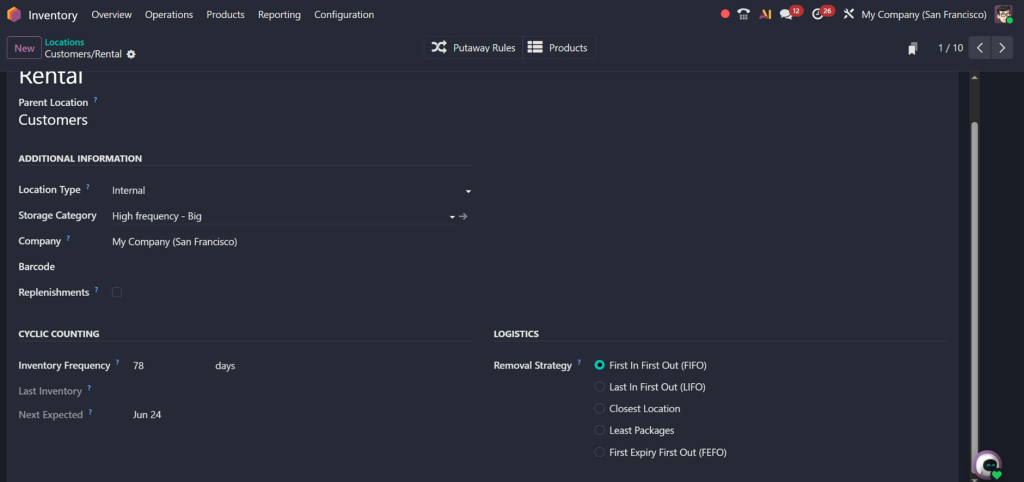
Step 2: Assigning Categories to Locations
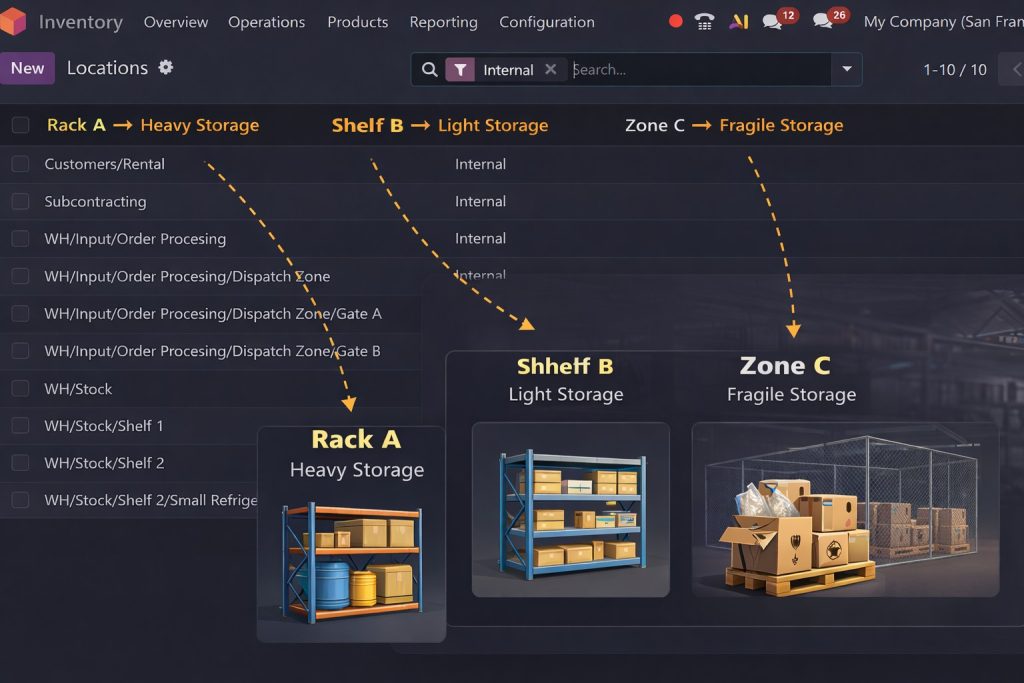
Next, you assign these categories to physical locations.
Example:
Rack A → Heavy Storage
Shelf B → Light Storage
Zone C → Fragile Storage
This creates structured Odoo 19 storage location categories.
Step 3: Defining Capacity Rules
Using Odoo 19 capacity by product locations, you can define:
Maximum units per location
Space allocation per product
Quantity limits per category
This ensures:
Balanced storage
No overcrowding
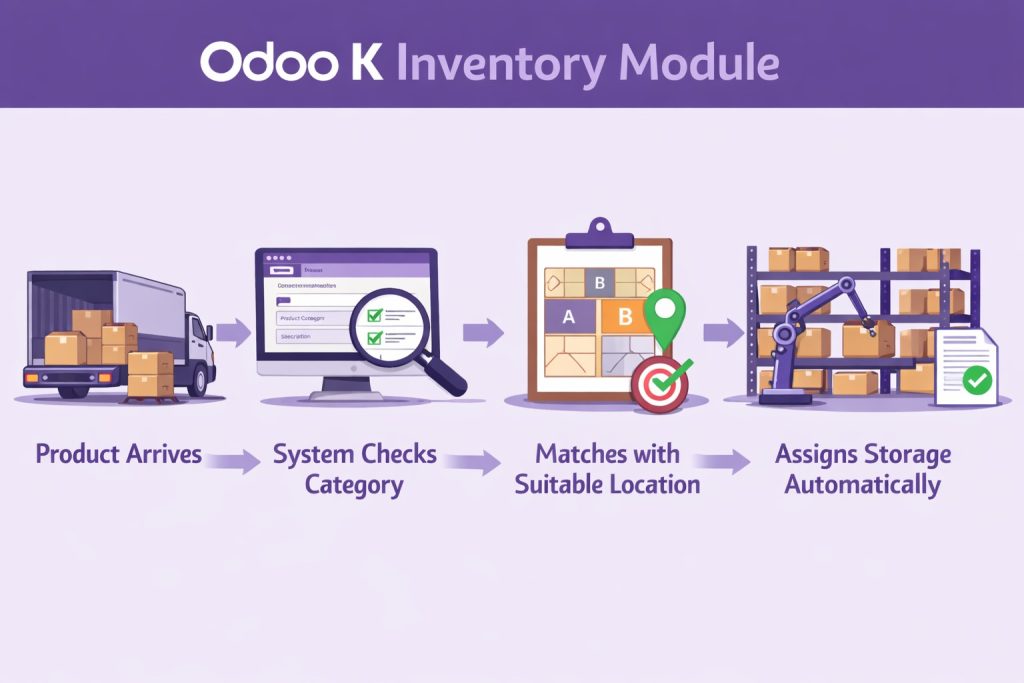
Step 4: Applying Putaway Rules
With Odoo 19’s putaway rules storage categories, you automate storage decisions.
Workflow:
Product arrives
System checks its category
Matches with a suitable location
Assigns storage automatically
Step 5: Real-Time Validation
Odoo continuously validates:
Weight limits
Capacity constraints
Category compatibility
If a rule is violated: 👉 The system blocks the action
Key Components of Odoo 19 Storage Categories
To fully understand Storage Categories Work in Odoo 19 Inventory, you need to know its core components.
1. Maximum Weight Management
The Odoo 19 max weight storage category ensures that no location exceeds its safe load.
Why it matters:
Prevents structural damage
Ensures worker safety
Maintains compliance
2. Capacity by Product Locations
With Odoo 19, capacity by product locations, you define:
How many units can fit in a location
This improves:
Space utilization
Inventory visibility
3. Package Type Restrictions
Using Odoo 19 package type storage categories, you can control:
Which packaging types are allowed
Example:
Pallets → Floor storage
Boxes → Shelves
4. Storage Location Hierarchy
Odoo supports multi-level locations:
Warehouse
Zone
Rack
Shelf
Each level can have its own category.
5. Integration with Putaway Rules
This is where automation happens.
Odoo 19 putaway rules storage categories ensure:
Right product → Right place → Right time
Advanced Use Cases of Storage Categories
Now let’s move beyond basics and explore real-world applications.
Hi, I'm Nabia, an Odoo ERP functional & technical content writer. I specialize in blogs, social media content, ad copy, landing pages, service pages, and email campaigns.
We use cookies to ensure that we give you the best experience on our website. If you continue to use this site we will assume that you are happy with it.