How to Auto-Send Product Details by Email in Odoo 19?
When a customer asks for product details, most teams still follow the same routine. They open the product, copy the information, attach a file, and send an email. This happens again and again, every single day. It takes time, and sometimes the information sent is incomplete or not consistent. This is why many businesses are now moving towards auto-send product details by email in Odoo 19.
With the Odoo 19 product details email, you don’t have to repeat the same steps for every inquiry. You can easily send product specifications by email in Odoo 19 in a structured and professional way. Every customer receives the same clear and accurate information without delay. This not only improves communication but also builds trust with your customers.
If you want your system to automatically email product information in Odoo 19, this guide will help you understand everything. I will walk you through the process as if we are setting it up together, so you can apply it without confusion.
Why Businesses Use Automate Product Email in Odoo 19 And Odoo 19 Deliver Content by Email
In daily operations, delays usually happen when teams are busy handling multiple tasks. A customer requests details, but the response comes late. Sometimes the email is missed, or the attachment is forgotten. These small gaps can affect your sales.
When you automate product email in Odoo 19, the system takes care of this task for you. The moment a trigger happens, the email is sent automatically. Using Odoo 19 delivers content by email, you can make sure that product details reach the customer at the right time without depending on manual effort.
This approach also keeps your communication consistent. Every email follows the same format, includes the right details, and looks professional.
How Odoo 19 Email Product Information Automatically Works in Real Scenarios
Suppose a customer places an inquiry or confirms an order. Instead of waiting for someone to send product details, the system instantly sends an email.
This is how the Odoo 19 email product information automatically works. You define what should happen, and Odoo follows those instructions. It can send product descriptions, pricing, and even documents without any manual action.
This is especially useful when you need to send product specifications by email regularly in Odoo 19. The system ensures nothing is missed, and everything is delivered properly.
Creating an Effective Odoo 19 Product Email Template for Better Communication
The first step is to create a strong Odoo 19 product email template. This template will be used every time the system sends product details.
While creating the template, keep your content simple and clear. Add product name, description, price, and any important specifications. Make sure the email is easy to read and not too long.
A well-designed Odoo 19 product email template helps you maintain a professional tone in every communication. It also ensures that customers understand your product without confusion.
How to Send Product Brochure by Email Odoo 19 Without Manual Work
Many businesses need to send brochures or detailed documents along with product information. Doing this manually can slow down your process.
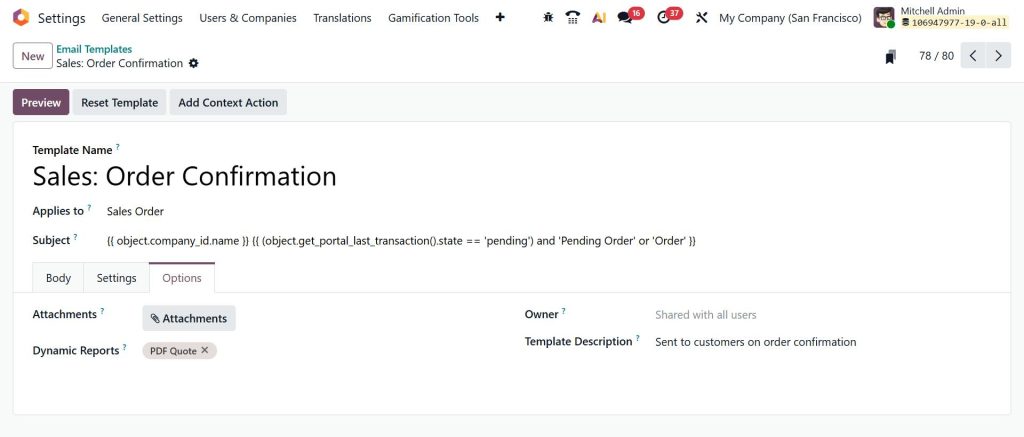
With Odoo, you can send product brochures by email Odoo 19 automatically. You just need to upload the brochure and attach it to your email template. Once this is done, every email will include the brochure without any extra effort. This makes your emails more informative and helps customers make quicker decisions.
Setting Up Odoo 19 Customer Product Details Email for Better Experience
Customers expect quick and clear responses. When you set up an Odoo 19 customer product details email, you make sure they receive all the necessary information instantly.
You can configure the system to send emails when a customer inquires, requests a quotation, or confirms an order. This keeps the communication smooth and professional.
Using Odoo 19 customer product details email, you reduce waiting time and improve the overall customer experience.
Using Odoo 19 Automatic Email on Sale Order to Improve Sales Process
One of the most useful features is automatic email on sale orders in Odoo 19. When a sale order is confirmed, the system automatically sends product details to the customer.
This ensures that the customer knows exactly what they have ordered. It also reduces the chances of confusion or follow-up queries. By using Odoo 19’s automatic email on sale orders, you create a more organized and reliable sales process.
Step-By-Step Approach to Auto-Send Product Details by Email in Odoo 19
To auto-send product details by email in Odoo 19, you need to follow a few simple steps. Let’s break down the process.
Step 1: Enable Developer Mode
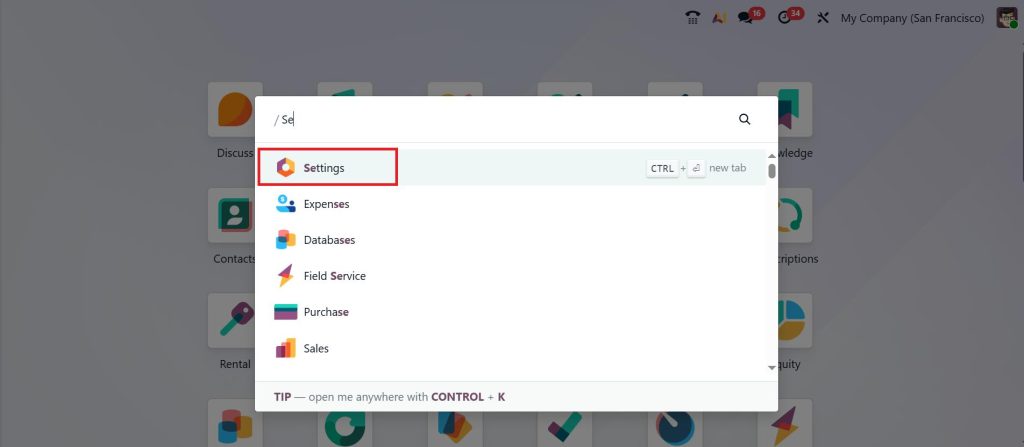
To access advanced settings, open the Settings App.
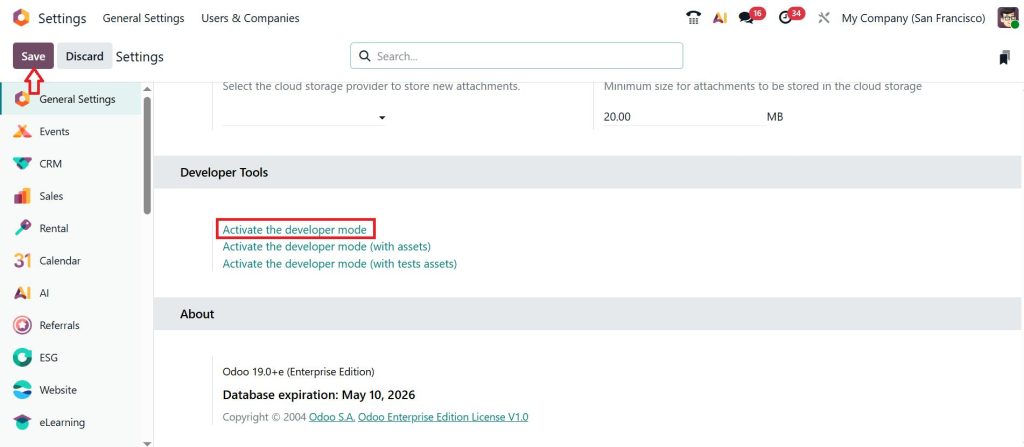
Scroll down and activate Developer Mode and click Save.
This will reveal automation features required to auto-send product details by email in Odoo 19.
Step 2: Create an Email Template
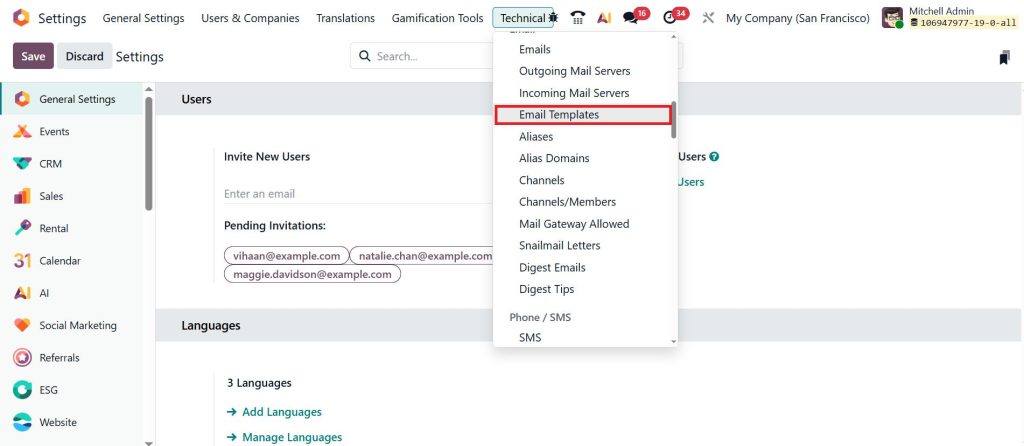
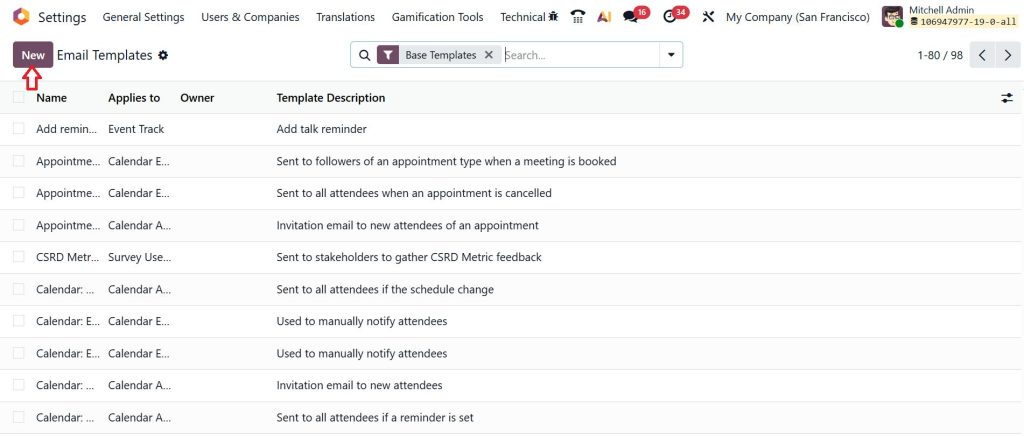
Go to: Settings → Technical → Email Templates.
Click on New.
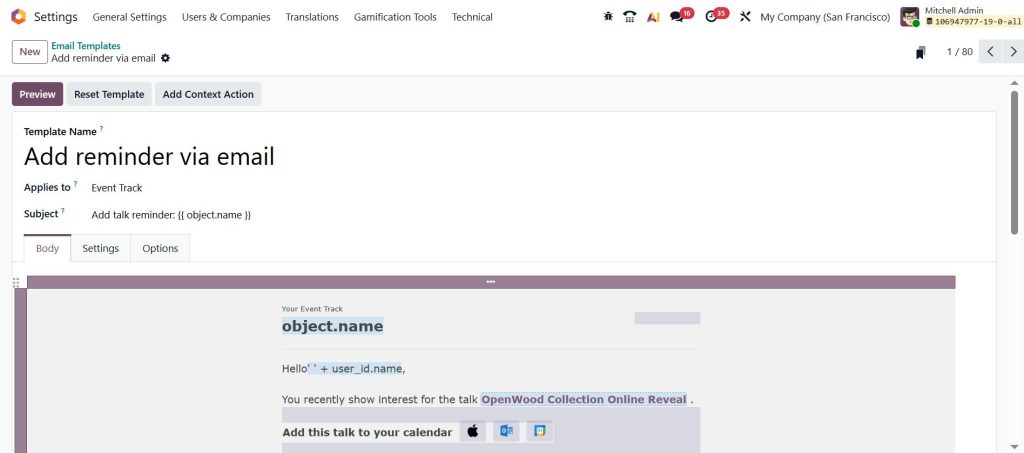
And configure:
Name: Product Details Email
Model: Product or Sale Order
Subject: Product Information for {{object.name}}
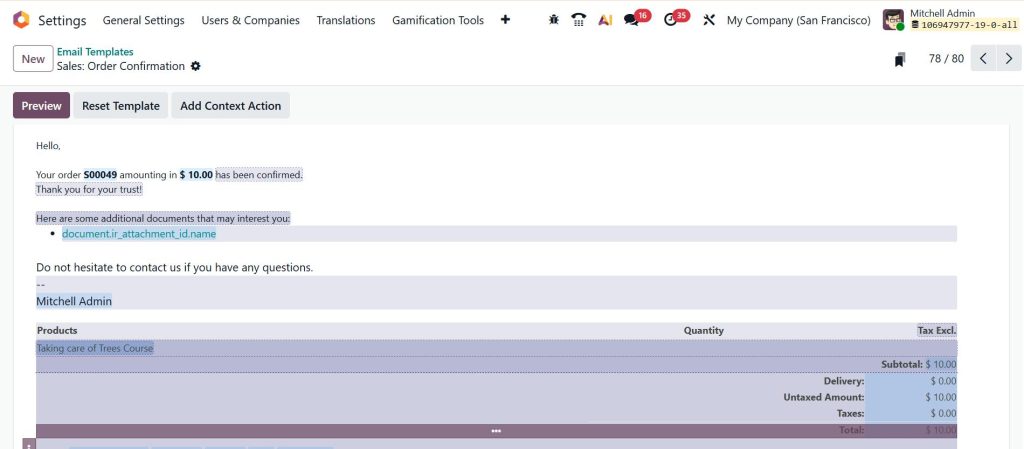
Write a clean message including:
Product name
Description
Specifications
This is your base Odoo 19 product email template.
Step 3: Add Product Information Dynamically
Use dynamic placeholders to automatically populate email product information in Odoo 19:
Example:
Product Name: {{object.name}}
Price: {{object.list_price}}
Description: {{object.description}}
This ensures every email is personalized without manual editing.
Step 4: Attach Product Brochures
To send a product brochure by email in Odoo 19:
Upload PDF files in product documents
Link them to the email template
Now, every time an email is sent, the brochure is automatically included.
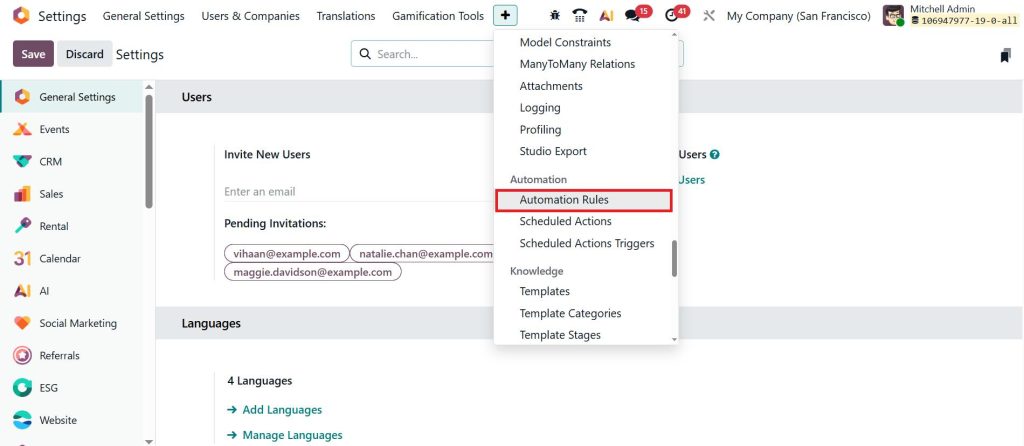
Step 5: Set Up Automated Actions
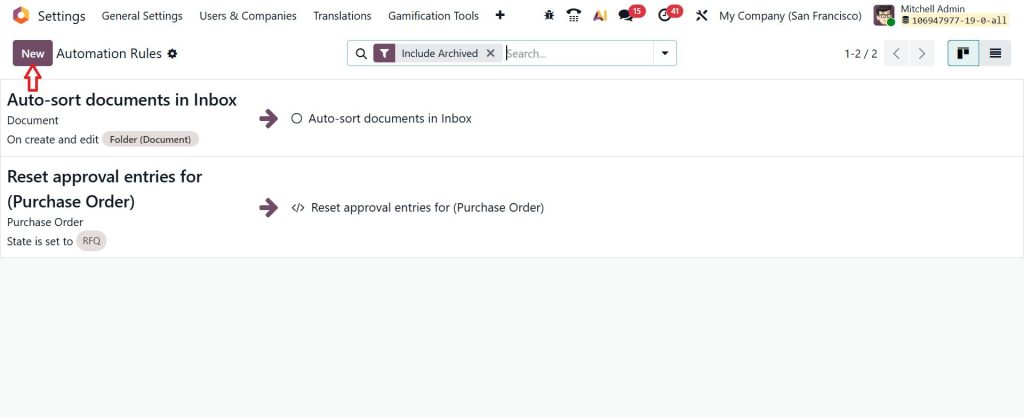
Go to: Settings → Technical → Automation Rules.
Click on New.
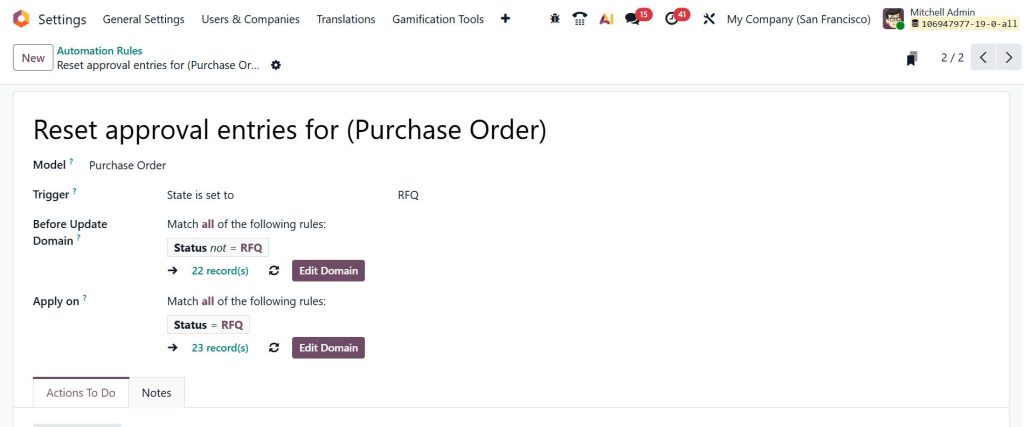
And configure:
Model: Purchase or Sale Order
Trigger: On Confirmation or Update
Action: Send Email
Select your template to automate product email in Odoo 19.
This ensures customers receive Odoo 19 customer product details email immediately after purchase.
Common Issues While Using Product Specifications by Email Odoo 19
Sometimes users face small issues while setting up automation. Emails may not trigger, or attachments may not be included.
To fix this, always check your triggers and conditions. Make sure your template is correctly linked to the automated action. Also, verify that your product data is complete.
When you properly set up to send product specifications by email in Odoo 19, these issues can be avoided easily.
Benefits of Odoo 19 Deliver Content by Email in Daily Operations
Using Odoo 19 to deliver content by email makes your daily work more organized. You don’t have to worry about missing emails or forgetting attachments.
It also helps your team focus on more important tasks instead of repeating the same work. Customers receive faster responses, which improves their experience. With automated product email in Odoo 19, your communication becomes consistent and reliable.
Make Your Workflow Smarter with Odoo 19
Setting up auto-send product details by email in Odoo 19 is not just about saving time; it’s about improving how your business communicates. From creating templates to automating workflows, every step helps you build a more efficient system.
Whether you want to send product specifications by email Odoo 19, attach brochures, or trigger emails on sales orders, Odoo gives you all the tools you need. By using Odoo 19 to automatically send email product information, you ensure that your customers always get the right information at the right time.
If you haven’t started yet, now is the perfect time to automate product email in Odoo 19 and take your business communication to the next level.
Ready To Implement Odoo 19 Customer Product Details Email in Your Business
If you are planning to implement Odoo 19 customer product details email or want help with automation, Netilligence can guide you through the process. From setting up templates to configuring automated workflows, the right setup can save your time and improve your communication.
Get in touch with Netilligence and start using automated product email in Odoo 19 in a way that supports your daily operations and business goals.
Hi, I'm Ilsa Shabbir, an Odoo ERP content writer specializing in functional blogs on Odoo modules. I simplify complex Odoo features, creating clear and engaging content to help businesses understand and optimize their ERP solutions.
We use cookies to ensure that we give you the best experience on our website. If you continue to use this site we will assume that you are happy with it.