

If you’ve ever checked an invoice in Odoo and thought, “Wait… why is this total a few cents different?”, you are not alone. Many business owners and accountants get confused when they first notice small differences in tax amounts. That’s exactly why understanding tax rounding work in Odoo 19 accounting is so important for you.
When we talk about tax rounding in Odoo 19 accounting, we’re referring to how Odoo calculates tax and then rounds the numbers to match currency rules. It may seem like a minor detail, but these small calculations can affect your invoice totals, customer payments, and even tax reports. If you don’t clearly understand how tax rounding works in Odoo accounting, you might keep wondering why totals don’t match your manual math.
The tax rounding work in Odoo 19 accounting depends on the Odoo 19 tax rounding method you choose. That method decides whether taxes are rounded on each line or on the total tax amount. This is where Odoo round per line vs round per tax becomes very important. Additionally, features such as Odoo 19 cash and tax rounding can affect the final invoice amount your customer sees.
You may also notice invoice tax rounding differences in Odoo when comparing reports or customer invoices. That’s not an error; it’s usually just the rounding logic working in the background. Another key decision you’ll face is whether to modify the tax amount in Odoo 19 or add a rounding line, which affects how these small differences appear on your invoice.
In this guide, I’ll walk you through tax rounding in Odoo 19 accounting in a simple, straightforward way, as we would discuss it in the office. By the end, you’ll clearly understand how tax rounding works in Odoo accounting and how to configure it in Odoo 19 so your numbers are consistent every time.
Why Tax Rounding Work in Odoo 19 Accounting Matters More Than You Think
You might be thinking, “It’s just a few cents, why should I care?” But those few cents can create confusion with customers, especially when they compare your invoice with their own calculations. Over time, these small differences can also affect your tax reports.
That’s why tax rounding work in Odoo 19 accounting is not just a technical setting. It directly affects how professional and accurate your invoices look. When you properly understand the Odoo 19 tax rounding method, you stop second-guessing your system and start trusting your numbers.
How Tax Rounding Works in Odoo Accounting in Real Life
Let’s talk in a practical way about how tax rounding works in Odoo accounting. Each time you create an invoice, Odoo calculates tax based on the price and the applicable tax rate. But taxes often produce long decimal numbers like 2.4567. Since we can’t use four decimal places in most currencies, Odoo must round the number.
This rounding process is referred to as tax rounding work in Odoo 19 accounting. Rounding occurs according to the Odoo 19 tax rounding method you selected in the system. And this is where small differences start to appear.
Odoo Round Per Line vs Round Per Tax & Why This Setting Changes Your Totals
One of the main reasons for invoice tax rounding differences in Odoo is the choice between rounding per line and per tax.
When you choose round per line, Odoo calculates tax for each product line and rounds it immediately. Then it sums the rounded amounts. When you choose round per tax, Odoo first adds all line amounts, calculates tax on the total, and then rounds only once.
Both methods are correct. But they can give slightly different results. That’s why understanding the Difference Between round per line and round per tax is a key part of mastering tax rounding in Odoo 19 accounting.
Odoo 19 Tax Rounding Method and How It Controls Calculations
The Odoo 19 tax rounding method is like a rulebook for how numbers behave after tax is calculated. It tells Odoo whether to round up, round down, or use standard rounding for your currency.
If you ever wondered how tax rounding works in Odoo accounting when decimals appear confusing, this method explains why. It ensures your invoices comply with proper financial rules rather than arbitrary rounding.
So, whenever you see invoice tax rounding differences in Odoo, it usually connects back to the Odoo 19 tax rounding method and your rounding precision.
How to Configure Tax Rounding in Odoo 19 Without Getting Confused
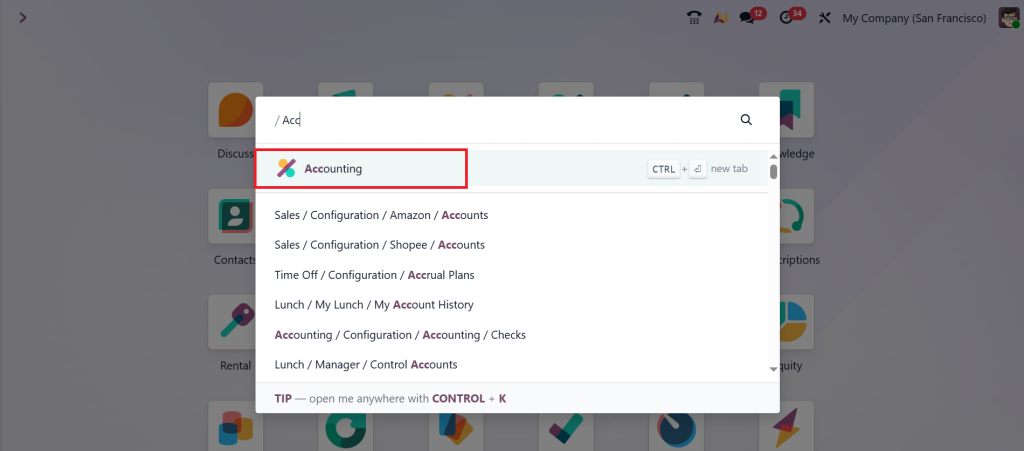
In Odoo, tax rounding is a critical configuration that determines how the taxes are calculated on transactions and how the final total is adjusted for payment. So, there are two ways in which we can manage tax rounding: Odoo round per line and round per tax. To manage this, go to the Accounting module from your Odoo 19 dashboard.
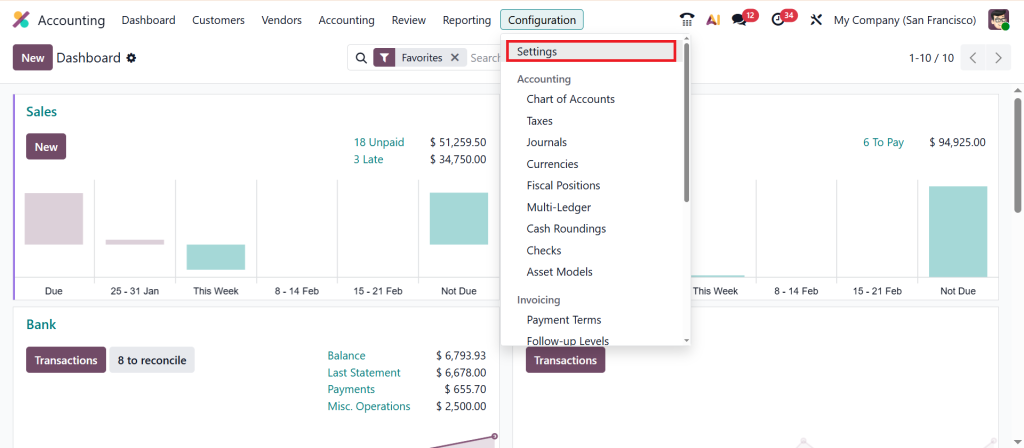
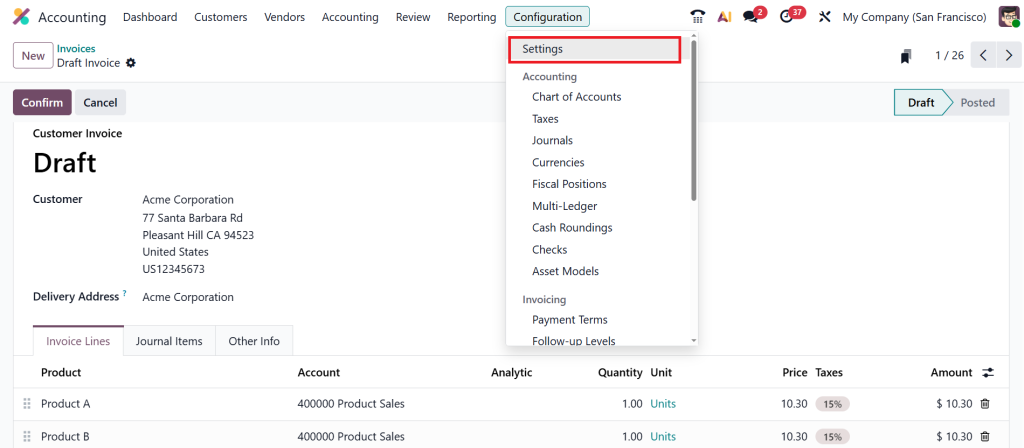
Then, Configuration > Settings.
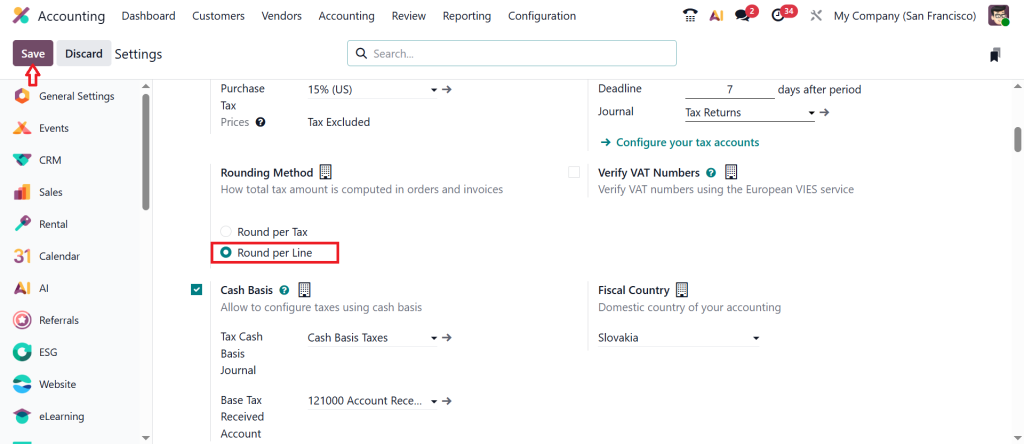
Now, you’ll find the option to choose your rounding method. This is where you decide between Odoo round per line vs round per tax. So, first we choose the Round per line method. Round per line is basically used to calculate and round for each individual line of an invoice. The total taxes are the sum of these rounded values. Once you select the method and save, the tax rounding in Odoo 19 accounting will apply that rule to all invoices.
If you skip this setup, you might continue seeing invoice tax rounding discrepancies in Odoo and think something is wrong, when in fact the system is doing exactly what it was instructed to do.
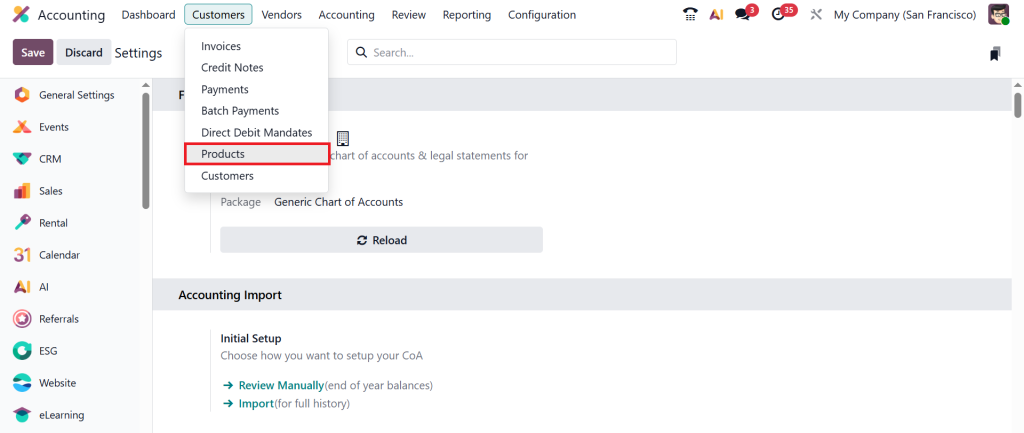
Next, move to the Customers > Products.
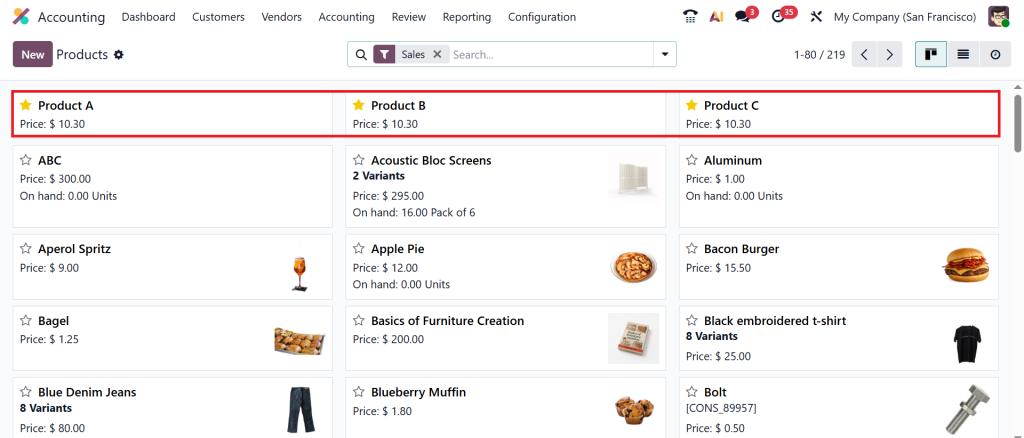
Here, we have Product A, Product B, and Product C. Each product has got the price of $10.30.
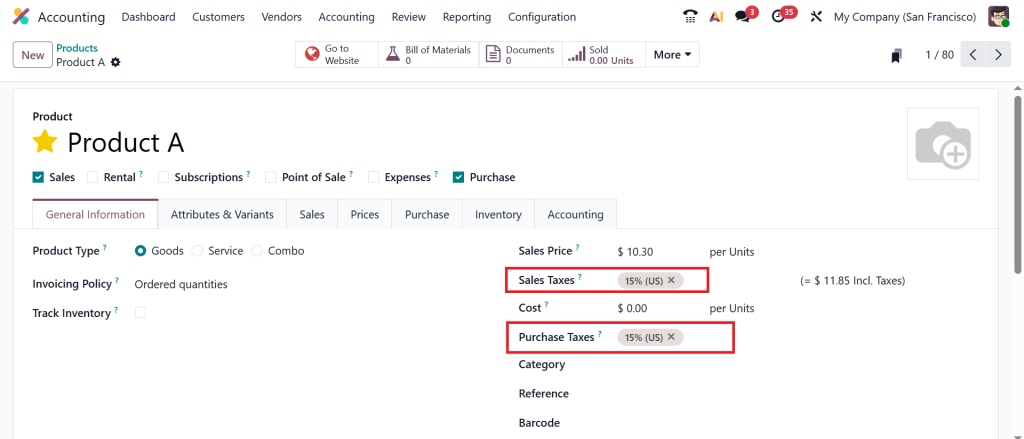
Let’s open Products one by one and apply 15% tax on each of the products.
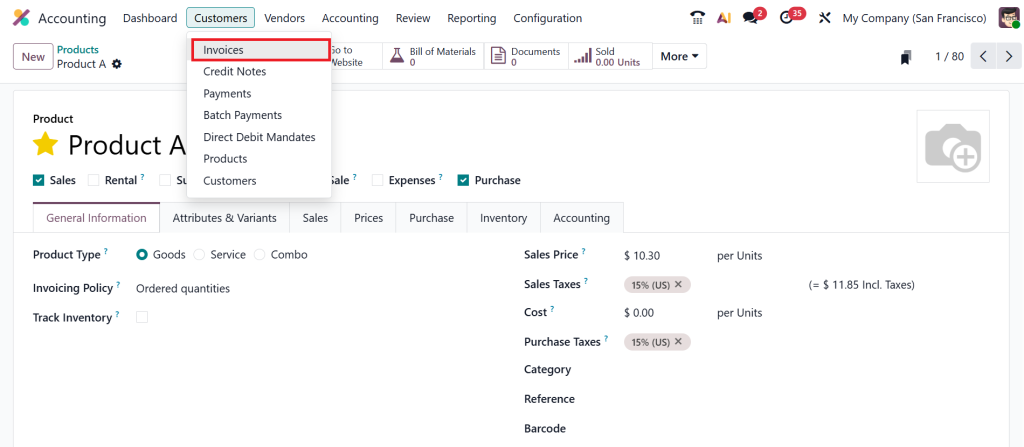
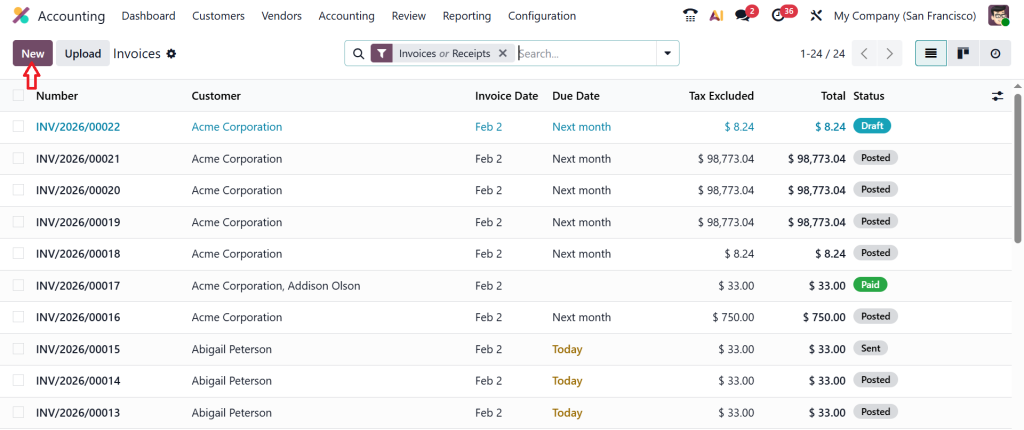
Next, move to the Customers > Invoices.
Click on the New button.
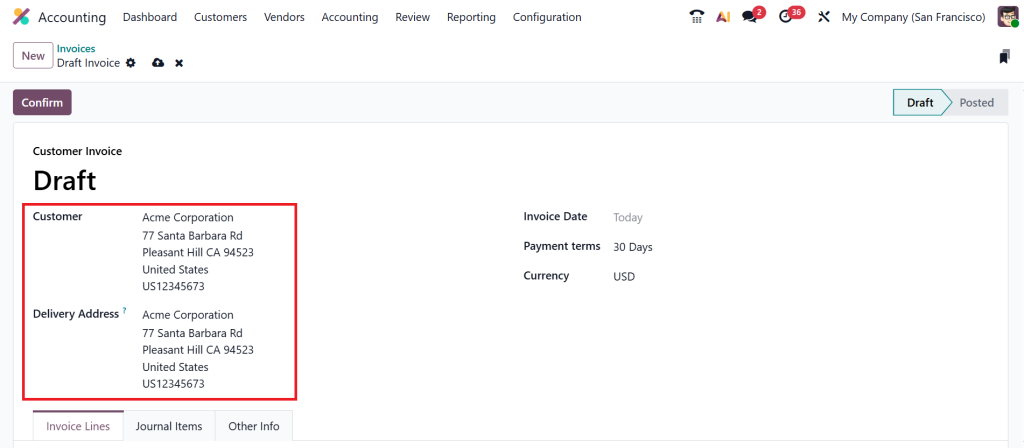
Select the customer and delivery address.
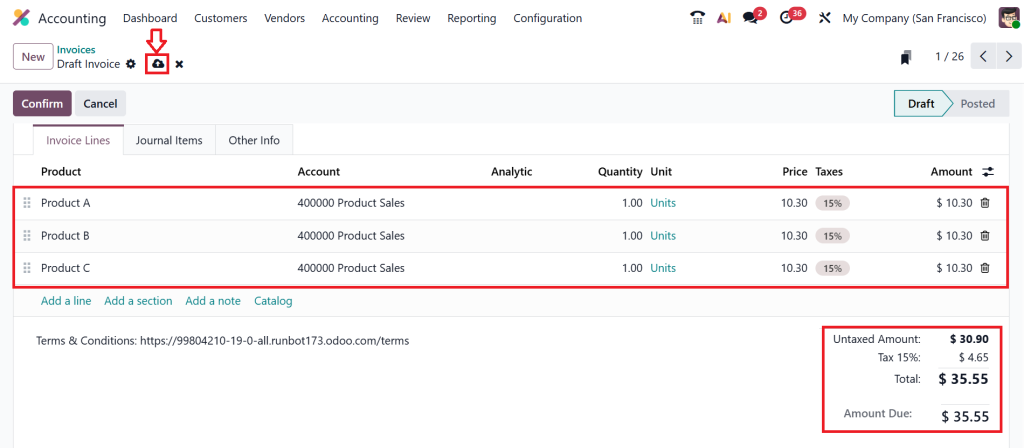
Now, choose Product A, and as you can see in the screenshot below, when you apply 15% tax, it will be 1.55 for the tax that applied for one product; likewise, individually, the tax will be applied for each of the products. Let’s select Product B and then later on Product C and click Save.
After that, you can see the tax is calculated below. For each of the products, the tax applied is 15%, which is 1.55. When you sum up 1.55 three times, you will get $ 4.65. Here, we have done the round per line, and this is recommended if your prices are tax-included to ensure the sum of the lines matches the total.
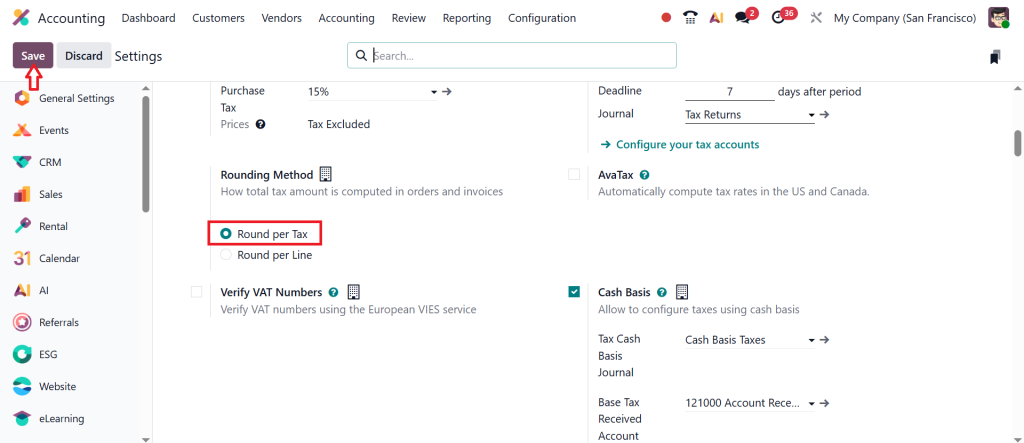
Again, go to Configuration > Settings.
Change the feature and set it as Round per Tax, and click Save.
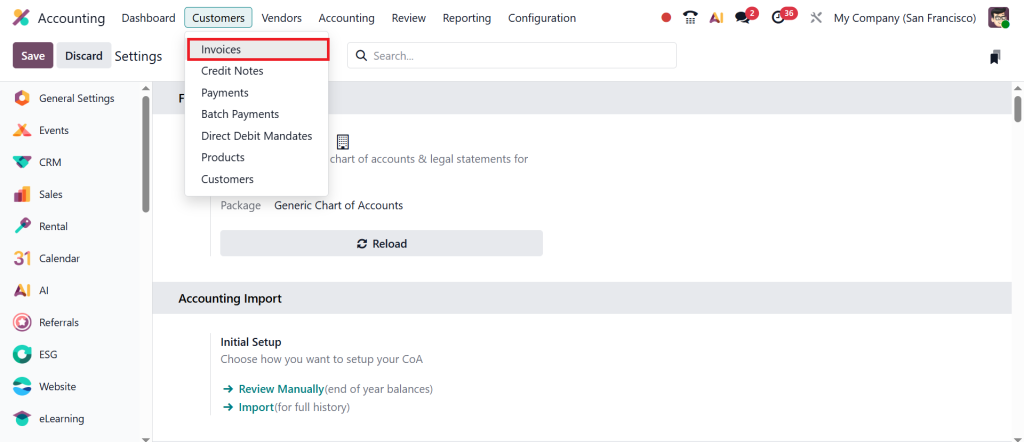
Go to Customers > Invoices.
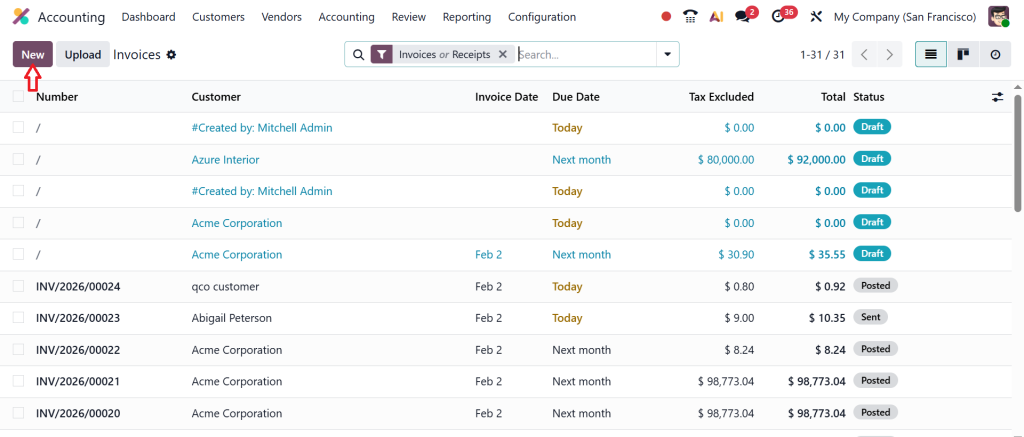
And create a New invoice.
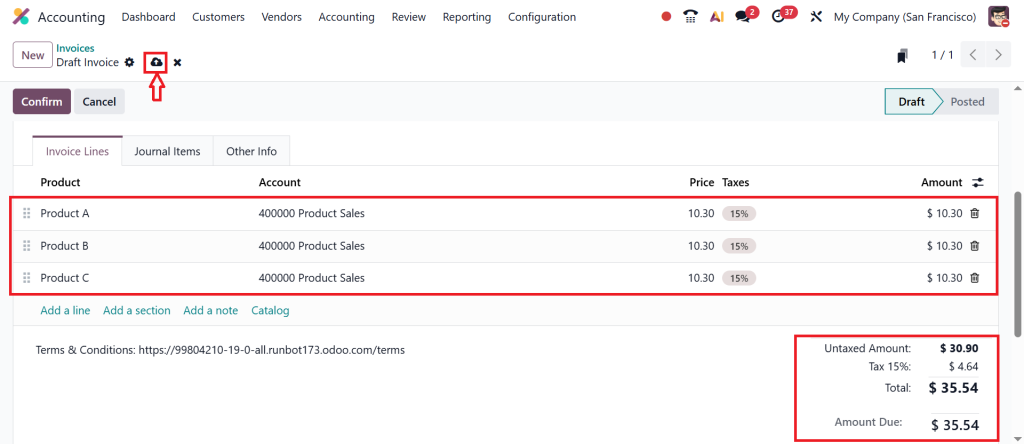
Fill out the details of the customer and choose the products A, B & C. Apply the tax, which is 15%, and you can see that the tax is calculated for each line and summed up as a row decimal, and only the final sum is rounded. In this case, you can see that the price of the product is $10.30.
Here, we will be calculating the total price of the product. When you calculate the total price of the product, you will be getting $ 30.90 and you will be applying 15% of tax to the final price of all the products in the invoice. So, when you apply that, you’ll be getting $ 4.64 and this is commonly used for B2B or when the prices are tax-exclusive, as it is often mathematically precise.
In short, we can say that the tax rounding in Odoo 19 is not just a calculation setting but it is a foundational tool for ensuring legal compliance and financial precision. By understanding the difference between half the taxes being calculated and half the payment being rounded, businesses can eliminate the small but persistent accounting discrepancies.
Odoo 19 Cash Rounding and Tax Rounding Are Not the Same Thing
Many people conflate Odoo 19 cash rounding and tax rounding, but they address different issues. Tax rounding work in Odoo 19 accounting happens during tax calculation. Cash rounding happens after the total invoice amount is ready. It adjusts the final payable amount to match the smallest cash unit used in your country.
When we talk about Odoo 19 cash and tax rounding, remember this: tax rounding affects tax amounts, while cash rounding affects the final payment amount.
Invoice Tax Rounding Differences in Odoo: Why Your Totals Don’t Match Manual Math
Let’s say you calculate tax on a calculator and compare it with Odoo. If you notice a small gap, that’s one of the common invoice tax rounding differences in Odoo.
These differences usually happen because of the Odoo 19 tax rounding method or because you selected Odoo round per line vs round per tax. It doesn’t mean Odoo is wrong. It simply means Odoo is following system rules rather than manual rounding.
Understanding how tax rounding works in Odoo accounting helps you explain these differences clearly to customers or auditors.
Odoo 19 Modify Tax Amount vs Add Rounding Line & How Rounding Appears on the Invoice
Another important part of tax rounding work in Odoo 19 accounting is deciding whether to modify the tax amount or add a rounding line.
If you modify the tax amount, Odoo adjusts the tax value slightly and displays only the final amount. If you choose to add a rounding line, Odoo keeps the original tax and adds a small extra line showing the rounding adjustment.
The choice between Odoo 19 modify tax amount vs add rounding line depends on how transparent you want your invoices to be. Some businesses prefer to show everything clearly, while others prefer a clean invoice with fewer lines.
Making Tax Rounding Work in Odoo 19 Accounting Easy for You
When you look at all these settings together, tax rounding in Odoo 19 accounting becomes much easier to understand. It’s simply about how Odoo handles decimals when calculating tax.
Once you know the Odoo 19 tax rounding method, understand how tax rounding works in Odoo accounting, and choose between Odoo round per line vs round per tax, you stop worrying about small differences. When you also learn the difference between Odoo 19 cash rounding and tax rounding and decide on Odoo 19 modify tax amount vs add rounding line, you’re fully in control of your invoice totals.
And when someone points out invoice tax rounding differences in Odoo, you won’t panic. You’ll know exactly why it’s happening and how your system is calculating it.
That’s the goal, not just using Odoo, but actually understanding what it’s doing with your numbers behind the scenes.
Need Help Setting Up Tax Rounding Work in Odoo 19 Accounting?
If you’re still unsure about tax rounding work in Odoo 19 accounting or you want to correctly configure tax rounding in Odoo 19 for your business, you don’t have to figure it out alone. Small settings, such as Odoo’s round per line vs. round per tax, or choosing between Odoo 19’s modify tax amount and add rounding line, can make a big difference in your invoice totals and tax reports.
Our Odoo experts at Netilligence can help you review your current setup, fix invoice tax rounding differences in Odoo, and make sure how tax rounding works in Odoo accounting matches your local tax rules and business needs.
Get in touch with Netilligence today, and let’s make your Odoo 19 accounting accurate, clear, and stress-free.




