Why Cash Rounding in Odoo 19 Accounting Matters in Daily Transactions
If you work with invoices every day, you already know how small decimal values can create confusion in cash payments. Suppose you generate an invoice for 10.02 or 15.03. When the customer pays with cash, giving or receiving those tiny coin values can be inconvenient. In many countries, these small coins are rarely used anymore. This is exactly why cash rounding in Odoo 19 accounting becomes an important feature for businesses that deal with cash transactions.
Cash rounding in Odoo 19 accounting allows the system to automatically adjust invoice totals to a practical number. Instead of handling amounts like 10.02 or 10.03, Odoo can round the invoice to 10.00 or 10.05, depending on the rule you define. This small adjustment makes daily billing easier for cashiers and keeps accounting records accurate.
The Odoo 19 cash rounding feature helps companies avoid manual calculations. When you enable it, Odoo automatically rounds off the invoice total based on the rules you configure. This means your accounting team does not need to manually adjust invoices or worry about mismatched totals.
Another important part of cash rounding in Odoo 19 accounting is that the system records the rounding difference in the background. That difference is posted to the Odoo 19 cash rounding gain loss account, so your financial reports remain correct. Nothing is lost, and everything is properly recorded.
In this guide, I will walk you through how to configure cash rounding in Odoo 19, how the Odoo 19 invoice cash rounding setting works, and how the Odoo 19 cash rounding methods nearest up down affect your invoices. By the end of this blog, you will clearly understand how to manage cash rounding inside Odoo without confusion.
Understanding the Odoo 19 Cash Rounding Feature in Real Business Scenarios
Before we talk about configuration steps, it is important to understand how the Odoo 19 cash rounding feature works in real business situations.
Think about a retail store where hundreds of small cash transactions happen daily. If every invoice contains amounts like 0.01 or 0.02, cashiers will constantly struggle with small change. Over time, this creates delays at the counter and unnecessary confusion.
With cash rounding in Odoo 19 accounting, the system automatically adjusts the invoice total to the nearest acceptable value. The cashier simply receives or gives cash based on the rounded total.
For example:
If the invoice total is 12.02, the system may round it to 12.00.
If the invoice total is 12.03, it may be rounded to 12.05.
This rounding happens according to the Odoo 19 cash rounding methods nearest up and down that you define in the configuration. At the same time, Odoo records the difference and sends it to the Odoo 19 cash rounding gain loss account so that your accounting remains balanced.
Configure Cash Rounding Odoo 19: A Step-by-Step Guide
Now let’s talk about the practical part. If you want to start using this feature, you need to configure cash rounding in Odoo 19 inside the accounting settings.
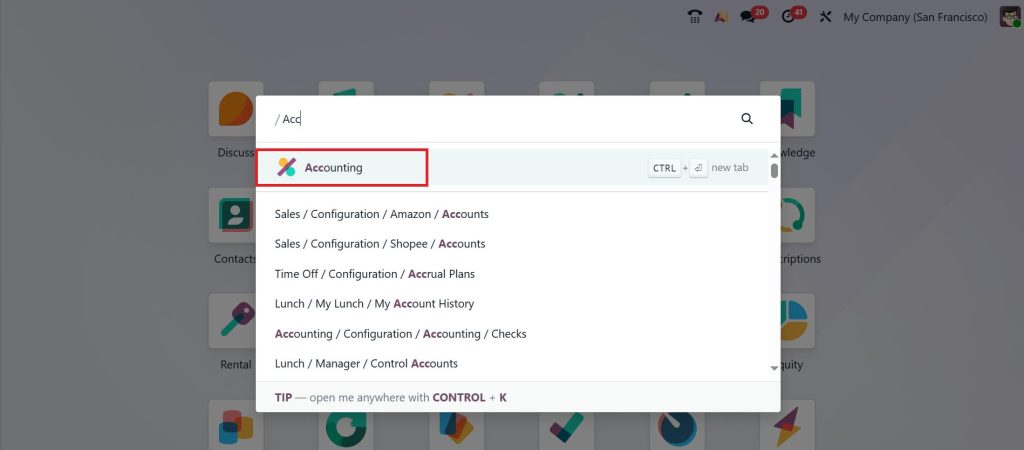
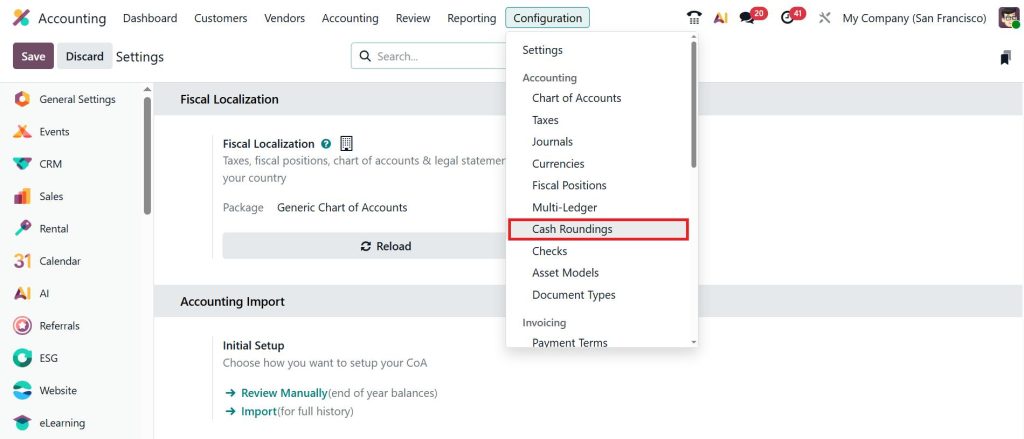
First, open the Accounting module in Odoo.
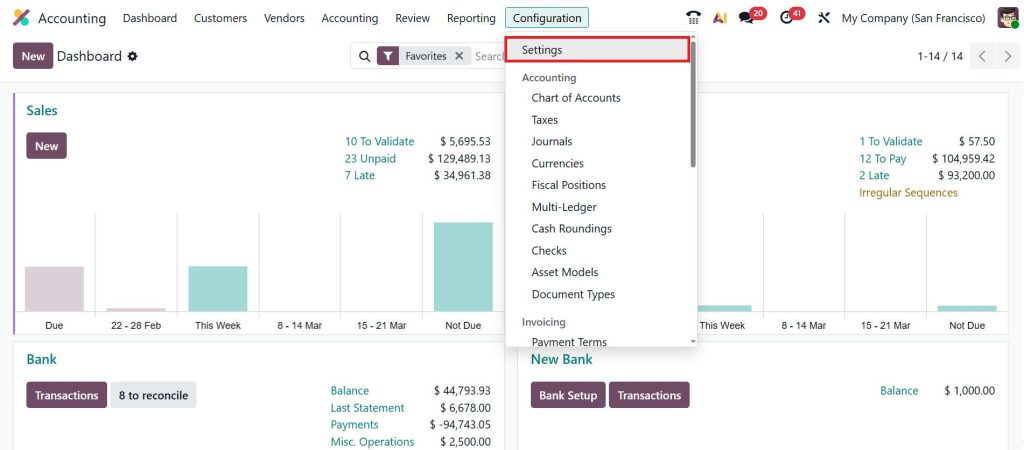
From there, go to the Configuration menu and open Settings.
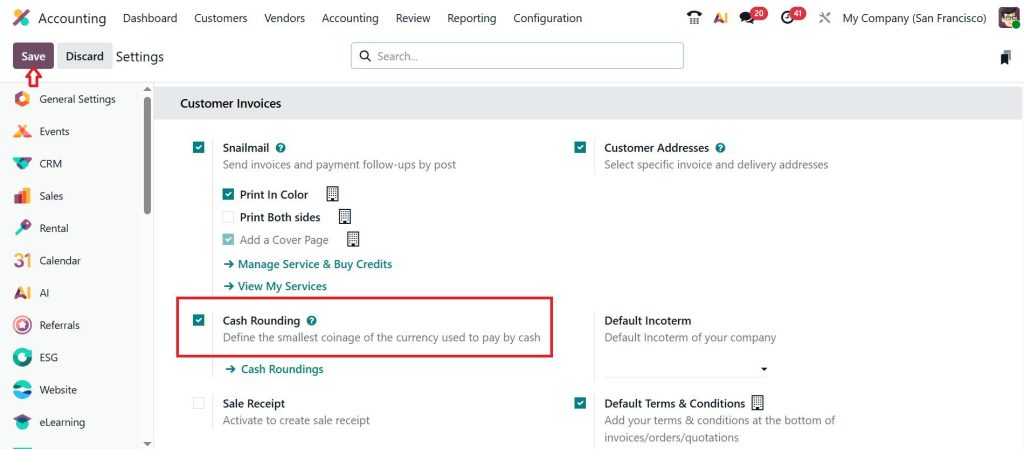
Inside the accounting settings page, you will see the option related to the Odoo 19 cash rounding feature. Once you enable this option and save the settings, Odoo will allow you to create rounding rules.
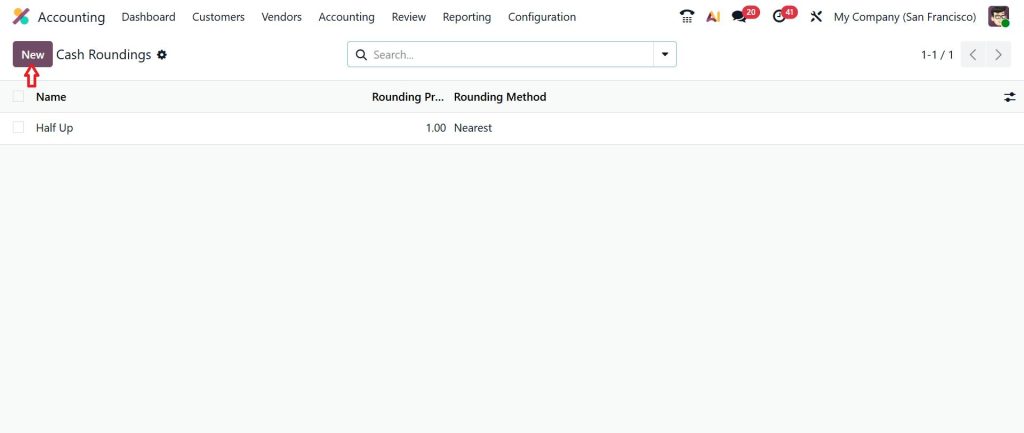
After enabling the feature, the next step to configure cash rounding in Odoo 19 is to create a rounding rule. For this, go to Accounting → Configuration → Cash Roundings.
Here, you can create a new rule that defines how the system should round off the invoice total in Odoo 19.
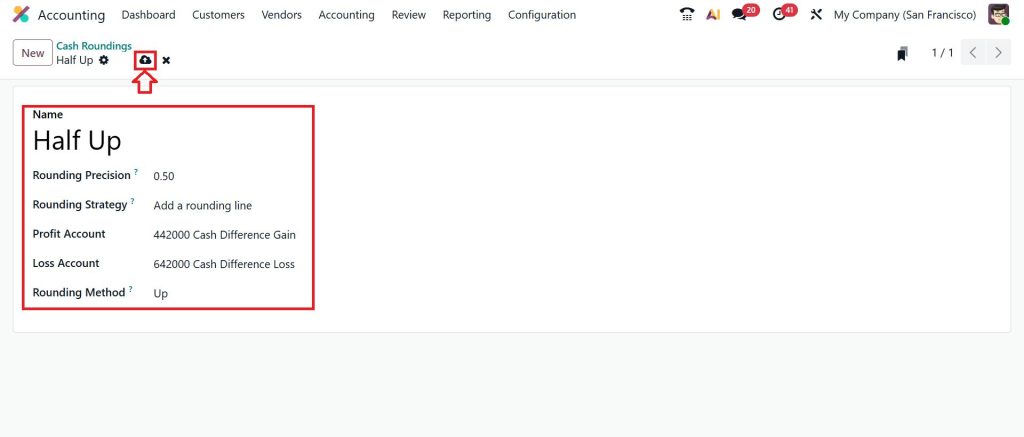
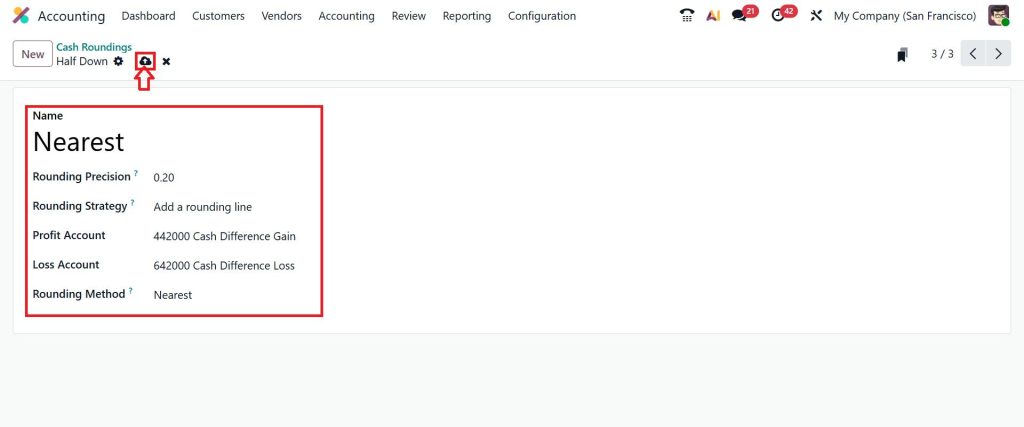
Now, create our first rule, which is Half Up. When creating the rule, you will define several important values, such as rounding precision, rounding method, and the accounts used to record rounding differences, and click save.
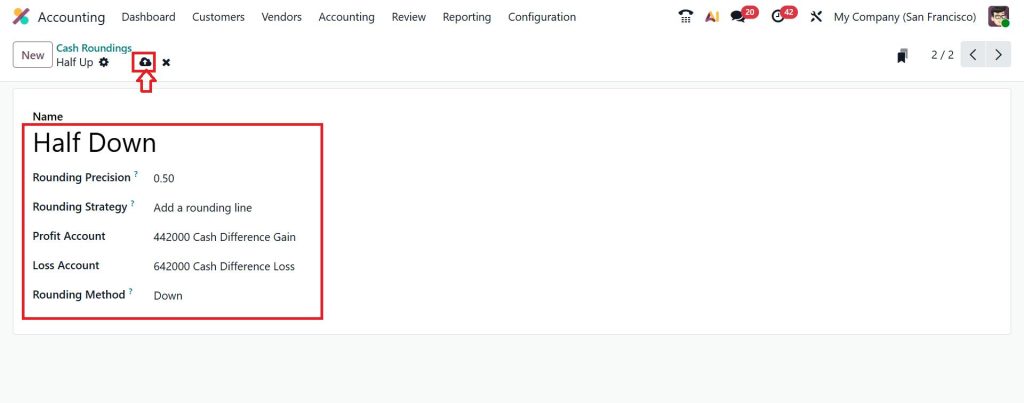
Let’s move on to the second option, which is Half Down. Fill in the details and click save.
And later on, I would like to create a third cash rounding rule as Nearest. Set the rounding precision, strategy, and methods, etc., and click save.
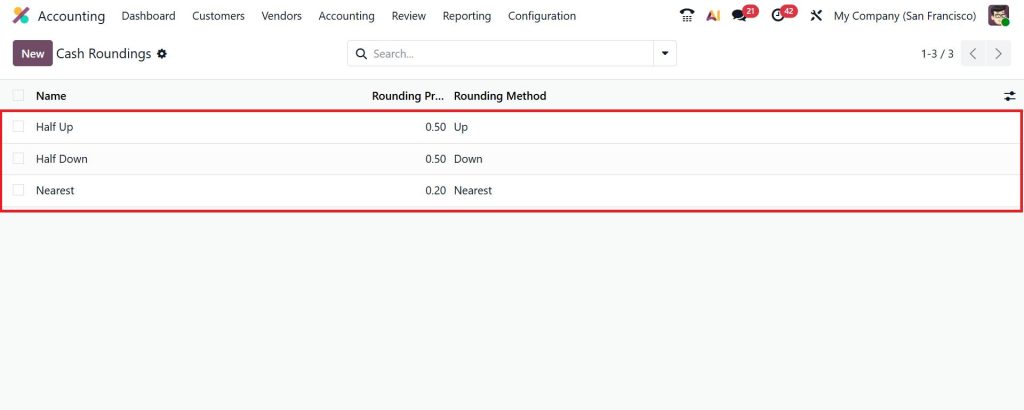
Here, you can see all the created cash roundings. These settings tell Odoo exactly how to handle invoice totals during cash payments.
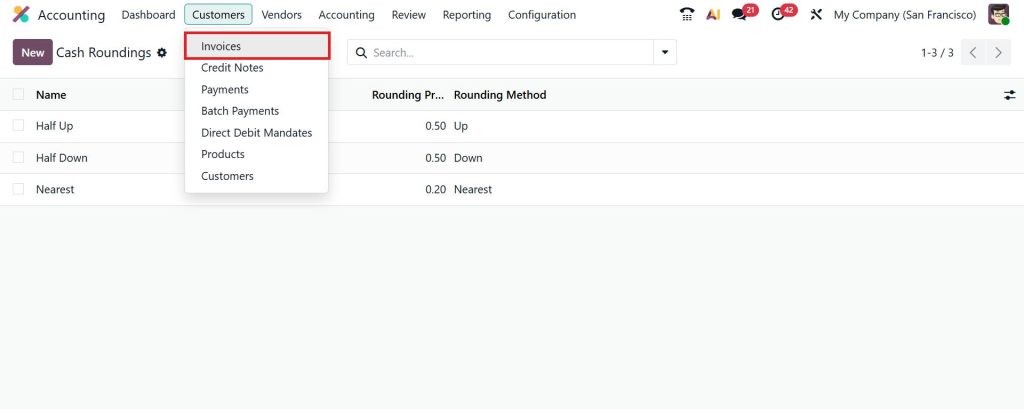
Once the rule is saved, the system is ready to apply rounding adjustments to invoices. So, go to the Customers > Invoices.
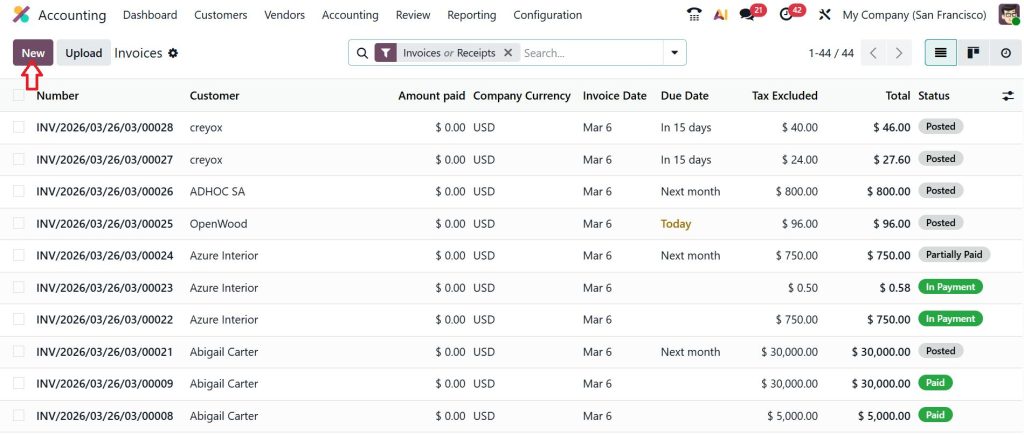
Click New.
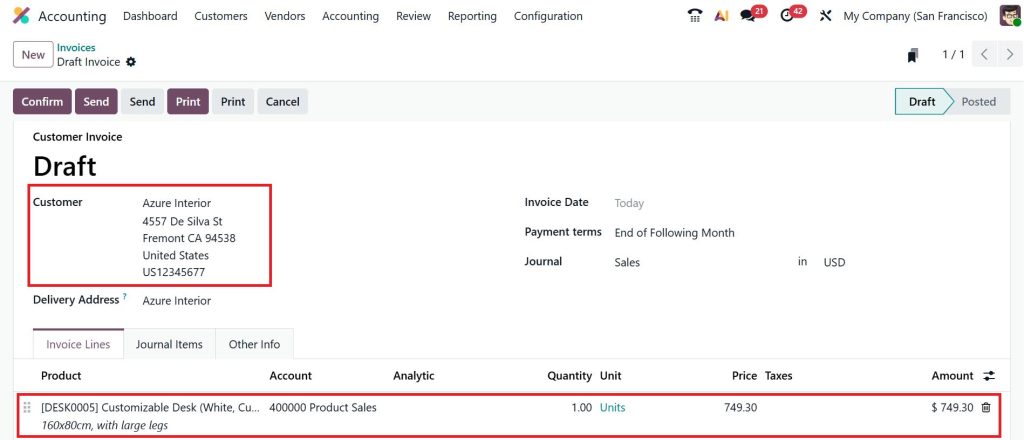
Select the customer, add the product, and set the price of the product.
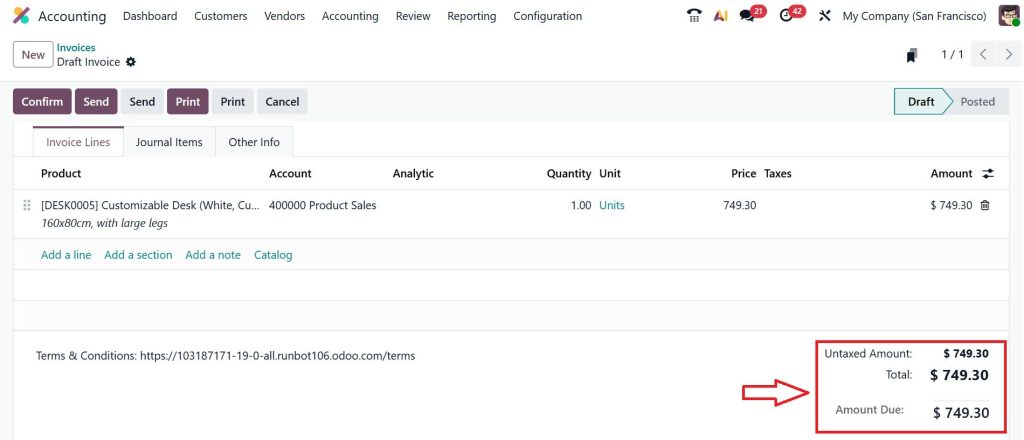
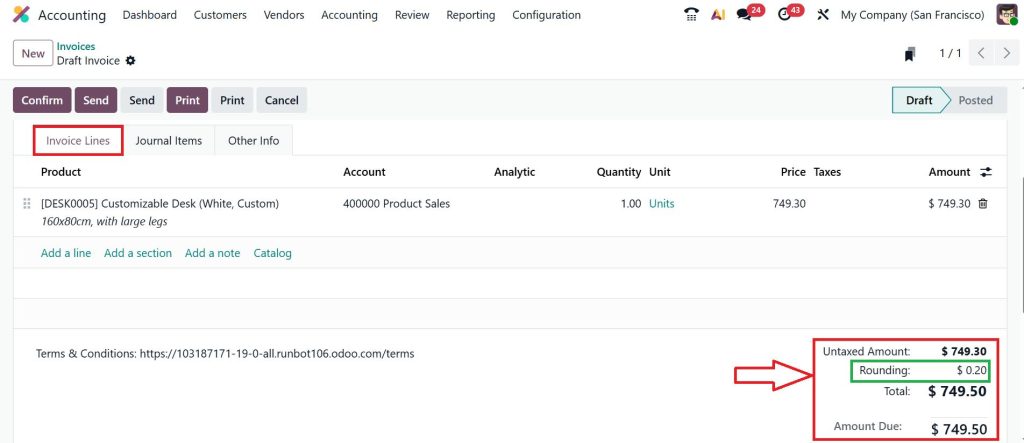
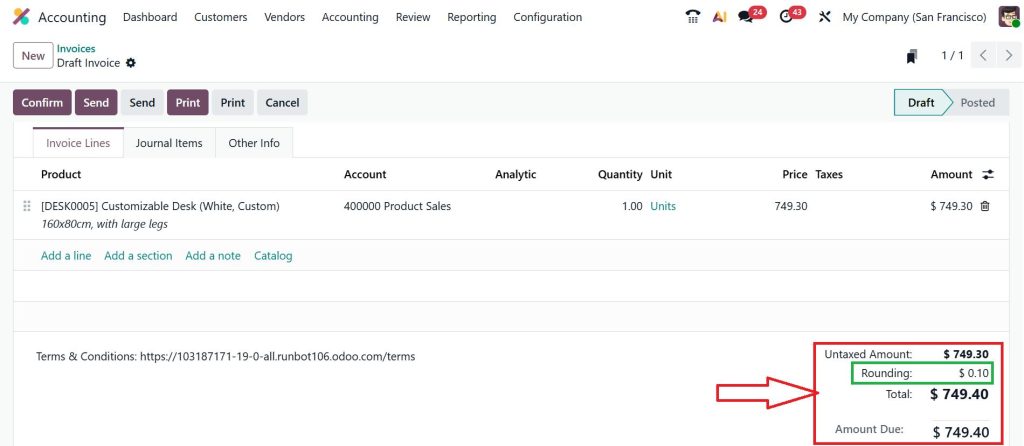
Currently, you can see that the price of the product is $749.30.
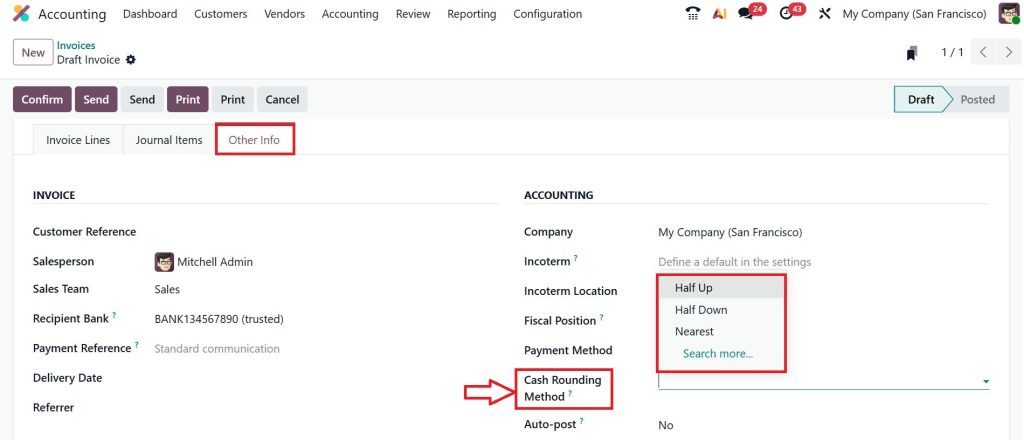
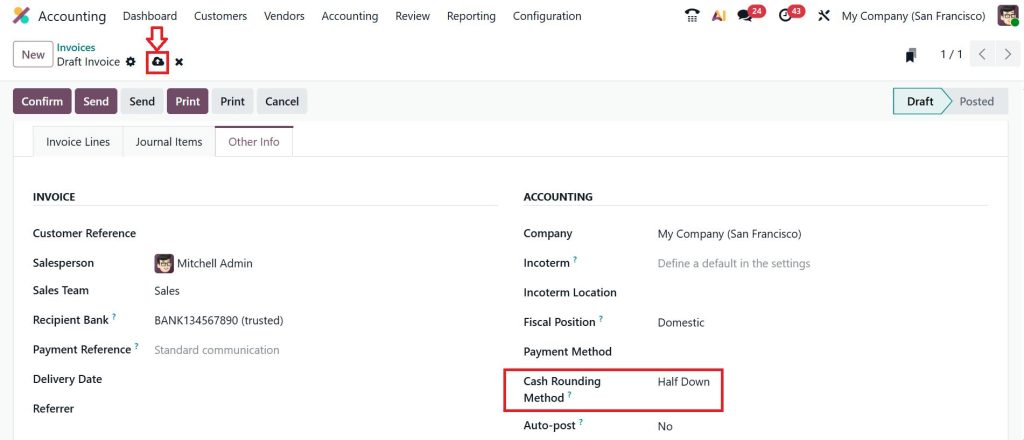
Now, let’s move to the Other Info tab. In this tab, you would be able to see the Cash Rounding Method.
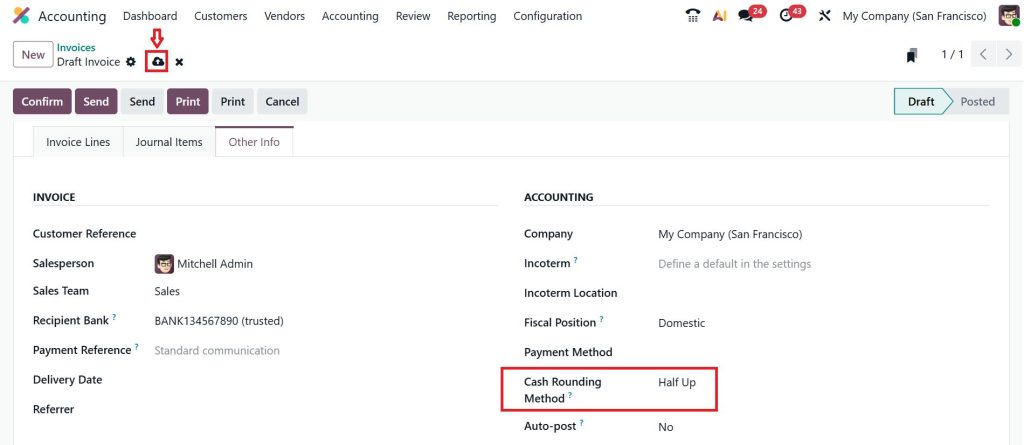
First, we select the Half Up method and click Save. With this method, the invoice total is always rounded up. Businesses may use this method to avoid losing small amounts.
Now, if we move on to the Invoice Line tab and scroll down, you can see it is just rounded up, and it’s set as $749.50. We have just rounded 0.20 here.
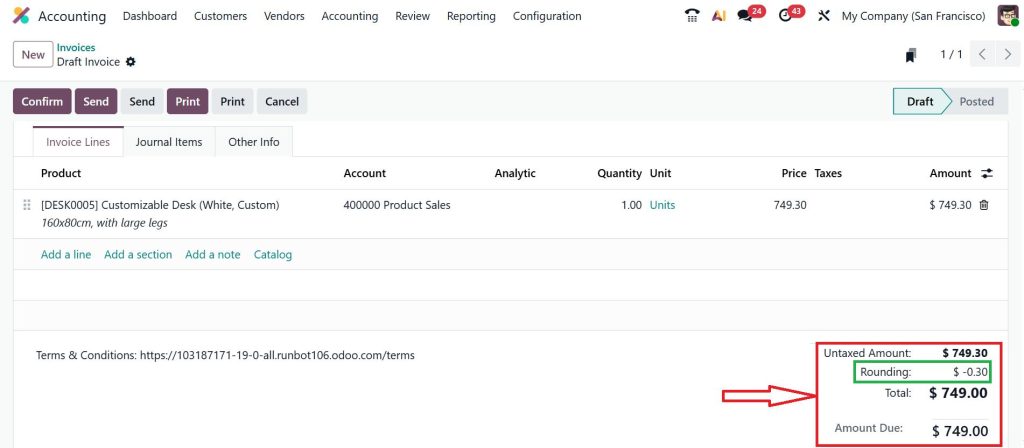
Let’s change this into the second cash rounding method, which is Half Down, and save the changes. Some businesses prefer this approach for customer satisfaction.
Now, you can clearly see the changes showing here, and we have subtracted -0.30. The loss has taken place here, and we are just collecting the $749.00 from the customer.
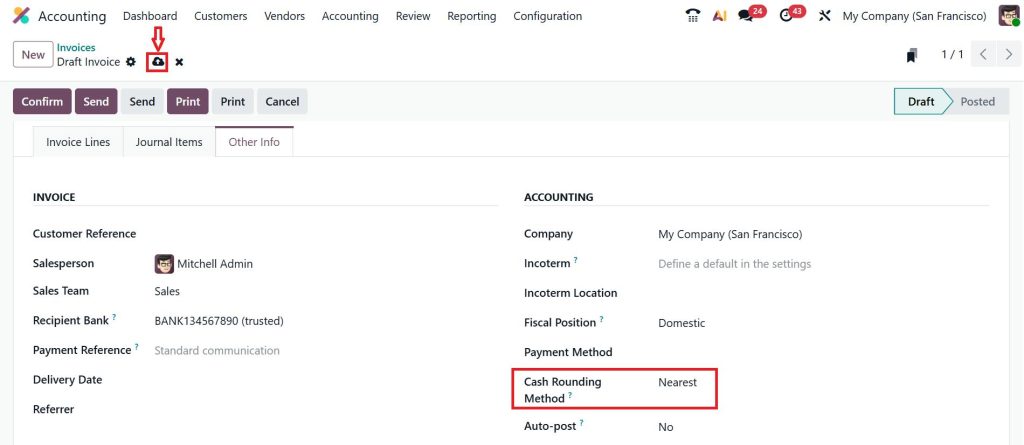
So, let’s change to the last cash rounding method, which is Nearest, and click save. The system rounds to the closest value, and this is the most commonly used rounding method.
When you set it as the nearest method, you can see it will be going with the precision, and that will be converted to $749.40 and rounded to just $0.10.
This is how the system automatically rounds off the invoice total in Odoo 19 based on the defined rule.
Odoo 19 Cash Rounding Methods Nearest Up Down Explained
While configuring the rounding rule, one important decision you need to make is selecting the rounding method. The Odoo 19 cash rounding methods nearest up or down determine how invoice totals are adjusted.
The first method is Nearest Rounding. In this method, the system rounds the invoice total to the closest value based on the rounding precision you defined. For example, if the rounding precision is 0.05, then an invoice amount like 10.02 will be rounded to 10.00, while 10.03 will be rounded to 10.05. Many businesses prefer this method because it keeps the rounding balanced between customers and the company.
The second option is Round Up. In this method, the invoice total always increases to the next rounding value. For example, 10.01, 10.02, or 10.03 would all become 10.05. Some businesses choose this option to avoid losing small amounts in cash transactions.
The third option is Round Down. With this method, the invoice total always decreases to the lower rounding value. For example, 10.04 or 10.03 may become 10.00. Some companies use this method to keep customers satisfied by slightly reducing the payable amount. Each business chooses the method that fits its financial policy and local currency practices.
Odoo 19 Invoice Cash Rounding Setting and How It Works on Invoices
Once you create the rounding rule, the next step is understanding the Odoo 19 invoice cash rounding setting and how it works when creating invoices.
When you generate a customer invoice in the accounting module, you will see an option to select a cash rounding rule. After selecting the rule, Odoo automatically checks the invoice total and applies the rounding adjustment.
For example, you create an invoice with a total of 25.02. If the selected rule rounds to 0.05, the system will automatically round off the invoice total in Odoo 19 and adjust the amount to 25.00.
Inside the invoice, Odoo also adds a small rounding line showing the adjustment amount. This ensures that the customer invoice remains transparent and your accounting entries stay correct. This Odoo 19 invoice cash rounding setting works quietly in the background but saves a lot of time for accounting teams.
Odoo 19 Cash Rounding Gain Loss Account and Why It Is Important
Whenever an invoice total is rounded, a small financial difference appears. This difference must be recorded somewhere in the accounting system. That is where the Odoo 19 cash rounding gain loss account comes into play.
When you configure cash rounding in Odoo 19, you define two accounts: one for gains and one for losses. If rounding increases the invoice amount, the difference goes to the profit account. If rounding decreases the invoice amount, the difference goes to the loss account.
For example, suppose an invoice total is 18.02, and the system rounds it down to 18.00. The difference of 0.02 will be recorded in the loss account. On the other hand, if an invoice total of 18.03 is rounded up to 18.05, the difference of 0.02 goes to the gain account.
This is why the Odoo 19 cash rounding gain loss account is necessary. It ensures that even the smallest financial differences are properly recorded in your accounting reports.
How Odoo Automatically Round Off Invoice Total Odoo 19
One thing many Odoo users appreciate is that once everything is configured, the system handles the rounding automatically.
After you configure cash rounding in Odoo 19, every time an invoice is created with the rounding rule selected, the system calculates the adjustment and updates the total. The accountant does not need to calculate anything manually.
Odoo checks the rounding precision, applies the selected option from Odoo 19 cash rounding methods nearest up or down, adjusts the amount, and posts the difference to the Odoo 19 cash rounding gain or loss account. Because of this automation, companies can easily round off the invoice total in Odoo 19 without affecting accounting accuracy.
Practical Example of Cash Rounding in Odoo 19 Accounting
Let me explain this with a simple example. Suppose you run a retail shop and a customer buys items worth 32.02. Your rounding rule is set to 0.05 with nearest rounding. When the invoice is generated, Odoo checks the amount and applies cash rounding in Odoo 19 accounting. The system adjusts the total from 32.02 to 32.00.
The difference of 0.02 is automatically recorded in the Odoo 19 cash rounding gain loss account. The customer pays 32.00, the cashier handles a clean cash amount, and your accounting records remain accurate. This small process makes daily transactions much easier for businesses that handle cash payments frequently.
Start Using Cash Rounding in Odoo 19 Accounting for Better Invoice Control
If you work with invoices every day, even small decimal values can create confusion in cash transactions. This is why understanding cash rounding in Odoo 19 accounting becomes important for businesses that handle regular cash payments.
Once you configure cash rounding in Odoo 19, the system automatically rounds off the invoice total Odoo 19 according to the rule you define. Whether you use the Odoo 19 cash rounding methods nearest up, down or a specific rounding precision, Odoo manages the calculation in the background and keeps your invoices accurate.
At the same time, any rounding difference is recorded in the Odoo 19 cash rounding gain or loss account, which keeps your accounting records balanced and transparent. The Odoo 19 invoice cash rounding setting also ensures that the rounding adjustment appears clearly on the invoice, so both your accounting team and your customers can easily understand the final amount.
In short, once the Odoo 19 cash rounding feature is properly configured, handling cash invoices becomes much simpler and more organized.
If you are working with Odoo and want to learn more practical configurations like this, explore more guides on the Netilligence blog or connect with our team to get help with your Odoo setup.
Hi, I'm Ilsa Shabbir, an Odoo ERP content writer specializing in functional blogs on Odoo modules. I simplify complex Odoo features, creating clear and engaging content to help businesses understand and optimize their ERP solutions.
We use cookies to ensure that we give you the best experience on our website. If you continue to use this site we will assume that you are happy with it.